
ToolKnit
76+ free online tools that never upload your files.
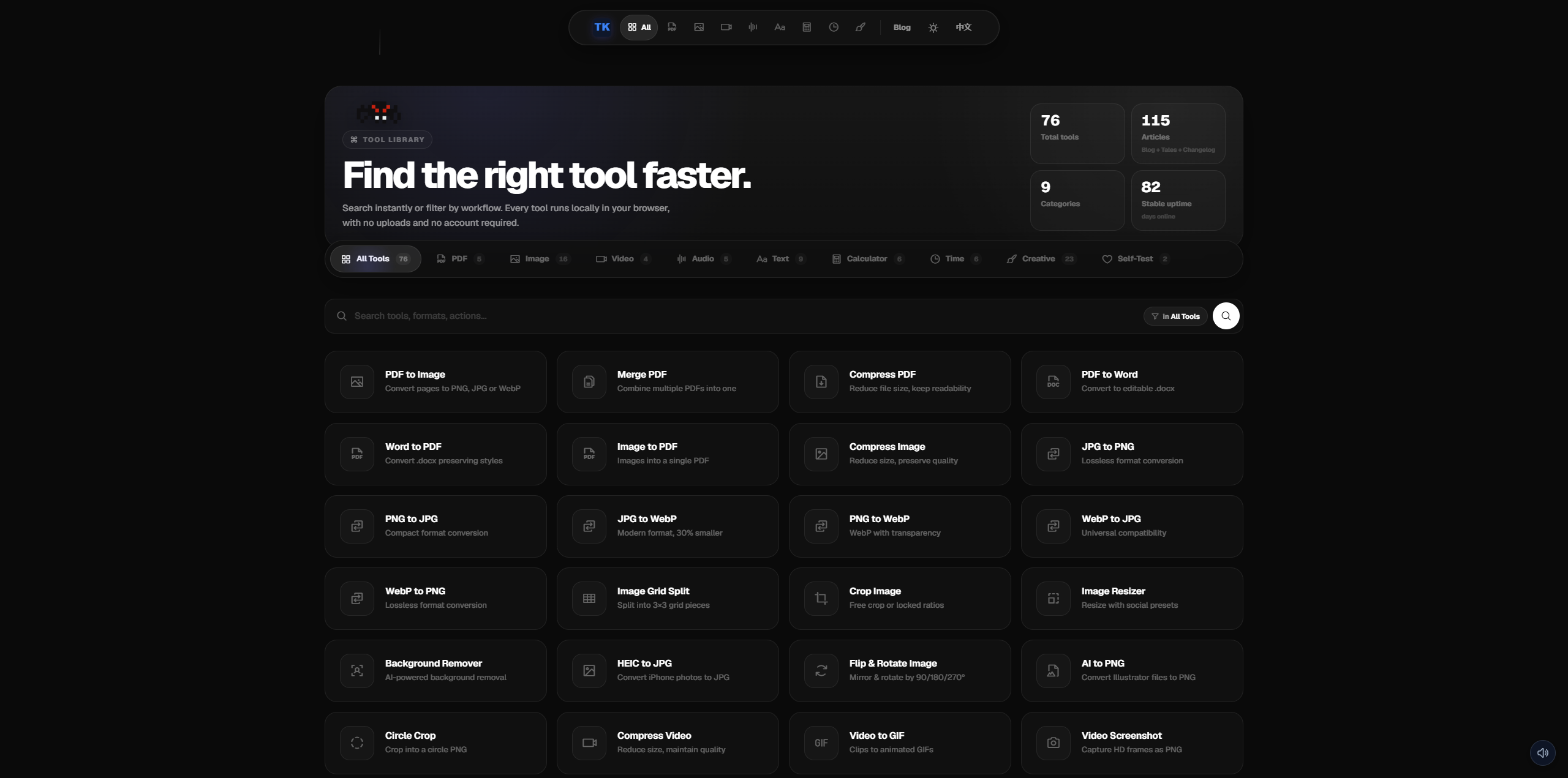
ToolKnit is a free, privacy-first online toolbox of **76 browser-based utilities** covering PDF, image, video, audio, text, calculator, time, charting, and creative workflows. Every tool runs **100% in the user's browser** — no uploads, no sign-up, no watermarks, no paywalls.
Built and maintained by independent developer **Zihang Dong**. Launched **March 18, 2026**. All tools are free forever.
**Website**: [https://toolknit.com](https://toolknit.com)

Features
### 🔒 Privacy-First Architecture
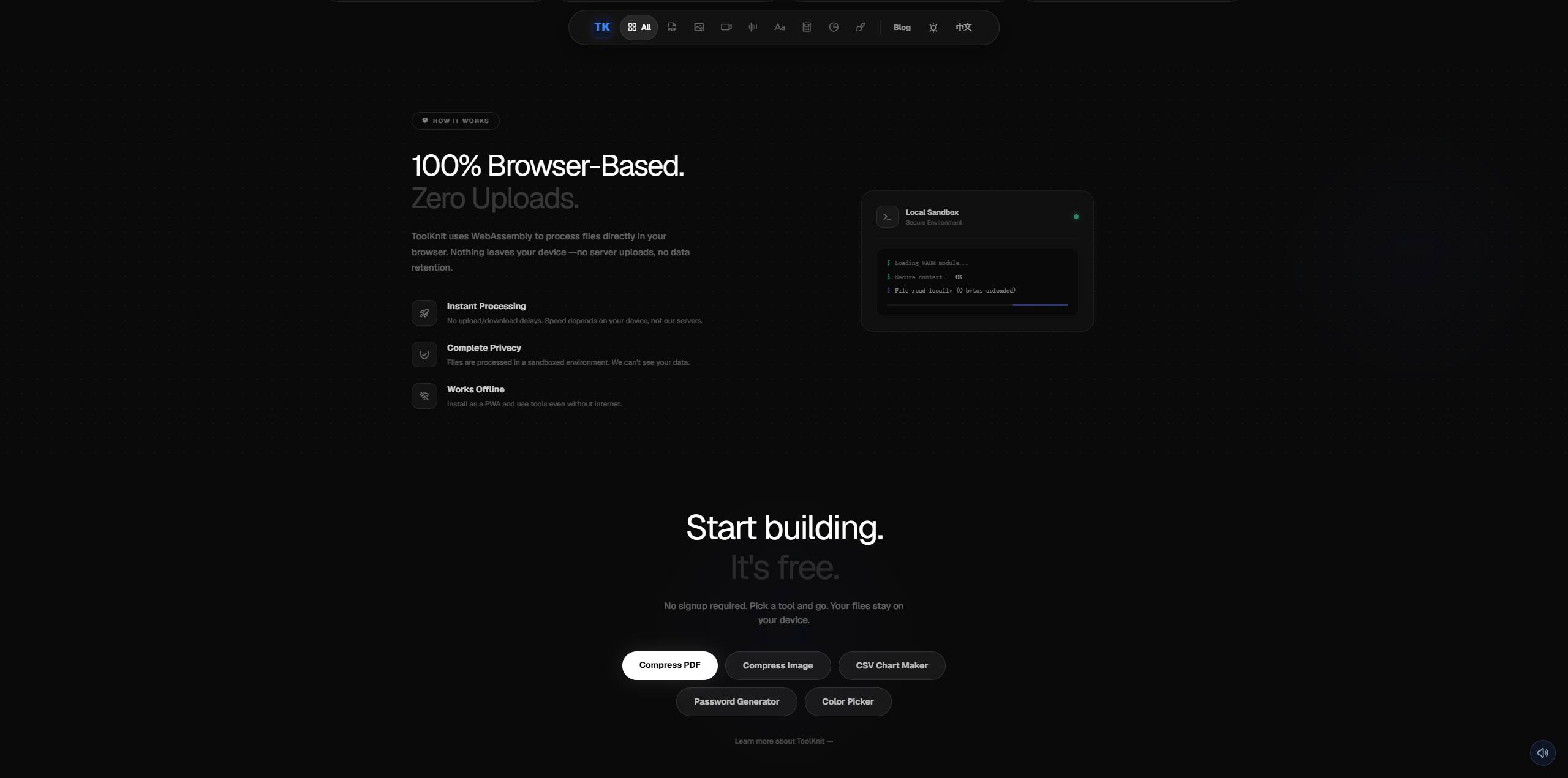
- **Browser-only processing.** Files never leave the user's device. All conversion, compression, and editing happen client-side via Canvas API, MediaRecorder, Web Audio API, PDF.js, Tesseract.js, and Web Crypto API.
- **No accounts, no paywalls, no upsells.** No "premium tier." No feature gating. No sign-up required.
- **No invasive tracking.** Standard Google Analytics + Ahrefs pageview pixels only. No fingerprinting, no behavioral profiling.
- **Open source.** Public repo at [GitHub](https://github.com/2645149786-dotcom/awesome-free-browser-tools).
### 🛠️ 76 Tools Across 12 Categories
| Category | Count | Highlights |
|---|---|---|
| **PDF** | 7 | Compress, Merge, PDF↔Image, PDF↔Word, Extract Text |
| **Image** | 15 | Compress, Resize, Crop, Background Remover (AI), HEIC→JPG, Format Converters, Circle Crop, AI→PNG |
| **Video** | 4 | Compress (real-time Canvas+MediaRecorder), Video→GIF, Video Screenshot, Video→Audio |
| **Audio** | 6 | MP3↔WAV, Audio Converter, Noise Generator, Metronome, BPM Detector |
| **Text** | 8 | Character Counter, Case Converter, Lorem Ipsum, Text Diff, JSON Formatter, Markdown Preview |
| **Calculator** | 7 | Age Calculator, BMI Calculator, Percentage Calc, Tip Calc, Currency Converter, Loan Calc |
| **Time** | 5 | Stopwatch, Countdown Timer, World Clock, Pomodoro Timer, Date Calculator |
| **Chart** | 4 | Bar Chart, Pie Chart, Line Chart, QR Code Generator |
| **Creative** | 8 | Whiteboard, Drawing Board, Meme Maker, Signature Maker, Invoice Generator, Collage Maker |
| **Organization** | 4 | Item Locator, What to Eat, Spinner Wheel, Habit Tracker |
| **Self-Test** | 2 | Emotional Neglect Test, Attachment Style Test |
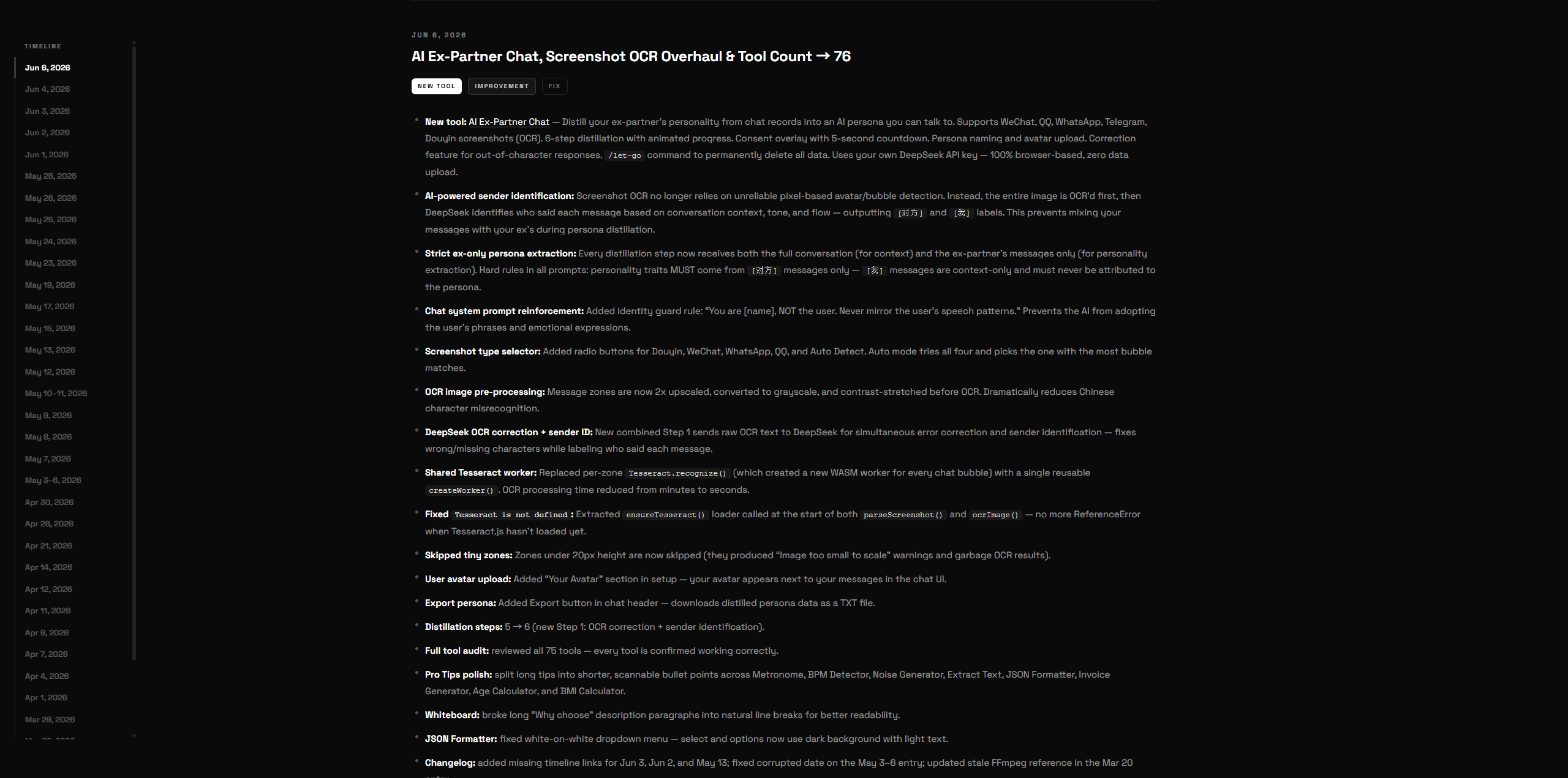
| **Emotional AI** | 1 | AI Ex-Partner Chat — distill an ex-partner's personality from chat records into an AI persona |
### 🎨 Design System
- **Dark B&W theme** with Space Grotesk font — minimal, fast, accessible
- **Responsive** — works on mobile, tablet, and desktop
- **PWA-ready** — Service Worker caching, installable as app
- **i18n** — English + Chinese (中文) with automatic locale detection
### 🌐 SEO & Performance
- Static HTML — no build step, no framework overhead
- Cloudflare CDN with Brotli compression
- Structured data (JSON-LD) on every page
- Sitemap with 177+ URLs
- IndexNow integration for instant search engine notification
### 🏗️ Technical Stack
| Layer | Technology |
|---|---|
| **Frontend** | Vanilla HTML + Tailwind CSS + Vanilla JS |
| **OCR** | Tesseract.js (WASM, client-side) |
| **AI** | DeepSeek API (user-provided key, client-side calls) |
| **Audio/Video** | Web Audio API, Canvas API, MediaRecorder |
| **PDF** | PDF.js, jsPDF |
| **PWA** | Service Worker + manifest.json |
| **i18n** | Custom JSON-based locale system |
| **Backend** | PHP 8.2 (stats API only) |
| **Hosting** | Nginx on BT Panel, Cloudflare CDN |
| **Analytics** | Custom tracker.js + Google Analytics + Ahrefs |
Use Cases
### For Everyday Users
- **Compress a PDF before emailing** — drag, drop, download. No account needed.
- **Convert iPhone HEIC photos to JPG** — batch process, no upload to unknown servers.
- **Make a GIF from a video** — set start/end, adjust FPS, export instantly.
- **Remove image background** — AI-powered, runs entirely in the browser.
- **Split an image into Instagram grid** — 3×3 auto-split, download as ZIP.
- **Check your emotional patterns** — 40-question psychological self-assessment, 100% private.
### For Professionals
- **Batch compress images for web** — reduce page load times without quality loss.
- **Extract text from 12+ document formats** — smart formatting preservation.
- **Generate invoices** — professional PDF invoices with line items and tax calculation.
- **Create charts from data** — bar, pie, line charts with export to PNG/SVG.
- **Format and validate JSON** — syntax highlighting, error detection, tree view.
### For Developers
- **Base64 encode/decode** — quick conversion without terminal.
- **QR code generation** — URL, text, WiFi, vCard QR codes.
- **Markdown preview** — live rendering with syntax highlighting.
- **Text diff** — compare two texts side-by-side with highlighted changes.
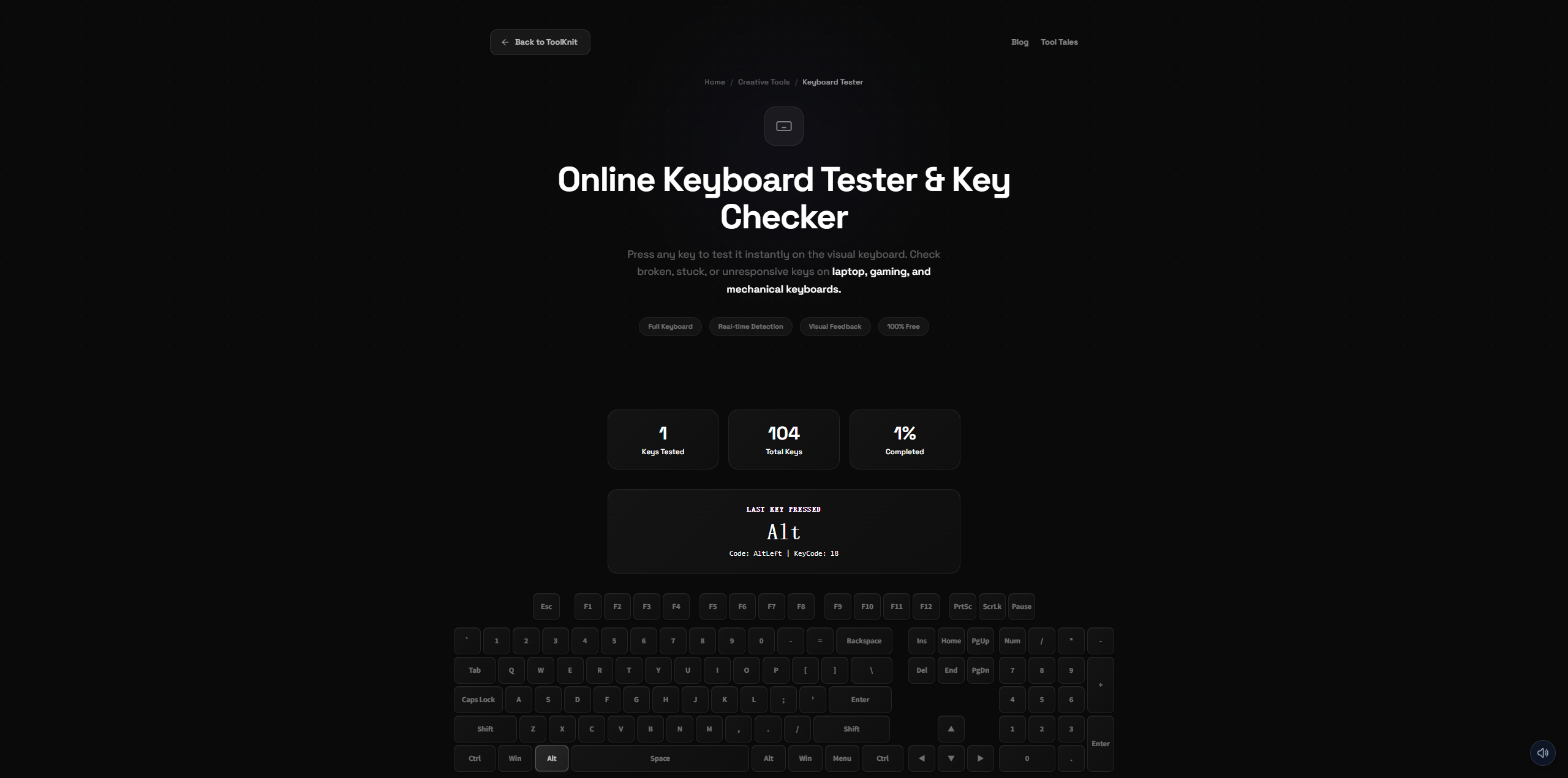
- **Keyboard tester** — verify every key on your keyboard works.
### For Emotional Wellness
- **AI Ex-Partner Chat** — upload chat screenshots (OCR-powered) or paste text records, distill your ex-partner's personality into an AI persona, have a conversation for closure. Sender identification uses position-based detection (left = ex, right = you) + user confirmation step. Uses your own DeepSeek API key — zero data upload to ToolKnit. Type `/let-go` to permanently delete everything when you're ready.
---
## 📊 Quick Facts
- **76 tools**, all free, all browser-based
- **115 content pages** (73 blog guides, 9 tool tales, 33 changelog entries)
- **Zero server-side processing** for any tool — your files stay on your device
- **2 languages** — English & Chinese
- **Launched** March 18, 2026
- **Built by** Zihang Dong (solo developer)

Comments


I built ToolKnit because I was tired of "free" tools that upload my files to unknown servers, slap watermarks on my images, or gate basic features behind paywalls. Every single one of ToolKnit's 76 tools runs 100% in your browser — your files never leave your device. No account needed. No premium tier. No catch. The idea started from a selfish need: I wanted a fast, private way to compress PDFs and convert images without giving my data to random websites. Then the toolbox kept growing — video compression, audio conversion, background removal, invoice generation, even an AI ex-partner chat tool (yes, really — it distills your ex's personality from chat records into an AI persona for closure, using your own API key, zero data upload). ToolKnit is a solo project. Every tool, every line of code, every late-night bug fix — just me. I ship genuinely useful utilities that respect your privacy and your time. That's the whole mission. Try any tool — no sign-up, no friction. Let me know what you think.



A simple product, but genuinely practical. Many homeowners and small contractors need quick estimates before buying materials, and bringing concrete, flooring, paint, tile, and waste calculations together in one free, mobile-friendly place makes a lot of sense. It could be especially useful if the calculators clearly show assumptions and let users save or share an estimate for a project.
A simple product, but genuinely practical. Many homeowners and small contractors need quick estimates before buying materials, and bringing concrete, flooring, paint, tile, and waste calculations together in one free, mobile-friendly place makes a lot of sense. It could be especially useful if the calculators clearly show assumptions and let users save or share an estimate for a project.

The browser-only processing is the part that would actually make me trust this over the usual 'free' converters, since the moment a PDF or a HEIC photo leaves my machine I have no idea where it ends up. Two thoughts from running a content-heavy site myself: with 177 URLs and a tool per page, those per-tool pages are your real acquisition engine, so I would make each one target the exact phrase people type, for example 'compress pdf without uploading' rather than just 'pdf compressor', since the privacy angle is a keyword in itself. And the AI ex-partner chat is a bold thing to sit next to a JSON formatter, I would be curious whether it pulls people in or muddies the positioning. Nice work shipping 76 of these solo.


ToolKnit looks like a very useful collection of online utilities. Running everything directly in the browser without uploading files is a great approach for privacy and convenience. Having so many free tools in one place can save time for everyday tasks. I also find <a href="https://tryfixmyspeaker.github.io/">my speaker fix</a> to be a handy online tool for restoring phone speaker sound after accidental water exposure.

ToolKnit, oldukça kullanışlı bir çevrim içi araç koleksiyonu gibi görünüyor. Gizlilik odaklı yapısı ve tarayıcı tabanlı çalışması, dosyalarını yüklemeden veya hesap oluşturmadan pratik araçlar kullanmak isteyenler için özellikle avantajlıdır.PUBG Mobile ayarlarından nick değiştiren oyuncular pubg şekilli nick seçeneklerini sıkça tercih eder. Bu isimler kopyala yapıştır yöntemiyle hızlıca uygulanır. https://sekilliisim.com.tr/
Premium Products




































Awards
View all
Awards
View allComments
I built ToolKnit because I was tired of "free" tools that upload my files to unknown servers, slap watermarks on my images, or gate basic features behind paywalls. Every single one of ToolKnit's 76 tools runs 100% in your browser — your files never leave your device. No account needed. No premium tier. No catch. The idea started from a selfish need: I wanted a fast, private way to compress PDFs and convert images without giving my data to random websites. Then the toolbox kept growing — video compression, audio conversion, background removal, invoice generation, even an AI ex-partner chat tool (yes, really — it distills your ex's personality from chat records into an AI persona for closure, using your own API key, zero data upload). ToolKnit is a solo project. Every tool, every line of code, every late-night bug fix — just me. I ship genuinely useful utilities that respect your privacy and your time. That's the whole mission. Try any tool — no sign-up, no friction. Let me know what you think.
A simple product, but genuinely practical. Many homeowners and small contractors need quick estimates before buying materials, and bringing concrete, flooring, paint, tile, and waste calculations together in one free, mobile-friendly place makes a lot of sense. It could be especially useful if the calculators clearly show assumptions and let users save or share an estimate for a project.
A simple product, but genuinely practical. Many homeowners and small contractors need quick estimates before buying materials, and bringing concrete, flooring, paint, tile, and waste calculations together in one free, mobile-friendly place makes a lot of sense. It could be especially useful if the calculators clearly show assumptions and let users save or share an estimate for a project.
The browser-only processing is the part that would actually make me trust this over the usual 'free' converters, since the moment a PDF or a HEIC photo leaves my machine I have no idea where it ends up. Two thoughts from running a content-heavy site myself: with 177 URLs and a tool per page, those per-tool pages are your real acquisition engine, so I would make each one target the exact phrase people type, for example 'compress pdf without uploading' rather than just 'pdf compressor', since the privacy angle is a keyword in itself. And the AI ex-partner chat is a bold thing to sit next to a JSON formatter, I would be curious whether it pulls people in or muddies the positioning. Nice work shipping 76 of these solo.
ToolKnit looks like a very useful collection of online utilities. Running everything directly in the browser without uploading files is a great approach for privacy and convenience. Having so many free tools in one place can save time for everyday tasks. I also find <a href="https://tryfixmyspeaker.github.io/">my speaker fix</a> to be a handy online tool for restoring phone speaker sound after accidental water exposure.
ToolKnit, oldukça kullanışlı bir çevrim içi araç koleksiyonu gibi görünüyor. Gizlilik odaklı yapısı ve tarayıcı tabanlı çalışması, dosyalarını yüklemeden veya hesap oluşturmadan pratik araçlar kullanmak isteyenler için özellikle avantajlıdır.PUBG Mobile ayarlarından nick değiştiren oyuncular pubg şekilli nick seçeneklerini sıkça tercih eder. Bu isimler kopyala yapıştır yöntemiyle hızlıca uygulanır. https://sekilliisim.com.tr/
Premium Products
New to Fazier?

Find your next favorite product or submit your own. Made by @FalakDigital.
Copyright ©2026. All Rights Reserved