
SQLite Hub
⚡️ A cyberpunk inspired management app for SQLite
SQLite Hub is a local-first SQLite manager and CLI designed for people who work directly with SQLite files as products, research sources, operational datasets, prototypes, or evidence. The project aims to make SQLite databases easier to inspect, edit, understand, document, visualize, and export without forcing users into a cloud platform or a heavyweight enterprise database client.
The core idea behind SQLite Hub is simple: many useful applications, internal tools, research projects, AI workflows, media archives, scraping pipelines, and prototypes already store important data in local SQLite files. However, working with those files often requires jumping between terminal commands, database browsers, spreadsheet tools, Markdown notes, charting tools, and custom scripts. SQLite Hub brings those everyday workflows into one focused local workspace.
The application runs locally and lets users open or create SQLite databases, inspect database health, review schema details, browse tables, filter records, edit safely identifiable rows, run SQL queries, save useful queries, export results, generate charts, manage database-scoped Markdown documents, and inspect table relationships through a visual structure view. It also includes a Table Designer for creating and modifying tables with live SQL previews, validation, keys, defaults, constraints, and migration warnings.
A major focus of the project is practical data work. SQLite Hub is not only meant for developers writing SQL. It is also useful for journalists, analysts, founders, researchers, indie hackers, and technical operators who collect, clean, structure, and interpret local datasets. A journalist can use it to analyze scraped public data, document findings beside the database, export selected results as Markdown or CSV, and generate charts for further reporting. A developer can use it to inspect an app database, debug schema issues, run saved queries, and export rows or tables through the built-in CLI. A researcher can maintain notes, saved SQL queries, and visualizations close to the underlying dataset.
The CLI extends the same local workflows into the terminal. Users can start and configure the app, list imported databases, inspect tables, run or export saved queries, print or export Markdown documents, and export individual rows as JSON. This makes SQLite Hub useful both as an interactive browser-based tool and as part of repeatable command-line workflows.
The next development step is to add an AI-assisted layer that respects the local-first philosophy of the product. The goal is not to replace SQL or hide the database from the user, but to make database work faster and more understandable. Planned AI features include schema-aware query assistance, natural-language explanations of database structures, suggestions for data-cleaning steps, automatic documentation drafts, query result summaries, anomaly detection, and guided transformations for non-expert users. For example, a user could ask what a database contains, which tables are related, how to write a query for a specific question, or how to turn a result into a report-ready summary.
SQLite Hub is built around transparency, user control, and practical utility. Users should always understand what happens to their data, see the generated SQL before destructive or structural actions, and decide when AI assistance is used. The long-term vision is to make SQLite Hub a powerful local data workspace for the growing number of people who use SQLite as the backbone of small products, internal tools, research pipelines, AI datasets, and personal knowledge systems.
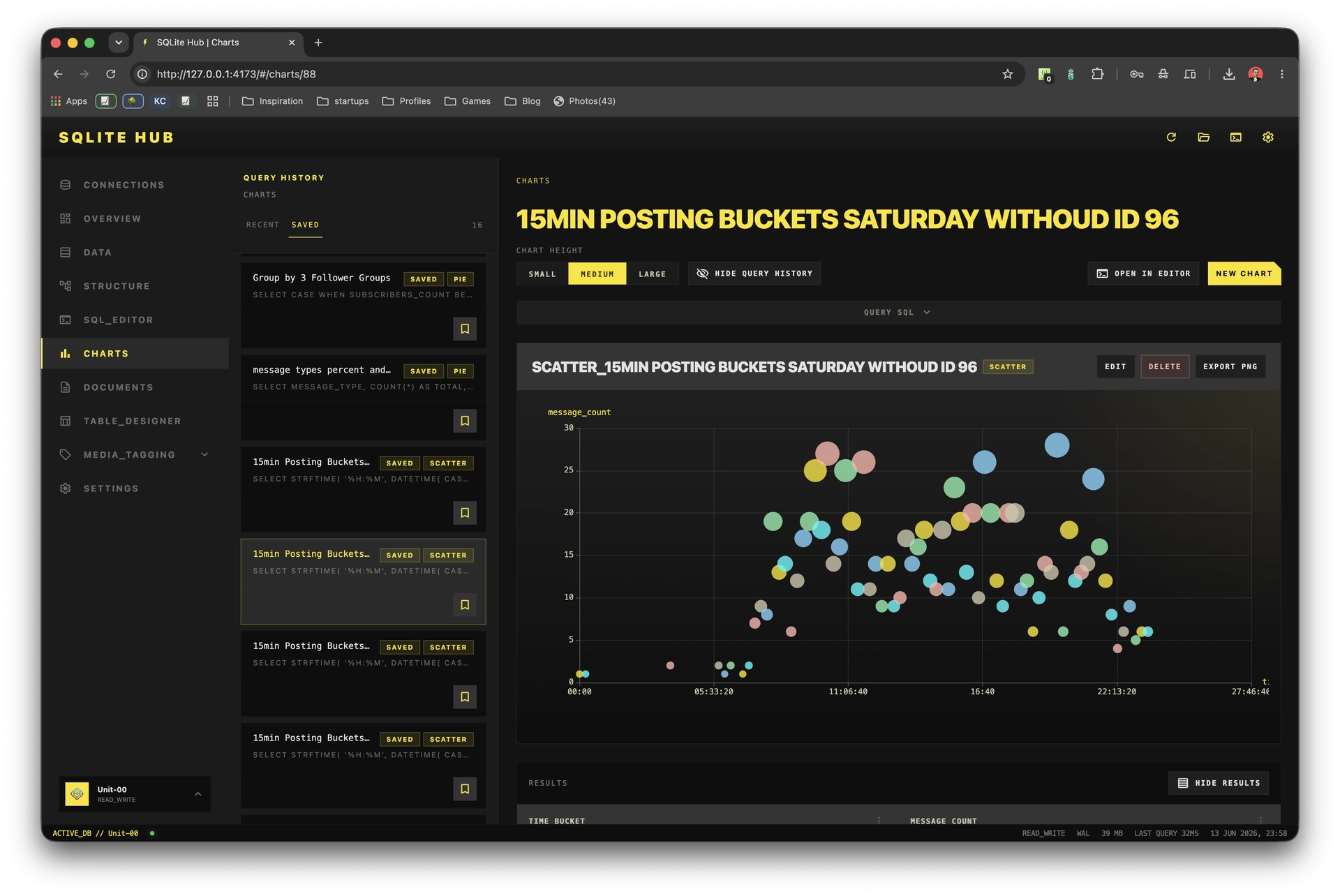
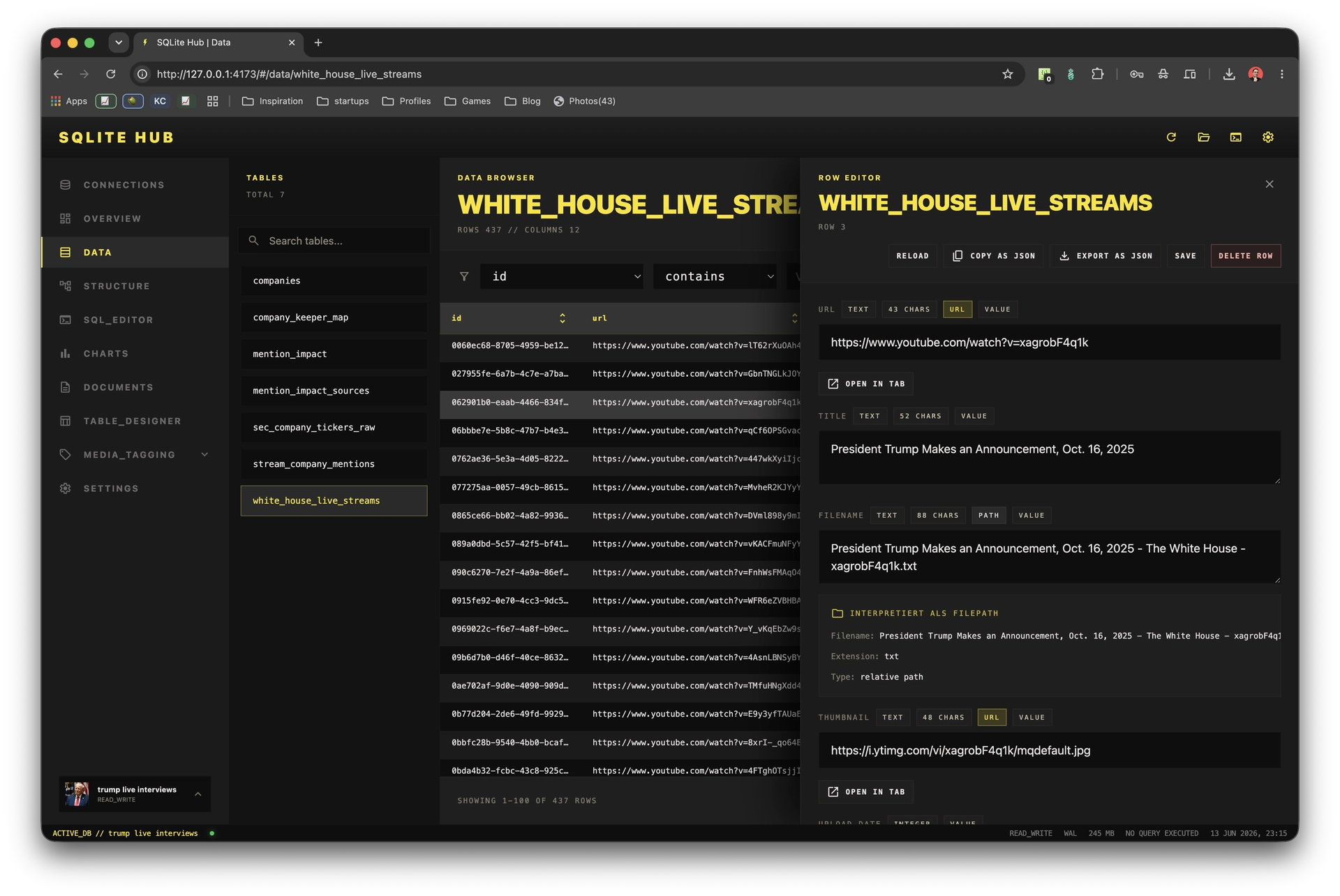
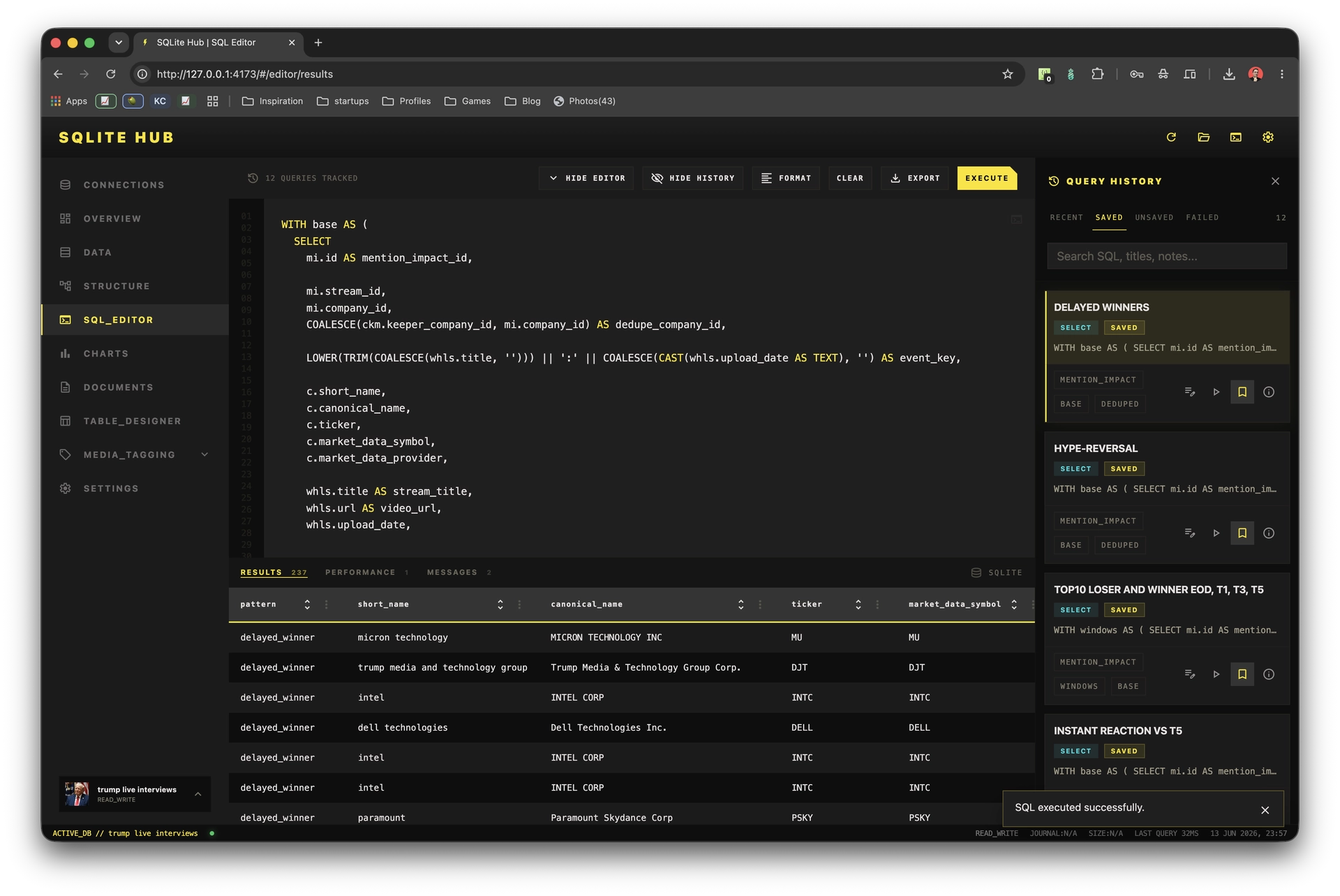
Features
- Open and inspect local SQLite databases
- Browse tables and records
- Edit rows directly in the UI
- Run custom SQL queries
- Save frequently used SQL queries
- Export query results and tables
- Generate charts from database data
- Write Markdown documents next to the database
- Inspect schema structure and table relationships
- Create and modify tables with a Table Designer
- Use a CLI for repeatable workflows
- Export rows, documents and query results from the terminal
- Work locally without uploading your database to a cloud service
Use Cases
- Debugging app databases
- Exploring unknown SQLite files
- Working with scraped datasets
- Analyzing local research data
- Documenting findings next to the database
- Preparing data for articles, reports or internal tools
- Exporting data to CSV, JSON, Markdown or other formats
- Quickly checking table structure and relationships
- Managing small internal datasets
- Prototyping data-heavy features
- Reviewing data before migration or cleanup
- Combining SQL analysis with notes and visualizations
- Using SQLite as a lightweight local data workspace

Comments




The CLI parity is the underrated part here — being able to run saved queries and export Markdown docs from the terminal means the same workflows can live in scripts and cron jobs, not just the UI. One question about the planned AI layer: will it run against a local model, or does data leave the machine? Given the local-first pitch and the journalist/evidence use case, that choice matters a lot.


Really useful idea. SQLite is everywhere in prototypes, AI workflows, internal tools, and small products, but working with it often means switching between DB browsers, terminal, notes, exports, and charts. Bringing local-first database inspection, saved queries, Markdown docs, visual structure, charts, and CLI workflows into one focused tool feels very practical. Excited to see where the AI-assisted layer goes next.


I like the local-first angle here. SQLite often sits in the middle of research, prototypes, and small internal tools, but the workflow usually jumps between a browser, terminal, notes, and exports. Bringing schema review, saved queries, markdown notes, and charts into one workspace feels especially useful for people who need to understand a dataset before deciding whether it should become a larger system.

The local-first stance is what makes this stand out — no cloud lock-in, and showing the generated SQL before any destructive action is exactly the right call for trust. I like that it's aimed at journalists and analysts too, not just SQL-fluent devs. The planned schema-aware AI layer sounds promising as long as it keeps that transparency. Solid work!

Local-first is exactly the right call here. The number of people working directly with SQLite files who don't want to be pushed into a cloud platform is way bigger than most tools assume, journalists, researchers, indie hackers all sit in that gap. The bit that stands out to me is keeping the SQL visible before destructive or structural actions. That transparency is what separates a tool people trust with real data from one they don't. Same principle applies to the planned AI layer, assisting without hiding the database is the right instinct. Nice work bringing all those scattered workflows into one focused workspace. Bookmarking this.

Local-first SQLite (file stays a file, no hosted DB) is exactly the trust model we need when the DB holds user upload/session data. The combo of GUI + CLI + loopback API (and MCP) is what stood out — especially read-only mode and per-database tokens so you can explore without risking a bad UPDATE. We ship a product that still uses SQLite for local/dev platform state (and Postgres in prod). Curious: how do you handle large TEXT/JSON columns and attachments when browsing — pagination in the grid, or “open cell” on demand? Also, any guidance for opening a hot DB that’s also in use by a running app (WAL / copy-first workflow)?
Premium Products






























Sponsors
Buy

Awards
View all
Awards
View allMakers

Makers
Comments
The CLI parity is the underrated part here — being able to run saved queries and export Markdown docs from the terminal means the same workflows can live in scripts and cron jobs, not just the UI. One question about the planned AI layer: will it run against a local model, or does data leave the machine? Given the local-first pitch and the journalist/evidence use case, that choice matters a lot.
Really useful idea. SQLite is everywhere in prototypes, AI workflows, internal tools, and small products, but working with it often means switching between DB browsers, terminal, notes, exports, and charts. Bringing local-first database inspection, saved queries, Markdown docs, visual structure, charts, and CLI workflows into one focused tool feels very practical. Excited to see where the AI-assisted layer goes next.
I like the local-first angle here. SQLite often sits in the middle of research, prototypes, and small internal tools, but the workflow usually jumps between a browser, terminal, notes, and exports. Bringing schema review, saved queries, markdown notes, and charts into one workspace feels especially useful for people who need to understand a dataset before deciding whether it should become a larger system.
The local-first stance is what makes this stand out — no cloud lock-in, and showing the generated SQL before any destructive action is exactly the right call for trust. I like that it's aimed at journalists and analysts too, not just SQL-fluent devs. The planned schema-aware AI layer sounds promising as long as it keeps that transparency. Solid work!
Local-first is exactly the right call here. The number of people working directly with SQLite files who don't want to be pushed into a cloud platform is way bigger than most tools assume, journalists, researchers, indie hackers all sit in that gap. The bit that stands out to me is keeping the SQL visible before destructive or structural actions. That transparency is what separates a tool people trust with real data from one they don't. Same principle applies to the planned AI layer, assisting without hiding the database is the right instinct. Nice work bringing all those scattered workflows into one focused workspace. Bookmarking this.
Local-first SQLite (file stays a file, no hosted DB) is exactly the trust model we need when the DB holds user upload/session data. The combo of GUI + CLI + loopback API (and MCP) is what stood out — especially read-only mode and per-database tokens so you can explore without risking a bad UPDATE. We ship a product that still uses SQLite for local/dev platform state (and Postgres in prod). Curious: how do you handle large TEXT/JSON columns and attachments when browsing — pagination in the grid, or “open cell” on demand? Also, any guidance for opening a hot DB that’s also in use by a running app (WAL / copy-first workflow)?
Premium Products
New to Fazier?

Find your next favorite product or submit your own. Made by @FalakDigital.
Copyright ©2026. All Rights Reserved