
SnapIndex
Turn screenshots into searchable memory
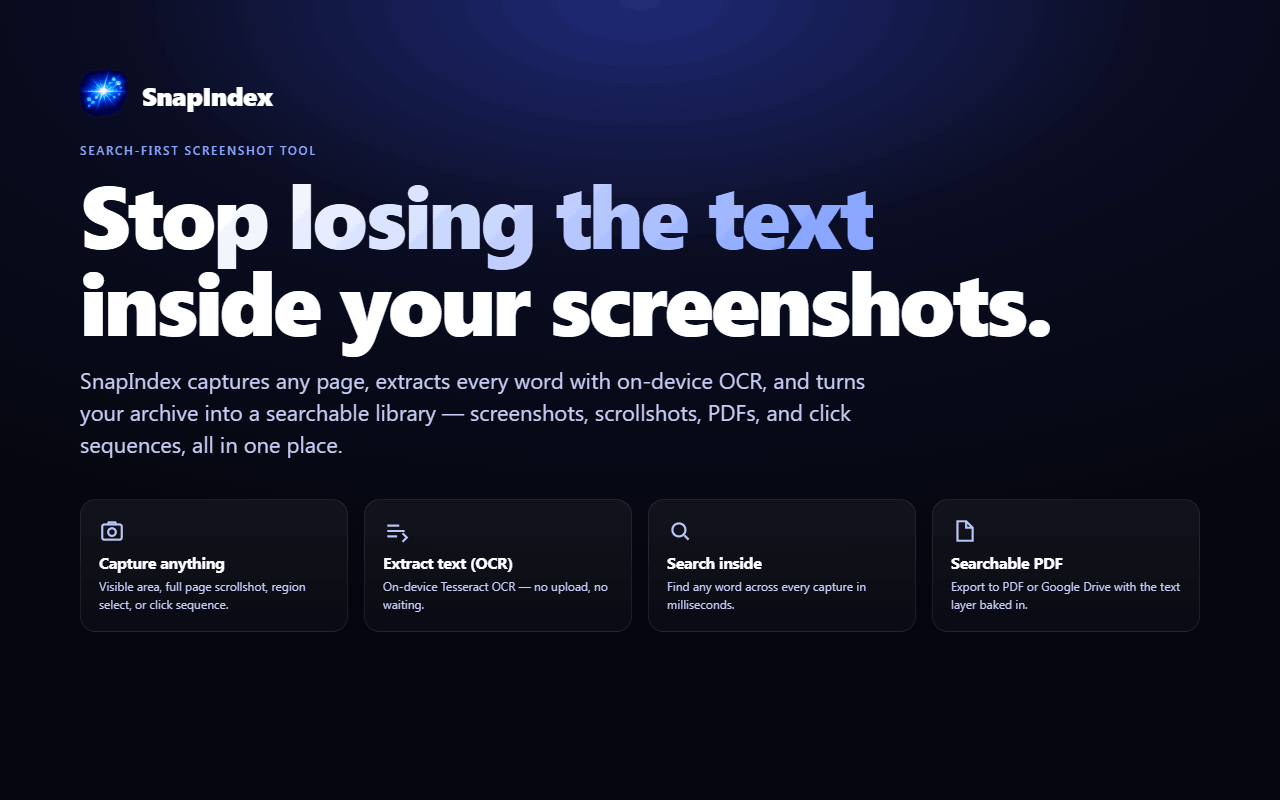
SnapIndex is a screenshot OCR Chrome extension built for what happens after the screenshot.
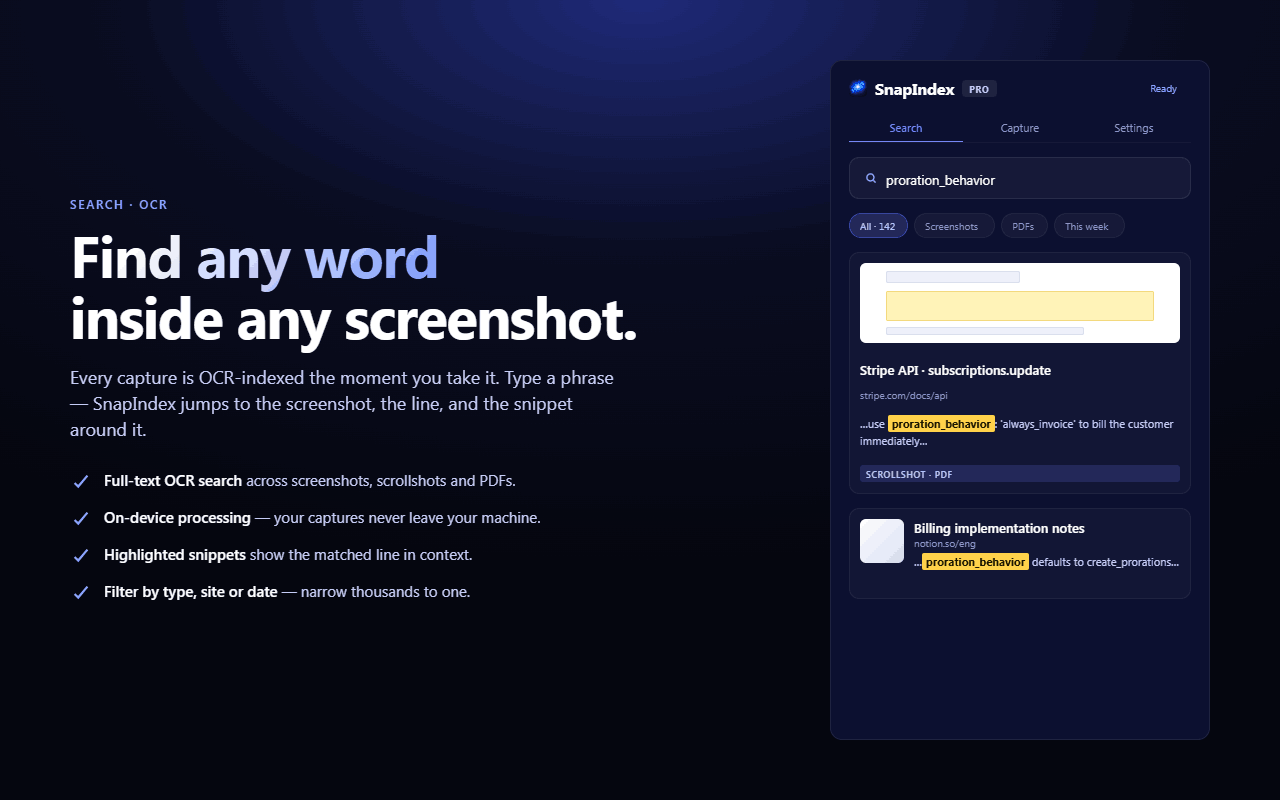
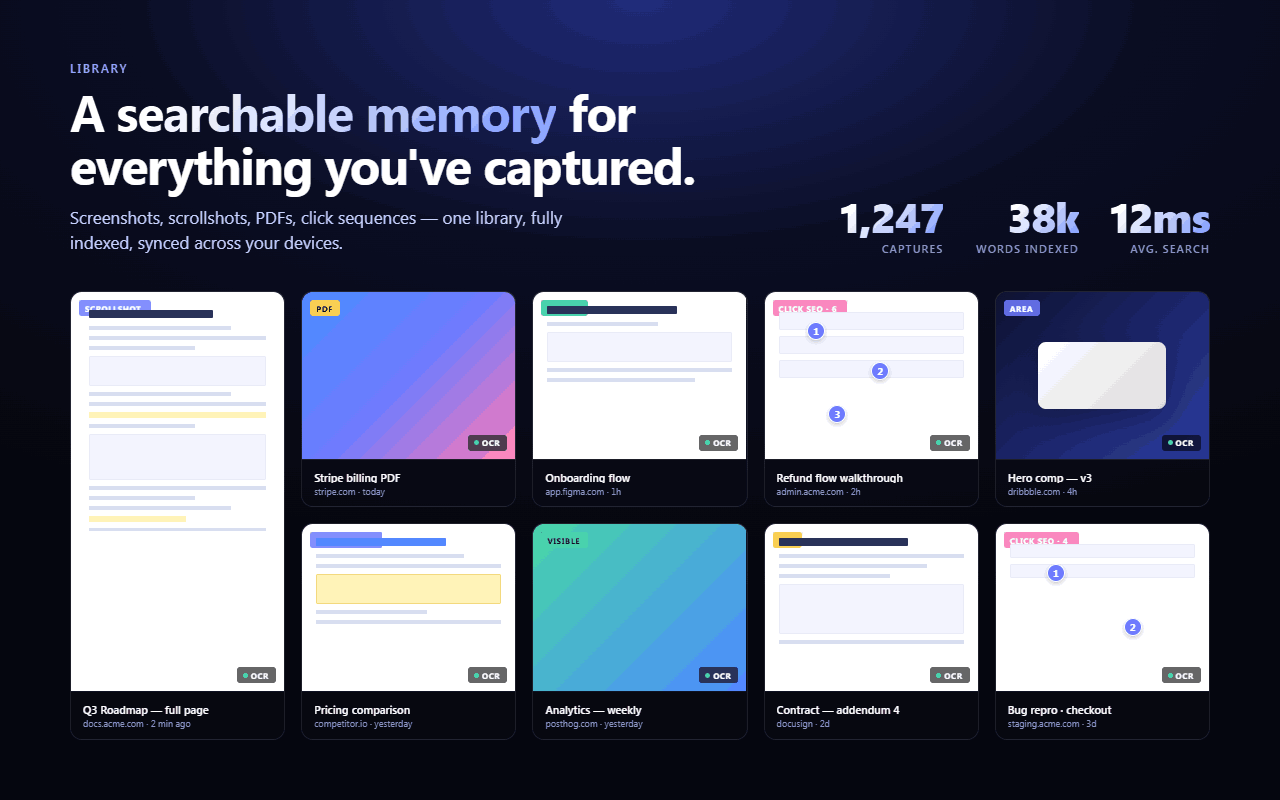
Capture screenshots, full-page scrollshots, dashboards, receipts, errors, docs, product pages, UI flows, and research material. SnapIndex extracts text with OCR, saves captures into a searchable library, and helps you find old screenshots by searching the words inside the image.
Most screenshot tools stop at capture. SnapIndex helps you organize, annotate, search, and reuse your captures later.
Instead of dumping images into folders, renaming files manually, or pasting screenshots into docs and chat threads, SnapIndex turns your captures into searchable visual memory.
Capture it. OCR it. Annotate it. Search it. Export it.
Features
What you can do with SnapIndex:
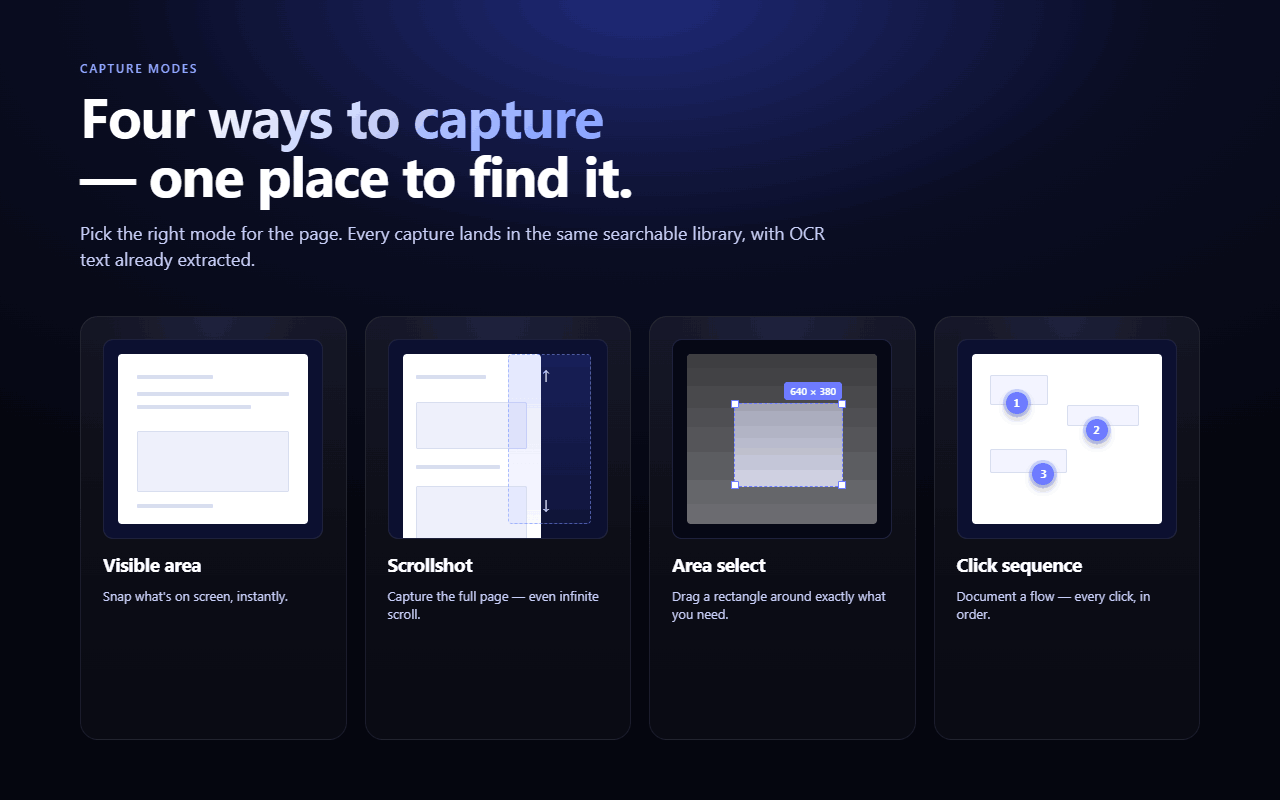
• Capture visible screenshots
• Capture full-page scrollshots
• Extract text from screenshots with OCR
• Search inside saved screenshots
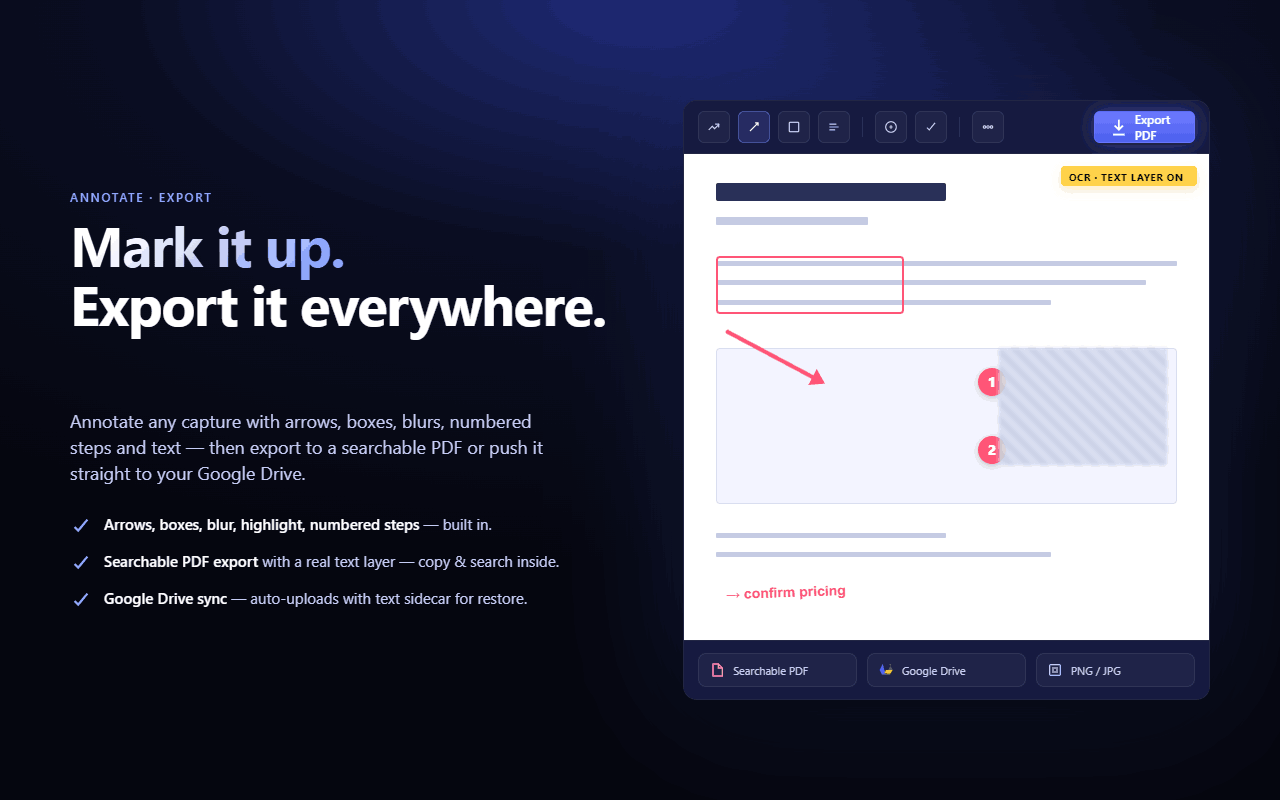
• Annotate images with notes and visual markers
• Document click sequences and multi-step flows
• Export searchable PDFs
• Keep screenshots organized without manual file naming
Use Cases
SnapIndex is useful for researchers, students, developers, founders, support teams, marketers, designers, QA testers, and anyone who saves visual information from the web.
• Error messages and bug reports
• Dashboards and reports
• Receipts and invoices
• Product pages and pricing pages
• Documentation and tutorials
• UI flows and onboarding steps
• Research references and web pages
• Screenshots you need to find again later

Comments


I built SnapIndex because screenshots are easy to take, but annoying to use later. Most screenshot tools solve the capture part. You take a screenshot or a scrollshot, download it, maybe annotate it, then it disappears into a folder, a desktop mess, a Notion page, a Slack thread, or a random file name you will never search correctly again. I would love feedback on: • whether the value is clear quickly • which screenshot workflows feel most useful • what you currently use as your screenshot system • what would make you switch from your current tool


I immediately related to this problem because I take a huge number of screenshots for research, product inspiration, tutorials, and bug reports. Finding an old screenshot weeks later is often harder than taking it in the first place. The searchable OCR library sounds extremely useful, especially for people who work with a lot of visual information. I like that the product focuses on what happens after the screenshot is captured. I’d definitely be interested in trying it to see how well the search performs across a large collection of screenshots.

The strongest part is that you focus on the post-capture workflow, not just taking screenshots. OCR search across old captures would be useful for product research, bug reports, pricing page comparisons, and UI inspiration. I would love to see a short demo showing how fast search works once a library has hundreds of screenshots.
I immediately related to this problem because I take a huge number of screenshots for research, product inspiration, tutorials, and bug reports. Finding an old screenshot weeks later is often harder than taking it in the first place. The searchable OCR library sounds extremely useful, especially for people who work with a lot of visual information. I like that the product focuses on what happens after the screenshot is captured. I’d definitely be interested in trying it to see how well the search performs across a large collection of screenshots.


This looks like a massive time-saver for anyone who constantly takes screenshots but can never find them later. I love that it handles OCR so you can actually search through your visual notes. If you ever need to animate those screenshots for presentations, you should check out this easy animation tool.



The OCR-search angle is the right wedge — screenshots pile up precisely because filenames carry zero information. Two practical questions: does the OCR handle CJK text (a lot of my dashboard screenshots are Chinese UI), and does search run fully on-device or do captures hit a server? For receipts and internal dashboards that privacy detail would be the deciding factor.
The OCR-on-scrollshots part is the detail that stands out to me — most capture tools die at the screenshot, and searching the text inside an old dashboard or error screen is exactly the pain. Curious how it handles multi-language text in screenshots, and whether the searchable library syncs across devices or stays local to the browser?

This is a clever take on a problem many people don't realize they have until their screenshot folder becomes unmanageable. Turning screenshots into searchable, OCR-powered knowledge assets is a huge productivity boost for researchers, developers, marketers, and anyone who captures information daily. The focus on what happens after the screenshot is what makes SnapIndex stand out. Great idea and best of luck with the launch!


Focusing on the post-capture workflow is a smart wedge, most screenshot tools stop at annotate and download. The searchable PDF export also means the library is not a lock-in trap, which matters for anything meant to hold years of captures. Two questions: does the OCR run locally in the extension or call a server, and is dedup detection for near identical captures of the same page on the roadmap?


To answer your feedback questions directly: the value landed in seconds — "find old screenshots by the words inside them" is the line that sells it. My workflow: I screenshot competitor ads, landing pages, and pricing tables constantly for marketing research, and they all die in a folder full of "Screenshot 2026-06-03 at 4.12 PM" filenames. What would make me switch from native screenshots + folders is search quality at scale — if I can type a competitor's headline from a month ago and instantly get the capture back, I'm sold. The searchable PDF export is an underrated touch too; that's how research actually makes it into a client deck.



The "what happens after the screenshot" framing is the right wedge - capture has been solved for years, retrieval never was. The detail I appreciate most is OCR on full-page scrollshots, not just the visible viewport; long dashboards and docs are exactly where the text you want to find later lives below the fold. Since you already extract the text layer, have you considered exposing it as structured export (per-capture Markdown or JSON), so the searchable library can feed a coding agent or notes tool instead of staying locked in the extension? That would turn it from a screenshot manager into an actual knowledge source.
Premium Products







































Sponsors
Buy
Awards
View all
Awards
View allMakers
Makers
Comments
I built SnapIndex because screenshots are easy to take, but annoying to use later. Most screenshot tools solve the capture part. You take a screenshot or a scrollshot, download it, maybe annotate it, then it disappears into a folder, a desktop mess, a Notion page, a Slack thread, or a random file name you will never search correctly again. I would love feedback on: • whether the value is clear quickly • which screenshot workflows feel most useful • what you currently use as your screenshot system • what would make you switch from your current tool
I immediately related to this problem because I take a huge number of screenshots for research, product inspiration, tutorials, and bug reports. Finding an old screenshot weeks later is often harder than taking it in the first place. The searchable OCR library sounds extremely useful, especially for people who work with a lot of visual information. I like that the product focuses on what happens after the screenshot is captured. I’d definitely be interested in trying it to see how well the search performs across a large collection of screenshots.
The strongest part is that you focus on the post-capture workflow, not just taking screenshots. OCR search across old captures would be useful for product research, bug reports, pricing page comparisons, and UI inspiration. I would love to see a short demo showing how fast search works once a library has hundreds of screenshots.
I immediately related to this problem because I take a huge number of screenshots for research, product inspiration, tutorials, and bug reports. Finding an old screenshot weeks later is often harder than taking it in the first place. The searchable OCR library sounds extremely useful, especially for people who work with a lot of visual information. I like that the product focuses on what happens after the screenshot is captured. I’d definitely be interested in trying it to see how well the search performs across a large collection of screenshots.
This looks like a massive time-saver for anyone who constantly takes screenshots but can never find them later. I love that it handles OCR so you can actually search through your visual notes. If you ever need to animate those screenshots for presentations, you should check out this easy animation tool.
The OCR-search angle is the right wedge — screenshots pile up precisely because filenames carry zero information. Two practical questions: does the OCR handle CJK text (a lot of my dashboard screenshots are Chinese UI), and does search run fully on-device or do captures hit a server? For receipts and internal dashboards that privacy detail would be the deciding factor.
The OCR-on-scrollshots part is the detail that stands out to me — most capture tools die at the screenshot, and searching the text inside an old dashboard or error screen is exactly the pain. Curious how it handles multi-language text in screenshots, and whether the searchable library syncs across devices or stays local to the browser?
This is a clever take on a problem many people don't realize they have until their screenshot folder becomes unmanageable. Turning screenshots into searchable, OCR-powered knowledge assets is a huge productivity boost for researchers, developers, marketers, and anyone who captures information daily. The focus on what happens after the screenshot is what makes SnapIndex stand out. Great idea and best of luck with the launch!
Focusing on the post-capture workflow is a smart wedge, most screenshot tools stop at annotate and download. The searchable PDF export also means the library is not a lock-in trap, which matters for anything meant to hold years of captures. Two questions: does the OCR run locally in the extension or call a server, and is dedup detection for near identical captures of the same page on the roadmap?
To answer your feedback questions directly: the value landed in seconds — "find old screenshots by the words inside them" is the line that sells it. My workflow: I screenshot competitor ads, landing pages, and pricing tables constantly for marketing research, and they all die in a folder full of "Screenshot 2026-06-03 at 4.12 PM" filenames. What would make me switch from native screenshots + folders is search quality at scale — if I can type a competitor's headline from a month ago and instantly get the capture back, I'm sold. The searchable PDF export is an underrated touch too; that's how research actually makes it into a client deck.
The "what happens after the screenshot" framing is the right wedge - capture has been solved for years, retrieval never was. The detail I appreciate most is OCR on full-page scrollshots, not just the visible viewport; long dashboards and docs are exactly where the text you want to find later lives below the fold. Since you already extract the text layer, have you considered exposing it as structured export (per-capture Markdown or JSON), so the searchable library can feed a coding agent or notes tool instead of staying locked in the extension? That would turn it from a screenshot manager into an actual knowledge source.
Premium Products
New to Fazier?

Find your next favorite product or submit your own. Made by @FalakDigital.
Copyright ©2026. All Rights Reserved