
Screenify Studio
Turn rough recordings into polished product demos
Screenify Studio turns rough screen recordings into polished product demos on Mac — without the editing tax. Recording your screen takes five minutes; making it look good usually takes forty-five. Screenify closes that gap.
It meets you wherever you are: let an AI record and direct the whole demo for you, shape every frame by hand in a deep editor, or drive the entire pipeline from the command line with an AI agent.
Recording
- Full screen, a single window, or a custom region — plus iOS Simulator and connected devices.
- Multi-clip recording — record in several takes, append them into one project, and insert clips anywhere on the timeline.
- System audio and microphone in one pass, no virtual audio drivers.
- Webcam overlay and a floating Speaker Notes teleprompter that never appears in the recording.
A powerful editor (full control)
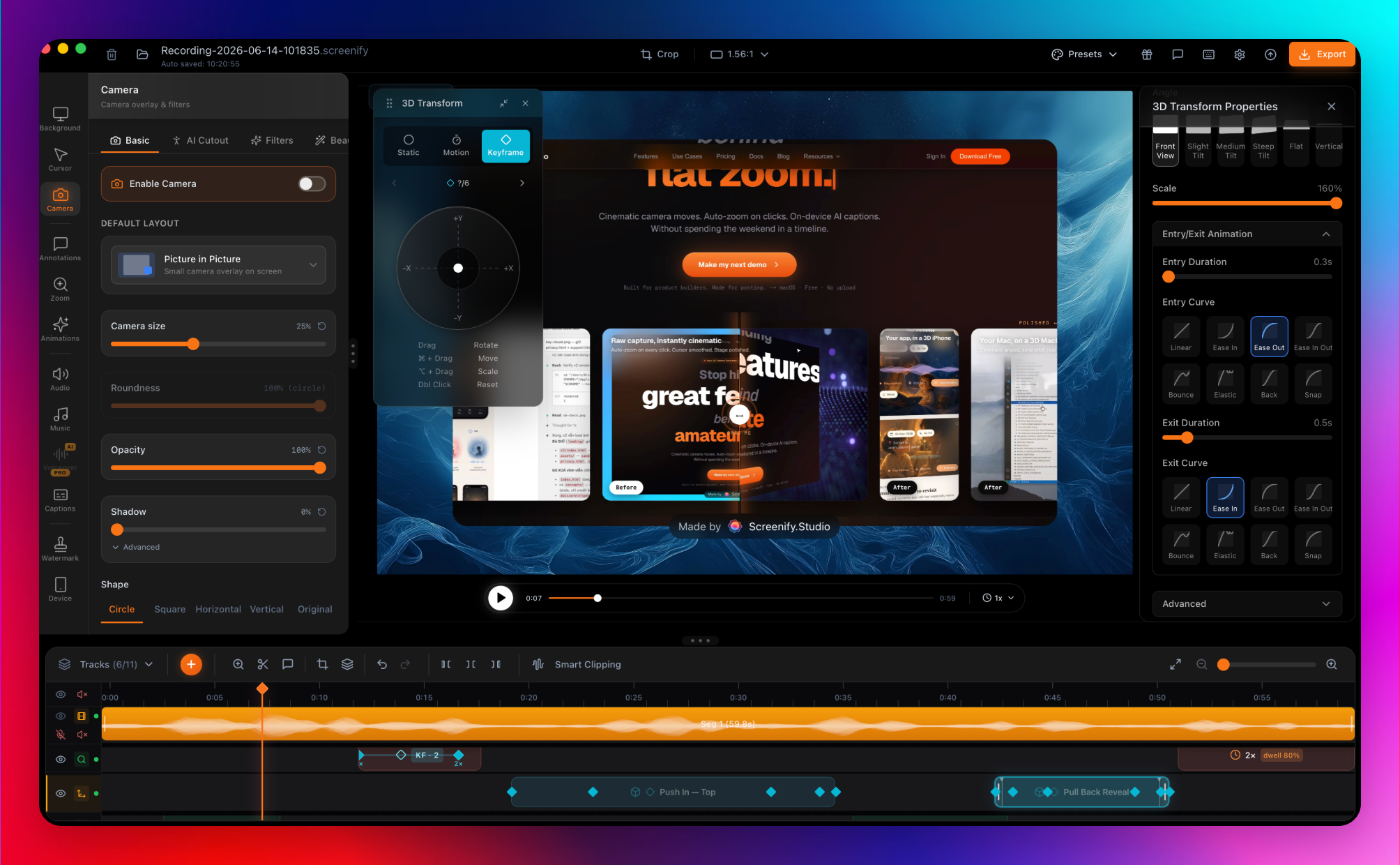
- A multi-track timeline: screen, webcam, audio, captions, callouts, zoom keyframes, and device motion.
- Manual zoom keyframes, six camera angles, and real lens controls (focal length, aperture).
- Per-clip camera, cursor, and audio you can show, hide, or mute independently.
- Smart Timeline collapse and multi-select for fast, precise editing.
AI that does the work for you
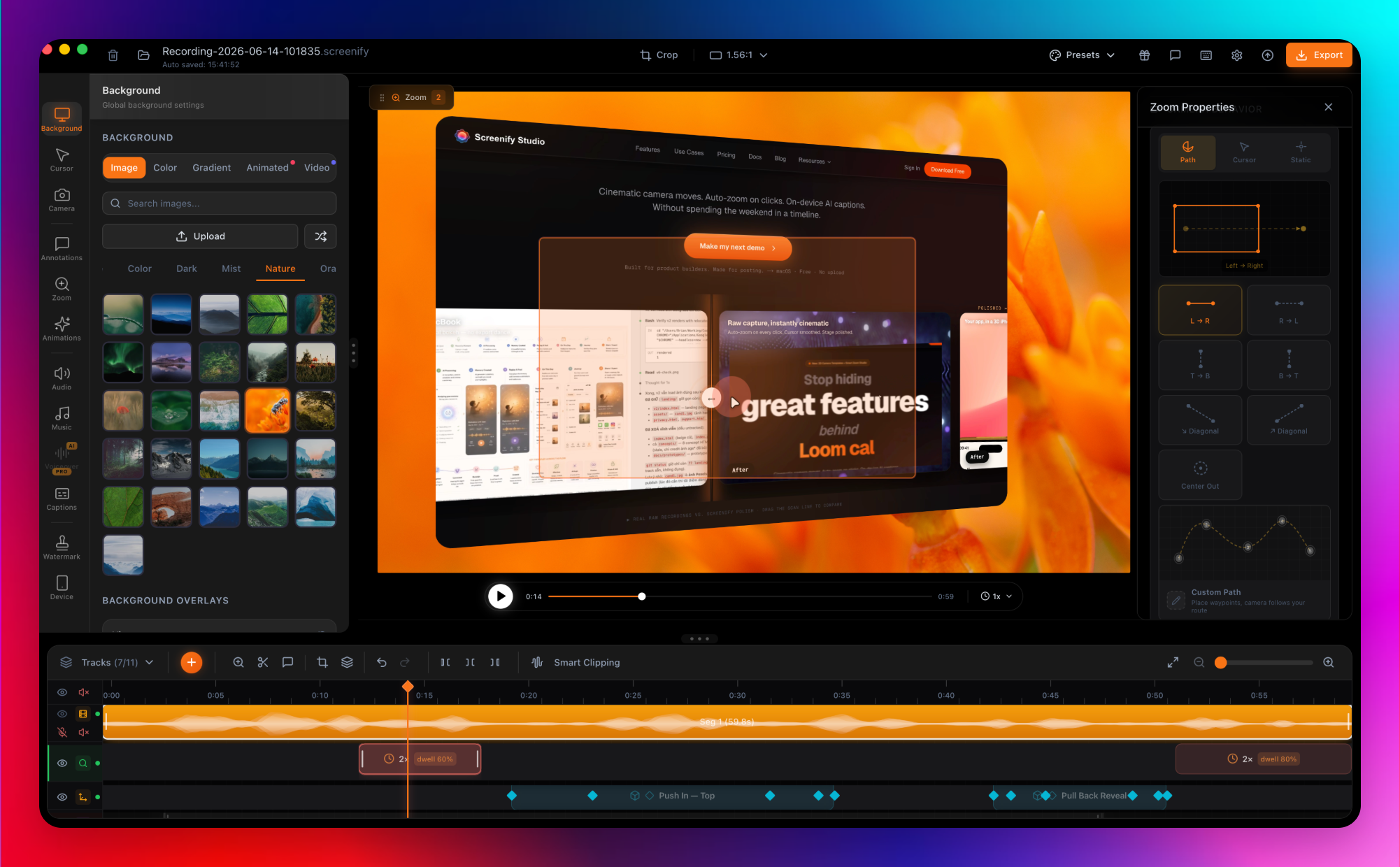
- Smart Auto-Zoom follows your cursor and clicks automatically.
- AI web demos — point it at any URL, describe the demo in plain English, and an AI drives a real browser to record it, then adds cinematic effects (3D camera moves, spotlights, callouts).
- Record pages behind a login; export MP4, GIF, or MOV with one-tap sizing for YouTube, TikTok, and Reels.
Photoreal 3D device stages
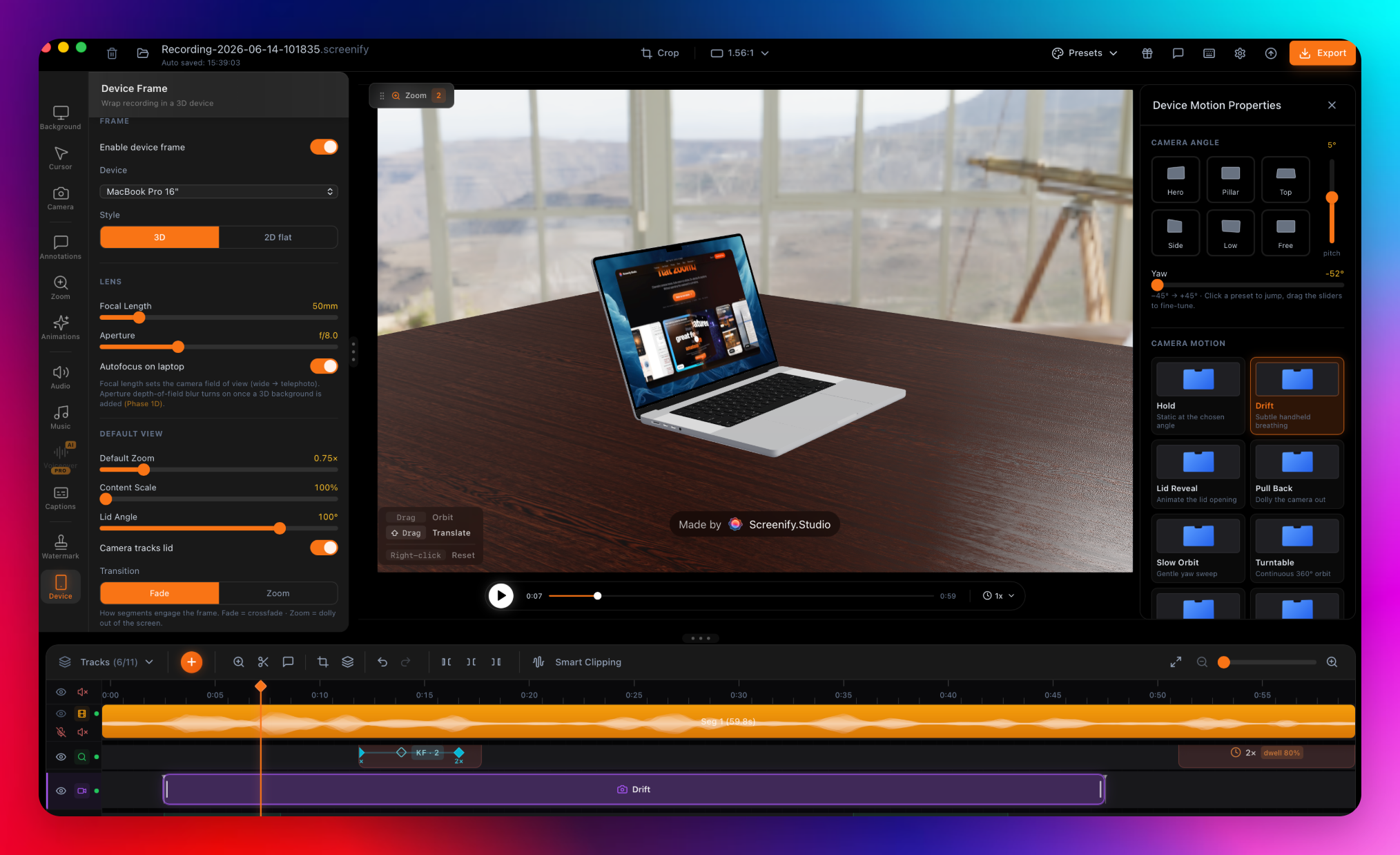
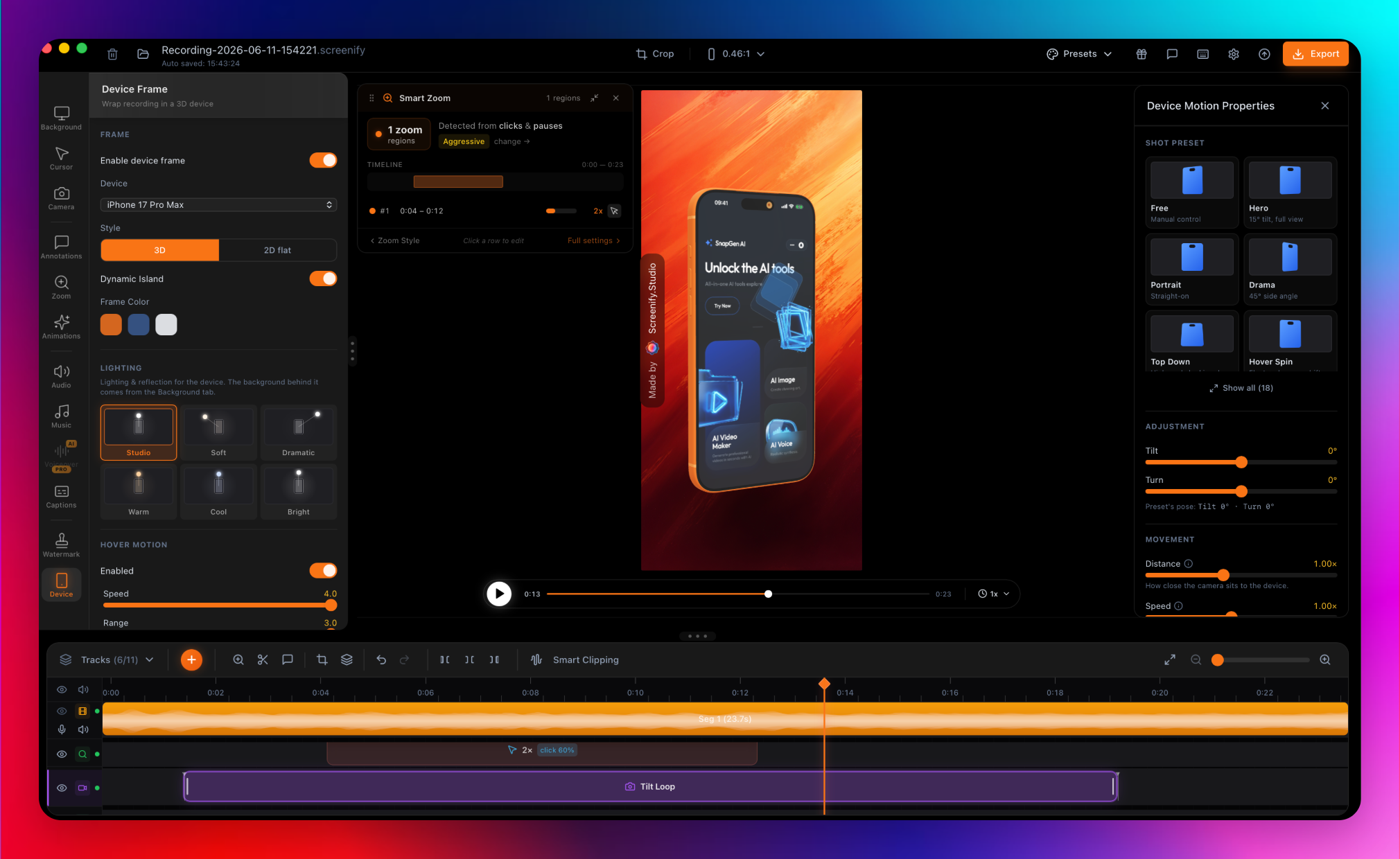
- Drop any recording into a photoreal MacBook, iPhone, or iPad that follows your zoom and camera.
- Photographic environments, real desk surfaces, and an Apple-grade menu bar overlay.
Cinematic motion & cursor
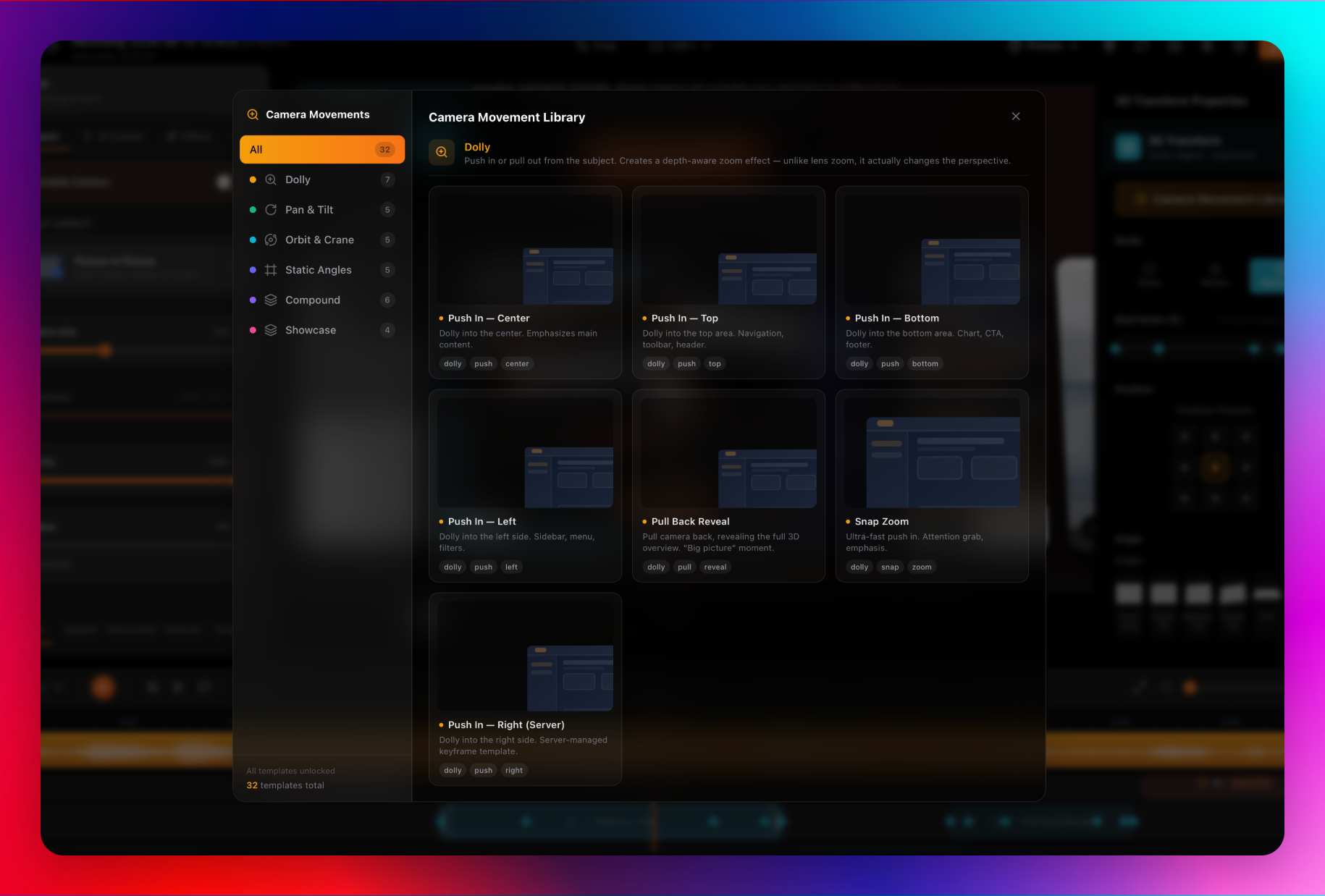
- 30+ hand-crafted camera motions, tunable for distance, speed, and reach.
- Cursor Studio — recolorable or glossy 3D cursor, click sound, and natural tilt.
On-device AI, nothing uploaded
- Captions (Whisper), background removal (Apple Vision), and silence detection run locally on Apple Silicon.
- Recordings of pre-release features or customer data never leave your Mac.
A command line built for AI workflows
- Every command speaks JSON, with a self-describing manifest.
- Ships a Claude Code skill so an AI agent can record and produce a demo end to end — great for scripts and CI.
Export
- Up to 4K with Metal GPU acceleration; MP4, GIF, and MOV.
Built for indie hackers, technical founders, and small product teams — whether you want a polished demo in one click, full manual control, or an AI agent that does it all from the terminal.
macOS 13 (Ventura) or later, Apple Silicon. Free to start; Pro from $9/mo or $149 lifetime.
Features
- AI-directed web demos — Point it at any URL, describe the demo in plain English, and an AI drives a real browser to record it, then adds cinematic effects.
- Powerful multi-track editor — Manual zoom keyframes, camera angles, real lens controls, and per-clip camera/cursor/audio for full control.
- Photoreal 3D device stages — Drop recordings into a MacBook, iPhone, or iPad that follows your zoom and camera moves.
- Smart Auto-Zoom — Automatically zooms into your cursor and clicks; manual keyframes when you want full control.
- Multi-clip recording — Record in several takes, append them into one project, and fine-tune each clip on its own.
- Cinematic camera motions — 30+ hand-crafted moves, each tunable for distance, speed, and reach.
- On-device AI — Captions, background removal, and silence detection run on Apple Silicon; nothing is uploaded.
- Command line & AI agents — A JSON-speaking CLI plus a Claude Code skill for hands-free, scripted, or CI recording.
- Cursor Studio — Recolorable or glossy 3D cursor, click sound, and natural tilt.
- Flexible export — Up to 4K with Metal GPU; MP4, GIF, and MOV with one-tap social sizing.
Use Cases
- Product demos & launch videos — Polished demos for launches, landing pages, and Product Hunt.
- Developer demos & bug repros — Attach a clean repro video to every bug report, or capture UI demos in CI.
- Sales & marketing — Demo videos for sales collateral and campaigns.
- Customer support — Quick video replies that show, not tell.
- Online courses & tutorials — Screencasts and how-to content that look professional.
- Social clips — Vertical or square demos sized for TikTok, Reels, and Shorts.
- Async team updates — Share a walkthrough instead of scheduling a meeting.

Comments

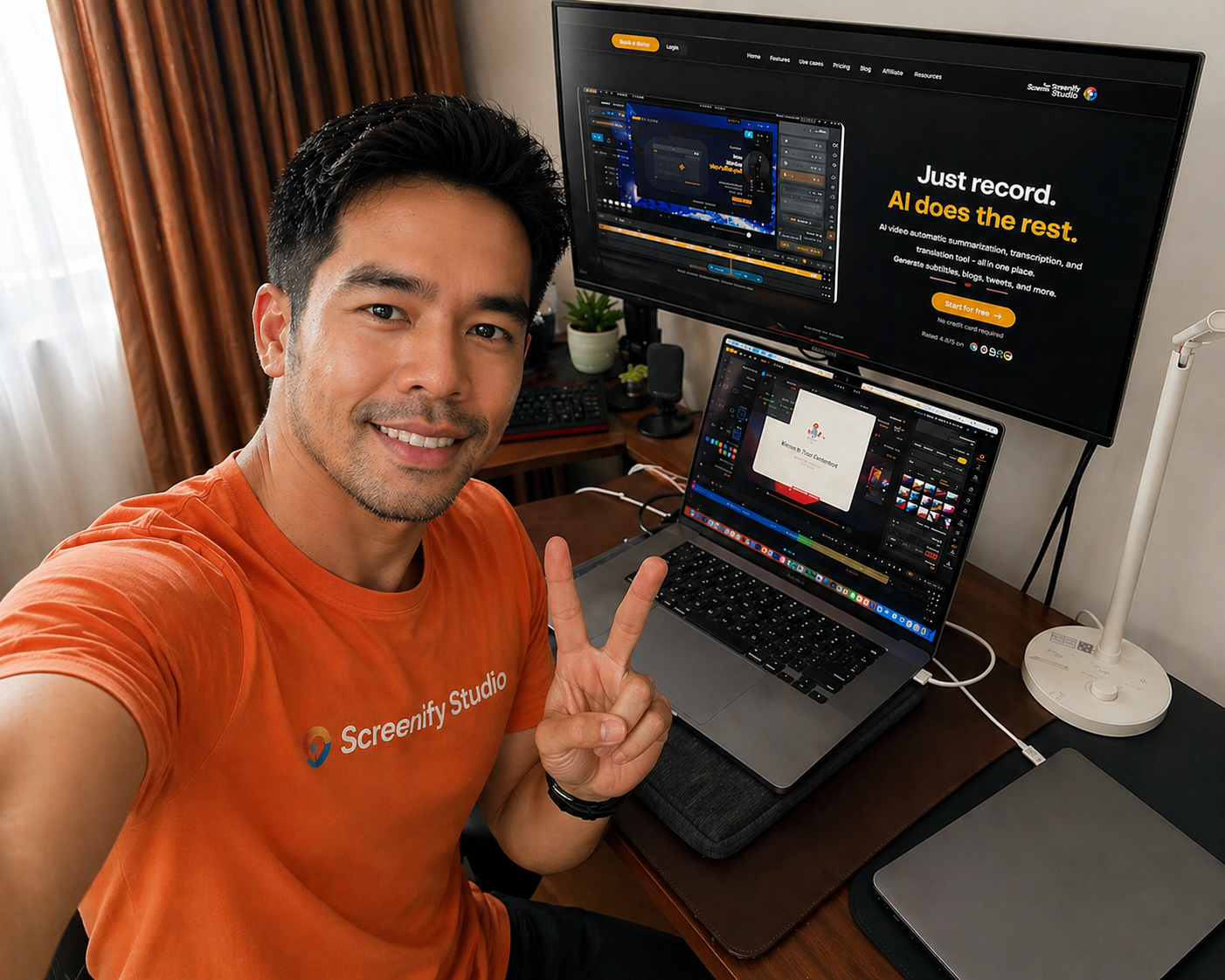
Hey! I'm Brjan, a solo founder building Screenify Studio in public from Ho Chi Minh City. The idea came from an embarrassing place: I kept shipping features nobody noticed — because my demo videos made everything look flat and amateur. The recording took five minutes; making it look good took forty-five. I didn't want to become a video editor just to show off the work, so I built the tool I wished existed. Screenify turns rough screen recordings into polished product demos on Mac. The part I'm proudest of: you can describe a demo in plain English and an AI drives a real browser to record it, then adds the cinematic touches (3D camera moves, spotlights, callouts) for you. Prefer to control everything? There's a deep editor with manual keyframes. Live in the terminal? The whole thing runs from a CLI an AI agent can drive. Everything is native to Apple Silicon and runs on-device — nothing gets uploaded. It's free to start. I'd genuinely love your feedback — what do you use for product demos today, and what's the most annoying part of it? Happy to answer anything about how it works under the hood.
Hey! I'm Brjan, a solo founder building Screenify Studio in public from Ho Chi Minh City. The idea came from an embarrassing place: I kept shipping features nobody noticed — because my demo videos made everything look flat and amateur. The recording took five minutes; making it look good took forty-five. I didn't want to become a video editor just to show off the work, so I built the tool I wished existed. Screenify turns rough screen recordings into polished product demos on Mac. The part I'm proudest of: you can describe a demo in plain English and an AI drives a real browser to record it, then adds the cinematic touches (3D camera moves, spotlights, callouts) for you. Prefer to control everything? There's a deep editor with manual keyframes. Live in the terminal? The whole thing runs from a CLI an AI agent can drive. Everything is native to Apple Silicon and runs on-device — nothing gets uploaded. It's free to start. I'd genuinely love your feedback — what do you use for product demos today, and what's the most annoying part of it? Happy to answer anything about how it works under the hood.

This solves such a real problem - most teams waste hours on video editing just to show off their product. The friction of learning After Effects or paying for editors kills demo production momentum. Being able to turn rough recordings into polished product videos in minutes is a game changer for founders shipping on tight timelines.

The on-device AI for captions and silence detection is the detail that stands out to me; keeping it local on Apple Silicon means no upload wait and no privacy worry for unreleased product footage. Smart auto-zoom that follows clicks but still lets you drop manual keyframes is exactly the balance I'd want. Nice work.

Recording an app demo really is the five-minute part and making it presentable the forty-five-minute part — that ratio matches my experience building a dive-logging app. The iOS Simulator and connected-device recording is what stands out to me: can it export straight to App Store preview specs (the exact resolutions, portrait format, clean status bar), or is that still a manual crop and format step at the end? If it handles that, this becomes the obvious tool for app-store assets, not just landing-page demos.

The JSON-speaking CLI is the differentiator for me. Most demo tools stop at a polished GUI, while a self-describing command surface makes repeatable release demos and CI-generated bug repros possible. One practical addition I'd value is a saved recipe file so the same camera, captions, and export settings can be rerun after every release.

The JSON-speaking CLI plus the Claude Code skill is the detail that sells it for me — most screen-recording tools stop at the GUI, so making the whole pipeline scriptable for a CI/agent flow is a smart bet. For the AI-directed web demos: how do you keep a run deterministic enough to re-record cleanly when a page's layout shifts between takes — does the agent re-plan each time from the plain-English description, or can you pin a recorded run?


The split between agent-driven recording and a full multi-track editor feels especially practical: launch demos need speed, while release notes and sales assets still need precise control. Keeping captions and cleanup on-device is also a strong choice for unreleased flows. I would be curious how the CLI handles authentication and repeatability for browser-driven demos in CI when a product uses staging data.
Premium Products












































Sponsors
Buy

Makers
Makers
Comments
Hey! I'm Brjan, a solo founder building Screenify Studio in public from Ho Chi Minh City. The idea came from an embarrassing place: I kept shipping features nobody noticed — because my demo videos made everything look flat and amateur. The recording took five minutes; making it look good took forty-five. I didn't want to become a video editor just to show off the work, so I built the tool I wished existed. Screenify turns rough screen recordings into polished product demos on Mac. The part I'm proudest of: you can describe a demo in plain English and an AI drives a real browser to record it, then adds the cinematic touches (3D camera moves, spotlights, callouts) for you. Prefer to control everything? There's a deep editor with manual keyframes. Live in the terminal? The whole thing runs from a CLI an AI agent can drive. Everything is native to Apple Silicon and runs on-device — nothing gets uploaded. It's free to start. I'd genuinely love your feedback — what do you use for product demos today, and what's the most annoying part of it? Happy to answer anything about how it works under the hood.
Hey! I'm Brjan, a solo founder building Screenify Studio in public from Ho Chi Minh City. The idea came from an embarrassing place: I kept shipping features nobody noticed — because my demo videos made everything look flat and amateur. The recording took five minutes; making it look good took forty-five. I didn't want to become a video editor just to show off the work, so I built the tool I wished existed. Screenify turns rough screen recordings into polished product demos on Mac. The part I'm proudest of: you can describe a demo in plain English and an AI drives a real browser to record it, then adds the cinematic touches (3D camera moves, spotlights, callouts) for you. Prefer to control everything? There's a deep editor with manual keyframes. Live in the terminal? The whole thing runs from a CLI an AI agent can drive. Everything is native to Apple Silicon and runs on-device — nothing gets uploaded. It's free to start. I'd genuinely love your feedback — what do you use for product demos today, and what's the most annoying part of it? Happy to answer anything about how it works under the hood.
This solves such a real problem - most teams waste hours on video editing just to show off their product. The friction of learning After Effects or paying for editors kills demo production momentum. Being able to turn rough recordings into polished product videos in minutes is a game changer for founders shipping on tight timelines.
The on-device AI for captions and silence detection is the detail that stands out to me; keeping it local on Apple Silicon means no upload wait and no privacy worry for unreleased product footage. Smart auto-zoom that follows clicks but still lets you drop manual keyframes is exactly the balance I'd want. Nice work.
Recording an app demo really is the five-minute part and making it presentable the forty-five-minute part — that ratio matches my experience building a dive-logging app. The iOS Simulator and connected-device recording is what stands out to me: can it export straight to App Store preview specs (the exact resolutions, portrait format, clean status bar), or is that still a manual crop and format step at the end? If it handles that, this becomes the obvious tool for app-store assets, not just landing-page demos.
The JSON-speaking CLI is the differentiator for me. Most demo tools stop at a polished GUI, while a self-describing command surface makes repeatable release demos and CI-generated bug repros possible. One practical addition I'd value is a saved recipe file so the same camera, captions, and export settings can be rerun after every release.
The JSON-speaking CLI plus the Claude Code skill is the detail that sells it for me — most screen-recording tools stop at the GUI, so making the whole pipeline scriptable for a CI/agent flow is a smart bet. For the AI-directed web demos: how do you keep a run deterministic enough to re-record cleanly when a page's layout shifts between takes — does the agent re-plan each time from the plain-English description, or can you pin a recorded run?
The split between agent-driven recording and a full multi-track editor feels especially practical: launch demos need speed, while release notes and sales assets still need precise control. Keeping captions and cleanup on-device is also a strong choice for unreleased flows. I would be curious how the CLI handles authentication and repeatability for browser-driven demos in CI when a product uses staging data.
Premium Products
New to Fazier?

Find your next favorite product or submit your own. Made by @FalakDigital.
Copyright ©2026. All Rights Reserved