
SaveAI Markdown to PDF Converter
Convert Markdown files to clean PDFs online.
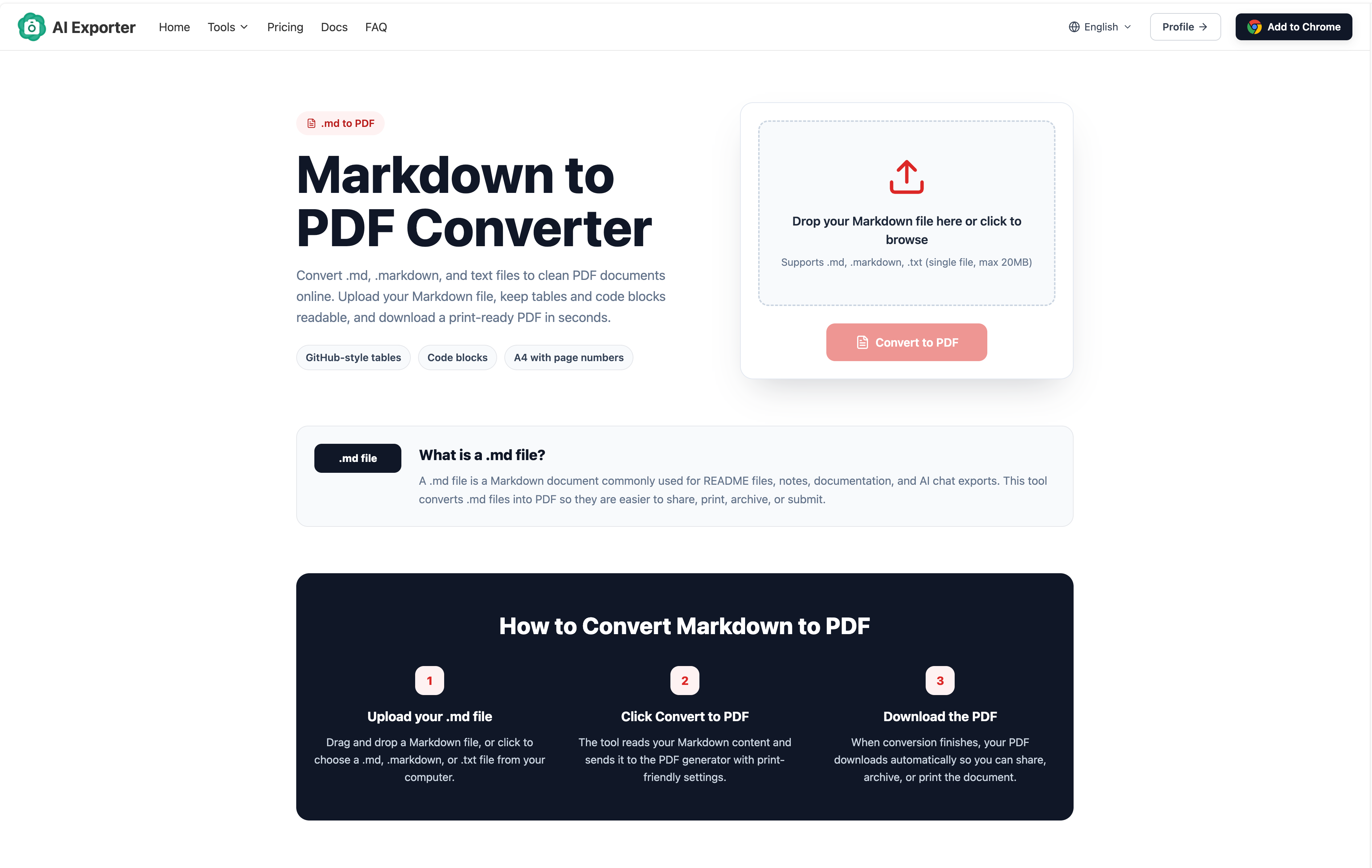
SaveAI Markdown to PDF Converter is a browser-based file conversion tool designed for anyone who needs to turn Markdown into a polished, fixed-layout document. Upload a .md, .markdown, or .txt file of up to 20 MB, click Convert to PDF, and download a clean A4 PDF with page numbers.
The converter preserves the structure that makes Markdown useful. Headings, paragraphs, lists, blockquotes, links, GitHub-style tables, fenced code blocks, and Markdown images are rendered into a readable PDF layout suitable for sharing, printing, archiving, review, or submission. There is no desktop application or command-line setup to install.
The tool works especially well for converting project README files, developer documentation, meeting notes, research notes, reports, assignments, and AI-generated content. If a conversation has already been exported from ChatGPT, Claude, Gemini, DeepSeek, or another AI assistant as Markdown, the file can be uploaded and converted into a printable PDF in a few steps.
SaveAI Markdown to PDF Converter is available online and free to use, although account requirements and usage limits may apply. It offers a straightforward workflow for developers, writers, students, researchers, and teams that want a PDF version of a Markdown document without configuring a local conversion tool.
Features
- Converts .md, .markdown, and .txt files to PDF.
- Supports a single file of up to 20 MB per conversion.
- Renders headings, paragraphs, lists, blockquotes, and links.
- Supports GitHub-style Markdown tables.
- Preserves fenced code blocks in a readable layout.
- Supports images referenced in Markdown.
- Generates an A4 PDF with page numbers.
- Runs through a web browser with no desktop installation required.
- Suitable for README files, notes, documentation, reports, and AI chat exports.
- Downloads the completed PDF automatically after successful conversion.
Use Cases
README to PDF
- Convert a README.md file into a portable document for project handoff, code review, offline reading, or archiving.
Technical documentation
- Turn Markdown documentation and drafts into a fixed-layout format that is easier to share with clients, reviewers, and teammates.
AI chat exports
- Convert Markdown conversations exported from ChatGPT, Claude, Gemini, DeepSeek, or other AI tools into printable PDFs.
Notes and reports
- Create PDFs from meeting notes, research notes, project summaries, reports, and assignments written in Markdown.

Comments


Document export friction is real for technical teams. Most people either skip PDF exports entirely because the setup is painful, or copy-paste into Word which loses all structure. This removes that completely. The ability to preserve code blocks and GitHub-style tables means you actually get professional-looking PDFs instead of mangled text. That's huge for sharing technical documentation with non-technical stakeholders.

Hi, I just discovered your project on Fazier and I really like the direction you’re taking. I noticed a strong growth opportunity that could help you reach more targeted users, especially through Reddit community marketing, citation building, and strategic email outreach. Many brands are missing thousands of potential customers because their audience is already discussing their problems, looking for recommendations, and searching for solutions inside niche communities. I help businesses turn those conversations into brand visibility, trust, traffic, and qualified leads through authentic Reddit engagement and conversion-focused email strategies. I’d love to share a few growth ideas tailored specifically to your project. Best Regards, Olayinka Adeoye +1 479 739 7382 (WHATSAPP)
Premium Products












































Sponsors
Buy

Makers
Makers
Comments
Document export friction is real for technical teams. Most people either skip PDF exports entirely because the setup is painful, or copy-paste into Word which loses all structure. This removes that completely. The ability to preserve code blocks and GitHub-style tables means you actually get professional-looking PDFs instead of mangled text. That's huge for sharing technical documentation with non-technical stakeholders.
Hi, I just discovered your project on Fazier and I really like the direction you’re taking. I noticed a strong growth opportunity that could help you reach more targeted users, especially through Reddit community marketing, citation building, and strategic email outreach. Many brands are missing thousands of potential customers because their audience is already discussing their problems, looking for recommendations, and searching for solutions inside niche communities. I help businesses turn those conversations into brand visibility, trust, traffic, and qualified leads through authentic Reddit engagement and conversion-focused email strategies. I’d love to share a few growth ideas tailored specifically to your project. Best Regards, Olayinka Adeoye +1 479 739 7382 (WHATSAPP)
Premium Products
New to Fazier?

Find your next favorite product or submit your own. Made by @FalakDigital.
Copyright ©2026. All Rights Reserved