Filly AI
Fill any PDF or Word form in seconds with AI
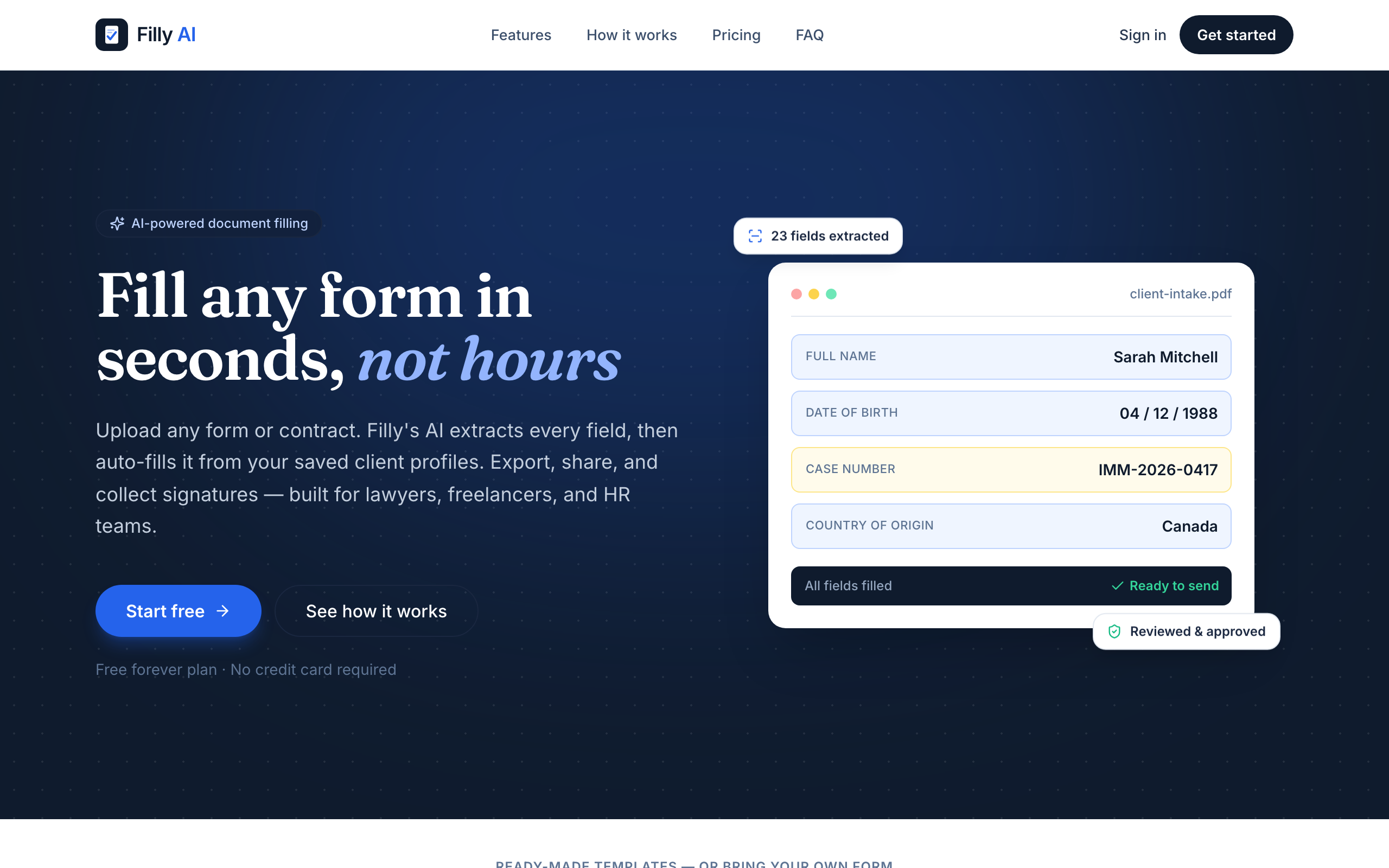
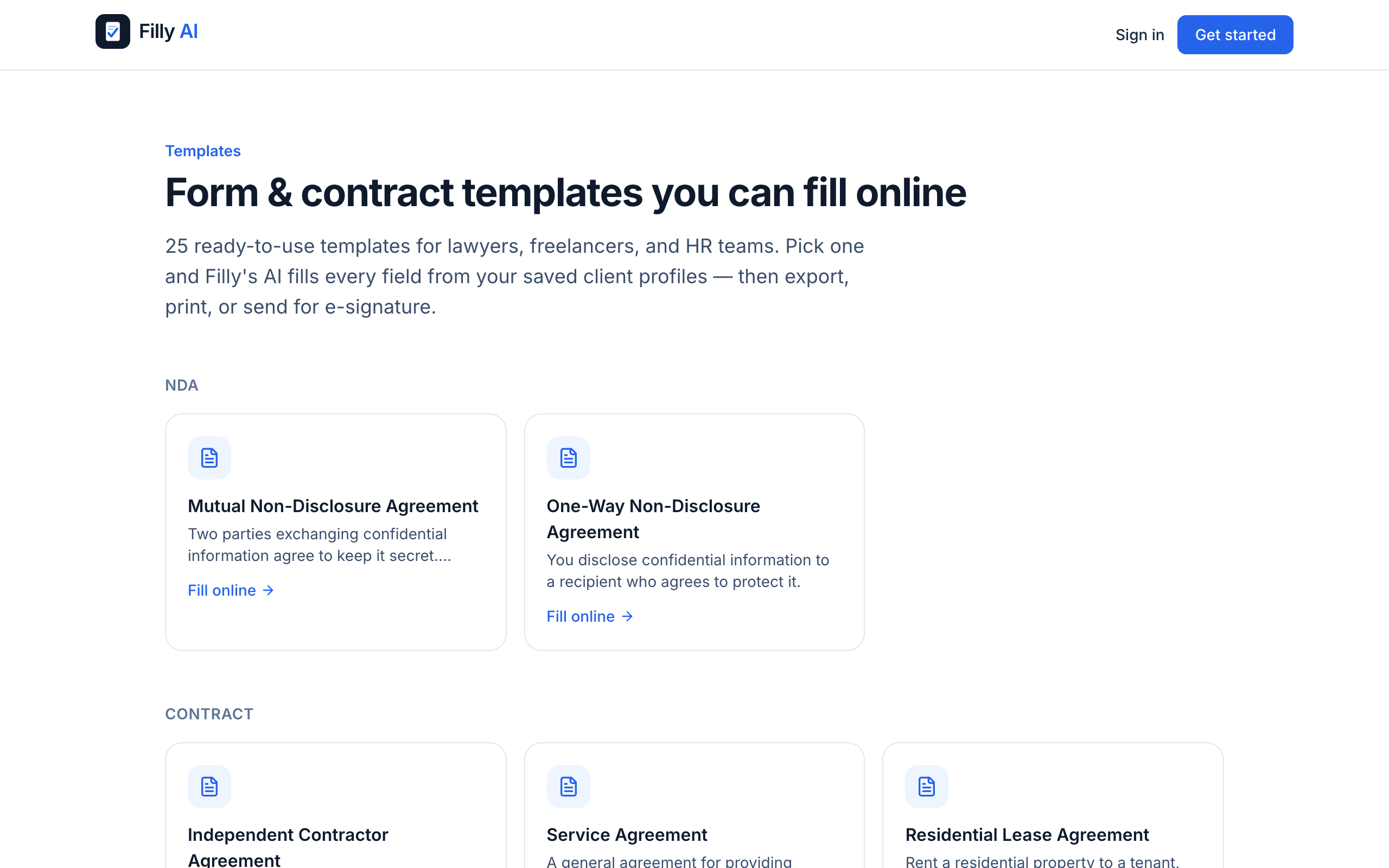
Filly AI reads any PDF or Word form, extracts every field, and autofills it from a saved client profile in seconds. Review and adjust the placement, export a pixel-perfect document, share a no-login link for review, or collect an e-signature with a full audit trail. Includes built-in IRS forms (W-9, W-4, I-9), 25 ready-made templates, and an AI assistant that answers questions while you fill.

Comments



Hey everyone! I built Filly AI because I kept watching people (myself included) burn 20+ minutes retyping the same info into PDF forms every time a new one landed in their inbox. Filly reads any PDF or Word form, pulls out every field, and fills it instantly from a saved profile — then you can export a clean PDF, share a no-login link for someone else to review, or collect a legally-binding e-signature. It also ships with built-in IRS forms (W-9, W-4, I-9) and 25 ready-made templates so you're not starting from a blank form. Would love your honest feedback on the positioning and what we should build next!

Form filling is the exact friction everyone overlooks until they hit it. Most people either do manual retyping (which taxes focus and wastes hours across a year) or they abandon forms entirely. What Filly nails is the integration angle - saved profiles means second and third form fills become 30 seconds instead of minutes. The pixel-perfect export plus sharable review links removes the back-and-forth friction with clients or colleagues. Free tier with no credit card removes adoption friction entirely. This is exactly how productivity tools should be designed.


The saved profile angle is the smart part. Retyping the same name, address, and tax ID into every new W-9 is exactly the repeat work nobody thinks to automate until they add up the hours. One thing I would put front and center before asking someone to save a profile: where does that data live and how is it protected? Those IRS forms carry SSNs and EINs, so the security story is probably as much of a buying decision as the autofill speed. If it is encrypted at rest and scoped per user, saying so on the page would ease the exact hesitation that stops people from saving their info in the first place.

Turning a plain-English description into a form and workflow is a strong starting point, especially when the generated result includes validation, conditional logic, and data structure rather than only a visual form. The key trust moment for me would be the editability of what AI generates: can a user inspect the logic, change a single rule, and see how that affects downstream workflow steps before publishing? If that stays transparent, Filly could remove a lot of the friction between “I know the process I need” and “the process is actually live.”

Filly AI presents a practical solution to one of the most repetitive administrative tasks: completing complex PDF and Word forms using information that already exists in client records. Its ability to detect form fields, populate them from a saved profile, and preserve the original document layout could significantly reduce manual data entry for accounting firms, HR teams, legal practices, insurance providers, healthcare organizations, and other document-heavy businesses. The product’s strongest feature is its end-to-end workflow. It does more than simply extract and insert data. Users can review field placement, make corrections, export a pixel-accurate document, share it through a no-login review link, and collect an electronic signature with an audit trail. This makes Filly AI more useful than a basic PDF autofill tool because it supports the complete document preparation and approval process.

Filly AI solves a genuinely repetitive problem by filling PDF and Word forms from saved client profiles in seconds. The review links, accurate document exports, built-in tax forms, and e-signature support make it more than a basic autofill tool. It looks especially valuable for freelancers and document-heavy teams. Great launch!

Turning arbitrary PDF and Word forms into reusable, profile-based workflows solves a very real source of repetitive admin work. The review link and e-signature flow make it useful beyond individual form filling, particularly when a client or teammate needs to check the result. How does Filly handle scanned or non-standard forms where field positions vary, and can users save corrections as a reusable mapping for future packets?

The form-filling pain is real — most tools OCR a PDF fine but choke on the weird government forms with nested tables and checkboxes. How does Filly handle non-fillable/scanned PDFs and multi-page forms where a field depends on context from an earlier page? If it reliably maps "my info" to the right fields across a scanned 10-pager, that's the genuinely hard part — curious what your accuracy looks like there.


Clean concept — the saved-profile approach is what actually makes this stick vs. a one-off autofill tool. Curious how it handles multi-page forms where a field on page 3 depends on something filled in on page 1 — that's usually where autofill tools start guessing wrong. If the placement holds up on scanned/non-fillable PDFs too, this is an easy daily-driver for anyone doing freelance admin or HR paperwork.

Hi, I just discovered your project on Fazier and I really like the direction you’re taking. I noticed a strong growth opportunity that could help you reach more targeted users, especially through Reddit community marketing, citation building, and strategic email outreach. Many brands are missing thousands of potential customers because their audience is already discussing their problems, looking for recommendations, and searching for solutions inside niche communities. I help businesses turn those conversations into brand visibility, trust, traffic, and qualified leads through authentic Reddit engagement and conversion-focused email strategies. I’d love to share a few growth ideas tailored specifically to your project. Best Regards, Olayinka Adeoye +1 479 739 7382


I build document tools myself so I clicked on this expecting to be unimpressed, but the shareable review link with no login is genuinely useful — the usual "can you check if I filled this right" loop happens over email attachments and it's miserable. How is the field detection holding up on scanned PDFs though? In my experience that's where these tools fall apart, when the form is a photocopy of a photocopy from some government office.

The saved profile flow is the part that makes this more than a faster PDF editor. For freelancers and small teams, the real win is not filling one form once, but avoiding the same retyping across W-9s, W-4s, client onboarding packets, and random Word docs. The two things I would want very clear before using it are accuracy on scanned/non-fillable forms, and where sensitive profile data is stored. If those are handled well, especially for tax forms with SSNs or EINs, this becomes a much easier trust decision.



The AI assistant answering questions mid-fill is a nice touch — most form tools skip the friction point where users get stuck on "what does this field actually mean." Is it grounded in the form's own field context, or more general? Would love to know how you keep it from hallucinating fake IRS guidance on W-4/W-9 nuances.


The saved-client-profile bit is what makes this more than a one-off form filler — enter a client's details once and reuse them across every W-9, I-9, and intake form is where the real hours-to-seconds saving actually comes from. The no-login review link plus e-signature with an audit trail also fits the legal/HR workflow well, since that's usually a separate tool bolted on afterward. Two genuine questions: (1) how robust is the field-matching when labels differ across forms — "DOB" vs "Date of Birth" vs "Birth Date", or fields the source form names oddly? That's usually where autofill breaks. (2) Given the target users are lawyers and HR handling sensitive PII (case numbers, immigration status), what's the story on data storage and privacy for those saved profiles?

The saved-profile workflow can remove a lot of repetitive data entry. A useful trust feature would be a confidence score for every detected field, with low-confidence values automatically queued for manual review before export or signature. Can users also see an audit trail showing which fields were populated by AI versus edited by a person?

Filling out the same information across PDFs and Word documents is one of those repetitive tasks that almost everyone deals with, so this solves a real problem. I like that Filly AI doesn't stop at autofilling forms. The review links, e-signature workflow, and support for common IRS forms make it feel like a complete document workflow rather than a simple PDF tool. The saved profile concept is especially useful because the time savings compound every time you fill another form. The clean interface and free tier also make it easy to give it a try without much commitment. This looks like a genuinely practical productivity tool for freelancers, HR teams, accountants, and small businesses. Great launch, and I'm looking forward to seeing more templates and integrations over time.

Premium Products










































Sponsors
Buy

Makers
Makers
Comments
Hey everyone! I built Filly AI because I kept watching people (myself included) burn 20+ minutes retyping the same info into PDF forms every time a new one landed in their inbox. Filly reads any PDF or Word form, pulls out every field, and fills it instantly from a saved profile — then you can export a clean PDF, share a no-login link for someone else to review, or collect a legally-binding e-signature. It also ships with built-in IRS forms (W-9, W-4, I-9) and 25 ready-made templates so you're not starting from a blank form. Would love your honest feedback on the positioning and what we should build next!
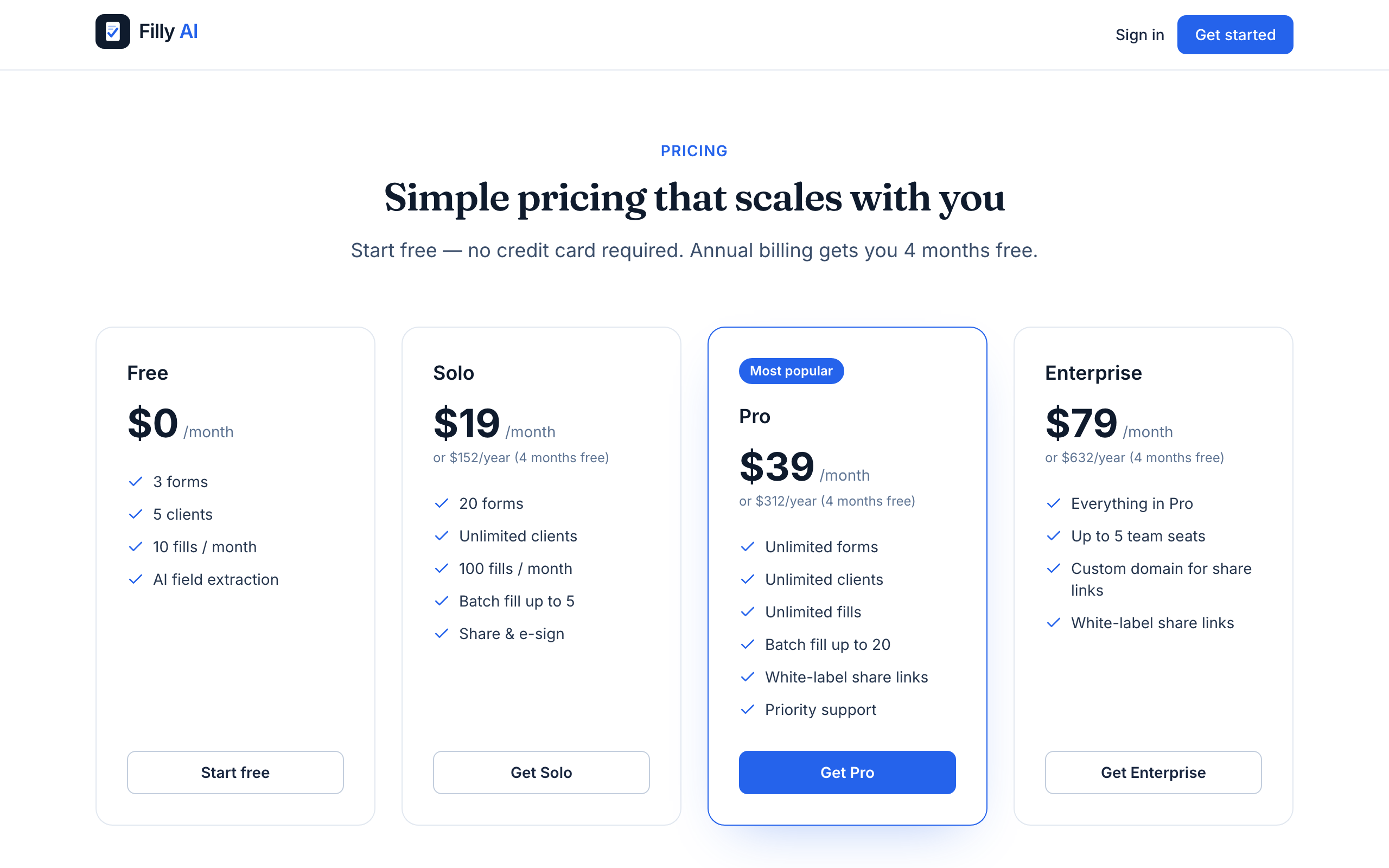
Form filling is the exact friction everyone overlooks until they hit it. Most people either do manual retyping (which taxes focus and wastes hours across a year) or they abandon forms entirely. What Filly nails is the integration angle - saved profiles means second and third form fills become 30 seconds instead of minutes. The pixel-perfect export plus sharable review links removes the back-and-forth friction with clients or colleagues. Free tier with no credit card removes adoption friction entirely. This is exactly how productivity tools should be designed.
The saved profile angle is the smart part. Retyping the same name, address, and tax ID into every new W-9 is exactly the repeat work nobody thinks to automate until they add up the hours. One thing I would put front and center before asking someone to save a profile: where does that data live and how is it protected? Those IRS forms carry SSNs and EINs, so the security story is probably as much of a buying decision as the autofill speed. If it is encrypted at rest and scoped per user, saying so on the page would ease the exact hesitation that stops people from saving their info in the first place.
Turning a plain-English description into a form and workflow is a strong starting point, especially when the generated result includes validation, conditional logic, and data structure rather than only a visual form. The key trust moment for me would be the editability of what AI generates: can a user inspect the logic, change a single rule, and see how that affects downstream workflow steps before publishing? If that stays transparent, Filly could remove a lot of the friction between “I know the process I need” and “the process is actually live.”
Filly AI presents a practical solution to one of the most repetitive administrative tasks: completing complex PDF and Word forms using information that already exists in client records. Its ability to detect form fields, populate them from a saved profile, and preserve the original document layout could significantly reduce manual data entry for accounting firms, HR teams, legal practices, insurance providers, healthcare organizations, and other document-heavy businesses. The product’s strongest feature is its end-to-end workflow. It does more than simply extract and insert data. Users can review field placement, make corrections, export a pixel-accurate document, share it through a no-login review link, and collect an electronic signature with an audit trail. This makes Filly AI more useful than a basic PDF autofill tool because it supports the complete document preparation and approval process.
Filly AI solves a genuinely repetitive problem by filling PDF and Word forms from saved client profiles in seconds. The review links, accurate document exports, built-in tax forms, and e-signature support make it more than a basic autofill tool. It looks especially valuable for freelancers and document-heavy teams. Great launch!
Turning arbitrary PDF and Word forms into reusable, profile-based workflows solves a very real source of repetitive admin work. The review link and e-signature flow make it useful beyond individual form filling, particularly when a client or teammate needs to check the result. How does Filly handle scanned or non-standard forms where field positions vary, and can users save corrections as a reusable mapping for future packets?
The form-filling pain is real — most tools OCR a PDF fine but choke on the weird government forms with nested tables and checkboxes. How does Filly handle non-fillable/scanned PDFs and multi-page forms where a field depends on context from an earlier page? If it reliably maps "my info" to the right fields across a scanned 10-pager, that's the genuinely hard part — curious what your accuracy looks like there.
Clean concept — the saved-profile approach is what actually makes this stick vs. a one-off autofill tool. Curious how it handles multi-page forms where a field on page 3 depends on something filled in on page 1 — that's usually where autofill tools start guessing wrong. If the placement holds up on scanned/non-fillable PDFs too, this is an easy daily-driver for anyone doing freelance admin or HR paperwork.
Hi, I just discovered your project on Fazier and I really like the direction you’re taking. I noticed a strong growth opportunity that could help you reach more targeted users, especially through Reddit community marketing, citation building, and strategic email outreach. Many brands are missing thousands of potential customers because their audience is already discussing their problems, looking for recommendations, and searching for solutions inside niche communities. I help businesses turn those conversations into brand visibility, trust, traffic, and qualified leads through authentic Reddit engagement and conversion-focused email strategies. I’d love to share a few growth ideas tailored specifically to your project. Best Regards, Olayinka Adeoye +1 479 739 7382
I build document tools myself so I clicked on this expecting to be unimpressed, but the shareable review link with no login is genuinely useful — the usual "can you check if I filled this right" loop happens over email attachments and it's miserable. How is the field detection holding up on scanned PDFs though? In my experience that's where these tools fall apart, when the form is a photocopy of a photocopy from some government office.
The saved profile flow is the part that makes this more than a faster PDF editor. For freelancers and small teams, the real win is not filling one form once, but avoiding the same retyping across W-9s, W-4s, client onboarding packets, and random Word docs. The two things I would want very clear before using it are accuracy on scanned/non-fillable forms, and where sensitive profile data is stored. If those are handled well, especially for tax forms with SSNs or EINs, this becomes a much easier trust decision.
The AI assistant answering questions mid-fill is a nice touch — most form tools skip the friction point where users get stuck on "what does this field actually mean." Is it grounded in the form's own field context, or more general? Would love to know how you keep it from hallucinating fake IRS guidance on W-4/W-9 nuances.
The saved-client-profile bit is what makes this more than a one-off form filler — enter a client's details once and reuse them across every W-9, I-9, and intake form is where the real hours-to-seconds saving actually comes from. The no-login review link plus e-signature with an audit trail also fits the legal/HR workflow well, since that's usually a separate tool bolted on afterward. Two genuine questions: (1) how robust is the field-matching when labels differ across forms — "DOB" vs "Date of Birth" vs "Birth Date", or fields the source form names oddly? That's usually where autofill breaks. (2) Given the target users are lawyers and HR handling sensitive PII (case numbers, immigration status), what's the story on data storage and privacy for those saved profiles?
The saved-profile workflow can remove a lot of repetitive data entry. A useful trust feature would be a confidence score for every detected field, with low-confidence values automatically queued for manual review before export or signature. Can users also see an audit trail showing which fields were populated by AI versus edited by a person?
Filling out the same information across PDFs and Word documents is one of those repetitive tasks that almost everyone deals with, so this solves a real problem. I like that Filly AI doesn't stop at autofilling forms. The review links, e-signature workflow, and support for common IRS forms make it feel like a complete document workflow rather than a simple PDF tool. The saved profile concept is especially useful because the time savings compound every time you fill another form. The clean interface and free tier also make it easy to give it a try without much commitment. This looks like a genuinely practical productivity tool for freelancers, HR teams, accountants, and small businesses. Great launch, and I'm looking forward to seeing more templates and integrations over time.
Premium Products
New to Fazier?

Find your next favorite product or submit your own. Made by @FalakDigital.
Copyright ©2026. All Rights Reserved