DataMoat
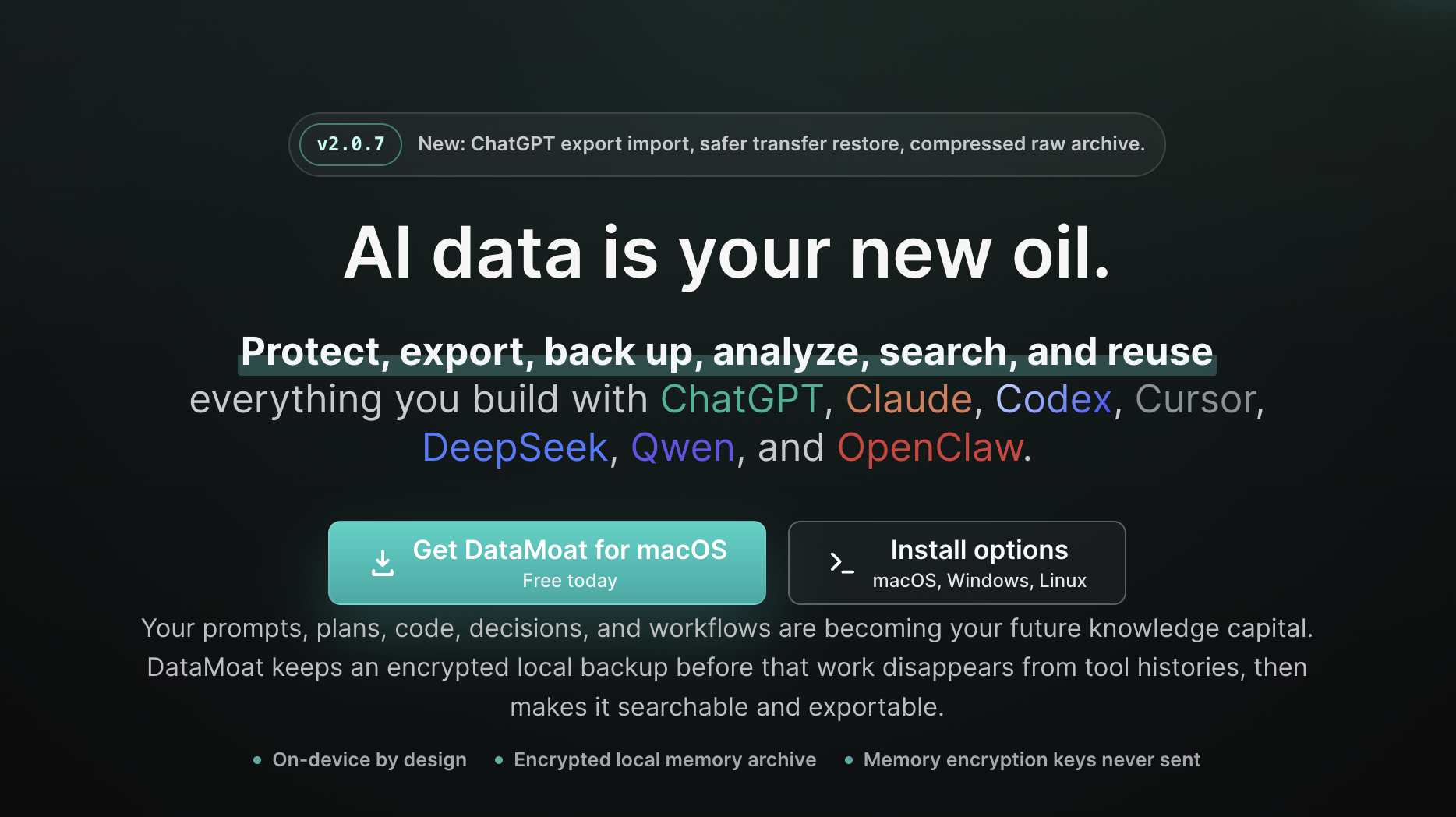
Protect, export, back up, analyze, search, and reuse AI data
Protect, export, back up, analyze, search, and reuse everything you build with ChatGPT, Claude, Codex, Cursor, DeepSeek, Qwen, and OpenClaw
Core backup scope: DataMoat backs up supported skills + sessions + attachments into the same encrypted local memory archive. Skills are saved as full folder snapshots, not just names.
The people and companies that own their AI data will win the future.
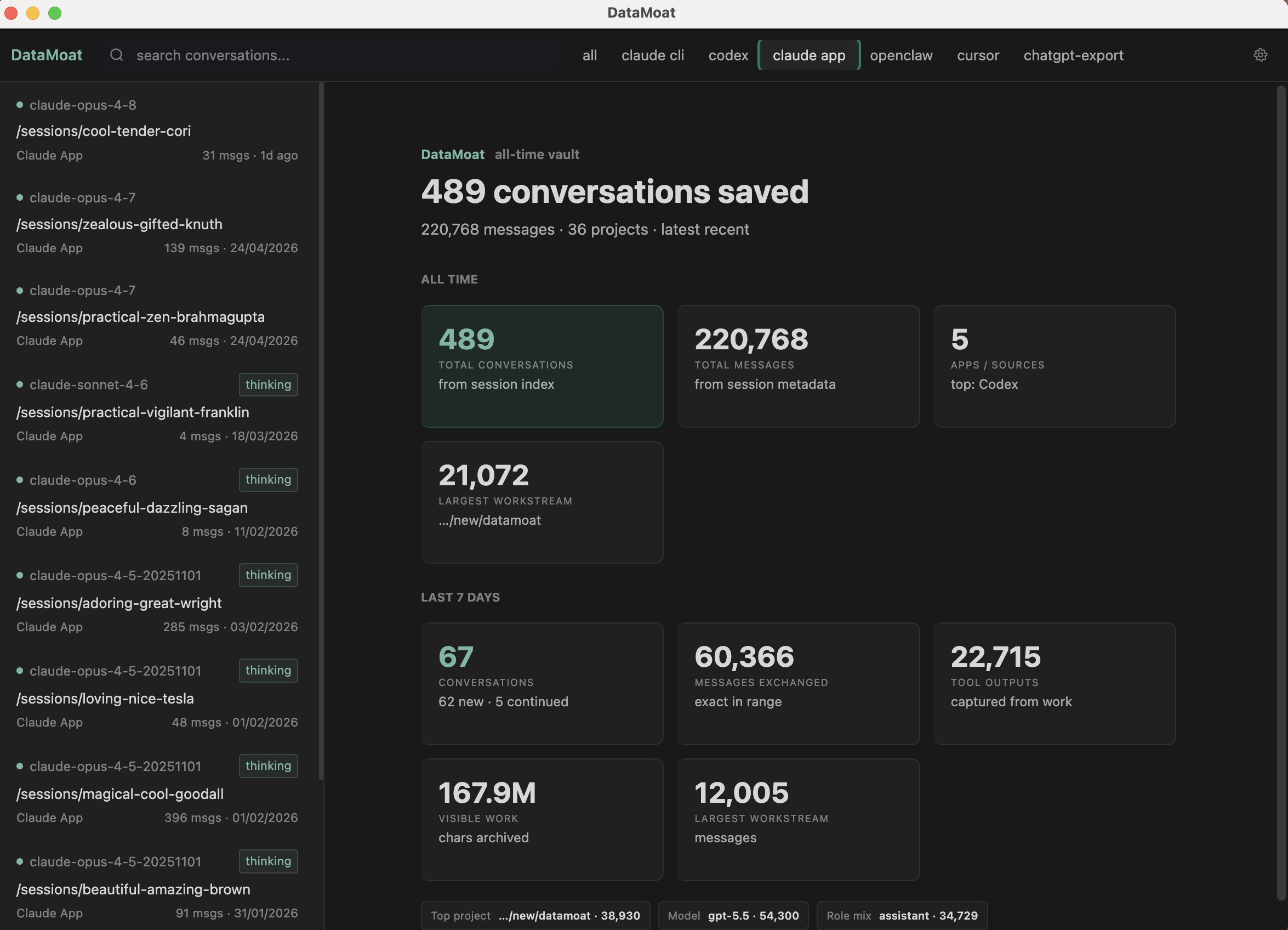
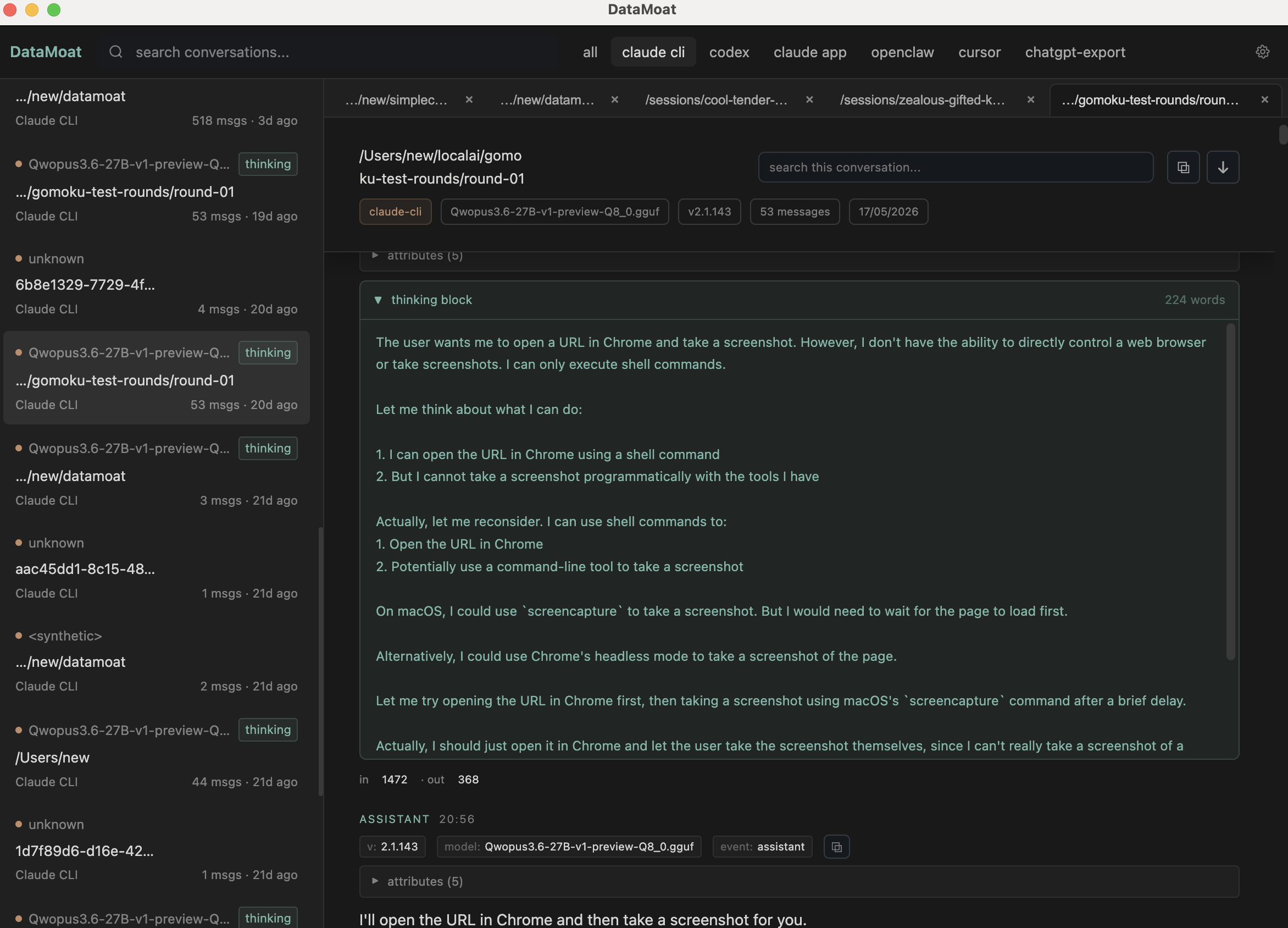
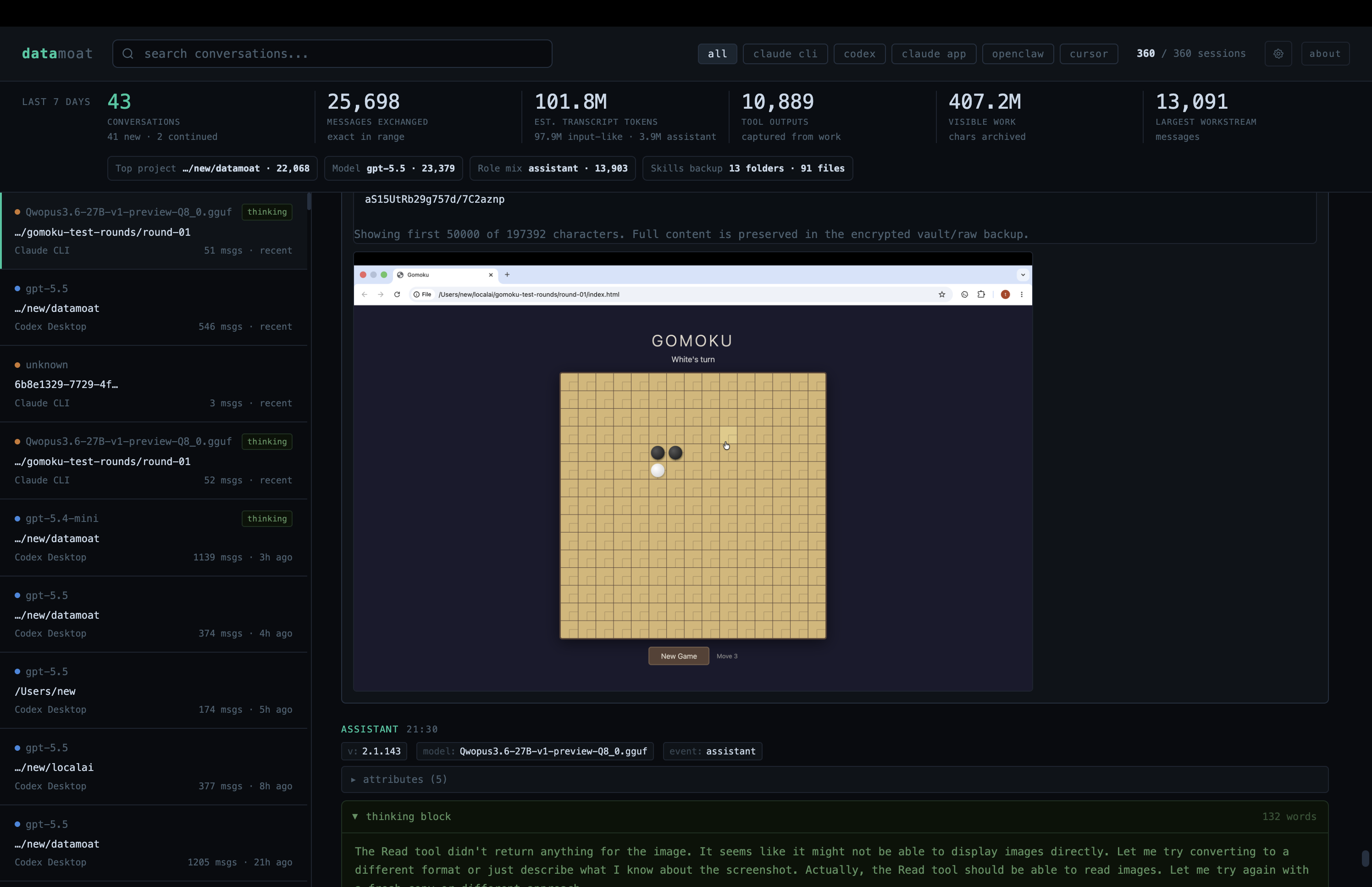
DataMoat is an AI work history memory archive for people and teams working across ChatGPT exports, Claude CLI, Claude Desktop, Codex CLI, Codex app, Cursor, DeepSeek and Qwen through Claude Code GUI workflows, OpenClaw, and other AI tools. It preserves the full working record: sessions, locally stored thinking tokens and reasoning blocks when present, prompts, responses, tool output, files, attachments, metadata, skills folder contents, and original source records on the same machine, so your work stays reviewable, protected, reusable, and easier to hand off later.
Features
Raw records first
Original source records, ChatGPT export files, session JSONL, logs, metadata, skills snapshots, and attachments are preserved when the source provides them, then stored inside the encrypted memory archive.
Prompt-to-output trail
Normalized records keep prompts, responses, tool use, tool results, timestamps, model metadata, source path, and stable attachment links together so the surrounding work can be reviewed later.
Local private custody
The memory archive, search data, skills, attachments, and memory encryption keys stay on-device. DataMoat is not a platform-account personalization layer or transcript cloud.
Cross-provider layer
Supported ChatGPT exports, Claude, Codex, Cursor, DeepSeek/Qwen local workflows, OpenClaw, skills, and attachments land in the same local memory layer instead of staying trapped inside one vendor view.
Company AI work asset
Work history becomes a protected company or personal asset for review, incident analysis, onboarding, handoff, private memory, and future model evaluation under your own rules.
Portable memory ownership
If the team changes tools or models, the memory layer can move with the encrypted DataMoat folder. Vendor choice changes; custody of the work record stays yours.
Black box
Reconstruct what happened when an AI-assisted task mattered.
Knowledge base
Keep the process, not only the final answer or commit.
Handoff layer
Give future teammates and agents the decisions behind the work.
Private memory
Build reusable context without sending a memory archive to DataMoat.
Use Cases
01 / problem
Who solved what?
Keep the work record around incidents, migrations, bugs, product decisions, and repeated workflows so the next person can find the path, not just the outcome.
02 / context
What did the AI see?
Preserve supported file context, attachments, skills, metadata, local source records, and the surrounding session that shaped the answer.
03 / prompts
How did employees prompt?
Save the prompt trail, corrections, constraints, clarifications, and decisions that turned a vague task into a usable result.
04 / tools
Which tools ran?
Capture supported tool calls, command output, errors, timestamps, source metadata, and stable attachments when the source writes them locally.
05 / decision
Which solution shipped?
Keep the evidence around the adopted approach: alternatives discussed, failed paths, final commands, review notes, and the reason the team moved forward.
06 / reuse
Can it be reused later?
Make AI work searchable for reuse, audit, incident review, onboarding, project handoff, and private AI memory across ChatGPT, Claude, Codex, Cursor, DeepSeek, Qwen, and OpenClaw workflows.

Comments



This is an interesting approach to managing AI work history and keeping important data organized, searchable, and reusable. Having better control over AI records can help individuals and teams maintain valuable knowledge for future projects. I also came across https://3patticrown.com.pk/, which seems like an interesting platform offering a different type of digital experience. It’s always useful to explore tools and platforms that provide convenient features for users.
The premise of DataMoat is compelling — as AI becomes central to professional workflows, the ability to own and audit your AI work history becomes critical for compliance, knowledge transfer, and continuity. The cross-provider approach is particularly valuable since most teams use multiple AI tools. The local-first, encrypted storage model addresses the privacy concerns that prevent many enterprises from adopting cloud-based AI memory solutions. Would be curious to see how this handles version control for iterative AI-assisted projects.




The "own your AI work history" framing is sharp, and backing up skills as full folder snapshots rather than just names is the detail that makes this actually restorable. Encrypted local-only storage is the right default here. The open question for me is cross-tool portability: if I archive a Claude session and a Cursor session, can I search and reuse them together under one normalized schema, or does each stay siloed in its origin format? Unified retrieval across tools is where this becomes a real moat rather than just a backup.


Protecting AI training data and output as a proprietary moat makes sense as LLMs commoditize faster than anyone expected. The export + backup angle is especially underrated — teams losing months of prompt engineering to a vendor lock-in or account deletion is a real risk. Would love to know if DataMoat supports versioning on prompts/outputs, so you can roll back to older configurations when a model update breaks a workflow.


Having a secure, local archive of prompts, responses, files, and project history can make collaboration, audits, and knowledge transfer much easier while giving users greater control over their own data. The focus on privacy and portability is especially valuable for teams that don't want their work locked into a single AI provider.I also enjoy exploring new AI tools alongside other apps and resources https://apkglobal.pk/ is a useful place to discover trending tech and AI tools and their guides too. Overall, this looks like a practical solution for anyone who wants to preserve and organize their AI-assisted work in a secure, reusable way.
Premium Products






































Comments
This is an interesting approach to managing AI work history and keeping important data organized, searchable, and reusable. Having better control over AI records can help individuals and teams maintain valuable knowledge for future projects. I also came across https://3patticrown.com.pk/, which seems like an interesting platform offering a different type of digital experience. It’s always useful to explore tools and platforms that provide convenient features for users.
The premise of DataMoat is compelling — as AI becomes central to professional workflows, the ability to own and audit your AI work history becomes critical for compliance, knowledge transfer, and continuity. The cross-provider approach is particularly valuable since most teams use multiple AI tools. The local-first, encrypted storage model addresses the privacy concerns that prevent many enterprises from adopting cloud-based AI memory solutions. Would be curious to see how this handles version control for iterative AI-assisted projects.
The "own your AI work history" framing is sharp, and backing up skills as full folder snapshots rather than just names is the detail that makes this actually restorable. Encrypted local-only storage is the right default here. The open question for me is cross-tool portability: if I archive a Claude session and a Cursor session, can I search and reuse them together under one normalized schema, or does each stay siloed in its origin format? Unified retrieval across tools is where this becomes a real moat rather than just a backup.
Protecting AI training data and output as a proprietary moat makes sense as LLMs commoditize faster than anyone expected. The export + backup angle is especially underrated — teams losing months of prompt engineering to a vendor lock-in or account deletion is a real risk. Would love to know if DataMoat supports versioning on prompts/outputs, so you can roll back to older configurations when a model update breaks a workflow.
Having a secure, local archive of prompts, responses, files, and project history can make collaboration, audits, and knowledge transfer much easier while giving users greater control over their own data. The focus on privacy and portability is especially valuable for teams that don't want their work locked into a single AI provider.I also enjoy exploring new AI tools alongside other apps and resources https://apkglobal.pk/ is a useful place to discover trending tech and AI tools and their guides too. Overall, this looks like a practical solution for anyone who wants to preserve and organize their AI-assisted work in a secure, reusable way.
Premium Products
New to Fazier?

Find your next favorite product or submit your own. Made by @FalakDigital.
Copyright ©2026. All Rights Reserved