
AutoSprite
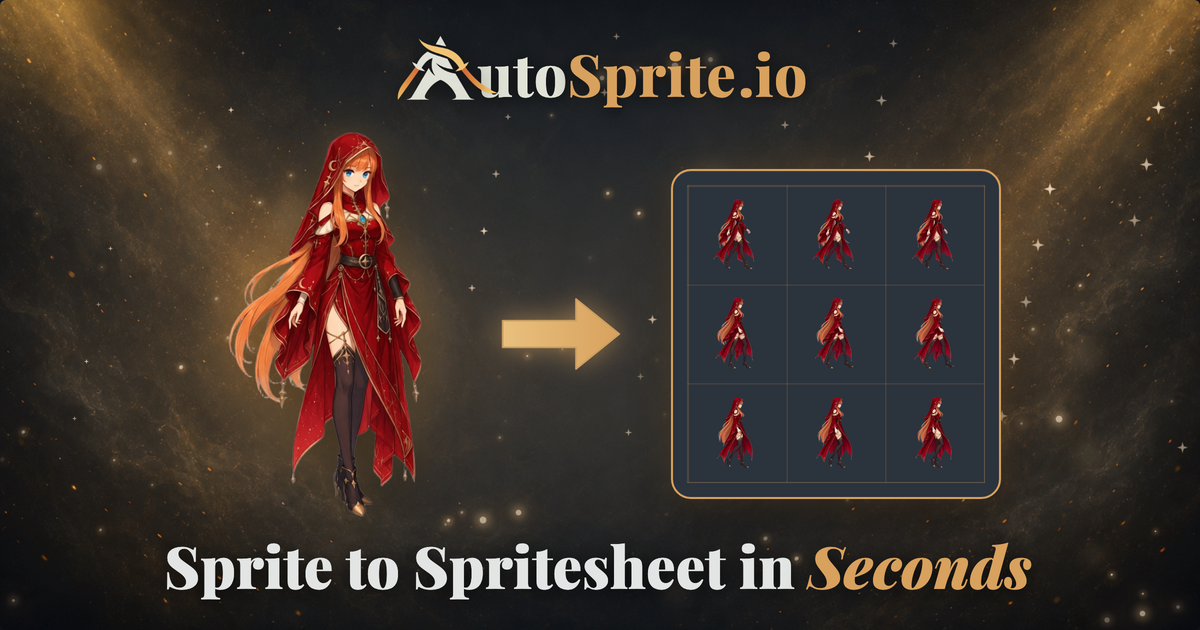
One image in, game ready sprite sheets out.
For indie game developers and pixel artists who waste hours stitching character art into sprite sheets, Autosprite is an all-in-one automation platform that takes you from concept art to game-ready sprite sheets in seconds. Unlike manual editing tools or limited exporters, we generate characters, animations, and optimized sprite sheets in one seamless flow. - saving time so you can focus on building great games.
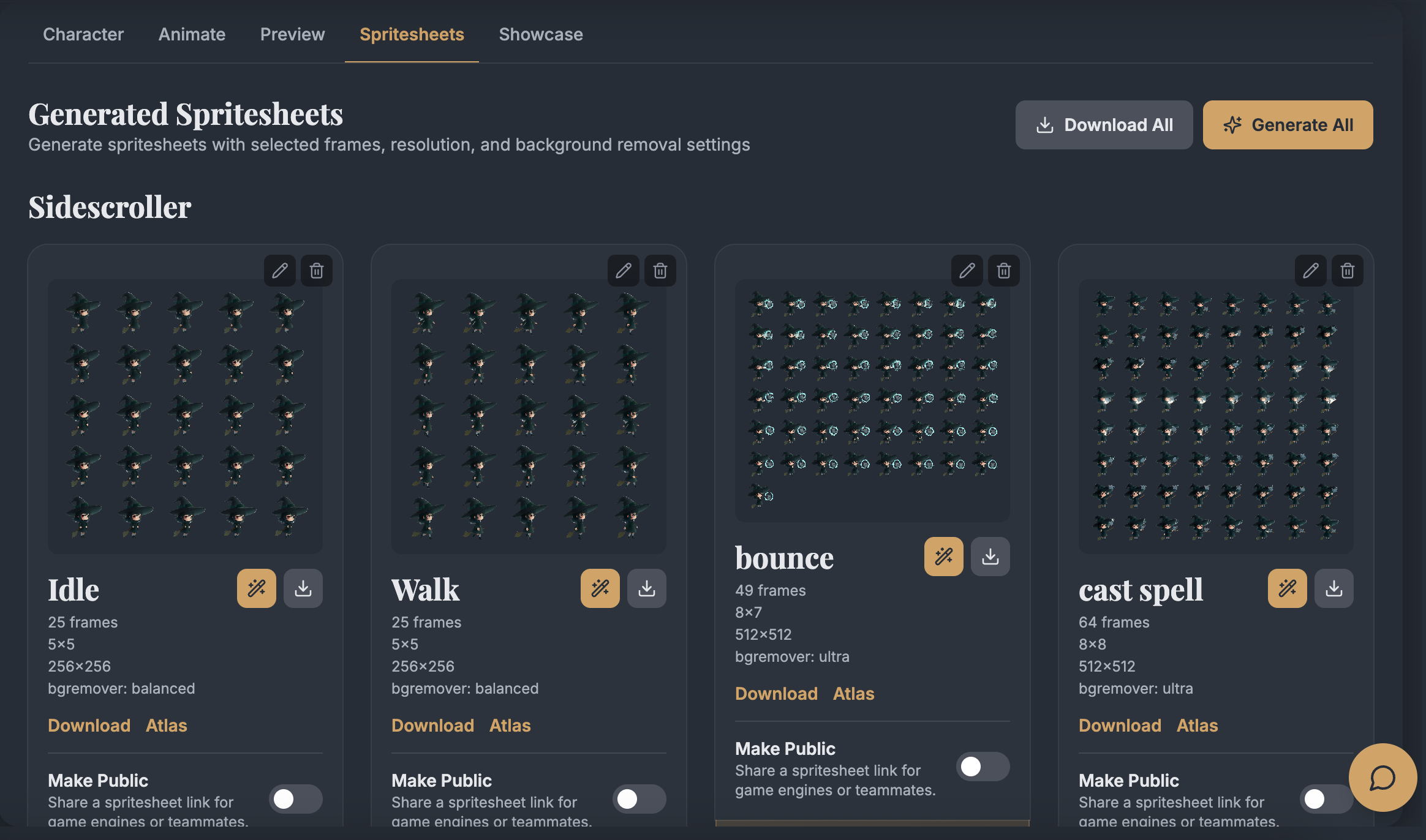
Features
- Turn a single prompt or character image into game-ready 2D spritesheets.
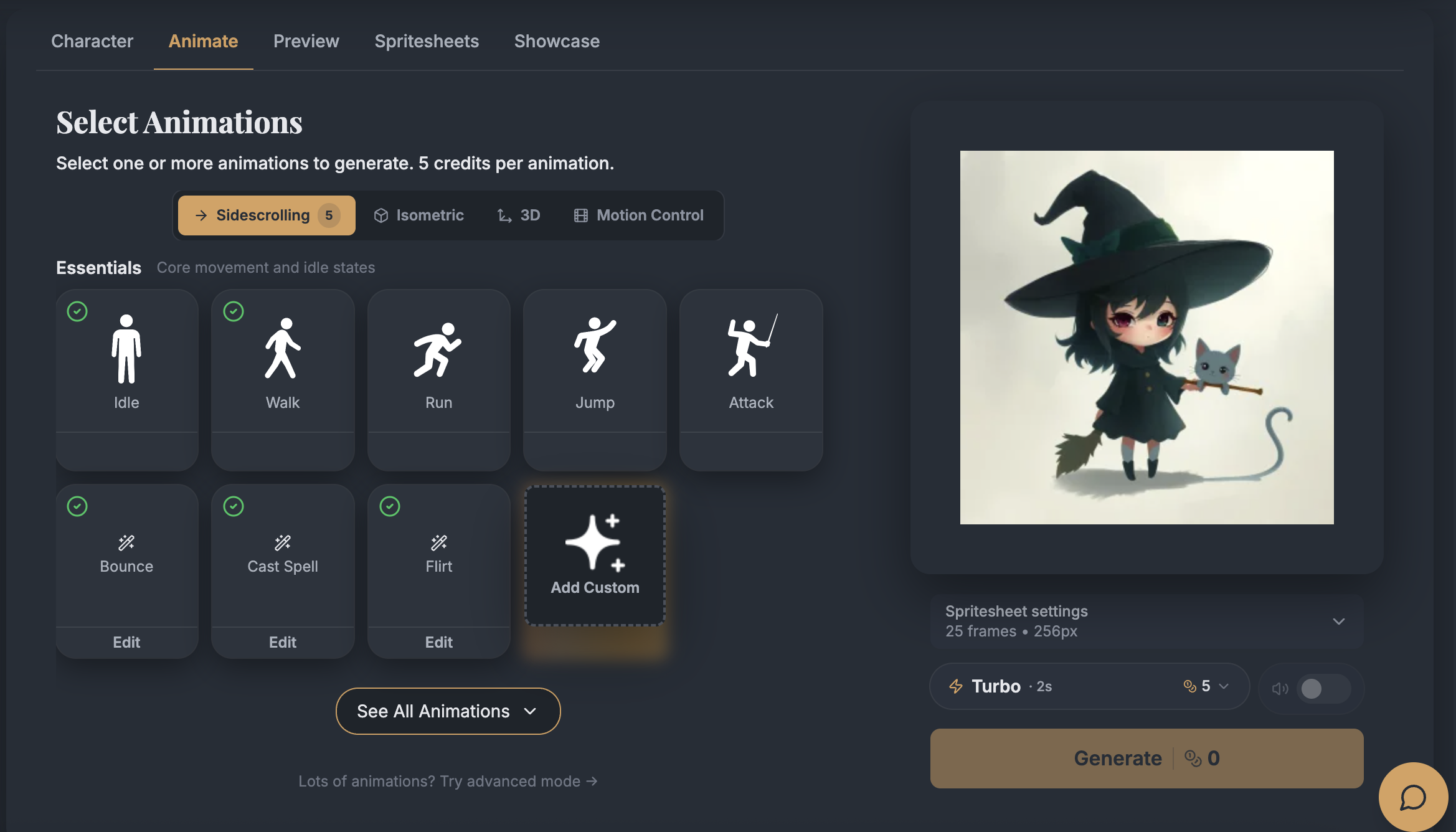
- Generate core animations like idle, walk, run, jump, attack, plus custom actions.
- Create side-scroller, isometric, RPG-style, and multi-direction character animations.
- Export transparent PNG spritesheets, atlas JSON files, GIF previews, and full ZIP packages.
- Download formats built for Unity, Godot, GameMaker, Phaser, RPG Maker, and Stream Avatars.
- Customize output with frame count, resolution, compression, sharpening, and background removal controls.
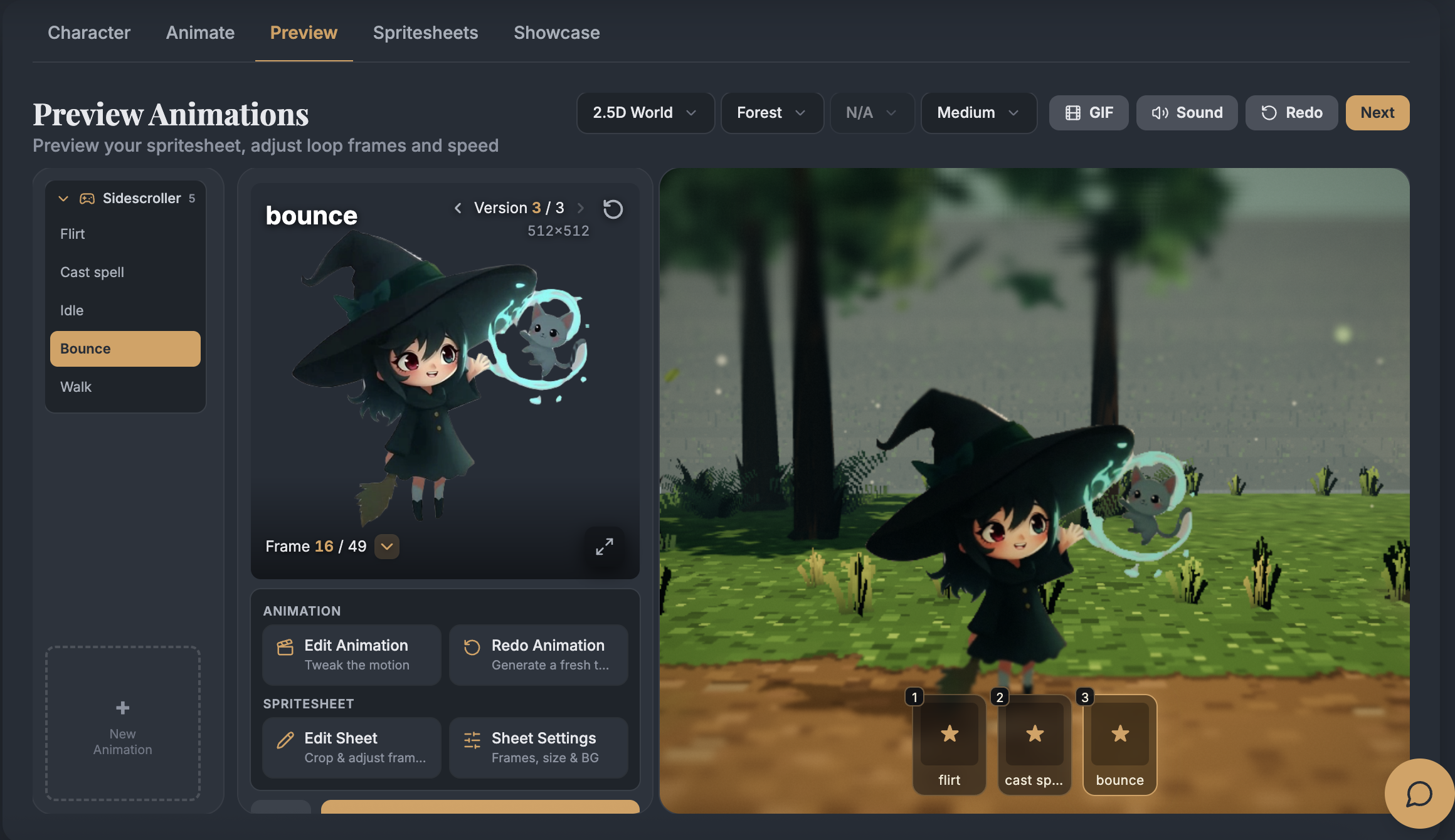
- Preview, re-render, and fine-tune spritesheets with built-in frame editing tools.
- Generate assets, characters, attacks, motion-library animations, and reusable movesets.
- Batch-generate animations across multiple characters with Advanced Mode.
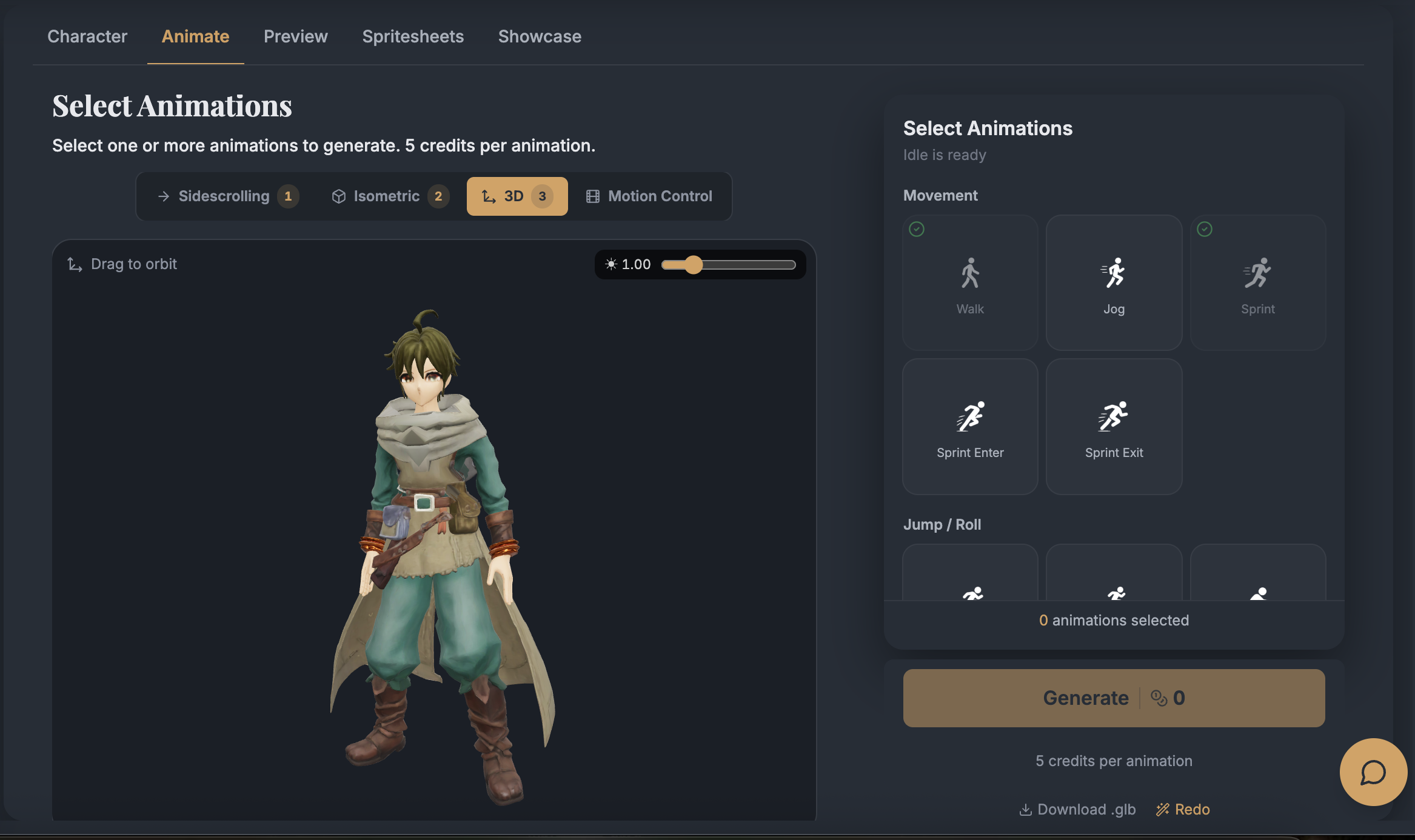
- Create 3D character models and render them into isometric spritesheets.
- Generate game cutscene videos from prompts, images, keyframes, or reference videos.
- Connect AutoSprite to workflows through API and MCP access
Use Cases
- Indie developers making character art for game jams, prototypes, and early vertical slices.
- Solo creators who need a full playable character without hiring an animator.
- RPG developers building large casts of party members, NPCs, vendors, enemies, and quest characters.
- Platformer teams testing movement, combat, and traversal ideas before final art is ready.
- Top-down and isometric game makers filling out directional movement for overworld or tactics gameplay.
- RPG Maker creators replacing default assets with original characters that fit their world.
- Streamers creating custom animated avatars for interactive stream overlays.
- Game studios exploring multiple character concepts before committing to production art.
- Developers preparing placeholder-to-polished assets for Unity, Godot, GameMaker, Phaser, or RPG Maker.
- AI-assisted coding workflows where a developer wants sprites generated directly while building the game.
- Marketing and community teams making quick animated character previews, GIFs, and showcase clips.
- Narrative or cinematic game teams creating quick cutscene concepts before commissioning final video.
Fazier Deal

Comments


Hi everyone, I’m one of the co-founders of AutoSprite. We’re building AutoSprite because creating game-ready 2D character animations is still one of the slowest parts of indie game development. You can have a great character idea, but turning it into idle, walk, run, jump, attack animations, transparent spritesheets, and engine-ready exports can quickly break your momentum. Our goal is to make that process feel much faster and more creative. With AutoSprite, you can start from a prompt or upload your own character, generate animations, preview and edit the results, and export spritesheets for engines like Unity, Godot, GameMaker, Phaser, and RPG Maker. We’re still improving the product every day, and we’d genuinely love feedback from game devs, RPG Maker creators, pixel artists, streamers, and anyone building 2D games. What would make AutoSprite more useful in your workflow?

AutoSprite has great potential! A few improvements could make it even better. I'd love to share my feedback and suggestions. WhatsApp: https://wa.me/447307349530 Telegram: t.me/rforrank

Exporting atlas JSON alongside the PNG sheet is the detail that makes this usable rather than a demo — dropping straight into Unity or Phaser without hand-writing frame coordinates is where the hours actually go. Two questions: can you control frame count and pivot point per animation, and does the walk/run cycle stay consistent across the 4 or 8 directions for isometric characters? Direction drift is usually where auto-generated sheets fall apart.


The spritesheet bottleneck is real for indie devs. You nail this - the manual part isn't the creative work, it's the drudgery of exporting, organizing, padding, compression settings. I like how you're targeting the "placeholder to polish" phase too, when teams are testing if gameplay feels good before investing in custom art. Being able to iterate animations 10x faster while keeping consistent quality is huge for rapid prototyping. The batch generation angle is smart for teams scaling from 1-2 characters to full rosters.

Exporting PNG plus atlas JSON and engine-specific packages is what turns this from an image demo into a workflow tool. I would prioritize saved export profiles for Unity, Godot, and RPG Maker that lock frame size, naming, pivot/origin, and nearest-neighbor settings, so a regenerated animation can replace an existing asset without reconfiguring the project. Do Advanced Mode runs keep those settings and character proportions consistent across a whole batch?
Premium Products








































Fazier Deal
Sponsors
Buy

Comments
Hi everyone, I’m one of the co-founders of AutoSprite. We’re building AutoSprite because creating game-ready 2D character animations is still one of the slowest parts of indie game development. You can have a great character idea, but turning it into idle, walk, run, jump, attack animations, transparent spritesheets, and engine-ready exports can quickly break your momentum. Our goal is to make that process feel much faster and more creative. With AutoSprite, you can start from a prompt or upload your own character, generate animations, preview and edit the results, and export spritesheets for engines like Unity, Godot, GameMaker, Phaser, and RPG Maker. We’re still improving the product every day, and we’d genuinely love feedback from game devs, RPG Maker creators, pixel artists, streamers, and anyone building 2D games. What would make AutoSprite more useful in your workflow?
AutoSprite has great potential! A few improvements could make it even better. I'd love to share my feedback and suggestions. WhatsApp: https://wa.me/447307349530 Telegram: t.me/rforrank
Exporting atlas JSON alongside the PNG sheet is the detail that makes this usable rather than a demo — dropping straight into Unity or Phaser without hand-writing frame coordinates is where the hours actually go. Two questions: can you control frame count and pivot point per animation, and does the walk/run cycle stay consistent across the 4 or 8 directions for isometric characters? Direction drift is usually where auto-generated sheets fall apart.
The spritesheet bottleneck is real for indie devs. You nail this - the manual part isn't the creative work, it's the drudgery of exporting, organizing, padding, compression settings. I like how you're targeting the "placeholder to polish" phase too, when teams are testing if gameplay feels good before investing in custom art. Being able to iterate animations 10x faster while keeping consistent quality is huge for rapid prototyping. The batch generation angle is smart for teams scaling from 1-2 characters to full rosters.
Exporting PNG plus atlas JSON and engine-specific packages is what turns this from an image demo into a workflow tool. I would prioritize saved export profiles for Unity, Godot, and RPG Maker that lock frame size, naming, pivot/origin, and nearest-neighbor settings, so a regenerated animation can replace an existing asset without reconfiguring the project. Do Advanced Mode runs keep those settings and character proportions consistent across a whole batch?
Premium Products
New to Fazier?

Find your next favorite product or submit your own. Made by @FalakDigital.
Copyright ©2026. All Rights Reserved