YYLO CLI
Control Plane for any Coding Agent
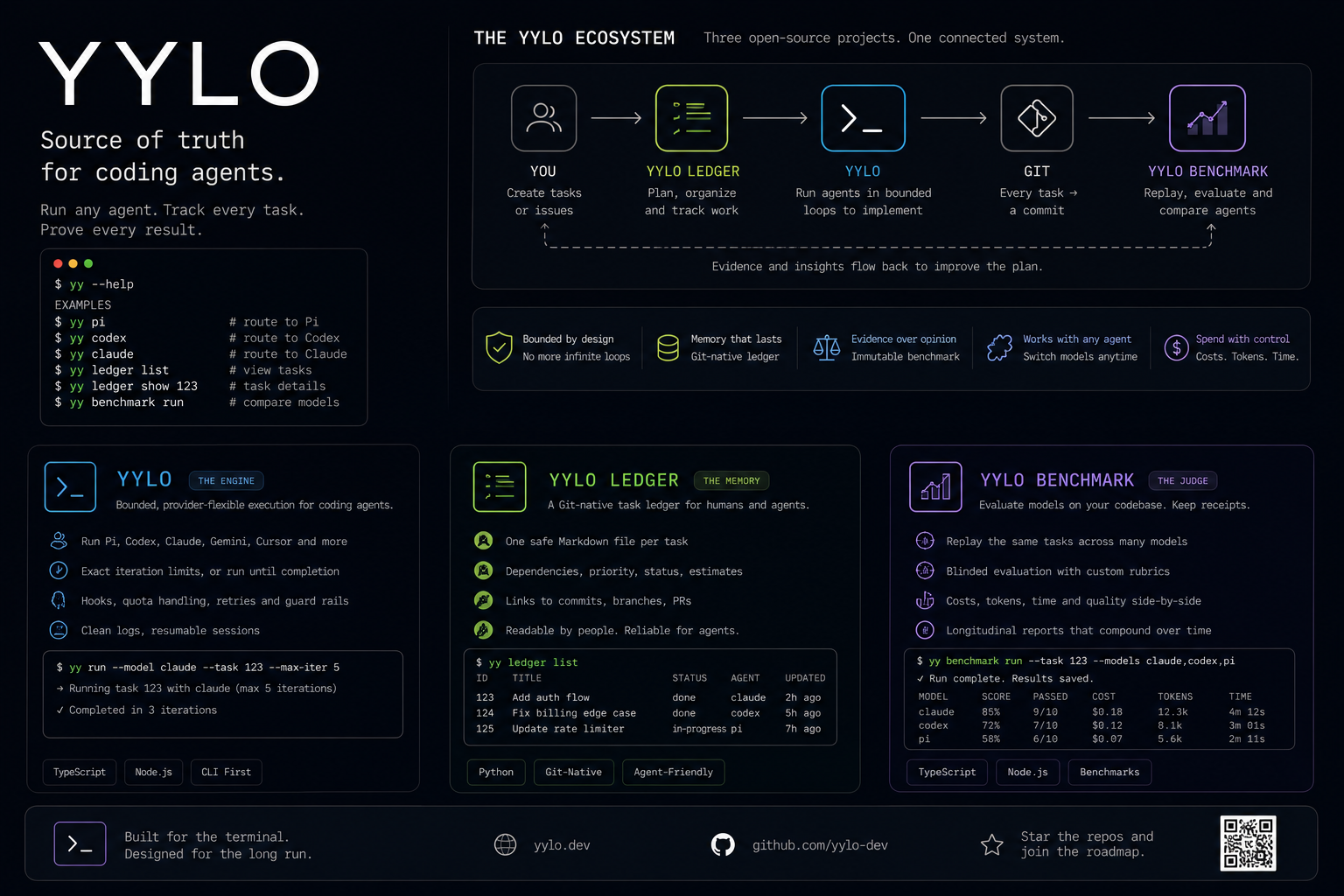
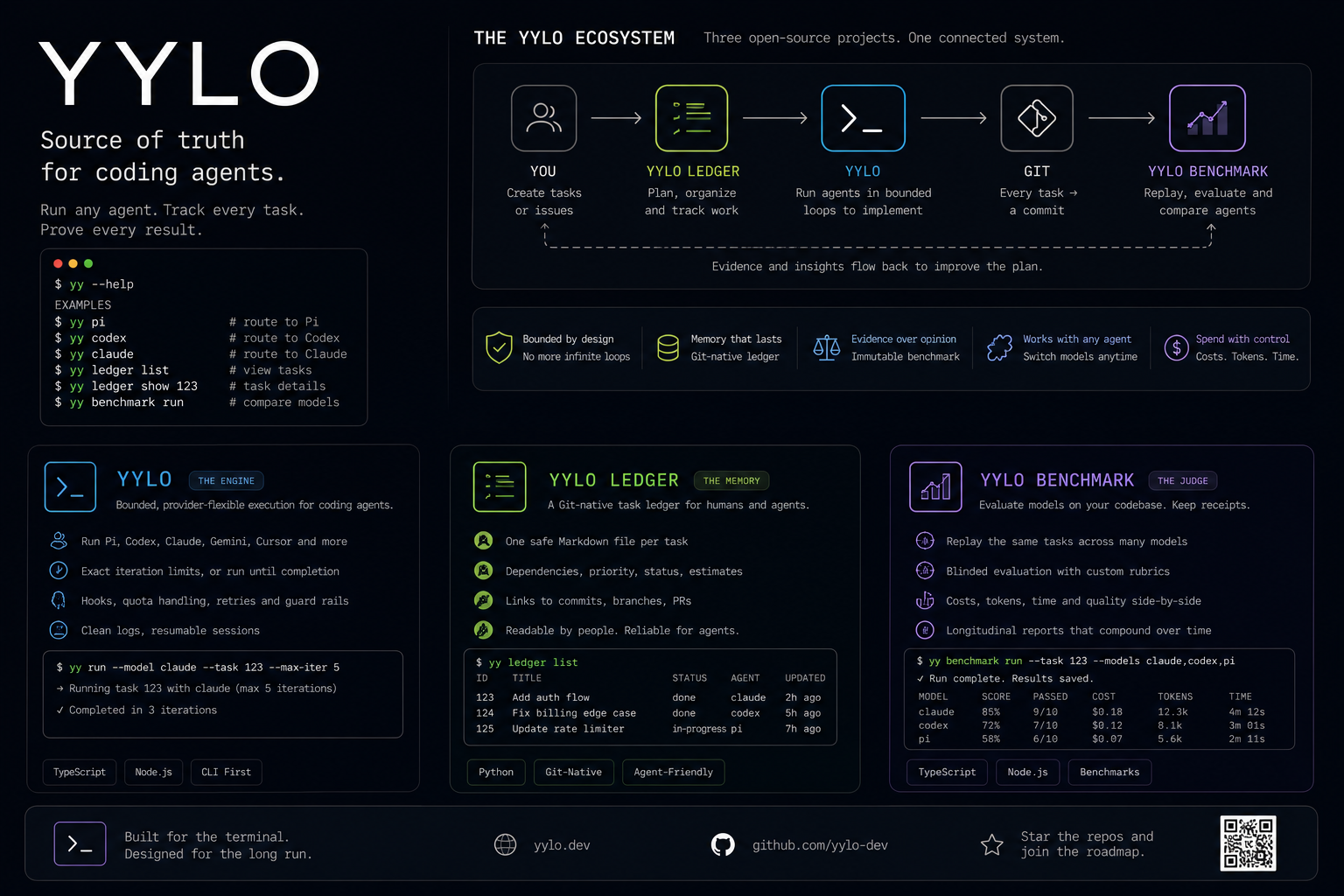
YYLO CLI is an open-source command-line tool for orchestrating AI coding agents, repeatable development workflows, and Git-backed software delivery. It helps developers use Claude Code, OpenAI Codex, Gemini, and Pi through a consistent workflow while keeping agent runs bounded, observable, and easier to verify.
Instead of relying on an unlimited AI coding loop, YYLO lets teams control iterations, preserve session continuity, run ordered commands, track tasks, collect validation evidence, and apply guarded merge workflows. Developers can start with a simple prompt-driven agent run and grow into structured task automation without locking their process to one model provider.
YYLO is built with TypeScript, distributed as the @yylo/cli npm package, and available under the MIT License. The equivalent yy and yylo commands make it suitable for local development, terminal-based AI programming, repository automation, and CI-friendly workflows.
Website: https://yylo.dev
Source code: https://github.com/yylo-dev/yylo
Features
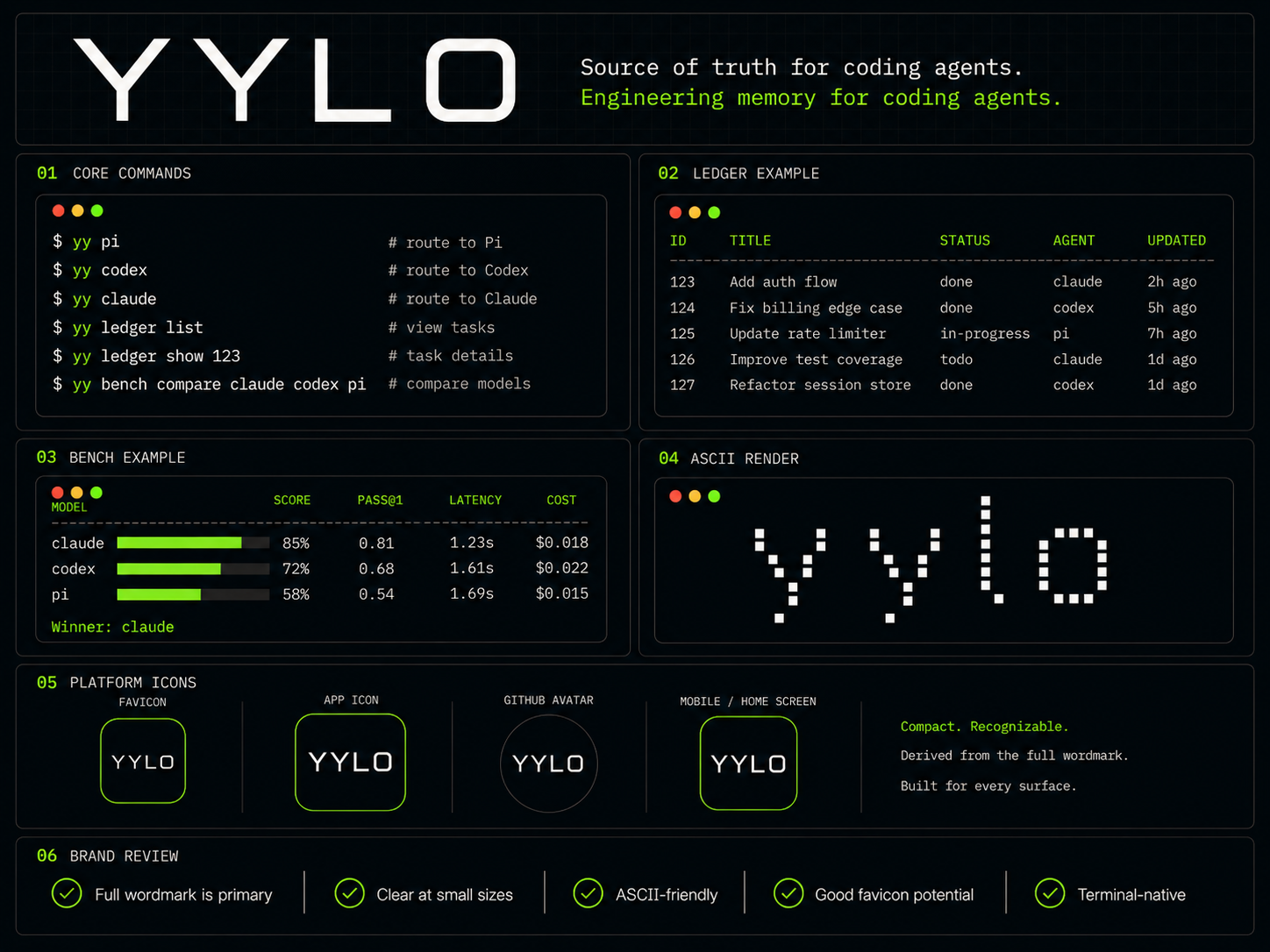
- Multi-agent orchestration: Use supported coding agents such as Claude Code, OpenAI Codex, Gemini, and Pi from one command-line interface.
- Controlled AI coding loops: Set explicit iteration limits or define repeatable outer workflows, reducing the risk of endless or uncontrolled agent runs.
- Reusable workflow automation: Run ordered shell commands inline or define workflows in YAML for repeatable development and testing routines.
- Session continuity: Continue, clone, branch, and switch AI coding sessions while keeping continuation state explicit and isolated.
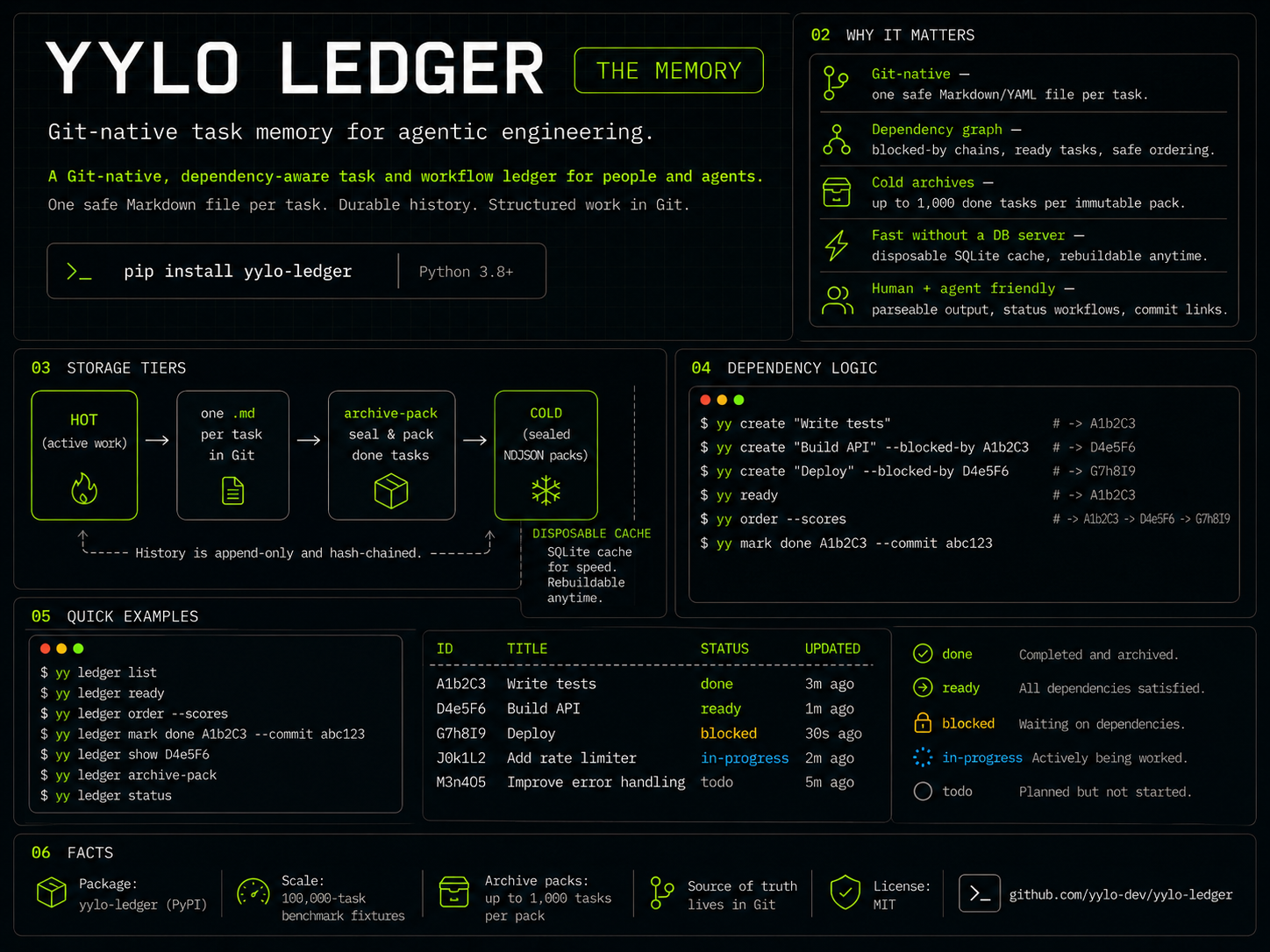
- Task-driven development: Create exact-base feature worktrees and use typed task stages for implementation, preflight checks, validation, and queueing.
- Validation evidence: Generate content-addressed evidence tied to exact task inputs and committed repository state.
- Observable command execution: Run local commands with bounded logs, machine-readable terminal state, status checks, and await support.
- Guarded Git delivery: Use protected merge flows with clean-commit requirements, conflict preservation, serialized target updates, and expected-SHA checks.
- Model shortcuts and project defaults: Configure convenient model aliases and consistent per-project defaults for supported agents.
- Shell completion and diagnostics: Install completion for Bash, Zsh, or Fish and inspect workspace configuration with built-in information and doctor commands.
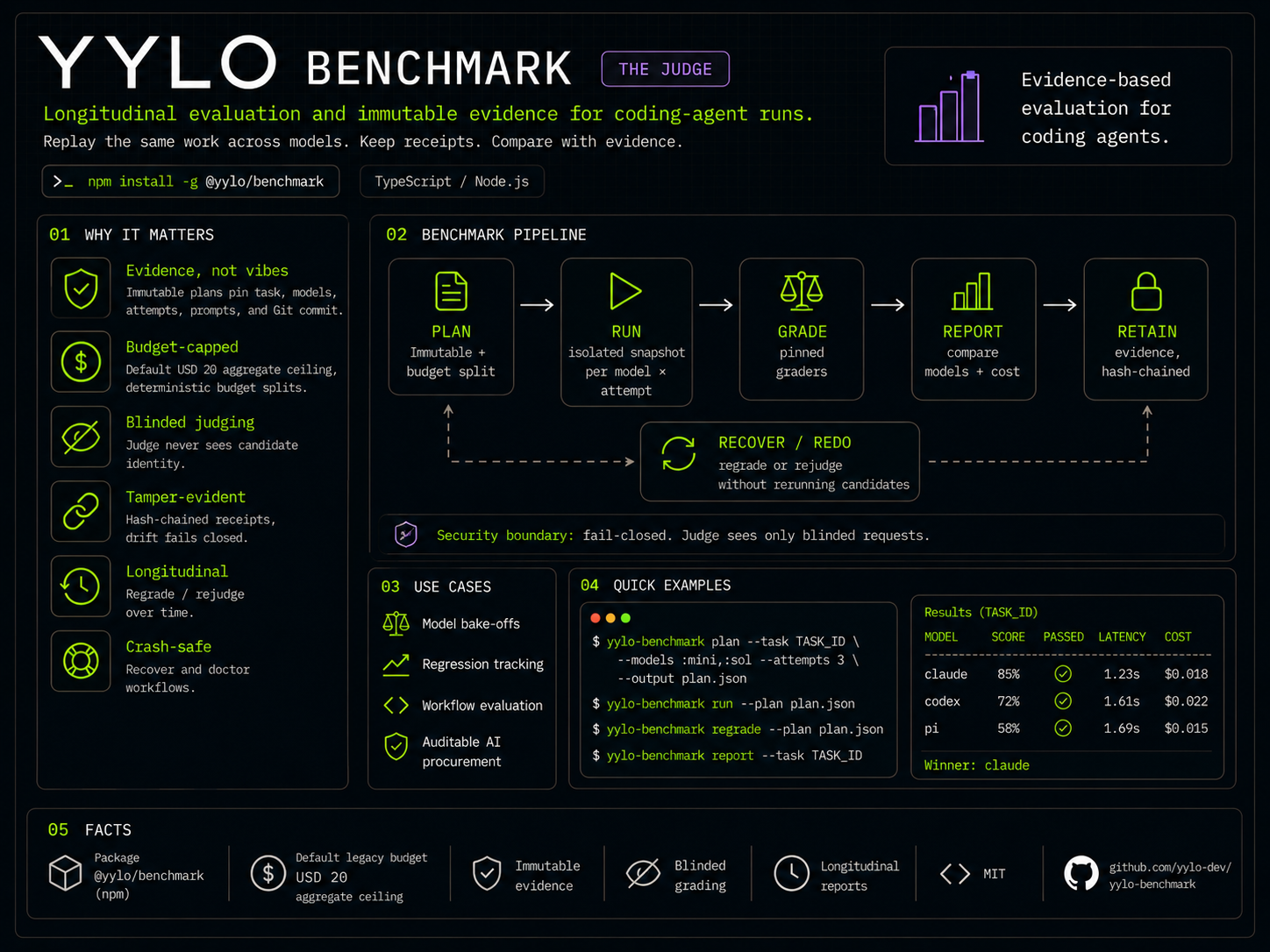
- Extensible product ecosystem: Connect YYLO with the independently installed YYLO Ledger for Git-native task records and YYLO Benchmark for evaluation and evidence workflows.
- Open-source developer tool: TypeScript-based, npm-installable, and MIT licensed.
Use Cases
- AI-assisted feature development: Give a coding agent a scoped task, limit its iterations, run focused tests, and retain a clear path from implementation to commit.
- Ralph-style coding loops with guardrails: Apply iterative AI development without depending on an unbounded while loop.
- Switching between coding agents: Compare or change models and providers without rebuilding the entire development workflow around one vendor.
- Repository onboarding and analysis: Ask an agent to inspect a codebase, explain architecture, or document a project while preventing unwanted session persistence when needed.
- Repeatable test-and-fix workflows: Combine agent steps with tests, linters, type checks, or builds in an ordered CLI or YAML workflow.
- Long-running development tasks: Preserve session continuity and execution records across multiple terminal sessions or work periods.
- Team task orchestration: Connect task records, dedicated Git worktrees, validation evidence, and guarded merge operations in one developer workflow.
- Safer AI-generated code delivery: Require clean committed changes, read-only preflight checks, bounded review policies, and protected target updates before integration.
- CI and local automation: Pin the npm package version, use machine-readable command output, and run deterministic workflows in scripts or continuous integration systems.
- Multi-model debugging: Try a difficult bug or code review with a different supported coding agent while retaining a consistent orchestration layer.
Fazier Deal

Comments



The bounded-iteration model is the part that stands out. Unbounded agent loops tend to burn tokens and hide failures until the merge, so having ordered steps with validation evidence collected along the way makes runs auditable. The multi-provider angle is also smart; teams I know hesitate to wire their delivery process to one model vendor. Would like to see how session continuity handles long-running refactor tasks.
I read the docs at yylo.dev before commenting. The install section pins stable at 0.2.11 and says the registry channels were checked on 2026-10-07, but npm now lists 0.2.12 as latest, so the copy-paste install command is one release behind. Also, in Simple mode the docs say agents share one Git index and you should coordinate overlapping edits yourself: does YYLO warn when two bounded tasks touch the same files, or is that left entirely to the user until you move to Advanced?
Premium Products



















































Fazier Deal
Sponsors
Buy

Makers
Makers
Comments
The bounded-iteration model is the part that stands out. Unbounded agent loops tend to burn tokens and hide failures until the merge, so having ordered steps with validation evidence collected along the way makes runs auditable. The multi-provider angle is also smart; teams I know hesitate to wire their delivery process to one model vendor. Would like to see how session continuity handles long-running refactor tasks.
I read the docs at yylo.dev before commenting. The install section pins stable at 0.2.11 and says the registry channels were checked on 2026-10-07, but npm now lists 0.2.12 as latest, so the copy-paste install command is one release behind. Also, in Simple mode the docs say agents share one Git index and you should coordinate overlapping edits yourself: does YYLO warn when two bounded tasks touch the same files, or is that left entirely to the user until you move to Advanced?
Premium Products
New to Fazier?

Find your next favorite product or submit your own. Made by @FalakDigital.
Copyright ©2026. All Rights Reserved