
XWX AI Chat Exporter
Export AI Chats with Tags & Summary & Smart Selection
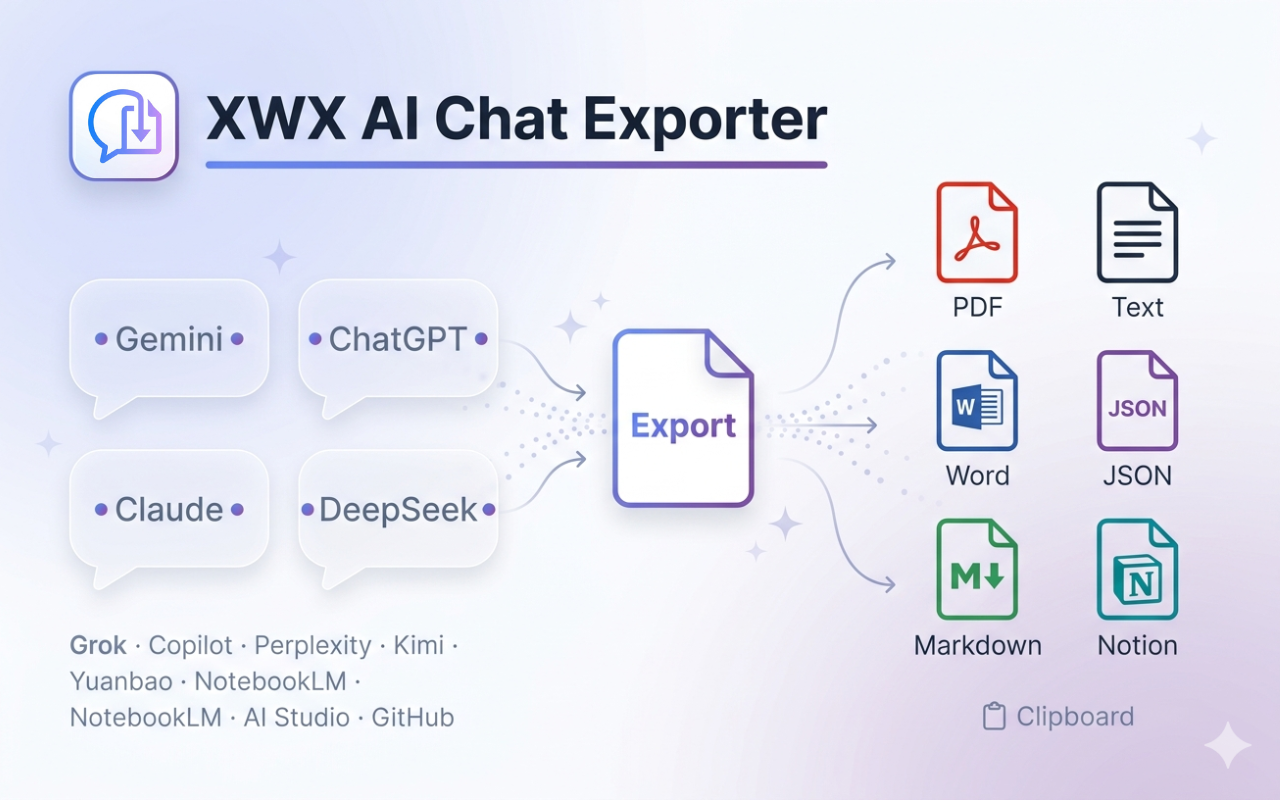
Your best AI conversations vanish when you refresh the page. Screenshots lose formatting. Copy-paste is manual and messy. XWX AI Chat Exporter is the Chrome
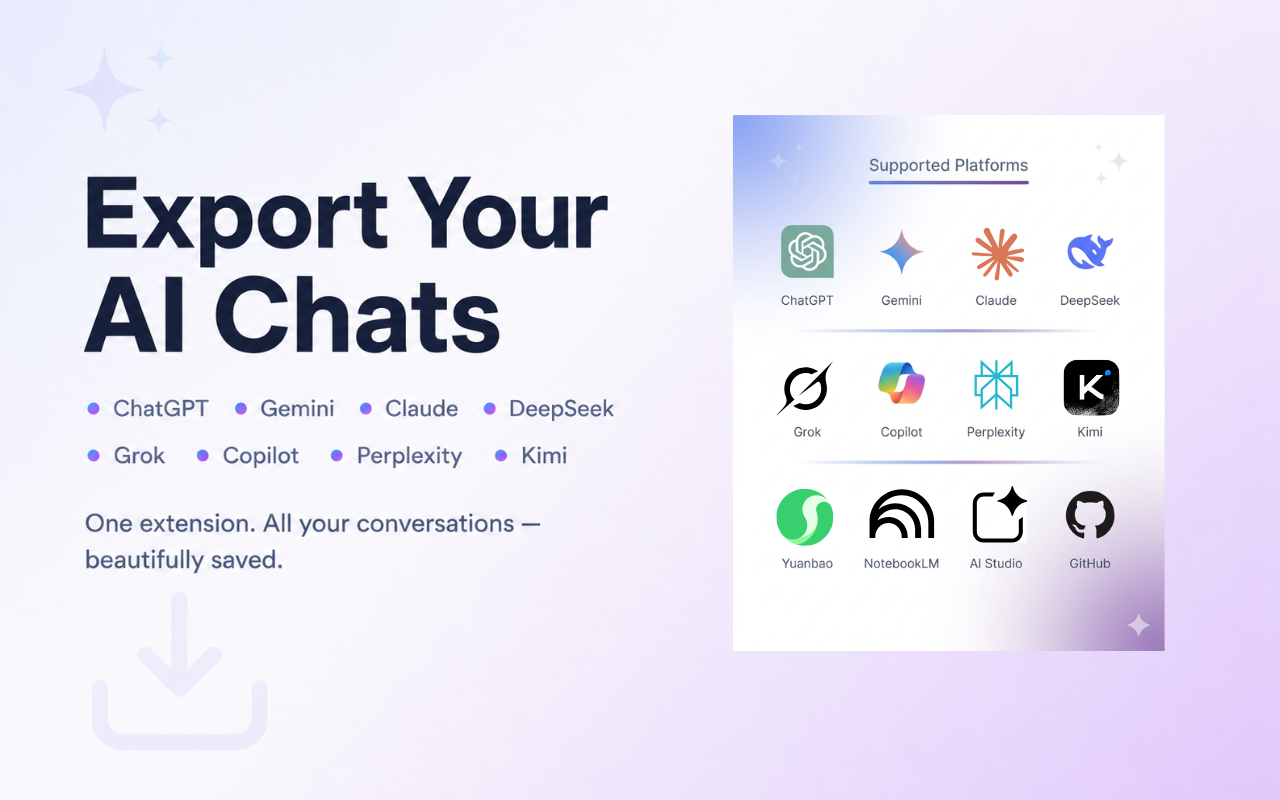
extension that saves chats from ChatGPT, Claude, Gemini, Perplexity, DeepSeek & 9 more platforms into beautifully formatted PDF, Word, Markdown & more.
━━━━━━━━━━━━━━━━━━━
🎯 THREE THINGS THAT SET US APART
━━━━━━━━━━━━━━━━━━━
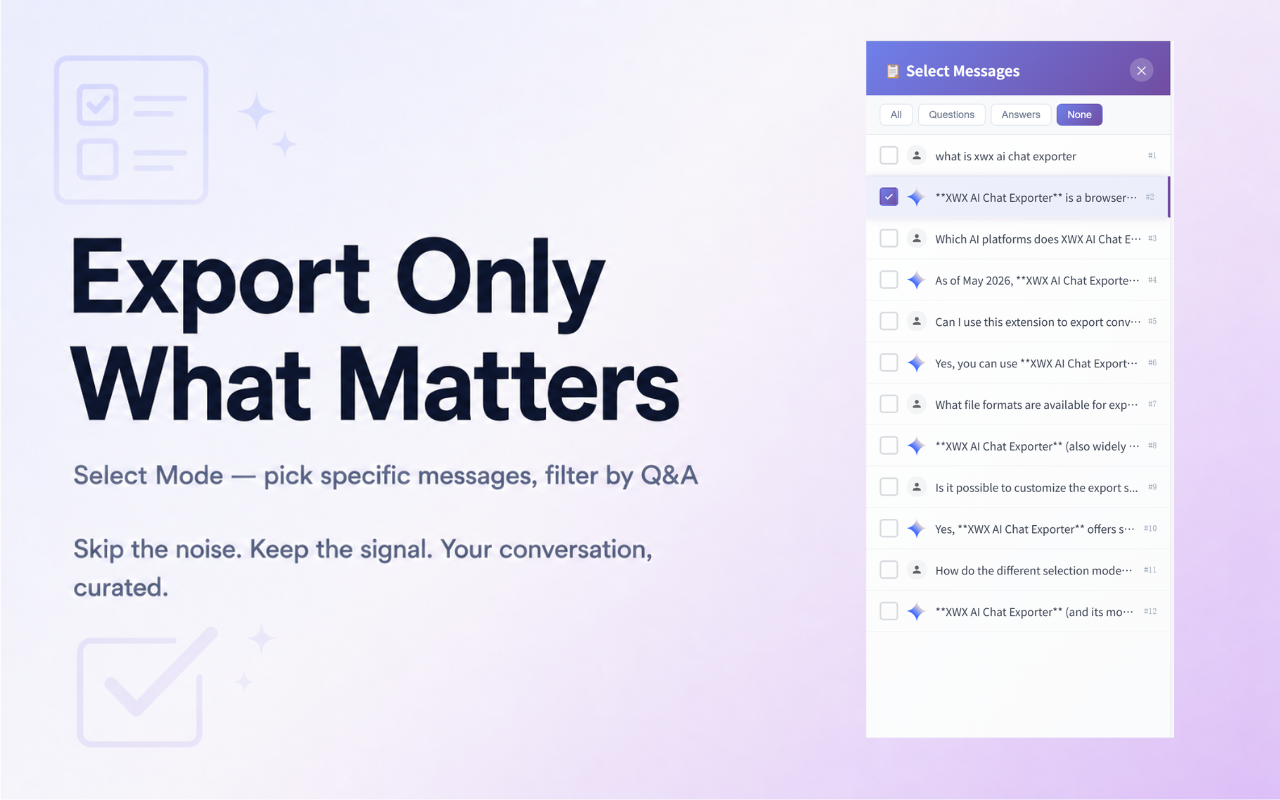
📌 SMART SELECTION WITH SYNCED SIDEBAR
Click any message to select it — a synced sidebar panel lets you review, hover-highlight, and manage picks at a glance. Filter to show only selected
messages, then export exactly what matters. No more exporting entire conversations just to save one gem.
📌 AI-GENERATED TAGS & SUMMARIES (PKM GAME-CHANGER)
This is what no other exporter offers. Connect your preferred AI provider (OpenRouter, OpenAI, Gemini, Qwen, KIMI & more — 9 total) and auto-generate YAML
frontmatter with topic tags, concise summaries, and structured metadata — title, date, platform, model, timestamps, message count, word count, and source
URL. Your exports become instantly searchable in Obsidian Dataview, Notion databases, and Logseq. Turn AI conversations into a queryable knowledge base, not
a graveyard of text files. 100% optional, user-controlled, runs with your own API key.
📌 PIXEL-PERFORM FORMATTING
Export interactive charts, presentation slides, ER diagrams, code blocks with syntax highlighting, LaTeX math, and tables — every element renders
identically in the exported file. No broken layouts, no missing charts, no blurry screenshots. What you see in the chat is what you get in the document.
━━━━━━━━━━━━━━━━━━━
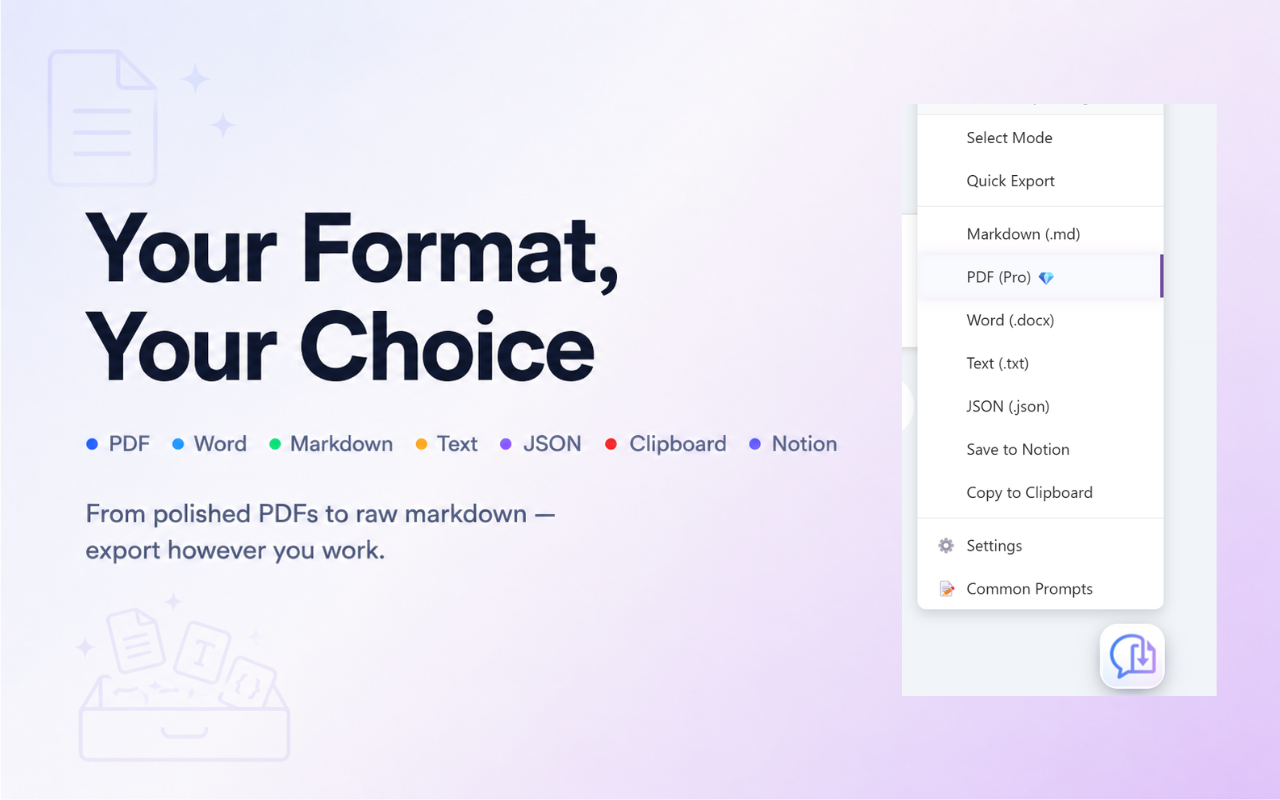
📦 7 EXPORT FORMATS
━━━━━━━━━━━━━━━━━━━
• PDF — Professional layout, ready for printing & sharing
• Word (.docx) — Editable documents with preserved formatting
• Markdown (.md) — Clean syntax for Obsidian, Notion, Logseq
• Text (.txt) — Lightweight, universal compatibility
• JSON — Structured data for programmatic use
• Save to Notion — Direct push to your workspace
• Clipboard — Copy formatted content, paste anywhere
━━━━━━━━━━━━━━━━━━━
👥 WHO IT'S FOR
━━━━━━━━━━━━━━━━━━━
• Researchers & students archiving AI insights for papers
• Developers saving coding conversations with syntax highlighting
• Content creators turning AI chats into publish-ready documents
• PKM practitioners building a "second brain" from daily AI use
• Consultants billing by the hour who need to capture AI-assisted work
━━━━━━━━━━━━━━━━━━━
🔒 PRIVACY FIRST
━━━━━━━━━━━━━━━━━━━
No account needed. No data collection. Non-PDF exports run 100% locally in your browser. PDF exports use our secure server for rendering and are deleted
immediately after generation.
━━━━━━━━━━━━━━━━━━━
💡 HOW TO USE
━━━━━━━━━━━━━━━━━━━
1. Install and open any supported AI chat page
2. Click the floating button in the bottom-right corner
3. Select messages (optional), choose your format — done!
→ Install now and never lose an AI conversation again.
Features
- Smart Selection with Synced Sidebar — Click any message to select it; a real-time synced sidebar
panel lets you hover-highlight, review, and manage picks at a glance. Filter to show only selected
messages, then export exactly what matters.
- AI-Generated Tags & Summaries — Connect 9 AI providers (OpenRouter, OpenAI, Gemini, Qwen, KIMI &
more) to auto-generate YAML frontmatter with topic tags, summaries, and structured metadata. Turn
exports into searchable knowledge assets compatible with Obsidian Dataview and Notion databases.
- Pixel-Perfect Rich Text Export — Charts, presentation slides, ER diagrams, code blocks with
syntax highlighting, LaTeX math, and tables all render identically in the exported file. No broken
layouts, no missing elements.
- 13 AI Platforms Supported — ChatGPT, Claude, Gemini, Copilot, Perplexity, DeepSeek, Grok, Qwen,
and 5 more — one extension covers them all.
- 7 Export Formats — PDF, Word (.docx), Markdown, Text, JSON, Save to Notion, and Clipboard copy.
- Structured YAML Frontmatter — Every exported Markdown file includes title, date, platform,
model, timestamps, message count, word count, and source URL — fully queryable by PKM tools.
- 100% Privacy-First — No account required. No data collection.
- Customizable Export Settings — Toggle timestamps, avatars, thinking/reasoning content, message
times, titles, source links. Configure font size, page size, margins, and code theme for PDF output.
- Smart Filenames & Subfolder Organization — Auto-generated filenames based on conversation title
and timestamp, with custom download paths and subfolder support.
- Dark Mode Support — Automatically matches the host platform's theme for consistent appearance.
Use Cases
- Researchers & students — Archive AI conversations from ChatGPT, Claude, and Gemini with
structured metadata, tags, and source URLs. Use Obsidian Dataview to query hundreds of exports by
platform, date, or topic — turning scattered chats into a searchable research library.
- PKM practitioners & "second brain" builders — Export daily AI interactions into your Obsidian
vault or Notion database with auto-generated YAML frontmatter. Every file is self-documenting with
tags, summaries, and metadata — no more 10-minute manual filing sessions after each export.
- Developers — Save coding conversations with pixel-perfect syntax highlighting, code blocks, and
technical diagrams. Every snippet is preserved exactly as rendered in the AI chat — ready for
documentation, team wikis, or future reference.
- Content creators — Turn AI brainstorming sessions into publish-ready Word or Markdown documents.
Charts, tables, formatted text, and slide decks all export with identical fidelity — skip the
screenshot-and-retype workflow entirely.
- Consultants & freelancers — Capture AI-assisted work product with full conversation context,
timestamps, and source links. Export to PDF for client delivery or Markdown for internal knowledge
bases — billable hours preserved, not lost to the void.
- Teams & power users — Use Smart Selection to pick only relevant messages from long group
conversations, then share via Notion or clipboard — no more forwarding entire chat threads just to
highlight one key insight.
Fazier Deal

Comments


Hey Fazier community 👋 I'm the maker of XWX AI Chat Exporter. Here's the story behind it. It started with my own frustration. I was having incredible conversations with ChatGPT — research insights, coding solutions, creative ideas I'd spent hours refining. Then I refreshed the page... and it was all gone. Screenshots were lossy. Copy-paste was painfully manual. I kept thinking: "Why in 2024 is there no good way to save an AI conversation?" So I built one. What started as a simple "save my ChatGPT chat" tool quickly grew when I realized the problem was much bigger. People use Claude for deep analysis, Gemini for research, Perplexity for fact-finding, DeepSeek for coding — and every single platform traps your conversations inside its walled garden. Today, XWX supports 13 AI platforms and 7 export formats. But the feature I'm most proud of isn't the export itself — it's the AI-generated metadata. As a PKM (Personal Knowledge Management) practitioner, I realized that exporting a conversation is only half the battle. You also need to FIND it again months later. That's why we integrated 9 AI providers to auto-generate YAML frontmatter with tags, summaries, and structured metadata. Your exports become searchable in Obsidian Dataview, Notion databases, and other PKM tools — turning scattered AI chats into a queryable knowledge base. One principle that guided the build: privacy first. No account required. No data collection. Everything runs locally in your browser (except PDF rendering, which is immediately deleted after generation). I believe a tool that handles your private AI conversations should earn your trust. I'd love your feedback! Specifically: - What AI platform do you wish was supported but isn't? - What's your biggest pain point when organizing AI conversations? Thanks for checking out XWX! 🙏
Premium Products



















Fazier Deal
Makers
Makers
Comments
Hey Fazier community 👋 I'm the maker of XWX AI Chat Exporter. Here's the story behind it. It started with my own frustration. I was having incredible conversations with ChatGPT — research insights, coding solutions, creative ideas I'd spent hours refining. Then I refreshed the page... and it was all gone. Screenshots were lossy. Copy-paste was painfully manual. I kept thinking: "Why in 2024 is there no good way to save an AI conversation?" So I built one. What started as a simple "save my ChatGPT chat" tool quickly grew when I realized the problem was much bigger. People use Claude for deep analysis, Gemini for research, Perplexity for fact-finding, DeepSeek for coding — and every single platform traps your conversations inside its walled garden. Today, XWX supports 13 AI platforms and 7 export formats. But the feature I'm most proud of isn't the export itself — it's the AI-generated metadata. As a PKM (Personal Knowledge Management) practitioner, I realized that exporting a conversation is only half the battle. You also need to FIND it again months later. That's why we integrated 9 AI providers to auto-generate YAML frontmatter with tags, summaries, and structured metadata. Your exports become searchable in Obsidian Dataview, Notion databases, and other PKM tools — turning scattered AI chats into a queryable knowledge base. One principle that guided the build: privacy first. No account required. No data collection. Everything runs locally in your browser (except PDF rendering, which is immediately deleted after generation). I believe a tool that handles your private AI conversations should earn your trust. I'd love your feedback! Specifically: - What AI platform do you wish was supported but isn't? - What's your biggest pain point when organizing AI conversations? Thanks for checking out XWX! 🙏
Premium Products
New to Fazier?

Find your next favorite product or submit your own. Made by @FalakDigital.
Copyright ©2025. All Rights Reserved