
What Can AI Do For Me
Find AI tools for the work you need to get done.
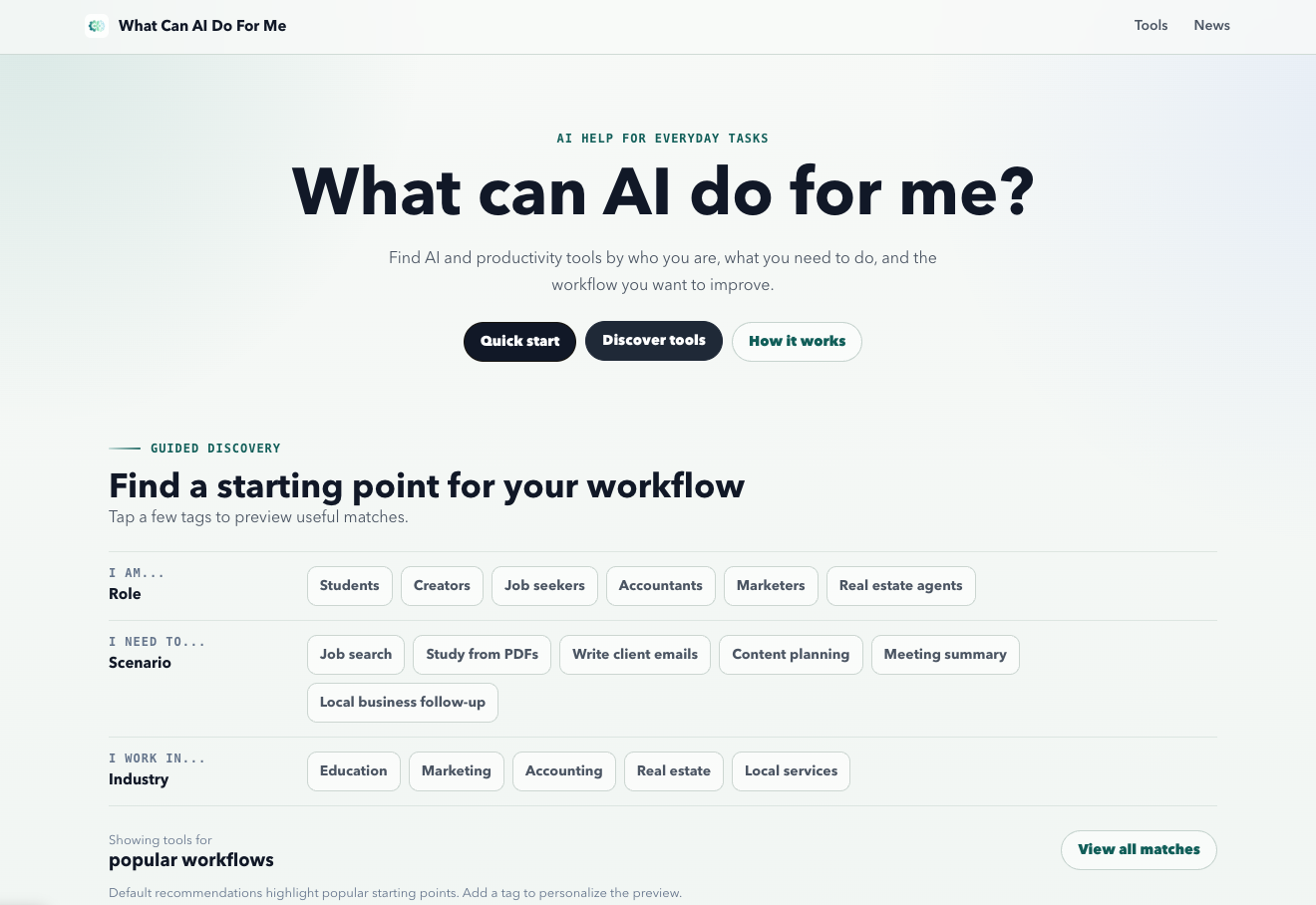
What Can AI Do For Me is a practical AI discovery platform that helps people find the right tools for the work they need to get done.
Instead of browsing endless lists of AI products, users can start with a real-world task, role, or industry and discover tools that may fit their workflow. The platform covers use cases across research, learning, writing, job search, meetings, customer support, content planning, and everyday productivity.
Each tool listing provides practical context around use cases, workflow fit, pricing considerations, tradeoffs, and verification notes, helping users make a more informed choice before visiting a provider.
Built for students, creators, job seekers, professionals, small teams, and non-technical users, What Can AI Do For Me makes AI easier to discover, understand, compare, and use.
Features
- Discover AI tools by starting with the task you need to accomplish instead of searching through endless product categories.
- Explore relevant tools based on your role, real-world scenario, and industry.
- Evaluate tools based on use cases, source material, setup effort, budget, and other workflow considerations.
- Review practical use cases, pricing context, tradeoffs, and verification notes before visiting a provider.
- Find AI solutions for research, learning, writing, job search, meetings, customer support, content planning, and productivity.
Use Cases
- Start with a task such as summarizing a meeting, researching a topic, writing an email, or studying a PDF and discover tools suited to that workflow.
- Professionals and small teams can discover tools for productivity, customer support, content planning, research, communication, and other everyday workflows.
- Students and learners can explore tools for studying from PDFs, researching information, summarizing material, and improving their learning workflow.
- Users can browse tools relevant to industries such as education, marketing, legal, healthcare, e-commerce, IT services, real estate, and professional services.
- Review use cases, workflow fit, pricing context, tradeoffs, and verification notes to make a more informed decision before visiting a provider.

Comments


AI is increasingly useful for turning everyday tasks into more efficient workflows, especially when it helps people discover practical solutions rather than simply generating information. That task-focused approach pairs naturally with everyday problem-solving, including finding effective ways to handle stubborn grease, oil, and household messes. For practical cleaning ideas and heavy-duty stain solutions, Lestoil Store offers a useful resource covering cleaners designed for kitchens, laundry, garages, and other demanding jobs.Visit now https://lestoilstore.com/
Task-first discovery is a much better starting point than another category list. The verification notes are especially useful because AI-tool pages age quickly. It would help to show the date each tool was last checked and whether the advertised free tier was tested without a credit card, so people can distinguish current workflow fit from stale listings.



Mapping tools to the JOB someone needs done, instead of listing five hundred logos, is the right frame. We teach non-technical professionals to use AI and the most common question is exactly this one, phrased exactly this way. How do you keep recommendations current as tools change pricing or shut down?

The task first angle instead of category first is the right call. Most AI tool directories make you already know which category you need, which is exactly the part people are unsure about when they're just trying to get something done. Do the recommendations get more specific the more detail someone gives about their actual task, or is it mostly matching against a fixed set of predefined use cases?
Premium Products










































Sponsors
Buy

Awards
View all
Awards
View allMakers

Makers
Comments
AI is increasingly useful for turning everyday tasks into more efficient workflows, especially when it helps people discover practical solutions rather than simply generating information. That task-focused approach pairs naturally with everyday problem-solving, including finding effective ways to handle stubborn grease, oil, and household messes. For practical cleaning ideas and heavy-duty stain solutions, Lestoil Store offers a useful resource covering cleaners designed for kitchens, laundry, garages, and other demanding jobs.Visit now https://lestoilstore.com/
Task-first discovery is a much better starting point than another category list. The verification notes are especially useful because AI-tool pages age quickly. It would help to show the date each tool was last checked and whether the advertised free tier was tested without a credit card, so people can distinguish current workflow fit from stale listings.
Mapping tools to the JOB someone needs done, instead of listing five hundred logos, is the right frame. We teach non-technical professionals to use AI and the most common question is exactly this one, phrased exactly this way. How do you keep recommendations current as tools change pricing or shut down?
The task first angle instead of category first is the right call. Most AI tool directories make you already know which category you need, which is exactly the part people are unsure about when they're just trying to get something done. Do the recommendations get more specific the more detail someone gives about their actual task, or is it mostly matching against a fixed set of predefined use cases?
Premium Products
New to Fazier?

Find your next favorite product or submit your own. Made by @FalakDigital.
Copyright ©2026. All Rights Reserved