WebTools Engine
81+ free, browser-based tools for PDF, image, SEO & more — n
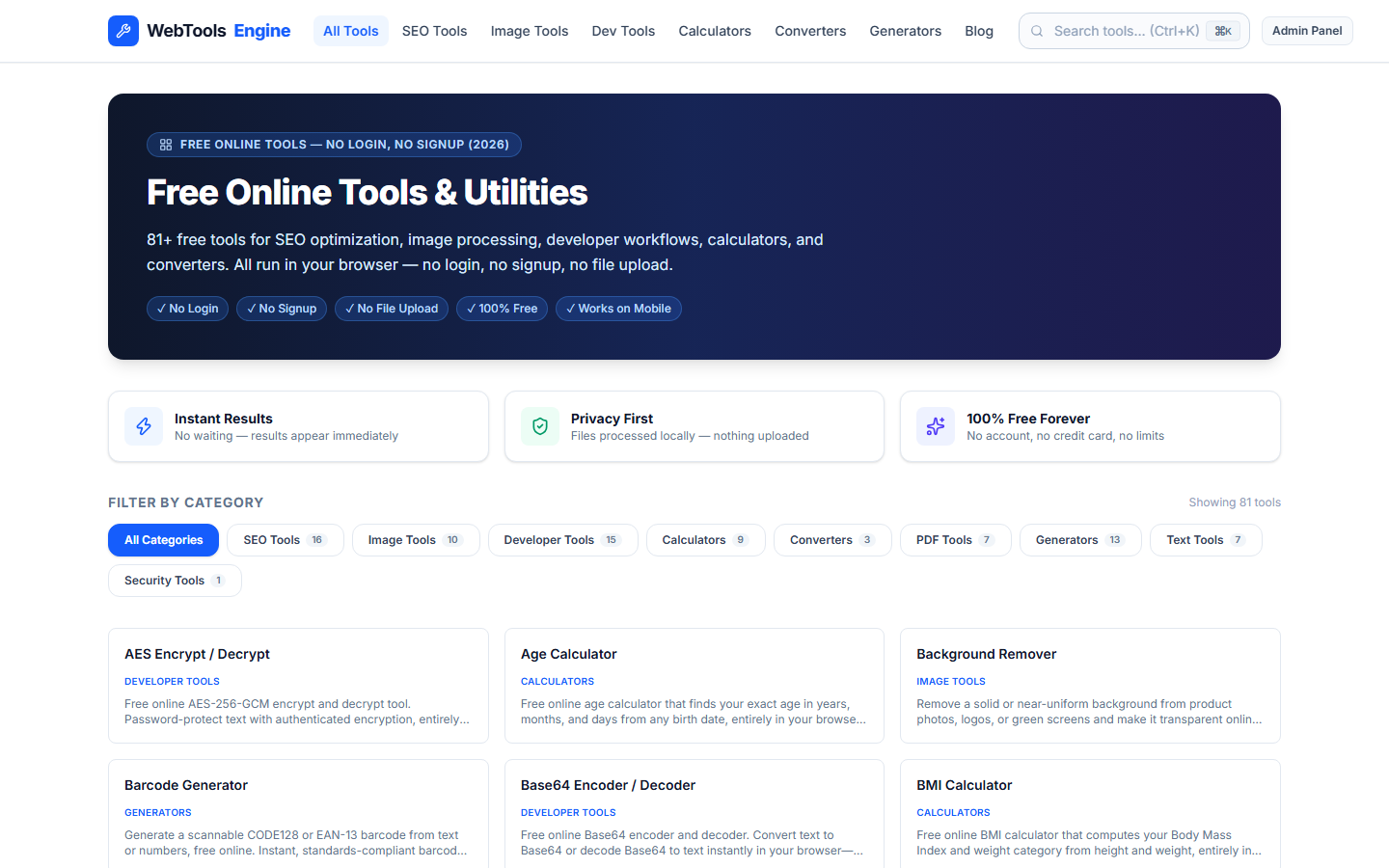
WebTools Engine is a free, all-in-one hub of 81+ high-utility web tools built for developers, marketers, students, and freelancers who are tired of bouncing between a dozen different websites just to merge a PDF, generate a QR code, or check an image's file size.
Most free tool sites specialize in one narrow category, force a sign-up wall, bury the actual tool under ads, or upload your files to their servers before processing them. WebTools Engine takes a different approach: everything lives in one place, no account is ever required, and most tools run entirely client-side in the browser — meaning your files and data are processed on your own device and never touch a server.
What's inside:
• PDF Tools — merge, split, rotate, delete pages, add watermarks, and convert PDF to JPG or Word
• Image Tools — compress, resize, crop, remove backgrounds, and strip EXIF/GPS metadata for privacy
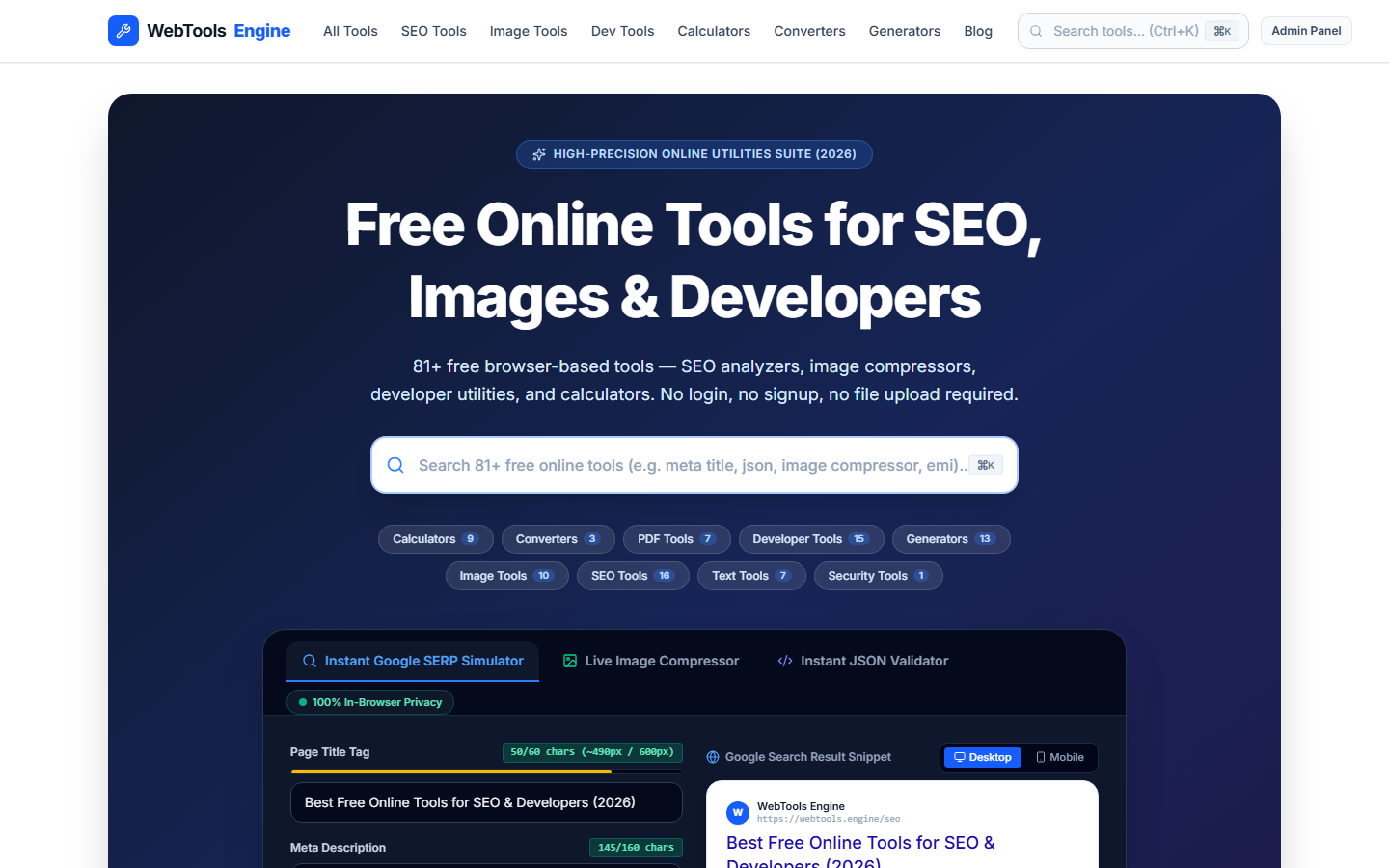
• SEO Tools — meta title/description checker, readability score calculator, schema markup validator, robots.txt checker, XML sitemap generator, and a website carbon footprint calculator
• Calculators — loan/EMI, TDEE, BMI, discount, VAT/tax, age, and date calculators
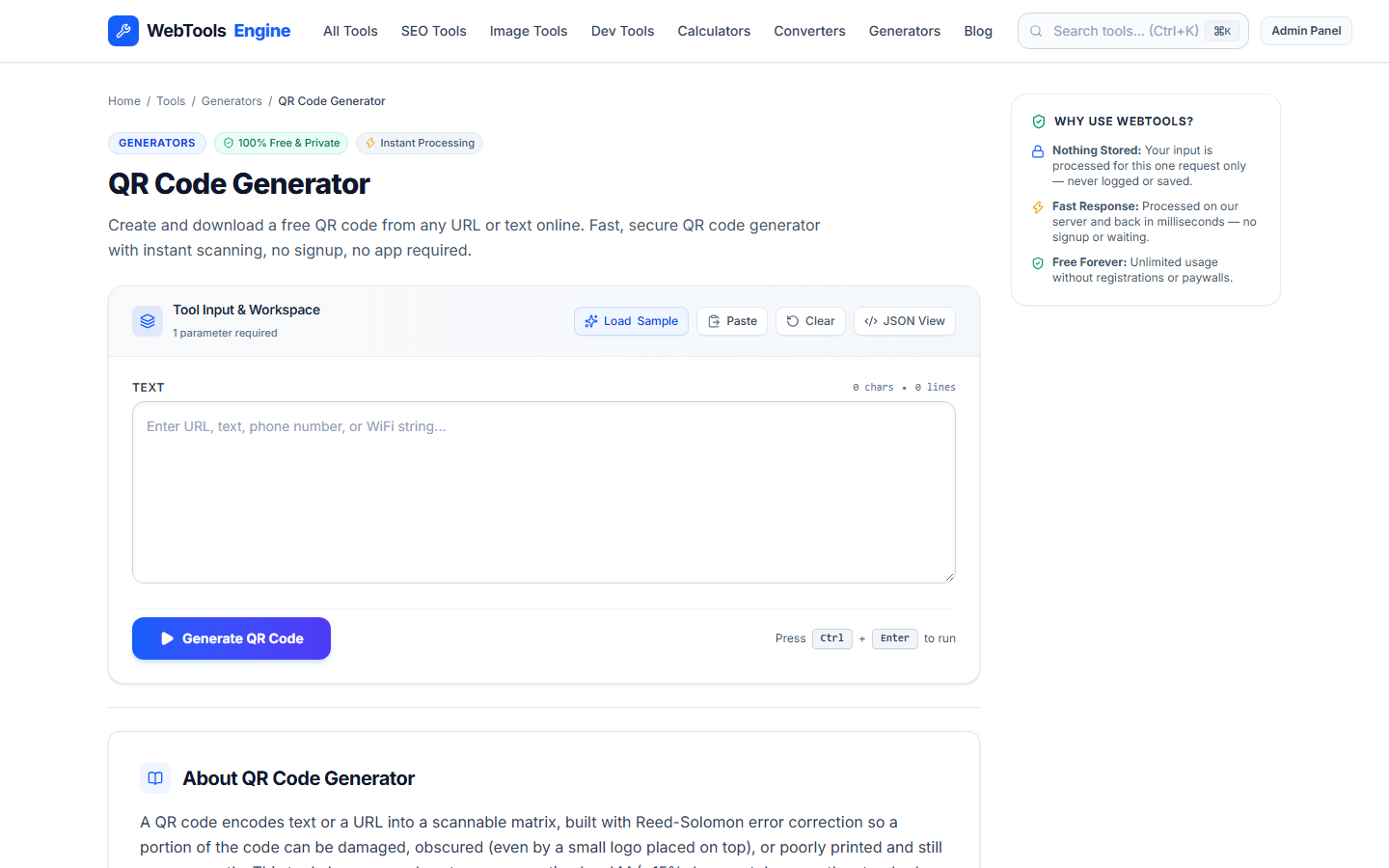
• Generators — QR code, barcode, password, UTM campaign builder, CSS gradients, and box-shadow generators
• Developer Tools — JSON formatter, regex tester, JWT decoder, text diff checker, hash generator, Base64 encoder/decoder, and classic ciphers (AES, Caesar, Morse)
• Text Tools — word/character counters, case converter, duplicate line remover, and text cleaner
Every tool is completely free with no premium tier, no usage caps, and no forced registration — the goal is to get in, solve the problem, and get out, as fast as possible.
Features
81+ free tools across PDF, image, SEO, calculators, generators, and developer utilities
No sign-up, no account required — use any tool instantly
Most tools run entirely client-side in the browser — files never uploaded to a server
PDF Toolkit: merge, split, rotate, delete pages, watermark, convert to JPG/Word
Image Tools: compress, resize, crop, remove background, strip EXIF metadata
SEO Toolkit: meta title/description checker, readability score, schema validator, robots.txt checker, website carbon calculator
Developer Utilities: JSON formatter, regex tester, JWT decoder, text diff checker, hash generator, encoders/ciphers
100% free forever — no premium tier, no paywalls on core features
Use Cases
A developer needs to quickly format JSON, test a regex, or decode a JWT without switching to a full IDE
A marketer wants to check a page's meta title/description length before publishing, or calculate readability score for a blog post
A student needs to compress a PDF or convert it to JPG for an assignment, without installing software
A freelancer needs to resize/compress images for a client project, or remove a background from a product photo, without paying for Photoshop
A small business owner needs a quick loan/EMI calculator or discount calculator without building a spreadsheet
Anyone wants a QR code, password, or UTM tracking link generated in seconds, with no account and no data leaving their browser

Comments


Having PDF, image and SEO utilities all client-side is the standout feature here — most tool sites upload files to a server, so keeping processing in the browser is a real privacy win. One suggestion: surfacing the TDEE/BMI calculators more prominently on the homepage could help people land on the highest-use tools first.


Hey Fazier community! 👋 I built WebTools Engine because I kept bouncing between 5+ different websites just to merge a PDF, generate a QR code, or check an image's file size — each with its own sign-up wall, ads, or upload limits. So I put 81+ genuinely useful tools (PDF, image, SEO, calculators, generators, dev utilities) in one place. No sign-up required, and most tools run entirely in your browser — your files never touch a server. Would love feedback from anyone who tries it, and happy to answer any questions about how it's built!


Keeping PDF, image, and SEO tools in one browser-based place removes a real friction point, since most alternatives push sign-ups or upload files to a server. Two questions: does the PDF merge handle large multi-file merges smoothly, and do you plan a batch mode for processing several files at once?
Working on a free browser-based toolkit myself, so WebTools Engine caught my eye — 81+ free, browser-based tools for PDF, image, SEO & more — n. The way it's laid out makes the value clear fast. One question: what's the one use case you've seen users return to most? Curious whether it's the core feature or an unexpected one.


Running the tools client-side is the real differentiator here. Most free PDF and image sites quietly upload your file, and that's a deal-breaker for anything with client data. It might be worth making that visible on each tool page, with a small "processed on your device, never uploaded" label, because people won't read the homepage before dropping a contract into "merge PDF". Which of the 81 tools still need a server, and do you flag those differently?

The JWT decoder is the tool where client-side matters most: a pasted token is a live credential until it expires, so it would be worth saying right on that page that decoding happens locally and nothing is logged. Same idea for the regex tester: a pattern like (a+)+$ against a long input can freeze the tab, so running matches in a Web Worker with a timeout would keep the page responsive. Nice set of tools.

The client-side processing is the right call, especially for the JWT decoder — pasting a live token into a server would be a real security concern. One suggestion: add a small badge on each tool card showing whether it runs fully locally vs. server-assisted, so users know at a glance which ones are private by design.


The SEO toolkit is the part I'd actually bookmark — meta title/description checker and readability scoring are things I currently use separate sites for. Running the image tools client-side is a real trust-builder too. One idea: a unified search across all 81 tools would make the hub much more navigable. Solid launch!
Premium Products












































Sponsors
Buy

Makers
Makers
Comments
Having PDF, image and SEO utilities all client-side is the standout feature here — most tool sites upload files to a server, so keeping processing in the browser is a real privacy win. One suggestion: surfacing the TDEE/BMI calculators more prominently on the homepage could help people land on the highest-use tools first.
Hey Fazier community! 👋 I built WebTools Engine because I kept bouncing between 5+ different websites just to merge a PDF, generate a QR code, or check an image's file size — each with its own sign-up wall, ads, or upload limits. So I put 81+ genuinely useful tools (PDF, image, SEO, calculators, generators, dev utilities) in one place. No sign-up required, and most tools run entirely in your browser — your files never touch a server. Would love feedback from anyone who tries it, and happy to answer any questions about how it's built!
Keeping PDF, image, and SEO tools in one browser-based place removes a real friction point, since most alternatives push sign-ups or upload files to a server. Two questions: does the PDF merge handle large multi-file merges smoothly, and do you plan a batch mode for processing several files at once?
Working on a free browser-based toolkit myself, so WebTools Engine caught my eye — 81+ free, browser-based tools for PDF, image, SEO & more — n. The way it's laid out makes the value clear fast. One question: what's the one use case you've seen users return to most? Curious whether it's the core feature or an unexpected one.
Running the tools client-side is the real differentiator here. Most free PDF and image sites quietly upload your file, and that's a deal-breaker for anything with client data. It might be worth making that visible on each tool page, with a small "processed on your device, never uploaded" label, because people won't read the homepage before dropping a contract into "merge PDF". Which of the 81 tools still need a server, and do you flag those differently?
The JWT decoder is the tool where client-side matters most: a pasted token is a live credential until it expires, so it would be worth saying right on that page that decoding happens locally and nothing is logged. Same idea for the regex tester: a pattern like (a+)+$ against a long input can freeze the tab, so running matches in a Web Worker with a timeout would keep the page responsive. Nice set of tools.
The client-side processing is the right call, especially for the JWT decoder — pasting a live token into a server would be a real security concern. One suggestion: add a small badge on each tool card showing whether it runs fully locally vs. server-assisted, so users know at a glance which ones are private by design.
The SEO toolkit is the part I'd actually bookmark — meta title/description checker and readability scoring are things I currently use separate sites for. Running the image tools client-side is a real trust-builder too. One idea: a unified search across all 81 tools would make the hub much more navigable. Solid launch!
Premium Products
New to Fazier?

Find your next favorite product or submit your own. Made by @FalakDigital.
Copyright ©2026. All Rights Reserved