
Wake Boom
The alarm you can't out-argue.
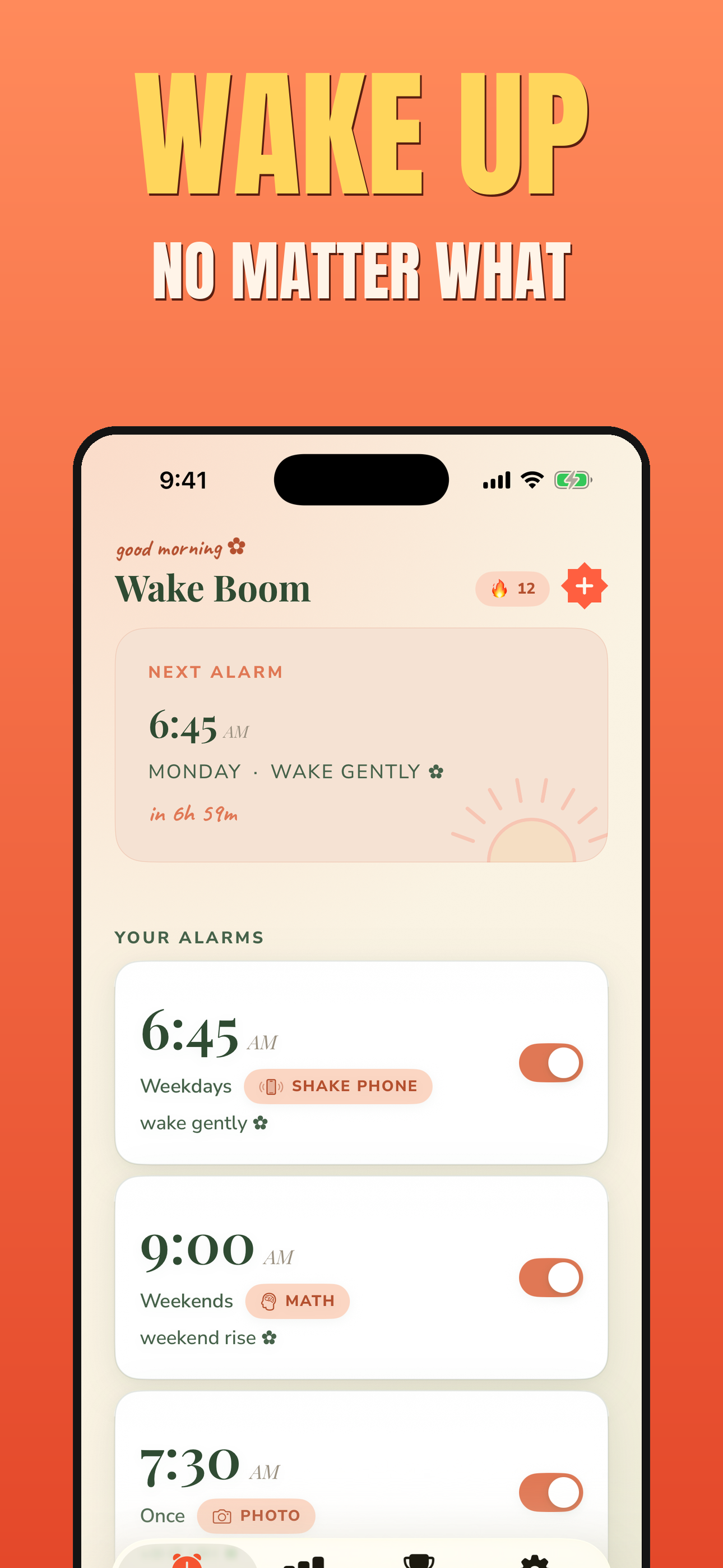
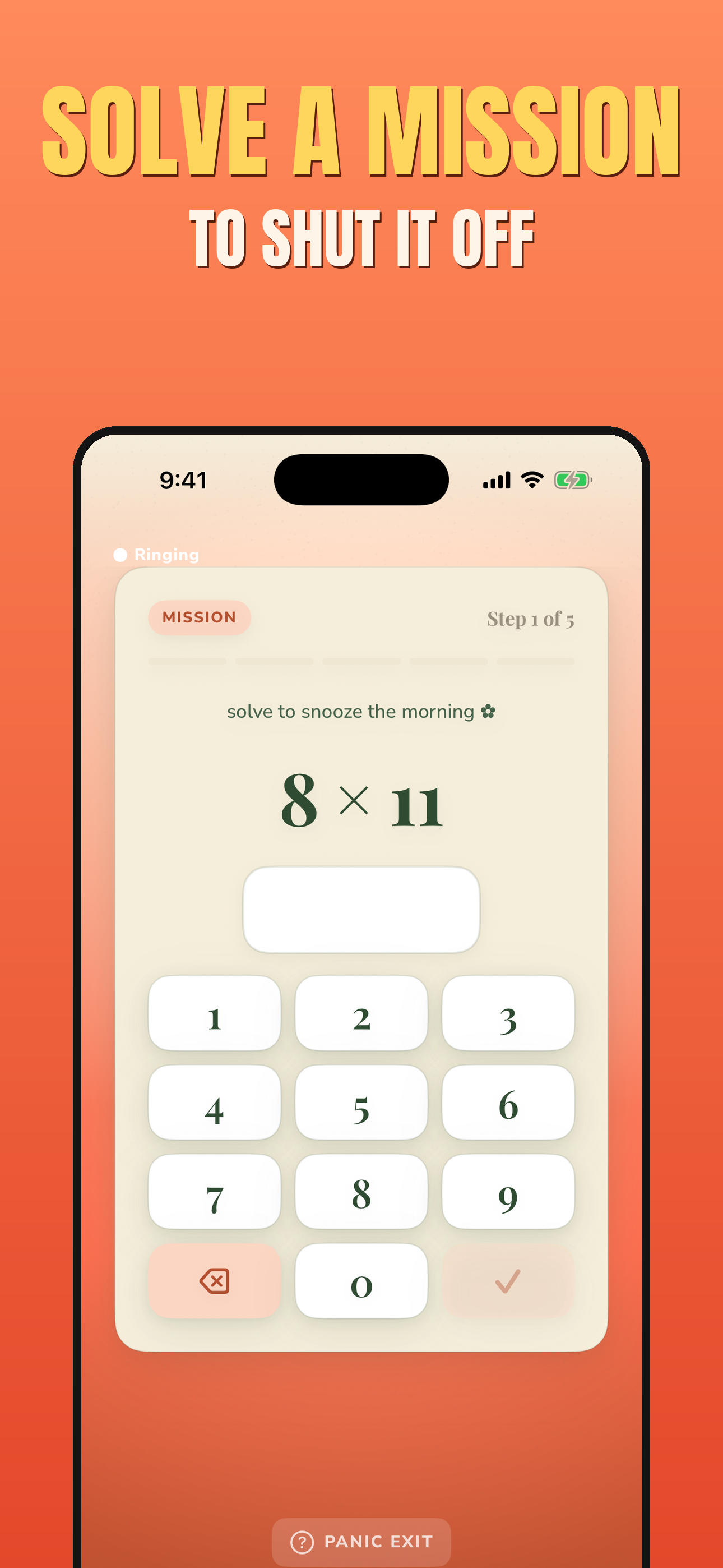
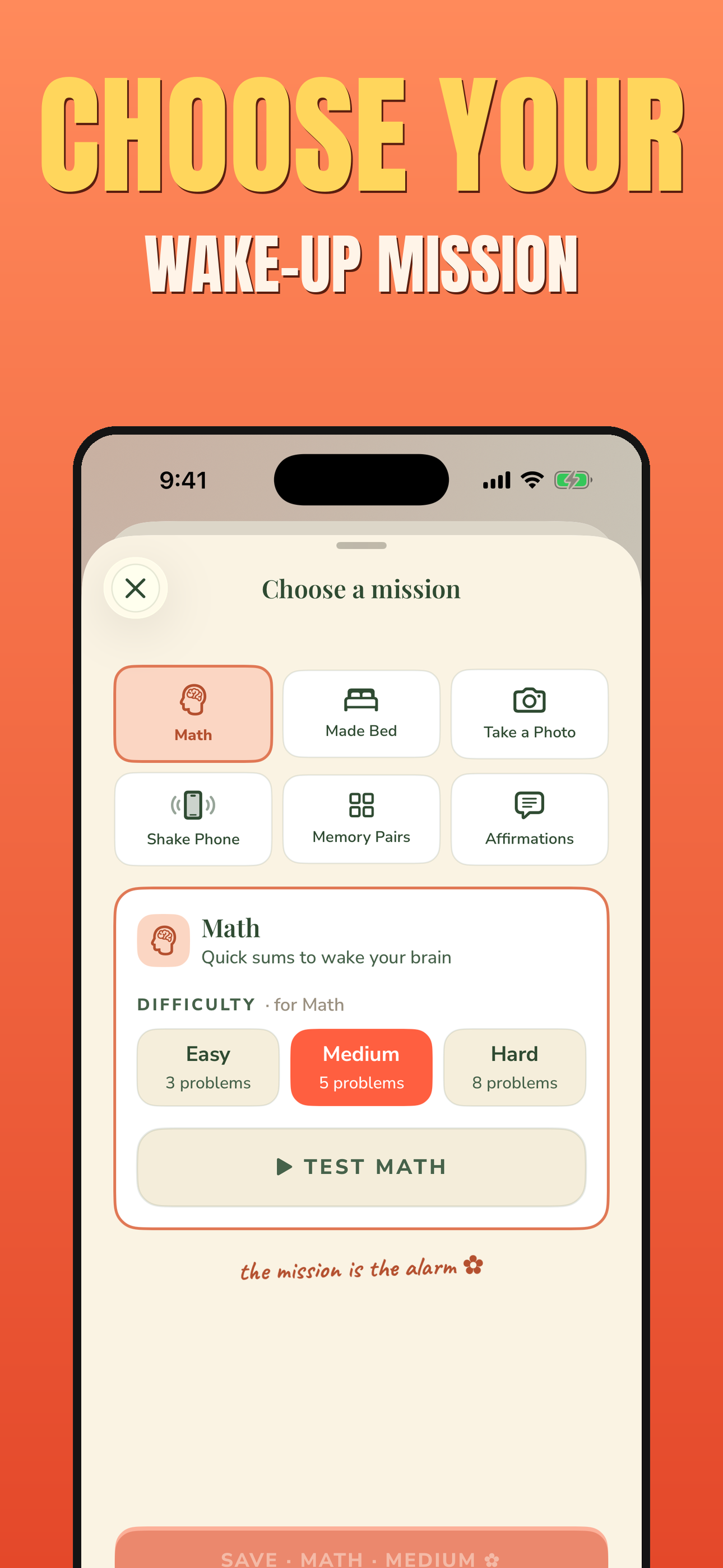
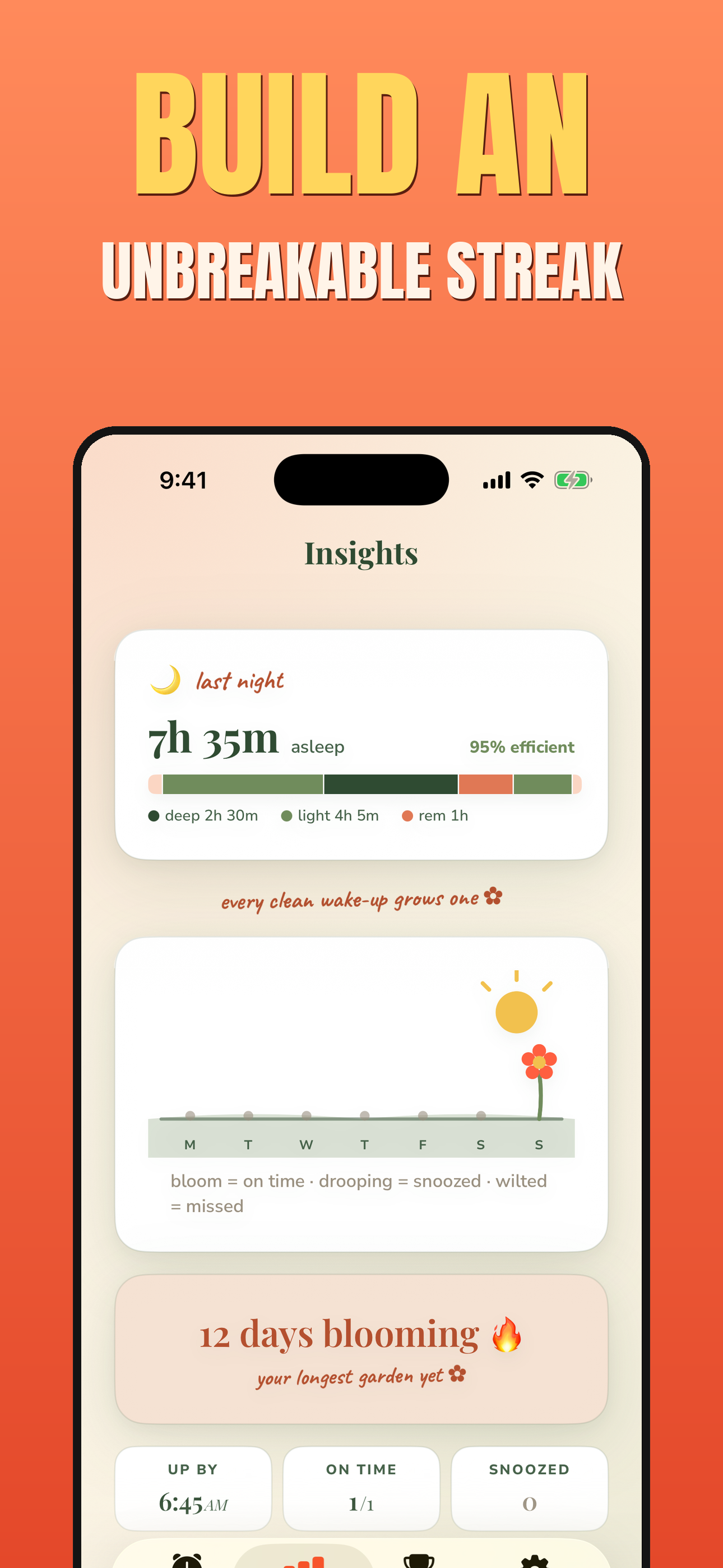
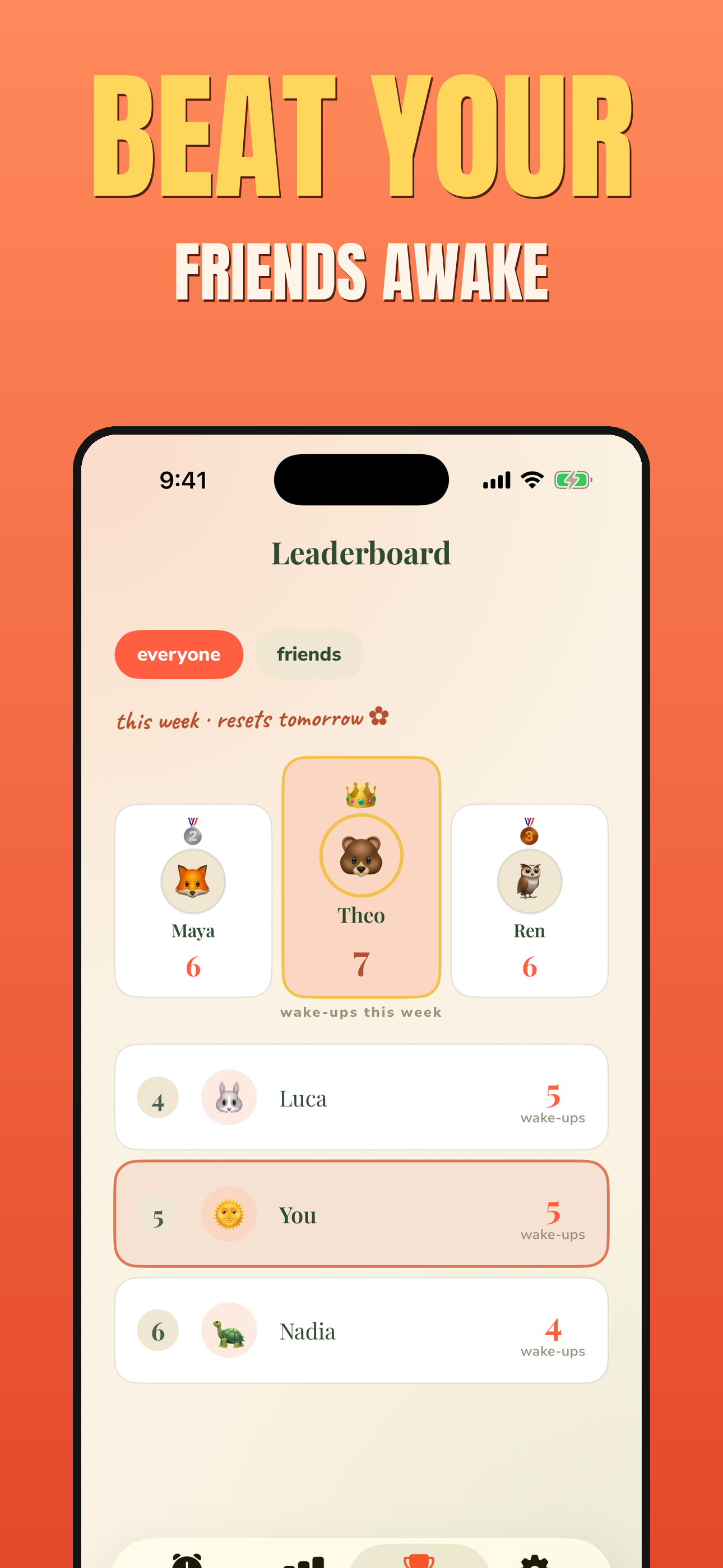
Wake Boom is the alarm that refuses to be ignored. You turn it off only by finishing a real wake-up mission — solve math, find an object across the room with the camera (no photo is taken), shake your phone, match memory pairs, reorder an affirmation, or scan a QR code you set up yourself. Turn on Relentless and every ring comes back for up to 20 minutes, no matter how often you silence it. Build a streak, compete on a weekly wake-up leaderboard, wake to your own music, and pin alarms to any city's time zone. Companion apps for Apple Watch and Wear OS. Fully localized in 29 languages with right-to-left support. Free to try, no ads.
Features
Alarm keeps ringing until you finish a real wake-up mission
Six missions: math, QR code, live hunt, shake, memory pairs, affirmations
Relentless mode brings every ring back for up to 20 minutes
Streaks and a weekly wake-up leaderboard with friends
Apple Watch and Wear OS companion apps
29 languages with full right-to-left support
Use Cases
Heavy sleepers who snooze straight through ordinary alarms
People rebuilding a consistent morning routine
Students and shift workers who have to be up on time
Anyone who wants a visible streak to keep the habit going

Comments

Hi Fazier 👋 We built Wake Boom for the version of us that argues with the alarm at 6am and always wins. Instead of a swipe you can do half-asleep, it only goes quiet once you finish a real mission — math, a QR scan, or finding an object with the camera — and Relentless brings it back if you try to cheat. Curious which mission you'd actually get up for.
Premium Products
















































Sponsors
Buy

Makers
Makers
Comments
Hi Fazier 👋 We built Wake Boom for the version of us that argues with the alarm at 6am and always wins. Instead of a swipe you can do half-asleep, it only goes quiet once you finish a real mission — math, a QR scan, or finding an object with the camera — and Relentless brings it back if you try to cheat. Curious which mission you'd actually get up for.
Premium Products
New to Fazier?

Find your next favorite product or submit your own. Made by @FalakDigital.
Copyright ©2026. All Rights Reserved