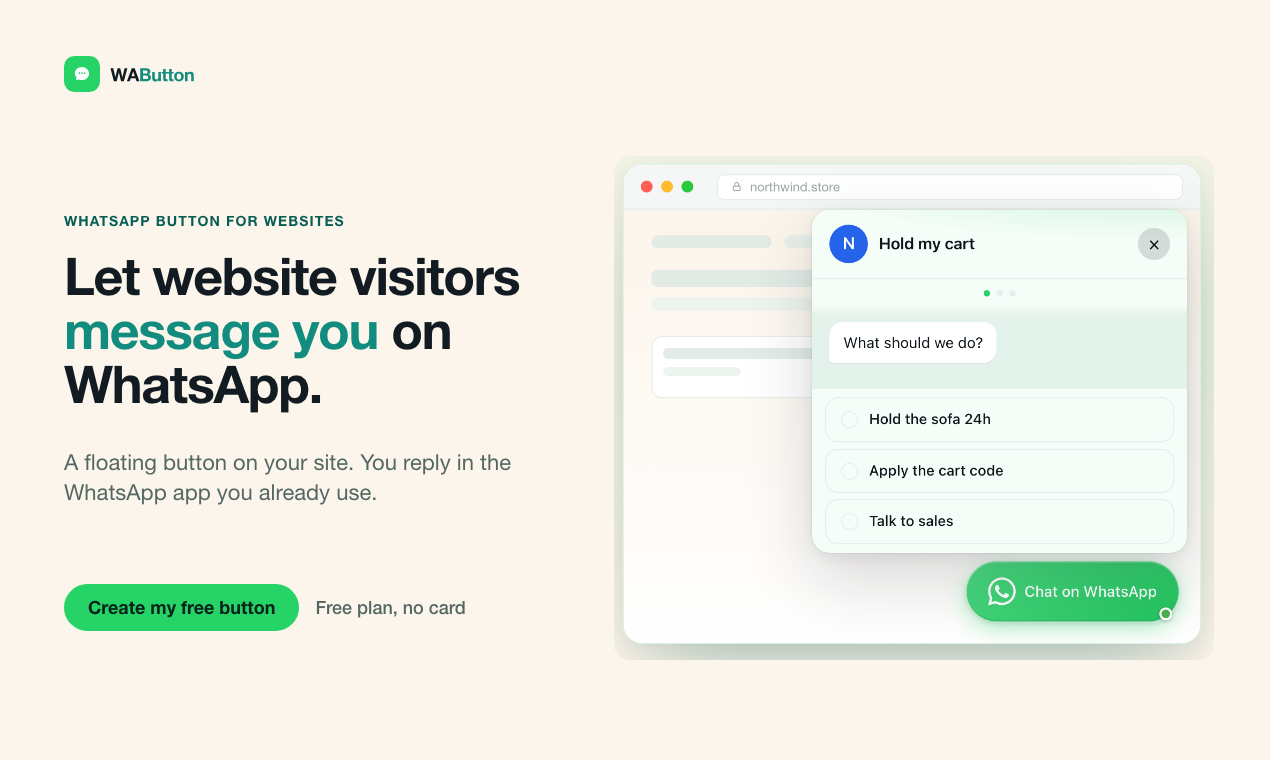
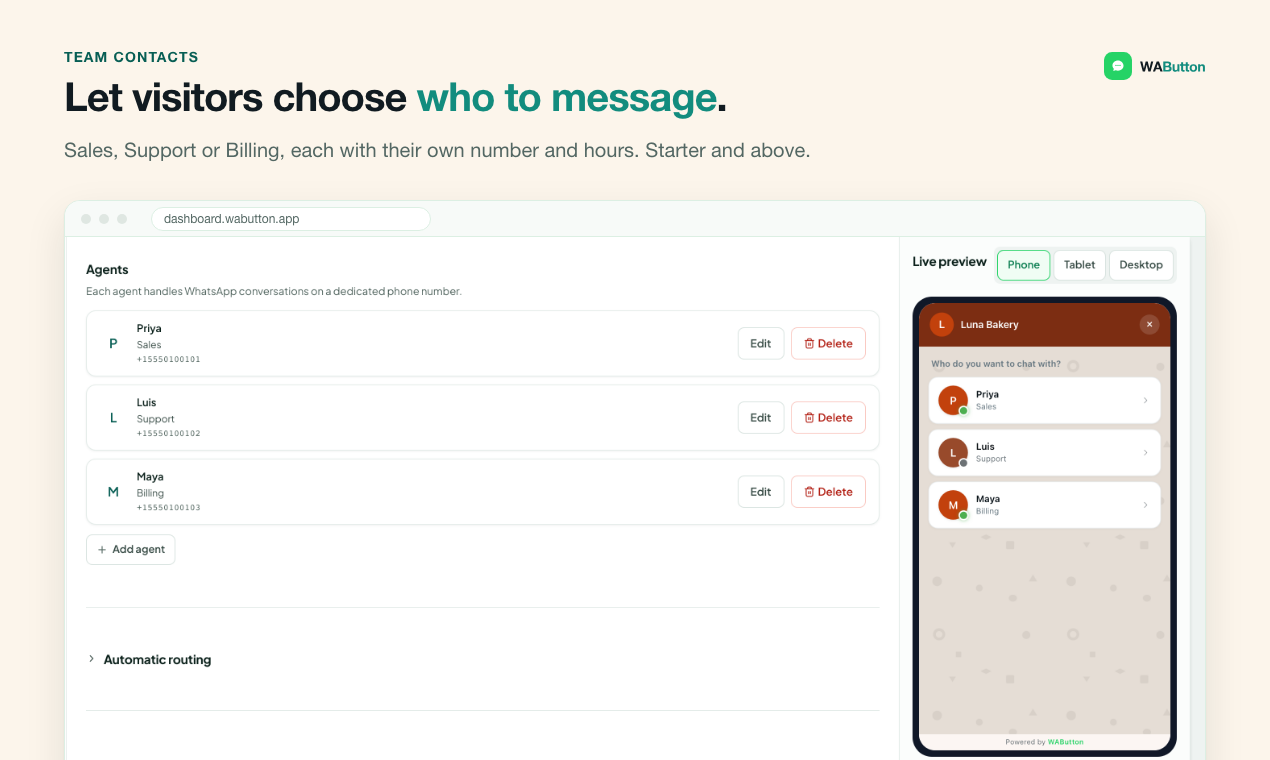
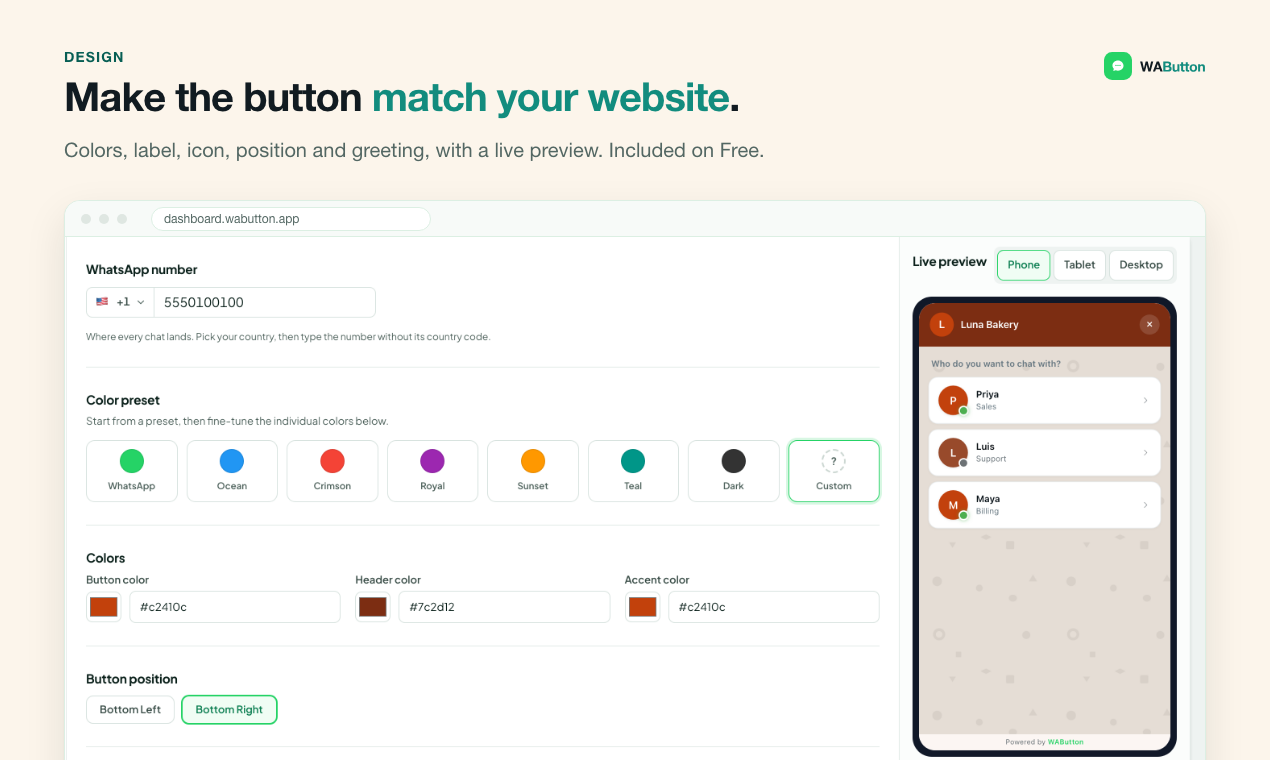
WAButton helps small businesses turn website enquiries into WhatsApp conversations. Add a customizable widget, let visitors choose Sales, Support or a named contact, and reply in your existing WhatsApp app.
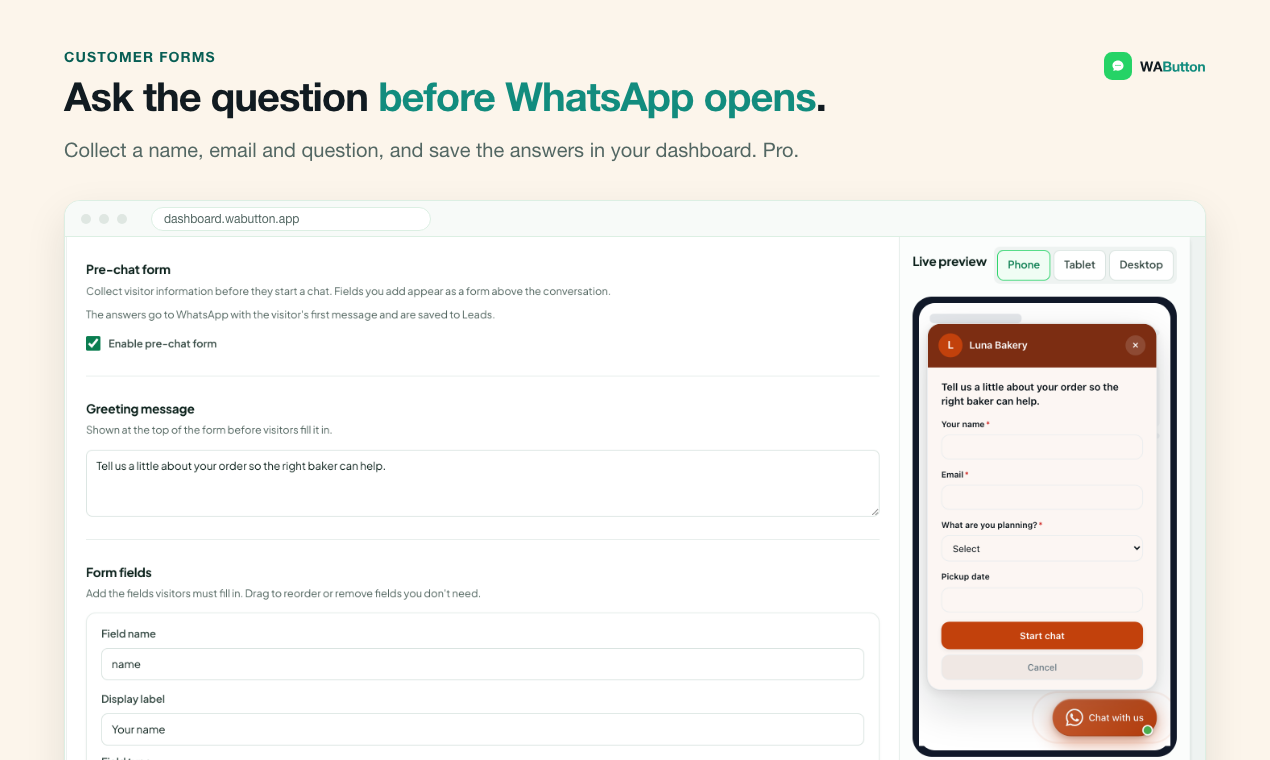
Pro lead forms save enquiry details and prefill the WhatsApp handoff, so visitors can explain what they need before starting a chat. Webhooks send saved leads to workflows you configure in n8n or your CRM. A saved enquiry does not mean a WhatsApp message was sent.
Set display triggers, opening hours, holidays and away messages, then install with one line of code. No WhatsApp Business API or per-message fees.
Start free with one button, one contact and up to 10,000 monthly visitors—no card required. Starter is $9/month, Pro $19/month and Agency $59/month. Free tools at wabutton.app/tools include WhatsApp link and QR code generators.
Features
• Live widget design editor and one-line installation
• Multiple contacts and department routing from Starter
• Saved lead forms and WhatsApp message prefilling on Pro and Agency
• Webhooks for n8n, CRM updates and notifications you configure
• Display triggers, opening hours, holidays and away messages
• Free plan and no-signup WhatsApp tools
Use Cases
• Service businesses: collect the service required and enquiry details before WhatsApp handoff.
• Sales and support teams: let visitors choose the right contact instead of sending every enquiry to one number.
• Agencies: add a branded WhatsApp contact widget to client websites.
• Teams using n8n: send saved Pro lead-form enquiries to a workflow for follow-up or CRM records.
Comments

WAButton is built for businesses that already reply to customers in WhatsApp but need more than a single chat link on their website. Visitors can choose the right contact, and Pro lead forms save the enquiry before the WhatsApp handoff. Webhooks let you send those saved leads into an n8n or CRM workflow you configure. A practical place to start: add Sales and Support contacts, then test a form that asks what the visitor needs. The Free plan needs no card; free link and QR tools are also available at https://wabutton.app/tools. I would value specific feedback on the handoff: what information would you collect before opening WhatsApp, and which follow-up workflow would make that enquiry useful to your team?

To answer your question: before opening WhatsApp I'd collect only the topic and a preferred time to be contacted; anything longer belongs in the chat itself. Since a saved enquiry doesn't mean a message was sent, could the webhook flag the leads where the visitor never completed the handoff? Those are exactly the ones a team should follow up by email or phone. And outside opening hours, does the visitor see when to expect a reply before the handoff?

Prefilling the WhatsApp handoff from a short form is a smart touch. I get a lot of chats that start with just "hi", and the first few messages are spent asking which product and which dates. One question: can the prefilled message follow the visitor's page language? Many of my visitors are not English speakers, so a localized first message would help a lot.

I build websites for small businesses and almost every one asks for a WhatsApp button, so this is close to what I'd use. On the Agency plan, does each client site get its own contacts, opening hours and webhook, and can I give the client their own login to see their leads without seeing my other clients?
Answering your question: before opening WhatsApp I would collect just the topic/service needed and a preferred contact time, plus the visitor's name. That is enough to route to the right person without the form becoming a barrier. Do the opening-hours and away messages kick in automatically when no contact is available, or does the visitor still land in WhatsApp with no reply expected?


Smart that you're upfront that a saved enquiry isn't the same as a sent WhatsApp message. That gap is where a lot of service-business leads quietly die. Do you show owners a simple "saved but never messaged" count, and can those leads fall back to email or a booking link automatically? Also curious how the opening-hours rules handle someone who lands at 11pm. Do they still see the form, or an away message first?
Premium Products

















































Makers
Makers
Comments
WAButton is built for businesses that already reply to customers in WhatsApp but need more than a single chat link on their website. Visitors can choose the right contact, and Pro lead forms save the enquiry before the WhatsApp handoff. Webhooks let you send those saved leads into an n8n or CRM workflow you configure. A practical place to start: add Sales and Support contacts, then test a form that asks what the visitor needs. The Free plan needs no card; free link and QR tools are also available at https://wabutton.app/tools. I would value specific feedback on the handoff: what information would you collect before opening WhatsApp, and which follow-up workflow would make that enquiry useful to your team?
To answer your question: before opening WhatsApp I'd collect only the topic and a preferred time to be contacted; anything longer belongs in the chat itself. Since a saved enquiry doesn't mean a message was sent, could the webhook flag the leads where the visitor never completed the handoff? Those are exactly the ones a team should follow up by email or phone. And outside opening hours, does the visitor see when to expect a reply before the handoff?
Prefilling the WhatsApp handoff from a short form is a smart touch. I get a lot of chats that start with just "hi", and the first few messages are spent asking which product and which dates. One question: can the prefilled message follow the visitor's page language? Many of my visitors are not English speakers, so a localized first message would help a lot.
I build websites for small businesses and almost every one asks for a WhatsApp button, so this is close to what I'd use. On the Agency plan, does each client site get its own contacts, opening hours and webhook, and can I give the client their own login to see their leads without seeing my other clients?
Answering your question: before opening WhatsApp I would collect just the topic/service needed and a preferred contact time, plus the visitor's name. That is enough to route to the right person without the form becoming a barrier. Do the opening-hours and away messages kick in automatically when no contact is available, or does the visitor still land in WhatsApp with no reply expected?
Smart that you're upfront that a saved enquiry isn't the same as a sent WhatsApp message. That gap is where a lot of service-business leads quietly die. Do you show owners a simple "saved but never messaged" count, and can those leads fall back to email or a booking link automatically? Also curious how the opening-hours rules handle someone who lands at 11pm. Do they still see the form, or an away message first?
Premium Products
New to Fazier?

Find your next favorite product or submit your own. Made by @FalakDigital.
Copyright ©2026. All Rights Reserved