
Vynix
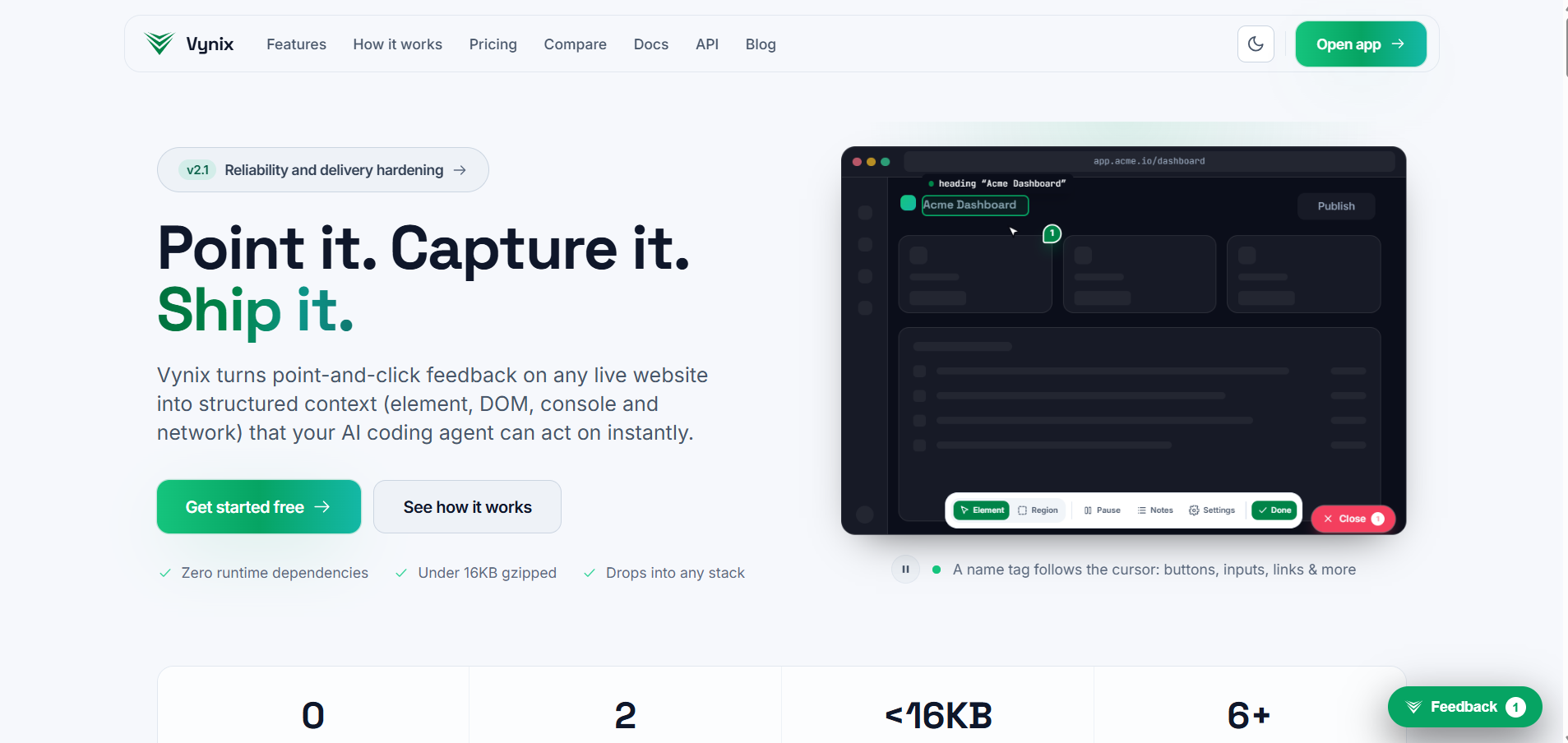
Point it. Capture it. Ship it.
Description
Vynix helps teams review live websites visually, capture precise feedback, and turn annotations into actionable tasks for developers and AI coding agents.
Point at any element, leave a comment, and automatically capture its CSS selector, XPath, DOM structure, computed styles, viewport details, console errors, and failed network requests.
Export annotations as Markdown, AI prompts, JSON, or GitHub issues. With its native MCP server, coding agents can access feedback and help resolve issues directly. The lightweight, dependency-free widget works across major web frameworks.
Features
- Visual feedback and element-level annotations
- Automatic CSS selector, XPath, and DOM capture
- Computed styles and viewport metadata
- Console error and failed network request capture
- Full-page and element screenshots
- AI-ready prompts and Markdown exports
- GitHub issue creation
- Native MCP server and API access
- Shareable feedback links for collaboration
- Lightweight widget with no framework dependencies
Use cases
- Website QA: Report UI bugs with precise technical context.
- AI-assisted development: Give coding agents structured feedback they can act on.
- Design reviews: Collect visual feedback directly on live pages.
- Client collaboration: Let clients annotate websites without technical knowledge.
- Bug reporting: Capture reproducible details instead of vague descriptions.
- Frontend debugging: Identify styling issues, DOM elements, console errors, and failed requests.
- Agency workflows: Streamline feedback between clients, designers, testers, and developers.
- Website maintenance: Track visual inconsistencies and regression issues across projects.
Features
- Visual feedback and element-level annotations
- Automatic CSS selector, XPath, and DOM capture
- Computed styles and viewport metadata
- Console error and failed network request capture
- Full-page and element screenshots
- AI-ready prompts and Markdown exports
- GitHub issue creation
- Native MCP server and API access
- Shareable feedback links for collaboration
- Lightweight widget with no framework dependencies
Use Cases
- Website QA: Report UI bugs with precise technical context.
- AI-assisted development: Give coding agents structured feedback they can act on.
- Design reviews: Collect visual feedback directly on live pages.
- Client collaboration: Let clients annotate websites without technical knowledge.
- Bug reporting: Capture reproducible details instead of vague descriptions.
- Frontend debugging: Identify styling issues, DOM elements, console errors, and failed requests.
- Agency workflows: Streamline feedback between clients, designers, testers, and developers.
- Website maintenance: Track visual inconsistencies and regression issues across projects.

Comments


Building Vynix: Visual Website Feedback for AI Coding Agents Point at any website element, annotate bugs, capture context, and turn visual feedback into actionable prompts for AI-powered development. Less back-and-forth. Clearer feedback. Faster fixes. ⚡ Built for developers, designers, QA teams, and agencies. Check it out 👉 https://www.vynix.in

Capturing the console errors and failed network requests with the annotation is the part that usually goes missing from bug reports, so that's a good call. Two questions on the agent side: when a coding agent fixes an issue through the MCP server, can it mark the annotation resolved and link the commit or PR, so the reporter sees it closed without anyone updating it by hand? And does the widget work inside a WebView, for example a web app wrapped as an Android or iOS app, where there are no browser devtools to fall back on?

Capturing the CSS selector, XPath, and console errors with each annotation is exactly the context that disappears in screenshot-based bug reports. The native MCP server so coding agents can pull feedback directly is a smart touch - does the agent get the computed styles and viewport details too, or just the annotation text?


Bridgeing the gap between non-technical clients and frontend developers is always a headache. Letting clients simply point-and-click while the widget automatically extracts CSS selectors, failed network requests, and viewport details in the background is huge for QA cycles. Also great to see that the widget remains lightweight and framework-agnostic. Best of luck with the product!


Premium Products















































Makers
Makers
Comments
Building Vynix: Visual Website Feedback for AI Coding Agents Point at any website element, annotate bugs, capture context, and turn visual feedback into actionable prompts for AI-powered development. Less back-and-forth. Clearer feedback. Faster fixes. ⚡ Built for developers, designers, QA teams, and agencies. Check it out 👉 https://www.vynix.in
Capturing the console errors and failed network requests with the annotation is the part that usually goes missing from bug reports, so that's a good call. Two questions on the agent side: when a coding agent fixes an issue through the MCP server, can it mark the annotation resolved and link the commit or PR, so the reporter sees it closed without anyone updating it by hand? And does the widget work inside a WebView, for example a web app wrapped as an Android or iOS app, where there are no browser devtools to fall back on?
Capturing the CSS selector, XPath, and console errors with each annotation is exactly the context that disappears in screenshot-based bug reports. The native MCP server so coding agents can pull feedback directly is a smart touch - does the agent get the computed styles and viewport details too, or just the annotation text?
Bridgeing the gap between non-technical clients and frontend developers is always a headache. Letting clients simply point-and-click while the widget automatically extracts CSS selectors, failed network requests, and viewport details in the background is huge for QA cycles. Also great to see that the widget remains lightweight and framework-agnostic. Best of luck with the product!
Premium Products
New to Fazier?

Find your next favorite product or submit your own. Made by @FalakDigital.
Copyright ©2026. All Rights Reserved