
VoiceVibe
Talk to your computer. It types, speaks & does what you ask.
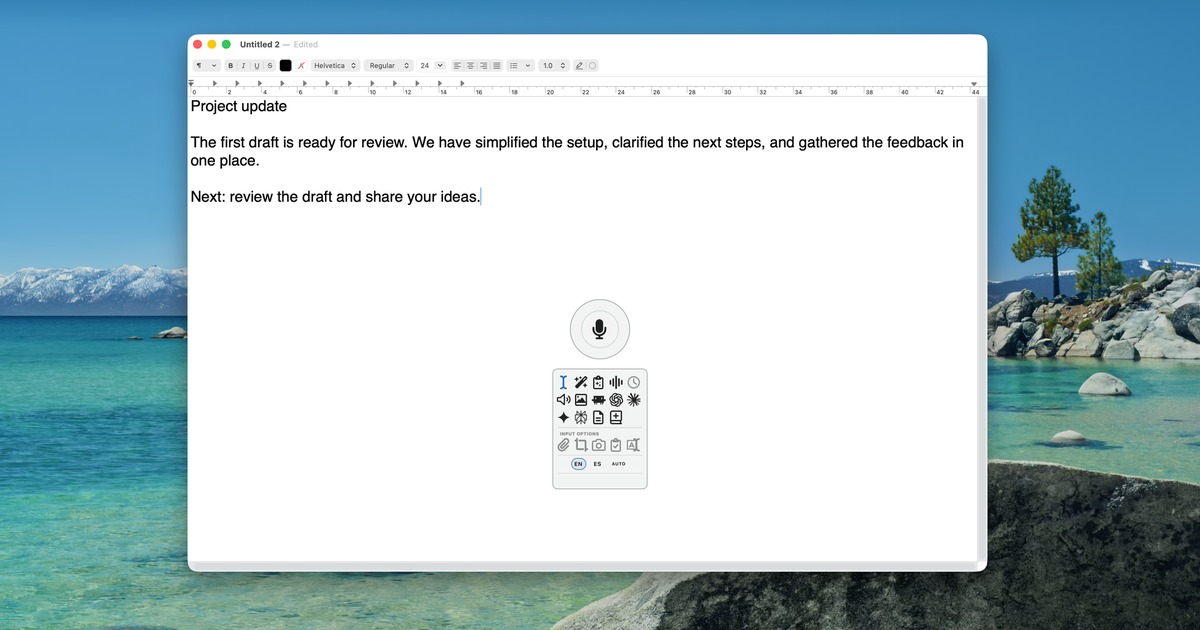
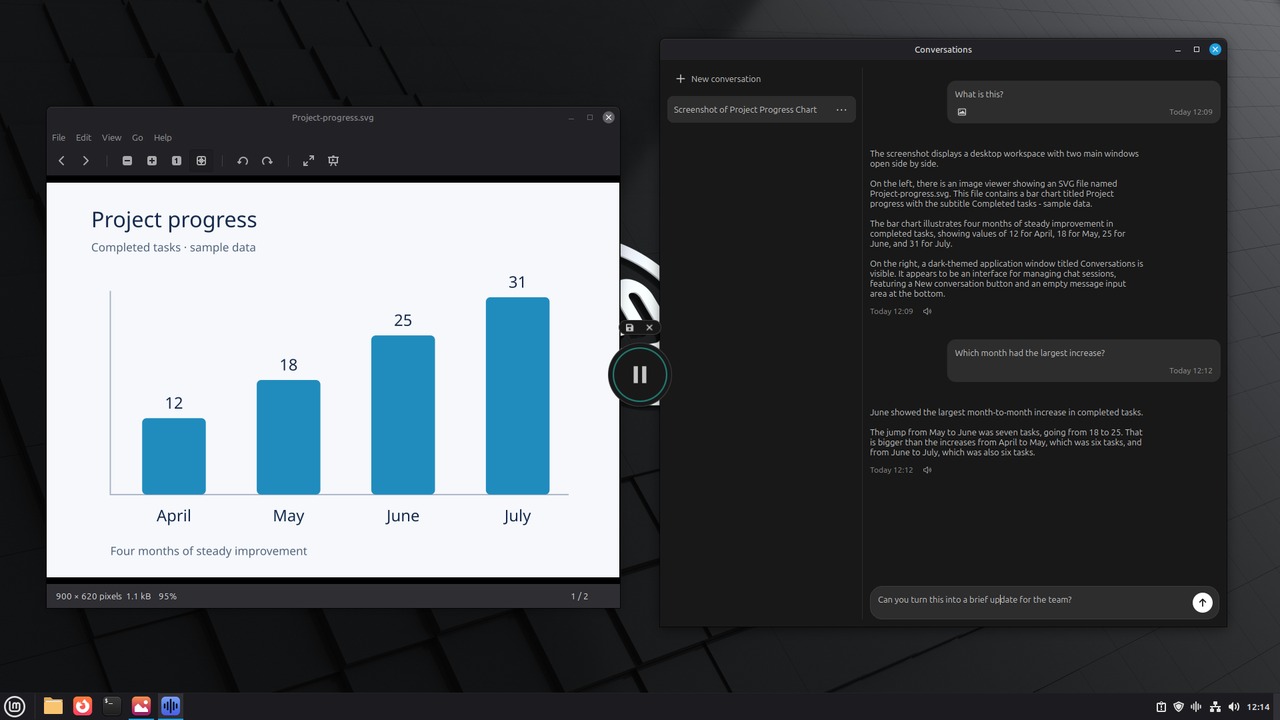
VoiceVibe lets you talk to your computer, in any app or website. Press a key and say what you need; while you speak, choose what happens: type it, transform text, ask about what's on your screen, or launch an AI chat or agent with the task. Do more without losing your train of thought. Modes include Voice Typing (free, on-device and offline), Voice Typing Pro, Magic Typing, Magic Clipboard, Voice Assistant, Text-to-Speech, AI Images, Chat Launcher and Agent Launcher. Runs on Windows 10+, macOS 14+ (Apple Silicon) and Linux (X11). Free voice typing is free forever; Pro starts at $14.99/month, and you can try Pro modes without a credit card.
Features
Voice Typing in any text field, on-device and offline (Free)
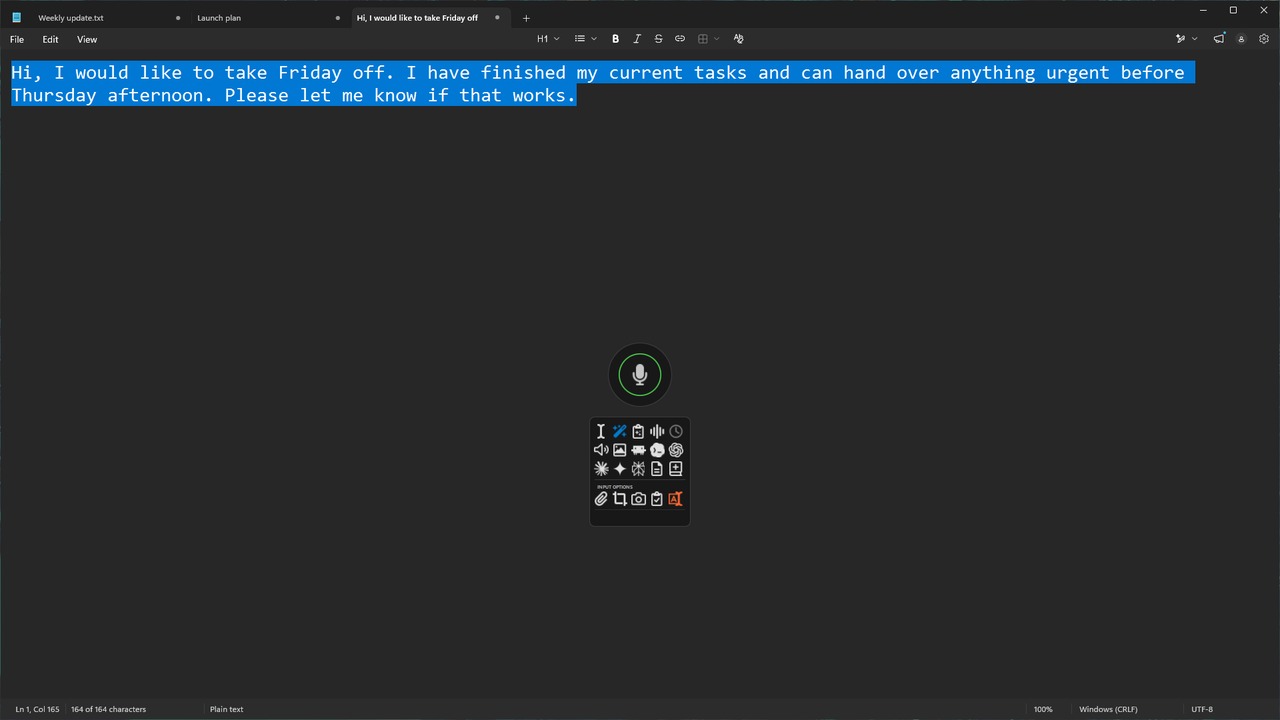
Magic Typing: create or transform text in any app
Voice Assistant: ask about your screen, selected text, clipboard or files, with web search and spoken answers
Text-to-Speech: read any selected text aloud
AI Images: create new images or edit existing ones
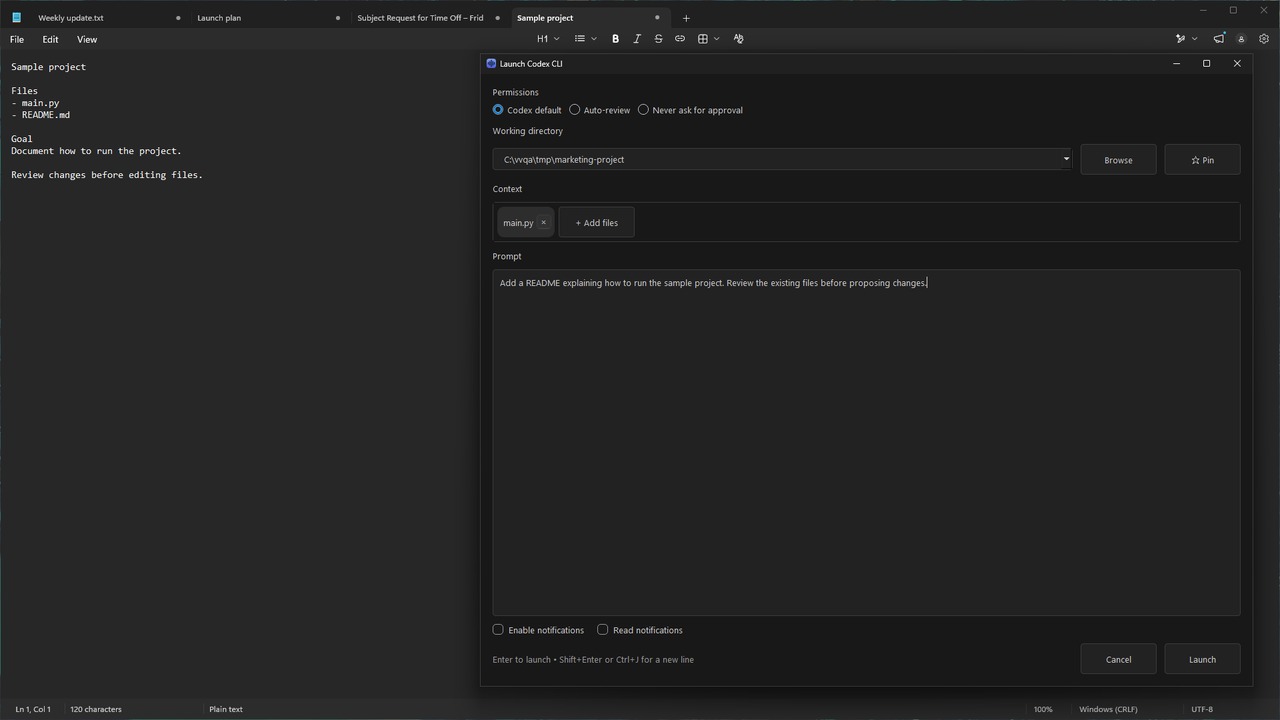
Chat and Agent Launchers: send a spoken prompt and context to an AI chat or agent, reviewed before sending
Dictionary and About You for accurate names and terms
Use Cases
Dictating emails and documents in any app; rewriting selected text by voice; asking about what's on your screen and hearing the answer; having articles read aloud; handing a task to an AI chat or agent.

Comments

Premium Products

















































Find your next favorite product or submit your own. Made by @FalakDigital.
Copyright ©2026. All Rights Reserved