
VidShift
Free browser video converter. No uploads, no servers.
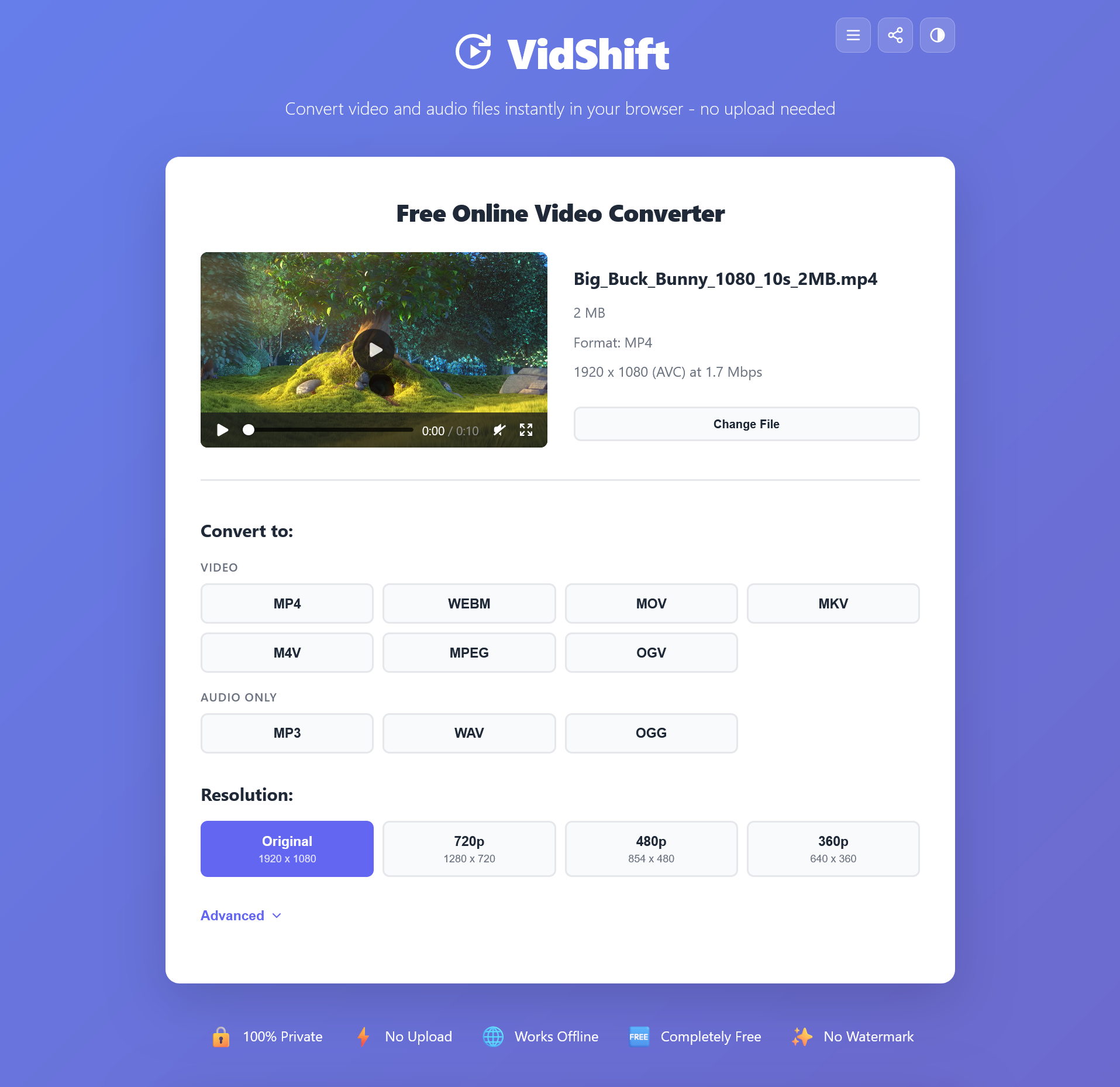
VidShift is a free, privacy-first video toolkit that runs entirely in your browser using WebAssembly. Convert between MP4, WebM, MKV, MOV and more. Compress, trim, extract audio, create GIFs, change speed, rotate, and extract frames. Nothing is ever uploaded to a server. No sign-ups, no watermarks, no file size limits. Works offline once loaded.
Features
- 100% browser-based processing via WebAssembly
- Convert between MP4, WebM, MKV, MOV, AVI, and audio formats
- Compress videos without noticeable quality loss
- Trim and cut clips with frame-level precision
- Extract MP3 audio from any video
- Create GIFs from video clips
- Rotate, flip, and change playback speed
- No uploads, no servers, no sign-ups required
- Works offline after initial page load
- No watermarks or file size limits
Use Cases
- Quickly convert a video format without installing software
- Compress large video files before emailing or uploading
- Extract audio from a lecture or podcast video
- Create a GIF from a screen recording or clip
- Trim a video before posting to social media
- Process sensitive or private video files without uploading to a third-party server

Comments


I built VidShift because every online video converter wants to upload your files to their servers. That felt wrong, especially for personal or sensitive videos. So I built a toolkit that processes everything locally in your browser using WebAssembly. No uploads, no servers, no sign-ups. Just open the page and convert. It supports 9 tools including format conversion, compression, trimming, GIF creation, audio extraction, and more. I'd love to hear what you think and what tools you'd like to see added next.



This is such a handy tool! I’ve been looking for a browser-based video converter that doesn't require massive uploads, and VidShift seems like a total lifesaver for quick edits. It’s great to see more "serverless" tools popping up lately. I’ve been using something similar for my photos called Imgkits (https://www.imgkits.com/)—it’s an AI editor that handles background removal and restoration right in the browser too. Finding these kinds of efficient, all-in-one tools really speeds up my workflow. Thanks for sharing this find, definitely bookmarking it!




Browser-based video processing with WebAssembly is a smart privacy-first approach. Having everything run client-side is genuinely differentiated from other converters. The GIF creation and audio extraction features are particularly useful. This solves a real pain point for people working with sensitive video files. Would love to see subtitle extraction added!

Running everything client-side via WebAssembly is the right architectural call for a privacy-focused tool like this. No server dependency means no data leak vector and no scaling costs on your end. The offline capability after first load is a killer feature for people working in restricted network environments or on flights. For content creators who handle lots of quick format conversions daily, this eliminates a real friction point compared to installing FFmpeg or paying for cloud converters.


Running everything client-side with WebAssembly is a brilliant approach for privacy. No file uploads means zero risk of data leaks, which is huge for anyone working with confidential video content. The offline capability after initial load is a nice touch too - perfect for travel or restricted networks. Would be great to see batch processing support in the future.



Premium Products




































Sponsors
Buy



Makers
Makers
Comments
I built VidShift because every online video converter wants to upload your files to their servers. That felt wrong, especially for personal or sensitive videos. So I built a toolkit that processes everything locally in your browser using WebAssembly. No uploads, no servers, no sign-ups. Just open the page and convert. It supports 9 tools including format conversion, compression, trimming, GIF creation, audio extraction, and more. I'd love to hear what you think and what tools you'd like to see added next.
This is such a handy tool! I’ve been looking for a browser-based video converter that doesn't require massive uploads, and VidShift seems like a total lifesaver for quick edits. It’s great to see more "serverless" tools popping up lately. I’ve been using something similar for my photos called Imgkits (https://www.imgkits.com/)—it’s an AI editor that handles background removal and restoration right in the browser too. Finding these kinds of efficient, all-in-one tools really speeds up my workflow. Thanks for sharing this find, definitely bookmarking it!
Browser-based video processing with WebAssembly is a smart privacy-first approach. Having everything run client-side is genuinely differentiated from other converters. The GIF creation and audio extraction features are particularly useful. This solves a real pain point for people working with sensitive video files. Would love to see subtitle extraction added!
Running everything client-side via WebAssembly is the right architectural call for a privacy-focused tool like this. No server dependency means no data leak vector and no scaling costs on your end. The offline capability after first load is a killer feature for people working in restricted network environments or on flights. For content creators who handle lots of quick format conversions daily, this eliminates a real friction point compared to installing FFmpeg or paying for cloud converters.
Running everything client-side with WebAssembly is a brilliant approach for privacy. No file uploads means zero risk of data leaks, which is huge for anyone working with confidential video content. The offline capability after initial load is a nice touch too - perfect for travel or restricted networks. Would be great to see batch processing support in the future.
Premium Products
New to Fazier?

Find your next favorite product or submit your own. Made by @FalakDigital.
Copyright ©2026. All Rights Reserved