
Vidrush
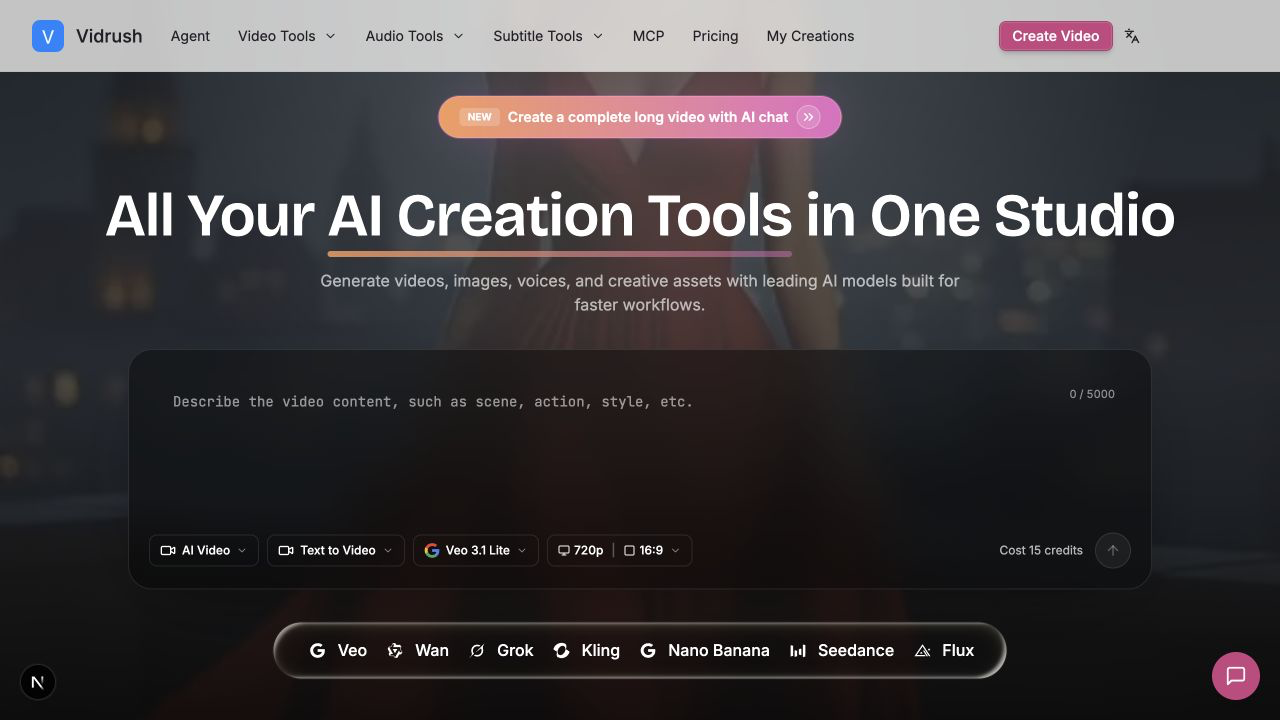
AI video studio for text-to-video and image-to-video
Vidrush is a free-to-start AI video studio for text-to-video and image-to-video. Keep scripts, voiceovers, captions, and multi-model generation in one project instead of five dashboards.
Features
Multi-model video generation (Veo, Wan, Grok, Kling, Seedance), script drafting, voiceover, captions, and viral templates in one workspace.
Use Cases
Creators and marketers who need a short social clip from a still or a prompt, then want voice and captions without exporting to another tool.

Comments


I built Vidrush because AI video work was leaking across five dashboards. The useful part is keeping text-to-video, image-to-video, script, voice, and captions in one studio, then switching models only when motion fails. Product: https://vidrush-ai.com

It makes sense to implement a free-to-start AI video studio for text-to-video and image-to-video. BTW, a free AI image generator tool: https://backgroundcanvas.app

The "switch models only when motion fails" part is the interesting bit - most multi-model tools make you commit upfront, before you know which one handles your shot. Curious how you handle audio: with Veo generating its own track and the other models silent, does the voiceover/caption layer get rebuilt per model, or do you keep one timeline and re-attach? That mismatch is usually where multi-model pipelines start to hurt.


Vidrush Your product has strong potential, but I found a few key improvements that could make it even better. I'd love to share my feedback and suggestions—please contact me at [email protected].
Premium Products






















































Sponsors
Buy

Makers
Makers
Comments
I built Vidrush because AI video work was leaking across five dashboards. The useful part is keeping text-to-video, image-to-video, script, voice, and captions in one studio, then switching models only when motion fails. Product: https://vidrush-ai.com
It makes sense to implement a free-to-start AI video studio for text-to-video and image-to-video. BTW, a free AI image generator tool: https://backgroundcanvas.app
The "switch models only when motion fails" part is the interesting bit - most multi-model tools make you commit upfront, before you know which one handles your shot. Curious how you handle audio: with Veo generating its own track and the other models silent, does the voiceover/caption layer get rebuilt per model, or do you keep one timeline and re-attach? That mismatch is usually where multi-model pipelines start to hurt.
Vidrush Your product has strong potential, but I found a few key improvements that could make it even better. I'd love to share my feedback and suggestions—please contact me at [email protected].
Premium Products
New to Fazier?

Find your next favorite product or submit your own. Made by @FalakDigital.
Copyright ©2026. All Rights Reserved