Launch
Video to Prompt Generator
Visit
Example Image

Video to Prompt Generator

Convert any video to a prompt you can paste into AI Model

Visit

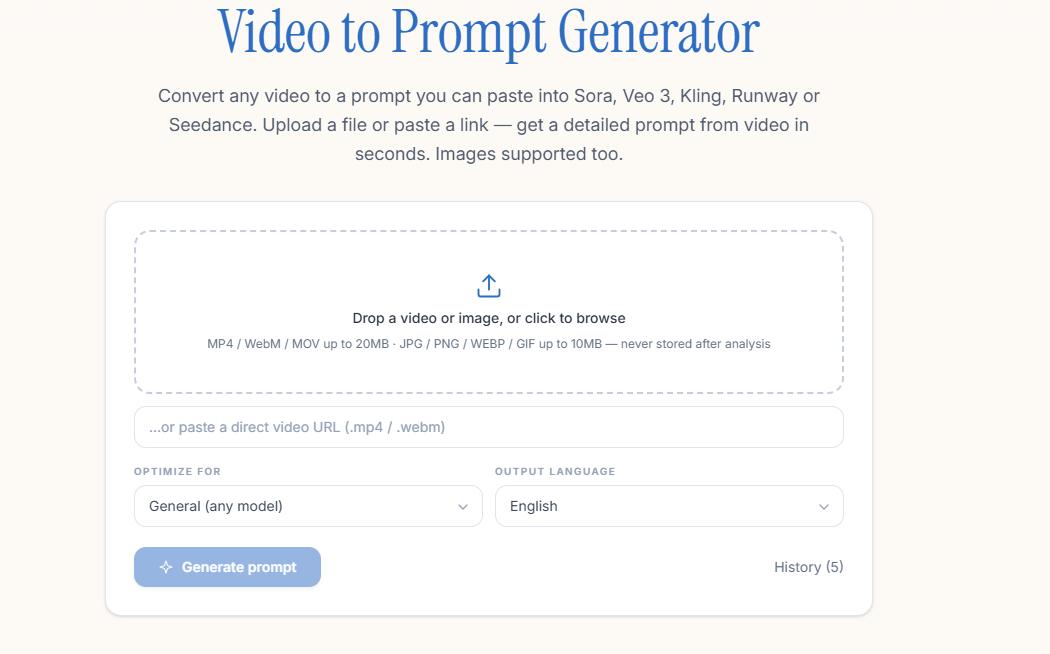
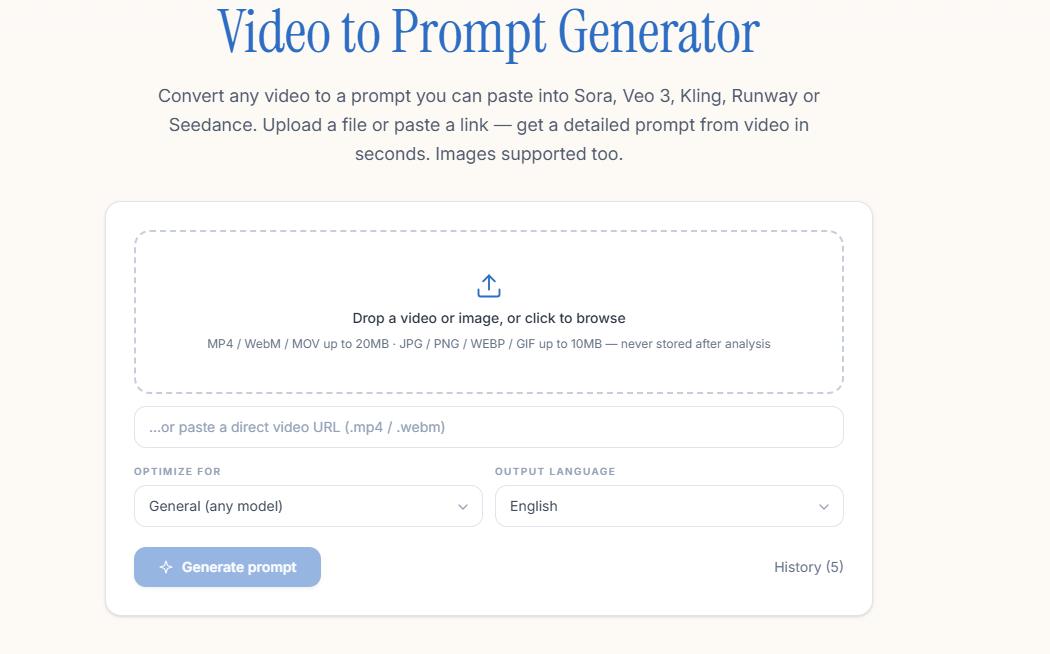
Convert any video to a prompt you can paste into Sora, Veo 3, Kling, Runway or Seedance. Upload a file or paste a link — get a detailed prompt from video in seconds. Images supported too.
Example Image
Example Image

Features

free video & image to prompt tool

no sign-up, no watermark


Comments

this tool is free and Use frontier models for the analysis

The no-signup, no-watermark approach is refreshing for a utility like this. Multi-model targeting is smart since Sora, Veo and Kling each respond differently to prompt structure - do you plan per-model tuning, like verbosity or style presets per target? That would make the output paste-ready more often.

custom-img
Curator of Awesome REA, a directory of o...

The no-signup path that turns a clip into a prompt for Sora, Veo, Kling, or Runway is practical. Supporting images as well as video is useful when you want to match a look instead of starting from a blank prompt.

custom-img
Founder of themakerora

How this tool work and its about protect our privacy?

custom-img
Maker of dubly.me — a browser extension ...

Targeting the prompt per model (Sora, Veo 3, Kling, Runway) is the useful part — their prompt styles differ a lot. Do you keep separate templates per model? And when you paste a link instead of uploading, is the video processed on your server or only in the browser?

Very practical tool for video-to-prompt workflows! Reverse-engineering detailed visual prompts from video frames saves a lot of manual reverse-prompting time for Midjourney and Runway. Does it sample keyframes based on scene changes, or fixed time intervals? Great launch!

custom-img
Founder of FacePika

The site claims videos are deleted after analysis and images never touch storage, but offers zero verifiable evidence — no security policy, audit, or transparency mechanism. Why should users trust these claims with real footage?

The per-model prompt targeting is what makes this stand out — Sora, Veo 3, Kling and Runway each respond to quite different prompt styles, so generating a tailored prompt instead of a generic description saves a lot of trial and error. The no-signup, no-watermark approach also makes it easy to test with a real clip before committing. One thing I'd love to see is a side-by-side view showing how the same clip gets phrased differently for each model.

custom-img
AI engineer, AI vibecoding enthusiast

This tool comes in handy in marketing

custom-img
AI job application agent for students

Good Free Tool to Use

This is actually pretty interesting. good launch

Useful for reverse-engineering pacing before a shoot. One question: when I upload a file, does the video sit on your servers after the prompt is generated, or is it processed and dropped? People will paste client footage into this, so the retention answer matters.

custom-img
Aqua Flamingo Labs

Interesting, what's the main interest to be able to reverse engineer content?

When you paste a link instead of uploading, does it analyze the whole video or only the first few seconds? For longer clips it would help to pick a time range so the prompt describes one specific scene.

custom-img
Lovely man for life and enjoy the future

useful tool in short video making

custom-img
Explore practical online tools, calculat...

This is a genuinely useful tool. This is something that I see a lot of AI-users making part of their processes

Premium Products
View all
Example Image
Awards
View all
Example Image

Comments

this tool is free and Use frontier models for the analysis

The no-signup, no-watermark approach is refreshing for a utility like this. Multi-model targeting is smart since Sora, Veo and Kling each respond differently to prompt structure - do you plan per-model tuning, like verbosity or style presets per target? That would make the output paste-ready more often.

custom-img
Curator of Awesome REA, a directory of o...

The no-signup path that turns a clip into a prompt for Sora, Veo, Kling, or Runway is practical. Supporting images as well as video is useful when you want to match a look instead of starting from a blank prompt.

custom-img
Founder of themakerora

How this tool work and its about protect our privacy?

custom-img
Maker of dubly.me — a browser extension ...

Targeting the prompt per model (Sora, Veo 3, Kling, Runway) is the useful part — their prompt styles differ a lot. Do you keep separate templates per model? And when you paste a link instead of uploading, is the video processed on your server or only in the browser?

Very practical tool for video-to-prompt workflows! Reverse-engineering detailed visual prompts from video frames saves a lot of manual reverse-prompting time for Midjourney and Runway. Does it sample keyframes based on scene changes, or fixed time intervals? Great launch!

custom-img
Founder of FacePika

The site claims videos are deleted after analysis and images never touch storage, but offers zero verifiable evidence — no security policy, audit, or transparency mechanism. Why should users trust these claims with real footage?

The per-model prompt targeting is what makes this stand out — Sora, Veo 3, Kling and Runway each respond to quite different prompt styles, so generating a tailored prompt instead of a generic description saves a lot of trial and error. The no-signup, no-watermark approach also makes it easy to test with a real clip before committing. One thing I'd love to see is a side-by-side view showing how the same clip gets phrased differently for each model.

custom-img
AI engineer, AI vibecoding enthusiast

This tool comes in handy in marketing

custom-img
AI job application agent for students

Good Free Tool to Use

This is actually pretty interesting. good launch

Useful for reverse-engineering pacing before a shoot. One question: when I upload a file, does the video sit on your servers after the prompt is generated, or is it processed and dropped? People will paste client footage into this, so the retention answer matters.

custom-img
Aqua Flamingo Labs

Interesting, what's the main interest to be able to reverse engineer content?

When you paste a link instead of uploading, does it analyze the whole video or only the first few seconds? For longer clips it would help to pick a time range so the prompt describes one specific scene.

custom-img
Lovely man for life and enjoy the future

useful tool in short video making

custom-img
Explore practical online tools, calculat...

This is a genuinely useful tool. This is something that I see a lot of AI-users making part of their processes

Premium Products