
Vexaro Desk
Fast remote desktop for IT support and distributed teams
Vexaro Desk is a secure remote desktop and IT support platform designed for system administrators, help desks, MSPs, and distributed business teams. It enables fast remote connections for both on-demand assistance and unattended infrastructure management.
Key Capabilities
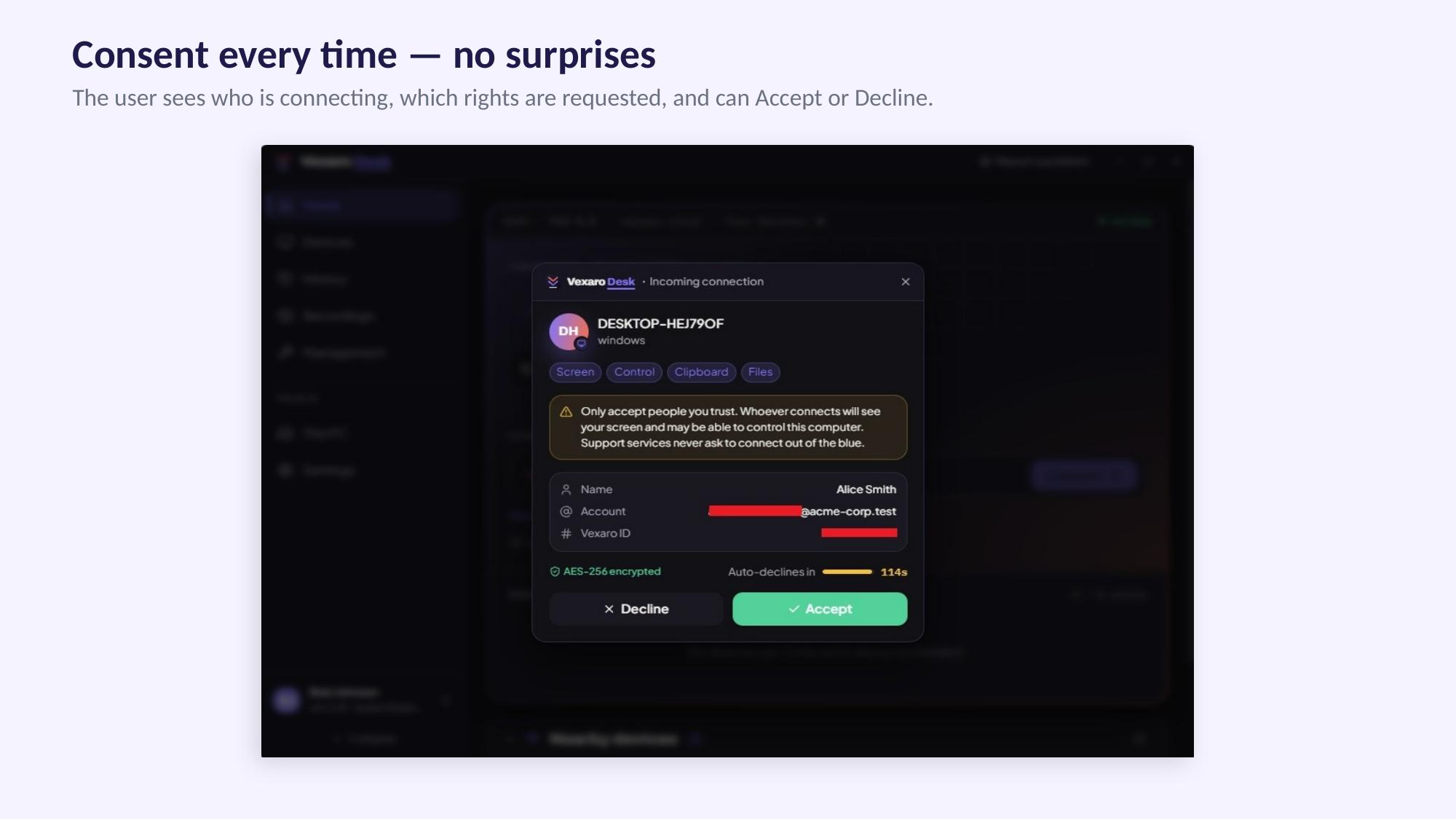
- Flexible Access: Supports both attended sessions (connected via Vexaro ID with user consent) and unattended access (using secure agent passwords for servers and remote terminals).
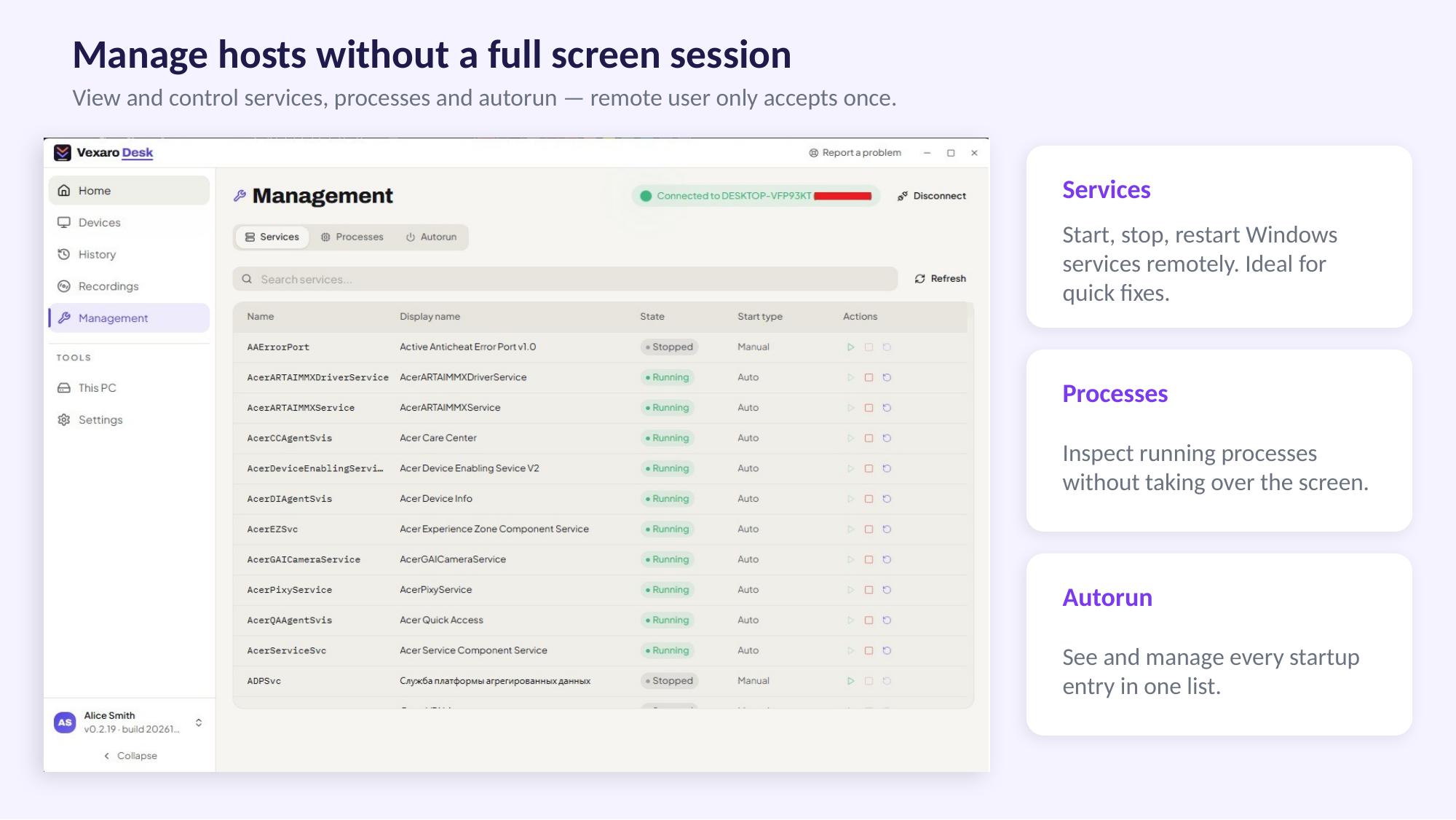
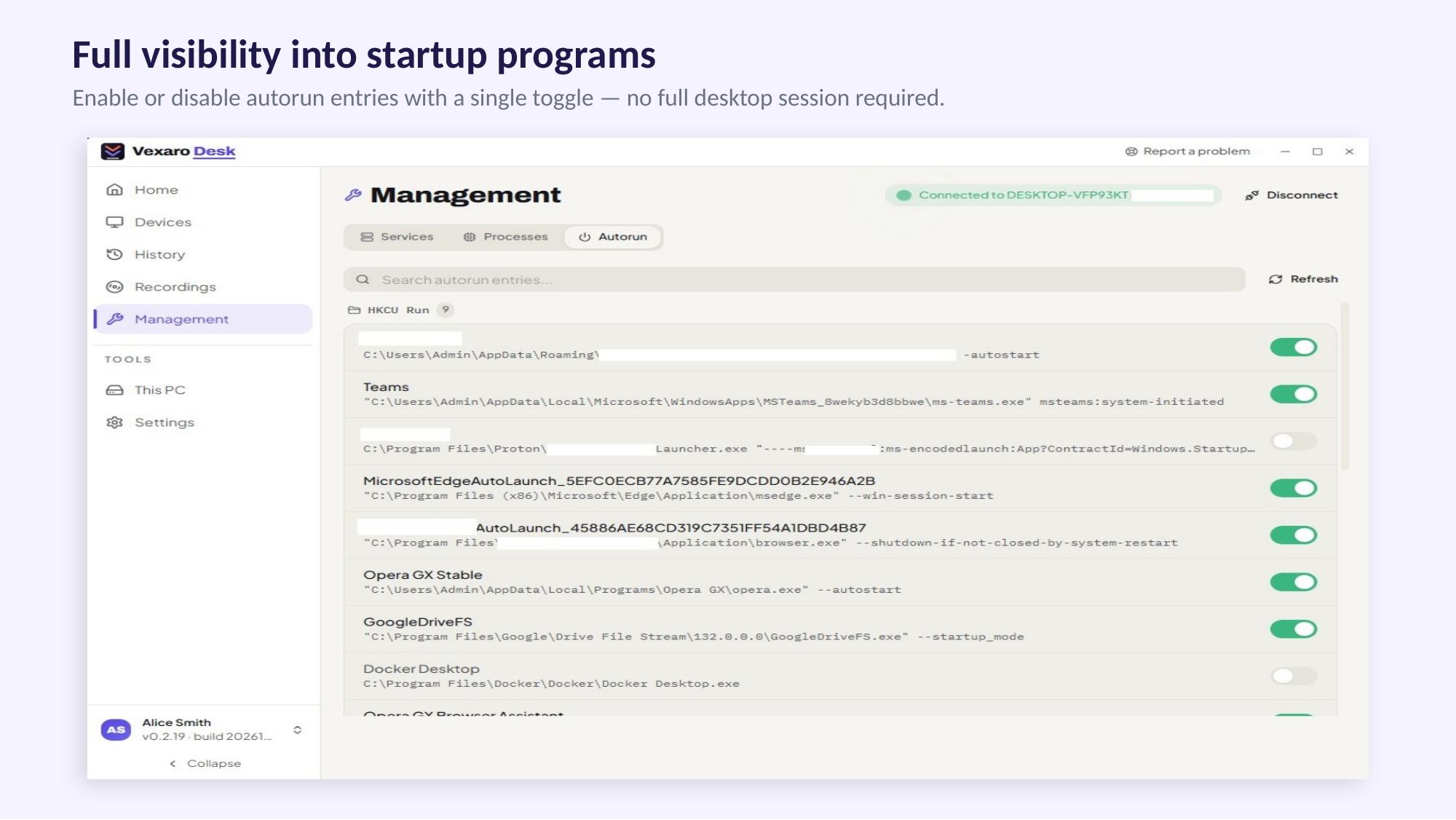
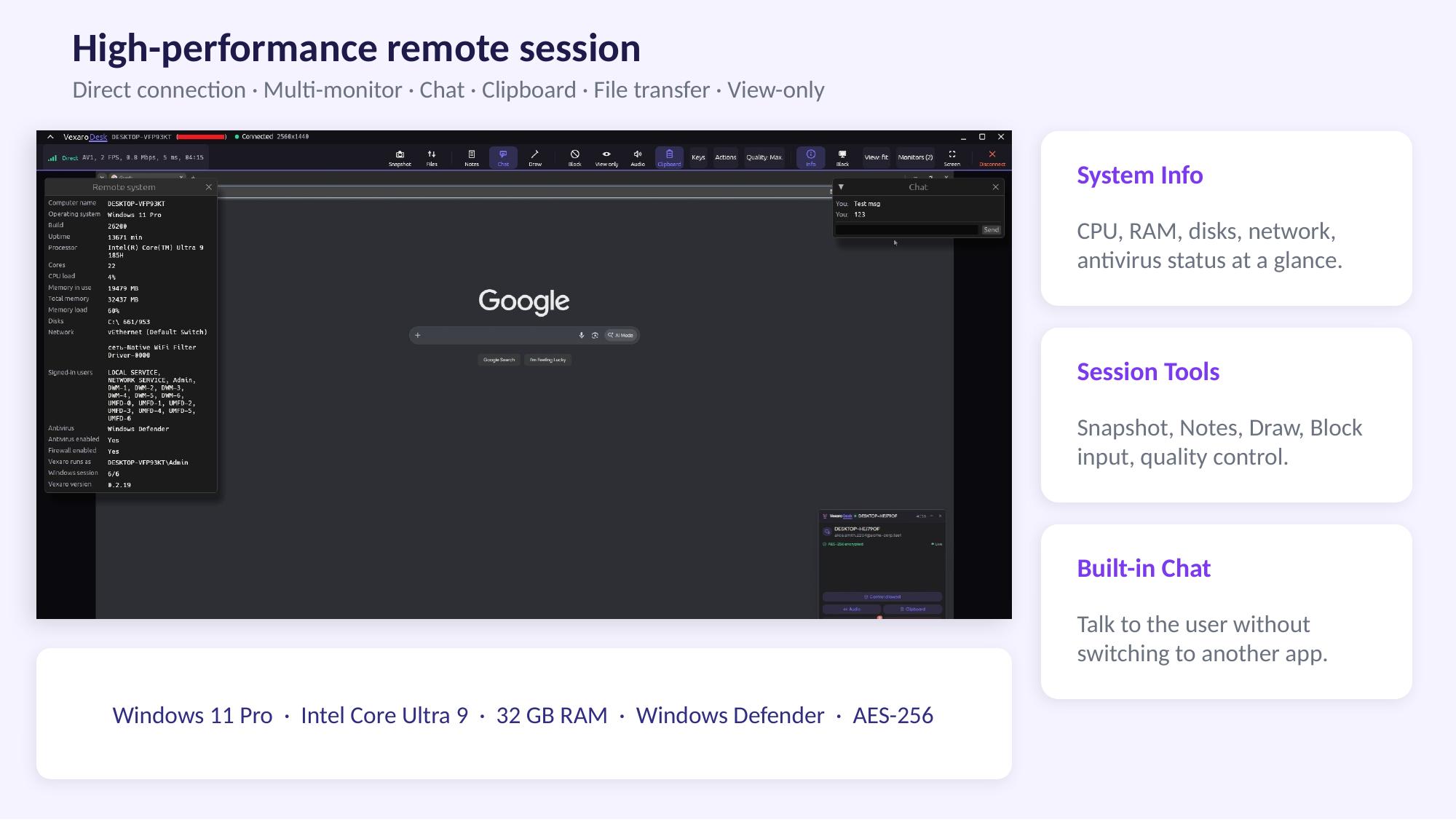
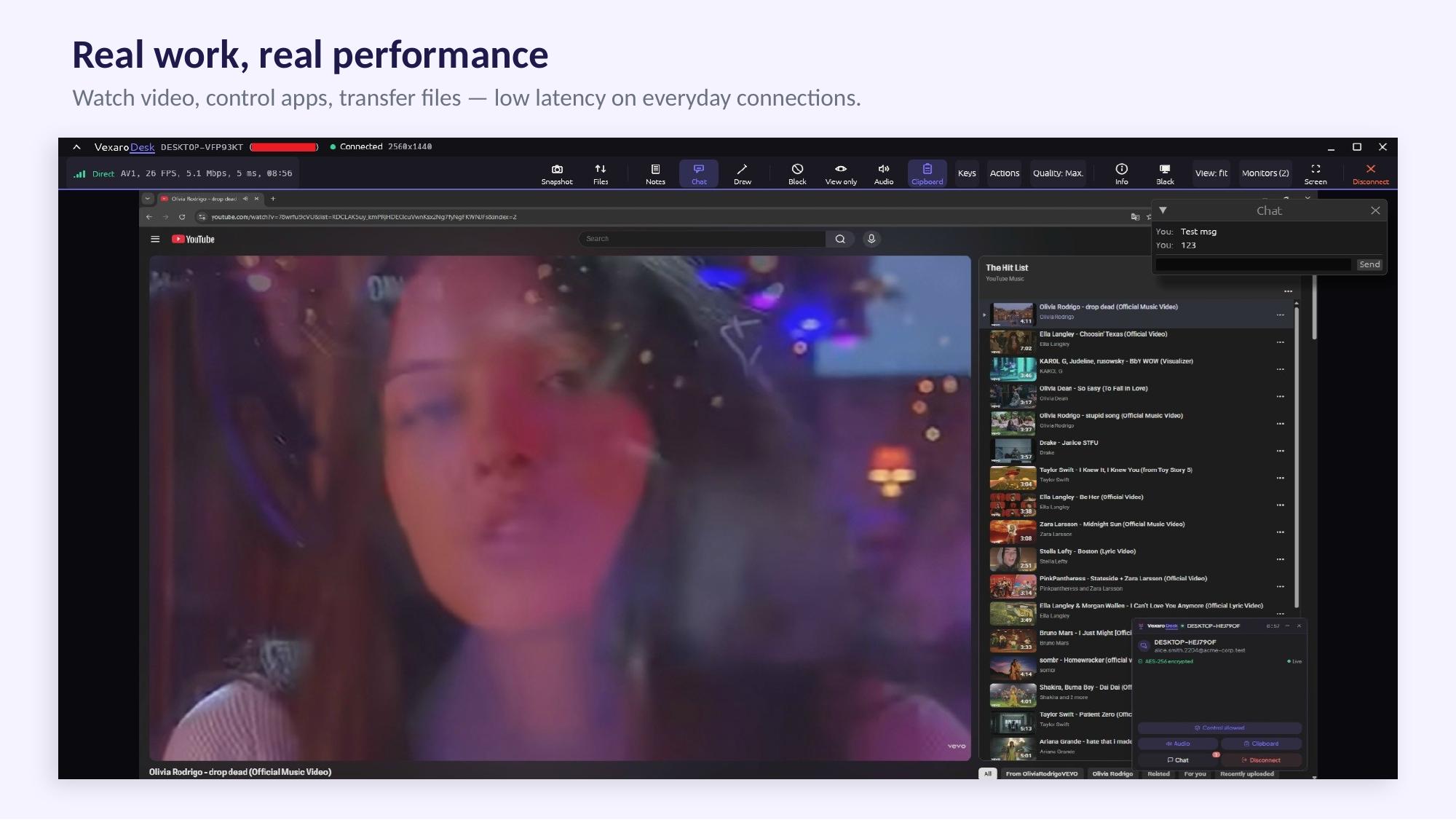
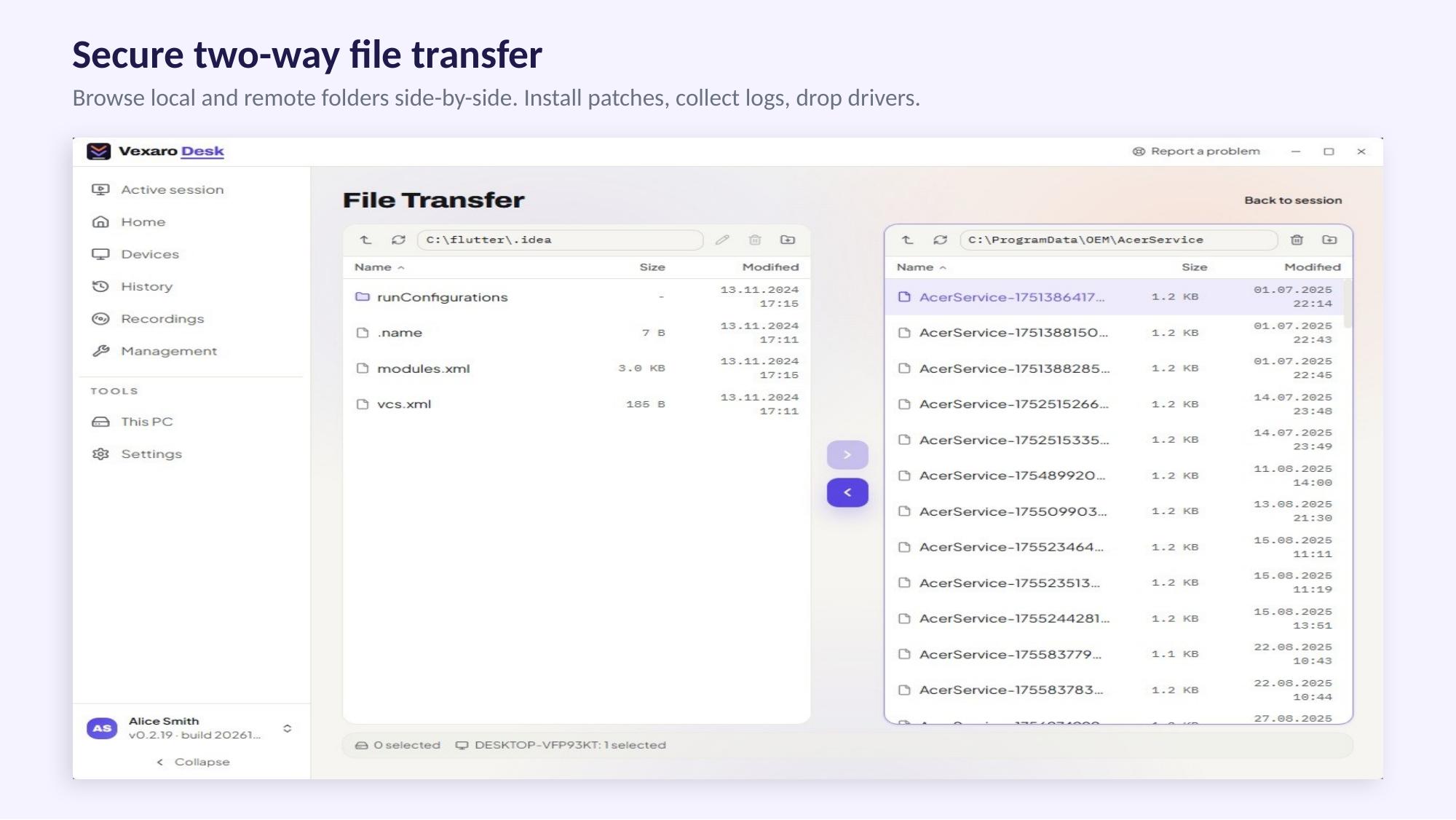
- Core Toolset: Includes full remote control, view-only modes, file transfers, in-session chat, multi-monitor navigation, and remote device reboots.
- Security & Governance: Features role-based access control, operator 2FA, granular session permissions, and advanced directory integrations (SSO, LDAP, AD).
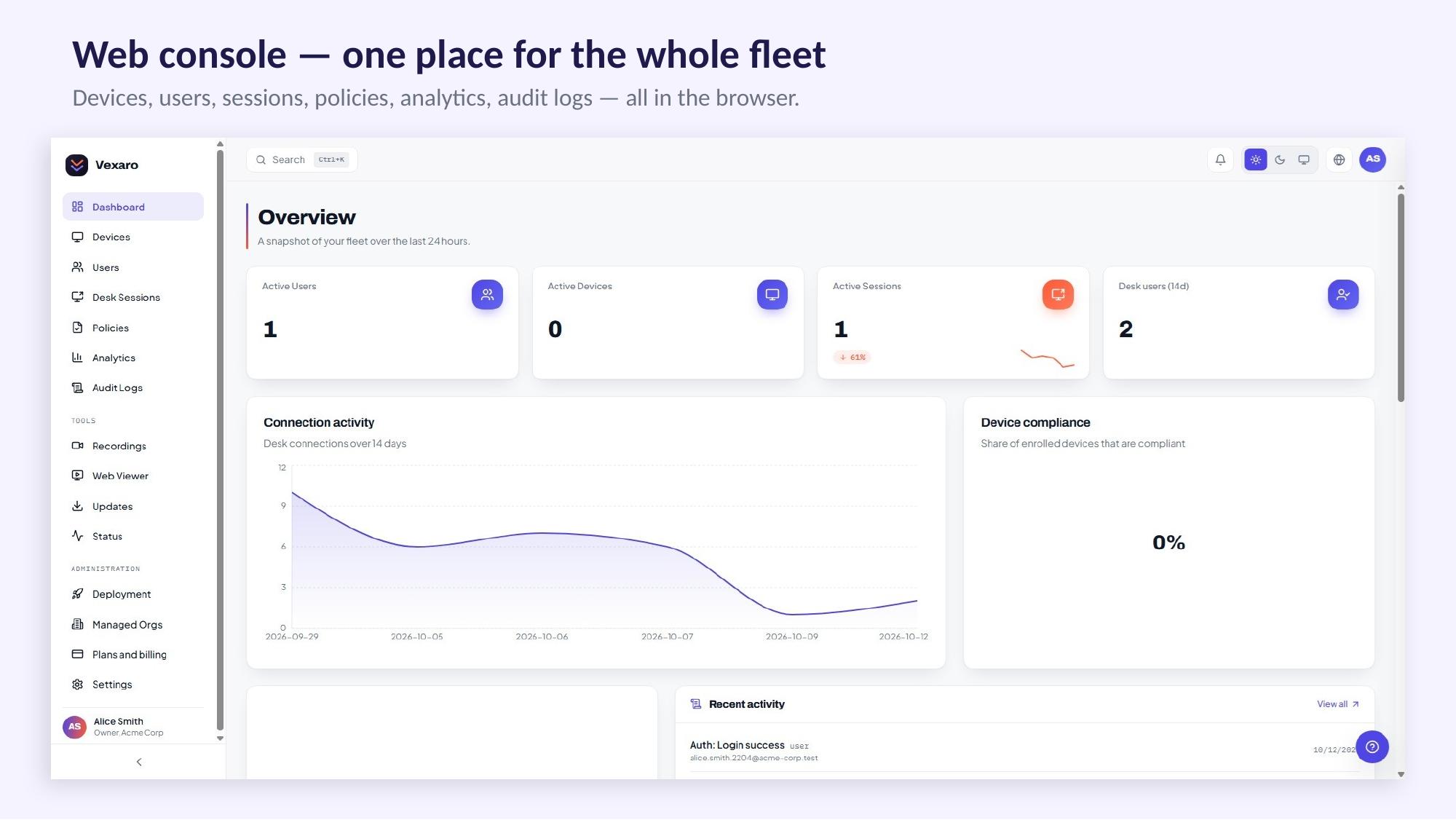
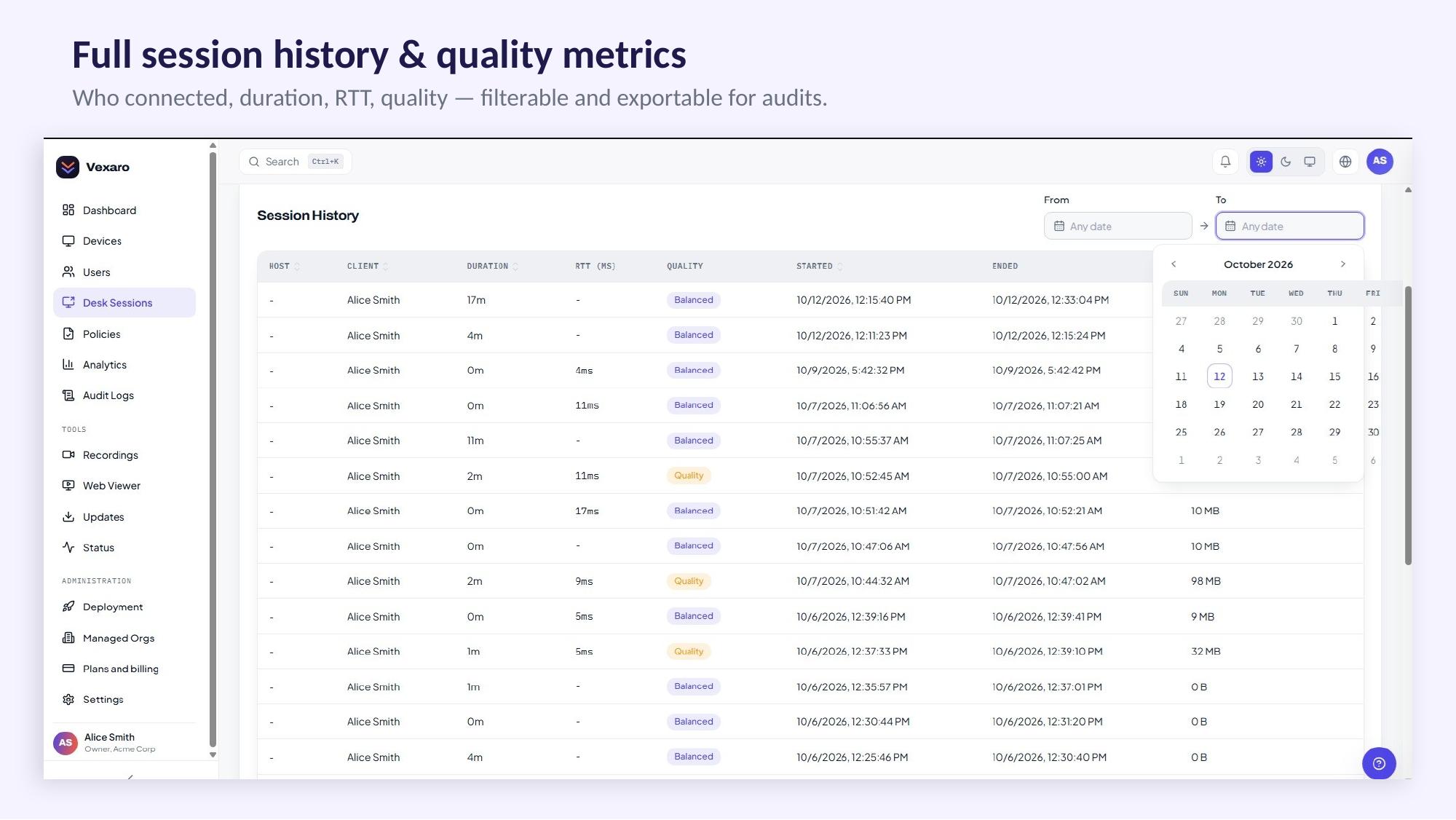
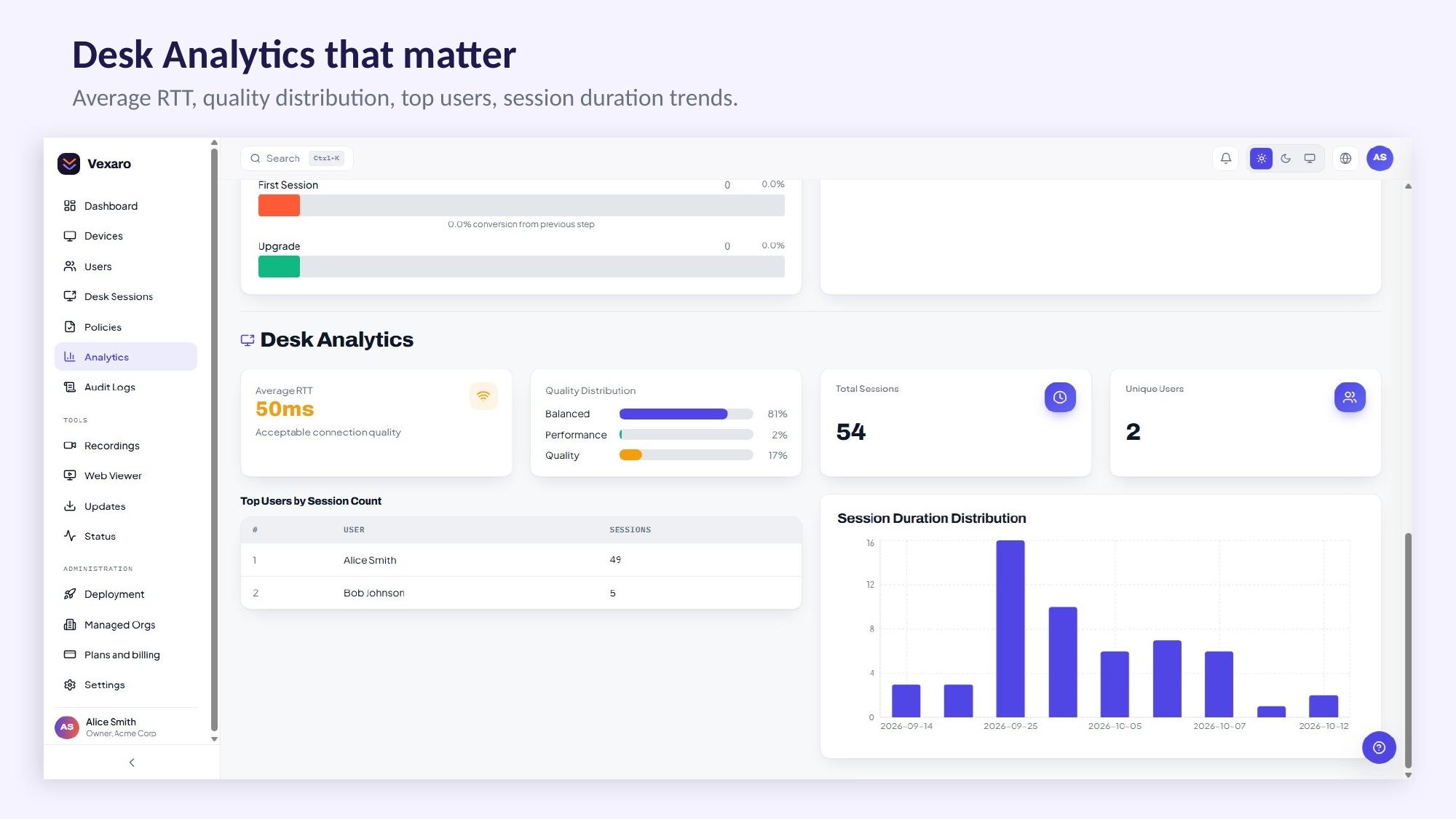
- Audit & Compliance: Offers comprehensive connection logs, exportable audit reports (CSV/PDF), SIEM integration, and session video recordings.
- Deployment Options: Available as a fully managed cloud service or as a self-hosted solution via the Enterprise plan for complete infrastructure control.
Licensing & Availability
- Pricing Model: Flat-rate monthly plans that include multiple operators and devices without per-seat overpayments. A free tier is also available.
- Platforms: Currently available for Windows, with support for macOS, Linux, and Android planned.
Features
Remote Control & Support: Full access to screens, mice, keyboards, and multi-monitor setups, plus built-in session chat and file transfers.
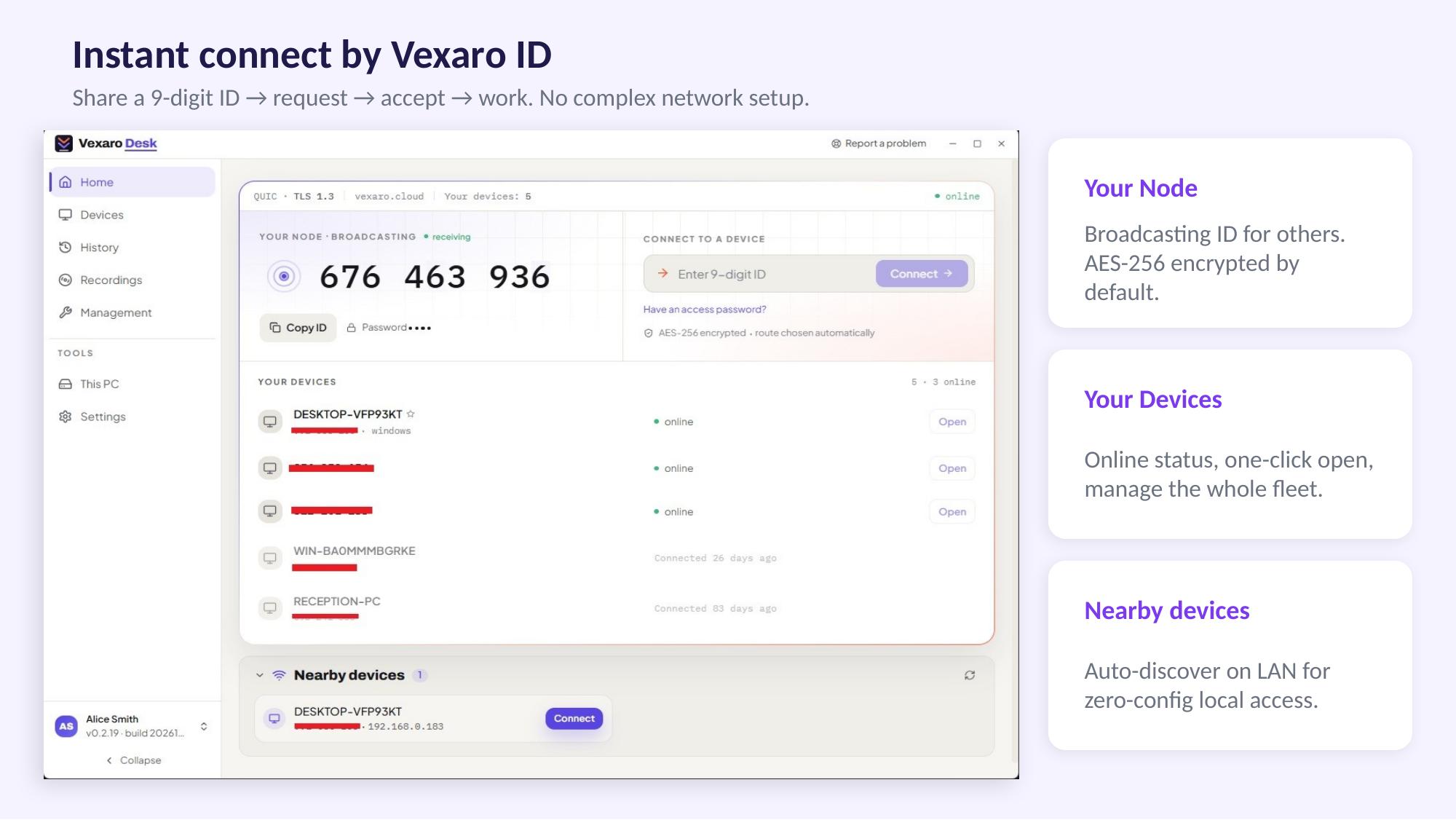
Attended & Unattended Access: Connect via Vexaro ID with user consent, or securely access unattended servers and workstations using access passwords.
Security & Access Control: Role-based permissions, 2FA for operators, customizable session rights (such as toggling file transfer controls), and SSO/directory integration.
Audit & Compliance: Detailed connection logs with CSV/PDF exports, SIEM forwarding, and video session recordings for quality control and audits.
Deployment Options: Available as a cloud service or self-hosted on your own infrastructure.
Use Cases
1. Key Use Cases by Scenario
- Attended Support by Vexaro ID: Perfect for helpdesks and customer support. The user reads out their Vexaro ID and approves the connection request, allowing the specialist to quickly diagnose and fix the issue without requiring the user to describe it in words or send screenshots.
- Unattended Access to Infrastructure: Designed for servers, office PCs, branch terminals, and POS systems. Install the agent once and connect securely using an access password whenever maintenance is needed, without requiring anyone to be physically present at the device.
- Customer Support & SaaS: Service companies and tech vendors can assist customers directly on their active machines to resolve friction points instantly and close support tickets faster.
- Branch & Distributed Office Management: Centralizes the administration of machines spread across multiple locations. Devices can be organized into address-book folders categorized by client, department, or branch.
2. Who Vexaro Desk Is For
- IT Departments & Sysadmins: Cut response times, eliminate site visits for routine branch maintenance, and retain full connection logs.
- MSPs & Outsourcing Providers: Manage multiple client organizations from a single console, keep client machines neatly separated into dedicated folders, and govern operator permissions securely.
- Security Teams: Enforce strict access control via 2FA, role-based permissions, detailed session recordings, audit log exports, and self-hosted options.

Comments

Premium Products






















































Sponsors
Buy

Makers

Makers
Comments
Premium Products
New to Fazier?

Find your next favorite product or submit your own. Made by @FalakDigital.
Copyright ©2026. All Rights Reserved