Velprove tells you whether your web app actually works, not just whether the server returned a 200.
Most uptime tools ping a URL and stop. That misses the outages that cost revenue: a broken login, a checkout that times out, an API that returns 200 with an empty body.
Four monitor types, all on the free plan
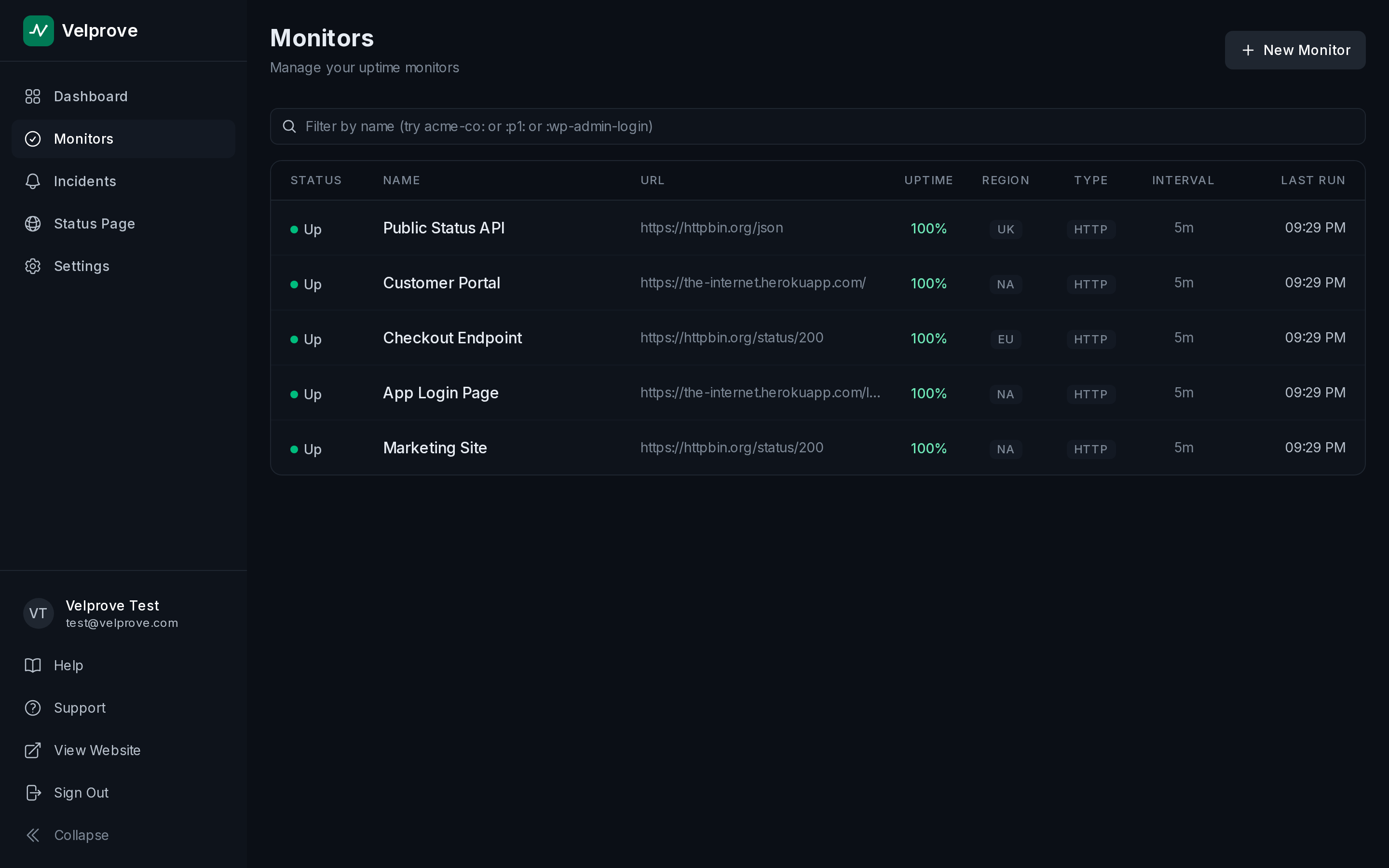
- HTTP and Ping for availability and response time.
- API monitors that assert on status code, body, headers, response time, and JSON paths.
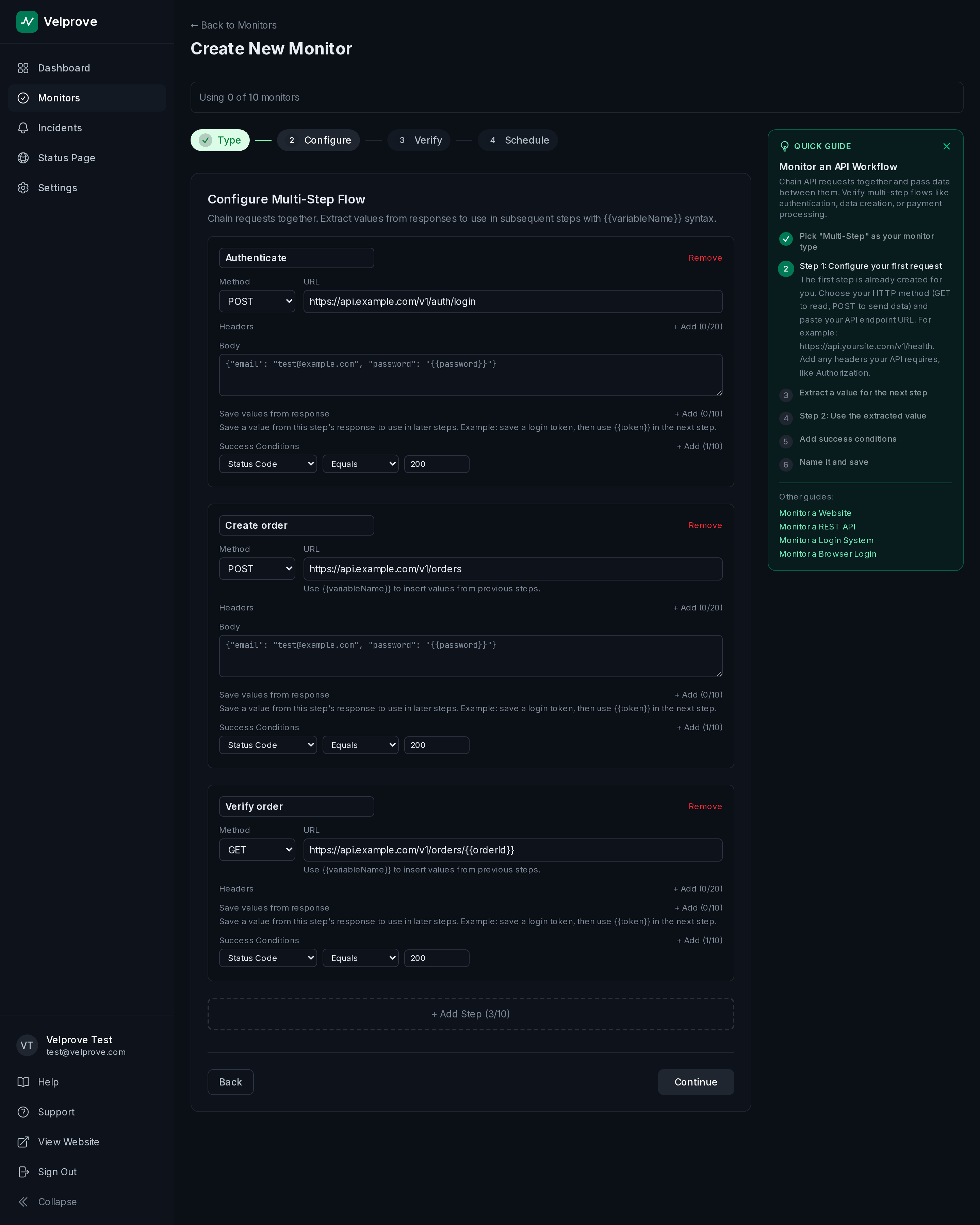
- Multi-step API monitors that chain requests to test a full workflow like auth or checkout (3 steps Free, 5 Starter, 10 Pro).
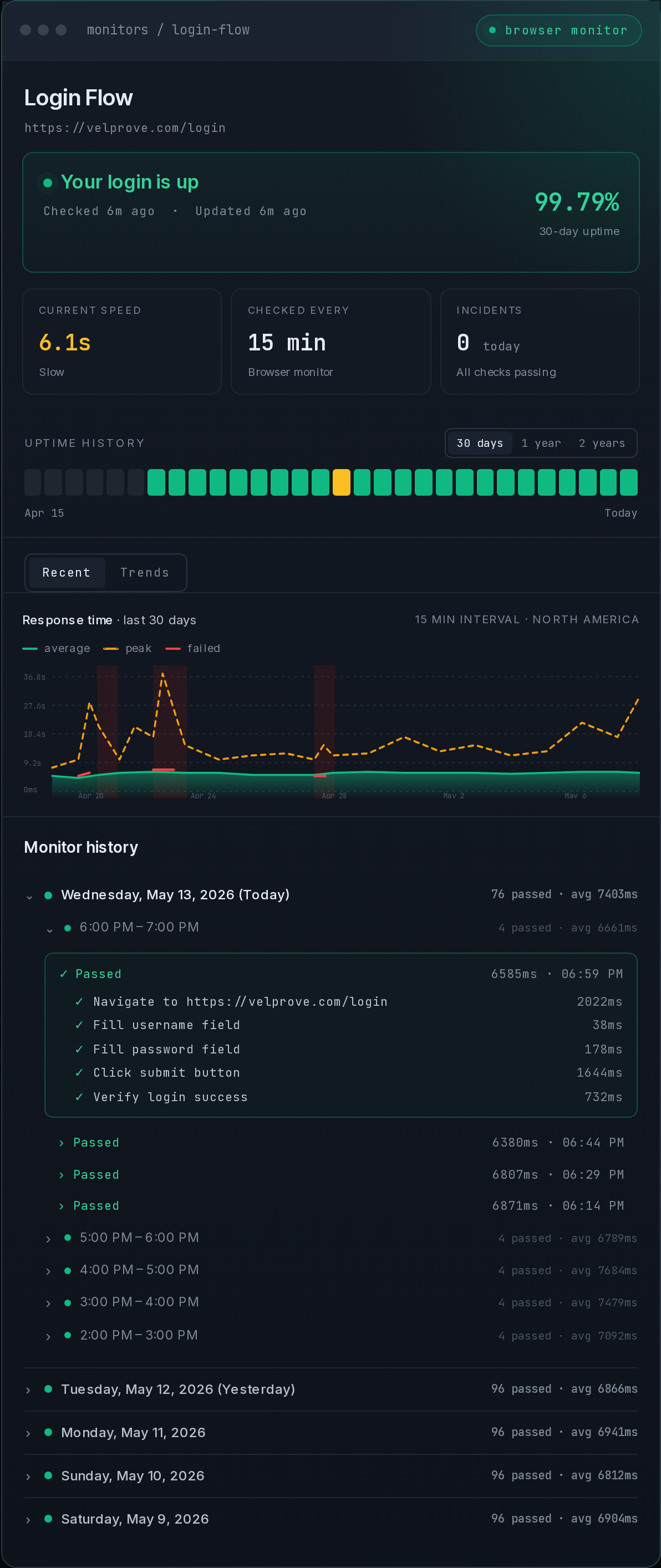
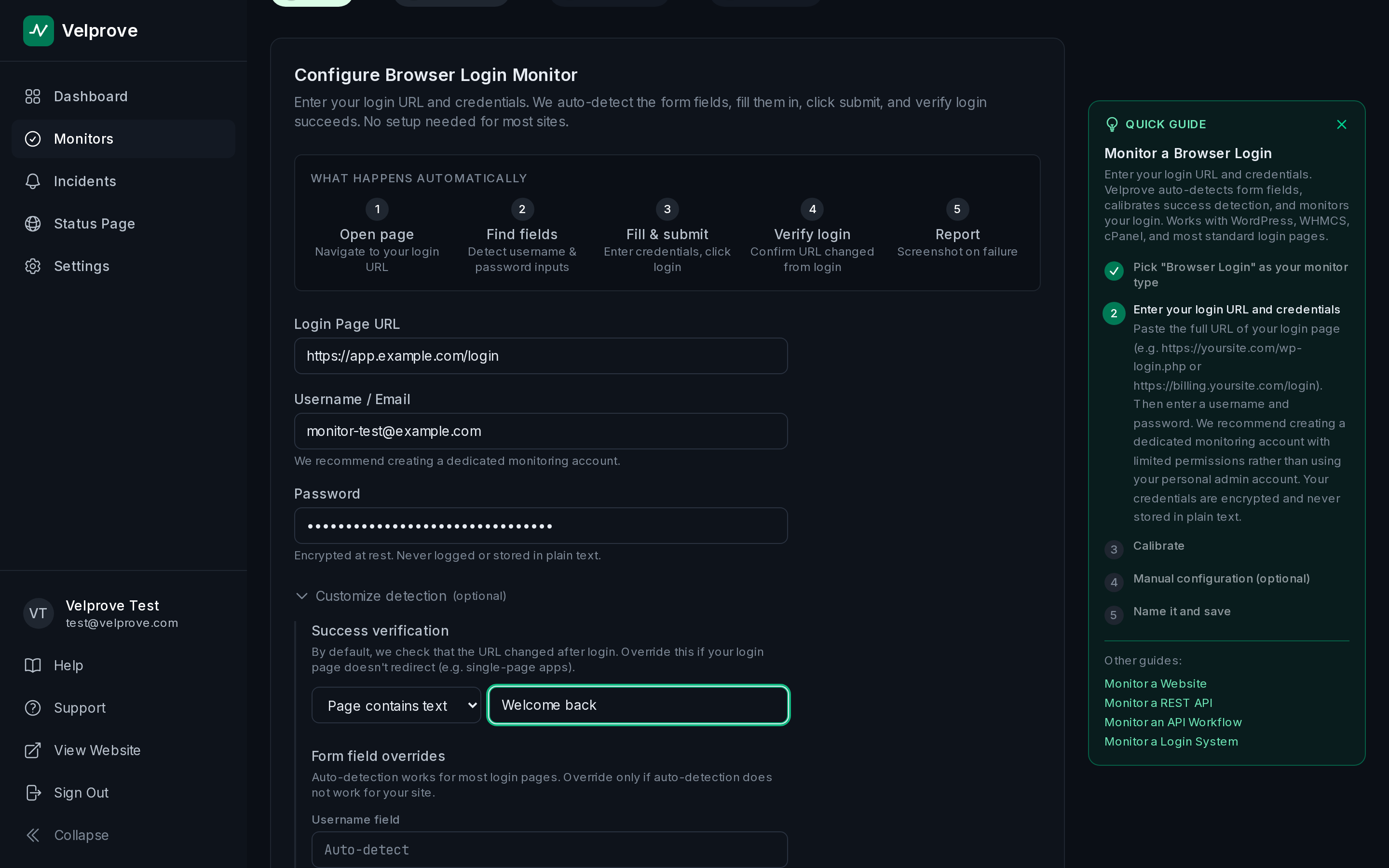
- Browser login monitors: Velprove opens a real browser, signs in, and confirms authentication succeeded, capturing a screenshot the moment it fails.
Why Velprove
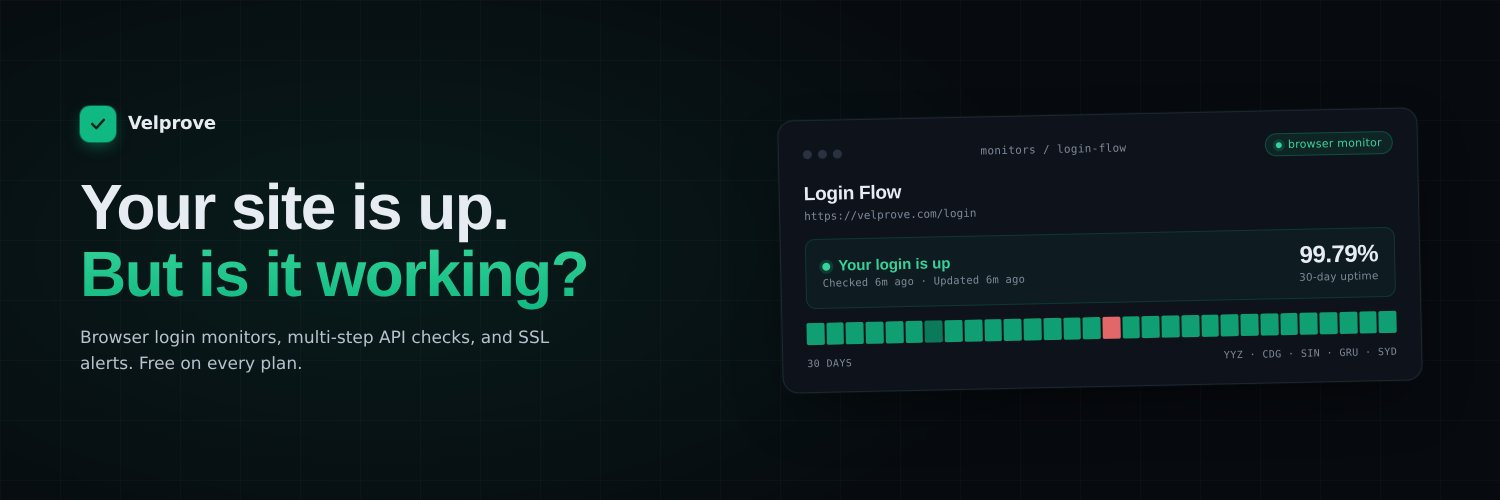
The browser login monitor is the difference. A real-browser login test available on a free plan is rare, and it catches the failures a status-code ping never sees: expired sessions, broken redirects, a login form that silently stopped working.
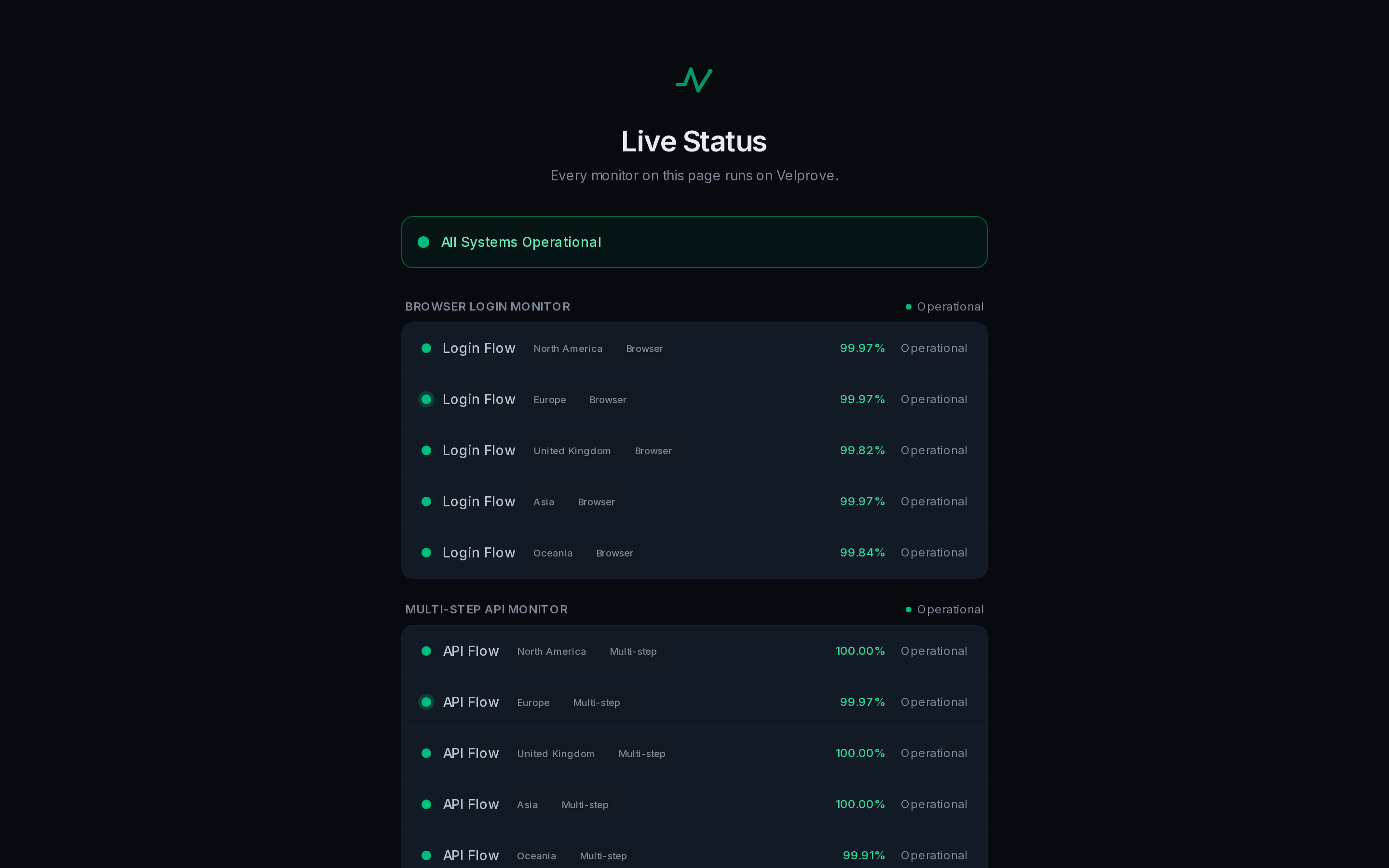
Alerts route to email, Slack, Discord, Microsoft Teams, webhooks, and PagerDuty, with a failure threshold so a single blip never wakes you. Publish public status pages, monitor from 5 global regions, and keep detailed history and trends for SLAs and postmortems.
Plans
Free $0 (10 monitors), Starter $19/mo (30), Pro $49/mo (100, custom-domain status pages, PagerDuty, priority support). No credit card required, and the free plan never expires.
Built for solo founders, small SaaS teams, DevOps, and agencies running revenue-critical sites and APIs.
Features
- Browser login monitor: drives a real browser through your sign-in page and asserts on what authenticated users see (the killer feature)
- HTTP monitor: status code + body assertions for marketing pages, content sites, and basic uptime
- API monitor: JSON path assertions, header checks, response time budgets for API endpoints
- Multi-step API monitor: chain HTTP calls together with response extraction between steps (3 free, 5 Starter, 10 Pro)
- Pick from 5 monitoring regions on every plan (NA, EU, UK, Asia, Oceania)
- Failure screenshots show what the monitor saw when it flagged (1 Free, 5 Starter, 30 Pro)
- SSL certificate expiry alerts included on every plan
- Public status pages with custom logo (1 Free, 3 Starter, 10 Pro with custom domain)
- Alert channels: email (every plan), Slack, Discord, webhook, Microsoft Teams (Starter and above), PagerDuty (Pro)
- Commercial use allowed on the Free plan, no credit card
Use Cases
- SaaS apps: monitor login flows, API endpoints, and dashboards with browser login monitors. Catch auth failures before users do.
- REST APIs: validate responses with JSON path assertions and chain multi-step auth flows (OAuth, JWT refresh, API workflows).
- WordPress sites: monitor wp-admin login with a browser login monitor. Catch plugin conflicts, PHP errors, and broken authentication instantly.
- WooCommerce stores: catch broken checkout flows, payment gateway failures, and plugin conflicts before customers do.
- Shopify stores: monitor product pages, checkout, and admin login. Catch silent failures the Shopify status page will not tell you about.
- WHMCS hosting portals: watch client portal login for PHP update failures, module conflicts, and broken authentication.
- Agencies: up to 10 branded client status pages on Pro, real-user monitoring for 10+ client sites on one plan.
- Third-party dependency monitoring: watch Stripe, SendGrid, OpenAI, GitHub API health from your own app's perspective, not the vendor's status page.

Comments




I kept getting alerts that said my app was "up" while customers were emailing me about broken logins. Most uptime tools were happily polling a 200 OK and reporting green, even when the page was throwing a JS error, serving a stale cached response, or rejecting every login attempt with "invalid credentials." So I built Velprove around the thing that actually matters: a real browser that signs in like a user, completes the workflow, and verifies what an authenticated session actually sees. Not a 200 OK proxy. The free plan exists because that's the plan I would have needed when I started. 10 monitors including a browser login monitor, commercial use allowed, no credit card required. It's the same plan I run parts of my own production on. Would genuinely love feedback on what's still missing. I read every comment.

Velprove solves a real monitoring gap by checking whether the app actually works for users, not just whether an endpoint returns 200. The browser login monitor is the standout feature here, especially since offering real-browser auth checks on a free plan is pretty rare. I also like that it combines practical alerting, multi-step workflow checks, and public status pages, which makes it useful for small SaaS teams that need solid coverage without a lot of setup.
The approach of simulating a real user login instead of just pinging a URL is a genuinely clever distinction. Most outage alerts I've seen fire too late — after a customer already hit a broken checkout or a timed-out session. Having the failure screenshot automatically captured is particularly valuable for postmortems since you can see exactly what broke rather than just knowing something did. Curious whether you plan to support multi-factor auth flows in browser monitors down the road?
Premium Products





































Sponsors
Buy
Makers
Makers
Comments
I kept getting alerts that said my app was "up" while customers were emailing me about broken logins. Most uptime tools were happily polling a 200 OK and reporting green, even when the page was throwing a JS error, serving a stale cached response, or rejecting every login attempt with "invalid credentials." So I built Velprove around the thing that actually matters: a real browser that signs in like a user, completes the workflow, and verifies what an authenticated session actually sees. Not a 200 OK proxy. The free plan exists because that's the plan I would have needed when I started. 10 monitors including a browser login monitor, commercial use allowed, no credit card required. It's the same plan I run parts of my own production on. Would genuinely love feedback on what's still missing. I read every comment.
Velprove solves a real monitoring gap by checking whether the app actually works for users, not just whether an endpoint returns 200. The browser login monitor is the standout feature here, especially since offering real-browser auth checks on a free plan is pretty rare. I also like that it combines practical alerting, multi-step workflow checks, and public status pages, which makes it useful for small SaaS teams that need solid coverage without a lot of setup.
The approach of simulating a real user login instead of just pinging a URL is a genuinely clever distinction. Most outage alerts I've seen fire too late — after a customer already hit a broken checkout or a timed-out session. Having the failure screenshot automatically captured is particularly valuable for postmortems since you can see exactly what broke rather than just knowing something did. Curious whether you plan to support multi-factor auth flows in browser monitors down the road?
Premium Products
New to Fazier?

Find your next favorite product or submit your own. Made by @FalakDigital.
Copyright ©2026. All Rights Reserved