
VaultShield
Encrypted photo & video vault for iPhone. No account needed
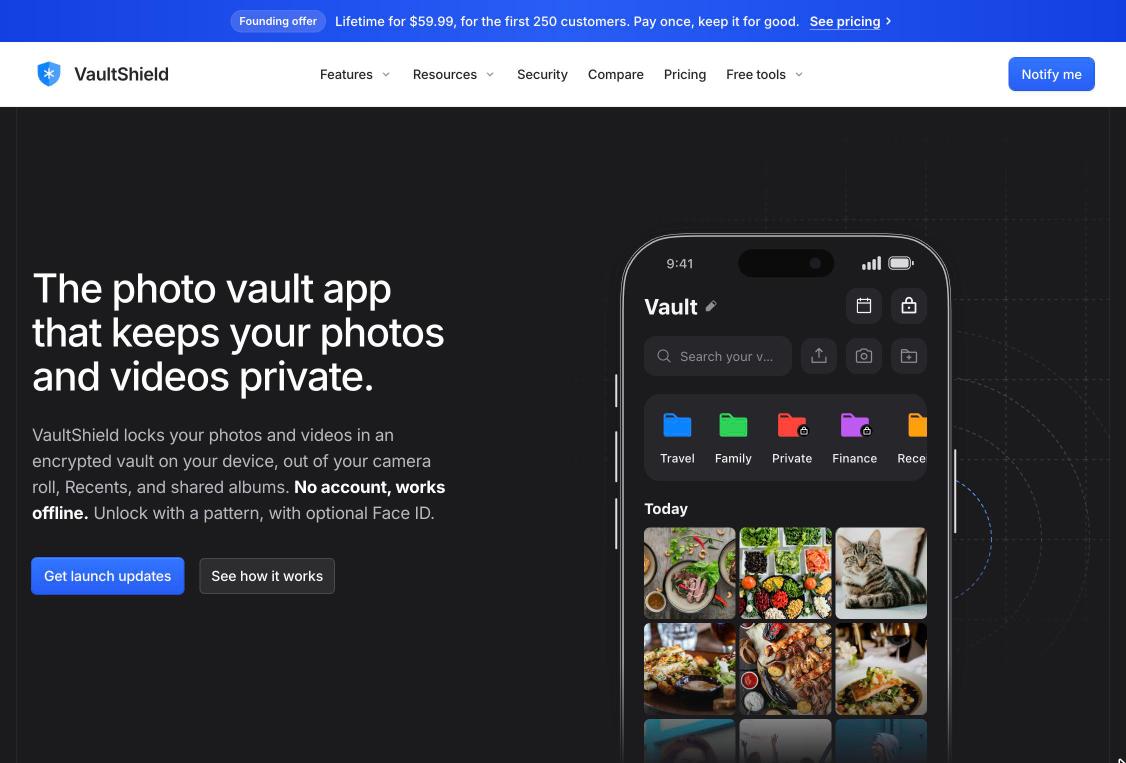
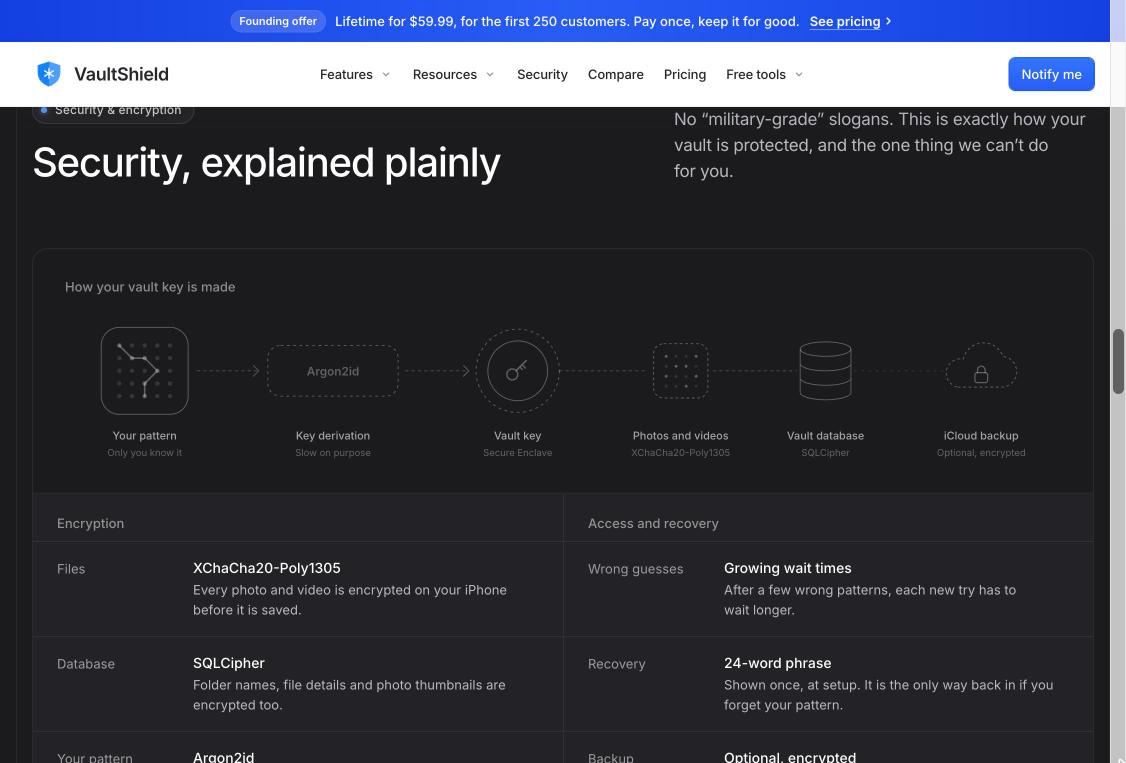
VaultShield is a private photo and video vault for iPhone and iPad. It encrypts your photos, videos and documents on your device and keeps them out of your camera roll, Recents and shared albums. There's no account to create, it works fully offline, and you unlock it with a pattern, with optional Face ID on top. Security is explained plainly, not with slogans: files are encrypted with XChaCha20-Poly1305, your pattern is turned into a key with Argon2id, and that key is protected by the iPhone's Secure Enclave.
Features
- On-device encryption (XChaCha20-Poly1305, Argon2id, Secure Enclave)
- No account, works fully offline
- Pattern unlock with optional Face ID; locks the moment you leave
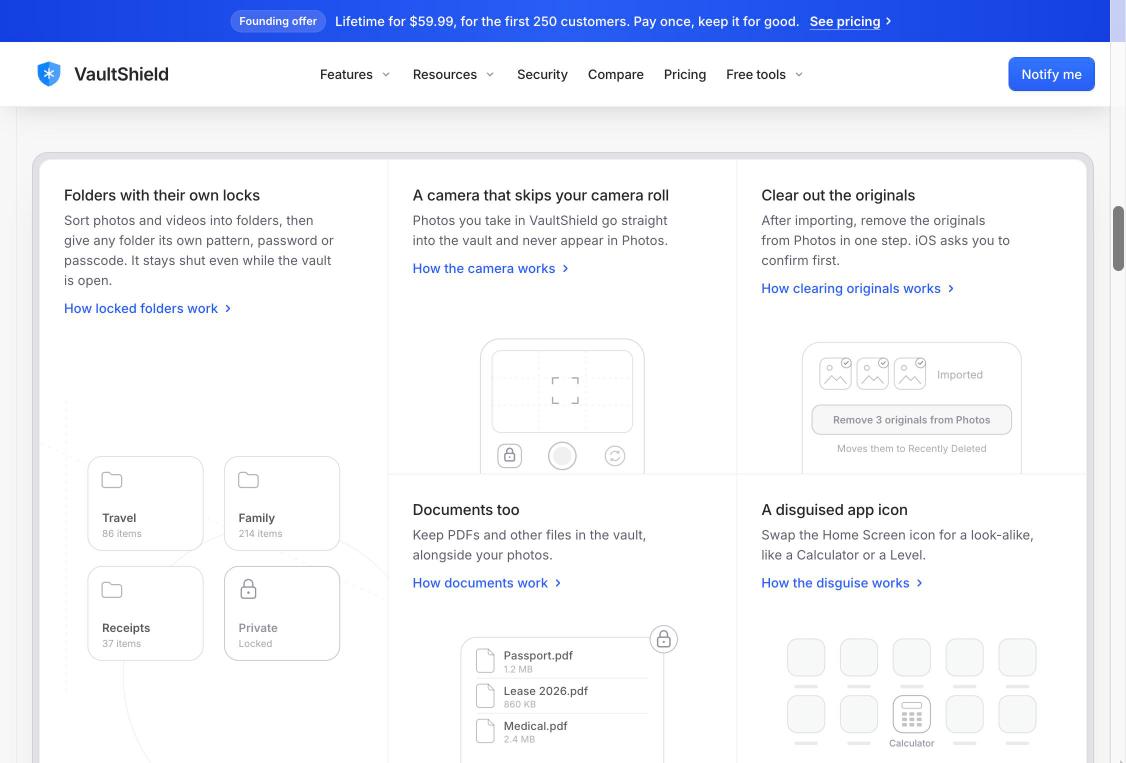
- Folders with their own pattern, password or passcode
- In-app camera that never saves to your camera roll
- Remove originals from Photos in one step
- Store PDFs and documents alongside photos
- Disguised Home Screen icon (e.g. Calculator)
- VaultShare to share a vault with someone you trust
- Optional encrypted iCloud backup and 24-word recovery phrase
Use Cases
- Keep personal photos and videos out of your camera roll when you hand someone your phone
- Store ID scans, passports, receipts and medical PDFs securely
- Share a private family vault with people you trust
- Take private photos that never touch Photos or iCloud Photos
- A more secure alternative to the iPhone Hidden album

Comments


Hi Fazier! I'm Sam, the maker of VaultShield. I built it because most photo vault apps ask you to trust them with your most private photos, then hide behind "military-grade encryption" slogans, ask you to create an account, or push your files to their own servers. VaultShield takes a different approach: - No account and no VaultShield server. Your vault lives on your iPhone and works fully offline. - Every photo and video is encrypted on-device with XChaCha20-Poly1305, your pattern is turned into a key with Argon2id, and that key is protected by the Secure Enclave. - Your pattern is always required, with Face ID as an optional extra step, and the vault locks the moment you leave the app. - Folders can have their own locks, the in-app camera never touches your camera roll, and encrypted iCloud backup is there only if you want it. We also explain exactly how the security works on our site, including the one thing we can't do: if you lose both your pattern and your 24-word recovery phrase, nobody can open your vault, including us. VaultShield is built for iPhone and iPad, and I'd love your feedback: what would make you trust a photo vault app, and what's missing from the ones you've tried?
Premium Products






















































Sponsors
Buy

Makers
Makers
Comments
Hi Fazier! I'm Sam, the maker of VaultShield. I built it because most photo vault apps ask you to trust them with your most private photos, then hide behind "military-grade encryption" slogans, ask you to create an account, or push your files to their own servers. VaultShield takes a different approach: - No account and no VaultShield server. Your vault lives on your iPhone and works fully offline. - Every photo and video is encrypted on-device with XChaCha20-Poly1305, your pattern is turned into a key with Argon2id, and that key is protected by the Secure Enclave. - Your pattern is always required, with Face ID as an optional extra step, and the vault locks the moment you leave the app. - Folders can have their own locks, the in-app camera never touches your camera roll, and encrypted iCloud backup is there only if you want it. We also explain exactly how the security works on our site, including the one thing we can't do: if you lose both your pattern and your 24-word recovery phrase, nobody can open your vault, including us. VaultShield is built for iPhone and iPad, and I'd love your feedback: what would make you trust a photo vault app, and what's missing from the ones you've tried?
Premium Products
New to Fazier?

Find your next favorite product or submit your own. Made by @FalakDigital.
Copyright ©2026. All Rights Reserved