
Utilly Receipt & Invoice Extractor
Receipts and invoices to CSV, QuickBooks and Xero bills
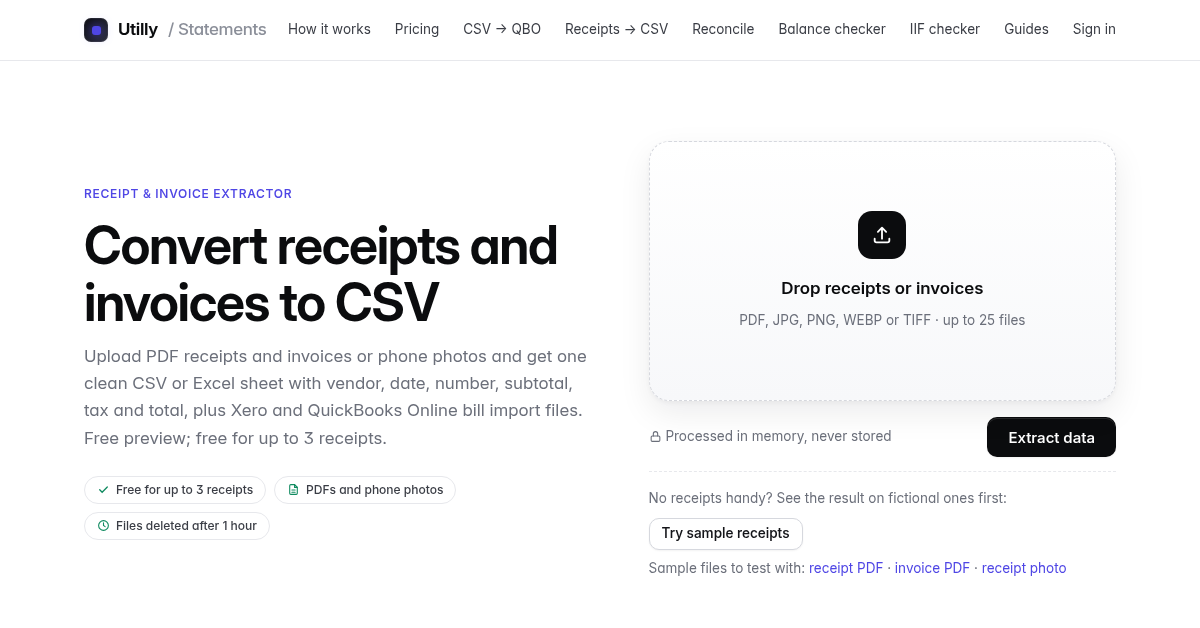
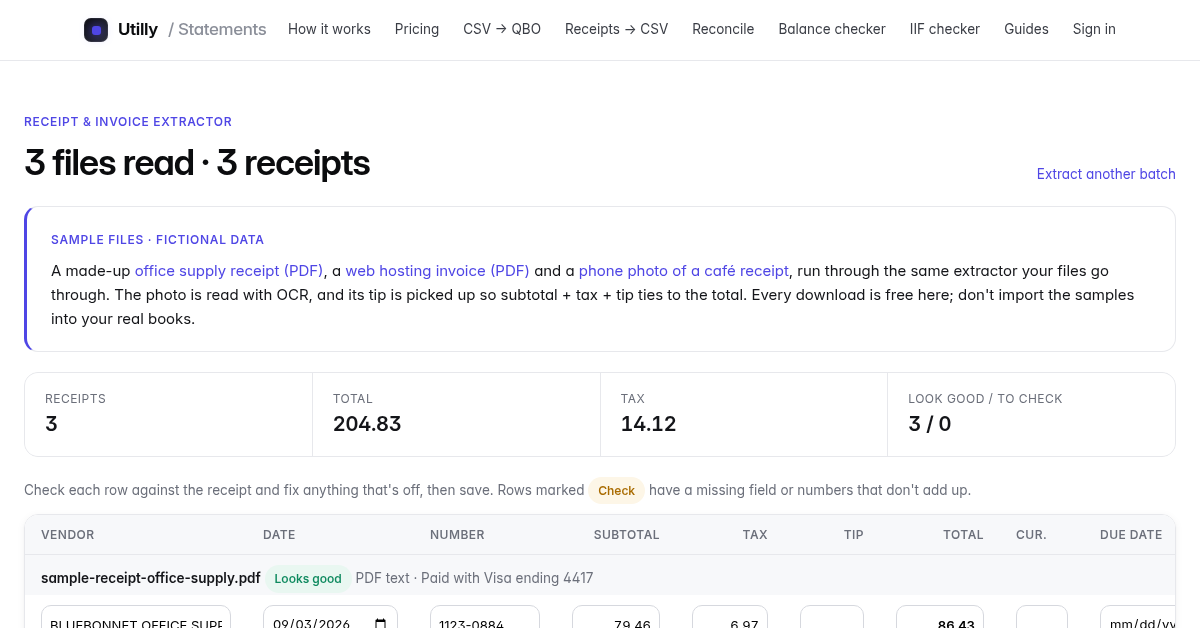
Upload up to 25 PDF receipts, invoices or phone photos. Utilly reads the vendor, date, receipt or invoice number, subtotal, tax, tip and total. Text PDFs are read directly; photos and scans go through open-source OCR on our server. You see every receipt in an editable table, with any receipt whose numbers don't add up flagged, and you fix anything before downloading. Downloads:
- CSV
- Excel
- Xero's 26-column bill import template, with unique invoice numbers, your account code and tax rate, and US or UK/AU/NZ date order
- a QuickBooks Online bill import file
Files are processed in memory and deleted within an hour. The preview is free with no sign-up, and batches of up to 3 receipts download free.

Features
- PDF, JPG, PNG, WEBP and TIFF receipts and invoices, up to 25 per batch
- Vendor, date, number, subtotal, tax, tip, total and payment card
- Editable results with "check" flags
- CSV, Excel, Xero bills and QuickBooks Online bills
- Free sample files to try first
Use Cases
- Bookkeepers catching up a client's shoebox of receipts
- Importing supplier bills into Xero or QuickBooks without typing
- Expense reports from phone photos

Comments

Hi! Utilly started as a bank statement converter for bookkeepers. Receipts and supplier invoices are the other pile of paper they deal with, so this tool reads PDFs and phone photos, shows every field so you can fix anything before export, and writes files that Xero's and QuickBooks Online's bill importers accept. There's a set of sample receipts on the page if you want to see the output without uploading anything. Feedback on receipts it gets wrong is very welcome.

This is a very practical bookkeeping tool — the part I value most is that it flags receipts whose numbers do not add up and lets you fix them in an editable table before exporting, rather than silently producing a bad CSV. Direct Xero and QuickBooks bill exports, plus processing files in memory and deleting them within an hour, make it credible for client work. How does the OCR cope with crumpled or faint phone photos of receipts, and is there a way to save a supplier's account code for repeat invoices?
The editable review table with math-flagged receipts is the right design, extraction tools that silently guess wrong on tax versus tip are worse than typing it in by hand. Processing in memory with one-hour deletion is also a good answer to the obvious privacy question with financial documents. Does the Xero template handle multi-currency receipts, or does a batch need to be single-currency?

The math-check flag is the detail that makes this genuinely useful for bookkeeping — most extractors silently pass through a wrong total, and catching a receipt whose numbers don't add up before it lands in Xero saves a painful reconciliation later. The Xero 26-column template with the UK/AU/NZ date order option is also a thoughtful touch for non-US users. One question: does the OCR handle handwritten totals on phone photos, or is it mainly printed receipts?



Hello Sir, Struggling to connect email addresses to LinkedIn profiles? Email-to-LinkedIn is the cheapest tool to bulk-check your email lists and grab live LinkedIn profile links in seconds. ✅ Bulk email → LinkedIn URL lookup. ✅ Live/dead LinkedIn account checker. ✅ Built for lead gen, sales prospecting & contact enrichment. Stop wasting time on manual searches. Try it now and start reaching the right people faster. Reach us at: [email protected] It’s on GitHub here: https://github.com/masummuntaha/Email-to-LinkedIn Thank You.

The editable table with the math-check flags is the part I'd actually trust for client work. A practical question about the Xero output: since the bill import CSV can't carry attachments, is there a way to keep the original receipt image linked to each bill? Auditors usually want the source document next to the entry. A ZIP with files renamed to match the invoice number column would already help a lot. Also, does a single receipt with two tax rates (e.g. food and alcohol) get split into two lines?
Premium Products









































Sponsors
Buy
Makers
Makers
Comments
Hi! Utilly started as a bank statement converter for bookkeepers. Receipts and supplier invoices are the other pile of paper they deal with, so this tool reads PDFs and phone photos, shows every field so you can fix anything before export, and writes files that Xero's and QuickBooks Online's bill importers accept. There's a set of sample receipts on the page if you want to see the output without uploading anything. Feedback on receipts it gets wrong is very welcome.
This is a very practical bookkeeping tool — the part I value most is that it flags receipts whose numbers do not add up and lets you fix them in an editable table before exporting, rather than silently producing a bad CSV. Direct Xero and QuickBooks bill exports, plus processing files in memory and deleting them within an hour, make it credible for client work. How does the OCR cope with crumpled or faint phone photos of receipts, and is there a way to save a supplier's account code for repeat invoices?
The editable review table with math-flagged receipts is the right design, extraction tools that silently guess wrong on tax versus tip are worse than typing it in by hand. Processing in memory with one-hour deletion is also a good answer to the obvious privacy question with financial documents. Does the Xero template handle multi-currency receipts, or does a batch need to be single-currency?
The math-check flag is the detail that makes this genuinely useful for bookkeeping — most extractors silently pass through a wrong total, and catching a receipt whose numbers don't add up before it lands in Xero saves a painful reconciliation later. The Xero 26-column template with the UK/AU/NZ date order option is also a thoughtful touch for non-US users. One question: does the OCR handle handwritten totals on phone photos, or is it mainly printed receipts?
Hello Sir, Struggling to connect email addresses to LinkedIn profiles? Email-to-LinkedIn is the cheapest tool to bulk-check your email lists and grab live LinkedIn profile links in seconds. ✅ Bulk email → LinkedIn URL lookup. ✅ Live/dead LinkedIn account checker. ✅ Built for lead gen, sales prospecting & contact enrichment. Stop wasting time on manual searches. Try it now and start reaching the right people faster. Reach us at: [email protected] It’s on GitHub here: https://github.com/masummuntaha/Email-to-LinkedIn Thank You.
The editable table with the math-check flags is the part I'd actually trust for client work. A practical question about the Xero output: since the bill import CSV can't carry attachments, is there a way to keep the original receipt image linked to each bill? Auditors usually want the source document next to the entry. A ZIP with files renamed to match the invoice number column would already help a lot. Also, does a single receipt with two tax rates (e.g. food and alcohol) get split into two lines?
Premium Products
New to Fazier?

Find your next favorite product or submit your own. Made by @FalakDigital.
Copyright ©2026. All Rights Reserved