
Tymepath
Turn a spreadsheet into a timeline slide, no signup
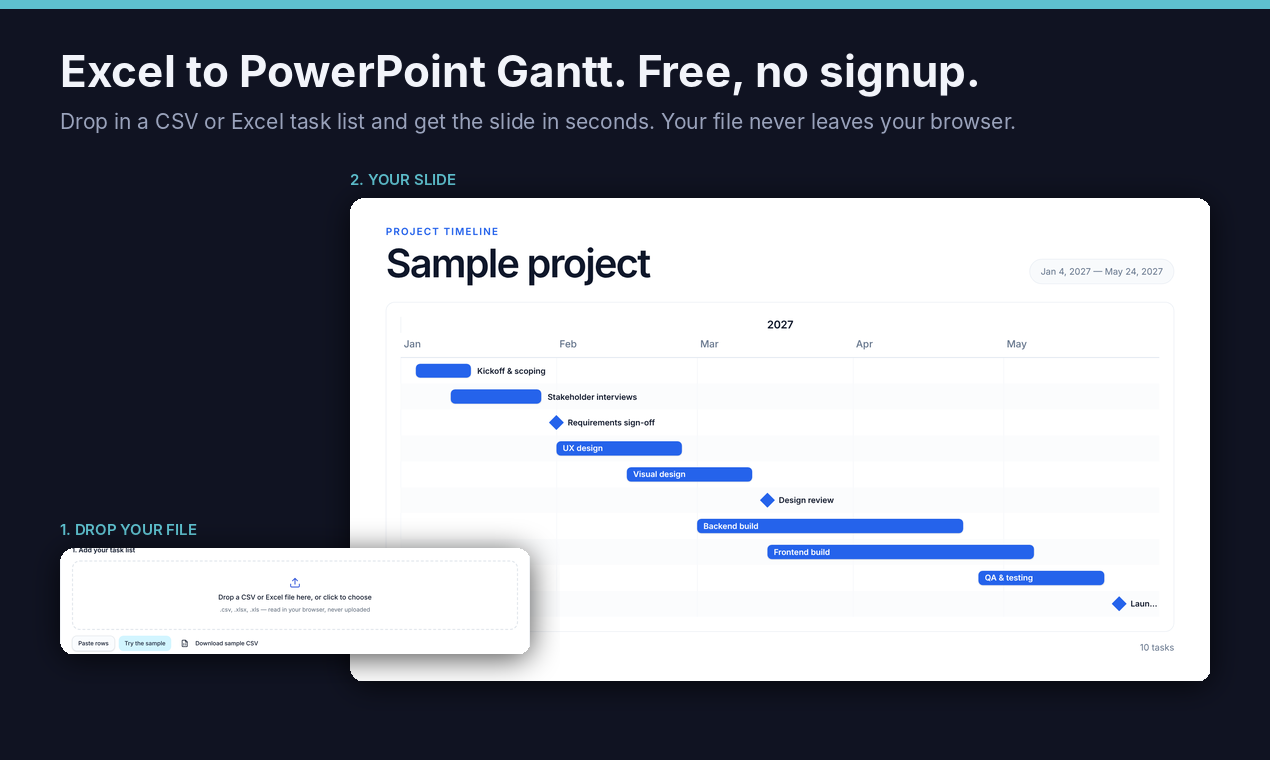
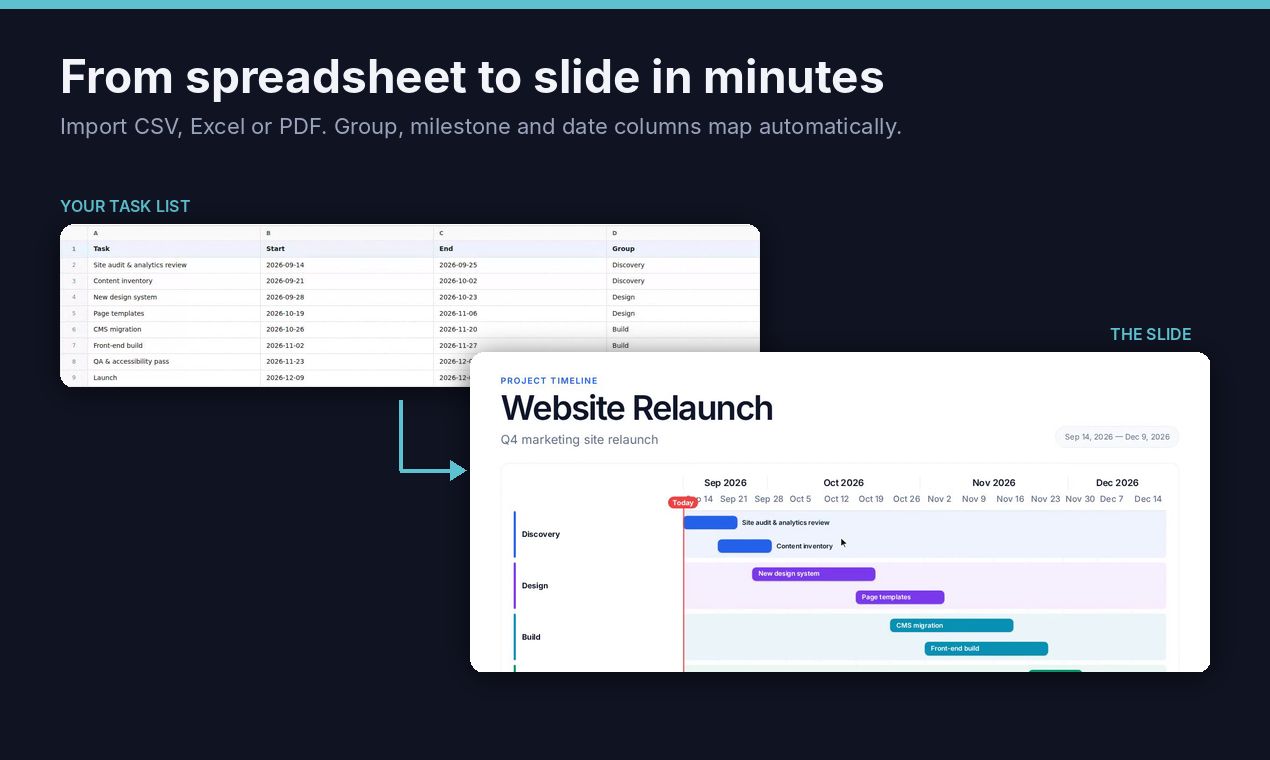
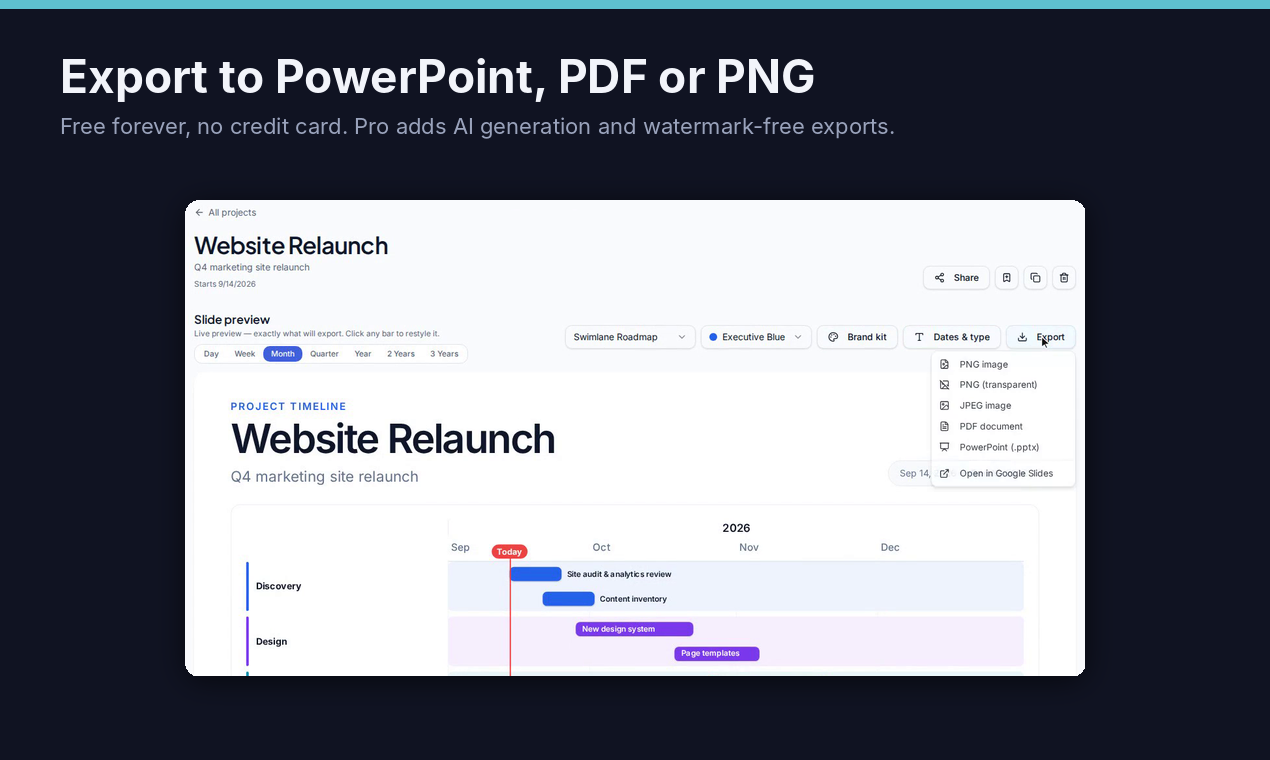
Tymepath turns a spreadsheet into a timeline slide. Drop a CSV or Excel task list into the free converter, pick a style across Gantt, swimlane, milestone, roadmap and calendar layouts, and download it as PNG or PowerPoint (.pptx). No account needed, and your file is read in your browser, never uploaded. Free downloads carry a small watermark. One honest note: the PowerPoint file contains the slide as a high-resolution image, not editable shapes. Sign up free to save and edit timelines in the full app, or go Pro for AI generation from messy notes, multi-project timelines, a brand kit and watermark-free exports.
Features
- Drop in a CSV or Excel task list, or try the built-in sample
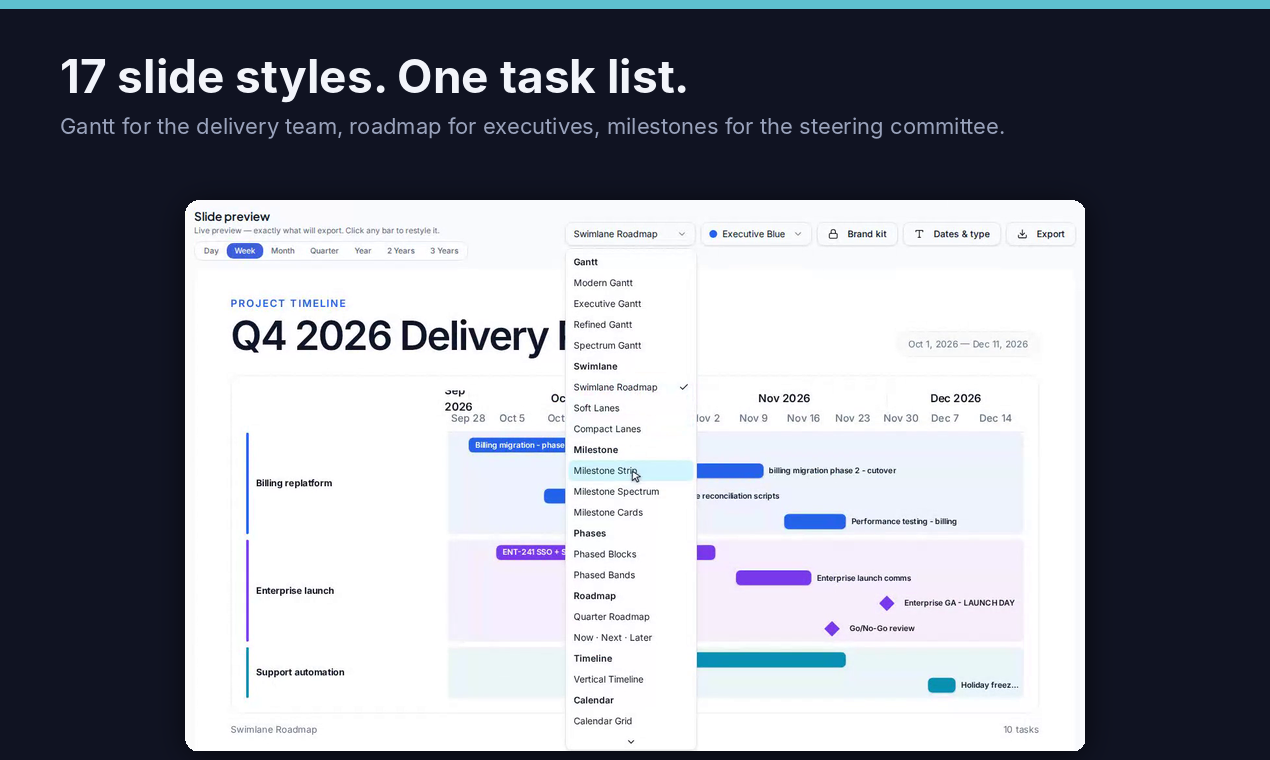
- Pick a layout: Gantt, swimlane, milestone, roadmap or calendar
- Download as PNG or PowerPoint (.pptx)
- Runs in your browser; the file is never uploaded
- No account needed to make and download a slide
- Free account to save and edit timelines later
Use Cases
- Turn a project plan into a timeline slide for a steering committee
- Show the same plan as a roadmap for executives and a Gantt for the delivery team
- Re-export the slide in seconds when a date slips
- Add a clean timeline to a client status deck

Comments

Hi Fazier! Tymepath started with a familiar chore in project work: the plan lives in a spreadsheet, leadership wants a slide, and every slipped date means redrawing it. The free converter is the part you can use in ten seconds: drop a CSV or Excel task list into the page and the timeline slide draws itself. No account, and the file is read in your browser, never uploaded. Pick Gantt, swimlane, milestone, roadmap or calendar, then download PNG or PowerPoint. One honest note: the PowerPoint file holds the slide as a high-resolution image, not editable shapes. If editable shapes would change whether you'd use this, please tell us. We'd love blunt feedback, especially on which layout you need for a steering committee that isn't there yet.
Premium Products






















































Sponsors
Buy

Makers
Makers
Comments
Hi Fazier! Tymepath started with a familiar chore in project work: the plan lives in a spreadsheet, leadership wants a slide, and every slipped date means redrawing it. The free converter is the part you can use in ten seconds: drop a CSV or Excel task list into the page and the timeline slide draws itself. No account, and the file is read in your browser, never uploaded. Pick Gantt, swimlane, milestone, roadmap or calendar, then download PNG or PowerPoint. One honest note: the PowerPoint file holds the slide as a high-resolution image, not editable shapes. If editable shapes would change whether you'd use this, please tell us. We'd love blunt feedback, especially on which layout you need for a steering committee that isn't there yet.
Premium Products
New to Fazier?

Find your next favorite product or submit your own. Made by @FalakDigital.
Copyright ©2026. All Rights Reserved