
TwitterViewer.app
TwitterViewer.app
Free Twitter viewer: read X without an account
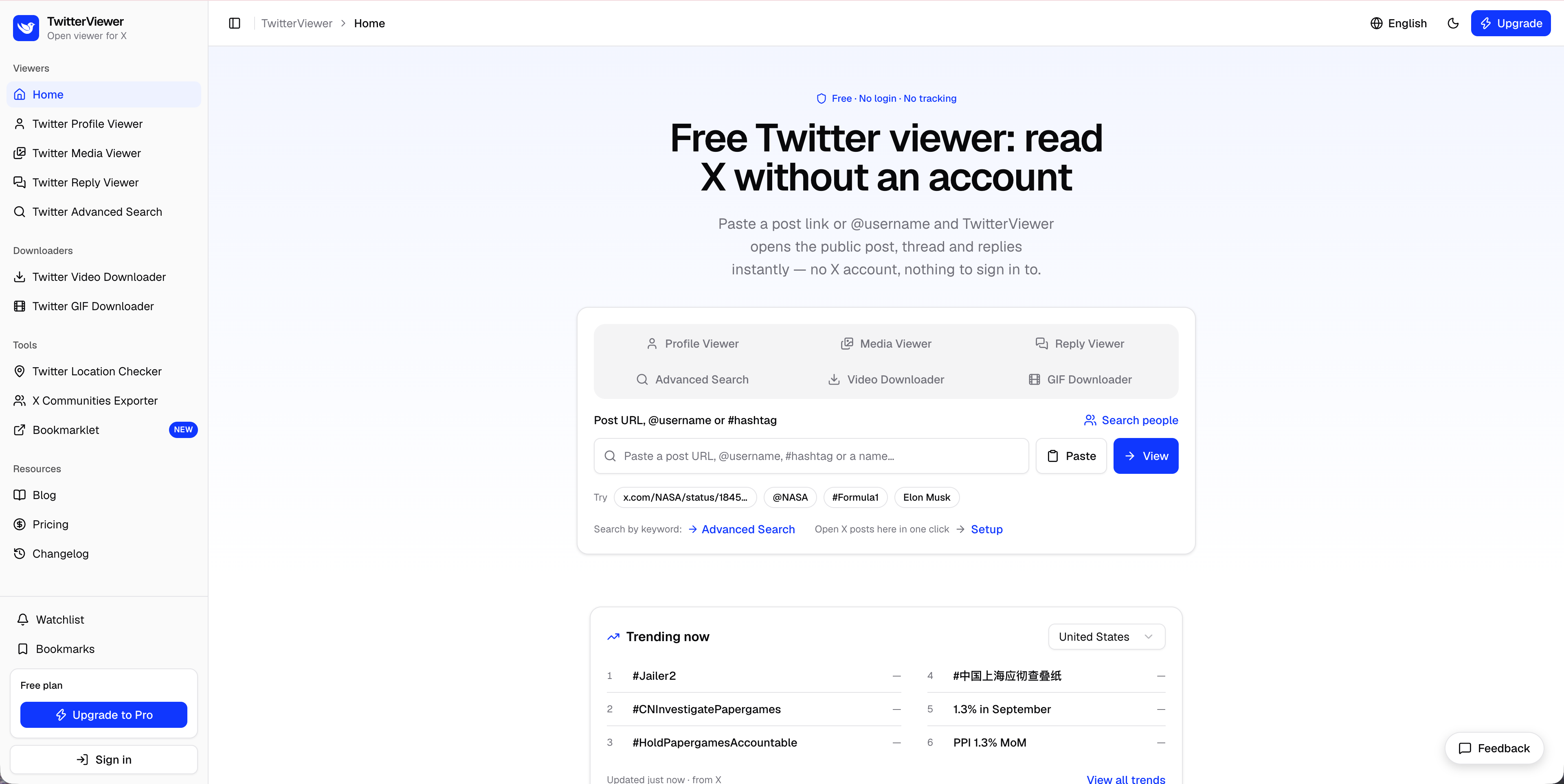
TwitterViewer is a free web tool for reading public X (Twitter) content without an X account. Paste a post link or @username to open the post, full thread, replies, profile and media on a clean page with no ads. It also downloads videos and GIFs, checks where an account is based and exports community members.
Features
- Post and thread viewer: open any public post with its media, quoted posts, thread and replies; unroll a thread into one article, copy all text or export it to PDF.
- Reply viewer: sort replies by most relevant, most recent or most liked; see an account's replies next to the posts they answer.
- Profile viewer: bio, follower and following counts, pinned post, and tabs for posts, replies and media, plus similar accounts.
- Media viewer: every photo, video and GIF from an account in one grid; filter by type, sort by likes, download one item or everything as a ZIP.
- Twitter video downloader: pick any available quality and save the MP4; bulk mode takes up to 10 links.
- Twitter GIF downloader: turns X's animated GIFs into real .gif files, encoded in the browser with nothing uploaded.
- Account location checker: the country X lists as "Account based in", compared with the bio location, with a VPN flag.
- Advanced search (Pro): filter posts by account, exact phrase, date range, language, likes, replies, reposts and media.
- X Communities exporter (Pro): export a public community's member list to CSV or Excel, up to 1,000 members per run.
- Watchlist (Pro): follow up to 20 public accounts and get an email when they post, checked as often as every hour.
- Bookmarks: save posts in the browser; sign in to sync them across devices.
- Open from X: a bookmarklet and mobile shortcut that open the current X page in TwitterViewer in one click; replacing x.com with twitterviewer.app in a link works too.
- Built for every screen: responsive layout, light and dark themes, five interface languages including right-to-left Arabic.
- Clear status pages: deleted, protected and suspended content, busy sources and rate limits each get their own message, with a retry where it helps.
- AI-friendly: llms.txt and a Markdown version of every page (add .md to the URL or request it with Accept: text/markdown).
Use Cases
- Reading a shared link without an account: a post arrives in a chat, newsletter or article, and the reader wants to read it without signing up for X.
- Research and journalism: read public threads, check what an account said and when, export a thread to PDF and save its media as a record.
- Monitoring public accounts: brands, analysts and fans add accounts to the watchlist and get an email when something new is posted, without keeping X open.
- Saving and sharing clips: download a video in the right quality or a GIF as a real .gif to share elsewhere or keep for personal use.
- Checking an account's background: see where X says an account is based and whether it differs from the bio before trusting what it posts.
- Community management and outreach: export the member list of a public X Community to a spreadsheet for analysis.
- Finding specific posts: combine accounts, phrases, dates and engagement filters to find a post again or study a topic over time.
- A hosted Nitter alternative: read public X content on a plain page without installing or hosting anything.

Comments

Premium Products























































Sponsors
Buy

Makers

twitterviewer.app developer
Makers
twitterviewer.app developer
Comments
Premium Products
New to Fazier?

Find your next favorite product or submit your own. Made by @FalakDigital.
Copyright ©2026. All Rights Reserved