
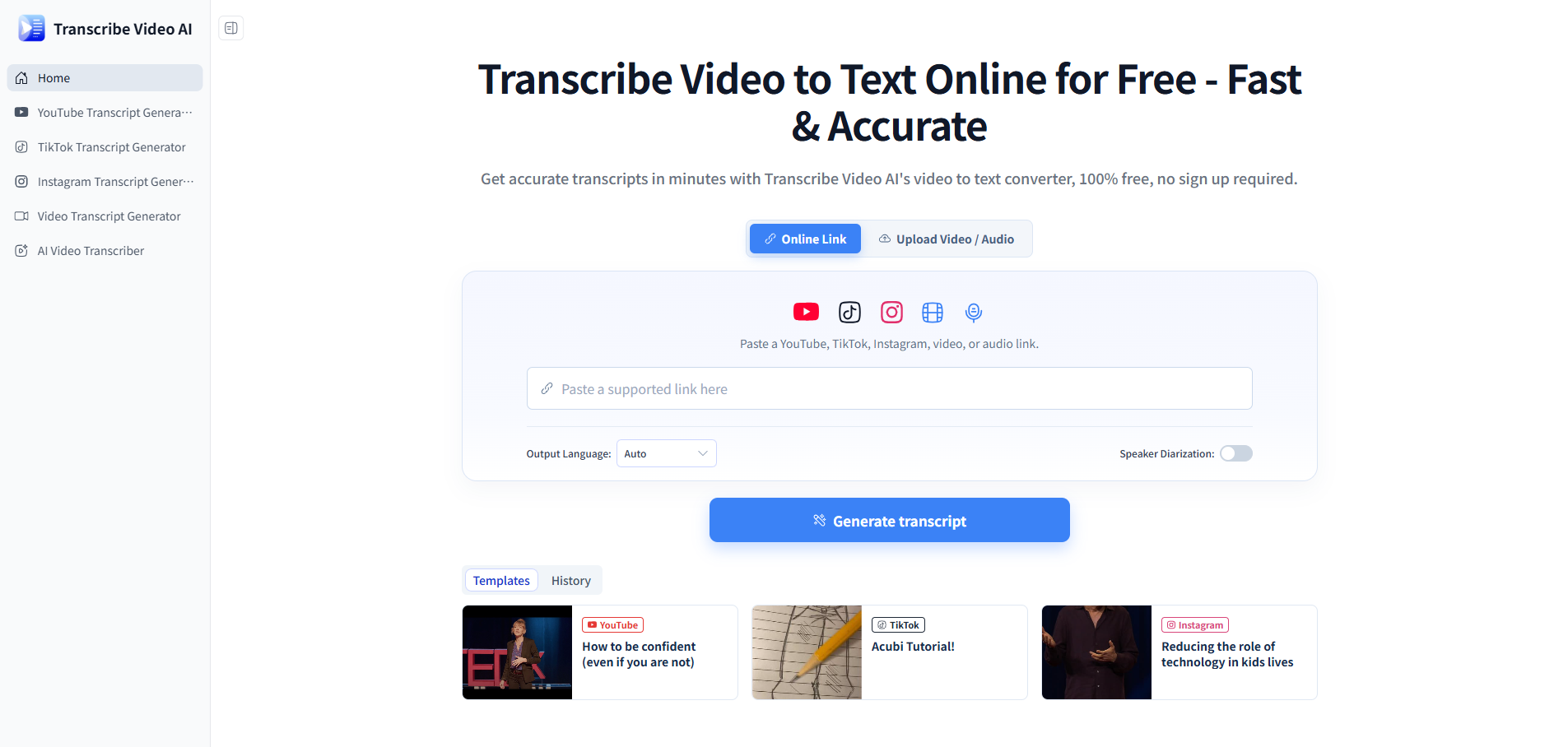
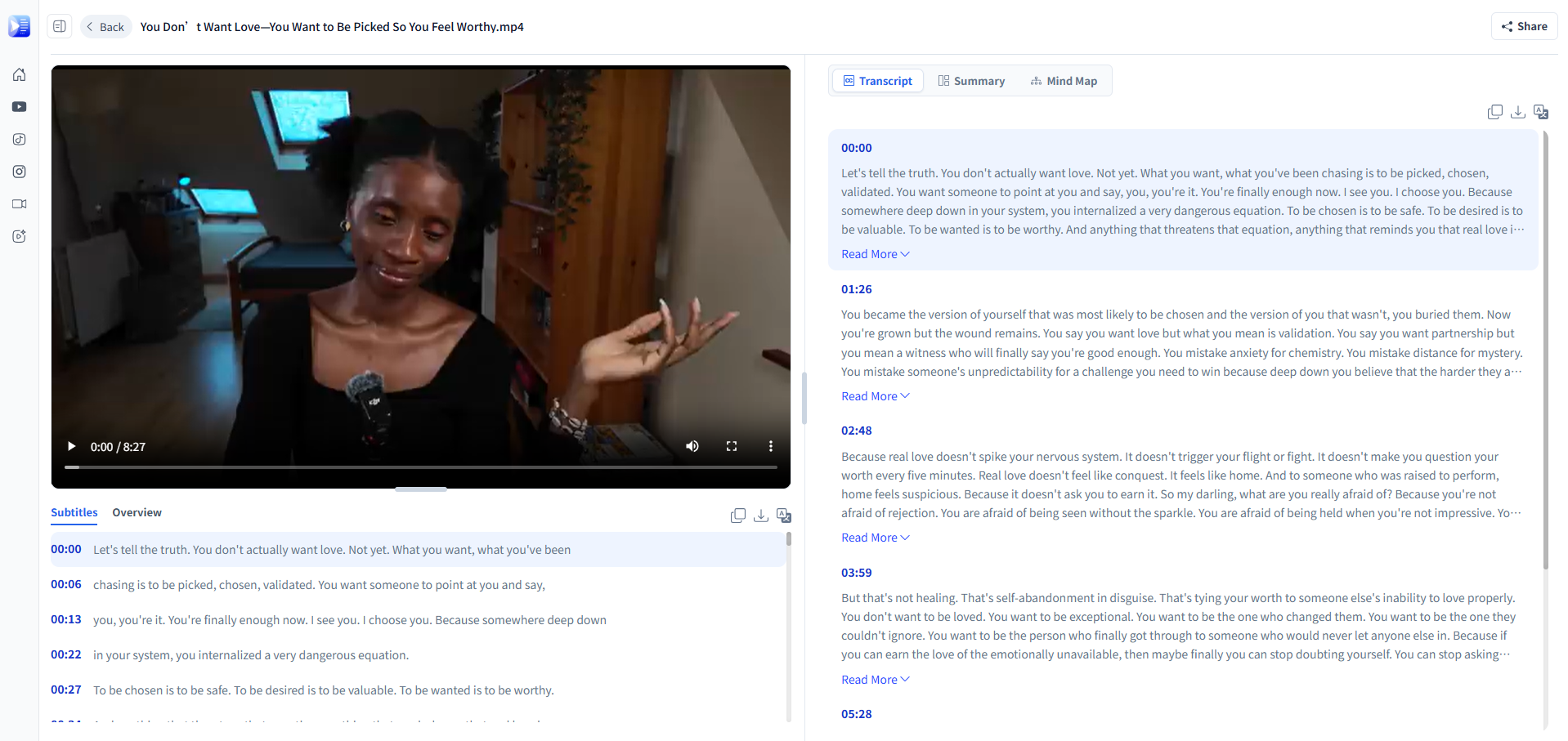
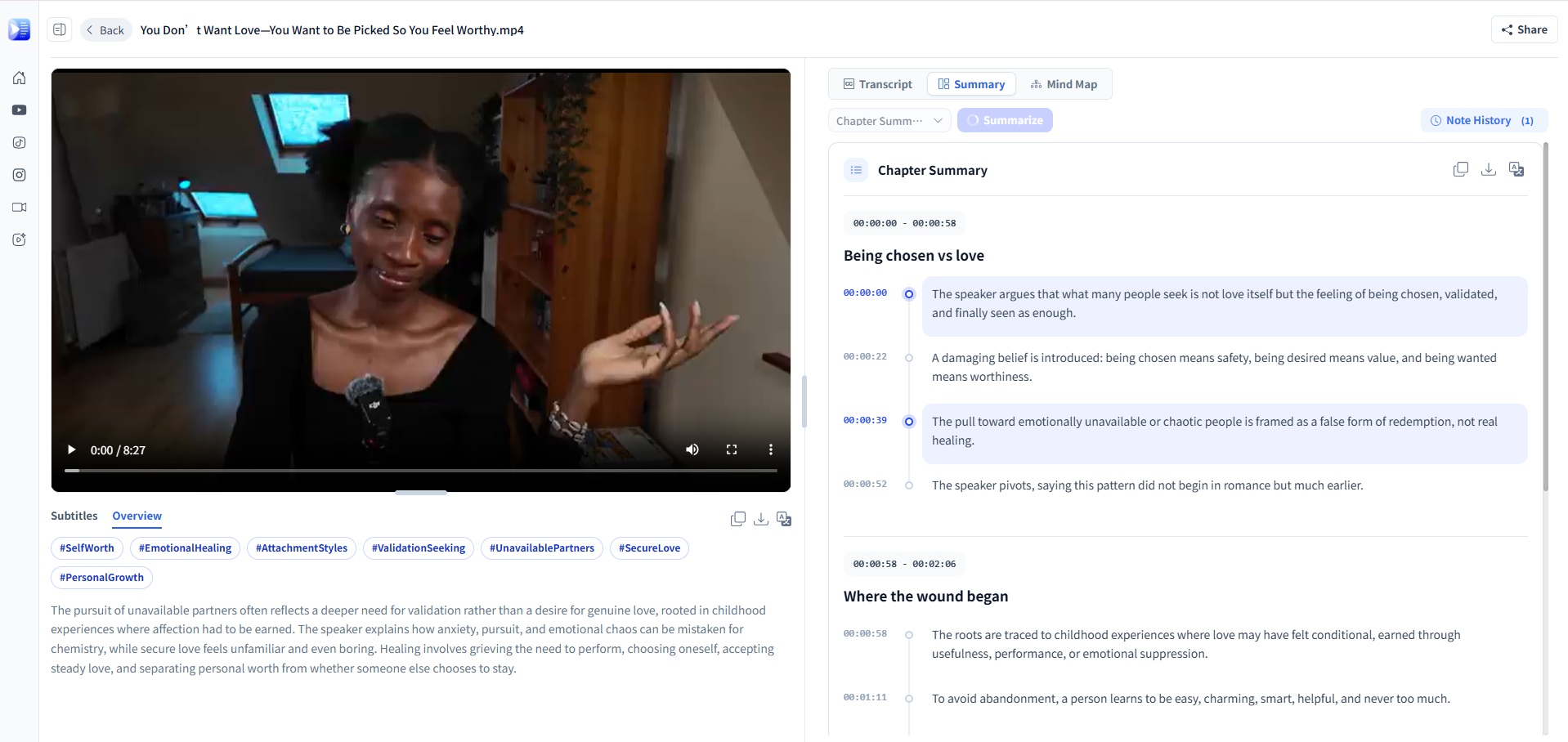
Transcribe Video AI is an AI-powered online tool that converts videos and audio into text quickly and easily. Upload a video or paste a supported video link to generate transcripts, subtitles, summaries, timestamps, and translations. With support for 100+ languages, it helps creators, students, researchers, and professionals turn video content into useful, searchable, and reusable text.
Features
AI-powered video and audio transcription
Support for 100+ languages
YouTube, TikTok, and Instagram transcription
Automatic subtitles and timestamps
Speaker identification
AI-generated video summaries
Transcript translation
Multiple export formats
Support for large video files
No sign-up required
Simple browser-based workflow
Use Cases
Content Creation — Turn videos, interviews, and podcasts into transcripts, captions, and reusable content.
Education — Convert lectures and recorded classes into searchable notes and study materials.
Research — Transcribe interviews, presentations, and other recorded research materials.
Podcasts & Interviews — Quickly create transcripts and summaries from recorded conversations.
Meetings — Turn recorded meetings into searchable text and structured notes.
Social Media — Extract text from YouTube, TikTok, and Instagram videos for easier content repurposing.
Subtitles & Localization — Generate subtitles and translate video content into other languages.
Video Content Repurposing — Turn long-form videos into summaries, notes, articles, and other text-based content.

Comments


Speaker identification plus timestamps is the feature combo that makes transcripts actually usable — without it, long multi-speaker recordings are just a wall of text. No sign-up required is also a smart choice for this category, since people usually want to test transcription quality on their own files before committing. One question: how does accuracy hold up on heavily accented speech or technical jargon across those 100+ languages?
No sign-up required plus YouTube/TikTok/Instagram URL support covers a lot of real use cases. The feature I'd stress-test first is speaker identification in meetings with overlapping speech — for meeting workflows, accurate speaker labels and timestamps matter even more than raw transcription accuracy, since that's what turns a transcript into searchable notes. Also curious: what's the practical file-size ceiling for the "large video files" support? Long recordings are exactly where browser-based tools usually hit limits.
The combination of speaker identification, timestamps, and 100+ languages makes this useful well beyond simple captioning. I work with video transcription pipelines too, and timestamp accuracy on casual spoken content is genuinely the hard part — especially when speakers talk over each other. One thing I'd love to see: segment-level topic detection, so long videos get chapter-like structure automatically instead of one long transcript. The no-signup browser workflow is the right call for lowering the barrier.

The frictionless no-signup model combined with direct social video URL imports (YouTube, TikTok, Instagram) makes this immediately useful for repurposing long-form content into written articles. Speaker diarization with timestamps is especially critical for podcast interviews. Excellent feature set.

Premium Products




















































Sponsors
Buy

Makers
Makers
Comments
Speaker identification plus timestamps is the feature combo that makes transcripts actually usable — without it, long multi-speaker recordings are just a wall of text. No sign-up required is also a smart choice for this category, since people usually want to test transcription quality on their own files before committing. One question: how does accuracy hold up on heavily accented speech or technical jargon across those 100+ languages?
No sign-up required plus YouTube/TikTok/Instagram URL support covers a lot of real use cases. The feature I'd stress-test first is speaker identification in meetings with overlapping speech — for meeting workflows, accurate speaker labels and timestamps matter even more than raw transcription accuracy, since that's what turns a transcript into searchable notes. Also curious: what's the practical file-size ceiling for the "large video files" support? Long recordings are exactly where browser-based tools usually hit limits.
The combination of speaker identification, timestamps, and 100+ languages makes this useful well beyond simple captioning. I work with video transcription pipelines too, and timestamp accuracy on casual spoken content is genuinely the hard part — especially when speakers talk over each other. One thing I'd love to see: segment-level topic detection, so long videos get chapter-like structure automatically instead of one long transcript. The no-signup browser workflow is the right call for lowering the barrier.
The frictionless no-signup model combined with direct social video URL imports (YouTube, TikTok, Instagram) makes this immediately useful for repurposing long-form content into written articles. Speaker diarization with timestamps is especially critical for podcast interviews. Excellent feature set.
Premium Products
New to Fazier?

Find your next favorite product or submit your own. Made by @FalakDigital.
Copyright ©2026. All Rights Reserved