
toolblur
Free browser-based tools for files, text, code and more
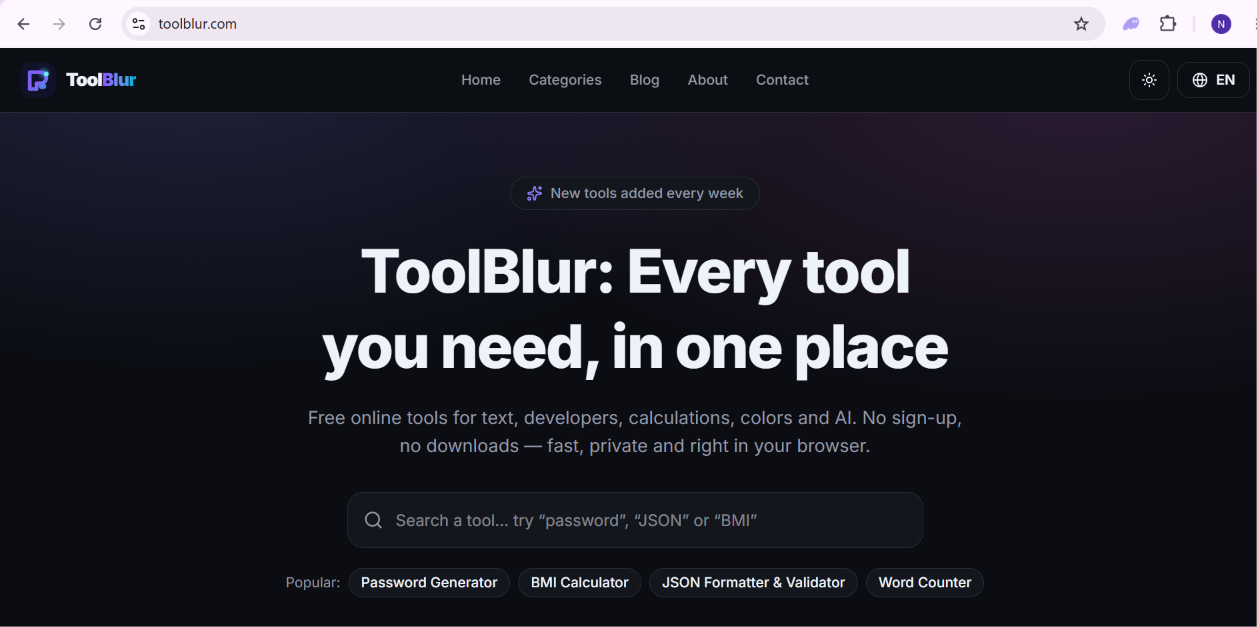
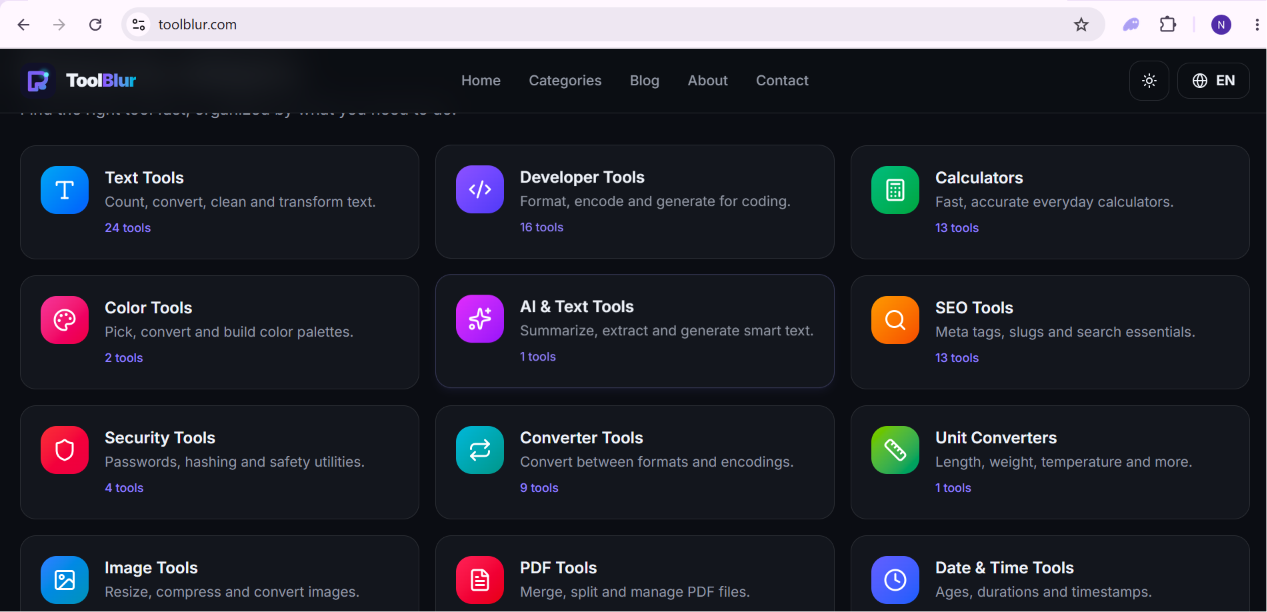
ToolBlur is a multilingual collection of free online tools for PDF files, images, text, developers, calculators, SEO, security, conversions and everyday tasks. Most tools process data directly in the browser for better privacy and speed. No account, installation or download is required. ToolBlur is available in English, Arabic, Spanish and German, with a mobile-friendly and accessible interface.

Comments



Browser-based processing for privacy is the right default for this kind of tool, especially for things like PDF editing or image conversion where people are often uploading stuff they wouldn't want touched on a server. A lot of "free online tool" sites quietly upload everything to process it, so doing it client-side is a real differentiator, not just a nice-to-have line in the description. The breadth is impressive too (PDF, images, text, dev tools, calculators, SEO, security, conversions) without needing an account or install, that's a genuinely low-friction way to become someone's daily bookmark for random one-off tasks. Multilingual support (English, Arabic, Spanish, German) from day one is a smart call too, most tool sites bolt that on way later if at all.

The no-signup, client-side approach is the real differentiator here — most "free online tool" sites make you wonder where your file just went. One suggestion: a small "runs locally, nothing uploaded" note next to each tool would make that privacy advantage obvious at a glance, because right now you only learn it from the tagline.



The no-account, no-install angle is what makes this stick for me — most people hit a PDF or image conversion once a month and never want to sign up for it. Doing the processing in the browser also means you can honestly say files never leave the machine, which is a real trust argument for anyone handling client documents. Shipping in English, Arabic, Spanish and German is a bigger deal than it sounds; that's a lot of long-tail search you now own.

Great to see another privacy-first tool collection. The in-browser processing is a real differentiator — no file upload means sensitive PDFs and images never leave the device, which matters for anyone handling documents with personal data. The multilingual support (EN/AR/ES/DE) is something most tool sites skip entirely. Curious: do you plan to add a Markdown converter? That's a workflow a lot of developers would use daily alongside the PDF tools.

What stood out to me about ToolBlur is the privacy-first approach—processing many tasks directly in the browser is a big plus for everyday tools. The wide range of utilities and multilingual support also make it very accessible. I’d be curious to know which tools are used most often and how you decide what to add next.

ToolBlur’s client-side processing stands out because it keeps common file and text tasks private while removing the need for an account or installation. The multilingual, mobile-friendly interface also makes such a broad toolkit more accessible. With categories covering PDFs, images, text, developer and SEO tools, how do you help first-time users quickly find the right tool without feeling overwhelmed?


Impressive privacy-first tool collection! Browser-based processing is a real game-changer for sensitive PDFs and images, ensuring files never leave the machine. Love the no-account, multilingual approach—it’s a low-friction, professional toolkit for developers and creators alike. A must-have bookmark for quick, secure daily tasks!

ToolBlur is a genuinely useful collection of free browser-based tools. I especially appreciate that PDF, image, text and developer tasks can be completed directly in the browser without creating an account or installing software. The clean interface, multilingual support and privacy-focused processing make it a convenient choice for quick everyday work. Great job building so many practical tools in one place!


FullProgramIndir — En yeni yazılımları, Windows programlarını, kullanışlı araçları, yardımcı programları ve bilgisayar oyunlarını keşfedin. Bilgisayarınız için faydalı kaynakları ve güncellemeleri tek bir yerde bulun. https://fullprogram-indir.com
Premium Products






















































Sponsors
Buy

Awards
View all
Awards
View allMakers

Makers
Comments
Browser-based processing for privacy is the right default for this kind of tool, especially for things like PDF editing or image conversion where people are often uploading stuff they wouldn't want touched on a server. A lot of "free online tool" sites quietly upload everything to process it, so doing it client-side is a real differentiator, not just a nice-to-have line in the description. The breadth is impressive too (PDF, images, text, dev tools, calculators, SEO, security, conversions) without needing an account or install, that's a genuinely low-friction way to become someone's daily bookmark for random one-off tasks. Multilingual support (English, Arabic, Spanish, German) from day one is a smart call too, most tool sites bolt that on way later if at all.
The no-signup, client-side approach is the real differentiator here — most "free online tool" sites make you wonder where your file just went. One suggestion: a small "runs locally, nothing uploaded" note next to each tool would make that privacy advantage obvious at a glance, because right now you only learn it from the tagline.
The no-account, no-install angle is what makes this stick for me — most people hit a PDF or image conversion once a month and never want to sign up for it. Doing the processing in the browser also means you can honestly say files never leave the machine, which is a real trust argument for anyone handling client documents. Shipping in English, Arabic, Spanish and German is a bigger deal than it sounds; that's a lot of long-tail search you now own.
Great to see another privacy-first tool collection. The in-browser processing is a real differentiator — no file upload means sensitive PDFs and images never leave the device, which matters for anyone handling documents with personal data. The multilingual support (EN/AR/ES/DE) is something most tool sites skip entirely. Curious: do you plan to add a Markdown converter? That's a workflow a lot of developers would use daily alongside the PDF tools.
What stood out to me about ToolBlur is the privacy-first approach—processing many tasks directly in the browser is a big plus for everyday tools. The wide range of utilities and multilingual support also make it very accessible. I’d be curious to know which tools are used most often and how you decide what to add next.
ToolBlur’s client-side processing stands out because it keeps common file and text tasks private while removing the need for an account or installation. The multilingual, mobile-friendly interface also makes such a broad toolkit more accessible. With categories covering PDFs, images, text, developer and SEO tools, how do you help first-time users quickly find the right tool without feeling overwhelmed?
Impressive privacy-first tool collection! Browser-based processing is a real game-changer for sensitive PDFs and images, ensuring files never leave the machine. Love the no-account, multilingual approach—it’s a low-friction, professional toolkit for developers and creators alike. A must-have bookmark for quick, secure daily tasks!
ToolBlur is a genuinely useful collection of free browser-based tools. I especially appreciate that PDF, image, text and developer tasks can be completed directly in the browser without creating an account or installing software. The clean interface, multilingual support and privacy-focused processing make it a convenient choice for quick everyday work. Great job building so many practical tools in one place!
FullProgramIndir — En yeni yazılımları, Windows programlarını, kullanışlı araçları, yardımcı programları ve bilgisayar oyunlarını keşfedin. Bilgisayarınız için faydalı kaynakları ve güncellemeleri tek bir yerde bulun. https://fullprogram-indir.com
Premium Products
New to Fazier?

Find your next favorite product or submit your own. Made by @FalakDigital.
Copyright ©2026. All Rights Reserved