
TidyFrame
Snap Mac windows and restore whole setups with one shortcut
TidyFrame is a window manager for Mac that saves your whole setup and brings it back with one shortcut.
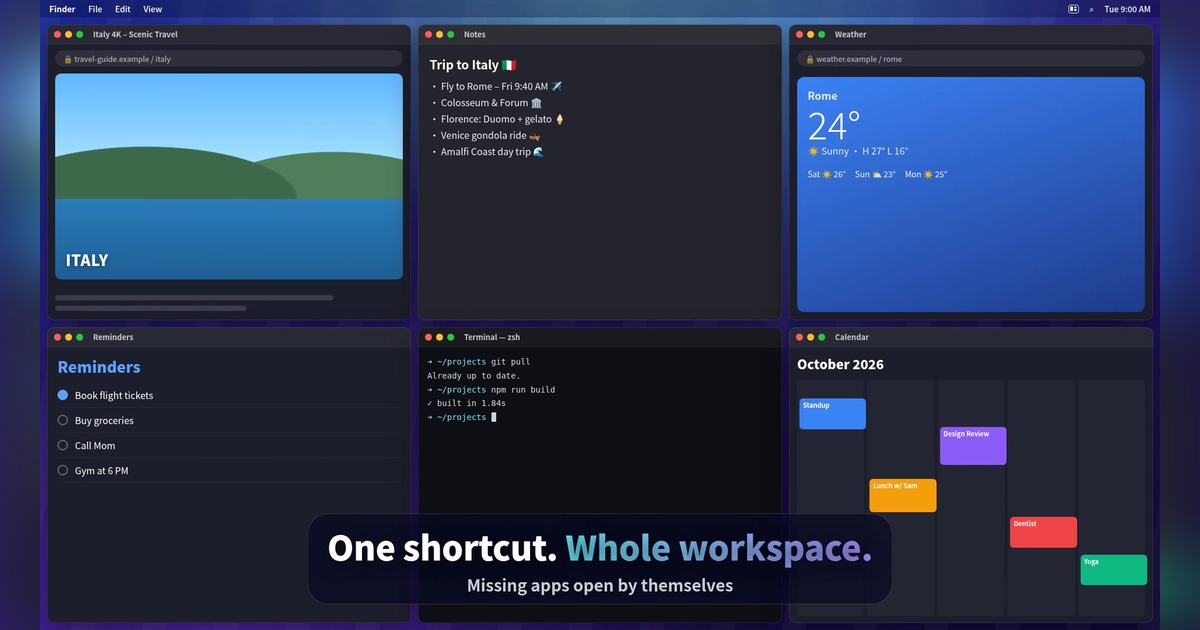
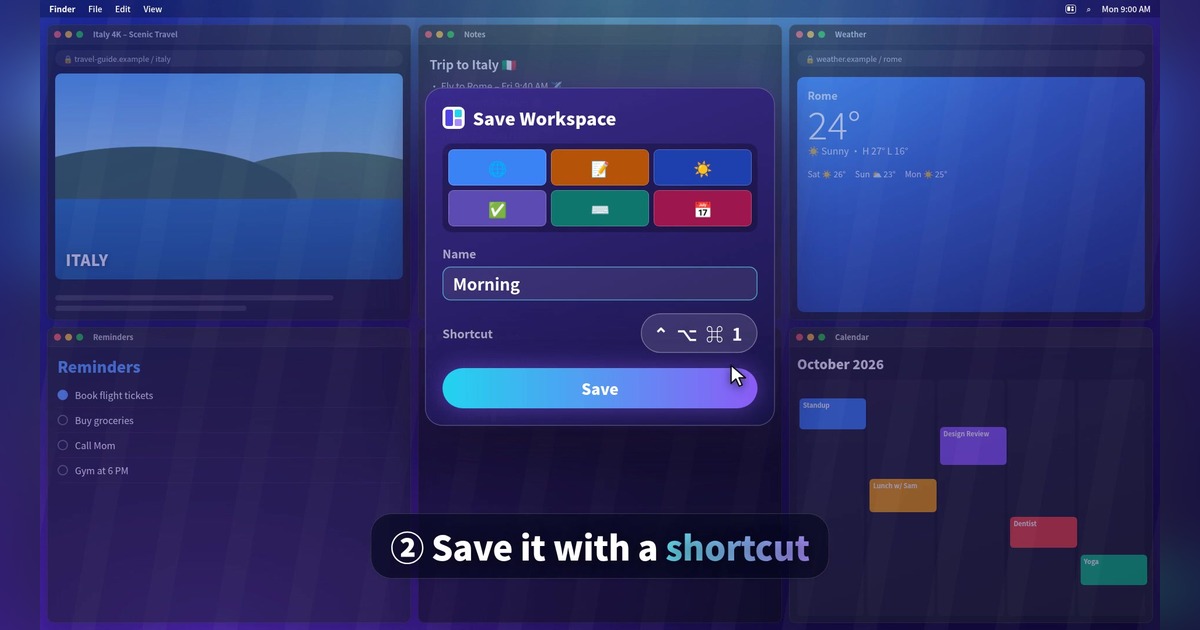
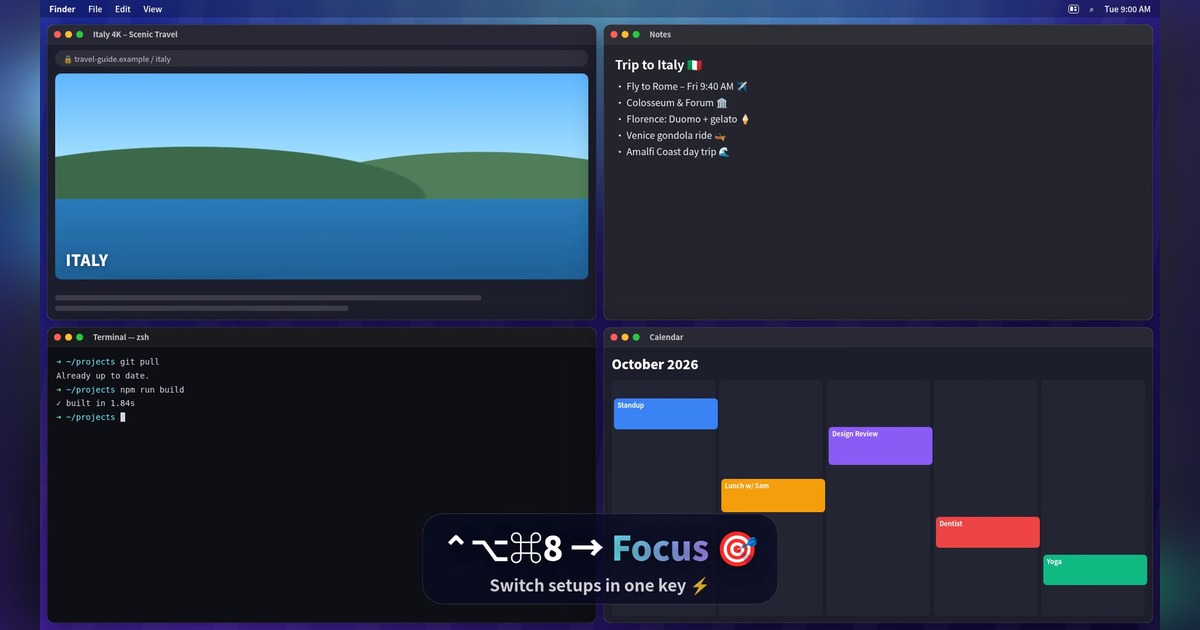
Workspaces: arrange your windows once and save them as a workspace, like "Morning", "Coding" or "Focus". Give it a shortcut such as Control-Option-Command-1. Press it any time and up to six windows jump back into place. Apps that aren't open yet open by themselves.
Snap any window into halves, thirds, quarters or sixths with keyboard shortcuts, by dragging to the screen edge, or from the menu bar.
App rules: an app always opens in its chosen place (Mail on the right half, for example).
Auto tidy: two windows become halves, three become thirds, four become quarters.
Private by design: no account, no tracking, no data collection. Available in 34 languages.
Free for 7 days with every feature, then $4.99 once. No subscription. Requires macOS 14 Sonoma or later.

Features
Workspaces: save up to 6 windows and restore them all with one shortcut
Closed apps open by themselves when you restore a workspace
Snap windows to halves, thirds, quarters and sixths
Keyboard shortcuts, screen-edge dragging and a menu bar menu
App rules: each app opens in its chosen place every time
Auto tidy and "Arrange neatly" for instant clean layouts
Custom positions and fully customizable shortcuts
34 languages, no account, no tracking
Use Cases
Developers switching between a coding setup (editor, terminal, browser) and a review setup
Writers and students keeping research, notes and a document side by side
Starting the workday with Mail, Calendar and Notes in place with one key
Video calls: bring Zoom or Teams, notes and calendar into a clean layout
Focus mode: hide everything except the one or two apps you need
External monitor users who want windows back in place after reconnecting
Fazier Deal

Comments


Hi Fazier! 👋 I'm Geethika, the maker of TidyFrame. I built it because I was rebuilding the same window layout every morning: browser on the left, notes in the middle, calendar on the right, again and again. Most Mac window managers snap one window at a time, so I wanted something that saves the whole setup and brings it back with one shortcut, even opening apps that are closed. It's free for 7 days with every feature, then $4.99 once (30% off for Fazier users with FAZIER30). I'd love your feedback: which layouts would you save first, and what's missing?
Premium Products


































Fazier Deal
Sponsors
Buy

Makers
Makers
Comments
Hi Fazier! 👋 I'm Geethika, the maker of TidyFrame. I built it because I was rebuilding the same window layout every morning: browser on the left, notes in the middle, calendar on the right, again and again. Most Mac window managers snap one window at a time, so I wanted something that saves the whole setup and brings it back with one shortcut, even opening apps that are closed. It's free for 7 days with every feature, then $4.99 once (30% off for Fazier users with FAZIER30). I'd love your feedback: which layouts would you save first, and what's missing?
Premium Products
New to Fazier?

Find your next favorite product or submit your own. Made by @FalakDigital.
Copyright ©2026. All Rights Reserved