
TheySaid
See how users will react, right where you build.
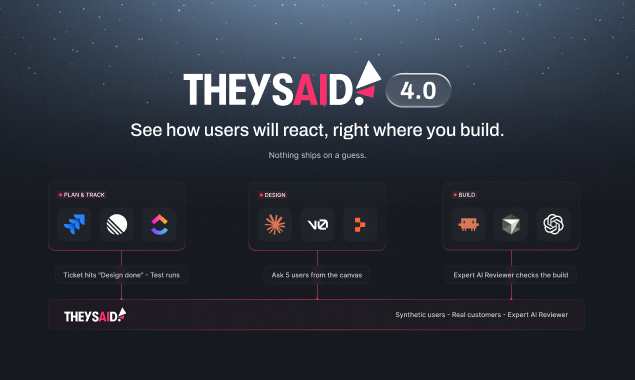
Test what you're building with real customers, or Synthetic Audiences trained on your customer data when you need an answer in minutes. Synthetic testers really use the product, on screen and out loud. You see what broke, hear why, and get a prompt to fix it.
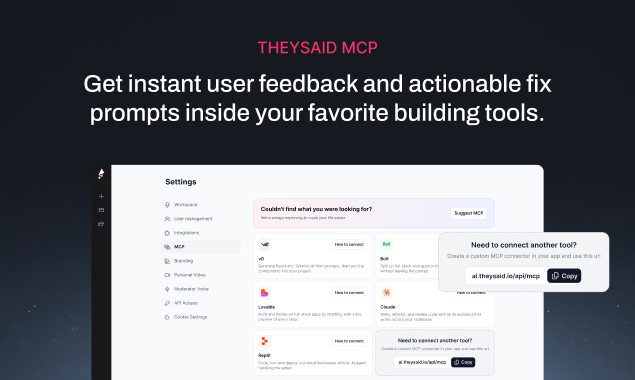
It works inside Claude Design, Claude Code, Cursor, v0, Replit, Bolt, and Lovable through TheySaid MCP, and inside Jira, Linear, ClickUp, and Monday.com through Ticket Testing.
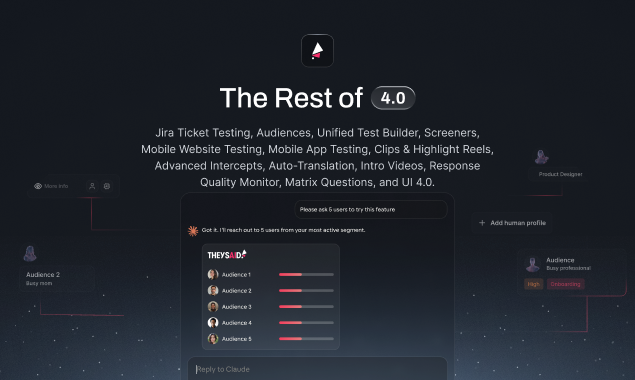
AI Companion creates tests and analyzes the results for you. Experience Hub monitors and scores your critical experiences. Skills give you reusable prompts for executive summaries and cohort analysis. The Unified Test Builder covers user tests, interviews, surveys, and polls in one place. Plus 11 more features.
Validation is no longer a project. It's infrastructure.
Features
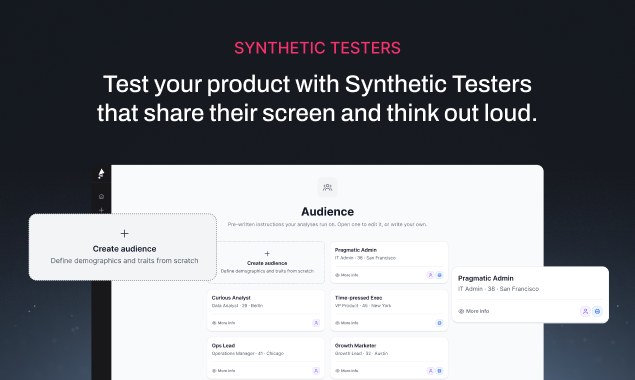
🤖 Synthetic Audiences: Synthetic testers trained on your customer data really use the product, on screen and out loud. Every one starts from a model trained on 100,000+ hours of real usability sessions. Then it's tuned to your customers with the data you choose: call recordings, surveys, support tickets, CRM.
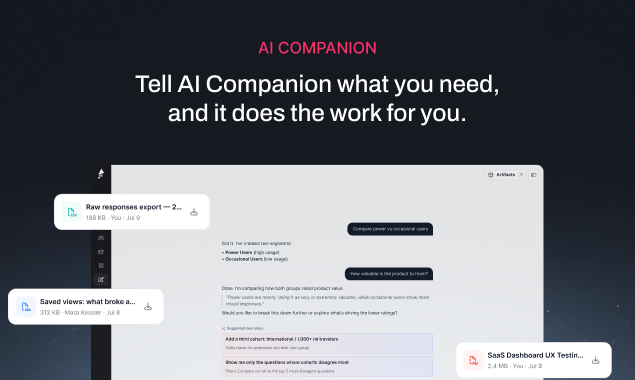
✨ AI Companion: Use TheySaid just like Claude Design or Claude Code. Tell Companion what you want it to do, and it does the work for you.
📊 Experience Hub: Monitor and score all of your business's critical experiences, then get recommendations on how to improve the customer experience.
🔌 TheySaid MCP: Get instant feedback (plus a prompt to fix problems) in Claude Design, v0, Replit, Bolt, and Lovable designs.
🎫 Jira Ticket Testing: In Jira (or your other ticketing tool like Linear, ClickUp, Monday), when tickets finish design status, a validation step triggers automatically, with feedback and recommendations for what to improve. No one has to remember to ask.
👥 Audiences: Create human and synthetic customer audiences that mirror your actual customers, and reuse them automatically anytime you use MCP to launch tests.
🧩 Unified Test Builder: Create a user test, interview, survey, or poll, all in one place with a simplified interface and controls.
🧠 Skills: Create and edit reusable prompts for work in the product, like executive summaries and advanced cohort analysis. Build it once. Run it forever.
📱 Mobile Testing: Get feedback on websites and mobile prototypes, plus Android and iOS apps.
🎬 Clips & Highlight Reels: Create short clips of the important moments in your videos, or stitch several together into a highlight reel.
🛡️ Screeners and Response Quality Monitor: Screeners make sure only your desired audience gives you feedback. The Response Quality Monitor uses AI to review every video and response and decide if it's good enough to include in your analysis.
🎨 UI 4.0: A beautiful, modern redesign with dozens of visual and UX enhancements.
And more: advanced intercepts, auto-translation, intro videos, and matrix questions.
Stop shipping decisions nobody validated.
Use Cases
- Optimize Utility: Watch users attempt core tasks in your product to identify friction points that prevent feature adoption. AI records sessions showing where workflows break down, which features confuse users, and what improvements would increase daily usage.
- Vibe Feedback: Go beyond usability metrics to understand how users feel about your product. AI asks follow-ups about trust, delight, frustration, and confidence while recording voice responses to reveal emotional reactions that typical surveys miss.
- Test Prototype: Validate designs before development starts by testing Figma prototypes and wireframes with real users. AI captures confusion, missing functionality, and navigation problems while ideas are still cheap to change.
- Pricing and Packaging: Understand how users evaluate different pricing tiers and feature bundles. AI asks about perceived value, captures hesitation about costs, and reveals which plan structures make purchasing decisions easier or harder.
- Digital Experiences: See exactly where users click, scroll, and hesitate across your website or web app. AI asks follow-up questions the moment confusion strikes, surfacing the friction points behind drop-off, abandoned signups, and missed features before they show up in your conversion metrics.

Comments

Premium Products









































Find your next favorite product or submit your own. Made by @FalakDigital.
Copyright ©2026. All Rights Reserved