
Text Compare for me!
Compare text instantly, with no sign-up.
TextCompare.me is a powerful, free online text compare tool designed to identify differences between two blocks of text instantly. Whether you are a developer reviewing code changes, a writer checking document revisions, or anyone who needs to compare text files side by side — our tool delivers precise, visual results instantly. It also works as a free PDF compare and Word compare tool — drop in two PDFs, two .docx files, or any mix of text, PDF, and Word, and the text is extracted locally for an instant diff.
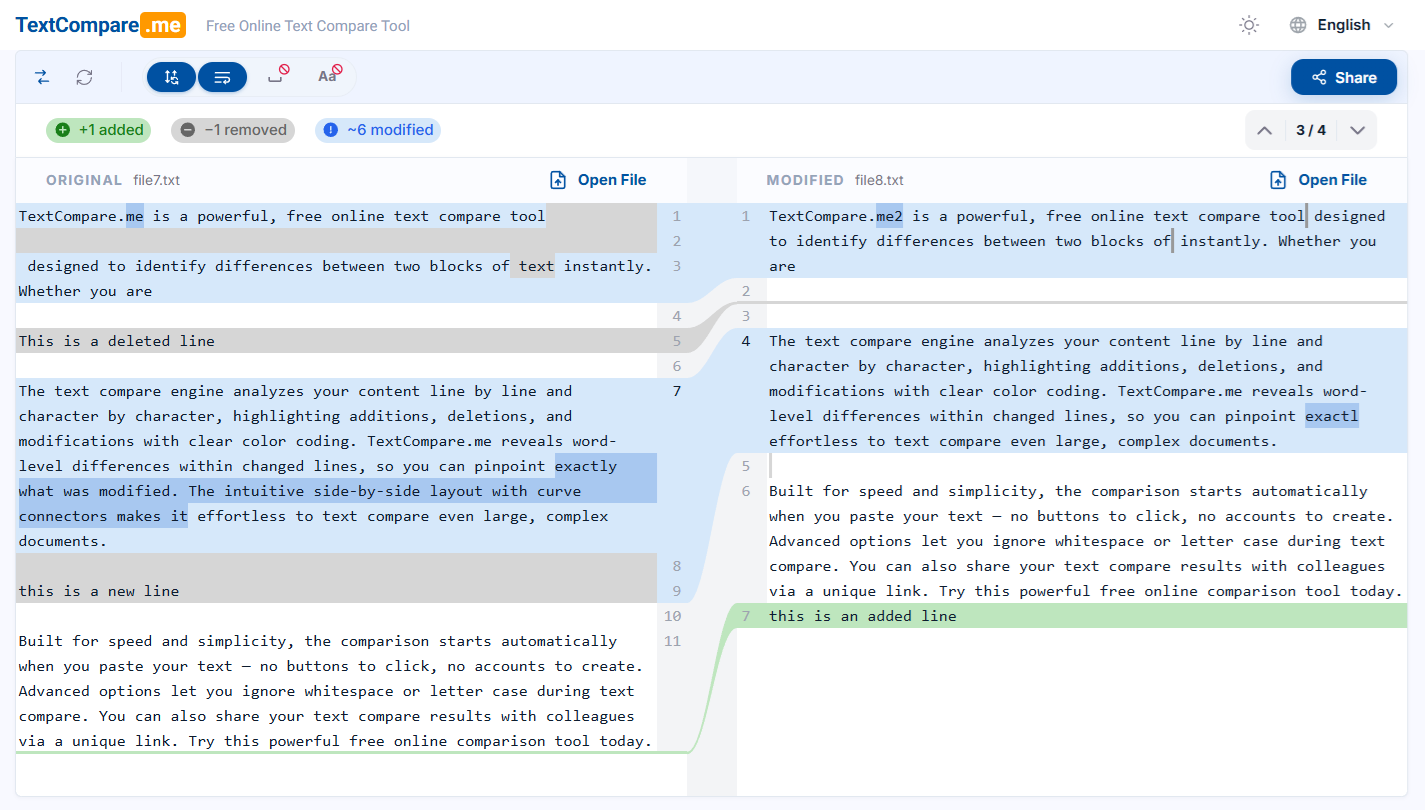
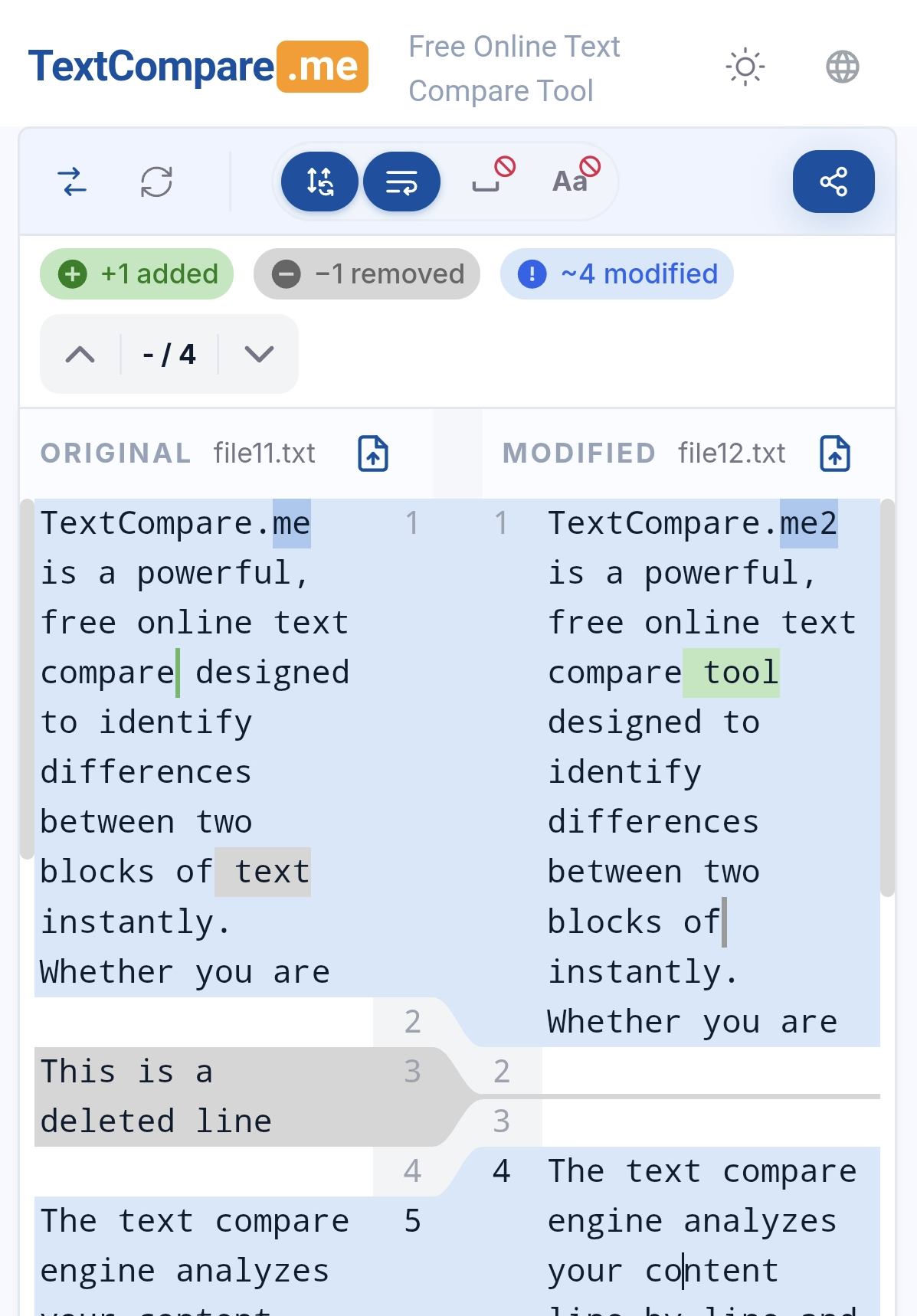
The text compare engine analyzes your content line by line and word by word, highlighting additions, deletions, and modifications with clear color coding. TextCompare.me reveals word-level differences within changed lines, so you can pinpoint exactly what was modified. The intuitive side-by-side layout with curve connectors makes it effortless to text compare even large, complex documents.
Built for speed and simplicity, the comparison starts automatically when you paste your text — no buttons to click, no accounts to create. In our tests, even a 2.3 MB file with 45,000 lines opens and compares instantly. Advanced options let you ignore whitespace or letter case during text compare. You can also share your text compare results with colleagues via a unique link. Try this powerful free online comparison tool today.

Features
- Word & Character-Level Precision — Line, word & character-level diff highlighting: see exactly which words — or even which characters — changed inside a line, not just which lines
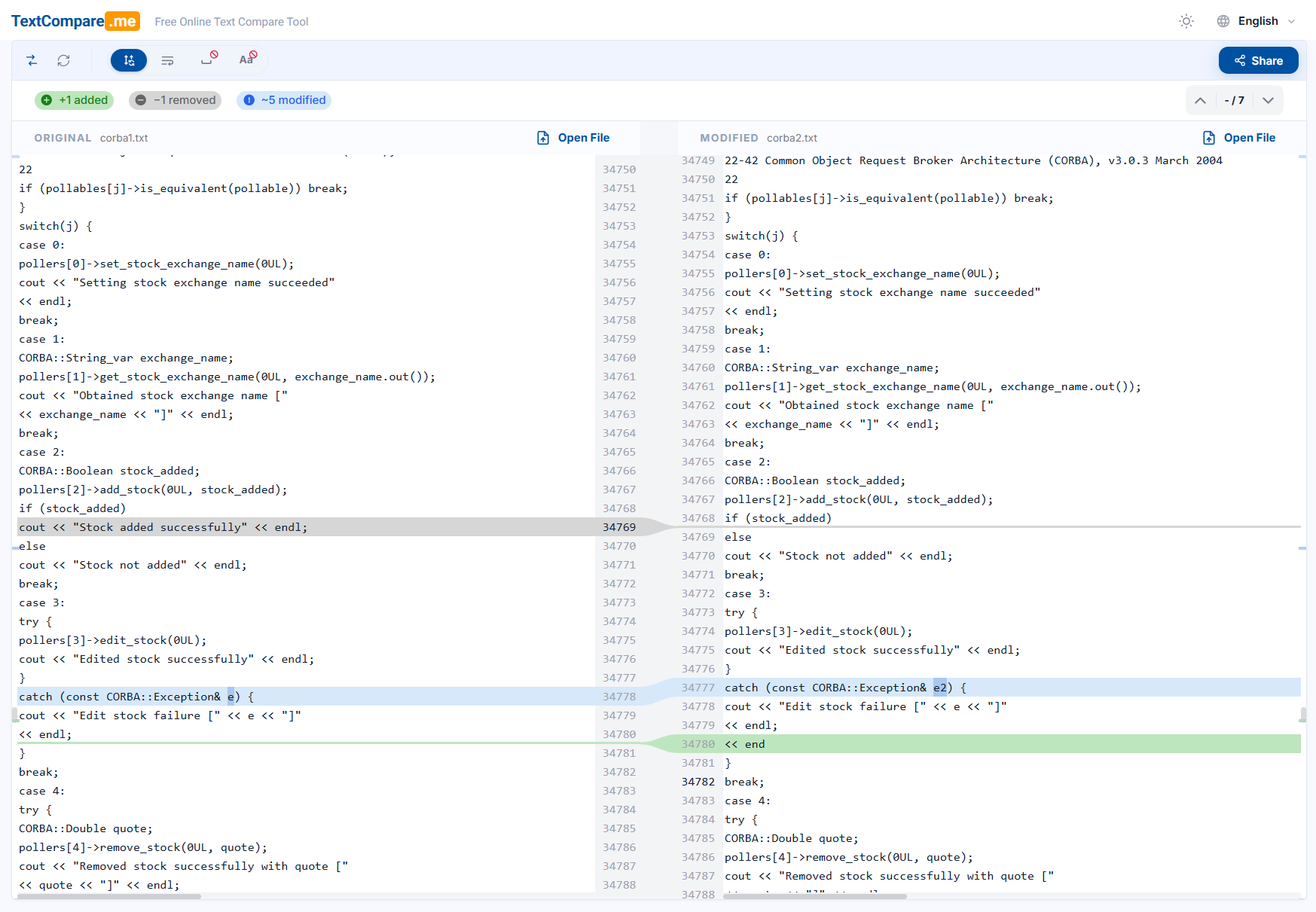
- Instant at Scale — A 2.3 MB, 45,000-line file opens and compares right away, all in the browser
- Privacy by Design — Your text never leaves the browser; comparison runs 100% locally
- Zero-Click Compare — Comparison starts automatically as you paste or type; no buttons, no sign-up
- Smart Diff Filters — Ignore whitespace or letter case to filter out noise and focus on real changes
- One-Link Sharing — Share results with a unique link, with 24h / 7-day / 30-day expiration options
Use Cases
- Code review — Compare two versions of source code or config files side by side, with word-level highlighting that
pinpoints exactly what changed in each modified line.
- Document revision tracking — Writers and editors can drop in two drafts (plain text, PDF, or .docx) to see every
addition, deletion, and edit between versions.
- Contract & legal document comparison — Spot subtle clause changes between contract versions; PDF page view lets you
review differences in the original layout.
- PDF comparison without conversion — Compare two PDFs directly, with an option to ignore headers and footers so page
numbers and running heads don't create false diffs.
- Mixed-format comparison — Compare a PDF against a Word document, or pasted text against a file — formats can be
freely mixed on either side.
- Data & log file diffing — QA and ops teams can diff large exports, logs, or CSVs (tested with 2.3 MB / 45,000-line
files) entirely in the browser.
- Translation & localization checks — Compare original and translated text versions, ignoring whitespace or letter
case to focus on real content changes.
- Sharing review results — Generate a link to a comparison (expiring or permanent) so teammates see the exact same
highlighted diff without sending files back and forth.

Comments


I noticed that many people online were looking for a simple and effective way to compare text. Most existing tools either felt outdated or overloaded with features, and I personally always preferred the comparison experience in IntelliJ IDEA — it's intuitive, clean, and easy to read at a glance. That inspired me to build a web-based text comparison tool that focuses on clarity and usability. I wanted something lightweight that people could open instantly in the browser without installing heavy software. The first version was intentionally simple and focused on plain text comparison. Since then it has grown well beyond that: today it also compares PDFs and Word documents — formats can even be mixed freely, like a PDF against a .docx — with word-level and character-level highlighting, and a page view that shows PDF differences in the original layout. My roadmap now includes folder/directory comparison and a desktop version for offline personal use.

The automatic diff on paste plus character-level highlighting inside changed lines is exactly what I want when checking small edits in config files. When you share a result via a unique link, is the text stored on your server, or is it encoded in the link itself? Since PDFs and Word files are extracted locally, it would be good to state clearly what leaves the browser when sharing.

Tried it with two versions of a small config file. It instantly highlighted just the changed characters (30 to 45, .com to .org) instead of marking the whole line, which is exactly what I want for quick reviews. Since the comparison runs locally, does the share link store the text on your server, or is it encoded in the link itself? Folder comparison on the roadmap sounds great.
Premium Products














































Sponsors
Buy
Comments
I noticed that many people online were looking for a simple and effective way to compare text. Most existing tools either felt outdated or overloaded with features, and I personally always preferred the comparison experience in IntelliJ IDEA — it's intuitive, clean, and easy to read at a glance. That inspired me to build a web-based text comparison tool that focuses on clarity and usability. I wanted something lightweight that people could open instantly in the browser without installing heavy software. The first version was intentionally simple and focused on plain text comparison. Since then it has grown well beyond that: today it also compares PDFs and Word documents — formats can even be mixed freely, like a PDF against a .docx — with word-level and character-level highlighting, and a page view that shows PDF differences in the original layout. My roadmap now includes folder/directory comparison and a desktop version for offline personal use.
The automatic diff on paste plus character-level highlighting inside changed lines is exactly what I want when checking small edits in config files. When you share a result via a unique link, is the text stored on your server, or is it encoded in the link itself? Since PDFs and Word files are extracted locally, it would be good to state clearly what leaves the browser when sharing.
Tried it with two versions of a small config file. It instantly highlighted just the changed characters (30 to 45, .com to .org) instead of marking the whole line, which is exactly what I want for quick reviews. Since the comparison runs locally, does the share link store the text on your server, or is it encoded in the link itself? Folder comparison on the roadmap sounds great.
Premium Products
New to Fazier?

Find your next favorite product or submit your own. Made by @FalakDigital.
Copyright ©2026. All Rights Reserved