
Termal OS
Your Linux servers as a desktop. Agentless, over SSH.
Termal OS is a desktop app for Windows, macOS and Linux that turns every Linux server you can reach over SSH into a real workspace. It connects with the SSH access you already have, by password or private key, and installs nothing on the server: no agent, no daemon, no root required. That makes it work on a VPS or a dedicated box, and also on shared or managed hosting where you could never install an agent.
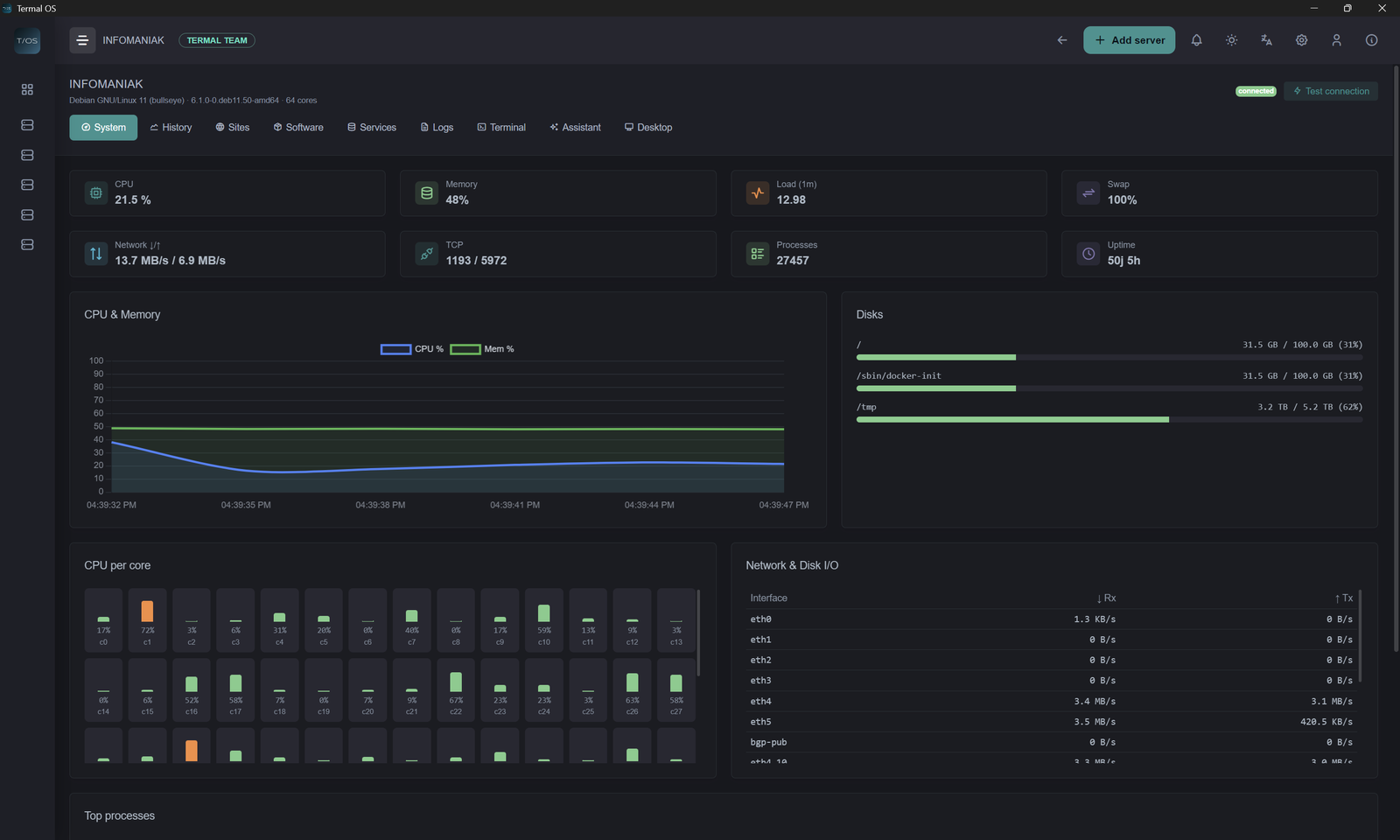
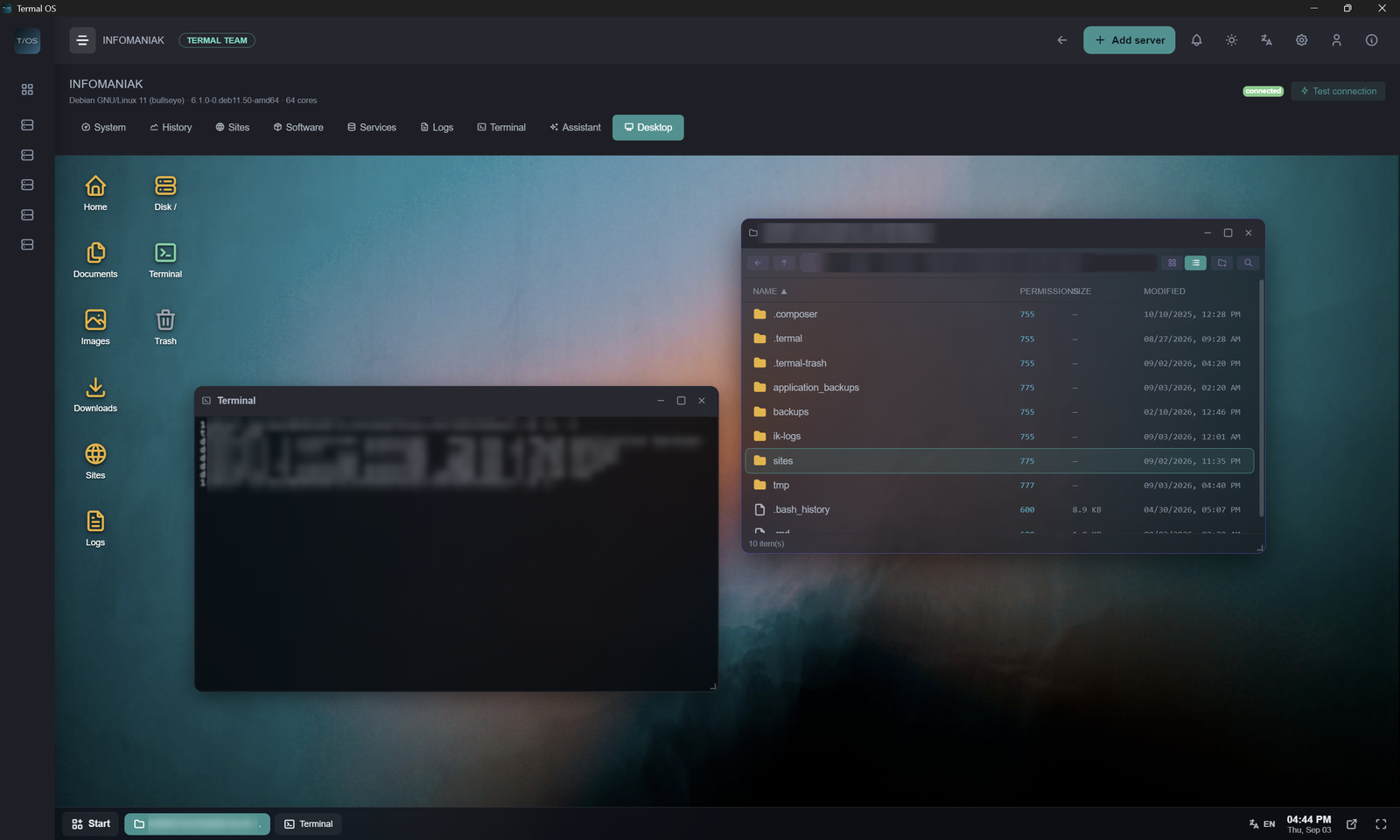
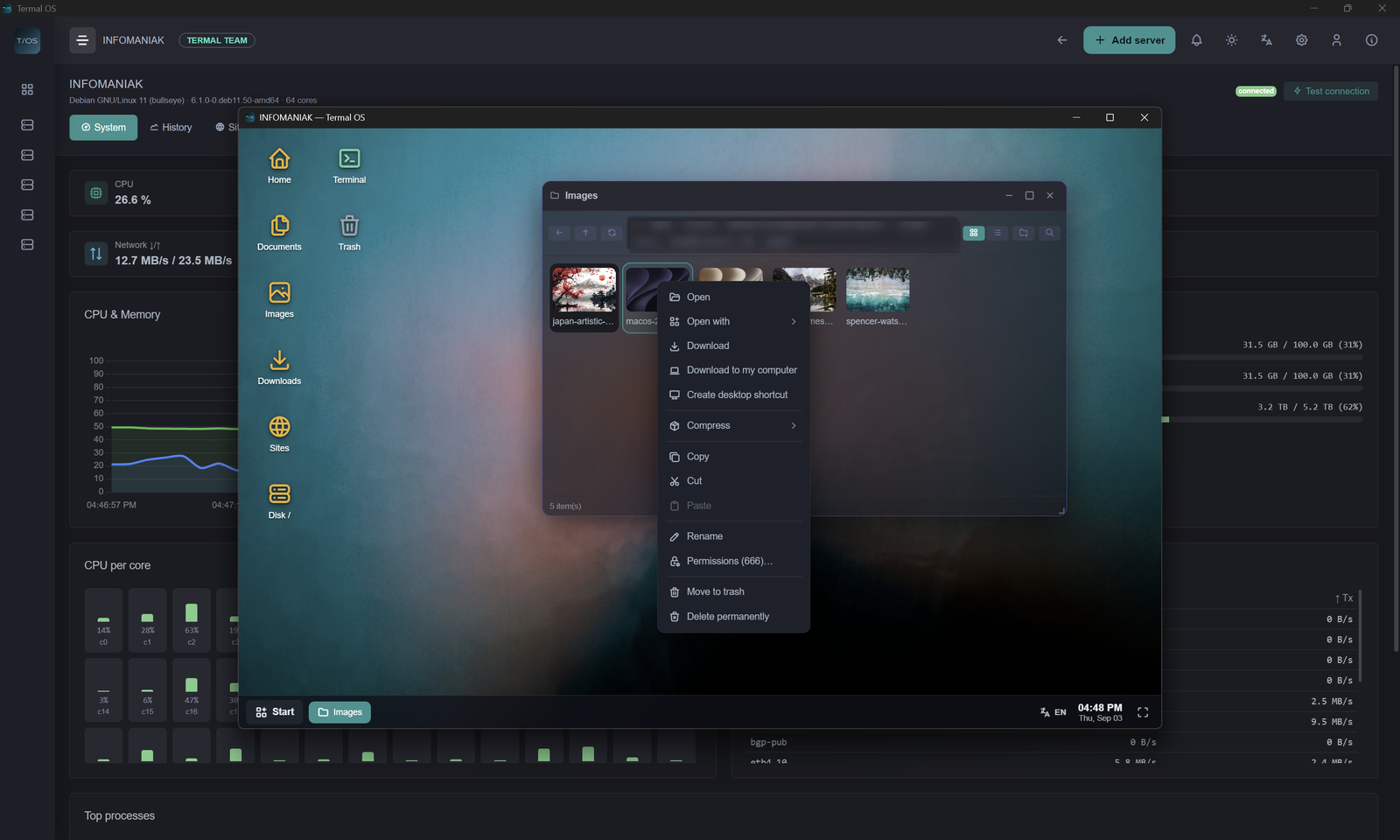
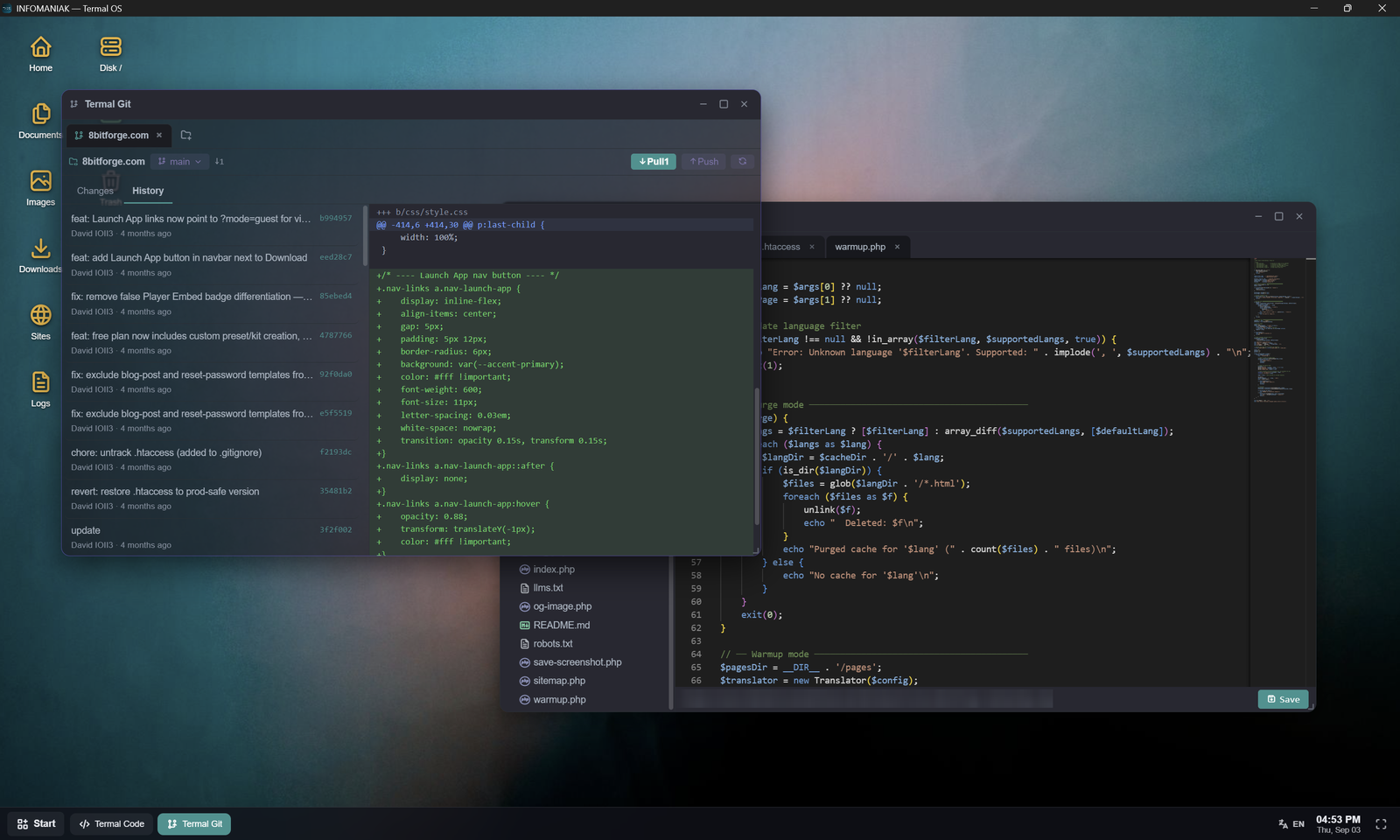
Each server opens as a full desktop: a window manager, an SFTP file manager, a real terminal, a code editor and a tabbed browser, right next to live monitoring and alerts. You see the problem and fix it in the same window, without switching tools.
Your credentials are encrypted on your own machine, and no cloud account holds your server data. The app is free for one server and one user.
Features
Agentless: connects over plain SSH with a password or a private key, nothing to install on your servers
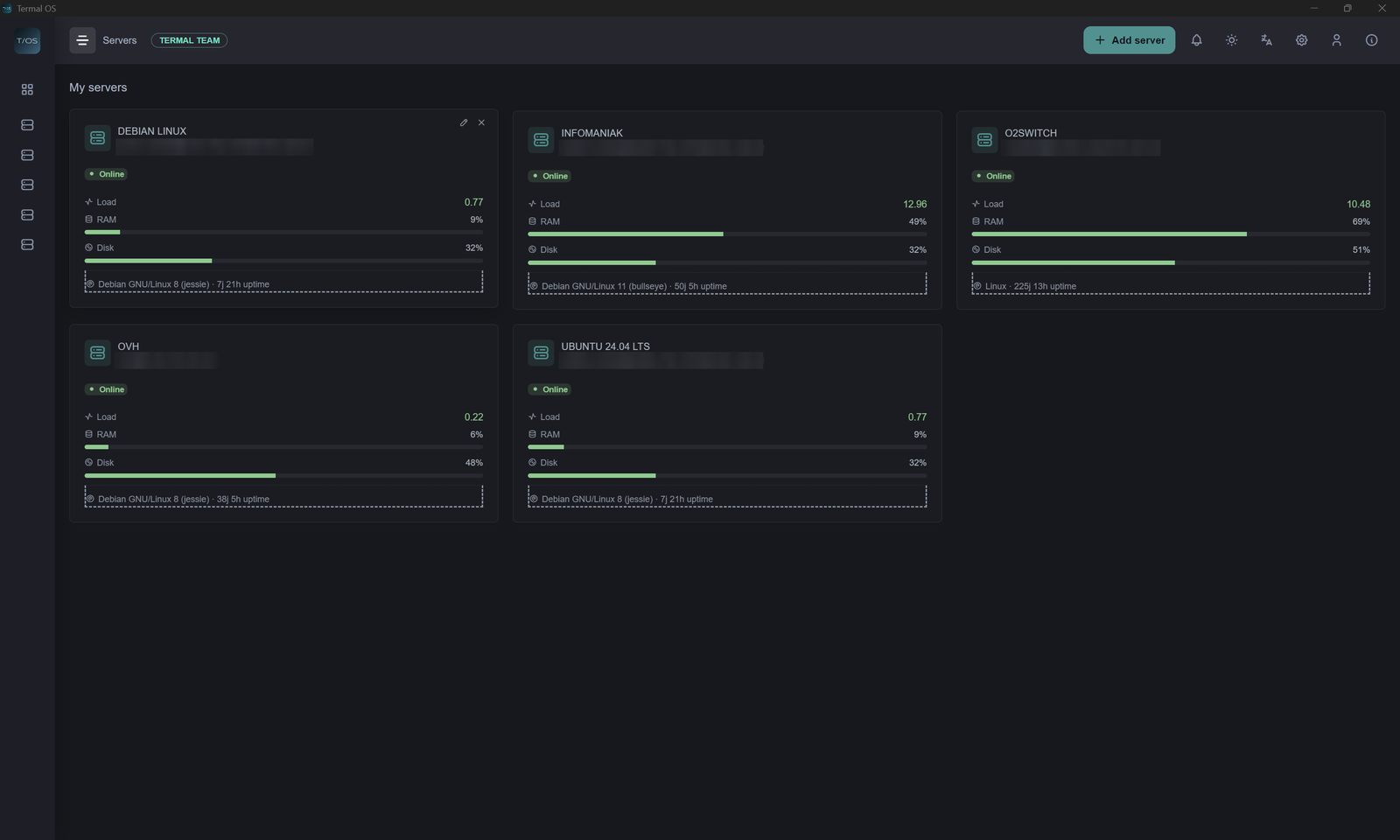
Live monitoring of CPU per core, memory, swap, disks, network, load, processes and TCP connections
Alerts with thresholds for each server and escalation, sent to Telegram, Slack, Discord, webhooks or email
A full desktop over SSH: SFTP file manager, real terminal, Monaco code editor, tabbed browser and process manager
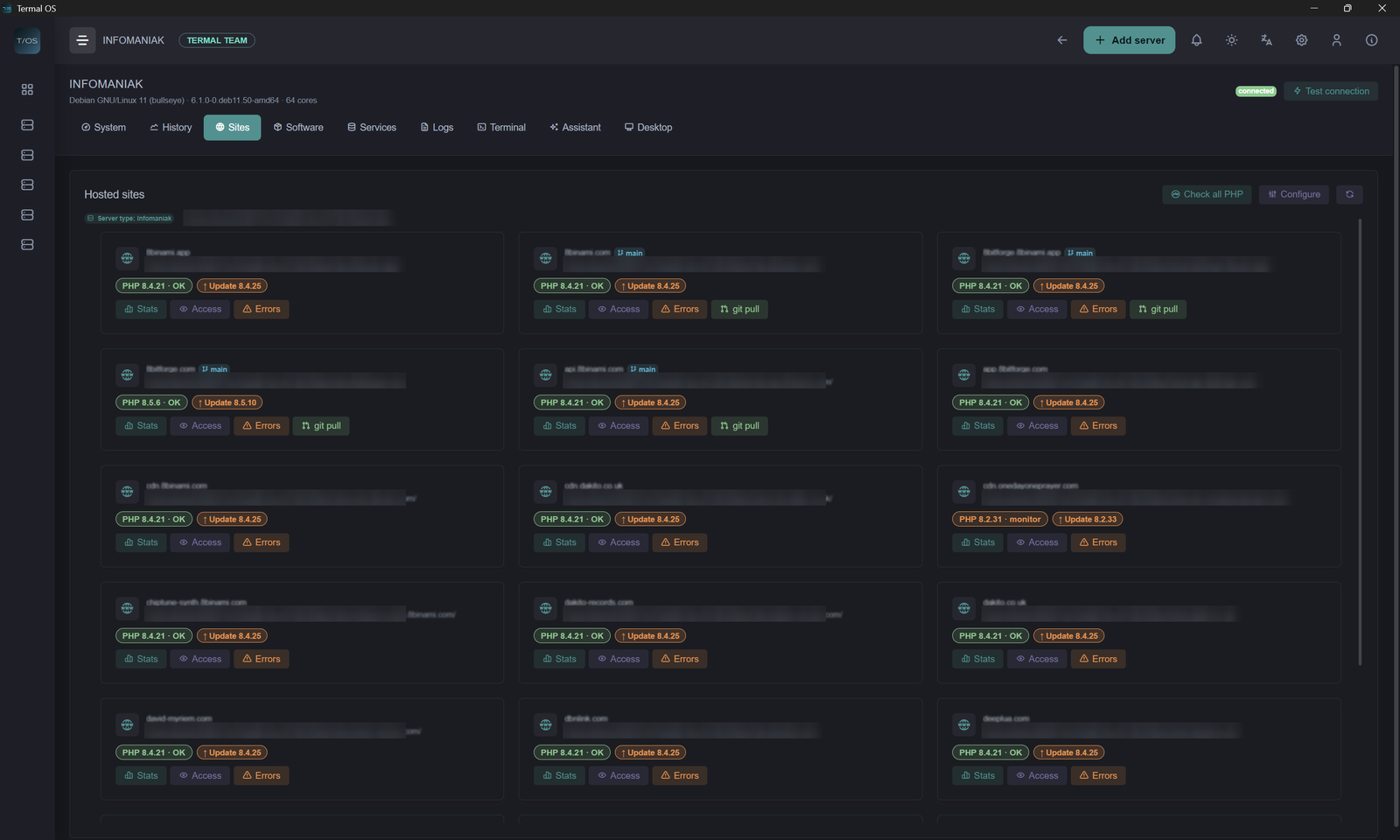
Hosting awareness: detects Plesk, cPanel, Infomaniak, nginx and Apache, lists hosted sites with their PHP version and runs git pull in one click
See the Docker containers running on each server
AI ops copilot on your own API key (Anthropic, OpenAI, Mistral, Groq or a local model): it proposes commands, and nothing runs until you click
Credentials encrypted locally with AES-256-GCM, and SHA-256 checksums published for every installer
Use Cases
Keep an eye on a handful of VPS and dedicated servers without setting up a monitoring stack
Manage client sites on shared or managed hosting, where you cannot install an agent
Fix what an alert shows in the same window: open the log, edit the config, restart the service
Run a homelab from one desktop app, with terminal, files and metrics for every Linux box
Fazier Deal

Comments


Hi Fazier! I'm David, the solo developer behind Termal OS. It started as a tool for myself. I build and host my own projects, and my servers ended up scattered across a VPS, a dedicated box and managed hosting, none of them alike. Every monitoring option asked for something I didn't want to give: install an agent on machines I don't fully control, run a server and a database just to watch three boxes, or send my servers' telemetry to someone else's cloud. So I built what I actually wanted: one desktop app that connects over the SSH I already had, shows me what's happening, and lets me fix it in the same window. The desktop part came from that, because half the job was never monitoring. It was opening a log, editing a config and restarting a service. It runs on Windows, macOS and Linux, and it's free for one server and one user. If you want to go further, any donation unlocks a Lifetime Pro license, and that support is what keeps the project going. I'd love your feedback, especially on this: how do you keep an eye on your servers today, and what would make you switch?
Being fully agentless over plain SSH is a big deal for shared or managed hosting where you simply can't install a monitoring daemon. Having the SFTP manager, terminal, Monaco editor and live CPU/disk monitoring in one window should cut a lot of tool-switching. The Plesk/cPanel detection with one-click git pull is a nice touch for agencies juggling many client sites.

Premium Products












































Fazier Deal
Sponsors
Buy

Makers
Makers
Comments
Hi Fazier! I'm David, the solo developer behind Termal OS. It started as a tool for myself. I build and host my own projects, and my servers ended up scattered across a VPS, a dedicated box and managed hosting, none of them alike. Every monitoring option asked for something I didn't want to give: install an agent on machines I don't fully control, run a server and a database just to watch three boxes, or send my servers' telemetry to someone else's cloud. So I built what I actually wanted: one desktop app that connects over the SSH I already had, shows me what's happening, and lets me fix it in the same window. The desktop part came from that, because half the job was never monitoring. It was opening a log, editing a config and restarting a service. It runs on Windows, macOS and Linux, and it's free for one server and one user. If you want to go further, any donation unlocks a Lifetime Pro license, and that support is what keeps the project going. I'd love your feedback, especially on this: how do you keep an eye on your servers today, and what would make you switch?
Being fully agentless over plain SSH is a big deal for shared or managed hosting where you simply can't install a monitoring daemon. Having the SFTP manager, terminal, Monaco editor and live CPU/disk monitoring in one window should cut a lot of tool-switching. The Plesk/cPanel detection with one-click git pull is a nice touch for agencies juggling many client sites.
Premium Products
New to Fazier?

Find your next favorite product or submit your own. Made by @FalakDigital.
Copyright ©2026. All Rights Reserved