
Task Session
Self-hosted CRM & project management for agencies
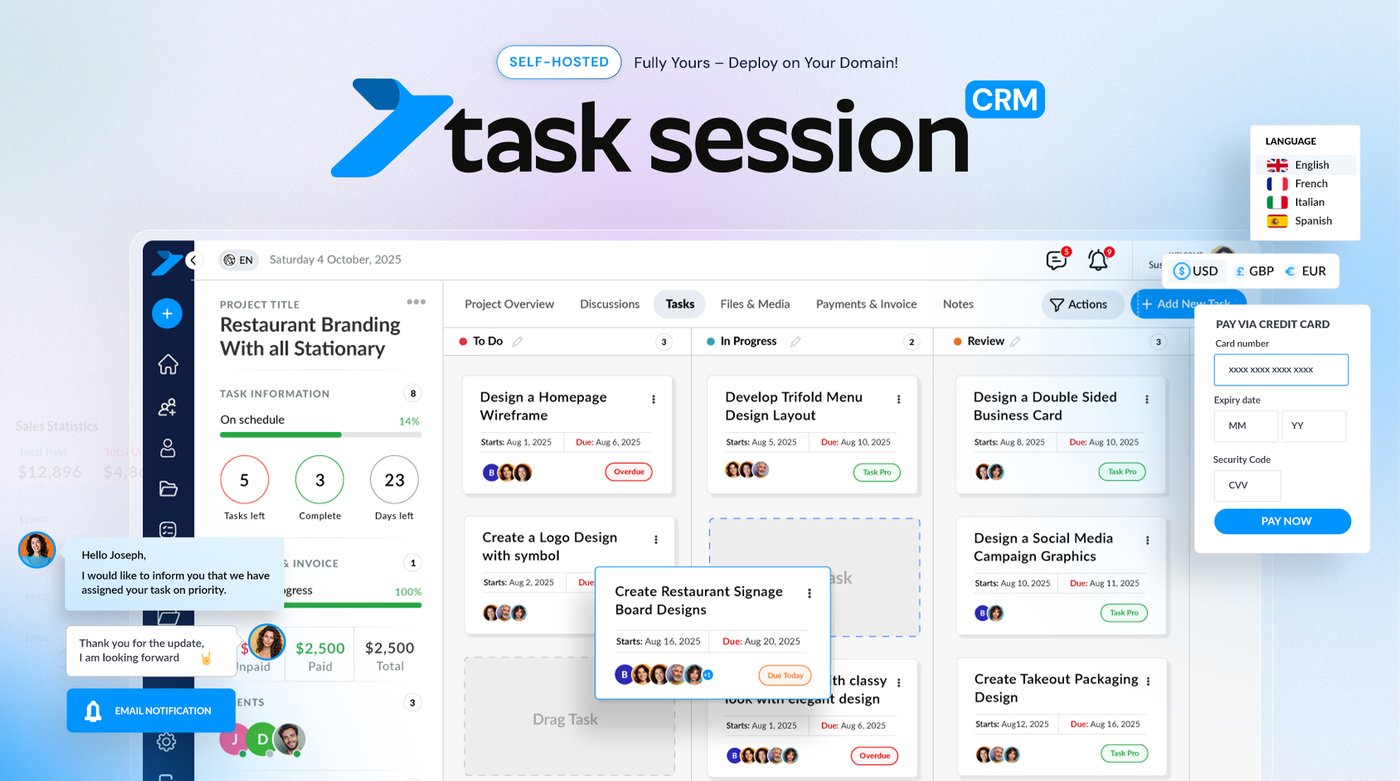
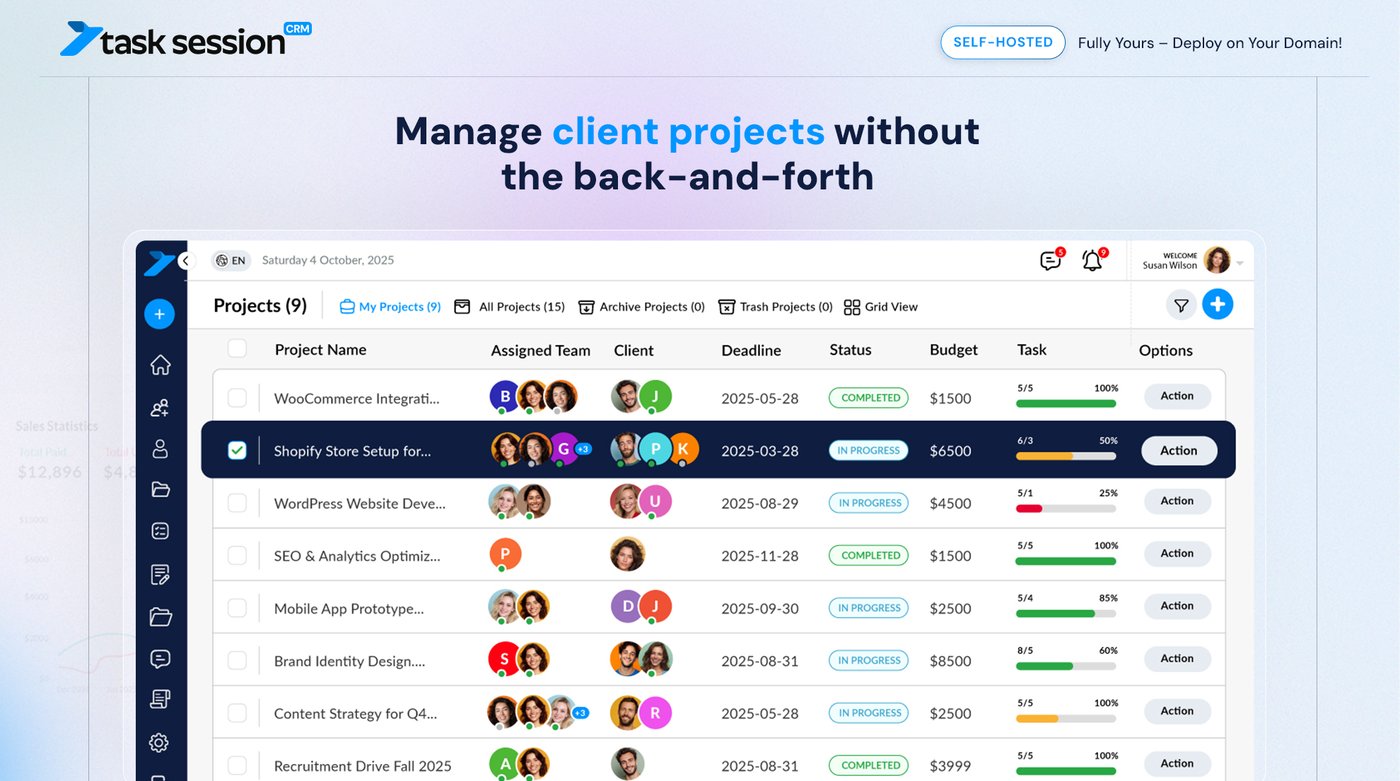
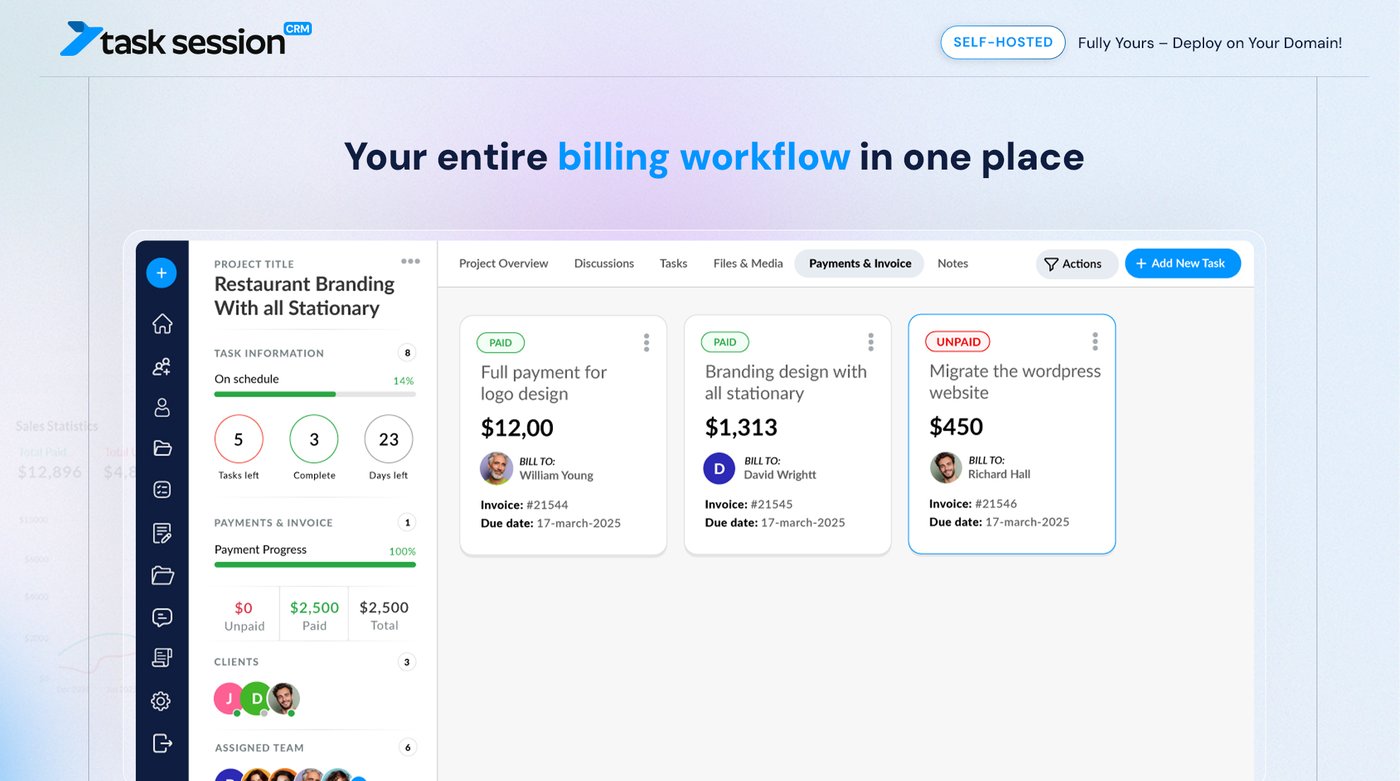
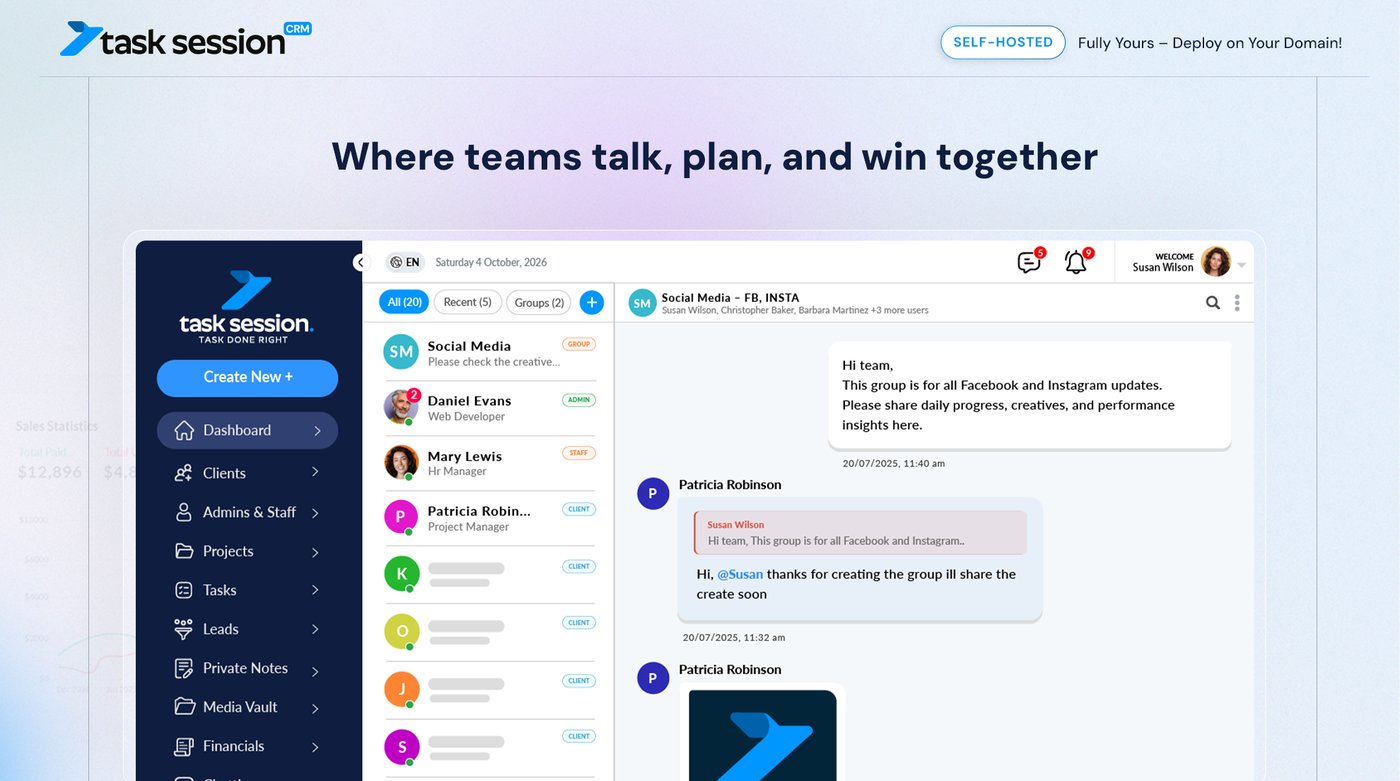
Task Session is a self-hosted CRM and project management suite for agencies, freelancers and small teams. Install it on your own domain and run clients, projects, tasks, invoices and team chat from one place.
It comes with one flat licence and unlimited users, so you do not pay more as your team grows. Your data stays on your own server, with no SaaS lock-in. You can also white-label it with your own logo and colors.
Try the live demo at demo.tasksession.com. A free open-source edition (AGPL-3.0) is on GitHub: github.com/tasksession/tasksession-crm
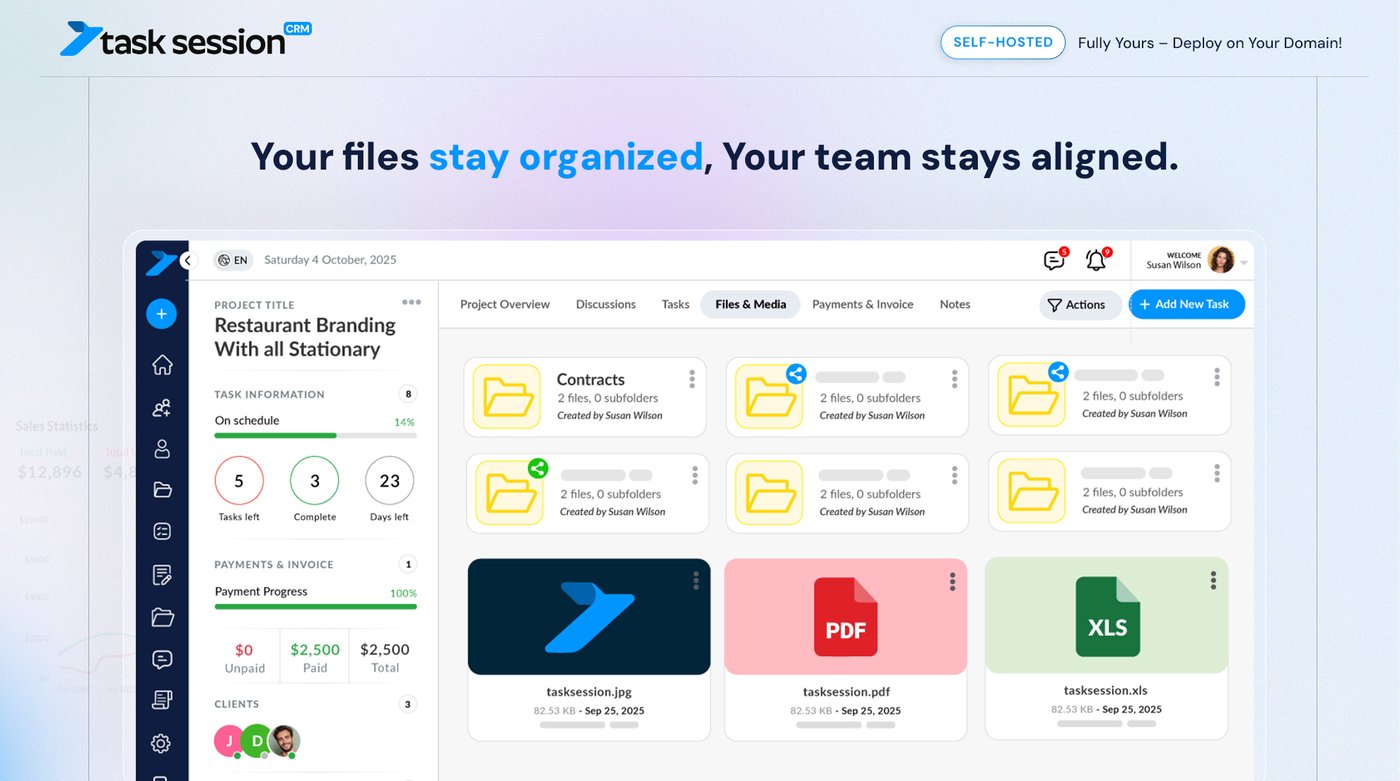
Features
- Projects, tasks and Kanban boards with time tracking
- Client portal where clients see their own projects and tasks
- Leads CRM and client companies
- Invoices, payments and subscriptions (Stripe)
- Team chat, task chat and project discussions
- Files and media, with Google Drive
- Built-in email (Gmail, Outlook, IMAP/SMTP)
- Attendance, shifts and payroll export
- Reports, custom fields, roles and permissions
- White-label branding, Google Login and 2FA
Use Cases
- Digital, marketing and web development agencies managing many client projects
- Freelancers who want a branded client portal instead of email threads
- Teams that want to replace separate CRM, project and invoicing tools
- Companies that need their data on their own server, without per-user pricing

Comments


The time tracking sitting next to invoices and the client portal is what stands out to me. Can tracked hours on a task be turned into an invoice line (and shown to the client in the portal), or do you create invoices separately? For agencies that bill by the hour, that link is usually where the most manual copy-pasting disappears.
The client portal looks like the most useful part for agencies, since clients seeing their own tasks saves a lot of status emails. Can you control visibility per task or file inside a shared project, so internal tasks and drafts stay hidden from the client? And what does the paid licence add over the AGPL edition on GitHub?


I really like the fact that there’s a live demo available along with an AGPL edition on GitHub. It gives people a chance to explore the product, understand how it works, and even test it themselves before deciding whether to pay for the hosted or premium version. I think that kind of transparency is especially useful for developers and technical users. One thing I was wondering about is how updates are handled for the self-hosted version. Is there a simple one-click update option directly from the admin panel, or do users need to manually pull and install each new release from GitHub? It would be interesting to know how easy it is to keep a self-hosted installation up to date over time.


The flat licence with unlimited users is exactly the right pricing shape for agencies — per-seat SaaS gets painful when you add contractors per project. Two practical questions: for the white-label client portal, can each client get their own subdomain or custom domain, and does the AGPL edition include the invoicing/Stripe modules or are those commercial-only? Also curious how upgrades work for self-hosted instances — is there a one-click updater or is it a manual pull?


Hi Fazier! We built Task Session because agencies we worked with were paying for a CRM, a project tool, an invoicing app and a chat app, and still copying data between them. Most of them also paid per user, so every new hire made the bill bigger. Task Session puts clients, projects, tasks, invoices and team chat in one app that you host on your own domain. It has one flat licence and unlimited users. There is also a free open-source edition on GitHub if you want to try it on your own server. You can try the live demo at demo.tasksession.com. We would love your feedback, especially on what your team still needs from a self-hosted CRM.

The flat licence with unlimited users is the right call for agencies — per-seat pricing quietly taxes team growth. One question on the client portal piece: can clients review and approve deliverables without creating an account, or do they log in? In practice the friction is always on the client side; a guest/magic-link view for approvals usually cuts the support back-and-forth a lot. Also good move shipping an AGPL edition — self-host buyers usually want to read the code before committing, so that builds trust.

A flat licence with unlimited users is a strong pitch for agencies whose headcount grows faster than their revenue. How do updates work on self-hosted installs: one click from the admin panel, or a manual pull and migration? That is usually where self-hosted tools lose me, so a clear upgrade path would be a big selling point.

Premium Products


































Sponsors
Buy

Makers
Makers
Comments
The time tracking sitting next to invoices and the client portal is what stands out to me. Can tracked hours on a task be turned into an invoice line (and shown to the client in the portal), or do you create invoices separately? For agencies that bill by the hour, that link is usually where the most manual copy-pasting disappears.
The client portal looks like the most useful part for agencies, since clients seeing their own tasks saves a lot of status emails. Can you control visibility per task or file inside a shared project, so internal tasks and drafts stay hidden from the client? And what does the paid licence add over the AGPL edition on GitHub?
I really like the fact that there’s a live demo available along with an AGPL edition on GitHub. It gives people a chance to explore the product, understand how it works, and even test it themselves before deciding whether to pay for the hosted or premium version. I think that kind of transparency is especially useful for developers and technical users. One thing I was wondering about is how updates are handled for the self-hosted version. Is there a simple one-click update option directly from the admin panel, or do users need to manually pull and install each new release from GitHub? It would be interesting to know how easy it is to keep a self-hosted installation up to date over time.
The flat licence with unlimited users is exactly the right pricing shape for agencies — per-seat SaaS gets painful when you add contractors per project. Two practical questions: for the white-label client portal, can each client get their own subdomain or custom domain, and does the AGPL edition include the invoicing/Stripe modules or are those commercial-only? Also curious how upgrades work for self-hosted instances — is there a one-click updater or is it a manual pull?
Hi Fazier! We built Task Session because agencies we worked with were paying for a CRM, a project tool, an invoicing app and a chat app, and still copying data between them. Most of them also paid per user, so every new hire made the bill bigger. Task Session puts clients, projects, tasks, invoices and team chat in one app that you host on your own domain. It has one flat licence and unlimited users. There is also a free open-source edition on GitHub if you want to try it on your own server. You can try the live demo at demo.tasksession.com. We would love your feedback, especially on what your team still needs from a self-hosted CRM.
The flat licence with unlimited users is the right call for agencies — per-seat pricing quietly taxes team growth. One question on the client portal piece: can clients review and approve deliverables without creating an account, or do they log in? In practice the friction is always on the client side; a guest/magic-link view for approvals usually cuts the support back-and-forth a lot. Also good move shipping an AGPL edition — self-host buyers usually want to read the code before committing, so that builds trust.
A flat licence with unlimited users is a strong pitch for agencies whose headcount grows faster than their revenue. How do updates work on self-hosted installs: one click from the admin panel, or a manual pull and migration? That is usually where self-hosted tools lose me, so a clear upgrade path would be a big selling point.
Premium Products
New to Fazier?

Find your next favorite product or submit your own. Made by @FalakDigital.
Copyright ©2026. All Rights Reserved