
Tabwright
Tab manager that saves sessions and keeps tab groups
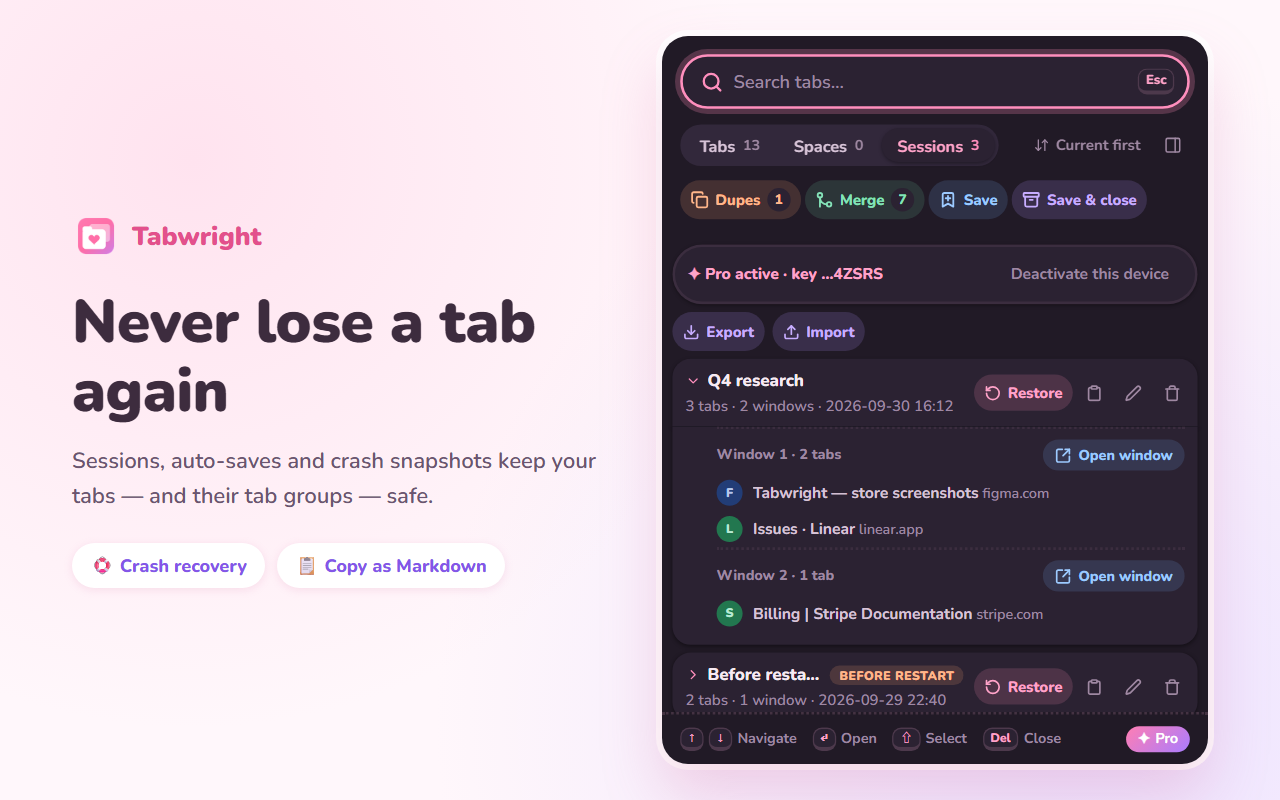
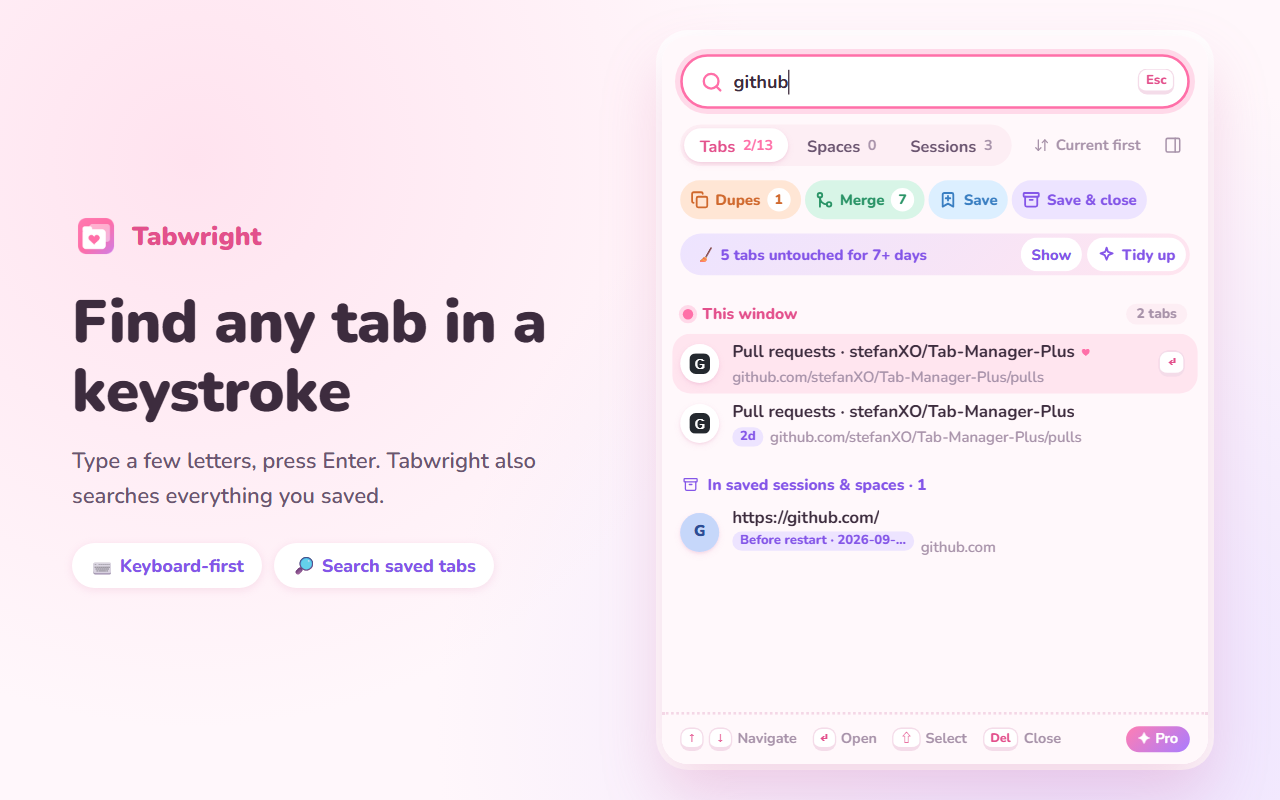
Tabwright is a tab manager and session saver for Chrome and Edge, built around two things: not losing tabs, and keeping tab groups intact. Save all your windows as a session and restore a whole session, one window or a single tab. Auto-saves and crash snapshots run in the background. Search every open tab from the keyboard and jump to it with Enter. No account and no analytics: your tabs stay on your computer. The core is free; Pro is a one-time $6.99 with no subscription.
Features
Save sessions and restore a whole session, one window or a single tab
Auto-saves and crash snapshots in the background
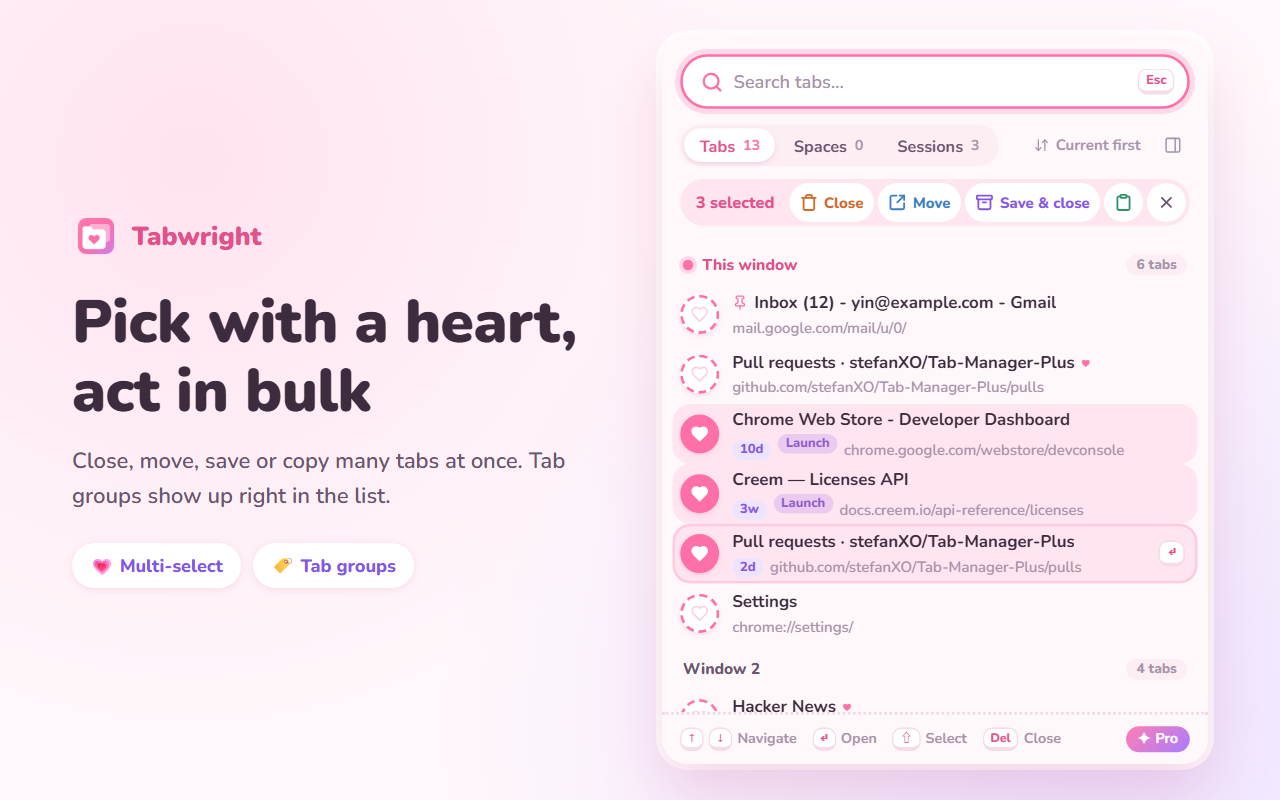
Tab groups come back as groups, with name and color
Keyboard search across all windows
Spaces: name a window and switch with Alt+1 to 9
Close duplicates, merge windows, group tabs by site
No account, no analytics, data stays local
Use Cases
Keep dozens of research tabs without losing them after a crash or restart
Give each project its own window and switch between them from the keyboard
Save a set of tabs, close them, and reopen the whole set later
Clean up duplicate and long-unused tabs in one pass

Comments


I kept losing tabs: a crash, a "close all" I regretted, a session saver that restored my tab groups as a flat list. So I built Tabwright. It saves sessions, keeps auto-saves and a crash snapshot in the background, and restores Chrome tab groups as groups with their name and color. Everything is stored locally, with no account and no analytics. It's free to use, with a one-time $6.99 Pro. I'm the solo developer, so I'm biased; I'd like to hear what breaks or what's missing, especially if you keep a lot of tabs open.

I lose tabs exactly the way this opens — a crash, or a 'close all' I regret straight after. Two things I want to check before installing: when a tab group comes back after a crash, does it keep the group's name and colour, or just the tabs? And with Spaces on Alt+1 to 9, do sessions I have already closed stay searchable by title, or only the ones currently open? Keeping everything local with no account is what makes this worth trying over the sync-based tab managers.



Good call on one-time pricing instead of a subscription. How does restoring a big session behave — do all tabs load at once, or are they restored as sleeping/discarded tabs that load when clicked? With 100+ tabs, that's the difference between a smooth restore and a frozen browser. Also curious whether pinned tabs come back pinned.

Premium Products









































Sponsors
Buy
Comments
I kept losing tabs: a crash, a "close all" I regretted, a session saver that restored my tab groups as a flat list. So I built Tabwright. It saves sessions, keeps auto-saves and a crash snapshot in the background, and restores Chrome tab groups as groups with their name and color. Everything is stored locally, with no account and no analytics. It's free to use, with a one-time $6.99 Pro. I'm the solo developer, so I'm biased; I'd like to hear what breaks or what's missing, especially if you keep a lot of tabs open.
I lose tabs exactly the way this opens — a crash, or a 'close all' I regret straight after. Two things I want to check before installing: when a tab group comes back after a crash, does it keep the group's name and colour, or just the tabs? And with Spaces on Alt+1 to 9, do sessions I have already closed stay searchable by title, or only the ones currently open? Keeping everything local with no account is what makes this worth trying over the sync-based tab managers.
Good call on one-time pricing instead of a subscription. How does restoring a big session behave — do all tabs load at once, or are they restored as sleeping/discarded tabs that load when clicked? With 100+ tabs, that's the difference between a smooth restore and a frozen browser. Also curious whether pinned tabs come back pinned.
Premium Products
New to Fazier?

Find your next favorite product or submit your own. Made by @FalakDigital.
Copyright ©2026. All Rights Reserved