TabMate - Browser Research Workspace
Stop copy-pasting context across tabs, notes and chat tools.
Online research can get time consuming and frustrating fast. You browse multiple sites, repeatedly copy-paste information into chat bots and notes and soon, realize you have lost track of what's where and where's what. This is where TabMate can help.
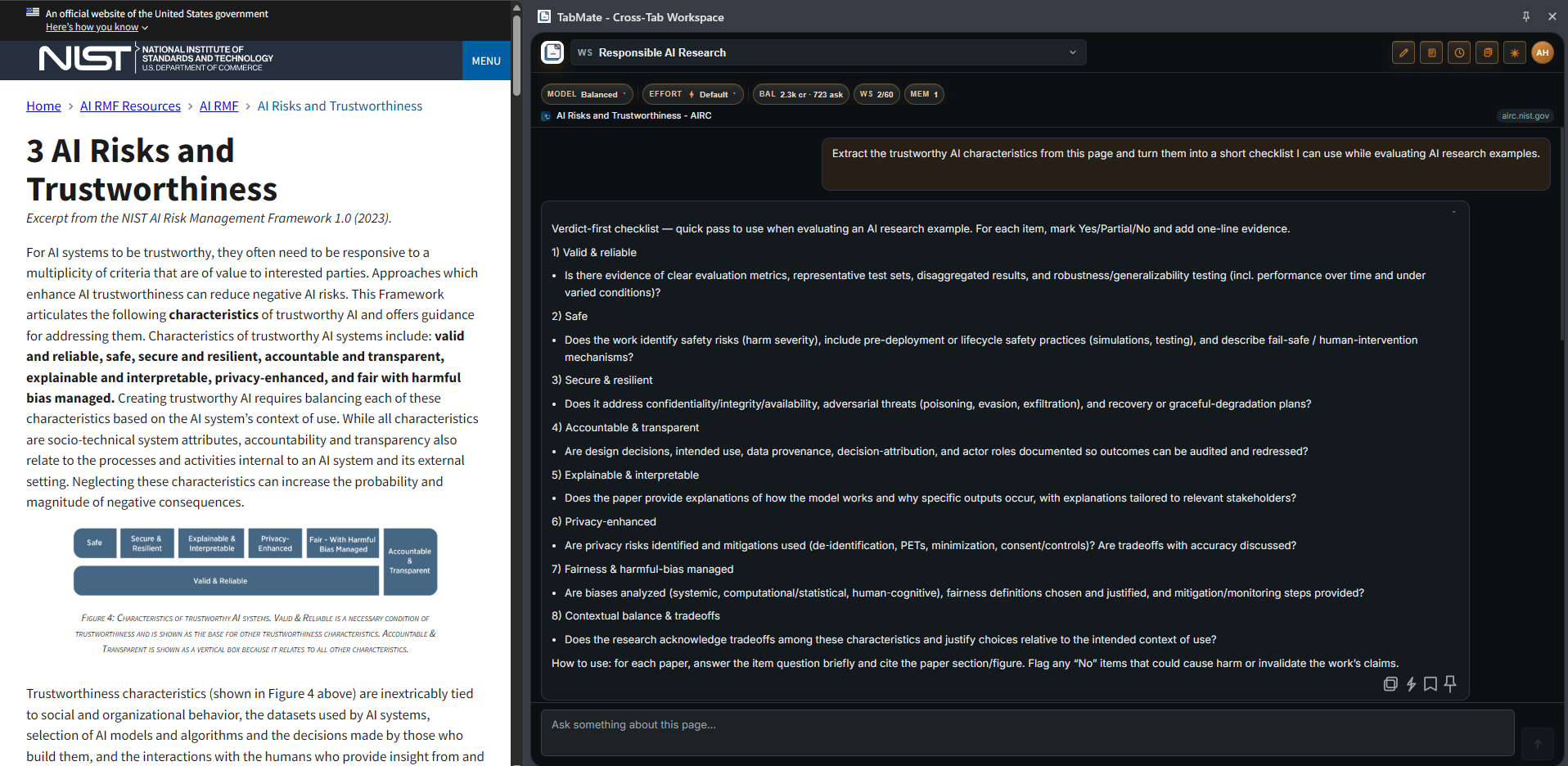
TabMate is a browser extension that gives you a side-panel workspace with an AI assistant where you can ask questions about the current page, save useful excerpts, keep notes, carry the right context forward as you move across pages, and build research over time. Instead of jumping between tabs, notes, and chat tools, it keeps your work in one place while you browse. TabMate remembers what you save and recalls them whenever you need them.
Ask about any page, without lifting a finger
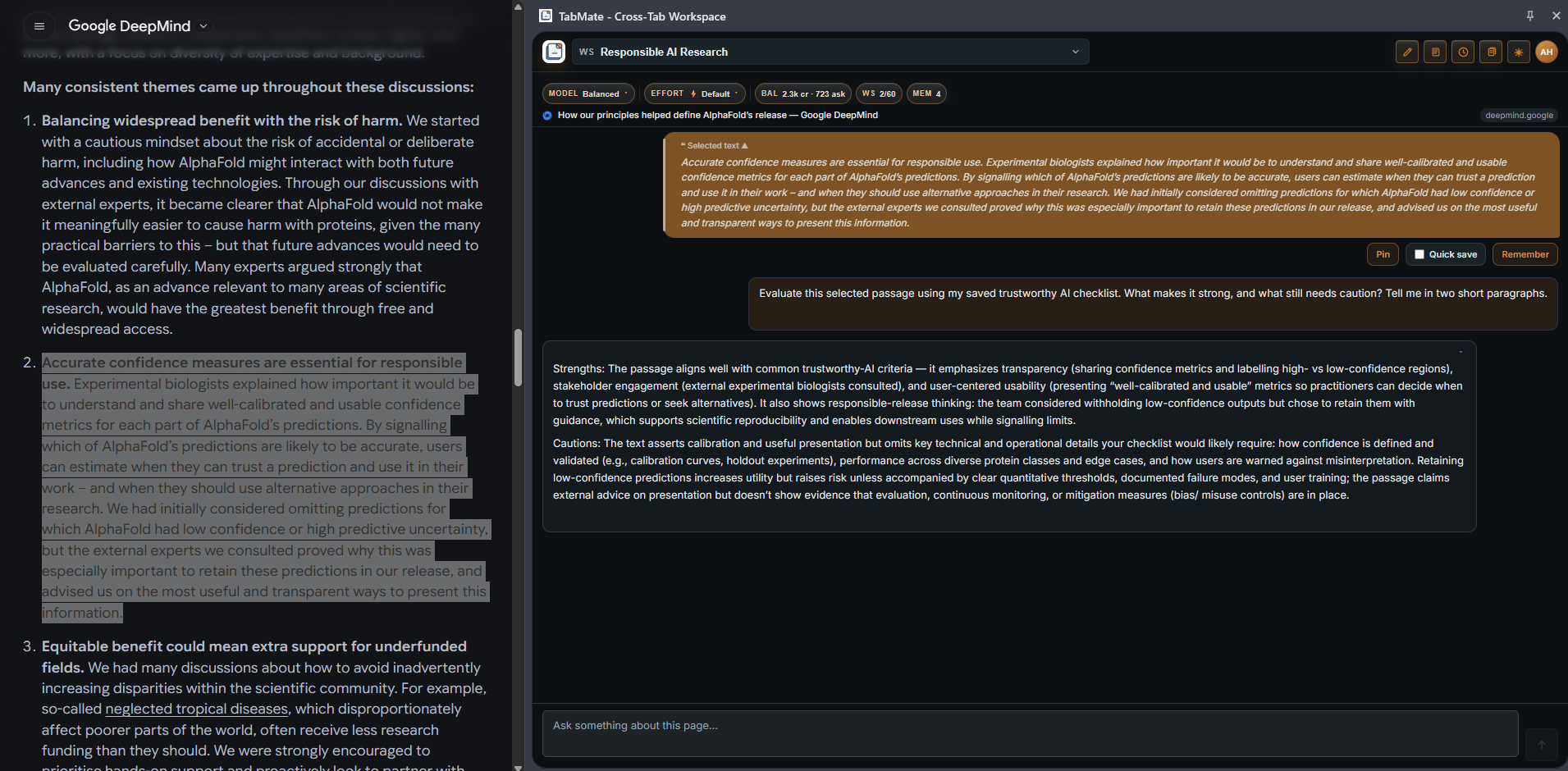
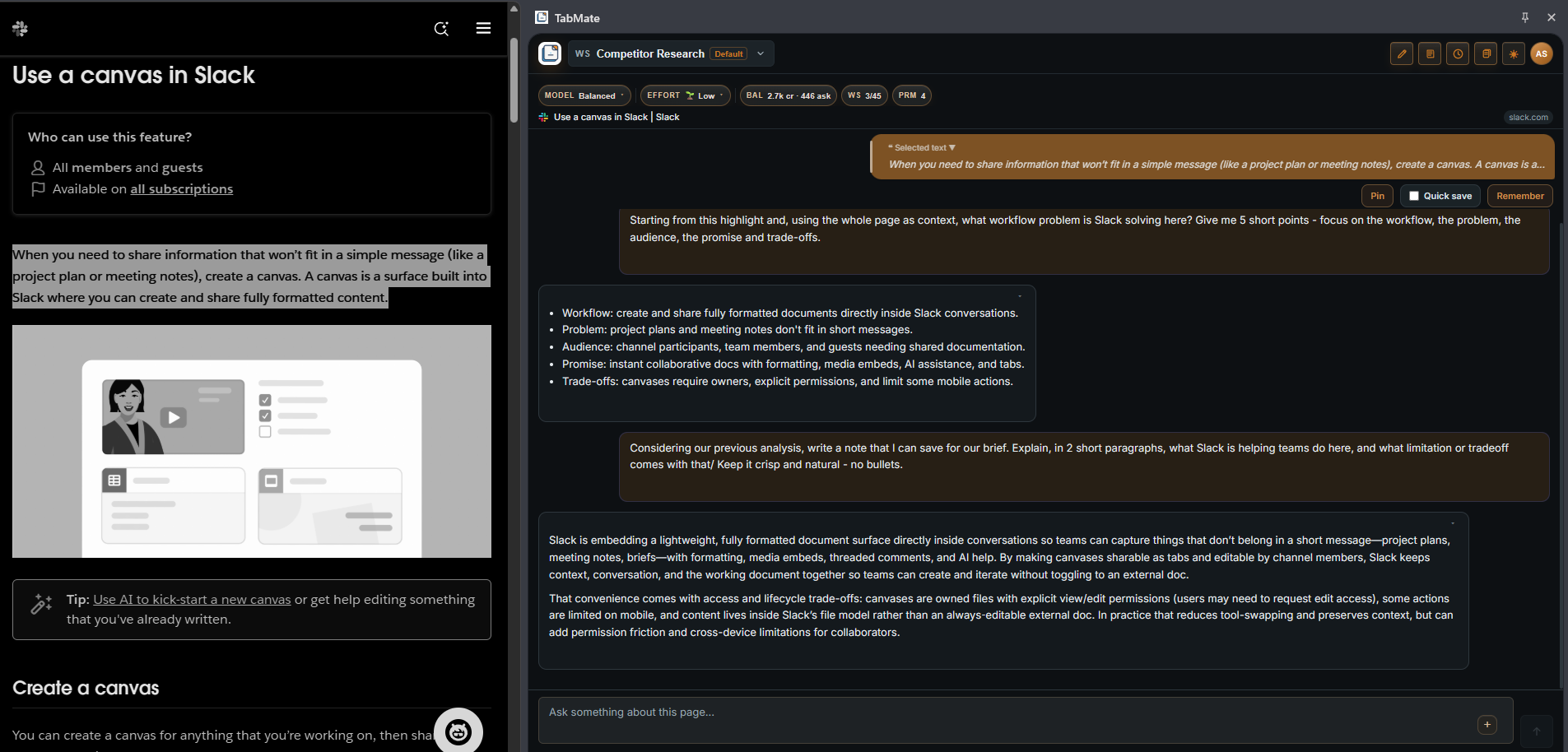
TabMate reads the page you are on and answers questions about it directly in the panel. You do not need to copy anything — just ask. You can highlight a specific paragraph to narrow the focus, or ask broad questions across the full page. Follow-up questions stay in context, so the conversation builds rather than starting over every time.
Keep the right pieces in play
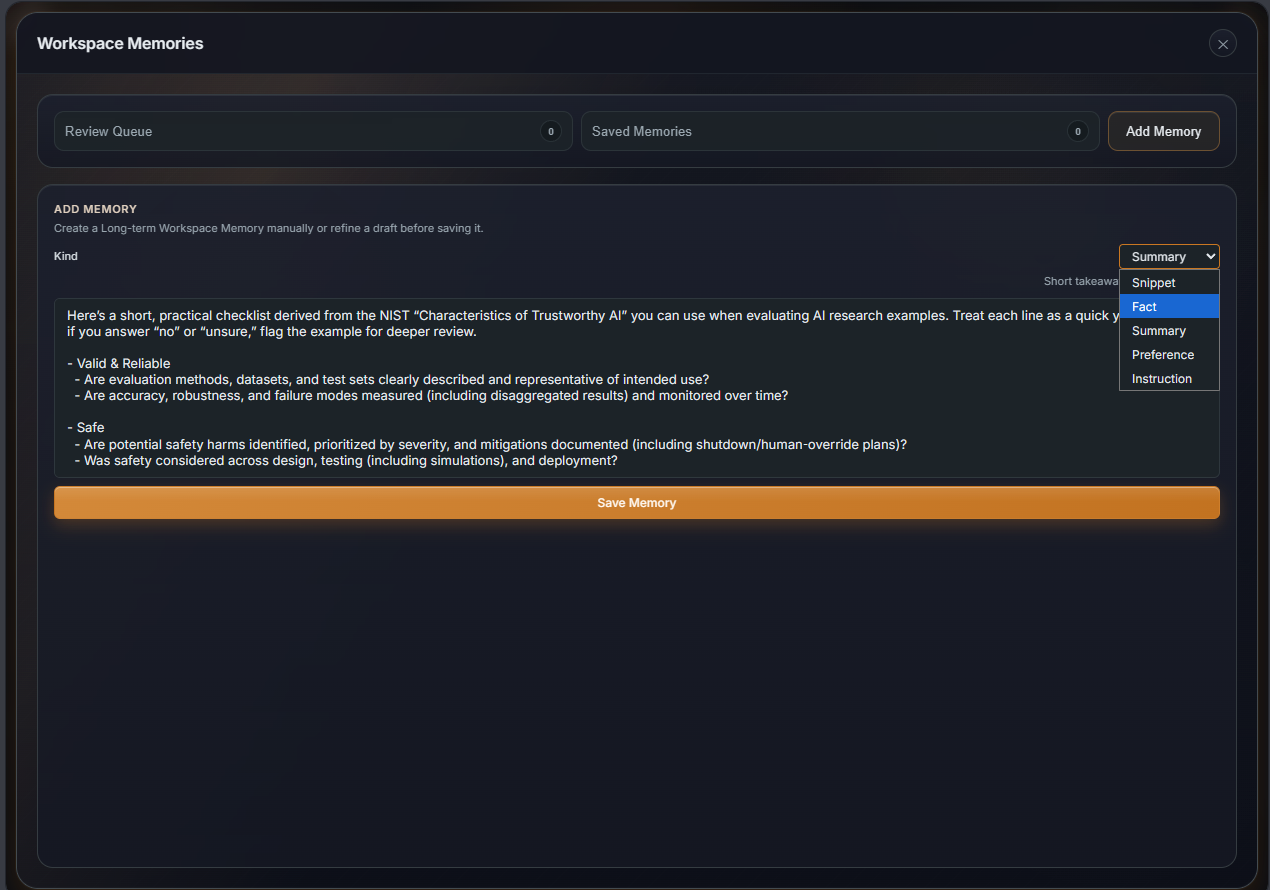
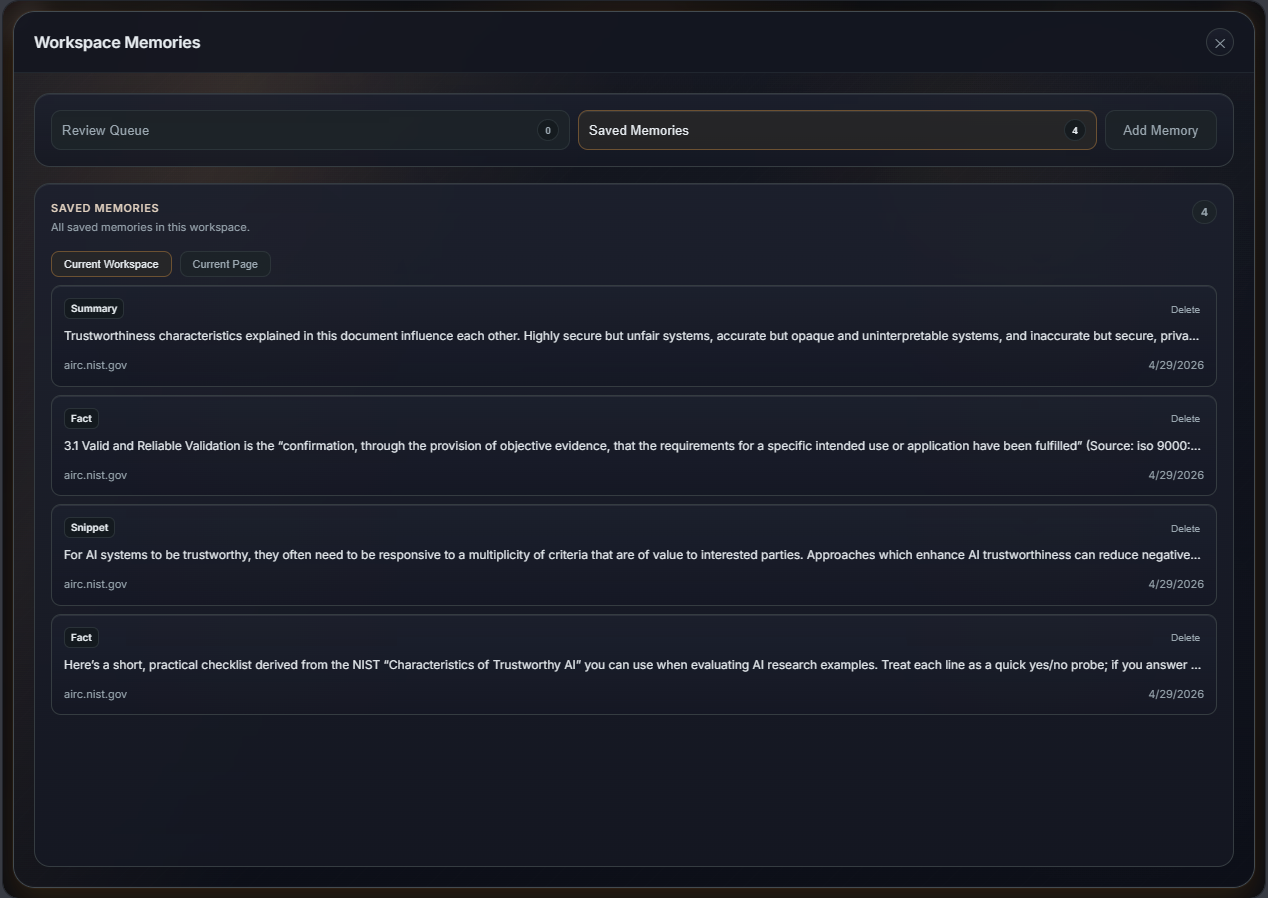
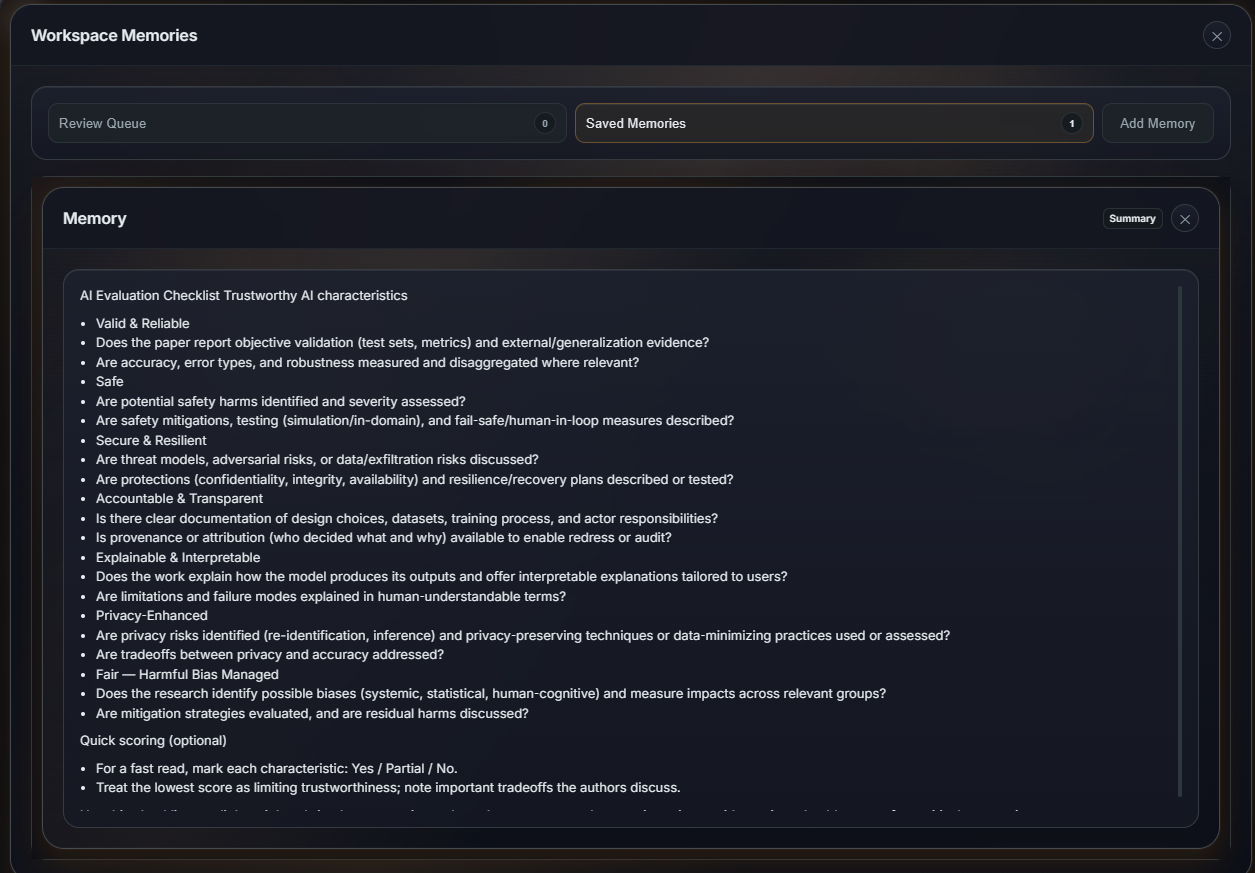
While you research, you will come across things worth holding onto — a pricing figure, a key quote, a claim you want to cross-reference later. TabMate gives you two tools for this. Pins let you anchor specific excerpts to your current session so they travel with you across every tab and get included in every ask automatically. Memories let you save information more permanently, with TabMate retrieving only the most relevant ones based on what you are currently working on, not flooding every response with everything you have ever saved.
Your research builds up over time
TabMate also watches your conversation as it goes and quietly flags anything it thinks is worth saving — dates, decisions, key claims, summaries. These surface as memory candidates for you to review and confirm. You stay in control of what gets kept. Over time, a workspace becomes a living knowledge base for a project, not just a chat transcript.
Built for the way you actually work
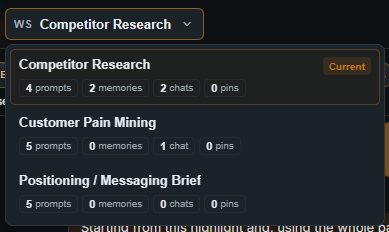
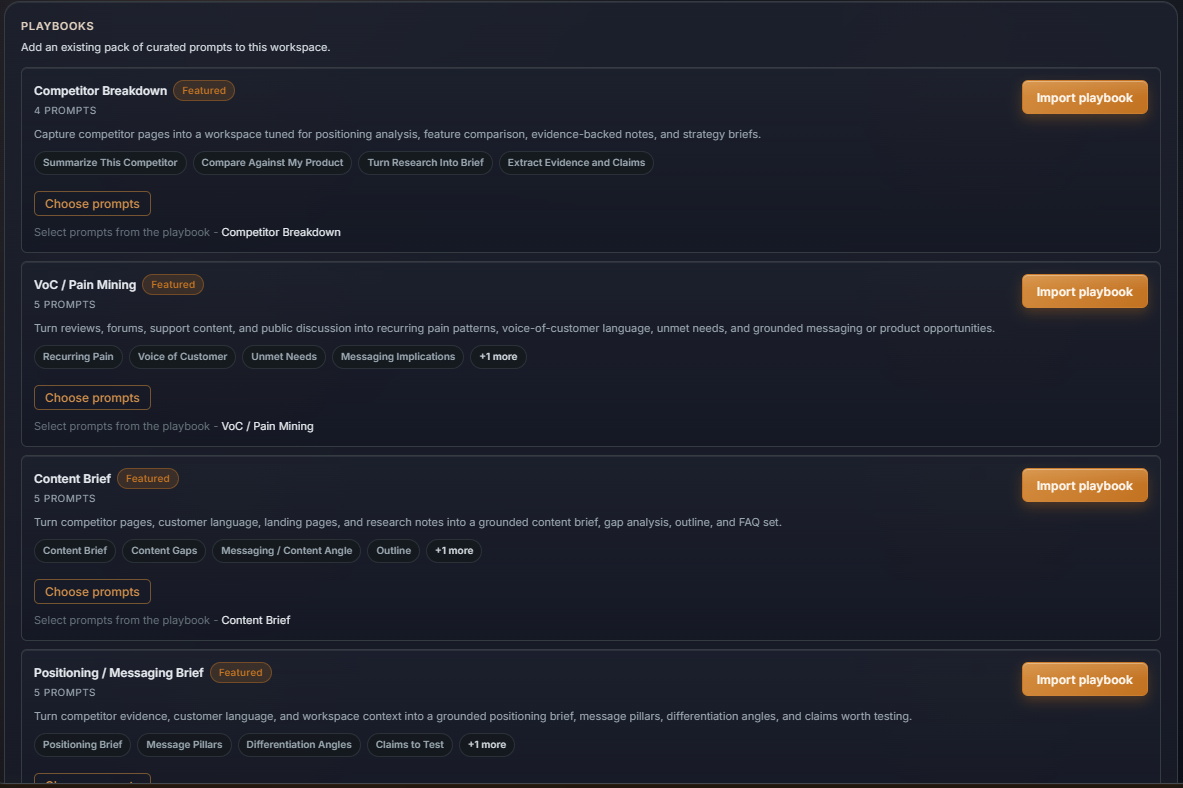
TabMate comes with a set of starter templates tuned to different types of work — founder research, market analysis, academic reading, general browsing. Pick the one that fits closest when you start a workspace and get relevant question starters right away. You can run multiple workspaces for separate projects, each with its own saved context, conversation history, and memories, kept completely separate from one another.
Start for free, no sign-up required.
Features
- Ask questions about any page you're reading — no copy-pasting required
- Select text on a page to focus the AI on a specific section or paragraph
- Side-panel workspace that stays open while you browse, no tab switching
- Pin excerpts from any page so they travel with you and get included in every ask automatically
- Save memories — facts, quotes, summaries, preferences — that TabMate recalls when relevant across sessions
- Memory candidates: TabMate flags things worth saving after each response, you confirm what to keep
- Workspaces to separate projects, each with its own conversation history, memories, and saved context
- Starter templates tuned to different workflows — founder research, market analysis, academic reading, general browsing
- Ask follow-up questions in context — the conversation builds without starting over
- Cross-device access — sign in on any machine and pick up where you left off
- Free to start, no sign-up required
- Available on Chrome and Firefox desktop
Use Cases
Product marketers and GTM teams
- Research competitors directly from their live pages — no copy-pasting into a separate doc
- Mine customer reviews and community threads, saving the exact quotes and pain points that matter
- Keep competitor teardowns, VoC notes, and messaging work in separate workspaces so they don't bleed together
- Come back to the same brief next sprint with saved context, excerpts, and follow-up questions already in place
Founders
- Run market scans across competitor sites, pricing pages, and product docs without losing track when tabs close
- Keep customer discovery notes attached to the source pages where you found them
- Compare vendors and save pros, risks, and open questions together in one workspace
- Build decision memos and validation summaries from the evidence you actually collected
Students and adult learners
- Ask questions about academic sources while reading them — no need to switch to a separate chat tool
- Keep highlighted excerpts and notes scoped to the same research workspace as the original pages
- Build comparison matrices and literature review notes from saved sources across sessions
- Pick up an assignment where you left off with context and previous notes still attached
Educators
- Collect source pages, lesson notes, and rubric references in one workspace while preparing a course
- Draft from selected excerpts without losing which source supported which idea
- Reuse saved prep work from a previous term instead of starting from a blank screen
General browser research
- Any research that spans multiple tabs — product comparisons, analyst work, due diligence, consulting prep
- Save the pages that mattered and ask follow-ups without rebuilding context from scratch next session
- Keep separate projects in separate workspaces so unrelated research threads don't mix

Comments


Hi everyone. This is my first launch and I am really excited to share TabMate with you. I joined the Founders' club recently and while the journey has been exciting, there has also been a lot to learn. TabMate was born out a personal grudge against context-switching and constantly copy-pasting stuff here and there. I think keeping scattered information together to use it in a reliable way is a common pain we face in the internet era and I hope you find TabMate useful in your workflow. In fact, I used it to assist in submitting this listing! Feedback welcome.
Premium Products





























Sponsors
Buy

Makers
Makers
Comments
Hi everyone. This is my first launch and I am really excited to share TabMate with you. I joined the Founders' club recently and while the journey has been exciting, there has also been a lot to learn. TabMate was born out a personal grudge against context-switching and constantly copy-pasting stuff here and there. I think keeping scattered information together to use it in a reliable way is a common pain we face in the internet era and I hope you find TabMate useful in your workflow. In fact, I used it to assist in submitting this listing! Feedback welcome.
Premium Products
New to Fazier?

Find your next favorite product or submit your own. Made by @FalakDigital.
Copyright ©2026. All Rights Reserved