
T3rnel Browser
DevTools you can talk to, in the browser you already use
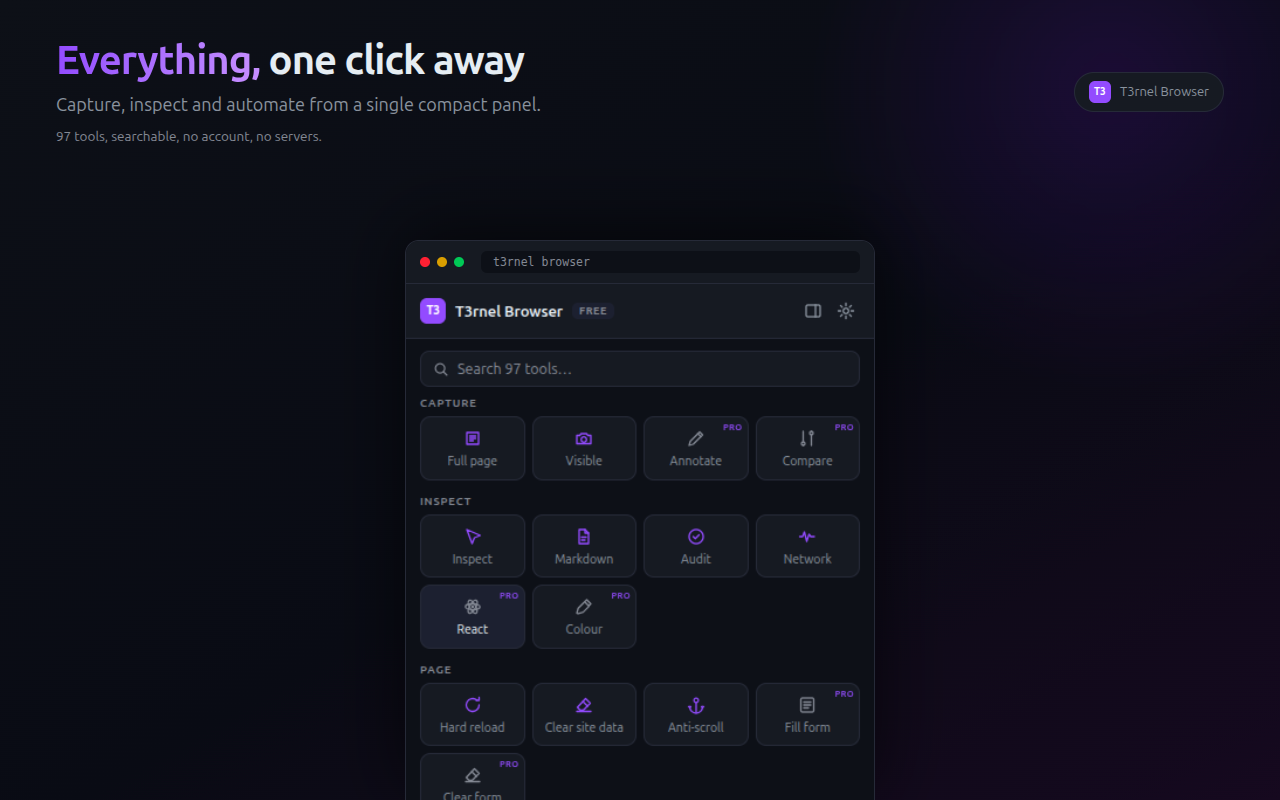
T3rnel Browser is a privacy-first browser extension that turns your everyday browser into a full development and QA workstation — DevTools you can talk to, in the browser you're already signed into. It pairs a 97-tool action surface with an MCP bridge, so AI assistants like Claude, Cursor or any MCP client can drive your real browser profile: inspect CSS, pick colors, take full-page screenshots, record and replay flows, capture console and network traffic, run accessibility/performance/SEO audits, fill forms, and export reproducible scripts for Playwright, Puppeteer, Cypress or Selenium. Everything runs locally in Chrome, Edge, Firefox, Opera or Brave. No servers, no session export, no credential copying — secrets stay in the encrypted vault, network capture redacts credentials automatically, and approval gates plus local audit logs keep automation accountable. Free core tools; Pro unlocks the AI bridge, audits, replays and audit trails for a one-time price.
Features
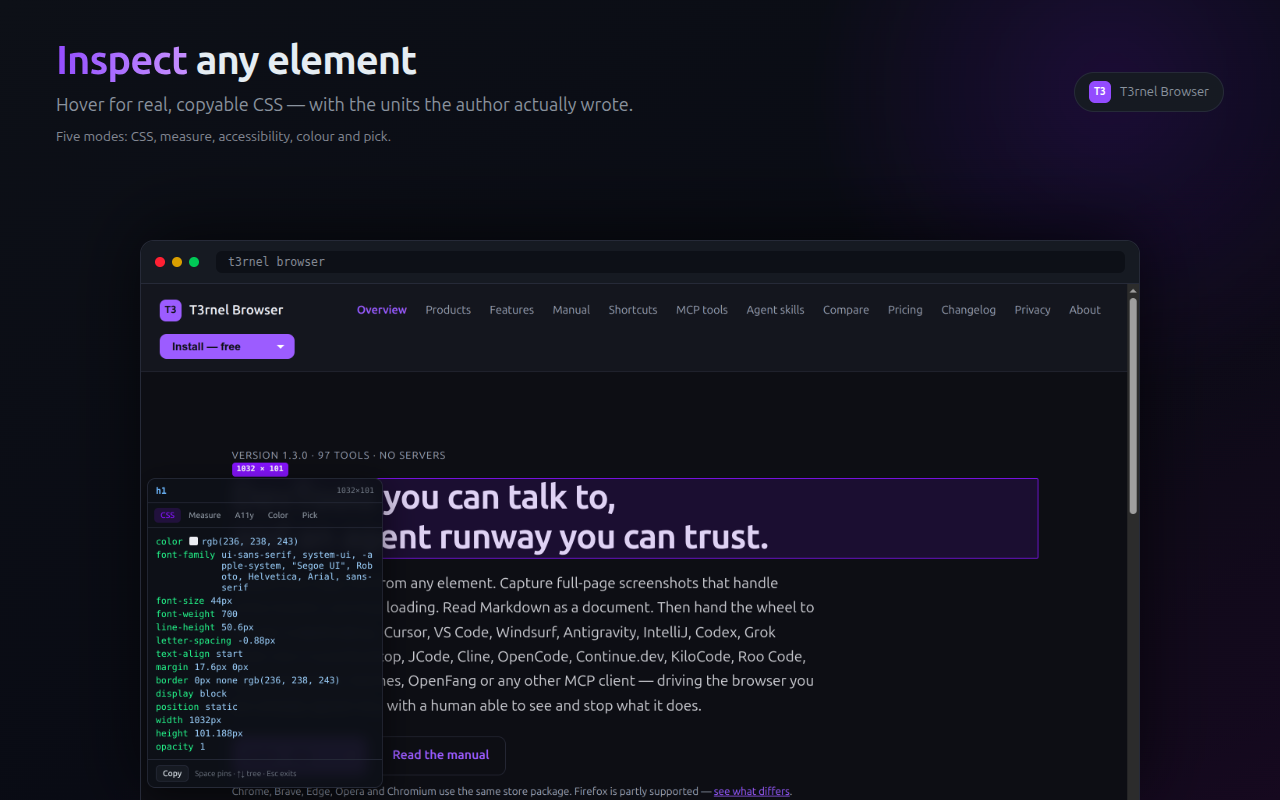
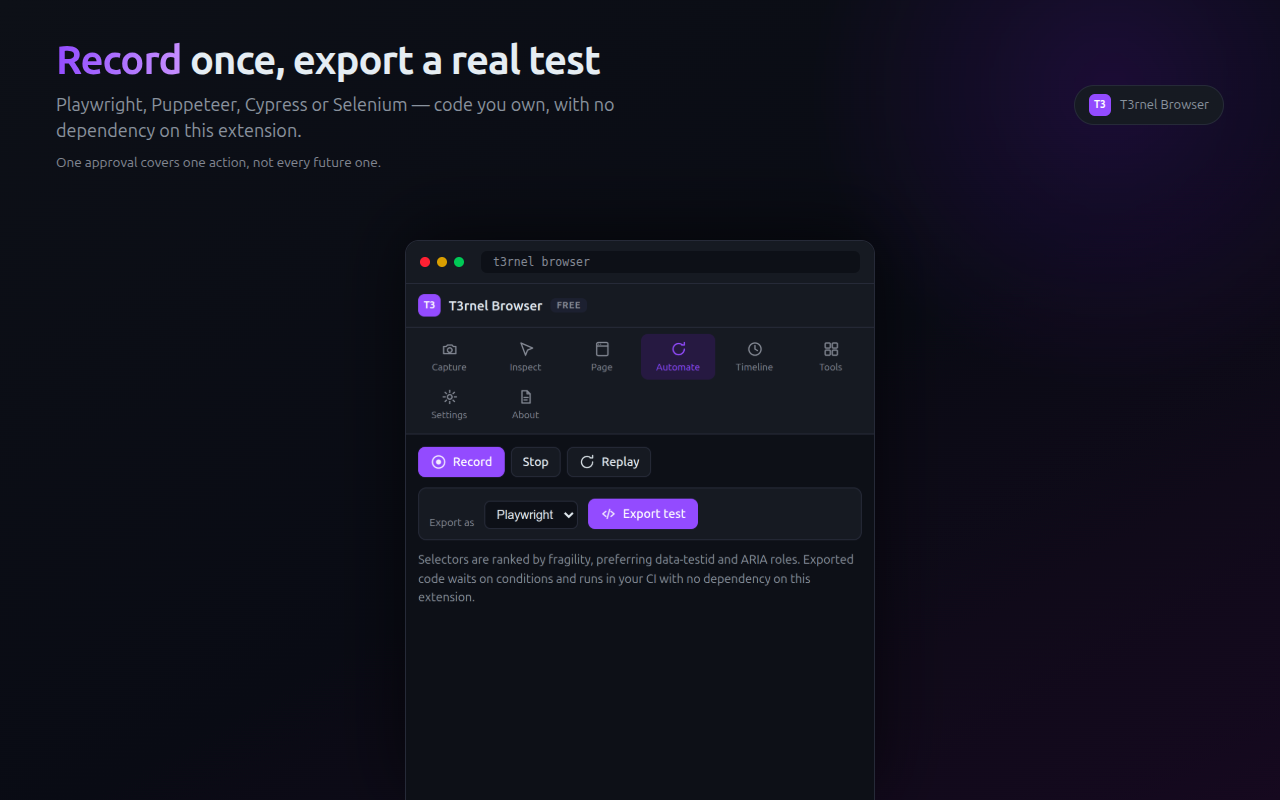
97 MCP tools controllable by Claude, Cursor and other AI assistants Automate in the browser profile where you're already signed in CSS inspector with one-click export and color picker Full-page and element screenshots Flow recording and replay with run timelines Export flows to Playwright, Puppeteer, Cypress and Selenium React component inspector Network and console capture with credential redaction Accessibility, performance and SEO audits Visual-diff baselines Form filling, tab and navigation controls Markdown, Mermaid and math rendering Encrypted credential vault — nothing leaves your machine Prompt-injection protection, approval gates and local audit logs Runs on Chrome, Edge, Firefox, Opera and Brave
Use Cases
Let an AI assistant drive your authenticated browser — scrape, fill and verify without exporting sessions or cookies Debug CSS visually: inspect any element, tweak styles, export the diff as code Record a manual QA walkthrough once, then replay it or export it as a Playwright/Cypress test Capture full-page screenshots and visual diffs to catch UI regressions Audit any page for accessibility, performance and SEO before shipping Monitor console errors and network calls on staging, with secrets auto-redacted Fill long forms and repeat multi-step flows reliably Capture WhatsApp chats and other dynamic content for archiving or evidence Inspect React component trees and props without opening DevTools

Comments


Hi Fazier! We built T3rnel Browser because we kept hitting the same wall: AI assistants are great at writing browser automation, but driving the browser where you're already logged in meant exporting sessions or handing over cookies. T3rnel keeps everything inside your own browser profile — 97 tools behind one extension and an MCP bridge — with credential redaction, approval gates and a local audit trail so automation stays accountable. It's free to start, and 1.3.0 ships today on Chrome, Edge, Firefox, Opera and Brave. Would love to hear how you'd use it — and happy to answer questions all day.
The flow recording with export to Playwright, Puppeteer, Cypress and Selenium is the part that stands out to me, since it turns a manual QA walkthrough into a real test. Do the exported scripts use stable selectors such as roles or test IDs, or do they fall back to brittle CSS paths when a page changes?

Running everything locally with an encrypted vault and credential redaction in network capture is a great fit for a tool that drives a signed-in profile. Have you considered per-domain allowlists for the MCP bridge, so an AI assistant can only act on specific sites you approve? That would limit the blast radius if a prompt-injected page tries to steer the agent toward sensitive tabs.

Exporting a recorded flow to Playwright, Puppeteer, Cypress or Selenium while staying inside your own signed-in browser profile is a really practical idea for QA work. I'm curious whether the visual-diff baselines can be stored alongside a project repo so teams can review UI changes in pull requests.

The approval gates are what caught my eye. Letting an assistant loose in a logged-in browser is exactly what's kept me from trying this kind of thing. Question on record/replay: does it handle flows that end in a file download, like a "Download PDF" button? That's the part of my own app I keep re-checking by hand after every deploy.
Premium Products



















































Sponsors
Buy

Makers
Makers
Comments
Hi Fazier! We built T3rnel Browser because we kept hitting the same wall: AI assistants are great at writing browser automation, but driving the browser where you're already logged in meant exporting sessions or handing over cookies. T3rnel keeps everything inside your own browser profile — 97 tools behind one extension and an MCP bridge — with credential redaction, approval gates and a local audit trail so automation stays accountable. It's free to start, and 1.3.0 ships today on Chrome, Edge, Firefox, Opera and Brave. Would love to hear how you'd use it — and happy to answer questions all day.
The flow recording with export to Playwright, Puppeteer, Cypress and Selenium is the part that stands out to me, since it turns a manual QA walkthrough into a real test. Do the exported scripts use stable selectors such as roles or test IDs, or do they fall back to brittle CSS paths when a page changes?
Running everything locally with an encrypted vault and credential redaction in network capture is a great fit for a tool that drives a signed-in profile. Have you considered per-domain allowlists for the MCP bridge, so an AI assistant can only act on specific sites you approve? That would limit the blast radius if a prompt-injected page tries to steer the agent toward sensitive tabs.
Exporting a recorded flow to Playwright, Puppeteer, Cypress or Selenium while staying inside your own signed-in browser profile is a really practical idea for QA work. I'm curious whether the visual-diff baselines can be stored alongside a project repo so teams can review UI changes in pull requests.
The approval gates are what caught my eye. Letting an assistant loose in a logged-in browser is exactly what's kept me from trying this kind of thing. Question on record/replay: does it handle flows that end in a file download, like a "Download PDF" button? That's the part of my own app I keep re-checking by hand after every deploy.
Premium Products
New to Fazier?

Find your next favorite product or submit your own. Made by @FalakDigital.
Copyright ©2026. All Rights Reserved