
SystemWatch
SystemWatch
See what’s slowing your Mac, and fix it
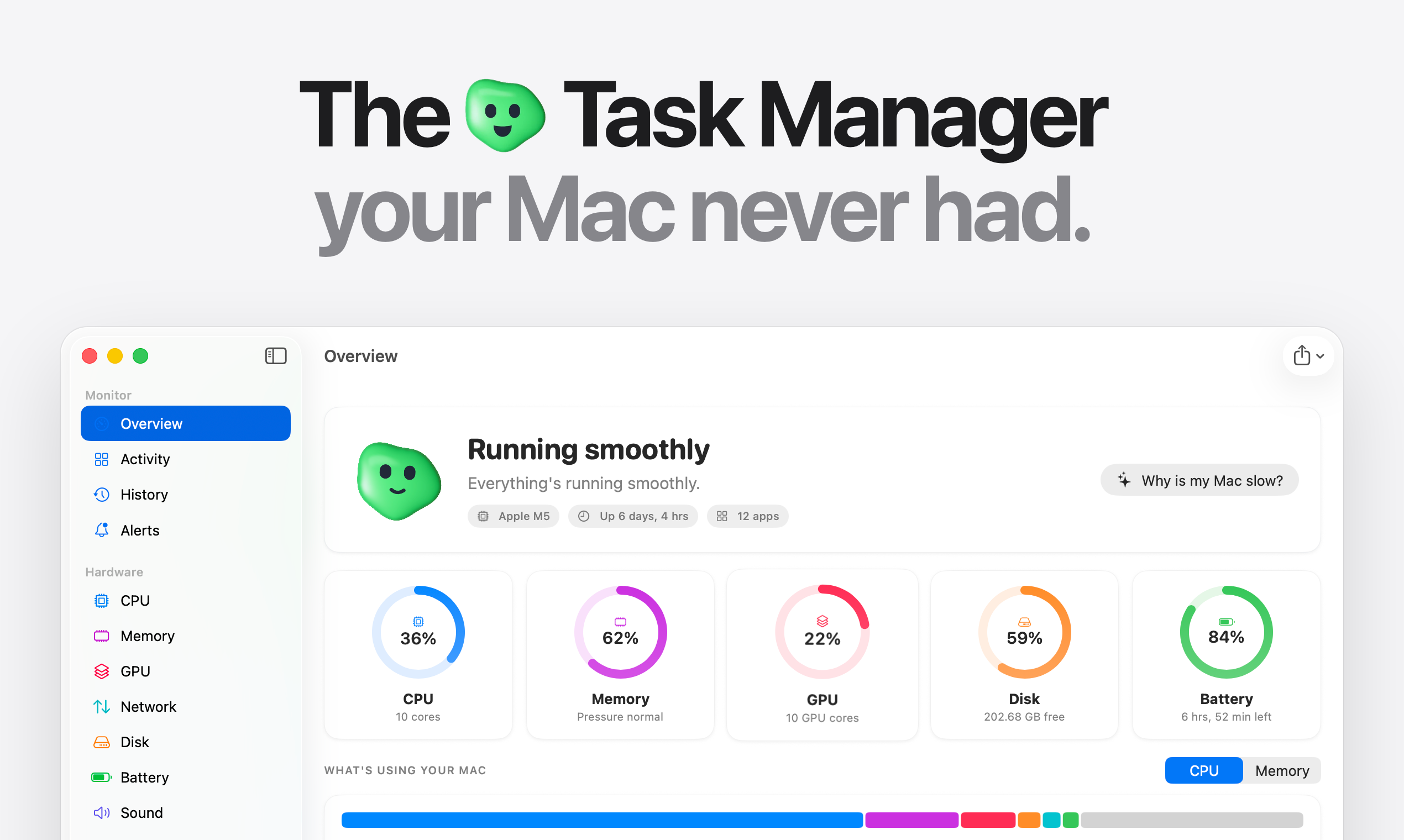
SystemWatch is the Task Manager your Mac never had. See every app in plain words and quit, pause or slow down anything. Read every temperature sensor and power in watts, and set your own fan curves. AI Tune-Up finds what’s slowing your Mac and fixes it in one click, with undo for every change. Clean up storage safely, find startup items that deleted apps left behind, and look back over 30 days of history. Bring your own AI key or run it offline. Pay once, no subscription.

Features
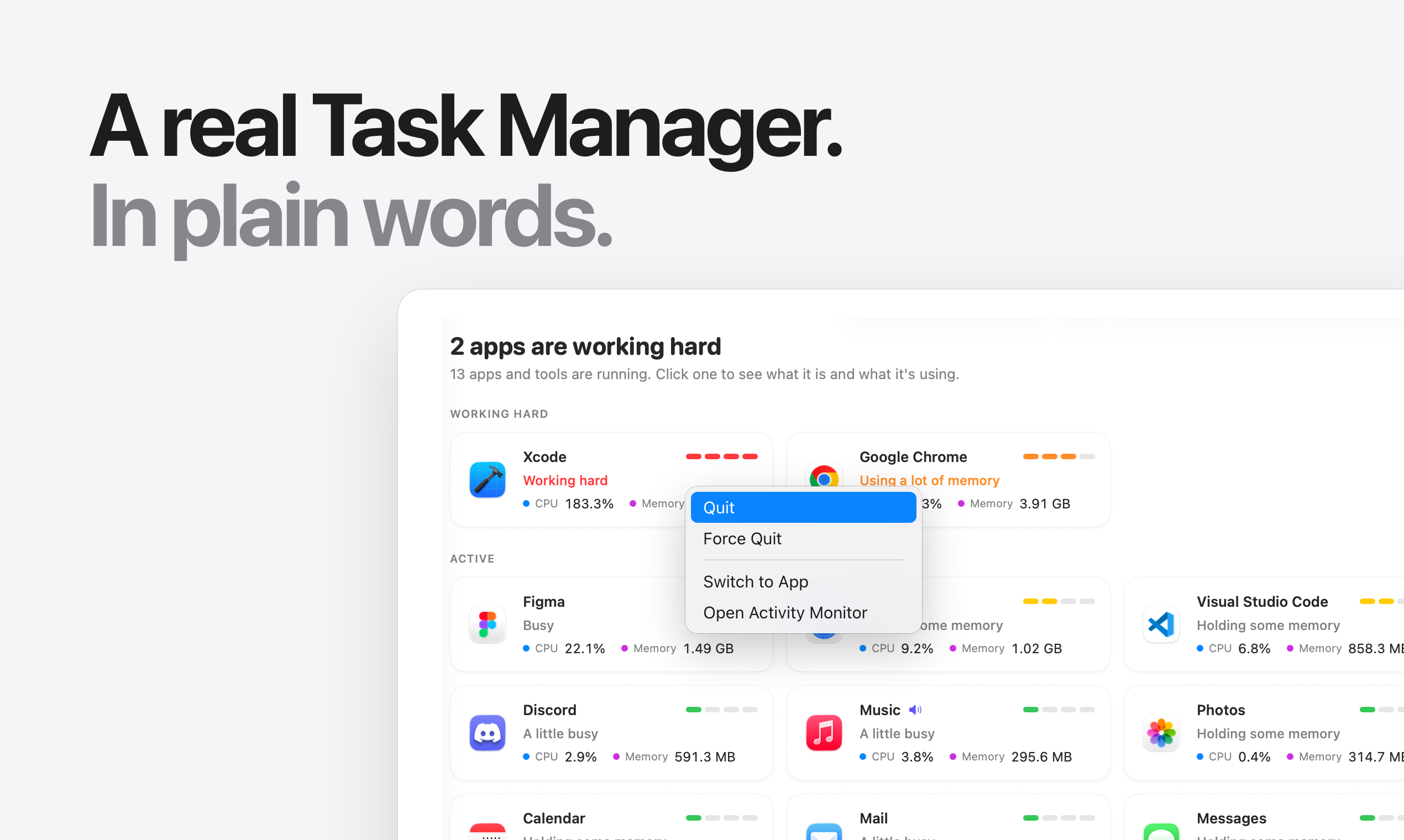
- A real Task Manager. Every process grouped under its app, with what it’s using and whether that’s normal. Quit, force quit, pause or lower the priority of anything.
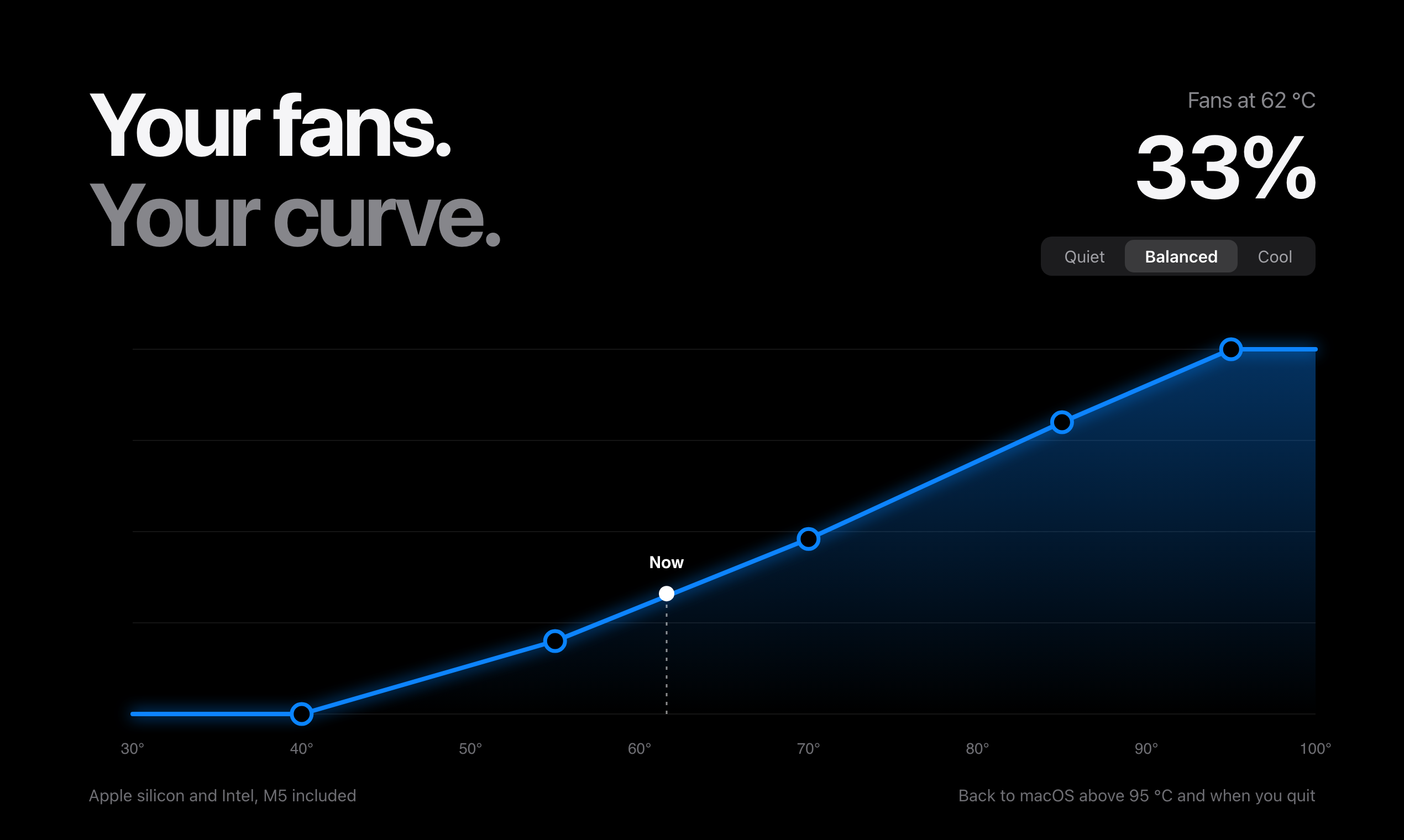
- Fan control. Drag your own fan curve or pick Quiet, Balanced or Cool. Works on Apple silicon (M5 included) and Intel. Control goes back to macOS when you quit, and above 95 °C.
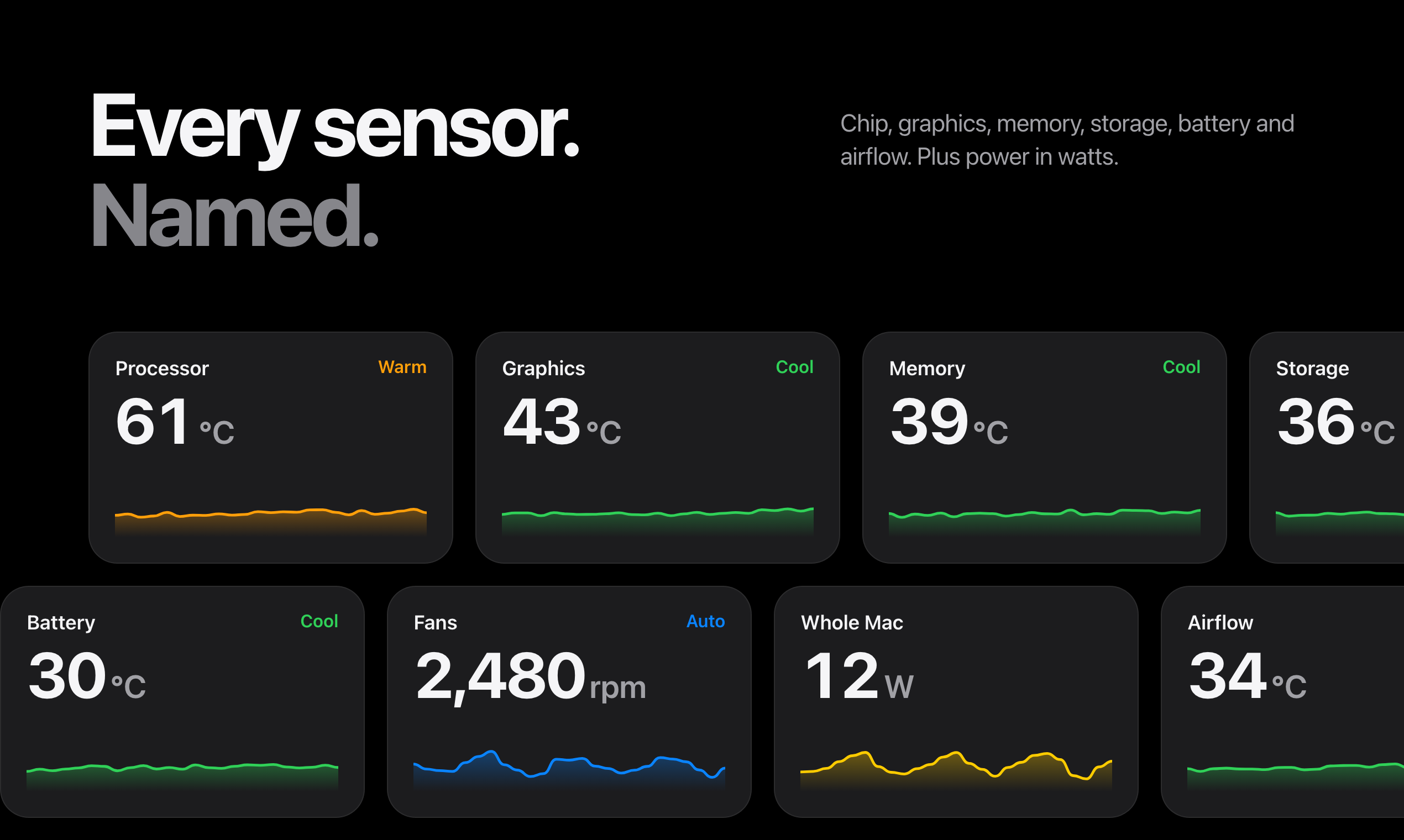
- Every sensor, named. Processor, graphics, memory, storage, battery and airflow temperatures, plus power in watts for the whole Mac and each part of the chip.
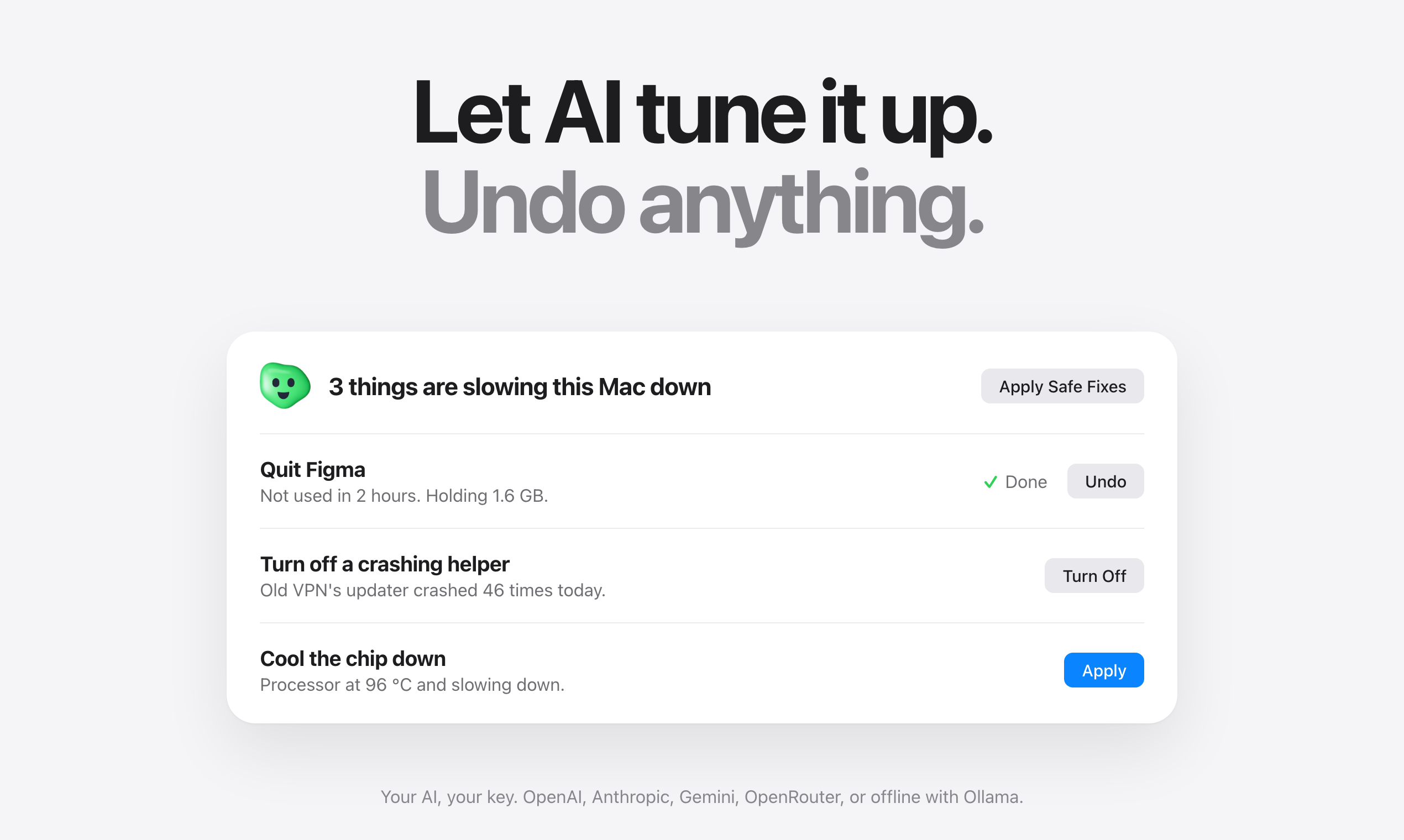
- AI Tune-Up. One button checks apps, memory, swap, temperatures, startup items, crash loops and free space. It shows the numbers behind every suggestion and fixes things in one click. Every change can be undone.
- Efficiency Mode. Greedy background apps run on the efficiency cores while you work, and get full speed back the moment you switch to them.
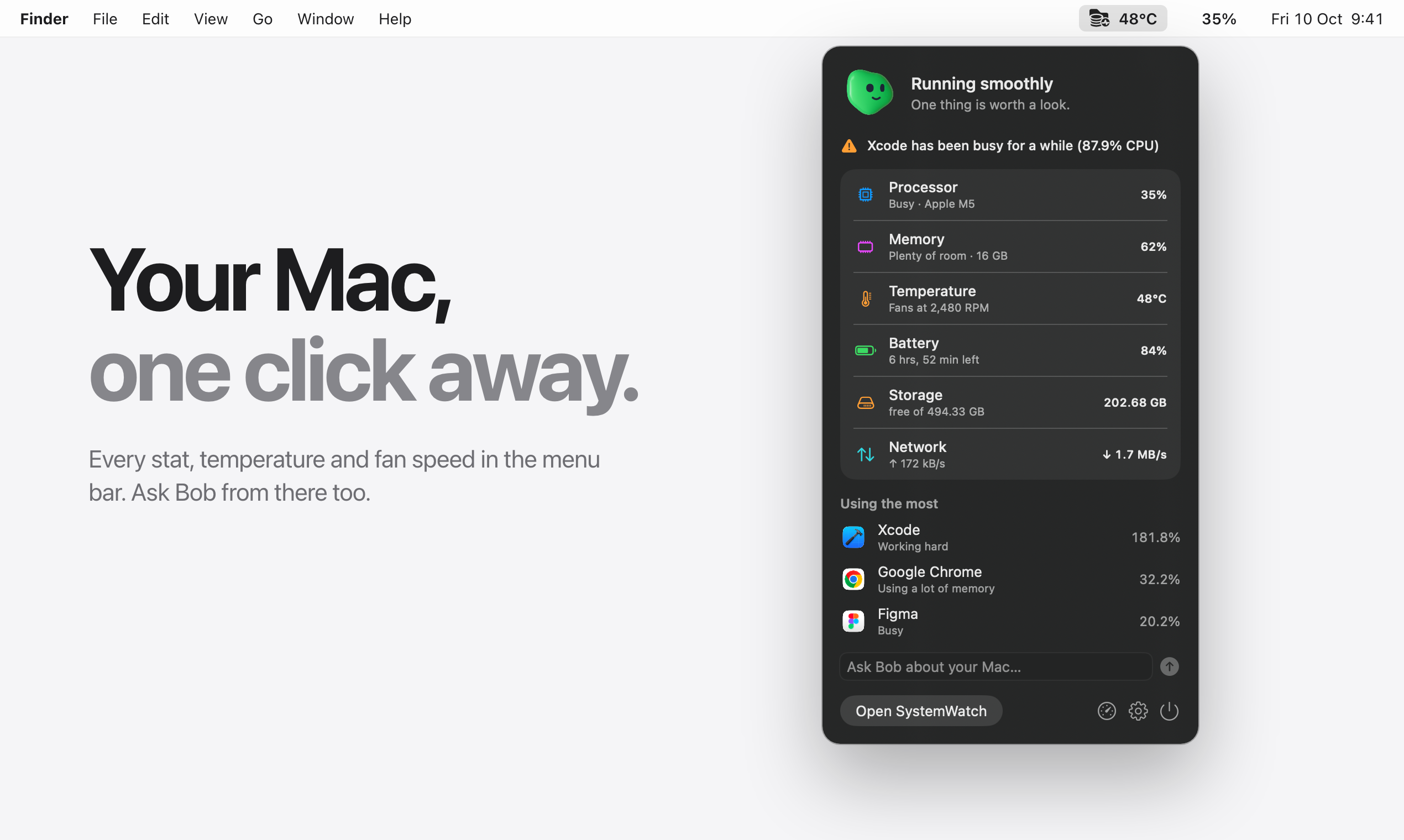
- Ask Bob. A Mac assistant that answers questions like “Why is my Mac slow?” in plain words, by text or voice, from the window or the menu bar.
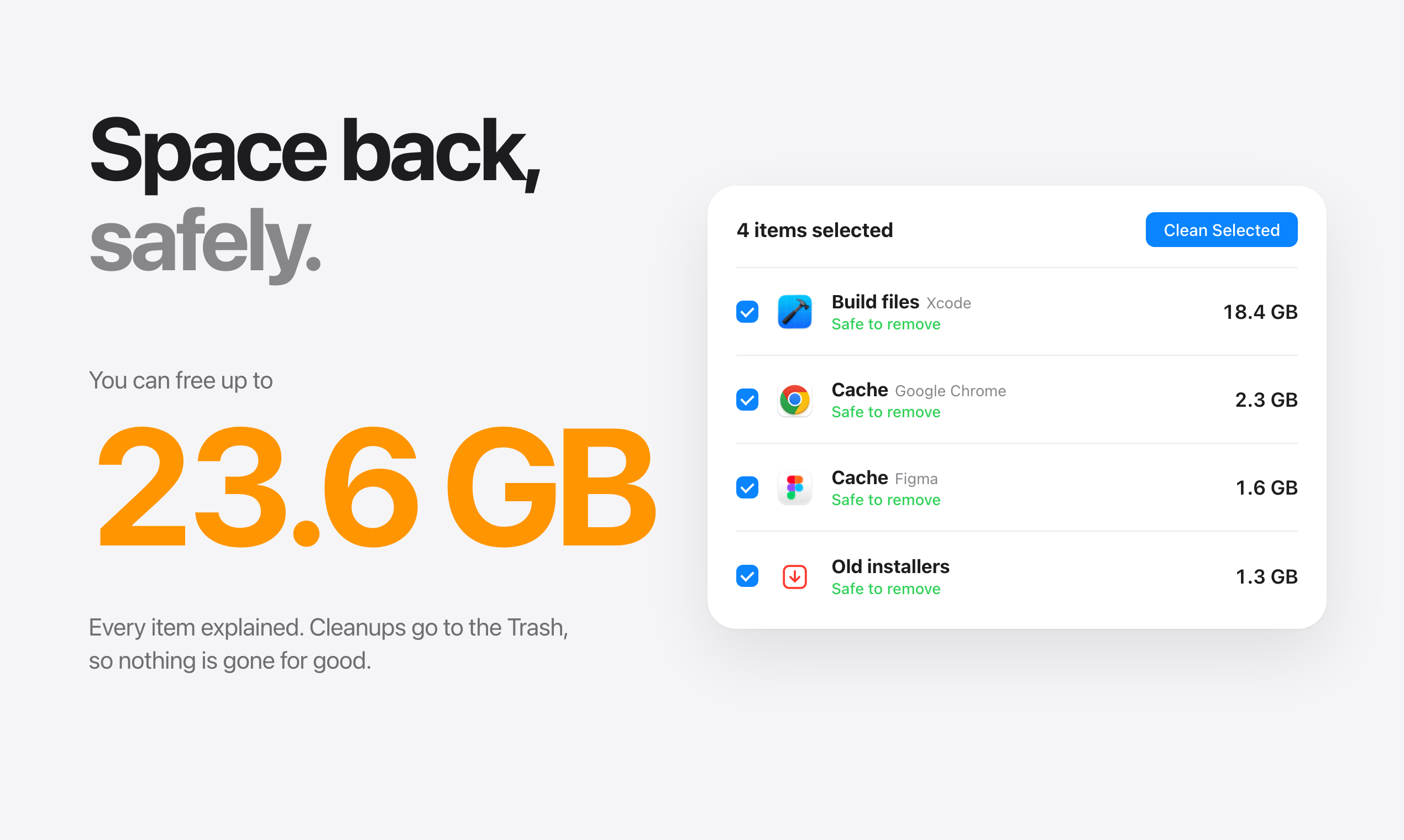
- Space back, safely. Finds caches, build files, old installers and app leftovers, and explains each one. Cleanups go to the Trash.
- Startup items, uncovered. Every helper that launches on its own, including leftovers from apps you deleted long ago.
- 30 days of history. See what kept your Mac busy last night, with the apps behind every spike. Stays on your Mac.
- Smart alerts. Quiet heads-ups about runaway apps, low memory and a full disk.
- Network per app. See which apps are using the network and every connection they make.
- Forgotten dev servers. Node, Python and Ruby servers still holding memory and ports.
- Menu bar stats. Temperature, fan speed, watts and every other stat, one click away.
- Your AI, your key. OpenAI, Anthropic, Google Gemini, Mistral, xAI, DeepSeek, Groq, Together or OpenRouter, or fully offline with Ollama and LM Studio. The AI only sees app names and numbers, never your files.
Use Cases
- “Why is my Mac so slow right now?” See which app is working hard and whether that’s normal, then quit it, pause it or let Tune-Up handle it.
- A MacBook that runs hot and loud. Watch every temperature and spin the fans up early, before macOS slows the chip down to cool it.
- Long renders, exports and builds. Set a Cool fan curve so your Mac keeps full speed through long jobs.
- “Your disk is almost full.” Find out what’s really in your storage and get gigabytes back safely, with every item explained.
- Slow logins. Turn off helpers that start on their own, and remove the ones apps you deleted left behind.
- Developers. Clear Xcode build files and old simulators, and find dev servers you forgot to stop.
- Battery draining fast. See power in watts, and which apps are keeping the processor busy.
- “What was my Mac doing last night?” Look back through 30 days of history to see what caused a spike and when.
- Privacy first. Run the AI fully offline with Ollama or LM Studio, so nothing leaves your Mac.

Comments

Premium Products


















































Makers

Makers
Comments
Premium Products
New to Fazier?

Find your next favorite product or submit your own. Made by @FalakDigital.
Copyright ©2026. All Rights Reserved