
Supaslides
Paste your website, get on-brand carousels in 60 seconds
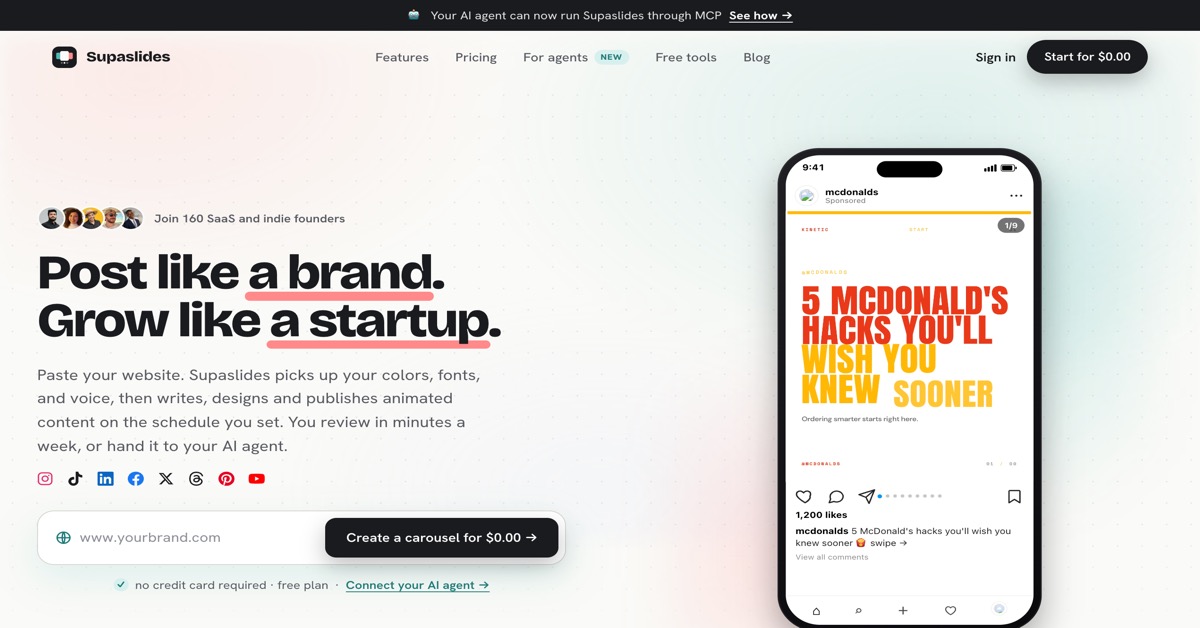
Supaslides turns your website into ready-to-post carousels for Instagram, TikTok, LinkedIn and more. Paste your URL and it builds a brand theme from your site: colors, fonts, logo and tone of voice. Write one line about the post, and Claude drafts the copy and picks a layout for every slide.
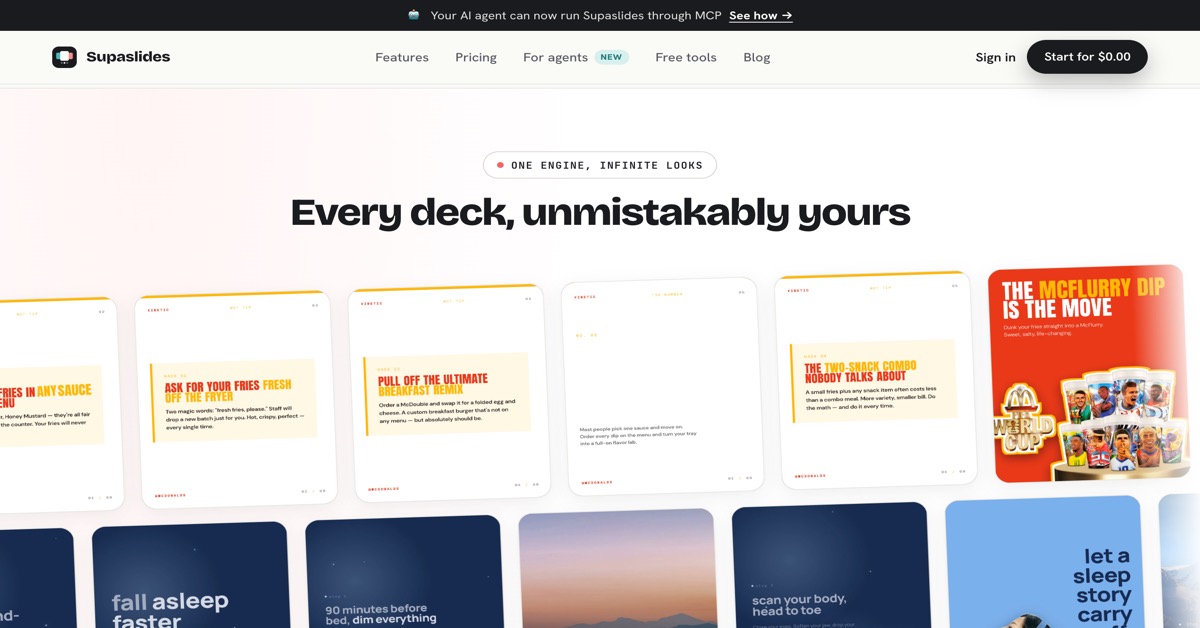
Choose from 40+ styles to restyle the whole deck in one click, edit any text in place, then export high-res PNGs, a LinkedIn PDF, or animated video where every slide actually moves. On Pro and Studio you can schedule posts straight to Instagram, Facebook Pages and X.
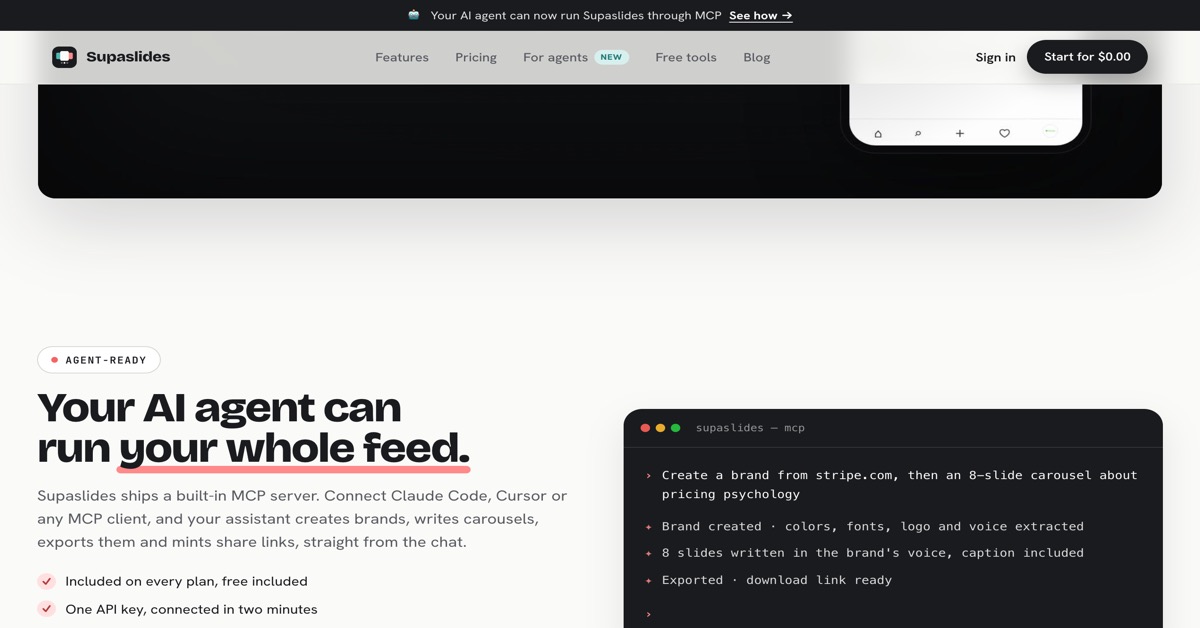
There is also a built-in MCP server, so Claude Code, Cursor or any MCP client can create and schedule carousels for you. The free plan includes 1 brand and 3 carousels a month, no credit card needed.
Features
Brand theme pulled from your website URL: colors, fonts, logo and tone of voice
Claude writes every slide from a one-line brief and picks a layout per slide
40+ art directions restyle the whole deck in one click
Export PNG, LinkedIn PDF or animated MP4 sized for Instagram, TikTok, LinkedIn, Facebook, X, Pinterest and YouTube
Schedule posts to Instagram, Facebook Pages and X on paid plans
Remote MCP server so AI agents like Claude Code and Cursor can create carousels
Use Cases
Founders posting product launches and feature updates as Instagram or LinkedIn carousels
Small marketing teams repurposing blog posts into TikTok and LinkedIn carousels
Agencies producing on-brand carousels for several clients
AI agents generating and scheduling social content through MCP

Comments


Hi Fazier! I'm Bart, the founder. I kept seeing founders skip carousels because every tool starts from a blank template and a design job. Supaslides starts from your website instead: paste a URL, it picks up your colors, fonts, logo and voice, and Claude writes the slides. You can export PNG, PDF or animated video, or schedule the posts. I'd love honest feedback on the first deck it makes for you.

As a dev who ships small features weekly, the 'paste your URL and it builds the brand theme' step is the part I'd actually use - matching colours and fonts per post is what stops me posting at all. Does the 40+ style restyle also re-pick the layout for each slide, or does it keep the layout choices you already made and only change the visual treatment?



Pulling the brand theme straight from a URL — colors, fonts, logo and tone — is the smart starting point; most tools make you rebuild that by hand. The MCP server for Claude Code and Cursor is a nice forward-looking touch too. One question: when a site uses custom fonts that cannot be embedded, does the export fall back to a closest web-safe match, or can you upload the font files so the deck stays truly on-brand? Congrats on the launch!

Starting from the website instead of a blank template makes a lot of sense. When Claude writes the slides from a one-line brief, does it use facts from the pages it crawled (features, pricing), or only the brand voice? For launch carousels I'd want it to stick to what's actually on the site rather than invent claims.

The MCP server caught my eye. I built a small one for a ChatGPT app and learned that tool descriptions decide almost everything about when the assistant calls a tool. When Claude Code makes a carousel through yours, does it pick up the brand theme on its own, or does the agent pass a brand id every time? I make Instagram carousels most weeks, mostly in Russian, so the first thing I'd test is whether Cyrillic text keeps my fonts.
Pulling the brand theme from the URL is the smart shortcut - the fiddly part of anything on-brand is getting someone's colours and type right without them building a style guide first. Two things I would want to know as a user: when the site uses a webfont you do not have, does the deck substitute something close and say so, or quietly fall back to a default? And is the LinkedIn PDF export real text - selectable, searchable - or flattened images? That decides whether it is still usable for someone who has to pass it round a company. Good call not asking for a card on the free plan.
Premium Products












































Sponsors
Buy
Makers
Makers
Comments
Hi Fazier! I'm Bart, the founder. I kept seeing founders skip carousels because every tool starts from a blank template and a design job. Supaslides starts from your website instead: paste a URL, it picks up your colors, fonts, logo and voice, and Claude writes the slides. You can export PNG, PDF or animated video, or schedule the posts. I'd love honest feedback on the first deck it makes for you.
As a dev who ships small features weekly, the 'paste your URL and it builds the brand theme' step is the part I'd actually use - matching colours and fonts per post is what stops me posting at all. Does the 40+ style restyle also re-pick the layout for each slide, or does it keep the layout choices you already made and only change the visual treatment?
Pulling the brand theme straight from a URL — colors, fonts, logo and tone — is the smart starting point; most tools make you rebuild that by hand. The MCP server for Claude Code and Cursor is a nice forward-looking touch too. One question: when a site uses custom fonts that cannot be embedded, does the export fall back to a closest web-safe match, or can you upload the font files so the deck stays truly on-brand? Congrats on the launch!
Starting from the website instead of a blank template makes a lot of sense. When Claude writes the slides from a one-line brief, does it use facts from the pages it crawled (features, pricing), or only the brand voice? For launch carousels I'd want it to stick to what's actually on the site rather than invent claims.
The MCP server caught my eye. I built a small one for a ChatGPT app and learned that tool descriptions decide almost everything about when the assistant calls a tool. When Claude Code makes a carousel through yours, does it pick up the brand theme on its own, or does the agent pass a brand id every time? I make Instagram carousels most weeks, mostly in Russian, so the first thing I'd test is whether Cyrillic text keeps my fonts.
Pulling the brand theme from the URL is the smart shortcut - the fiddly part of anything on-brand is getting someone's colours and type right without them building a style guide first. Two things I would want to know as a user: when the site uses a webfont you do not have, does the deck substitute something close and say so, or quietly fall back to a default? And is the LinkedIn PDF export real text - selectable, searchable - or flattened images? That decides whether it is still usable for someone who has to pass it round a company. Good call not asking for a card on the free plan.
Premium Products
New to Fazier?

Find your next favorite product or submit your own. Made by @FalakDigital.
Copyright ©2026. All Rights Reserved