StudioCapture
Record your screen and your camera into one filevideo
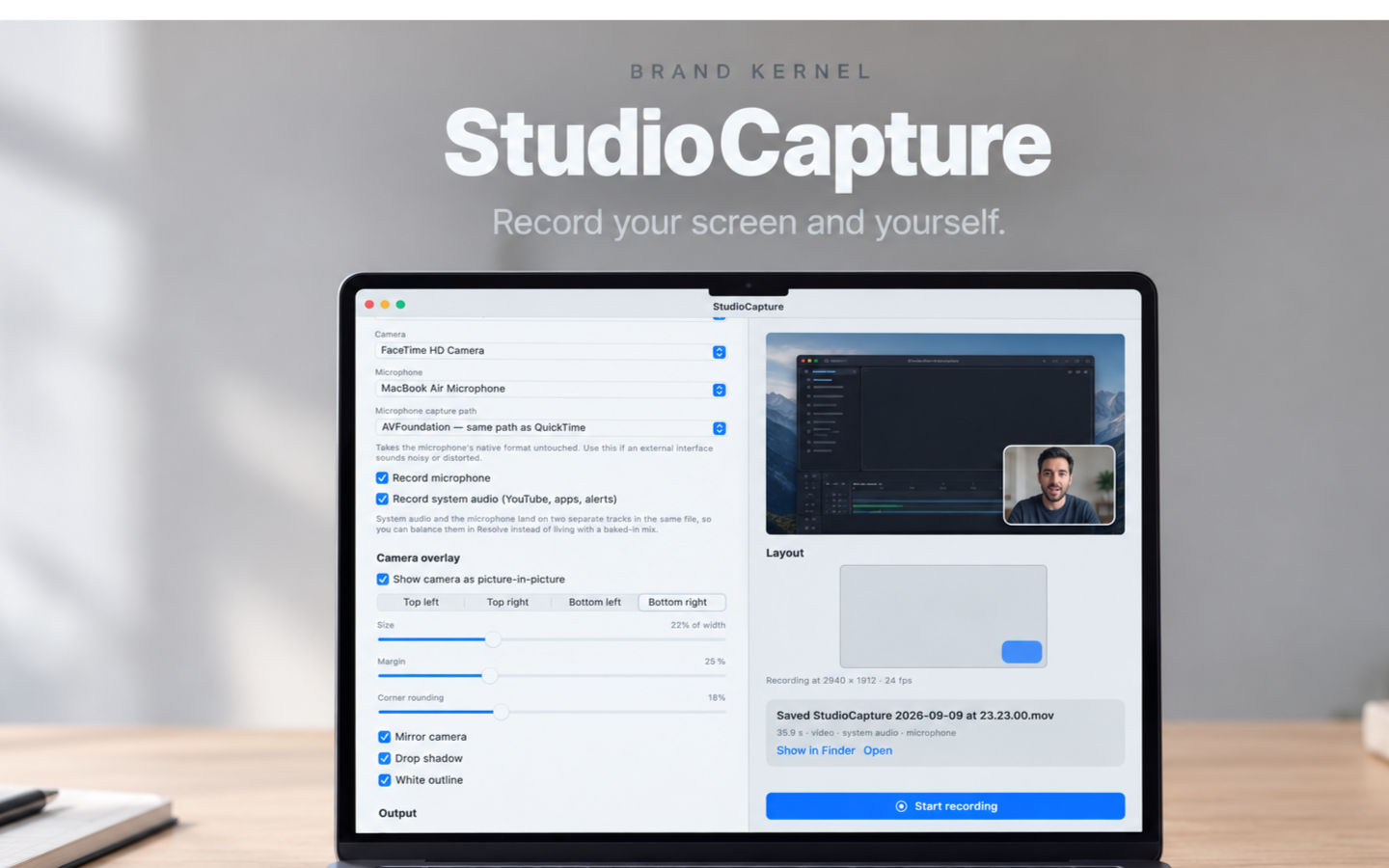
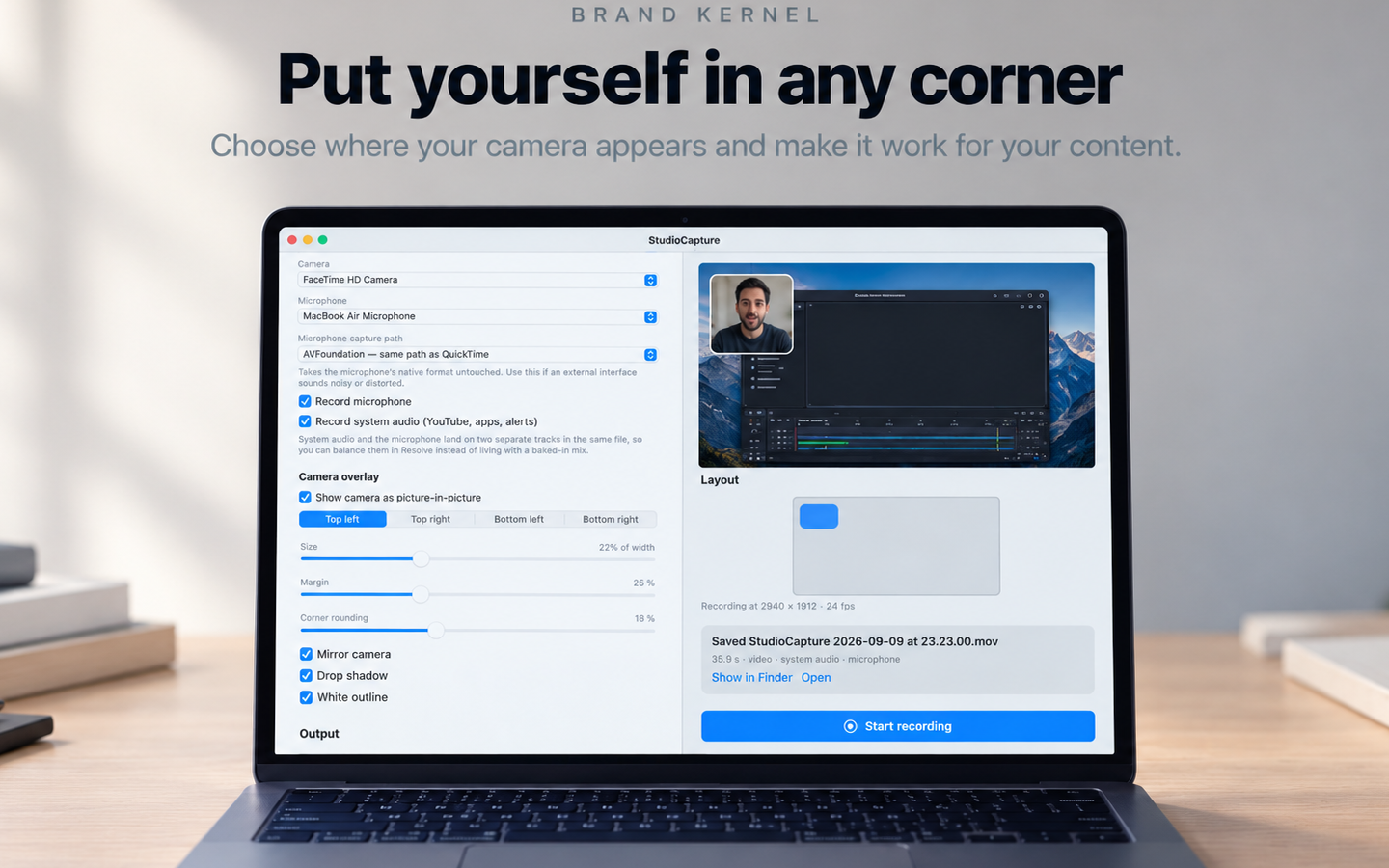
StudioCapture records your Mac screen and your camera at the same time, into a single QuickTime file, at up to 3840x2160. The camera is composited into the recording on the GPU as a rounded picture-in-picture tile, in whichever corner you choose - or written to its own file when you would rather cut it yourself.
Audio is the part most screen recorders get wrong. System audio and your microphone land on two separate tracks in the same movie, never premixed, so Resolve, Final Cut and Premiere each import them onto their own timeline lanes and you can still fix the balance in the edit. Sample rates are copied from the device rather than forced to 48 kHz, so a microphone running at 44 100 Hz is written at 44 100 Hz and never touches a rate converter.
Built on ScreenCaptureKit and AVFoundation. No virtual audio driver, no kernel extension, no account.
Features
Screen and camera recorded together into one QuickTime file, up to 3840x2160 at 24 fps
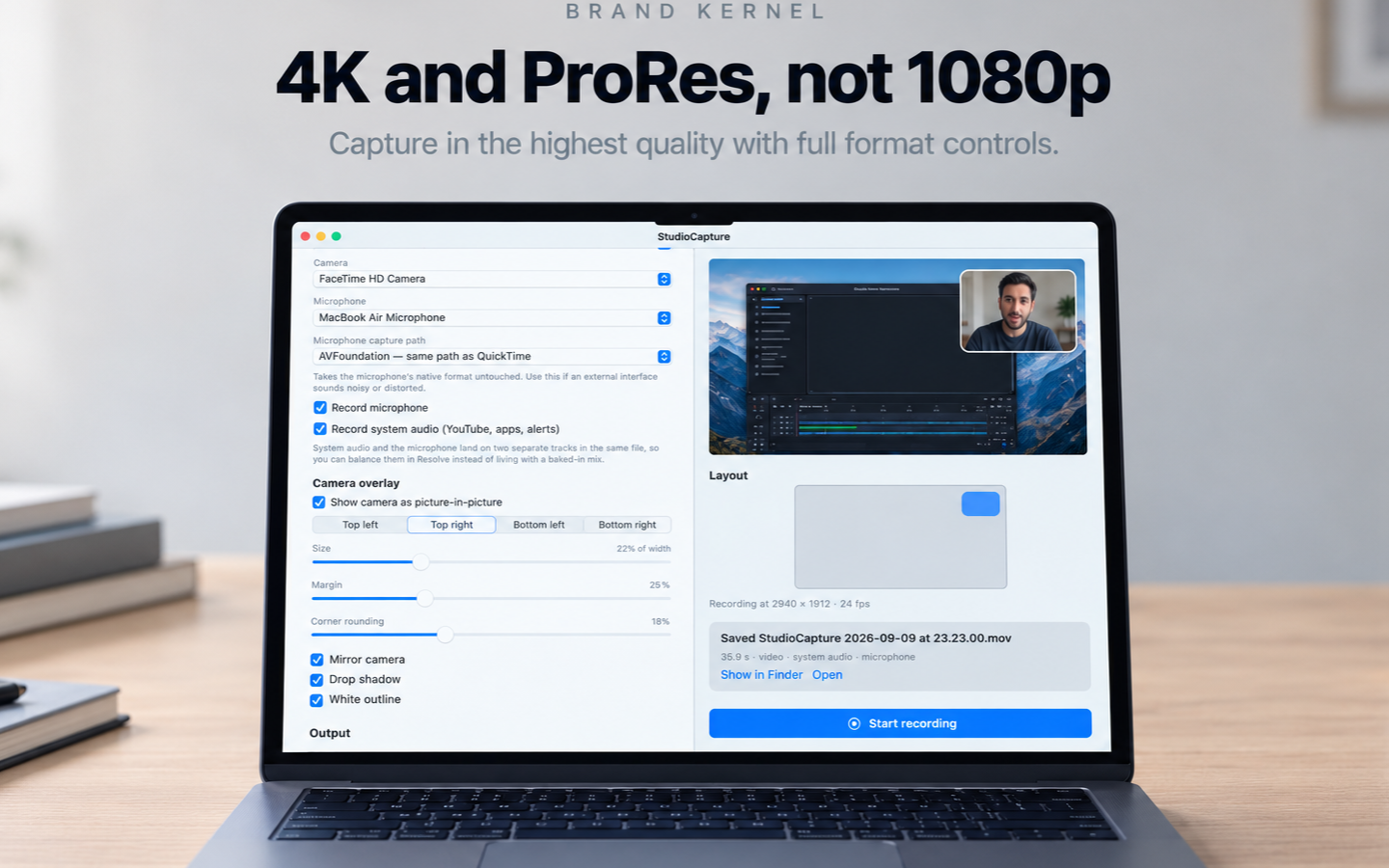
Camera composited on the GPU as a rounded picture-in-picture tile, in any corner, or saved to its own file
System audio and microphone written to two separate tracks, never premixed
Device sample rates preserved - a 44 100 Hz microphone is never resampled to 48 kHz
HEVC to share, ProRes 422 and 422 LT to cut - intra-frame, so long takes scrub instantly
Loopback drivers like BlackHole, Teams Audio and Zoom are labelled and never auto-selected
No virtual audio driver, no kernel extension, no account
Use Cases
Course creators and YouTubers recording tutorials where the screen and the presenter both matter
Founders recording product demos and walkthroughs to send to customers or investors
Teams recording async standups and handovers instead of holding another meeting
Support and onboarding teams capturing step-by-step guides with narration
Editors who need system audio and voice on separate lanes so the mix can still be fixed

Comments


StudioCapture came out of one specific annoyance: every screen recorder I used handed me a single audio track with my voice and the system sound already mixed together. If the video I was demoing turned out too loud, that was it - the take was ruined, and no amount of work in Resolve could separate them again. So StudioCapture writes system audio and the microphone to two separate tracks in the same file, never premixed. Resolve, Final Cut and Premiere each import them onto their own lanes, and the mix is still yours to fix afterwards. It also keeps whatever sample rate the device actually reports rather than forcing 48 kHz, so a 44 100 Hz microphone is written at 44 100 Hz and never goes near a rate converter. The other thing I wanted was no plumbing. It runs on ScreenCaptureKit and AVFoundation, so there is no virtual audio driver to install, no kernel extension, and no account. It also spots loopback devices like BlackHole, Teams Audio and Zoom - which enumerate as microphones while actually carrying system audio - labels them, and never picks one for you by accident. Being straight with you: StudioCapture is finished but not on the Mac App Store yet, which is why the launch date here is October. $99.99 once, no subscription. Happy to answer anything in the meantime, and feedback before it ships is worth more to me than feedback after.
Premium Products















































Sponsors
Buy

Makers
Makers
Comments
StudioCapture came out of one specific annoyance: every screen recorder I used handed me a single audio track with my voice and the system sound already mixed together. If the video I was demoing turned out too loud, that was it - the take was ruined, and no amount of work in Resolve could separate them again. So StudioCapture writes system audio and the microphone to two separate tracks in the same file, never premixed. Resolve, Final Cut and Premiere each import them onto their own lanes, and the mix is still yours to fix afterwards. It also keeps whatever sample rate the device actually reports rather than forcing 48 kHz, so a 44 100 Hz microphone is written at 44 100 Hz and never goes near a rate converter. The other thing I wanted was no plumbing. It runs on ScreenCaptureKit and AVFoundation, so there is no virtual audio driver to install, no kernel extension, and no account. It also spots loopback devices like BlackHole, Teams Audio and Zoom - which enumerate as microphones while actually carrying system audio - labels them, and never picks one for you by accident. Being straight with you: StudioCapture is finished but not on the Mac App Store yet, which is why the launch date here is October. $99.99 once, no subscription. Happy to answer anything in the meantime, and feedback before it ships is worth more to me than feedback after.
Premium Products
New to Fazier?

Find your next favorite product or submit your own. Made by @FalakDigital.
Copyright ©2026. All Rights Reserved