Statement Converter
Bank statement PDF to CSV/QBO/OFX/QIF in your browser
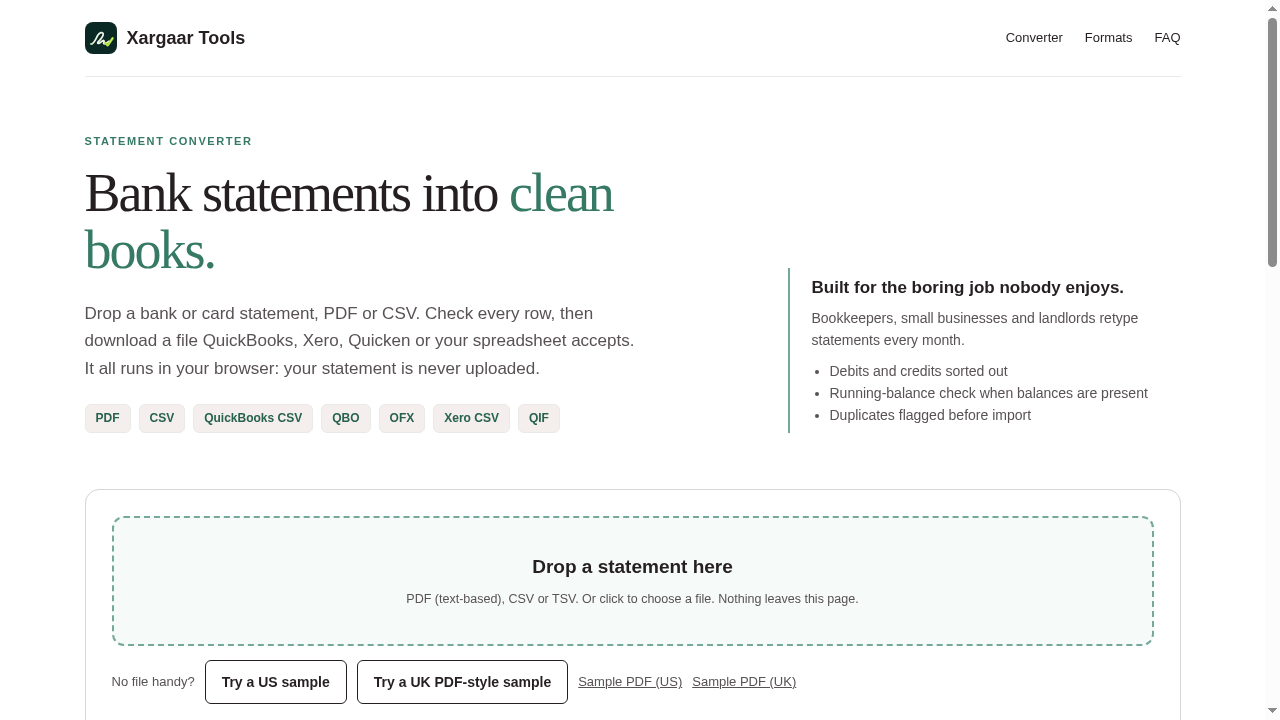
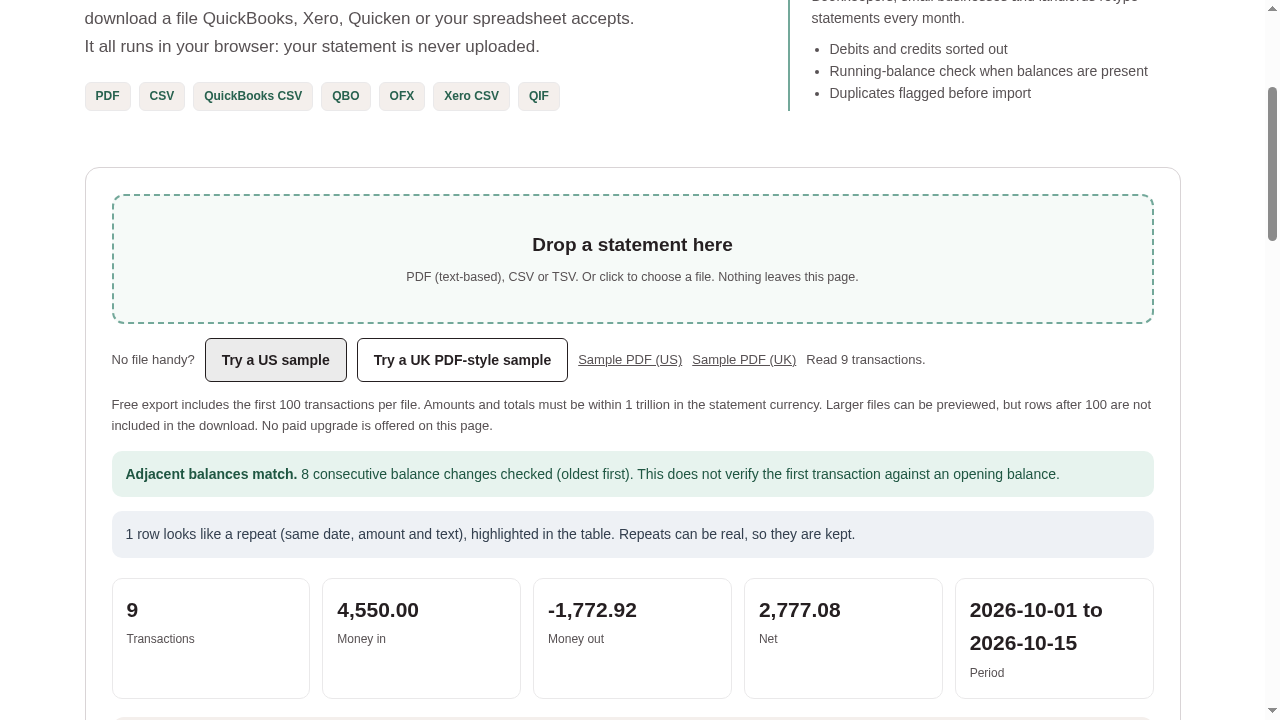
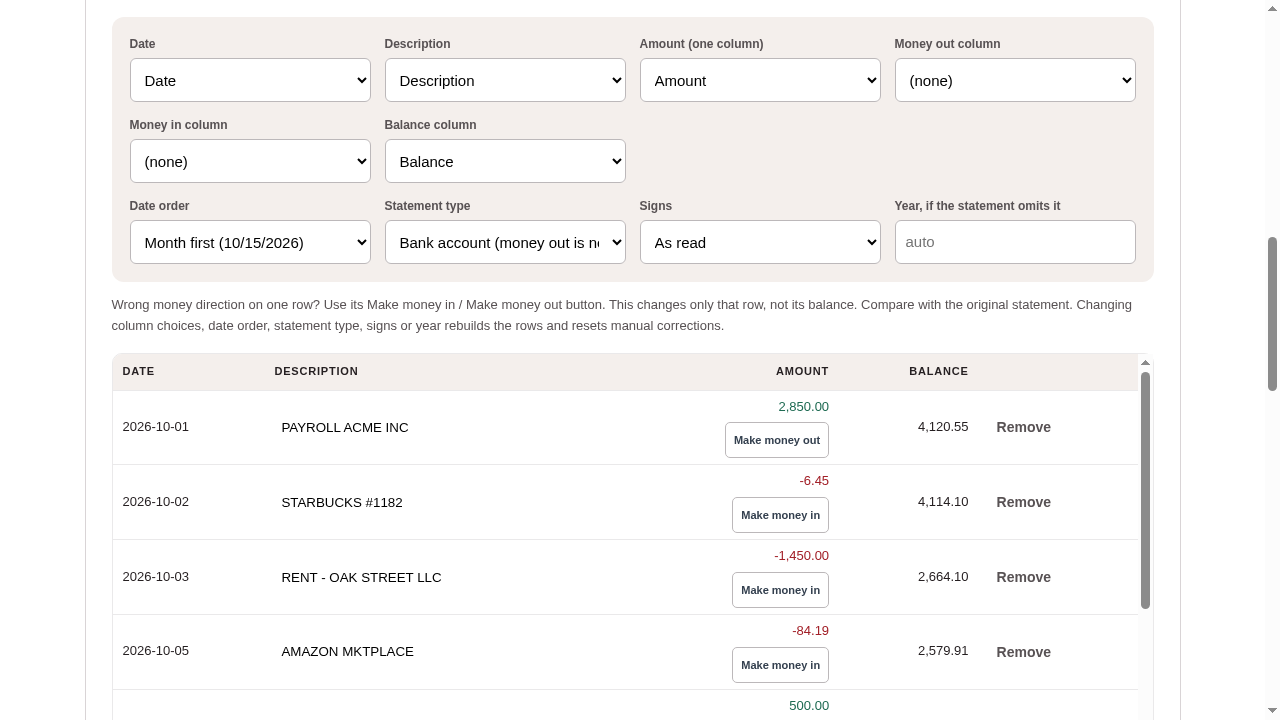
Statement Converter turns text-based bank statement PDFs and CSV exports into CSV, QBO, OFX or QIF files. It runs entirely in your browser: nothing is uploaded and no account is needed. You preview and can correct every row before downloading. Honest limits: no OCR for scanned PDFs; rows the parser is unsure about are flagged, not guessed; the first row's balance is marked unverified without an opening balance; exports cover the first 100 rows of a file. Free, built by Xargaar Tools.
Features
PDF or CSV to CSV, QBO, OFX or QIF
Runs locally in the browser - nothing uploaded, no account
Row-by-row preview with per-row money in/out correction
Explicit currency choice before OFX/QBO export
Balance checks with explicit unverified-row marking
100-row export cap shown before upload
Use Cases
Bookkeepers and small business owners who retype bank statements into their accounting software every month, and anyone who needs a bank statement as a spreadsheet or accounting import file without handing the PDF to a third-party server.

Comments

I built this after watching a friend spend hours retyping bank statement rows into QuickBooks. The sensitive part is the data itself, so the whole conversion runs in your browser: the PDF never leaves your device, there's no account, and you get CSV, QBO, OFX or QIF out. Free for the first 100 rows per file. Feedback very welcome.
Premium Products



















































Sponsors
Buy

Comments
I built this after watching a friend spend hours retyping bank statement rows into QuickBooks. The sensitive part is the data itself, so the whole conversion runs in your browser: the PDF never leaves your device, there's no account, and you get CSV, QBO, OFX or QIF out. Free for the first 100 rows per file. Feedback very welcome.
Premium Products
New to Fazier?

Find your next favorite product or submit your own. Made by @FalakDigital.
Copyright ©2026. All Rights Reserved