
SSHFlow
Every server has its own workspace
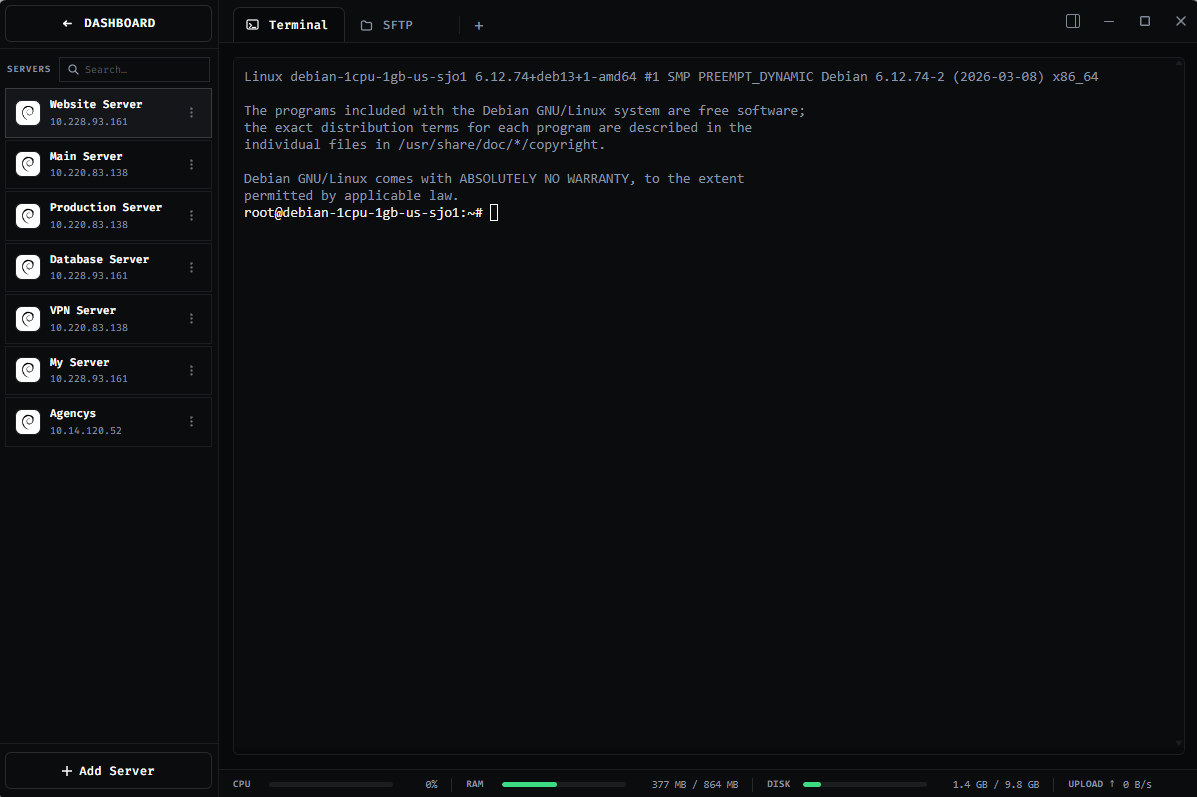
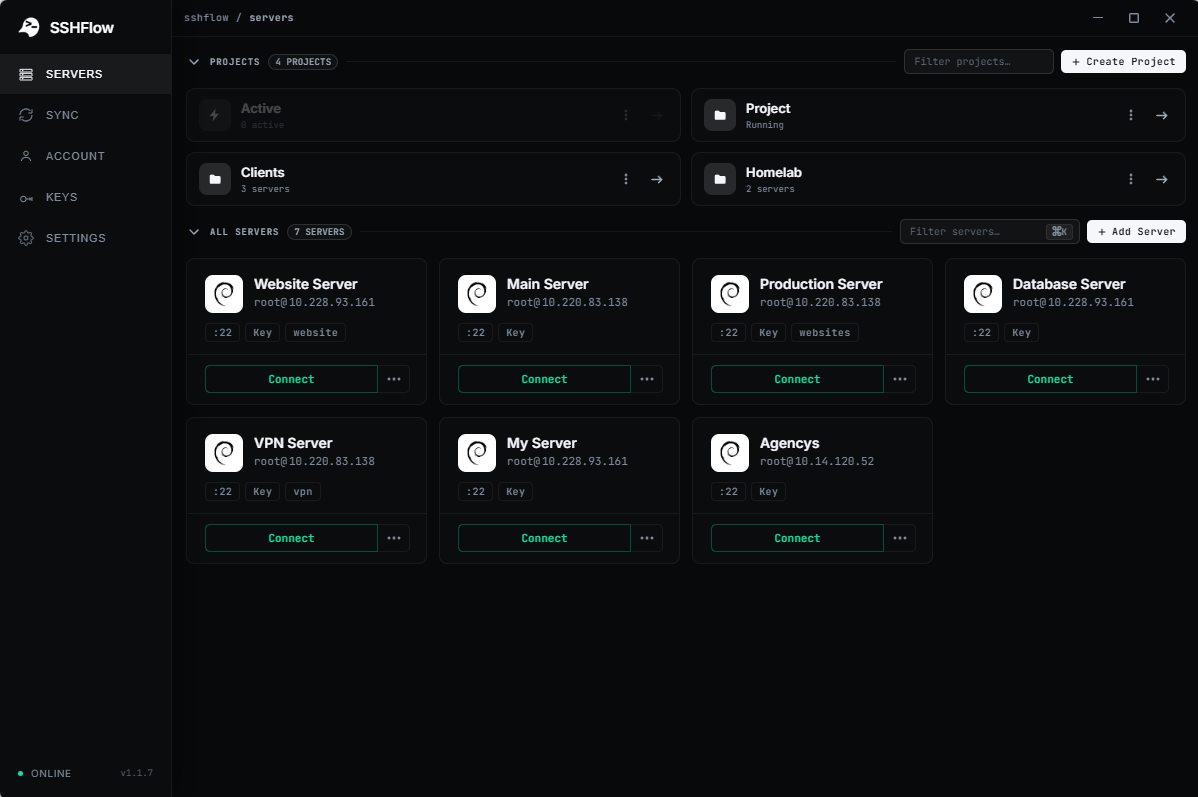
SSHFlow is an SSH client built for developers that turns every server into its own workspace. Instead of juggling separate terminal, SFTP, editor, monitoring, and database apps, SSHFlow brings the tools you need to manage remote servers into one organized interface.
Features
• Server workspaces with multiple SSH terminals
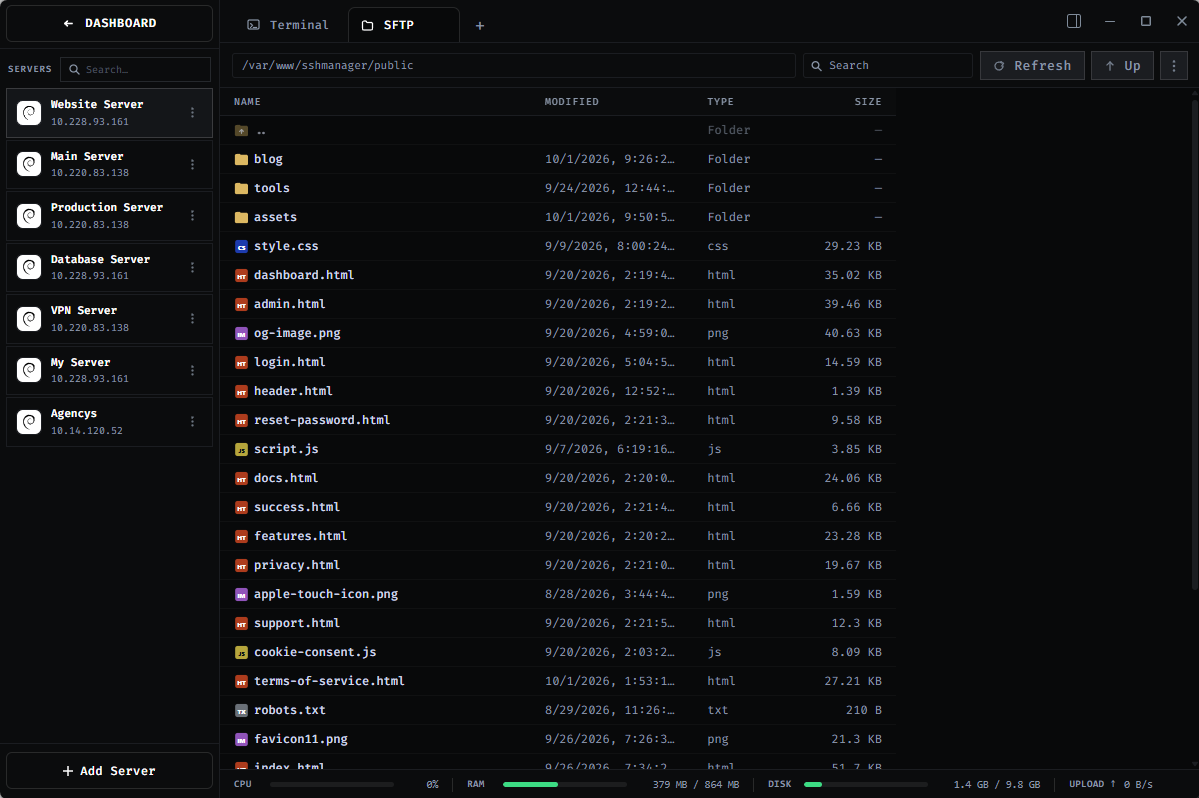
• Built-in SFTP file manager
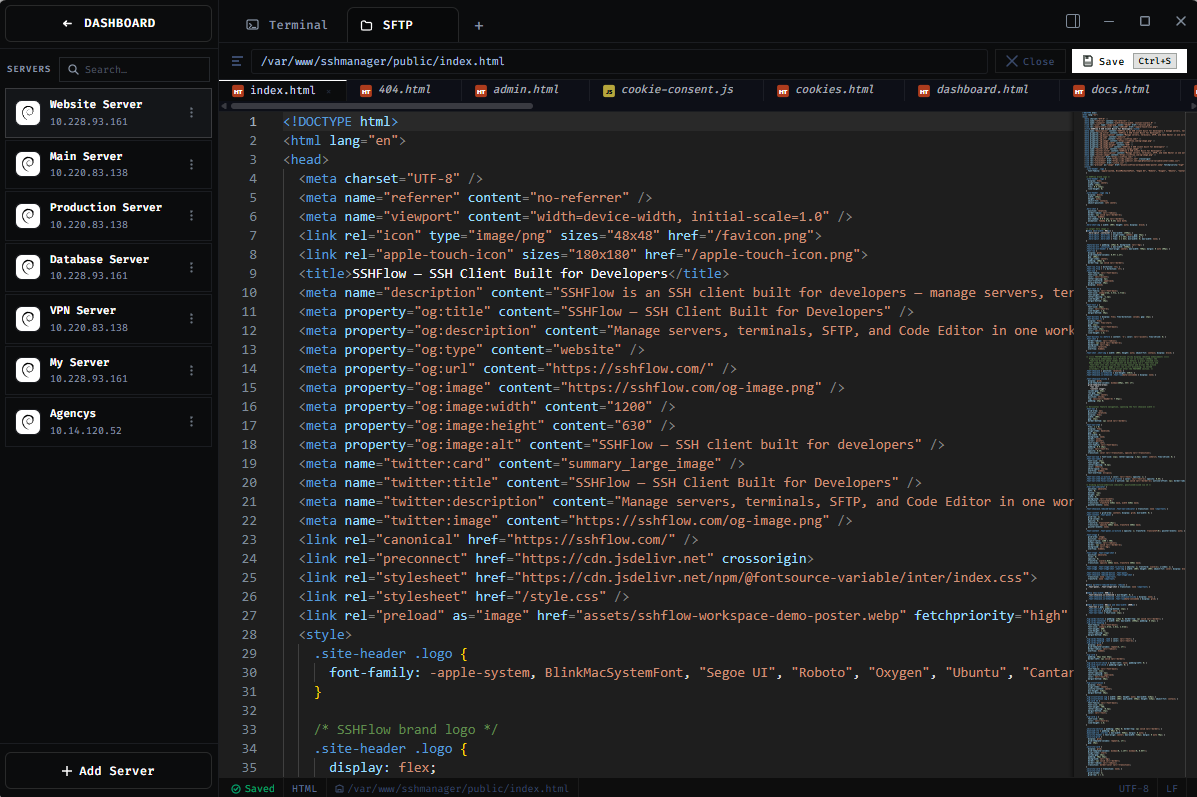
• Remote code editing
• CPU, RAM, disk, and uptime monitoring
• Database management tools
• Server logs in the same workspace
• Fast switching between servers
• Local-first approach to credentials and SSH keys
Use Cases
• Managing VPS and cloud servers
• Developing and deploying websites remotely
• Editing files directly on remote servers
• Uploading and downloading files over SFTP
• Monitoring server resources
• Managing databases over SSH
• Organizing multiple development, staging, and production servers

Comments


I built SSHFlow because managing a server usually meant jumping between a terminal, SFTP client, code editor, monitoring tools, and database utilities. I wanted each server to feel like one organized workspace instead of just another terminal tab. That idea became SSHFlow. I'm still actively building it and improving the experience, so I'd genuinely love to hear what developers think and what they'd like to see next.

Logs and resource monitoring living in the same workspace as the terminal is what makes this click for me: on a small VPS I usually end up with htop in one tab and journalctl in another. Since credentials are local-first, where do the keys actually live: the OS keychain, or an encrypted file of your own? And is there a way to mark a server as production (a colour or a confirmation step), so a command typed into the wrong workspace is harder to run?

Importing hosts straight from ~/.ssh/config would make switching painless for me, since ProxyJump and per-host IdentityFile entries already live there. How does a workspace handle a dropped connection: do the open terminals and the SFTP view reconnect on their own, or does the workspace reopen fresh? On flaky Wi-Fi that matters more to me than any other feature.

Putting monitoring and database tools next to the terminal makes a lot of sense. Right now I keep a separate SSH tunnel open just to reach Postgres on a VPS. Does the database view set up that port forward for you inside the workspace? Also curious which platforms it supports, and whether the paid plan is a one-time license or a subscription.


Keeping each server's terminals, SFTP tabs and editor in one workspace removes the constant switching between a terminal app and a separate SFTP client. Since credentials and keys stay local-first, how do you handle moving workspaces between two machines, for example a laptop and a desktop? An encrypted export file, or sync to storage the user picks, would make this much easier for people with several devices.

Premium Products





















































Sponsors
Buy

Makers
Makers
Comments
I built SSHFlow because managing a server usually meant jumping between a terminal, SFTP client, code editor, monitoring tools, and database utilities. I wanted each server to feel like one organized workspace instead of just another terminal tab. That idea became SSHFlow. I'm still actively building it and improving the experience, so I'd genuinely love to hear what developers think and what they'd like to see next.
Logs and resource monitoring living in the same workspace as the terminal is what makes this click for me: on a small VPS I usually end up with htop in one tab and journalctl in another. Since credentials are local-first, where do the keys actually live: the OS keychain, or an encrypted file of your own? And is there a way to mark a server as production (a colour or a confirmation step), so a command typed into the wrong workspace is harder to run?
Importing hosts straight from ~/.ssh/config would make switching painless for me, since ProxyJump and per-host IdentityFile entries already live there. How does a workspace handle a dropped connection: do the open terminals and the SFTP view reconnect on their own, or does the workspace reopen fresh? On flaky Wi-Fi that matters more to me than any other feature.
Putting monitoring and database tools next to the terminal makes a lot of sense. Right now I keep a separate SSH tunnel open just to reach Postgres on a VPS. Does the database view set up that port forward for you inside the workspace? Also curious which platforms it supports, and whether the paid plan is a one-time license or a subscription.
Keeping each server's terminals, SFTP tabs and editor in one workspace removes the constant switching between a terminal app and a separate SFTP client. Since credentials and keys stay local-first, how do you handle moving workspaces between two machines, for example a laptop and a desktop? An encrypted export file, or sync to storage the user picks, would make this much easier for people with several devices.
Premium Products
New to Fazier?

Find your next favorite product or submit your own. Made by @FalakDigital.
Copyright ©2026. All Rights Reserved