
Source LM
Bulk sources into NotebookLM, straight from the browser
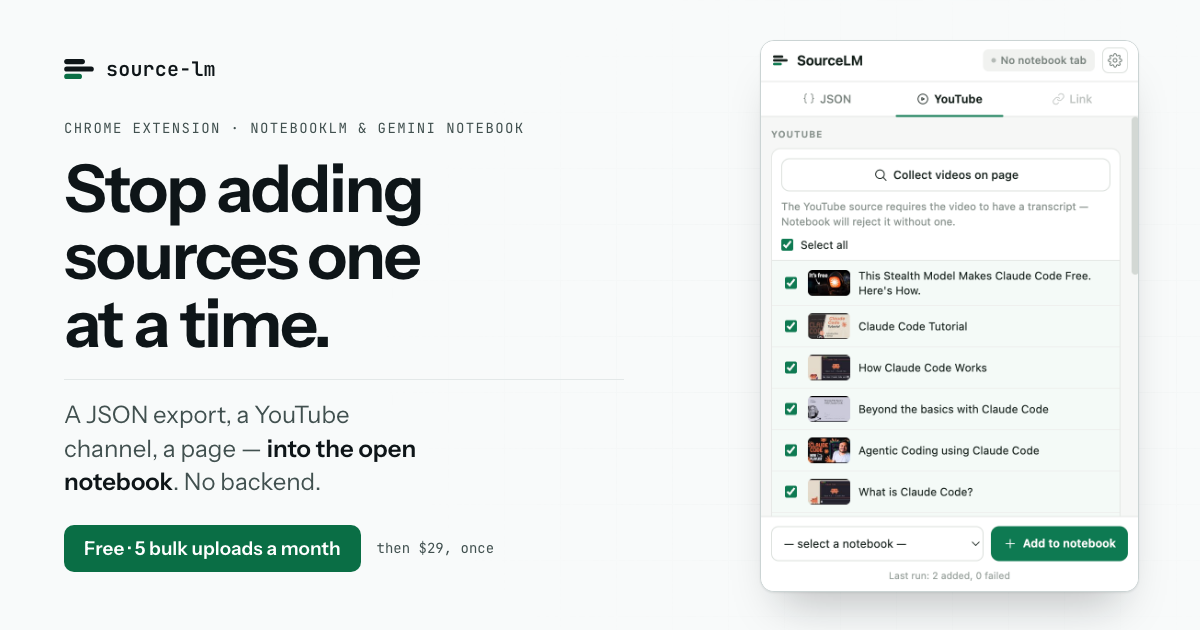
NotebookLM adds sources one at a time, through a file picker. Source LM adds the batch, from the browser you already have open.
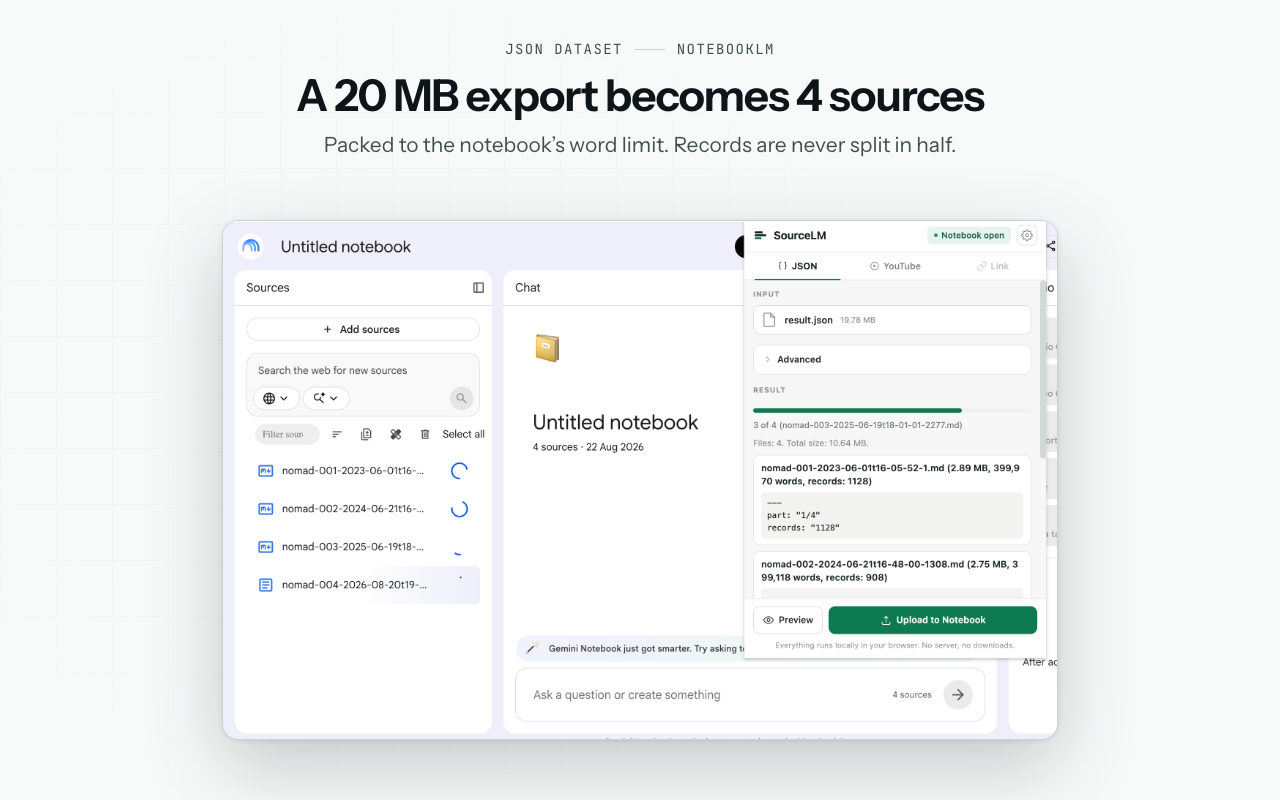
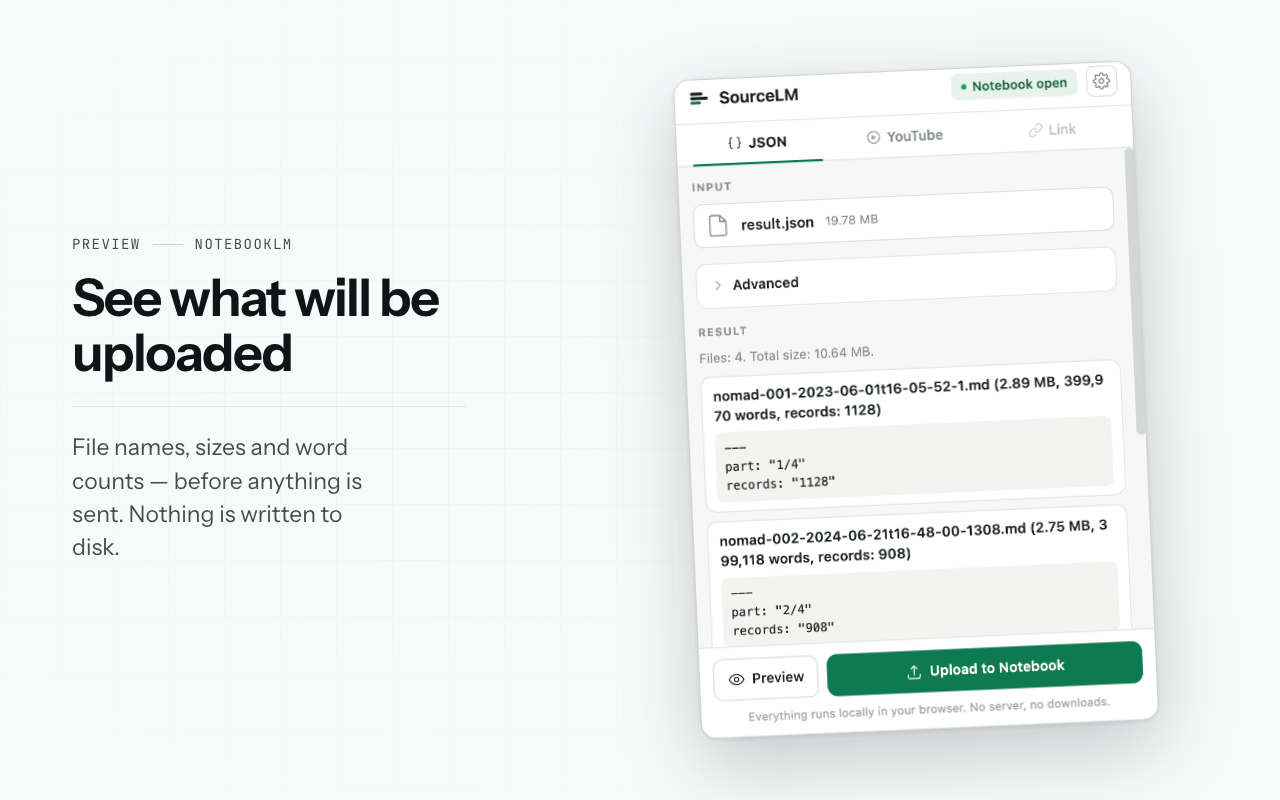
Point it at a JSON export and it becomes a set of Markdown files packed under NotebookLM's 500,000-word per-source cap, never splitting a record across files; re-run it later and only the new records go up. Point it at a YouTube playlist or channel and each video becomes its own source, with transcripts and optionally the top comment threads. Paste a list of links and each one becomes a source; for pages NotebookLM cannot fetch, the text is read from the tab you already have open.
Nothing is downloaded to disk. The files are built in memory and sent to the notebook page's own origin - there is no backend, no account, and your Google session never touches a server of ours.
The extension ships unminified under the PolyForm Noncommercial licence: source-available, not open source. Chrome and Edge.
Free plan: 5 bulk uploads a month. Pro is $29 one time, not a subscription.
Features
JSON export to a batch of Markdown files, packed under NotebookLM's 500,000-word per-source cap, never splitting a record across files.
Incremental re-runs: point it at the same export later and only the new records go up.
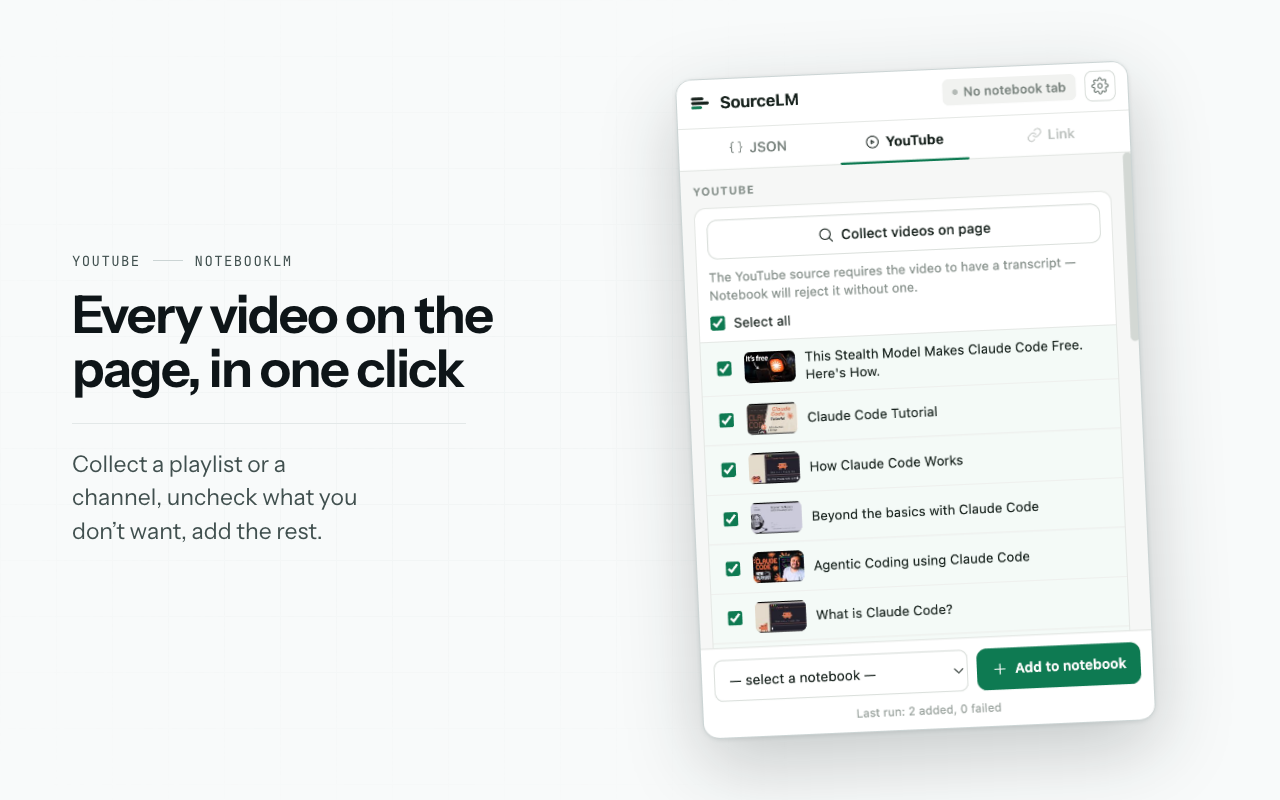
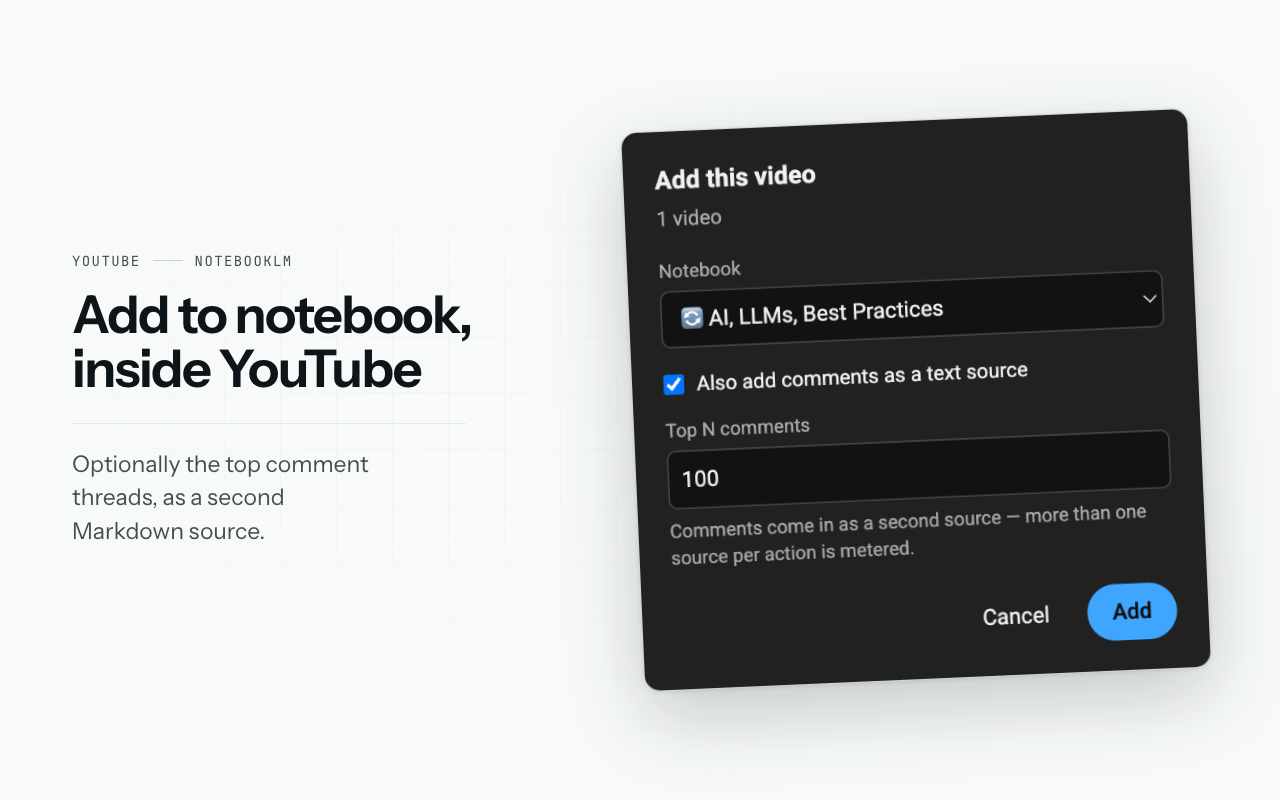
YouTube playlists and channels: each video becomes its own source, with transcript and optionally the top comment threads.
Link lists: each URL becomes a source; for pages NotebookLM cannot fetch, the text is read from the tab you already have open.
Nothing is downloaded to disk - files are built in memory and sent to the notebook page's own origin.
No backend and no account: your Google session never touches a server of ours.
Unminified code under the PolyForm Noncommercial licence - source-available, not open source.
Chrome and Edge. Free plan: 5 bulk uploads a month; Pro is $29 one time, not a subscription.
Use Cases
Load a large JSON or chat export into a notebook without hand-splitting it into files that fit the per-source cap.
Turn a YouTube playlist or channel into a research notebook, one source per video, transcripts included.
Feed a reading list of links into NotebookLM in one pass, including pages NotebookLM cannot fetch on its own.
Keep a notebook in sync with a growing export: re-run it and only the new records are added.
Work with material you would rather not download to disk or route through a third-party server.

Comments



Splitting a JSON export into Markdown files under the 500,000-word cap without ever cutting a record in half is a detail I rarely see handled. When I re-run it later and only new records upload, how does it tell which records are already in the notebook: by an ID in the export, or by a hash of the content? Curious how it behaves if a record is edited rather than added.


Hi Fazier I built Source LM because adding sources to NotebookLM one file at a time, through a picker, stopped scaling for me the moment a project had more than a handful of documents. Source LM does the batch from the browser you already have open. A JSON export becomes a set of Markdown files packed under NotebookLM's 500,000-word per-source cap, never splitting a record across files - re-run it later and only the new records go up. A YouTube playlist or channel becomes one source per video, transcripts included and optionally the top comment threads. A list of links becomes a list of sources; when NotebookLM cannot fetch a page, the text is read from the tab you already have open. The part I care about most: nothing is downloaded to disk and there is no backend. Files are built in memory and sent to the notebook page's own origin, so there is no account to create and your Google session never touches a server of mine. The code ships unminified under the PolyForm Noncommercial licence - source-available, not open source, and I would rather say that plainly than borrow the open-source label. Free plan is 5 bulk uploads a month. Pro is $29 one time, not a subscription. Chrome and Edge. Links: Website: https://source-lm.com Pricing: https://source-lm.com/#pricing Source code: https://github.com/source-lm/source-lm-extension Demo video: https://www.youtube.com/watch?v=M8tOZtyyakg YouTube: https://www.youtube.com/@Source-LM Blog: https://source-lm.com/blog/ Support: [email protected] Happy to answer anything about the upload path, the packing rules, or the licence.


Including YouTube comments alongside transcripts is an interesting research option. Are comments clearly labeled as separate from the video transcript? Preserving that distinction, along with the original video link, would help readers tell the creator’s explanation apart from audience feedback when checking sources in NotebookLM.
Premium Products




















































Sponsors
Buy

Makers
Makers
Comments
Splitting a JSON export into Markdown files under the 500,000-word cap without ever cutting a record in half is a detail I rarely see handled. When I re-run it later and only new records upload, how does it tell which records are already in the notebook: by an ID in the export, or by a hash of the content? Curious how it behaves if a record is edited rather than added.
Hi Fazier I built Source LM because adding sources to NotebookLM one file at a time, through a picker, stopped scaling for me the moment a project had more than a handful of documents. Source LM does the batch from the browser you already have open. A JSON export becomes a set of Markdown files packed under NotebookLM's 500,000-word per-source cap, never splitting a record across files - re-run it later and only the new records go up. A YouTube playlist or channel becomes one source per video, transcripts included and optionally the top comment threads. A list of links becomes a list of sources; when NotebookLM cannot fetch a page, the text is read from the tab you already have open. The part I care about most: nothing is downloaded to disk and there is no backend. Files are built in memory and sent to the notebook page's own origin, so there is no account to create and your Google session never touches a server of mine. The code ships unminified under the PolyForm Noncommercial licence - source-available, not open source, and I would rather say that plainly than borrow the open-source label. Free plan is 5 bulk uploads a month. Pro is $29 one time, not a subscription. Chrome and Edge. Links: Website: https://source-lm.com Pricing: https://source-lm.com/#pricing Source code: https://github.com/source-lm/source-lm-extension Demo video: https://www.youtube.com/watch?v=M8tOZtyyakg YouTube: https://www.youtube.com/@Source-LM Blog: https://source-lm.com/blog/ Support: [email protected] Happy to answer anything about the upload path, the packing rules, or the licence.
Including YouTube comments alongside transcripts is an interesting research option. Are comments clearly labeled as separate from the video transcript? Preserving that distinction, along with the original video link, would help readers tell the creator’s explanation apart from audience feedback when checking sources in NotebookLM.
Premium Products
New to Fazier?

Find your next favorite product or submit your own. Made by @FalakDigital.
Copyright ©2026. All Rights Reserved