
SofiLingo
Offline travel translator
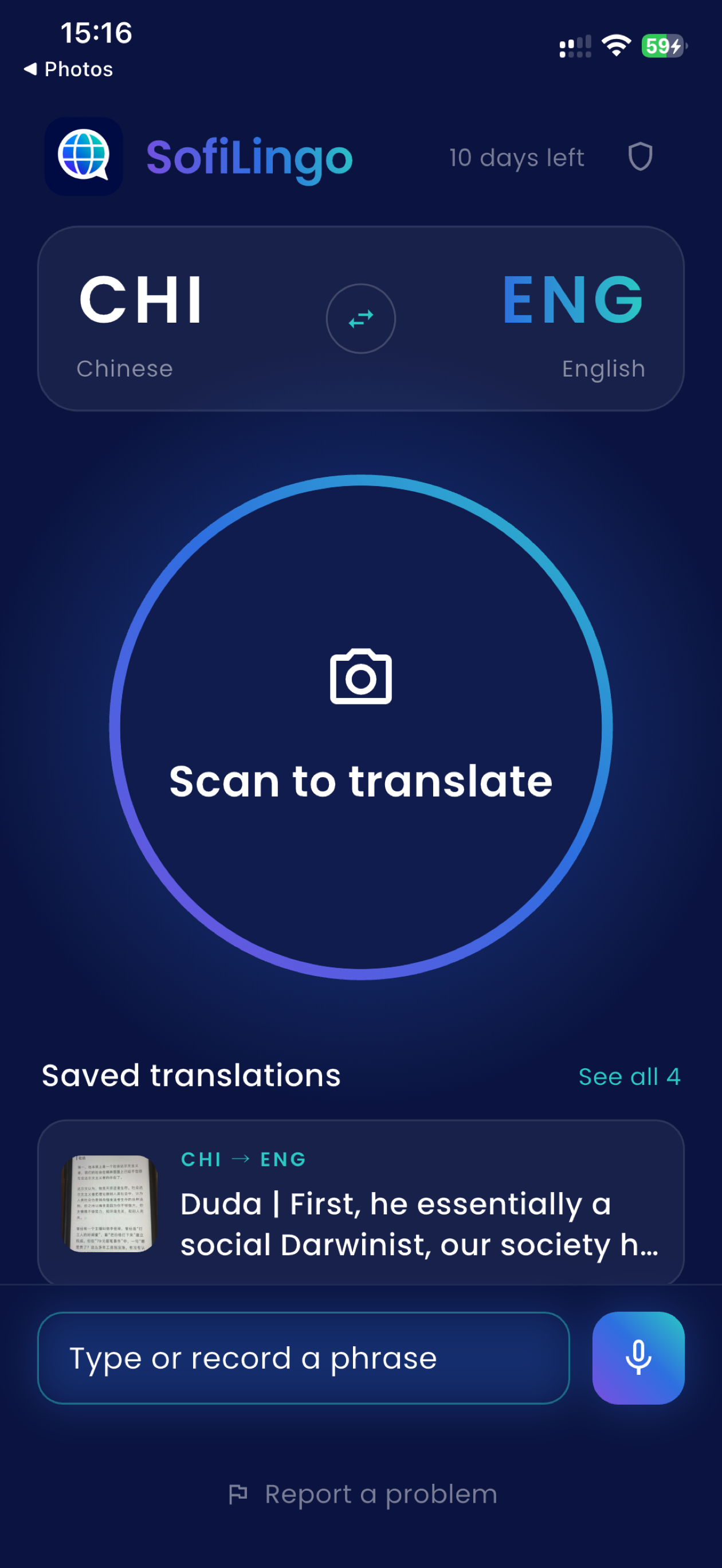
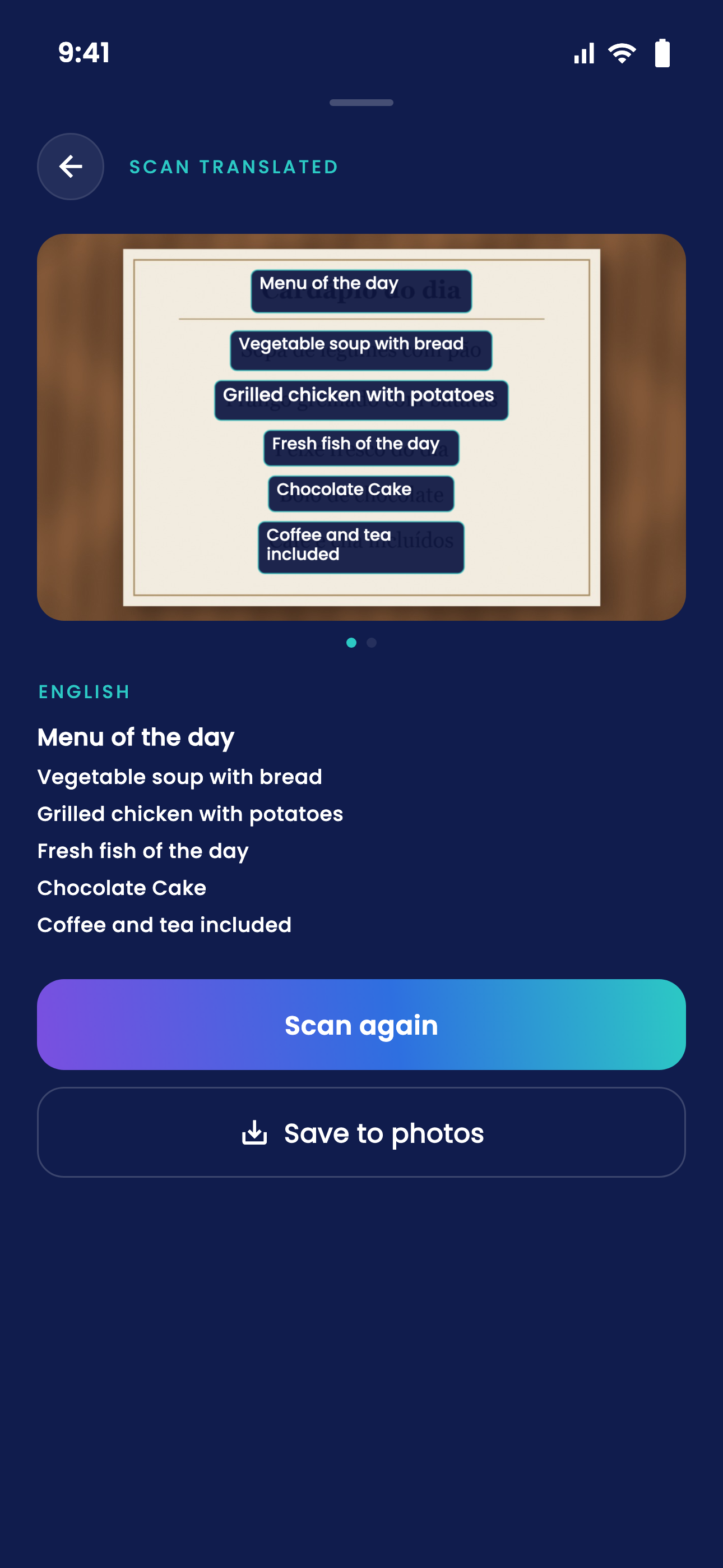
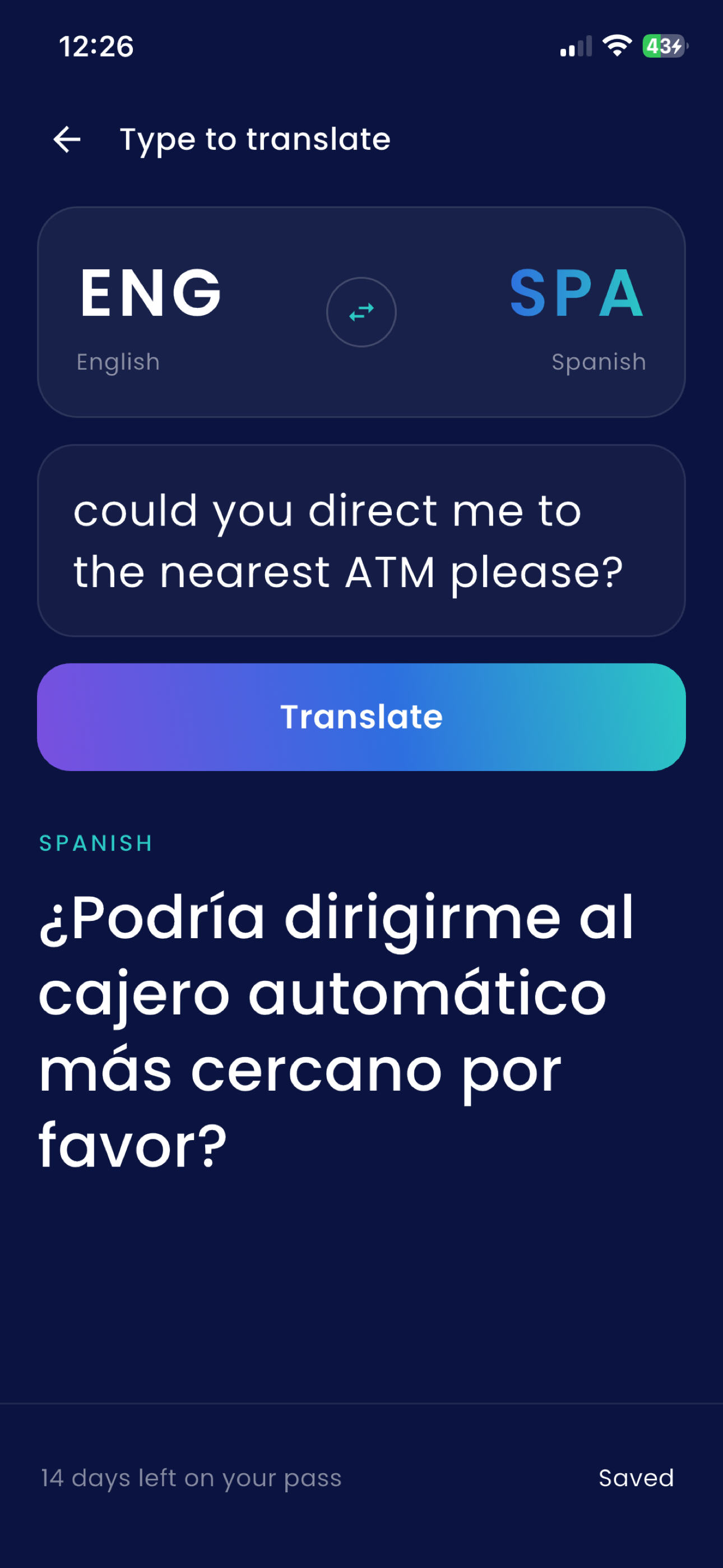
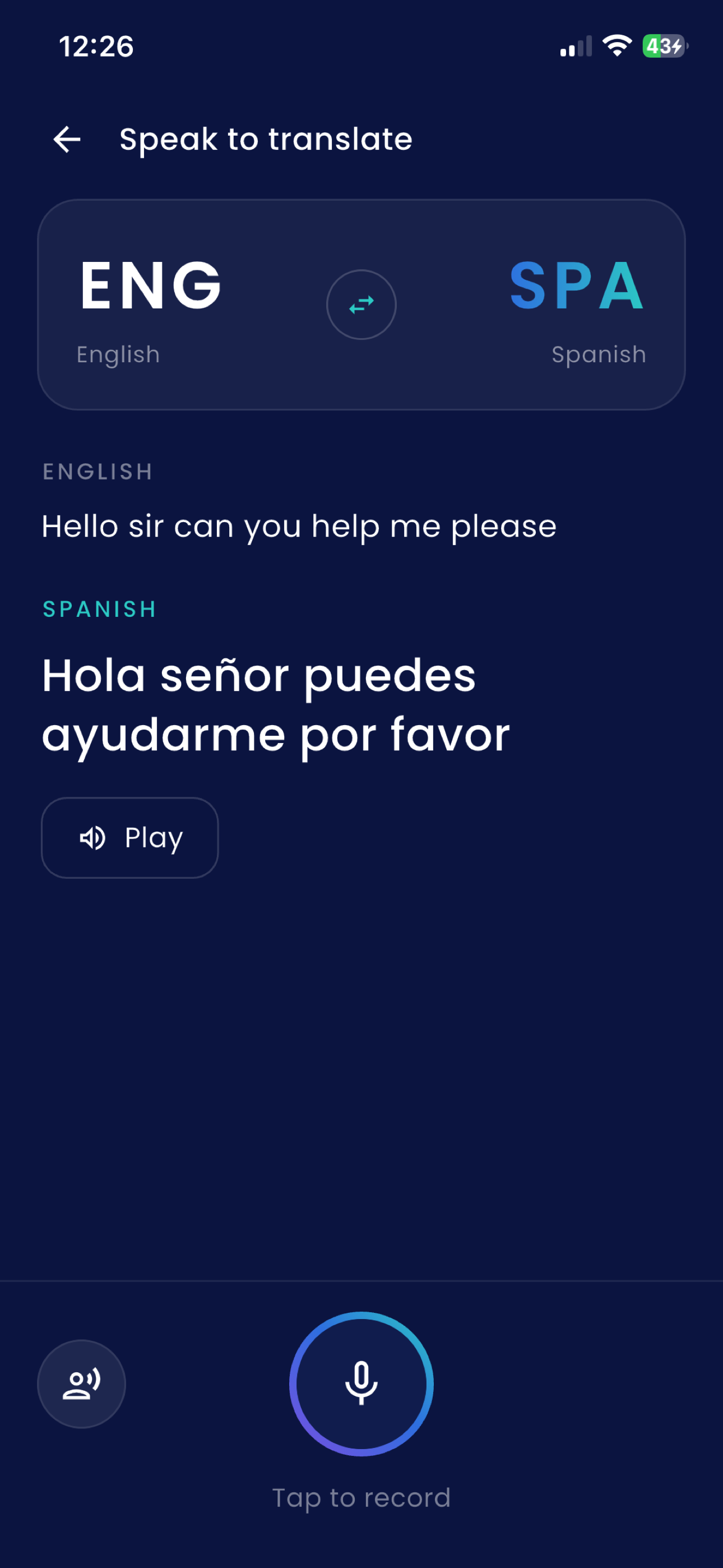
SofiLingo is an iPhone translation app made for travelling without a data plan. Point your camera at a menu, street sign, timetable or label to read it in your language, or type and speak when there is nothing to scan. Download the languages you need before your trip and typed translation works offline in all 58 supported languages. Camera scanning works entirely on the phone in 25 languages; 16 more can fall back to on-device reading, while scans in 17 languages are saved and translated when you are back online. SofiLingo clearly publishes what works without a signal for every language. There is no account, sign-up or email address, and typed text and translations stay on your iPhone. Try the first 15 translations free. For a trip, choose the 14-day Holiday pass: one payment, no automatic renewal and nothing to cancel when you get home. Monthly and yearly plans are also available. SofiLingo is available for iPhone with iOS 15.5 or later and is made in Ireland by Caddora.
Features
- **Camera translation:** Scan menus, street signs, timetables and product labels with the iPhone camera.
- **58 supported languages:** Translate between any pair of the 58 included languages.
- **Offline typed translation:** Download languages in advance and translate typed text without an internet connection.
- **Clear offline-camera guidance:** Check exactly which languages the camera can read without a signal.
- **On-device camera recognition:** Scan text entirely on the iPhone in 25 languages.
- **Offline fallback:** A further 16 languages can fall back to on-device recognition when no connection is available.
- **Translate saved scans later:** Photos in the 17 connection-required languages are kept and translated automatically when the iPhone is back online.
- **Voice translation:** Speak phrases and use Apple's speech recognition in supported languages.
- **Spoken results:** Hear translated text read aloud.
- **Saved scan history:** Revisit previous scans and translate them into another language without scanning again.
- **Private by design:** Typed text and translations stay on the iPhone, with no analytics.
- **No account required:** No registration, email address or sign-in is needed.
- **15 free translations:** Try the app before choosing a paid option.
- **Non-renewing Holiday pass:** Get 14 days of unlimited use with one payment and nothing to cancel afterwards.
- **Ad-free paid use:** Any paid pass or subscription removes advertising.
- **Built for iPhone:** Supports iOS 15.5 or later.
Use Cases
- menu translator for travel
- street sign translator
- offline language translator
- private translation app
- scan and translate text
- photo translation app
- speech translator for iPhone
- typed translation offline
- translator without internet
- holiday translation app

Comments



Congrats on the first solo app! Read through the site: "capture it now, it translates itself later" for Greek, Thai and Arabic is the best idea here, because that is exactly the moment other translators fail you abroad. I'd put it higher, maybe even in the tagline. Also being upfront that scanning is better online in 33 of 58 languages builds a lot of trust. One thing to fix: this listing says monthly and yearly plans are available, but the pricing section on sofilingo.com says "There is no subscription". Someone comparing the two may hesitate, so it's worth aligning them. Small idea for the Holiday pass: a "days left" reminder near the end of the 14 days would make it easy to rebuy for the next trip.

I really like that you publish exactly which languages the camera can read without a signal, because that's usually the thing travel translators gloss over. For the 17 languages where scans are saved and translated later, can you still use offline typed translation on the same photo by selecting text manually? That would help a lot when reading a menu with no data.



The per-language table of what works without a signal is the part I like most. Most translators fail quietly on a train with no coverage, and you only find out at that moment. Question: for the 17 languages where camera scans are saved and translated later, does the app tell you that when you scan, or only when you open the result? And are Lithuanian and Polish in the on-device camera set? Timetables and signs in the Baltics are exactly where I would need this.

Premium Products



















































Sponsors
Buy

Makers
Makers
Comments
Congrats on the first solo app! Read through the site: "capture it now, it translates itself later" for Greek, Thai and Arabic is the best idea here, because that is exactly the moment other translators fail you abroad. I'd put it higher, maybe even in the tagline. Also being upfront that scanning is better online in 33 of 58 languages builds a lot of trust. One thing to fix: this listing says monthly and yearly plans are available, but the pricing section on sofilingo.com says "There is no subscription". Someone comparing the two may hesitate, so it's worth aligning them. Small idea for the Holiday pass: a "days left" reminder near the end of the 14 days would make it easy to rebuy for the next trip.
I really like that you publish exactly which languages the camera can read without a signal, because that's usually the thing travel translators gloss over. For the 17 languages where scans are saved and translated later, can you still use offline typed translation on the same photo by selecting text manually? That would help a lot when reading a menu with no data.
The per-language table of what works without a signal is the part I like most. Most translators fail quietly on a train with no coverage, and you only find out at that moment. Question: for the 17 languages where camera scans are saved and translated later, does the app tell you that when you scan, or only when you open the result? And are Lithuanian and Polish in the on-device camera set? Timetables and signs in the Baltics are exactly where I would need this.
Premium Products
New to Fazier?

Find your next favorite product or submit your own. Made by @FalakDigital.
Copyright ©2026. All Rights Reserved