
SnapVee Studio
Bring Content Into Your Workflow
What is SnapVee Studio?
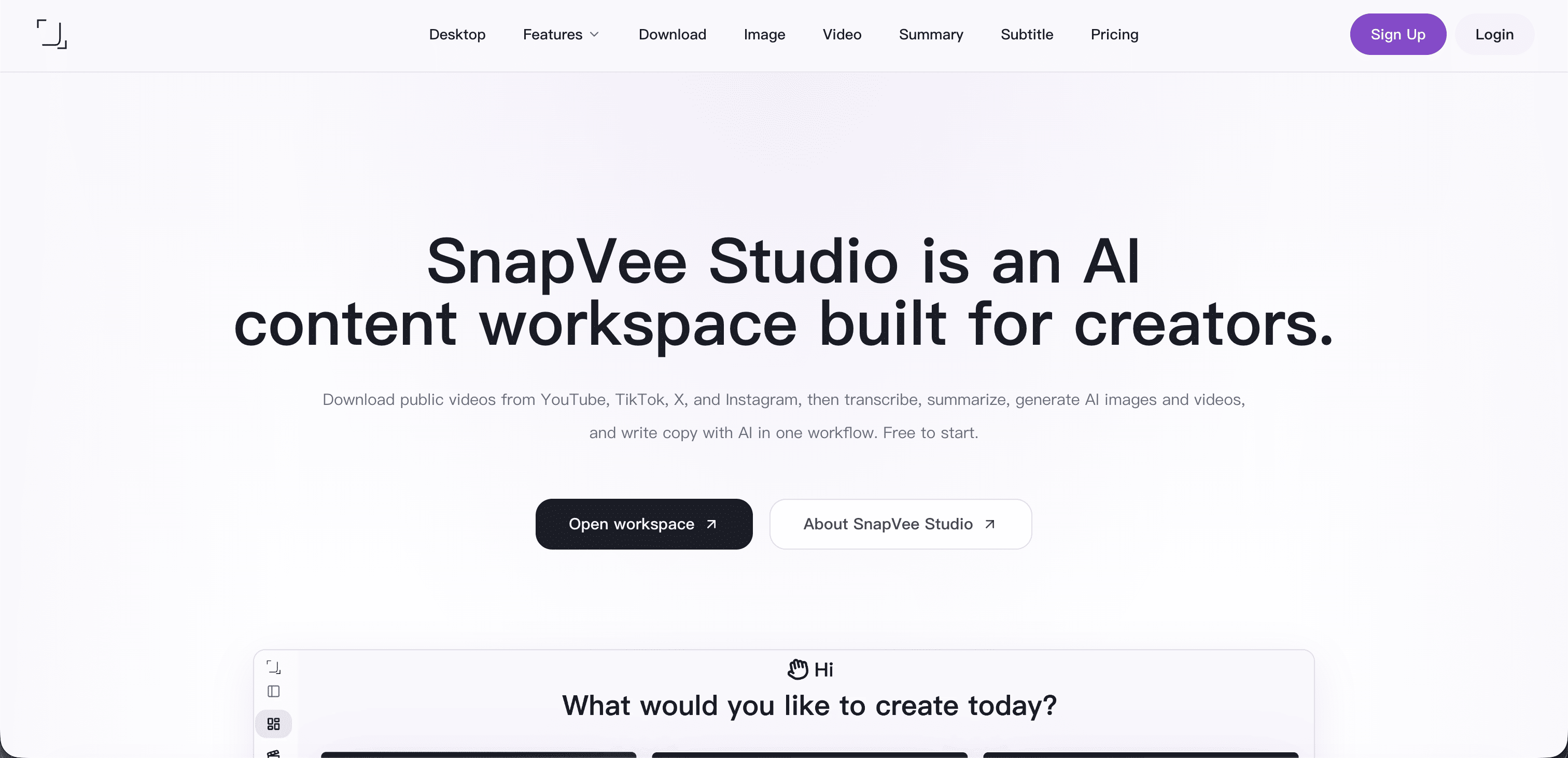
SnapVee Studio is an AI content workbench for content creators, helping creators on platforms such as YouTube, TikTok, X, Instagram to efficiently complete video processing, copywriting optimization, subtitle transcription, content summarization, AI generated images, AI generated videos, model selection, template creation, and post material reuse.
It is built by the NeonBit team, focusing on integrating complex AI capabilities into the daily workflow of creators, allowing them to complete topic selection, processing, rewriting, generation, editing assistance, and multi platform distribution preparation faster.
SnapVee Studio has served creators from multiple countries and regions around the world, and is an integrated content creation tool in the era of artificial intelligence.
Why choose SnapVee Studio?
🚀 Born for AI content creation
SnapVee Studio is not a single video or copywriting tool, but an AI native content platform designed around the complete workflow of creators.
You can use it to process public video content, extract key points, generate summaries, transcribe subtitles, rewrite copy, reduce AI flavor, generate visual materials, and quickly transform existing content into new materials suitable for different platforms to publish.
🎬 From video to content assets
SnapVee Studio can help creators deposit public videos, long videos, short videos, scripts, subtitles, and materials into reusable content assets.
Whether summarizing YouTube videos into notes, breaking down long content into short video inspirations, or organizing subtitles, titles, introductions, cover captions, and publishing copy in a unified manner, SnapVee Studio can help creators reduce repetitive labor.
✍️ More natural AI copywriting
SnapVee Studio supports AI inspired copywriting, content rewriting, title optimization, profile generation, and multi platform expression adaptation, making AI generated content more natural and resembling content written by real creators.
Suitable for scenarios such as video titles, social media posts, product introductions, voiceover articles, comment replies, email content, and release instructions.
Functional Overview
📹 Public video processing
Support the analysis, extraction, summarization, and secondary creation of public video content, helping creators quickly understand the key points of the video and convert them into their own creative materials.
📝 Subtitle transcription and content summary
Convert video or audio content into text, generate structured summaries, highlight key points, chapter summaries, knowledge point organization, and publishable copy.
✨ Copy without AI flavor
Optimize the expression of AI generated content to make the text more natural, colloquial, and suitable for social media and creators' personal styles.
🖼️ AI generated image
Generate image materials according to creative needs, which can be used for cover, image matching, social media content, visual inspiration, and brand material expansion.
🎞️ AI generated videos
Assist in generating video creativity, video materials, and visual content, helping creators quickly complete the transformation from ideas to usable materials.
🤖 Multiple model selection
Supporting the selection of different AI model capabilities, allowing creators to choose the most suitable model based on task types for summarization, rewriting, translation, generation, creative divergence, and content optimization.
🧩 Template Innovation
Quickly reuse mature content structures through templates and rewrite existing content into new versions suitable for different themes, platforms, and audiences.
📦 Publish material reuse
Unify the title, introduction, subtitles, abstract, tags, cover prompts, script, and social media copy to facilitate multi platform publishing and subsequent reuse.
Who is SnapVee Studio suitable for?
✅ Creators on platforms such as YouTube, TikTok, X, Instagram, etc
✅ A self media team that requires batch processing of video content
✅ Creators who want to quickly convert long videos into short content materials
✅ Content operation that requires subtitles, summaries, titles, introductions, and publishing copy
✅ Individual creators who hope to use AI to improve content production efficiency
✅ A team that needs to reuse public videos, templates, and materials for secondary creation
✅ Users who want to reduce AI copywriting traces and improve content naturalness
core value
SnapVee Studio eliminates the need for creators to switch back and forth between multiple AI tools, subtitle tools, video tools, and copywriting tools.
It integrates video understanding, content summarization, copywriting optimization, AI generation, template reuse, and publishing material organization into one workbench, helping creators complete the complete process from inspiration to publishing faster.
If you are a content creator, SnapVee Studio can be your video processing assistant, copywriting assistant, material generation assistant, and content reuse center.
👉 Immediately use SnapVee Studio to initiate an AI driven content creation workflow.
Frequently Asked Questions about SnapVee Studio
What is SnapVee Studio?
SnapVee Studio is an AI content workbench for creators, supporting public video processing, subtitle transcription, content summarization, AI flavor removal from copywriting, AI generated images, AI generated videos, template creation, and material reuse for publishing.
Who is SnapVee Studio suitable for?
It is suitable for video creators, self media operators, content teams, independent creators, short video teams, social media operators, and users who need to efficiently process content materials.
What can SnapVee Studio do?
It can help you summarize videos, transcribe subtitles, optimize copy, generate images, create video materials, rewrite content, reuse templates, and organize content assets suitable for multi platform publishing.
What type of product does SnapVee Studio belong to?
SnapVee Studio belongs to AI content creation, video processing, creator tools, and social media productivity tools.
Features
Make AI copy sound human
Polish stiff AI drafts into more natural writing for titles, descriptions, scripts, and social posts before publishing.
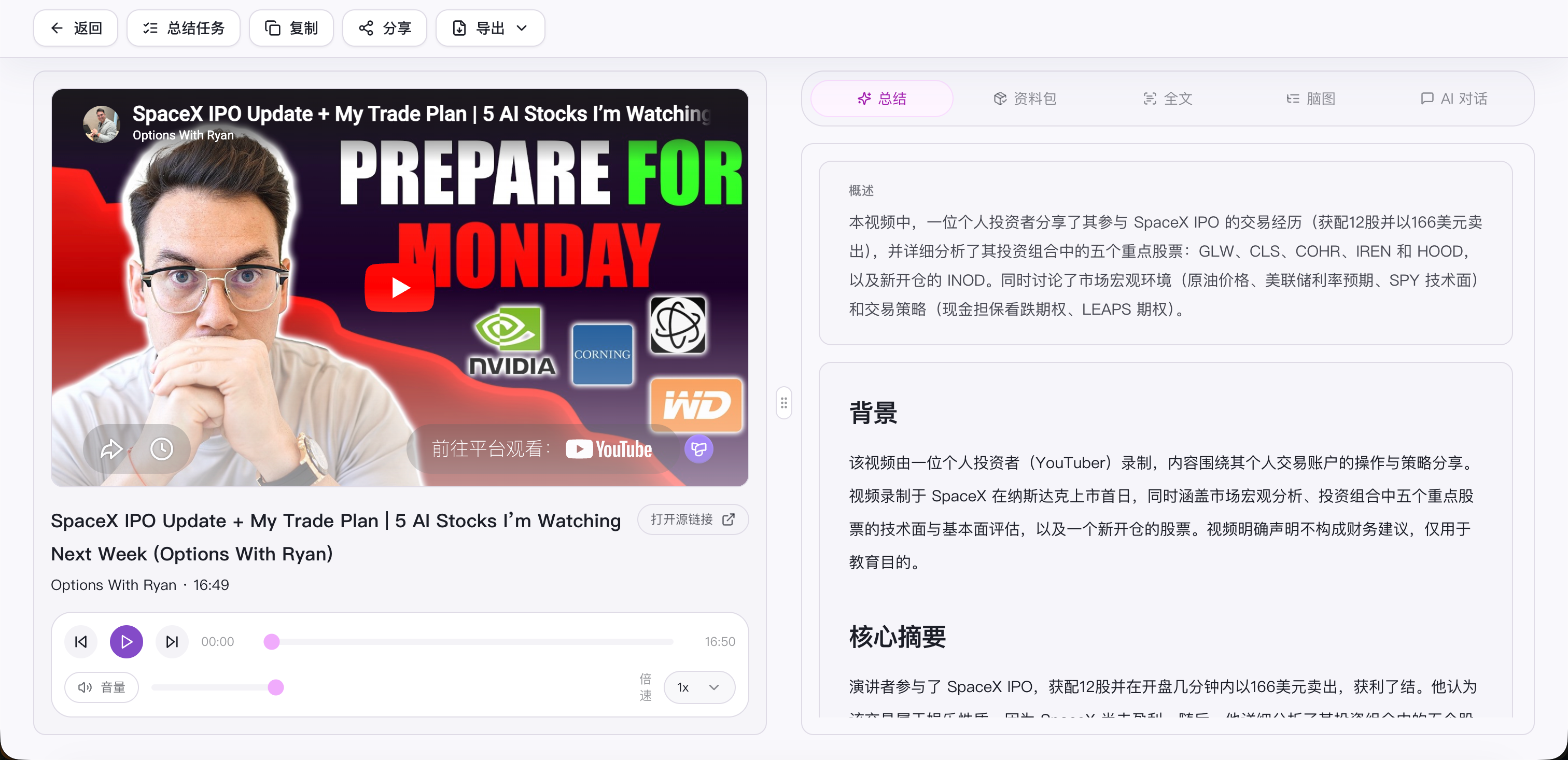
Video summary
Turn long videos into summaries, chapters, and key points so you can understand the material before editing or remixing it.
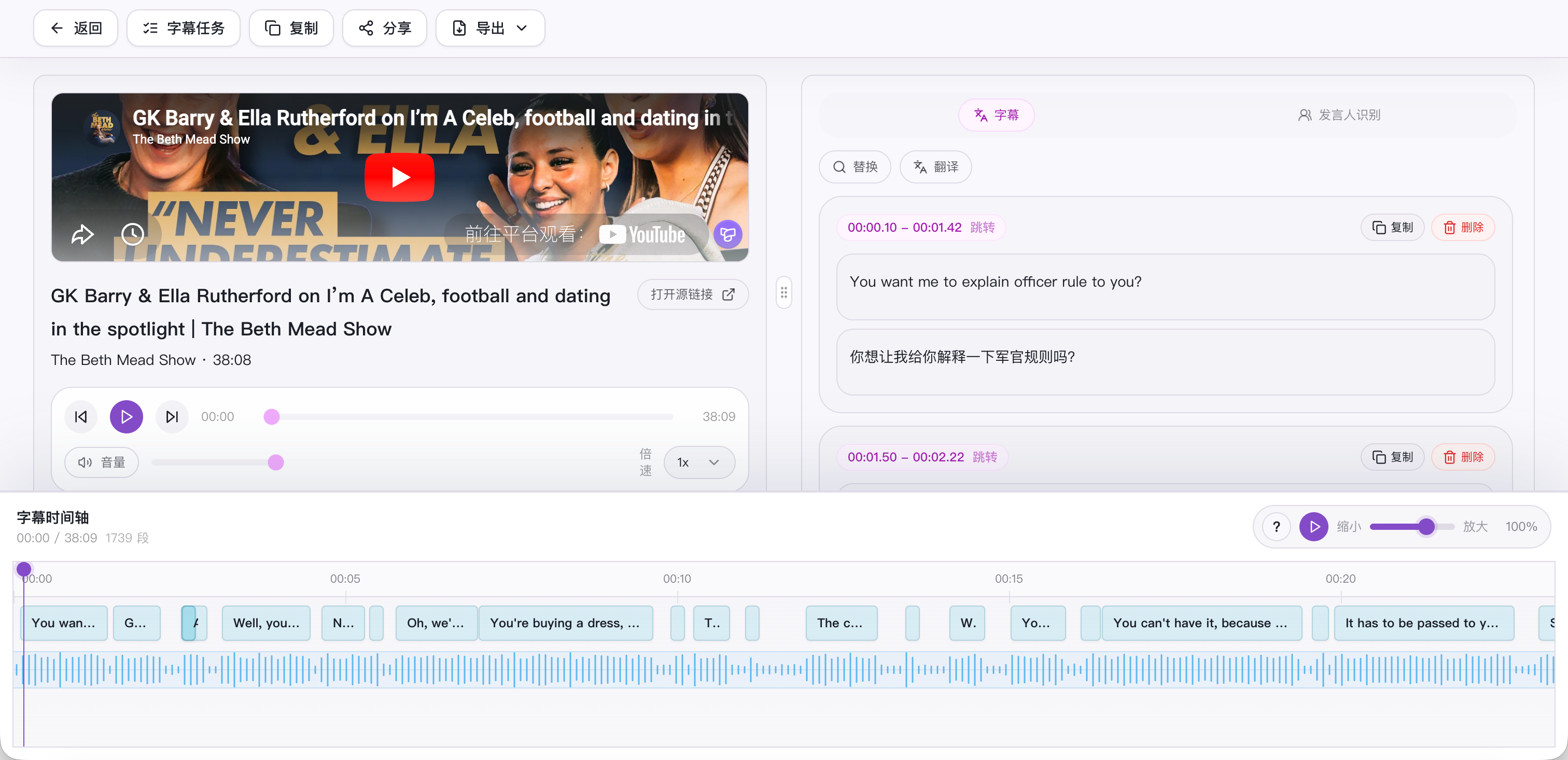
Subtitle transcription
Convert video or audio into editable subtitles and transcripts for review, clipping, quote extraction, and distribution.
AI image generation
Generate covers, post visuals, and creative image assets from prompts when the content direction is ready.
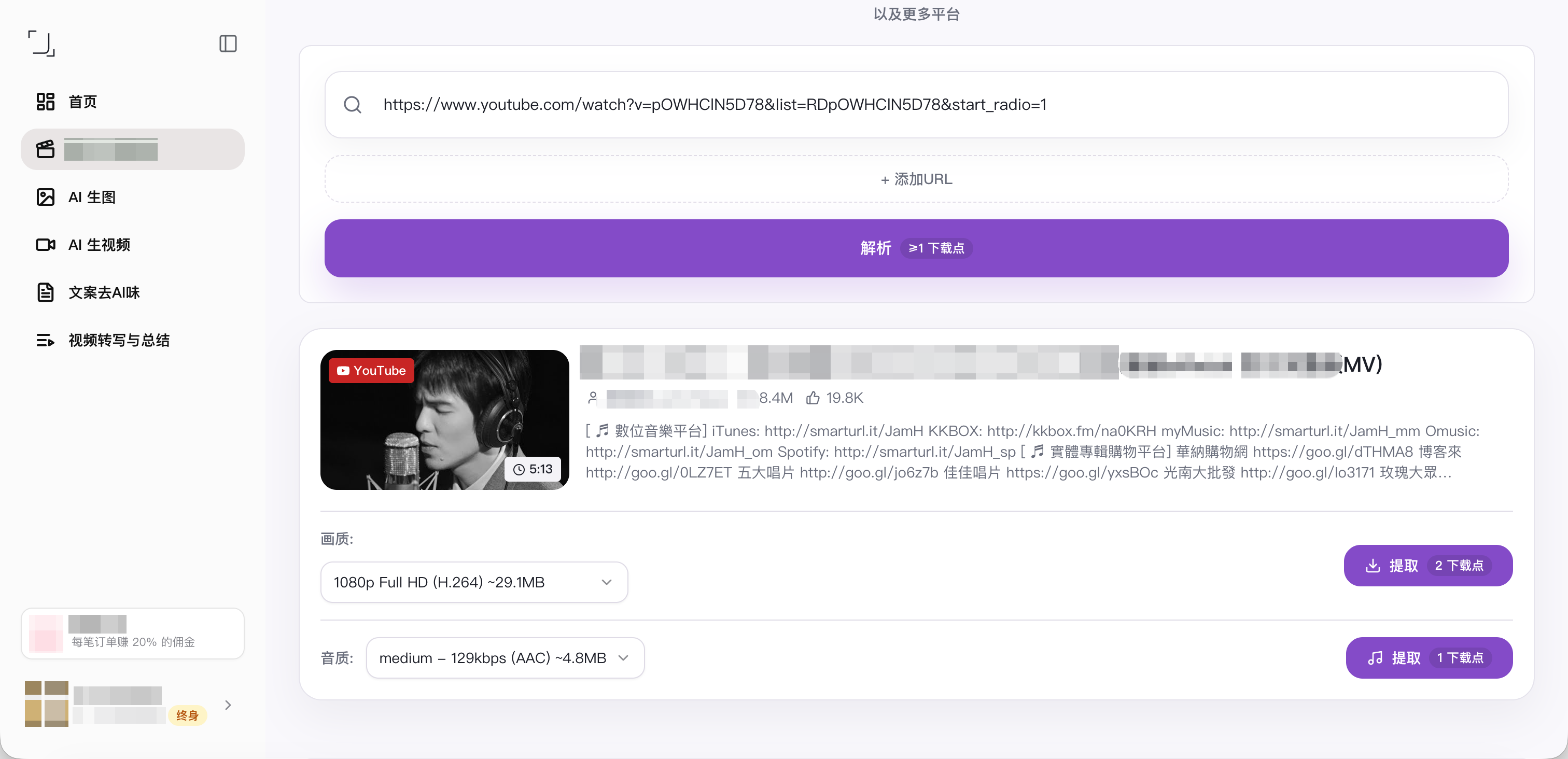
YouTube multi-audio and stream separation
Useful for editing, archiving, and research. Handle video streams and audio tracks separately with more control over quality, bitrate, and language tracks.

Comments


the breadth makes it hard to tell what the tool is actually best at. Creators usually adopt a workbench because one step in their pipeline hurts, then stay for the rest. Which step do your existing users say SnapVee replaced first? I'd also be curious about subtitle transcription accuracy on non-English audio, since that's where most of these tools quietly fall apart and it's rarely mentioned


The feature list covers a lot of ground — transcription, rewriting, image and video generation, multi-platform prep — and my honest reaction is that the breadth makes it hard to tell what the tool is actually best at. Creators usually adopt a workbench because one step in their pipeline hurts, then stay for the rest. Which step do your existing users say SnapVee replaced first? I'd also be curious about subtitle transcription accuracy on non-English audio, since that's where most of these tools quietly fall apart and it's rarely mentioned on landing pages.

Premium Products



















































Sponsors
Buy


Comments
the breadth makes it hard to tell what the tool is actually best at. Creators usually adopt a workbench because one step in their pipeline hurts, then stay for the rest. Which step do your existing users say SnapVee replaced first? I'd also be curious about subtitle transcription accuracy on non-English audio, since that's where most of these tools quietly fall apart and it's rarely mentioned
The feature list covers a lot of ground — transcription, rewriting, image and video generation, multi-platform prep — and my honest reaction is that the breadth makes it hard to tell what the tool is actually best at. Creators usually adopt a workbench because one step in their pipeline hurts, then stay for the rest. Which step do your existing users say SnapVee replaced first? I'd also be curious about subtitle transcription accuracy on non-English audio, since that's where most of these tools quietly fall apart and it's rarely mentioned on landing pages.
Premium Products
New to Fazier?

Find your next favorite product or submit your own. Made by @FalakDigital.
Copyright ©2026. All Rights Reserved