
SmartSlim - Multi-Doucment Compression
Compress any file locally — nothing leaves your machine.
Founders handle other people's sensitive files constantly — client contracts, unreleased pitch decks, payroll sheets, footage that isn't public yet. The default advice for shrinking those files is to paste them into a web compressor. That advice has always bothered me: it means trusting a stranger's server with the exact documents you spent all day protecting.
SmartSlim is my answer. It's a cross-platform desktop application for macOS, Windows and Linux x86_64 that handles the file types that actually accumulate in a working directory: PDF, OFD, Office documents, images, video and audio. Compression runs entirely on your machine. There is no upload step to skip, no retention policy to read, no cloud dashboard to trust — the files never leave the device.
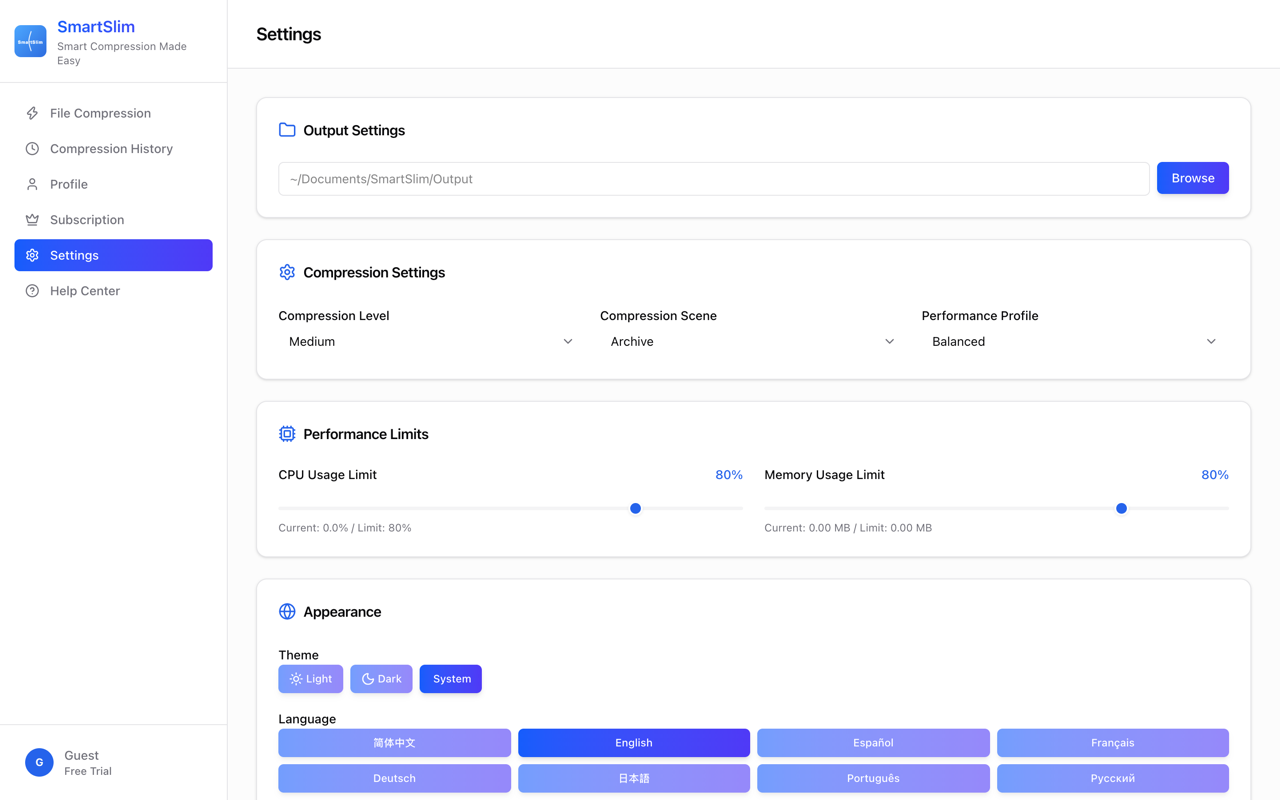
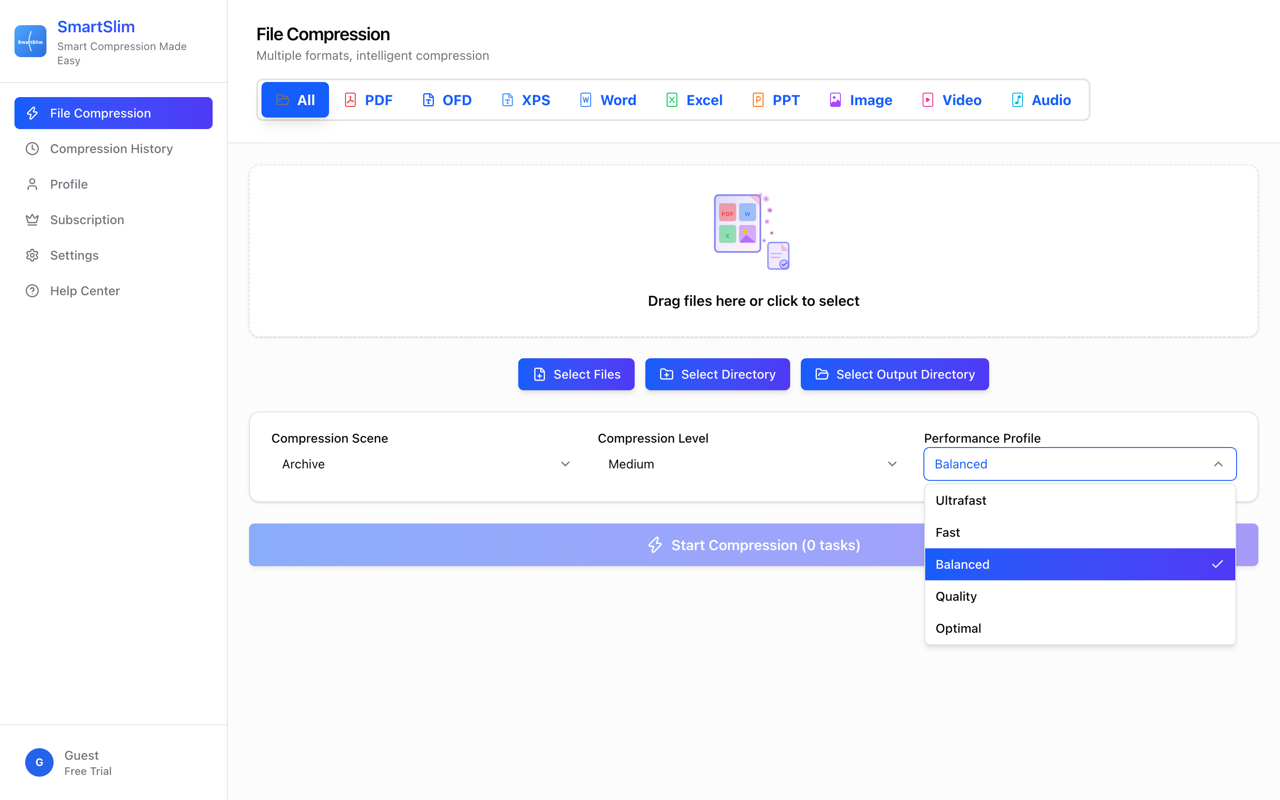
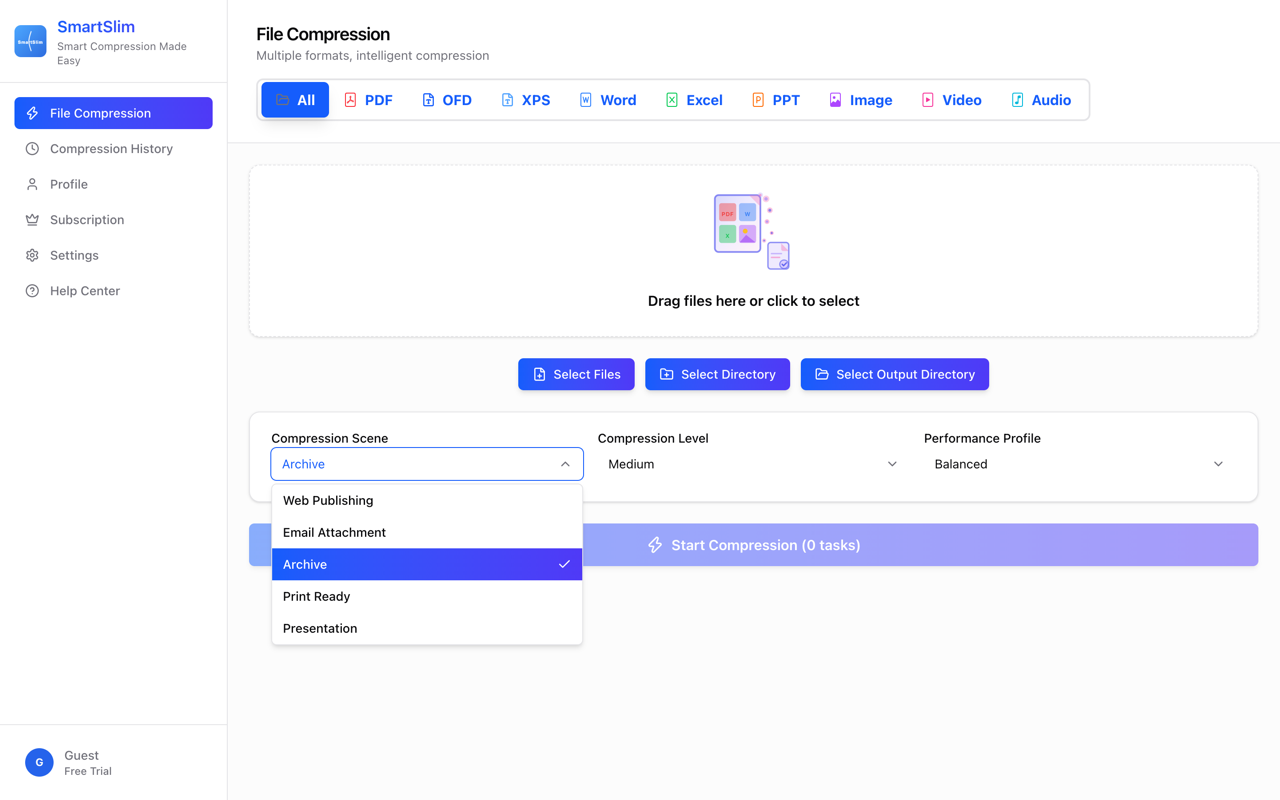
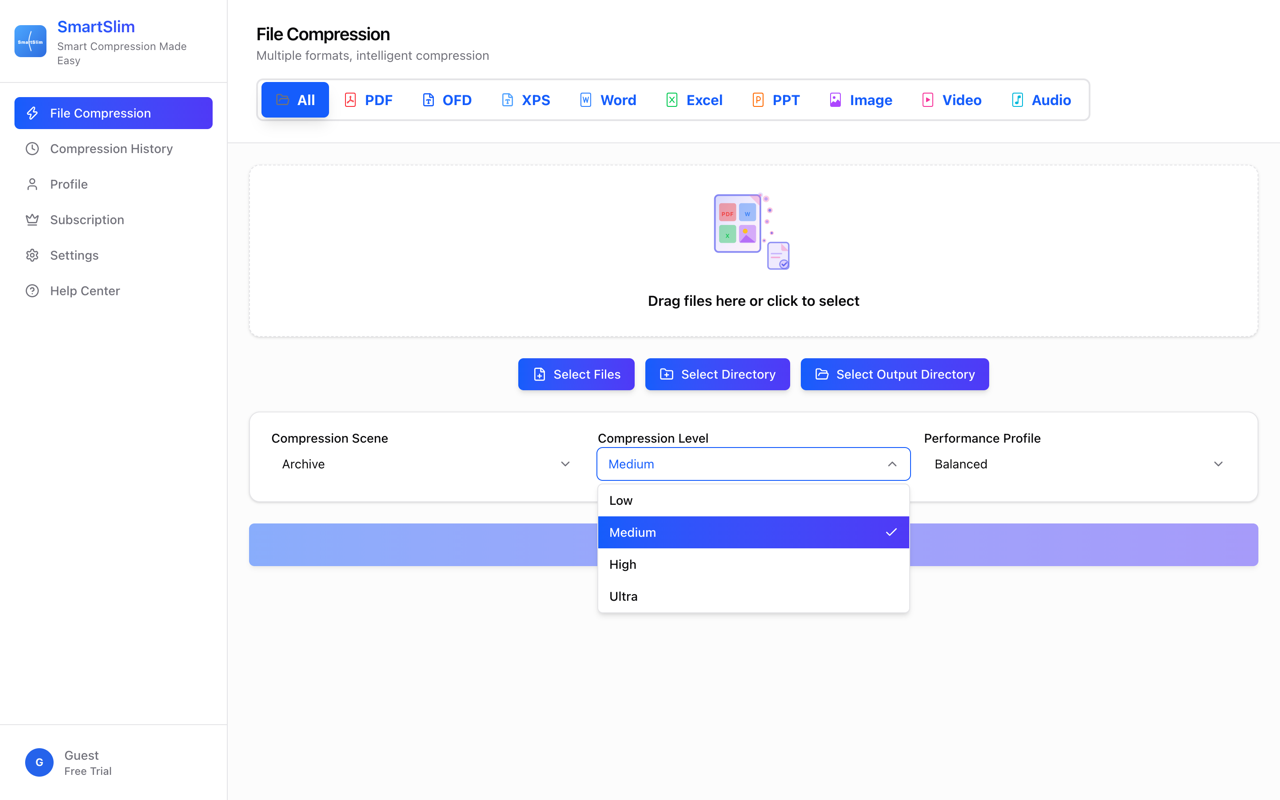
Four compression levels (Low, Medium, High, Ultra) let you decide how hard to squeeze each batch, and compression scenarios can be selected and combined, so a job you run every week behaves the same way every time instead of becoming a fresh experiment.
One thing worth knowing if you compare tools: SmartSlim covers OFD — the Chinese standardized document format common in government and state-owned enterprise workflows — alongside PDF. If you never encounter OFD, that changes nothing for you. If you do, you already know how rare it is to find any tool that opens it, let alone compresses it.
On the business side: it's a subscription, not a free tool subsidized by ads or data. Current pricing is on the official site. What I'd genuinely like from a launch audience is edge cases — a file that didn't shrink, a format that misbehaved, a level that wrecked quality. Compression tools earn trust one edge case at a time, and a launch crowd finds them faster than I ever will alone.
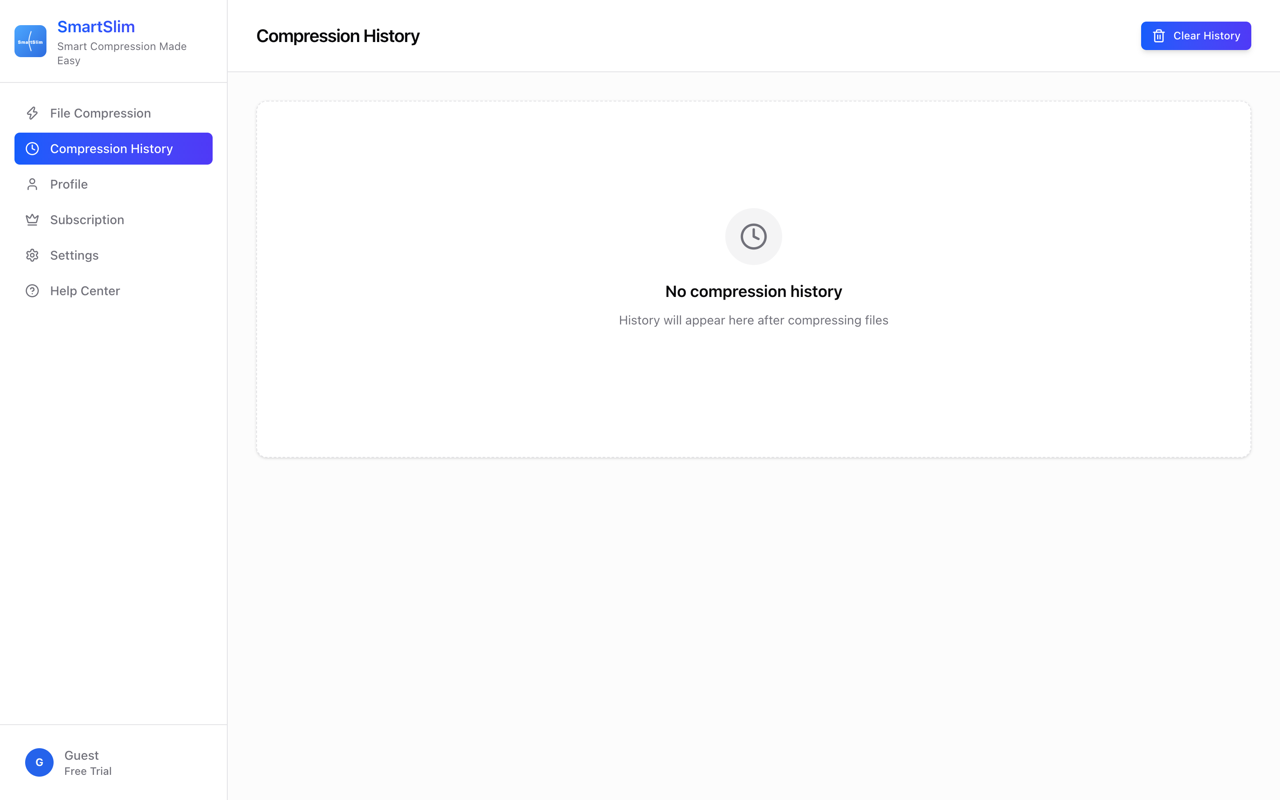
Features
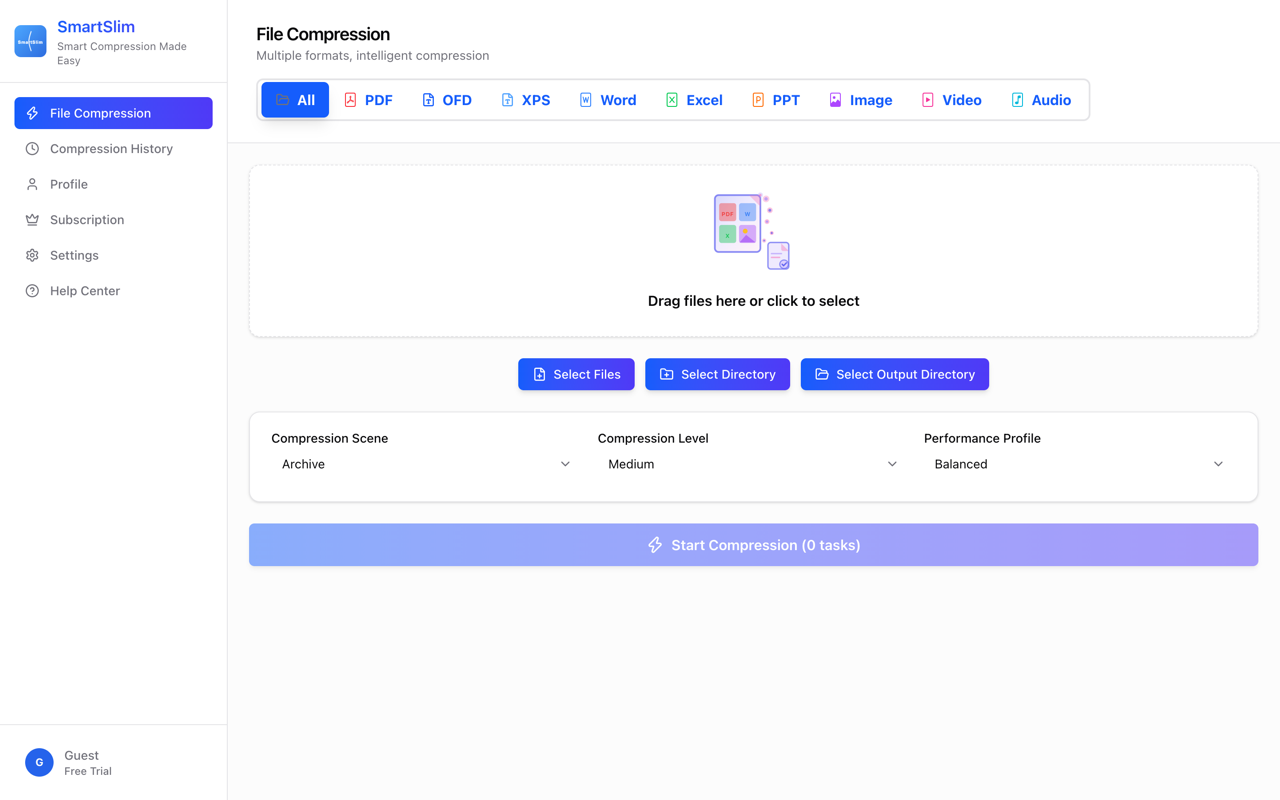
- Everything compressed locally. Files are processed on your machine. There is no upload step, no cloud service, no server involved — nothing leaves your device.
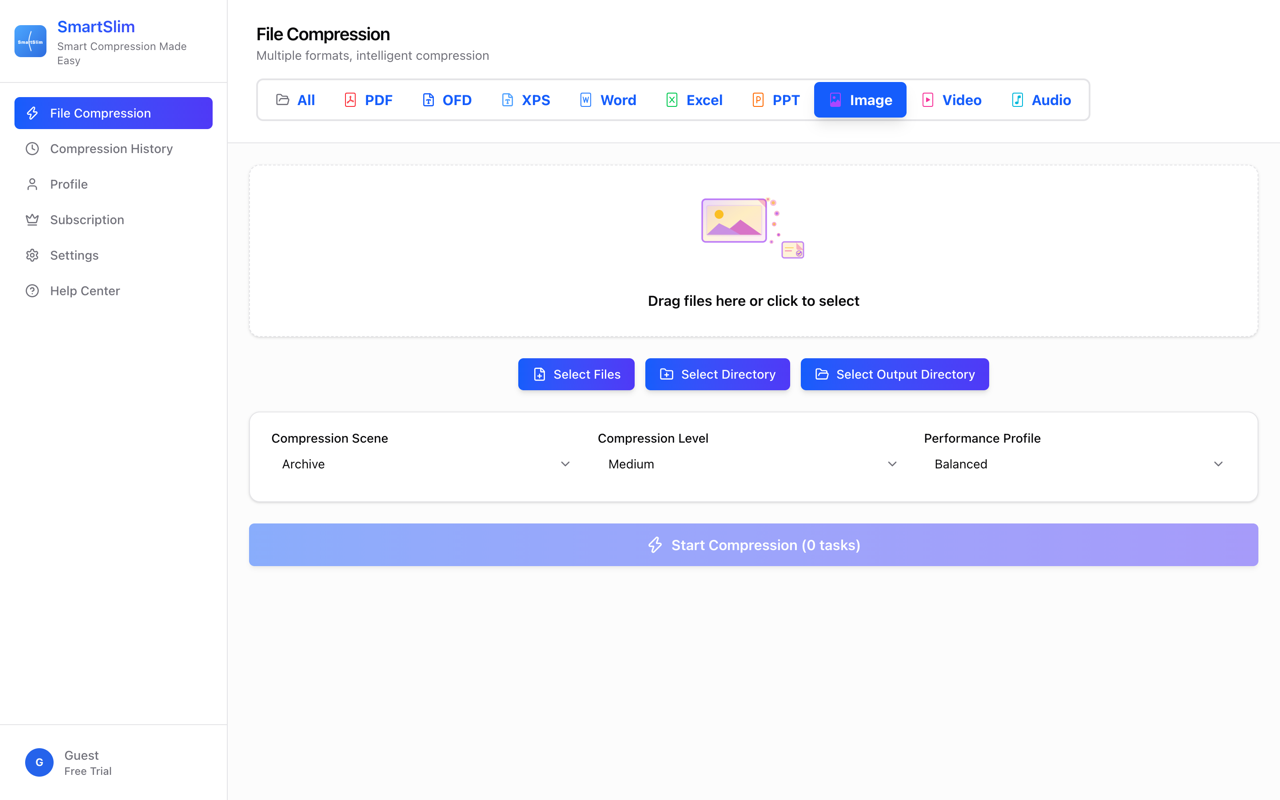
- One app for every common format. PDF, OFD, Office documents, images, video and audio, handled in a single desktop interface instead of a separate utility per file type.
- Four compression levels. Low, Medium, High and Ultra — you decide the trade-off between file size and fidelity for each job.
- Selectable compression scenarios. Scenarios can be selected and combined, so recurring jobs behave the same way every time. (Note for editors: do not list scene names or counts; the in-app scenario set differs from older marketing copy and is shown in screenshot 04.)
- Cross-platform desktop app. Native installs for macOS, Windows and Linux x86_64. Not a website, not an Electron tab — the work happens where your files are.
Use Cases
1. Sending documents that are too big to email
A signed contract, a scanned application form or a design brief comes back from the printer twice the mailbox limit. SmartSlim shrinks the PDF on your machine in seconds, and the file that gets emailed is the only copy that exists — no version of it was ever uploaded anywhere.
2. Client work covered by an NDA
Unreleased pitch decks, pre-launch footage, payroll sheets, a client's unpublished product photos. Any web compressor means trusting a stranger's server with exactly the files you are contracted to protect. With SmartSlim the files stay where they are; the compression happens locally, so "keep it confidential" stays literal.
3. Shrinking media libraries and archives
Years of photos, screen recordings, voice memos and video clips eat disk space quietly. Running them through SmartSlim with the level you choose — gentle for things you will re-edit, hardest setting for cold storage — reclaims space without the files ever leaving the drive they live on.
4. Preparing content for the web
Video clips, audio and images destined for a website or a course load slower than they need to. Compressing them locally before upload means faster pages for your audience — and since the tool covers video, audio and images alongside documents, one pass handles the whole content batch in one interface.
5. Handling OFD documents in Chinese institutional workflows
Government and state-owned enterprise systems in China exchange documents in OFD, a standardized format almost no tool outside that ecosystem supports. SmartSlim compresses OFD alongside PDF, which matters to anyone who regularly receives — and has to forward — these files.
6. One tool instead of six
A typical working folder accumulates PDFs, Word files, images, screen recordings and audio notes. Keeping one desktop app for all of them, with consistent levels and scenarios across formats, beats maintaining a separate utility — and a different trust decision — for every file type.

Comments


Built by the team behind it (Guangzhou UgliPear Data Technology). Post this from the maker account as the first comment after the launch goes live. Honest tone, no superlatives, no invented numbers. --- I made SmartSlim because I kept refusing to upload client files to web compressors. Every time I needed a PDF small enough to email, the top search results were websites asking me to hand over the document first — sometimes a contract, sometimes something a client hadn't published yet. The trade never felt worth it, so eventually I built the tool I actually wanted: a desktop app that does the compression locally, on macOS, Windows and Linux, with no server in the middle. It handles PDF, OFD, Office documents, images, video and audio in one place. The OFD part matters more than it sounds: it's the standardized document format used across Chinese government and enterprise workflows, and almost nothing outside China supports it. If you never touch OFD, ignore that line. If you do, you know the alternatives are basically zero. Two things I'll say plainly. It's a paid subscription, not a free tool — pricing is on the site, and I'd rather be upfront about that than hide it behind "free" and upsell later. And compression results depend on the file: some formats shrink dramatically, others are already well-optimized and barely move. If you test it and something doesn't compress the way you expected, tell me the format and the level you used — that's exactly the feedback that shapes the next release.
Premium Products

















































Sponsors
Buy

Makers
Makers
Comments
Built by the team behind it (Guangzhou UgliPear Data Technology). Post this from the maker account as the first comment after the launch goes live. Honest tone, no superlatives, no invented numbers. --- I made SmartSlim because I kept refusing to upload client files to web compressors. Every time I needed a PDF small enough to email, the top search results were websites asking me to hand over the document first — sometimes a contract, sometimes something a client hadn't published yet. The trade never felt worth it, so eventually I built the tool I actually wanted: a desktop app that does the compression locally, on macOS, Windows and Linux, with no server in the middle. It handles PDF, OFD, Office documents, images, video and audio in one place. The OFD part matters more than it sounds: it's the standardized document format used across Chinese government and enterprise workflows, and almost nothing outside China supports it. If you never touch OFD, ignore that line. If you do, you know the alternatives are basically zero. Two things I'll say plainly. It's a paid subscription, not a free tool — pricing is on the site, and I'd rather be upfront about that than hide it behind "free" and upsell later. And compression results depend on the file: some formats shrink dramatically, others are already well-optimized and barely move. If you test it and something doesn't compress the way you expected, tell me the format and the level you used — that's exactly the feedback that shapes the next release.
Premium Products
New to Fazier?

Find your next favorite product or submit your own. Made by @FalakDigital.
Copyright ©2026. All Rights Reserved