
Smart Design Inspector
Inspect any site's design and SEO in one Chrome side panel
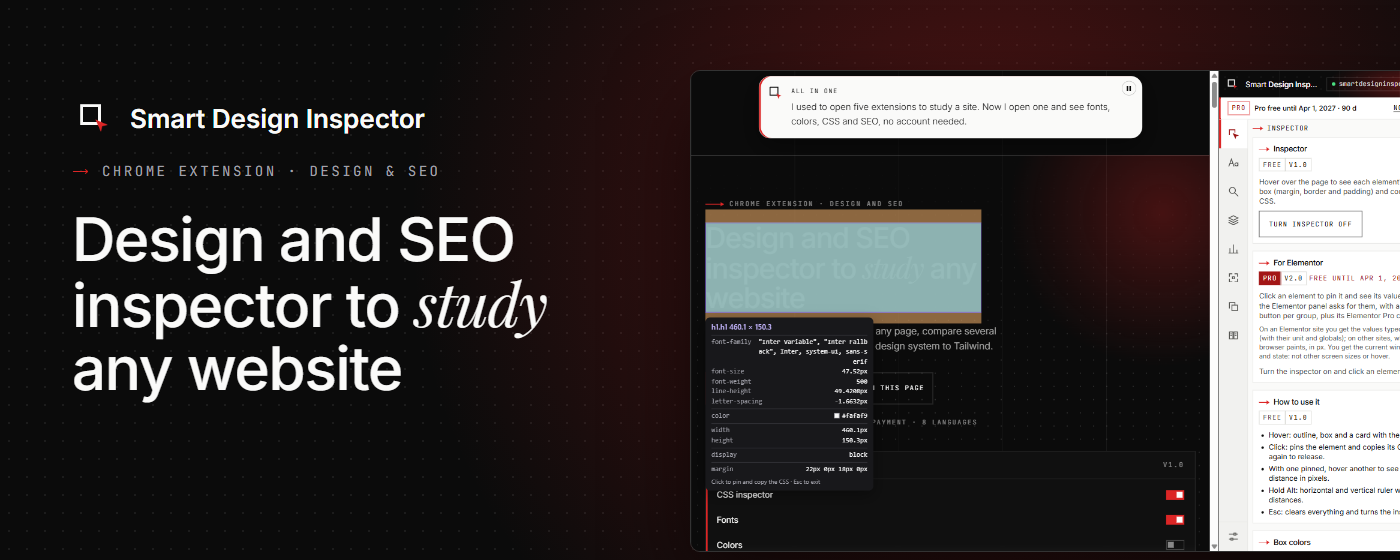
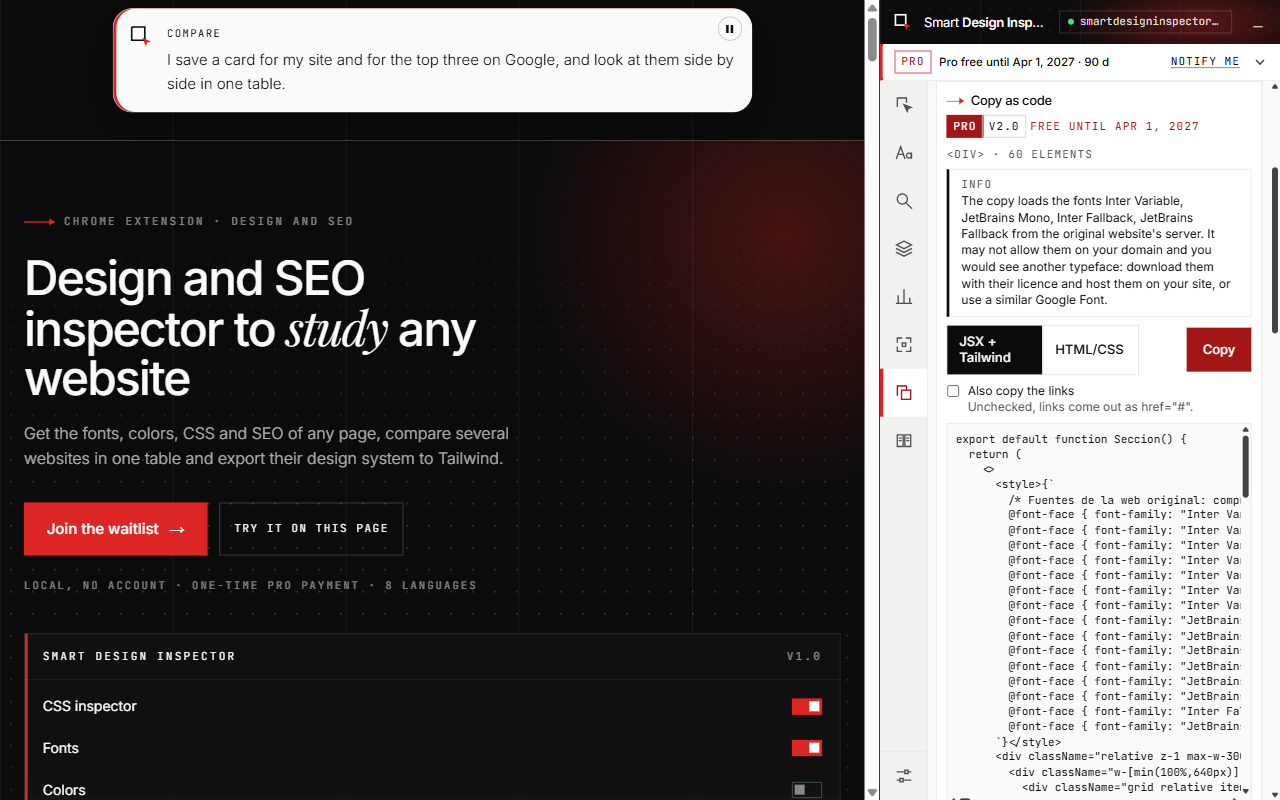
Study any website and bring its design and SEO into your own projects. Smart Design Inspector puts in one Chrome side panel what usually takes several extensions: design inspection, SEO checks, full-page capture and a side-by-side comparison of competitor sites. Free forever, no account and no login. Your analyses stay in your browser. Optional one-time Pro license, no subscription. Available in 8 languages.
Features
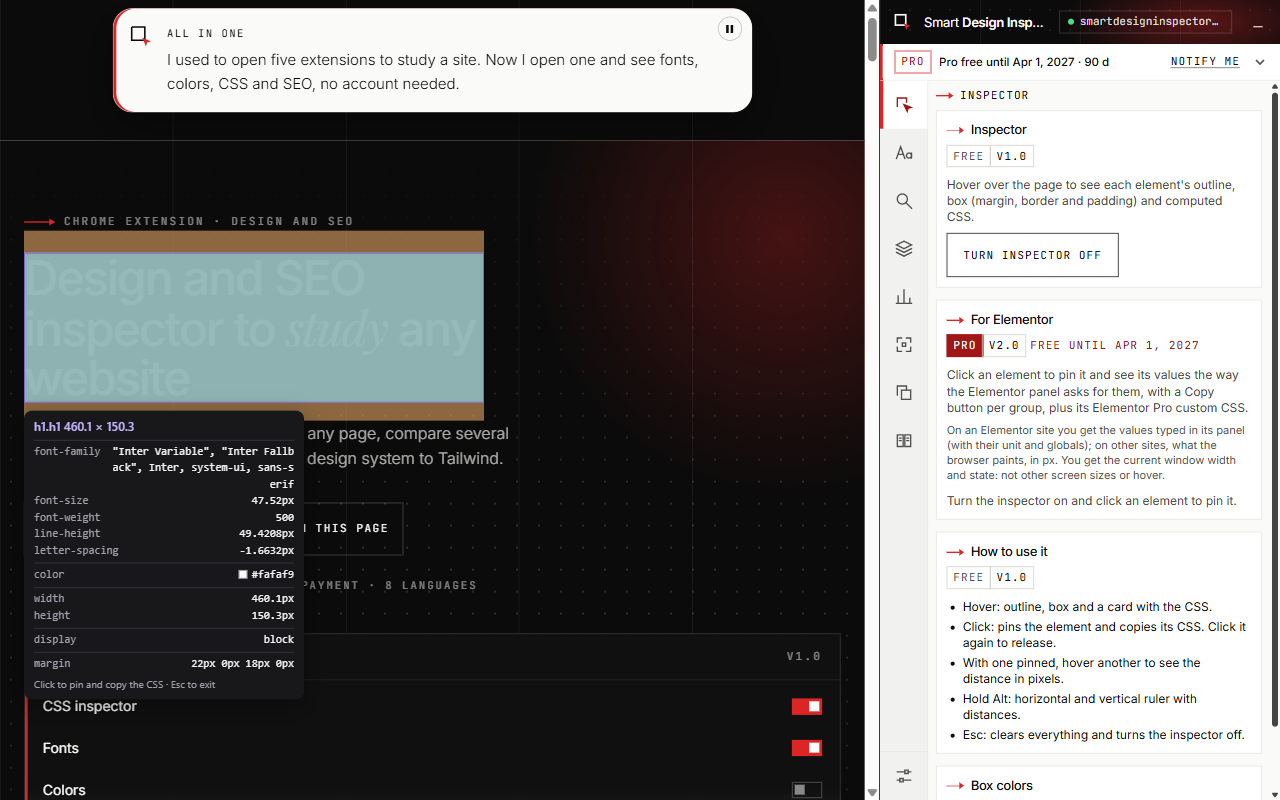
- Hover to inspect computed CSS, box model, margins and padding
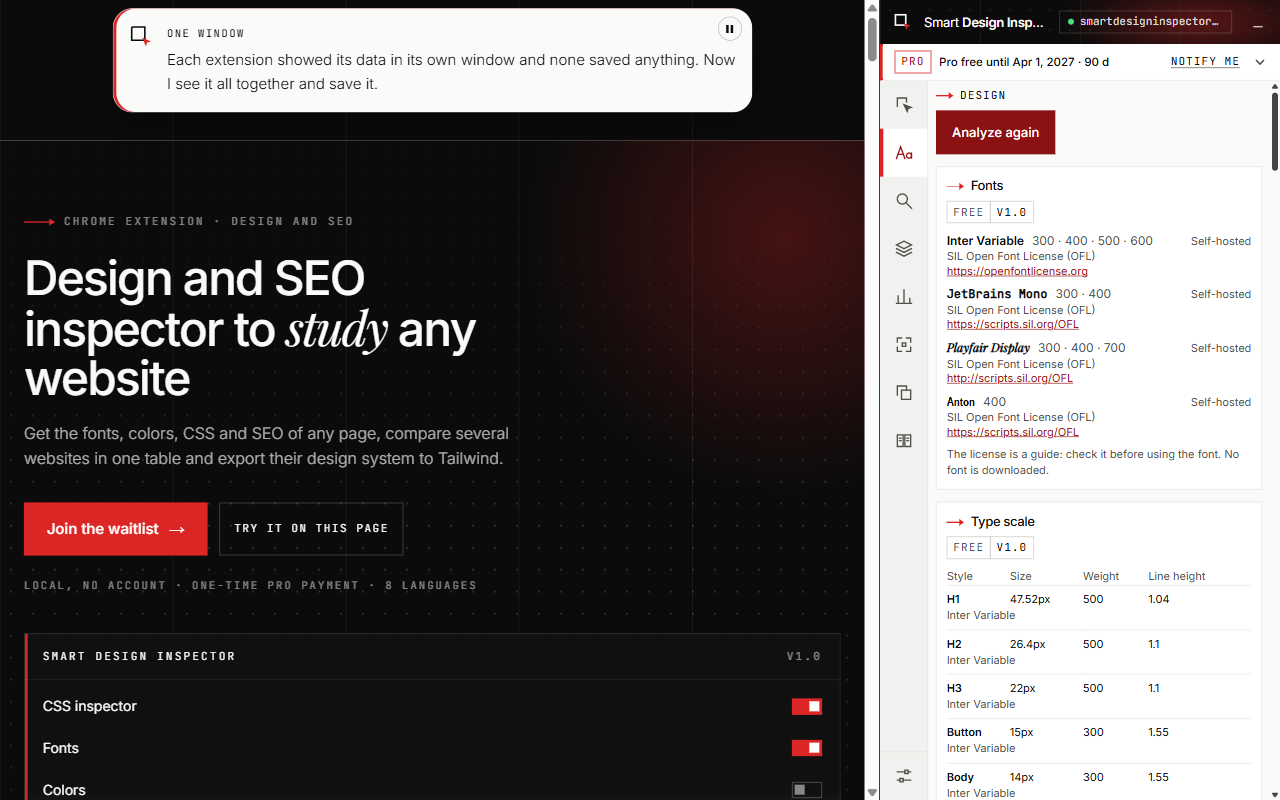
- Fonts, type scale, color palette, eyedropper and WCAG contrast
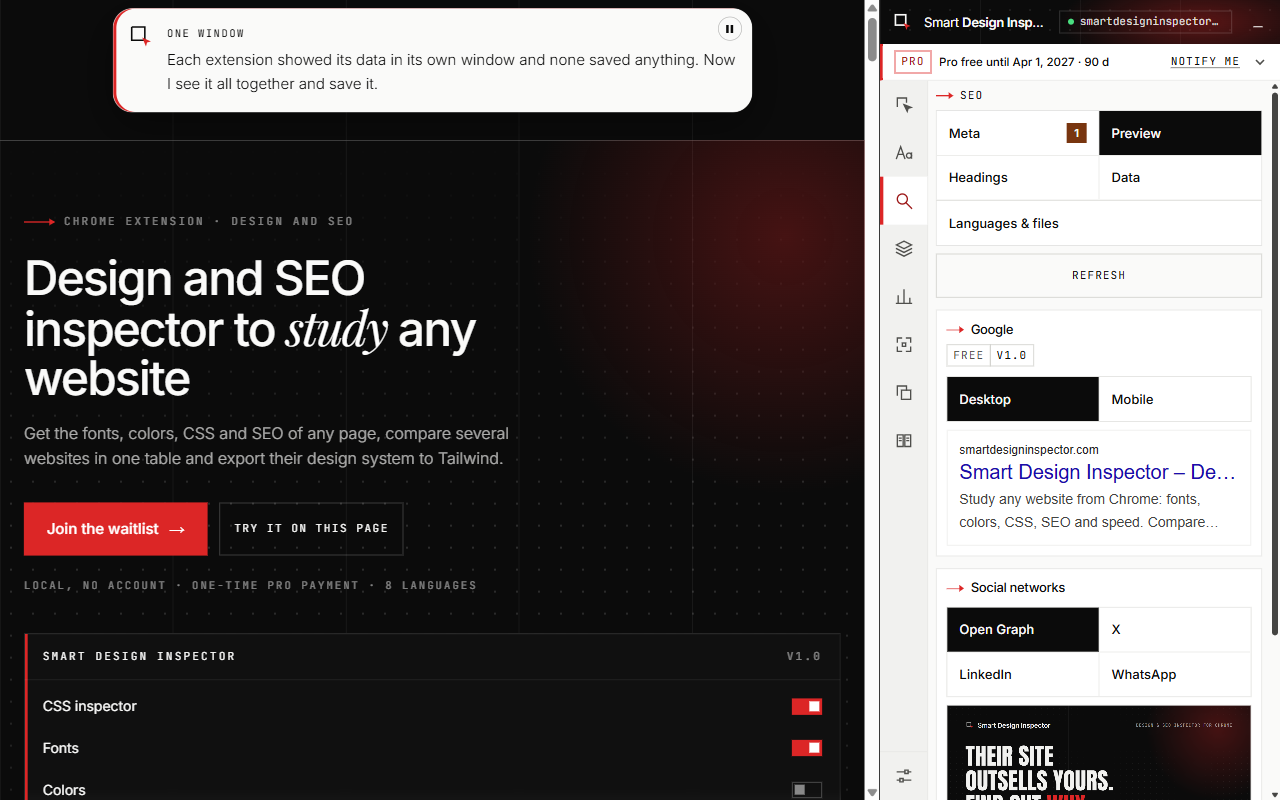
- SEO: meta tags, Google and social previews, headings, images, links, structured data
- Live Core Web Vitals and site technology detection
- Full-page and element screenshots with editor, scroll recording to MP4
- Compare competitor sites side by side
Use Cases
- Study competitor sites before a redesign
- Quick SEO check of any page
- Extract fonts, colors and spacing into a design system
- Capture and annotate pages for client reports

Comments


Hi Fazier! I'm Luis, a web designer from Spain. Before redesigning a client's site I always study their competitors, and I was juggling five or six extensions to do it: CSS, fonts, colors, SEO tags, screenshots. Smart Design Inspector puts all of that in one Chrome side panel. The free version needs no account and the analysis runs in your browser. I'd love your feedback, especially on what's missing in your own workflow.
Premium Products

















































Sponsors
Buy
Makers
Makers
Comments
Hi Fazier! I'm Luis, a web designer from Spain. Before redesigning a client's site I always study their competitors, and I was juggling five or six extensions to do it: CSS, fonts, colors, SEO tags, screenshots. Smart Design Inspector puts all of that in one Chrome side panel. The free version needs no account and the analysis runs in your browser. I'd love your feedback, especially on what's missing in your own workflow.
Premium Products
New to Fazier?

Find your next favorite product or submit your own. Made by @FalakDigital.
Copyright ©2026. All Rights Reserved