Simplestatus
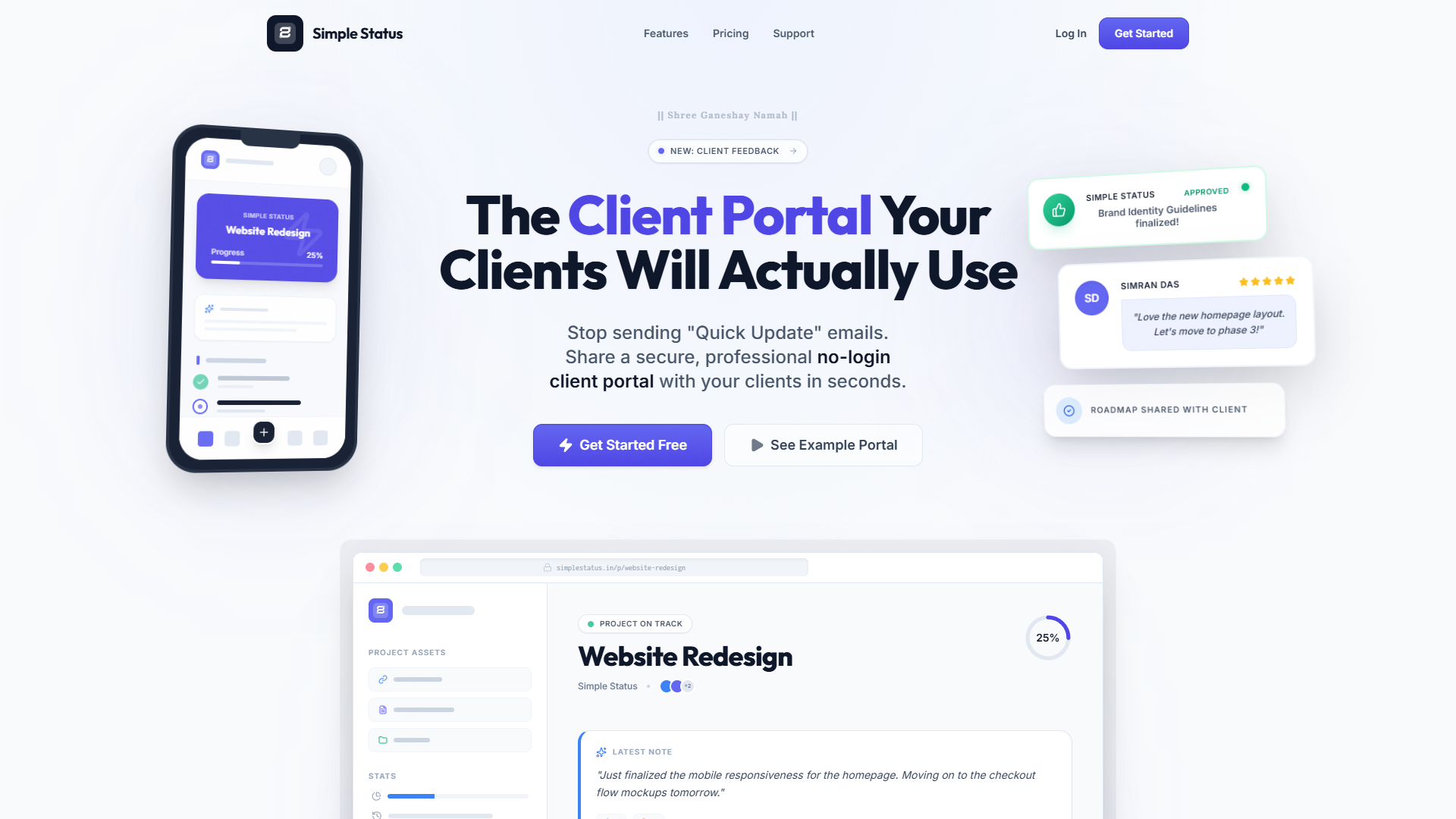
Simple client portal for freelancers with no login required.
Features
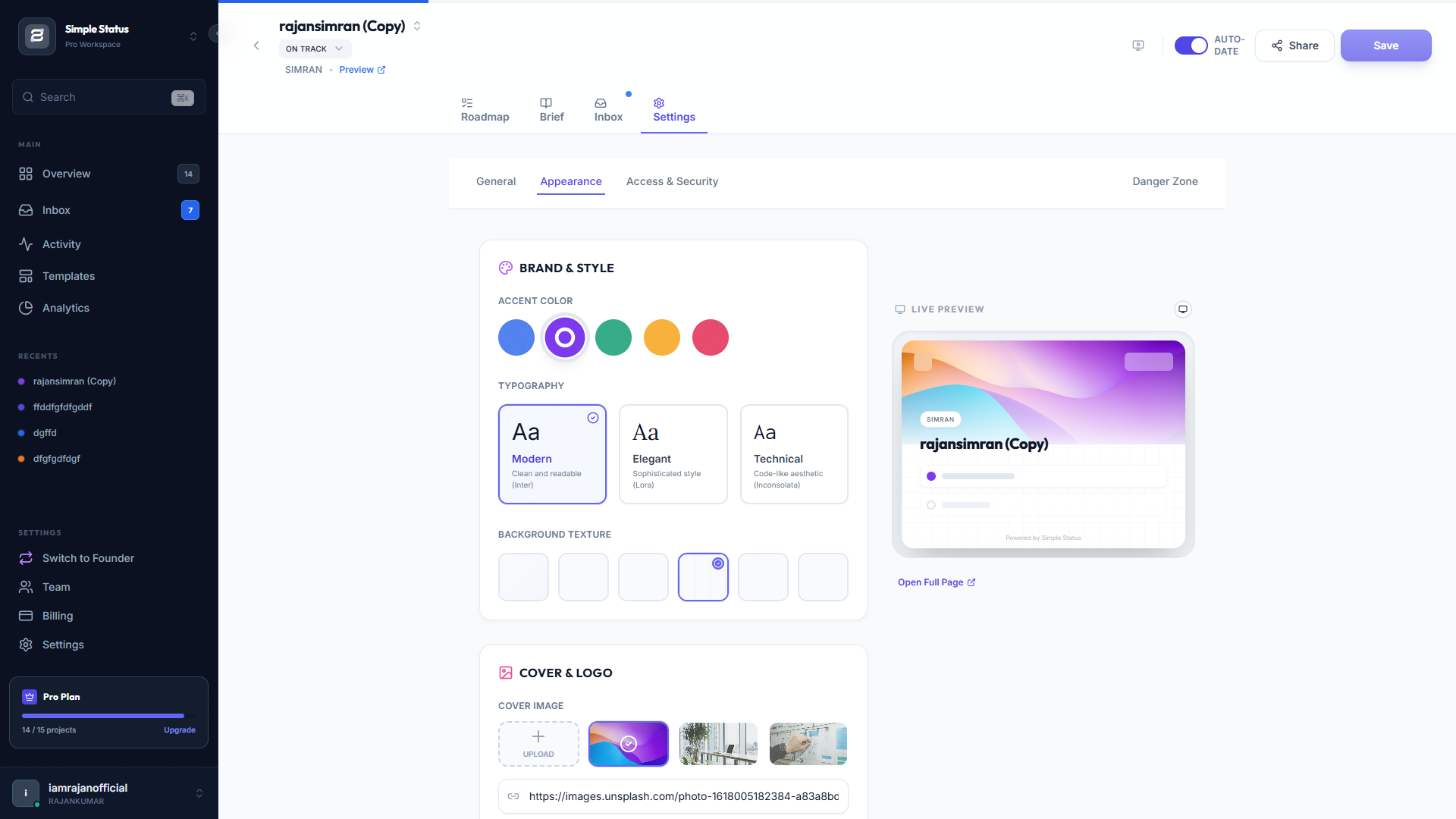
Whitelabeling: Agencies can upload their own logo and custom colors.
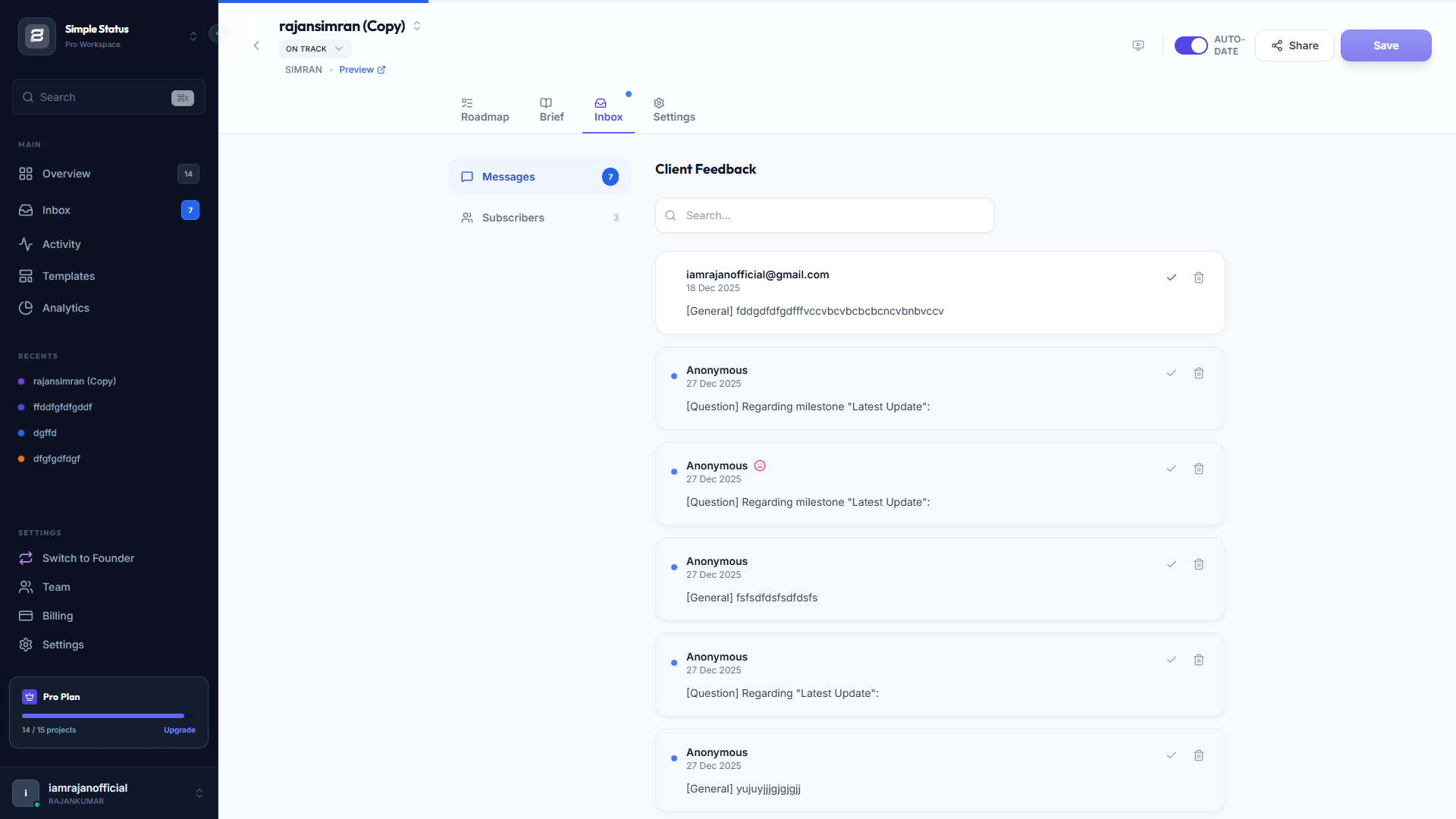
Sentiment Tracking: Clients can click "Happy", "Neutral", or "Concerned" so you can track client health.
Password Protection: For extra security on specific projects.
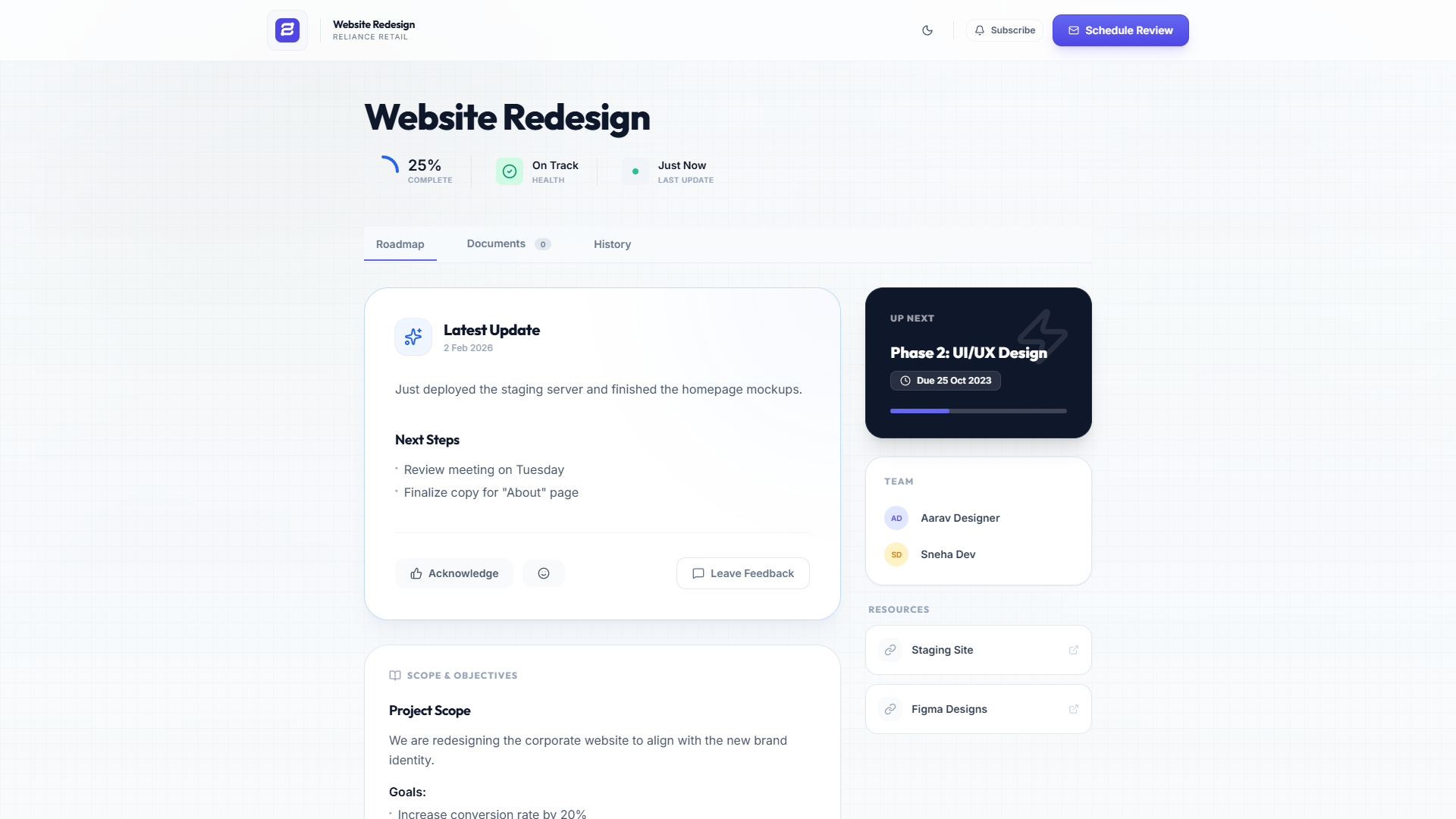
Magic Link" Access: Clients can view their project status via a unique URL without needing to create an account or log in.
Sentiment Feedback: Clients can rate specific milestones or updates as "Happy," "Neutral," or "Concerned," giving you early warning of churn risks.
post updates once, and have them visible 24/7.
Track "Client Sentiment" to stop churn before it happens.
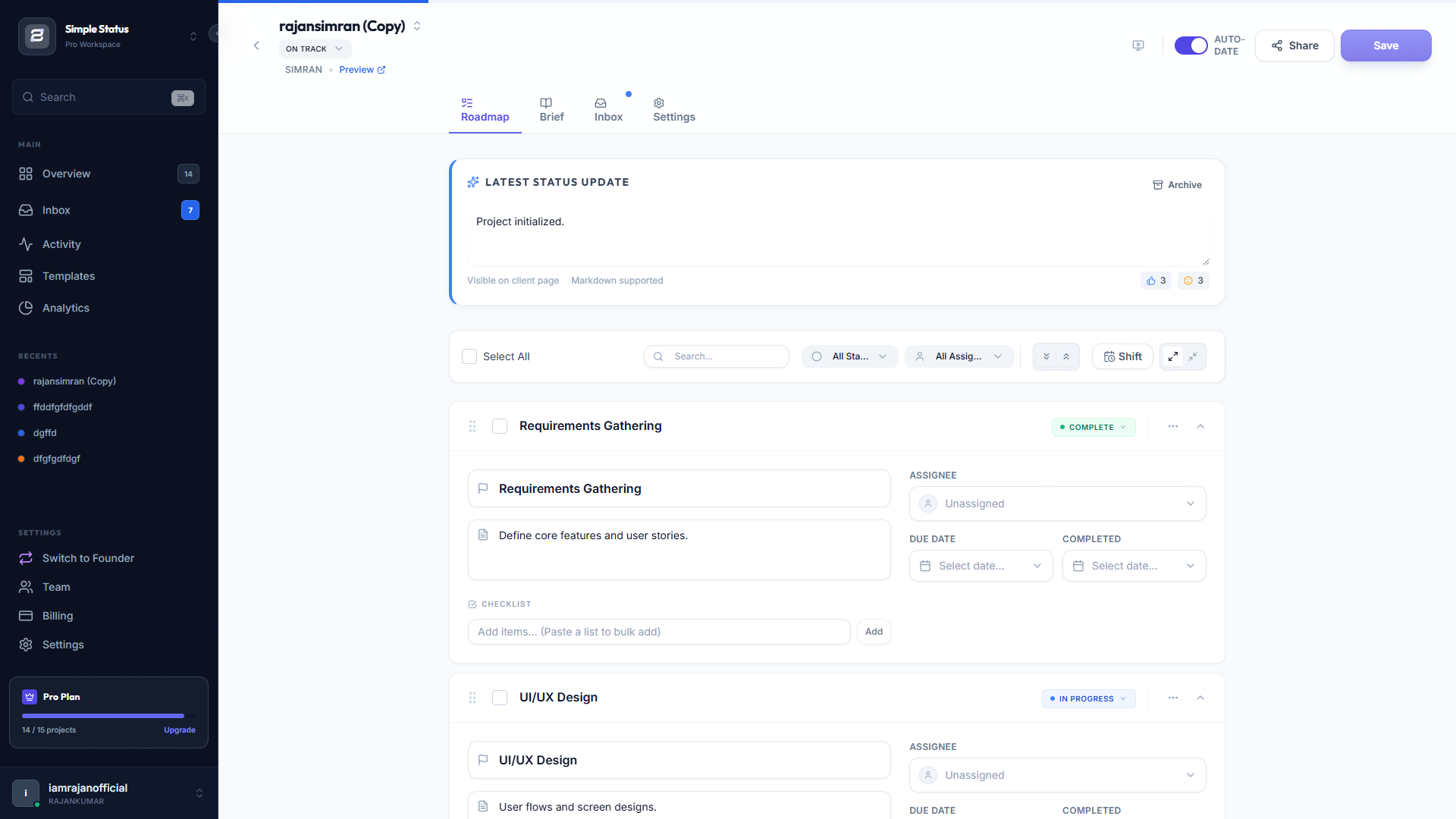
Interactive Timeline: A visual roadmap showing past, present, and future milestones with status indicators.
Document Hub: A dedicated tab for clients to download attachments, contracts, and assets.
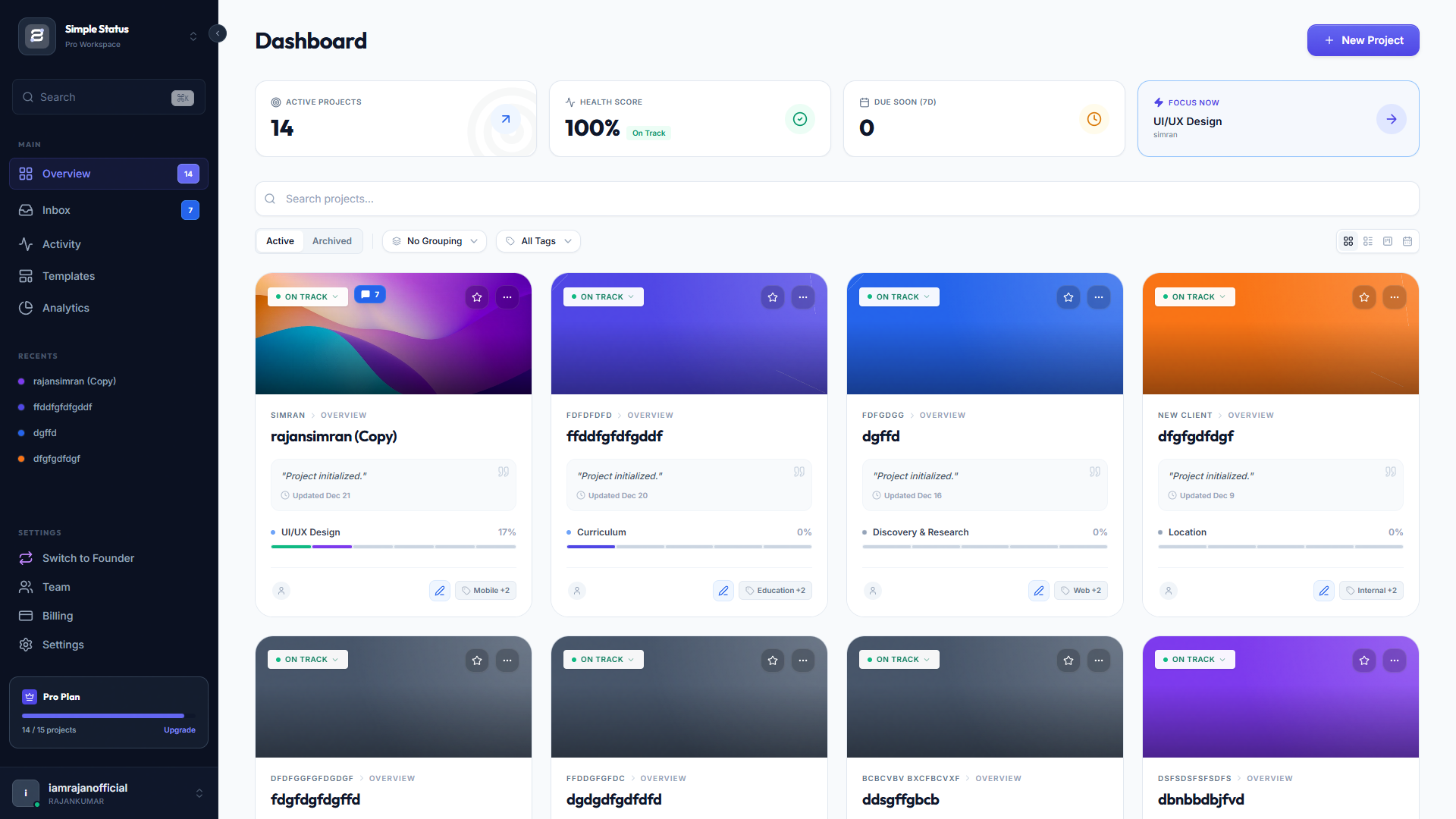
Smart "Focus Item": The dashboard automatically calculates and highlights the single most urgent task based on due dates and status.
Multiple Layouts: Users can switch between Grid, List, Kanban Board, and Calendar views to manage projects.
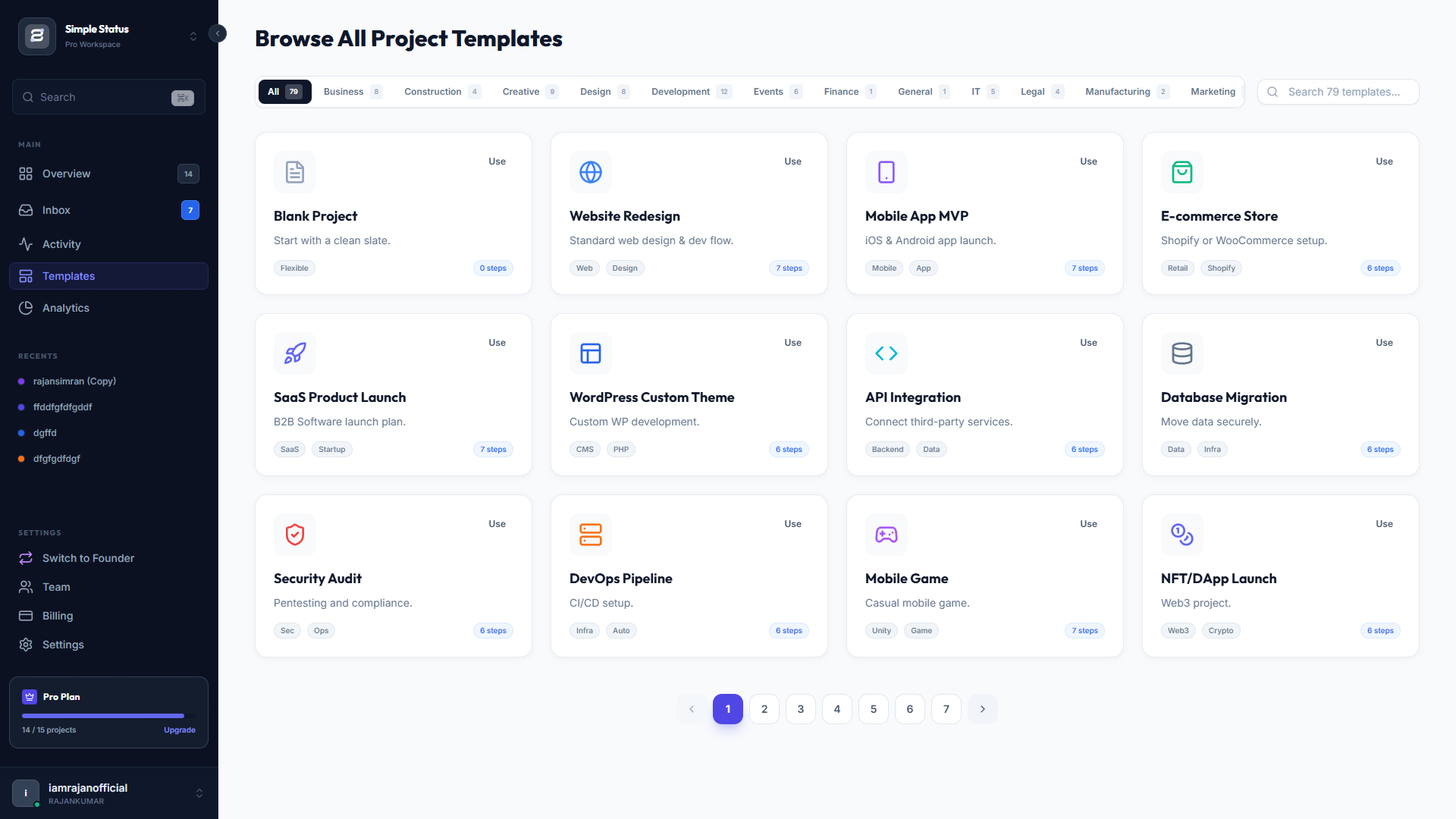
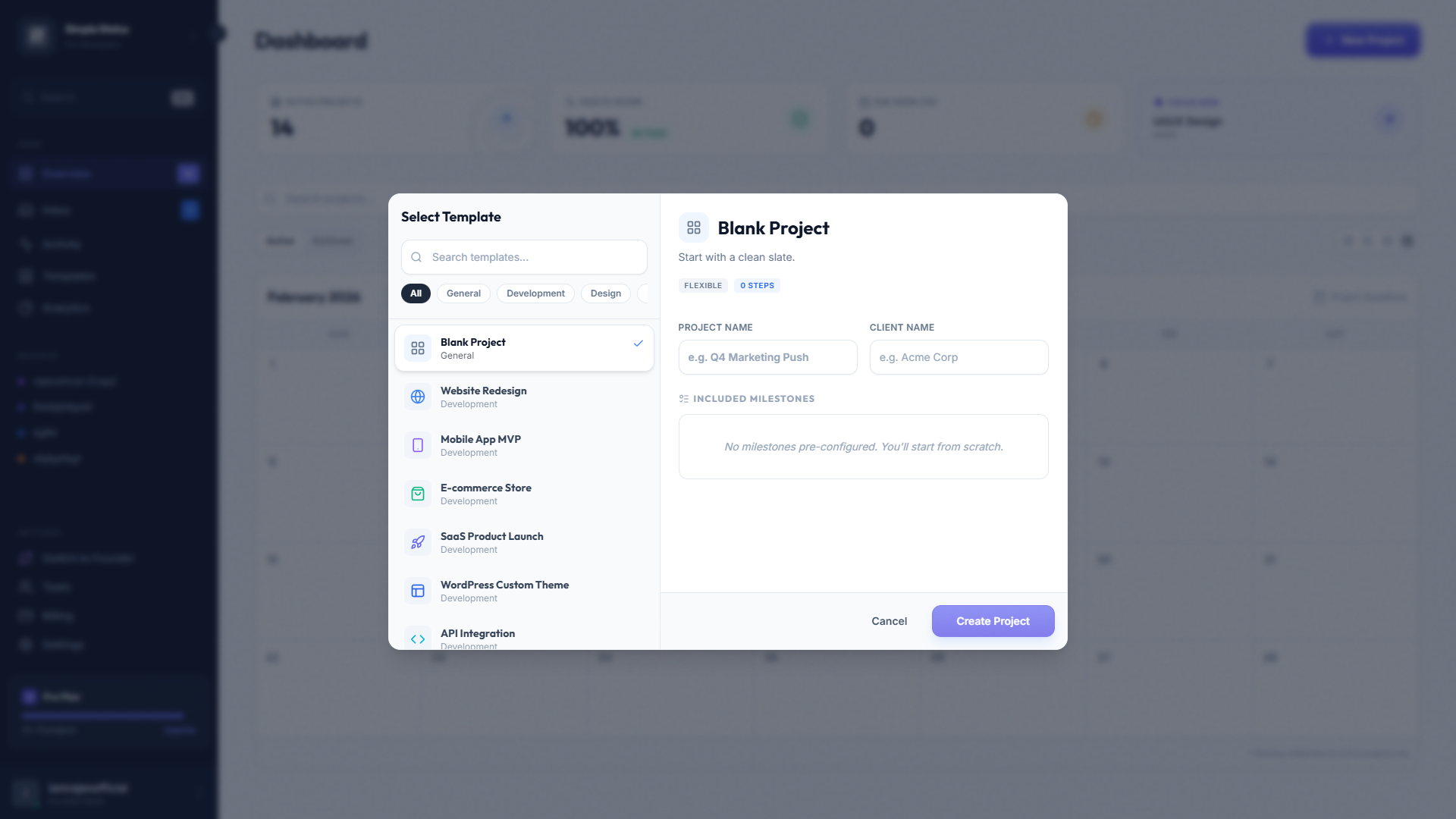
Quick Templates: One-click project creation using templates like "Website Project," "Mobile App," or "Marketing Campaign".
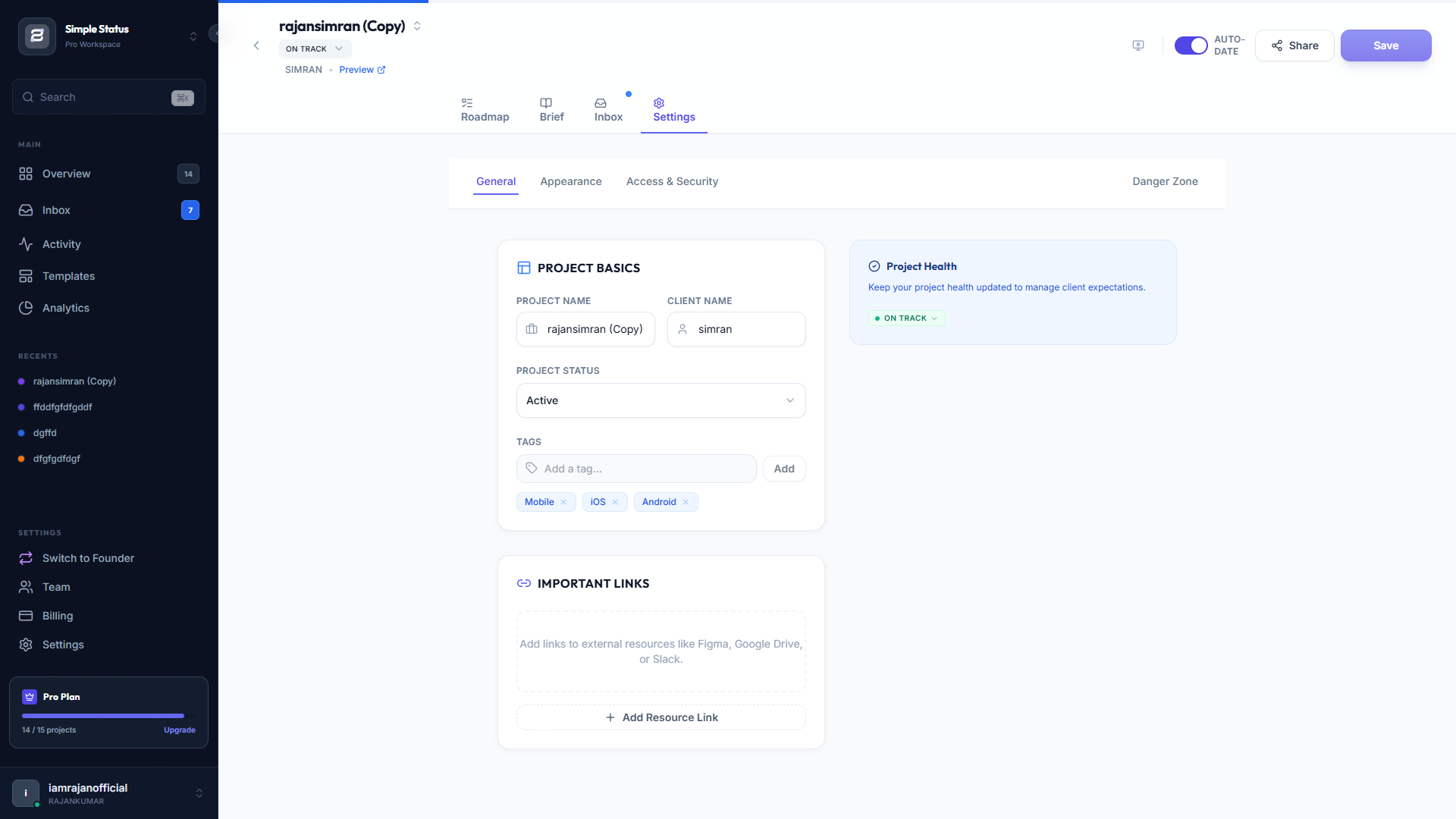
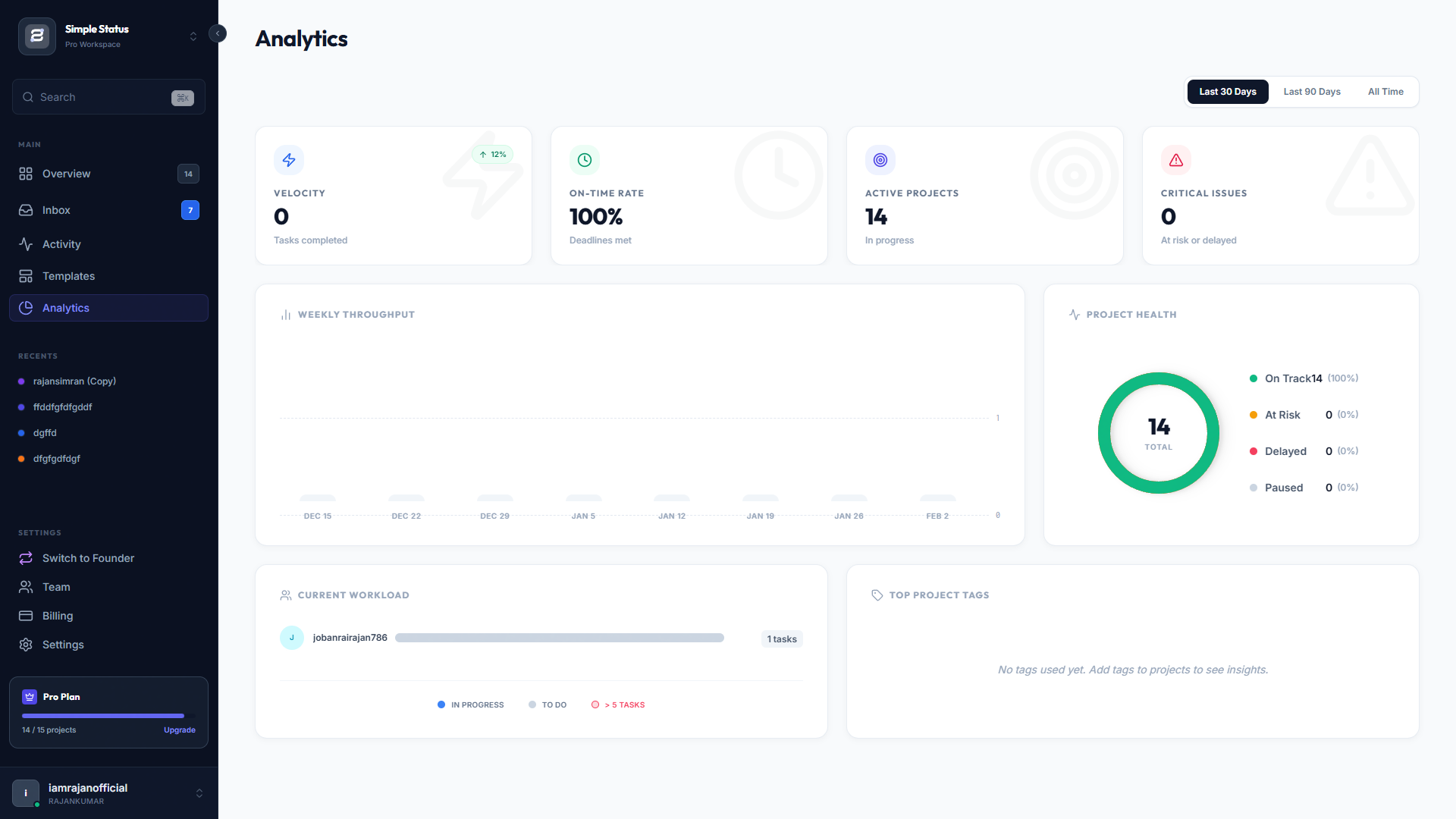
Project Health Tracking: Status indicators for "On Track," "At Risk," or "Delayed" to keep projects organized.
Dark Mode: Full support for light and dark themes across the entire application.
Use Cases
1. Web Design & Development (The Core Use Case)
- Scenario: A freelance developer is building a website for a non-technical client. The client constantly emails asking, "Is the homepage done yet?"
- Simple Status Solution: The developer creates a project with milestones like Wireframes, Frontend Code, and CMS Integration. They send the Magic Link to the client. The client checks the link on their phone to see the "Frontend" bar at 80% complete, eliminating the need for status meetings.
2. Creative Agencies (Whitelabeling)
- Scenario: A boutique marketing agency wants to look like a large, tech-forward firm. They don't want to send clients a Trello board because it looks "cheap."
- Simple Status Solution: The agency uploads their own logo and brand colors to the portal. When they send the status link, the client sees a fully branded "Agency Portal" (e.g., https://www.google.com/search?q=portal.apex-marketing.com). This justifies higher retainer fees by offering a "premium" experience.
3. Mobile App Development (Beta Testing Management)
- Scenario: An app developer is building an MVP. They need to deliver .apk or TestFlight builds to the client for review.
- Simple Status Solution: The developer uses the Documents Tab to host the latest build files. They use the Timeline to show phases like "Alpha Build," "Beta Testing," and "App Store Submission." The client downloads the app directly from the portal.
4. Video Production & Editing
- Scenario: A video editor works on a documentary with multiple revision rounds. The client gets anxious during the long "Editing" phase where there is no visible progress.
- Simple Status Solution: The editor breaks the "Editing" phase into micro-milestones: Rough Cut, Color Grading, Sound Design, and Final Render. As they tick these off, the client gets email notifications via the Subscribe feature, feeling reassured that work is happening.
5. SEO & Marketing Retainers
- Scenario: An SEO expert does monthly work (link building, content writing) that is invisible to the client until traffic grows months later. Clients often cancel because they "don't see the work."
- Simple Status Solution: The marketer creates a recurring project. Every week, they add a milestone like "Published 4 Articles" or "Fixed 10 Technical Errors." The client clicks the Sentiment Feedback ("Happy") button, confirming they value the ongoing work.
6. High-Security / NDA Projects
- Scenario: A freelancer is working on a stealth startup or an unannounced product launch. The client is paranoid about leaks.
- Simple Status Solution: The freelancer password-protects the specific project. Even if the link is shared accidentally, no one can view the status or download documents without the access code.
7. "Productized Service" Business
- Scenario: A designer sells "Unlimited Graphic Design" for a flat monthly fee. They manage 20 clients at once.
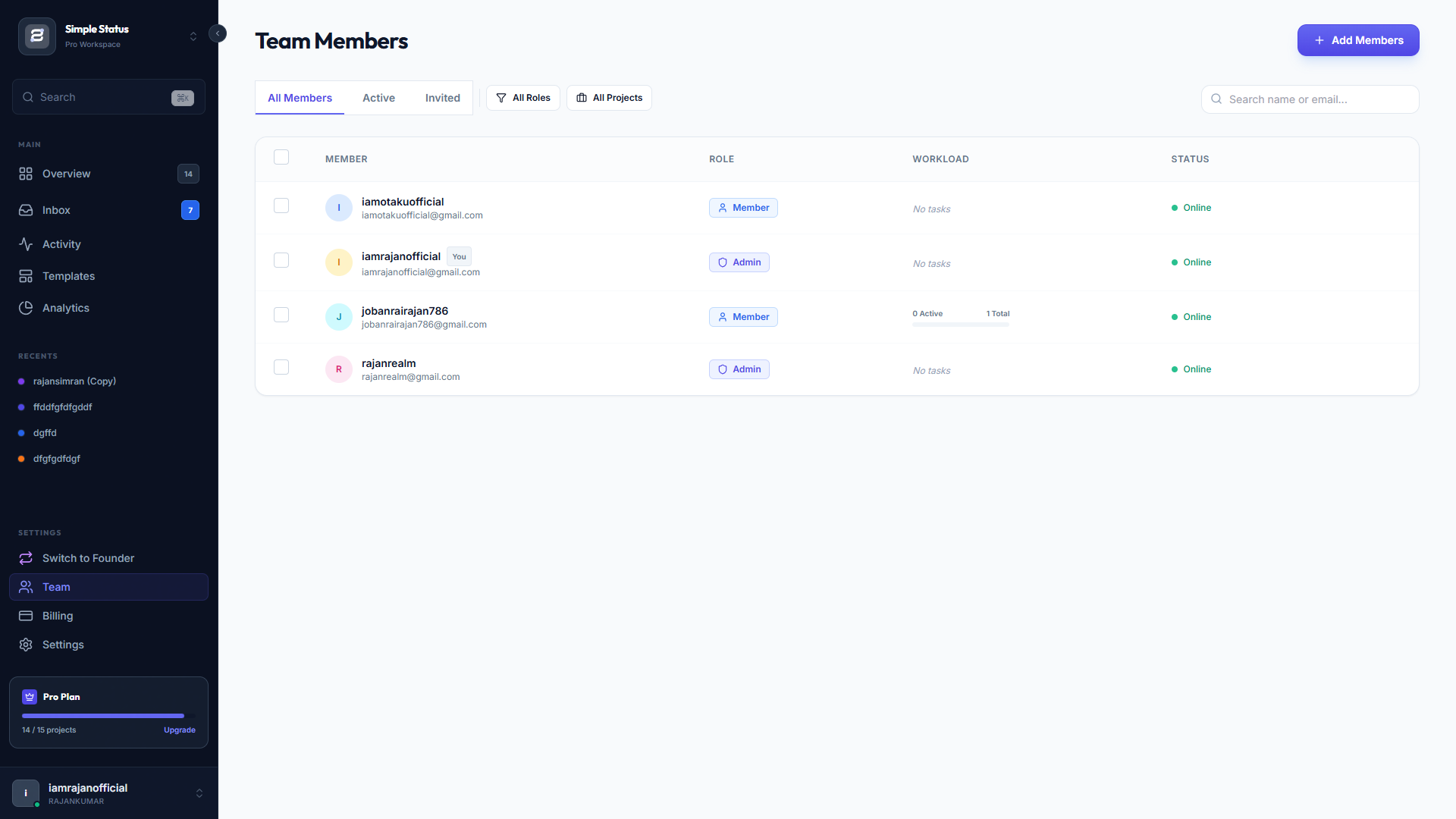
- Simple Status Solution: The designer uses the Kanban Board internally to move requests from "ToDo" to "Done." They give each client a permanent status link. The designer manages all 20 clients from one dashboard, while each client only sees their own timeline.
8. Education & Consulting
- Scenario: A consultant is guiding a student through a university application process or a career change roadmap.
- Simple Status Solution: The roadmap becomes a "Curriculum." Milestones are Draft Essay, Review Application, and Submit. The student (client) uses the portal to track their own progress through the program.

Comments


The no-login-required approach for clients is a smart differentiator - removing that friction point alone probably improves adoption rates significantly. I work with freelancers who struggle to get clients to use complex project tools, and this solves that exact pain point. Curious whether you plan to add webhook integrations for triggering status updates from other tools automatically?

The no-login-required approach for clients is a smart differentiator - removing that friction point alone probably improves adoption rates significantly. I work with freelancers who struggle to get clients to use complex project tools, and this solves that exact pain point. Curious whether you plan to add webhook integrations for triggering status updates from other tools automatically? Upvote Reply

Hey everyone, I’ve been freelancing for a few years, and the most annoying part of my week was always the "Client Reporting" loop. You know the drill—emails getting lost, clients asking for the same link again, or the dreaded "Just checking in!" text. I realized spreadsheets were ugly on mobile, and tools like Monday/ClickUp were too complex for my clients (they never want to log in). So I built Simple Status. It’s a dedicated Client Portal that requires zero login for the client. How it works: You create a project roadmap. It generates a secure "Magic Link." You send that link to the client. They can see the timeline, status, and downloads anytime, from any device. The features I added: Visual Roadmap: Shows exactly where we are (Discovery -> Design -> Dev). No Login Required: Clients just click the link. White Labeling: You can add your own logo/colors so it looks like your agency's portal. I’d love for you guys to roast it or try it out.
Premium Products







































Sponsors
Buy

Makers
Makers
Comments
The no-login-required approach for clients is a smart differentiator - removing that friction point alone probably improves adoption rates significantly. I work with freelancers who struggle to get clients to use complex project tools, and this solves that exact pain point. Curious whether you plan to add webhook integrations for triggering status updates from other tools automatically?
The no-login-required approach for clients is a smart differentiator - removing that friction point alone probably improves adoption rates significantly. I work with freelancers who struggle to get clients to use complex project tools, and this solves that exact pain point. Curious whether you plan to add webhook integrations for triggering status updates from other tools automatically? Upvote Reply
Hey everyone, I’ve been freelancing for a few years, and the most annoying part of my week was always the "Client Reporting" loop. You know the drill—emails getting lost, clients asking for the same link again, or the dreaded "Just checking in!" text. I realized spreadsheets were ugly on mobile, and tools like Monday/ClickUp were too complex for my clients (they never want to log in). So I built Simple Status. It’s a dedicated Client Portal that requires zero login for the client. How it works: You create a project roadmap. It generates a secure "Magic Link." You send that link to the client. They can see the timeline, status, and downloads anytime, from any device. The features I added: Visual Roadmap: Shows exactly where we are (Discovery -> Design -> Dev). No Login Required: Clients just click the link. White Labeling: You can add your own logo/colors so it looks like your agency's portal. I’d love for you guys to roast it or try it out.
Premium Products
New to Fazier?

Find your next favorite product or submit your own. Made by @FalakDigital.
Copyright ©2026. All Rights Reserved