
SignalWatch
Know the second a page changes.
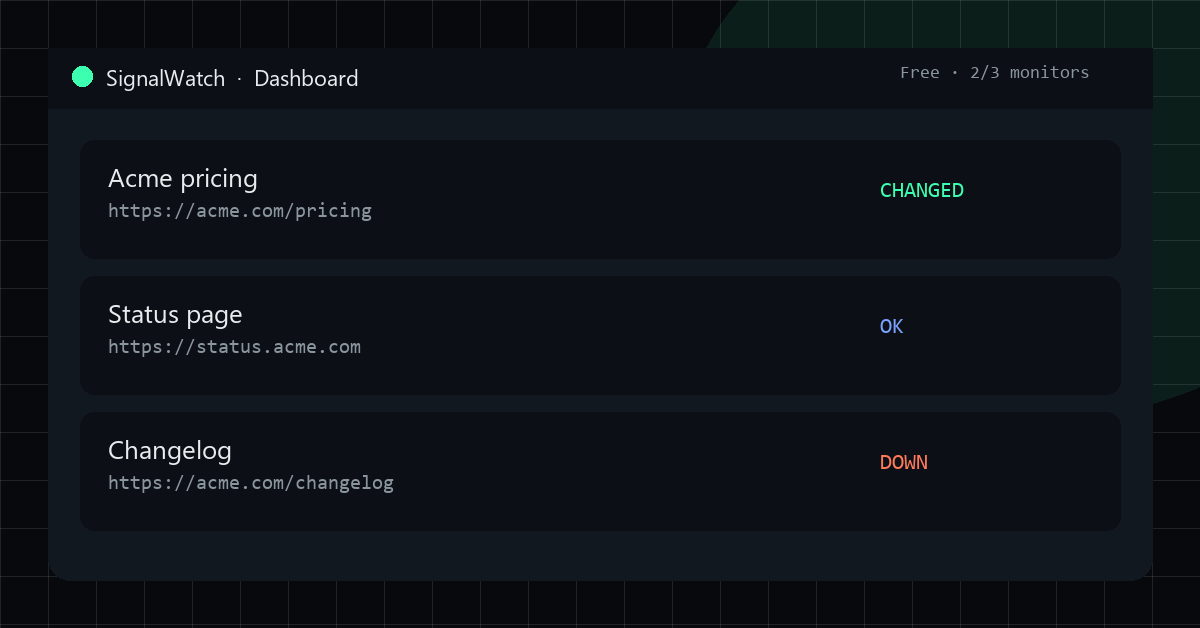
SignalWatch monitors public URLs for content changes and downtime, then POSTs a JSON webhook when the page drifts or fails. Built for operators watching competitor pricing pages, status pages, and changelogs without running their own crawlers. Free tier (3 monitors), Pro $12/mo, Business $29/mo.

Features
Fingerprint any public HTTP(S) URL on a schedule.
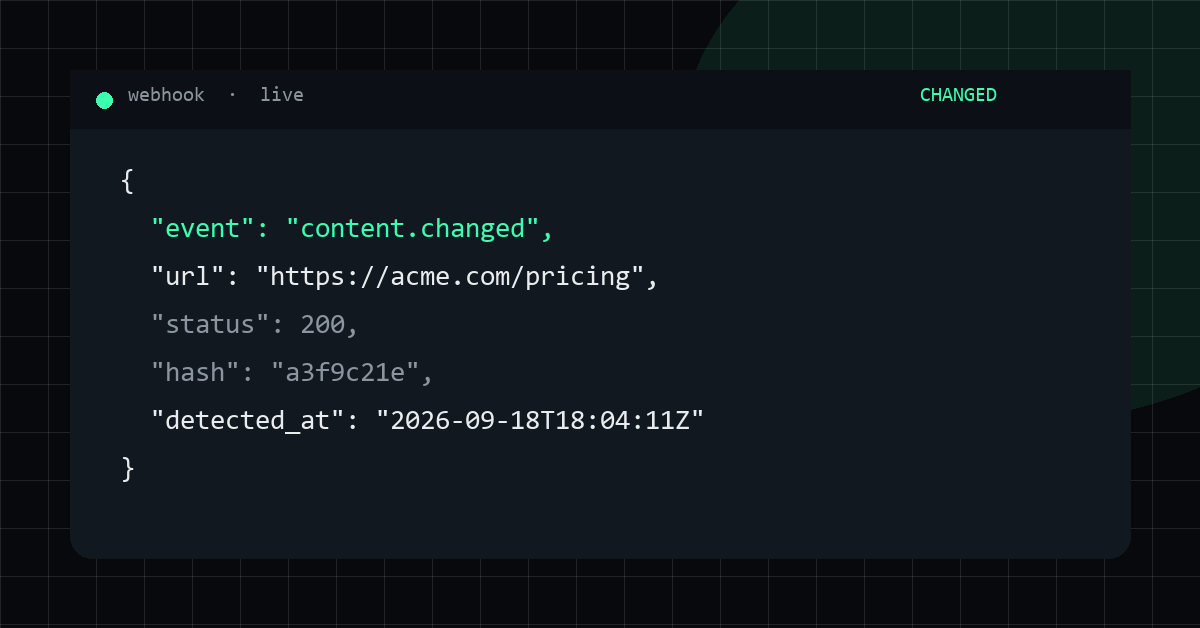
Webhook alerts on content drift, downtime, and recovery.
REST API with per-account keys and a dashboard.
Free tier: 3 monitors at 15-minute intervals
Use Cases
Watch competitor pricing pages without writing a crawler.
Get pinged when a status page or changelog moves.
Monitor public docs and marketing pages for silent edits

Comments


The maker's reply already covers the parts I would have asked about: raw HTTP plus extracted text (no headless render), a CSS selector to scope the watch, ignore_regex and min_change_ratio for noise, and a unified diff inside an HMAC-signed webhook so it can go straight to Slack. That is a solid setup for a changelog or a server-rendered pricing table. The constraint I would plan around is the no-JS fetch, since a lot of competitor prices only exist after client render. On the free tier of 3 monitors at 15 minutes, how is a failed fetch treated — 403, bot wall, or an empty body? Is that downtime, content drift, or a separate error so it does not look like the price disappeared?
The webhook-first angle is the right call for competitor pricing pages; email alerts for that tend to get ignored. One thing that usually makes or breaks change monitors is noise: rotating testimonials, cookie banners, timestamps and A/B variants trigger false 'drift'. Do you let users scope a monitor to a CSS selector or ignore regions, and does the webhook payload include a text diff or just a changed/unchanged flag? A diff in the payload would make it easy to pipe straight into Slack.
Thanks for the sharp questions — answering them in one place: 1) Rendering: we fetch the raw HTTP response and extract visible text (BeautifulSoup). No headless browser / JS render. If the price only exists after client-side render, we will not see it (and the site says so). 2) Diff granularity: unified text diff of the extracted lines, not a screenshot. Scope with a CSS selector (e.g. the pricing table), strip noise with ignore_regex (timestamps, "3 minutes ago"), ignore_order for list reshuffles, and a min_change_ratio so tiny A/B flicker does not page you. 3) Interval: the same schedule covers content + downtime + recovery (15 / 5 / 2 min by plan). There is not a separate faster probe tier today. 4) Webhook payload: yes — content.changed includes the unified diff (and Slack/Discord get a formatted ```diff block). You can pipe straight into Slack/n8n without opening the page. Payload is HMAC-signed. Live sample with real diffs: https://signalwatch.litework.me/live.html — happy to dig into any edge case.
Using a CSS selector plus ignore_regex to cut noise is exactly what most page monitors are missing, and a signed webhook with a text diff makes it easy to plug into n8n or Make. Two questions: is there a Slack-ready format for the webhook, or is that left to the receiver? And does the dashboard keep a history of past diffs so you can see how a pricing page changed over a few months?


Webhooks for competitor pricing pages are a good fit for the free tier's 3 monitors. If a page flaps, for example a CDN hiccup that returns an error once and then recovers, do you send an alert for each event or hold back until the change persists across checks? I'd want to avoid a noisy Slack channel on a flaky page.
Premium Products
























































Sponsors
Buy

Makers
Makers
Comments
The maker's reply already covers the parts I would have asked about: raw HTTP plus extracted text (no headless render), a CSS selector to scope the watch, ignore_regex and min_change_ratio for noise, and a unified diff inside an HMAC-signed webhook so it can go straight to Slack. That is a solid setup for a changelog or a server-rendered pricing table. The constraint I would plan around is the no-JS fetch, since a lot of competitor prices only exist after client render. On the free tier of 3 monitors at 15 minutes, how is a failed fetch treated — 403, bot wall, or an empty body? Is that downtime, content drift, or a separate error so it does not look like the price disappeared?
The webhook-first angle is the right call for competitor pricing pages; email alerts for that tend to get ignored. One thing that usually makes or breaks change monitors is noise: rotating testimonials, cookie banners, timestamps and A/B variants trigger false 'drift'. Do you let users scope a monitor to a CSS selector or ignore regions, and does the webhook payload include a text diff or just a changed/unchanged flag? A diff in the payload would make it easy to pipe straight into Slack.
Thanks for the sharp questions — answering them in one place: 1) Rendering: we fetch the raw HTTP response and extract visible text (BeautifulSoup). No headless browser / JS render. If the price only exists after client-side render, we will not see it (and the site says so). 2) Diff granularity: unified text diff of the extracted lines, not a screenshot. Scope with a CSS selector (e.g. the pricing table), strip noise with ignore_regex (timestamps, "3 minutes ago"), ignore_order for list reshuffles, and a min_change_ratio so tiny A/B flicker does not page you. 3) Interval: the same schedule covers content + downtime + recovery (15 / 5 / 2 min by plan). There is not a separate faster probe tier today. 4) Webhook payload: yes — content.changed includes the unified diff (and Slack/Discord get a formatted ```diff block). You can pipe straight into Slack/n8n without opening the page. Payload is HMAC-signed. Live sample with real diffs: https://signalwatch.litework.me/live.html — happy to dig into any edge case.
Using a CSS selector plus ignore_regex to cut noise is exactly what most page monitors are missing, and a signed webhook with a text diff makes it easy to plug into n8n or Make. Two questions: is there a Slack-ready format for the webhook, or is that left to the receiver? And does the dashboard keep a history of past diffs so you can see how a pricing page changed over a few months?
Webhooks for competitor pricing pages are a good fit for the free tier's 3 monitors. If a page flaps, for example a CDN hiccup that returns an error once and then recovers, do you send an alert for each event or hold back until the change persists across checks? I'd want to avoid a noisy Slack channel on a flaky page.
Premium Products
New to Fazier?

Find your next favorite product or submit your own. Made by @FalakDigital.
Copyright ©2026. All Rights Reserved