
Shotlingo
Localize App Store screenshots in 40+ languages
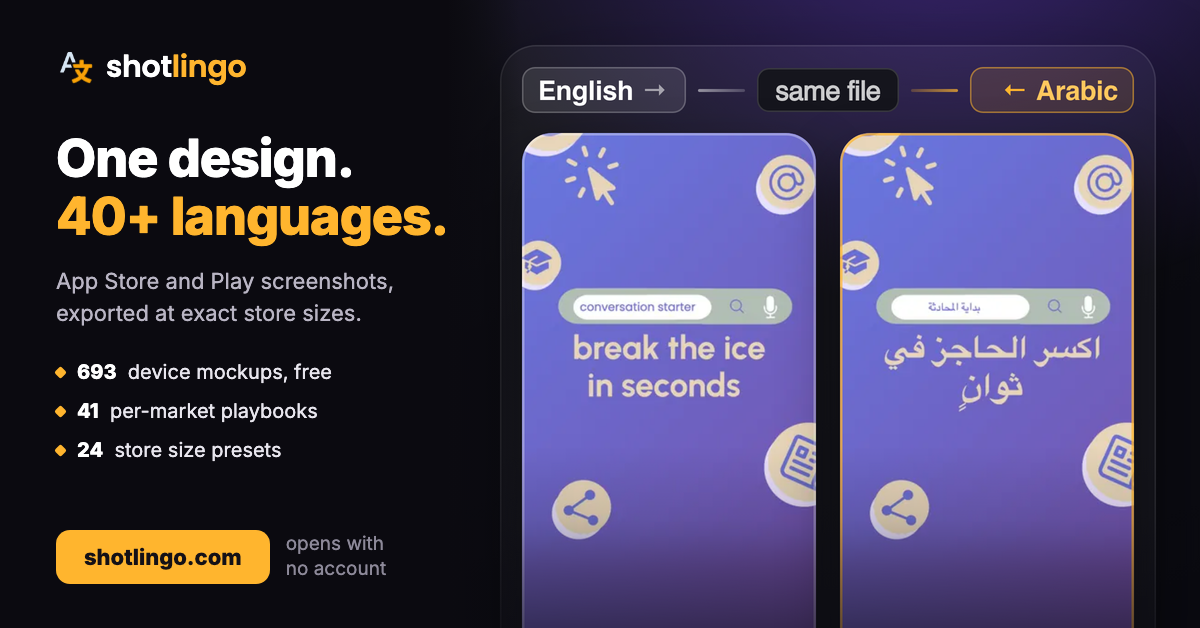
Shotlingo is a browser-based editor for App Store and Google Play screenshots. You design your set once with device mockups and ready-made templates, then AI translates every caption into 40+ languages and exports store-ready images for each locale in one click.
Localized screenshots are one of the highest-leverage ASO wins, but doing them by hand means rebuilding the same design dozens of times. Shotlingo keeps every language in sync with your layout: text auto-fits when translations run long, edited translations are remembered, and exports come out correctly sized for every required device.
Features
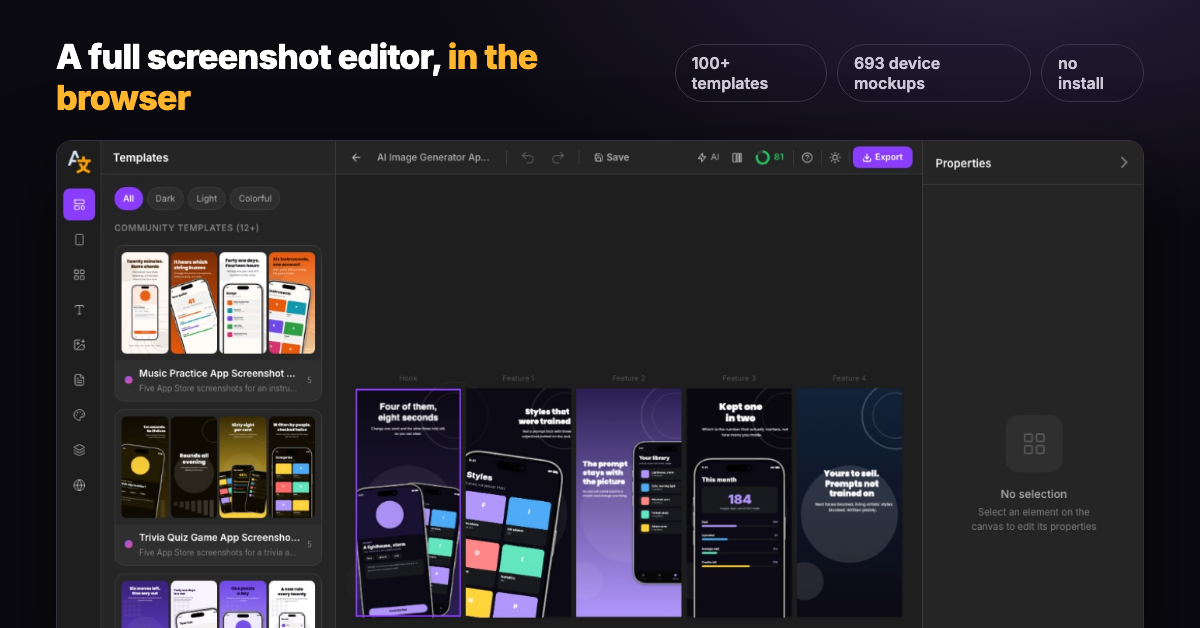
- Canvas editor with 100+ professional templates and 690+ device mockups (iPhone, iPad, Android)
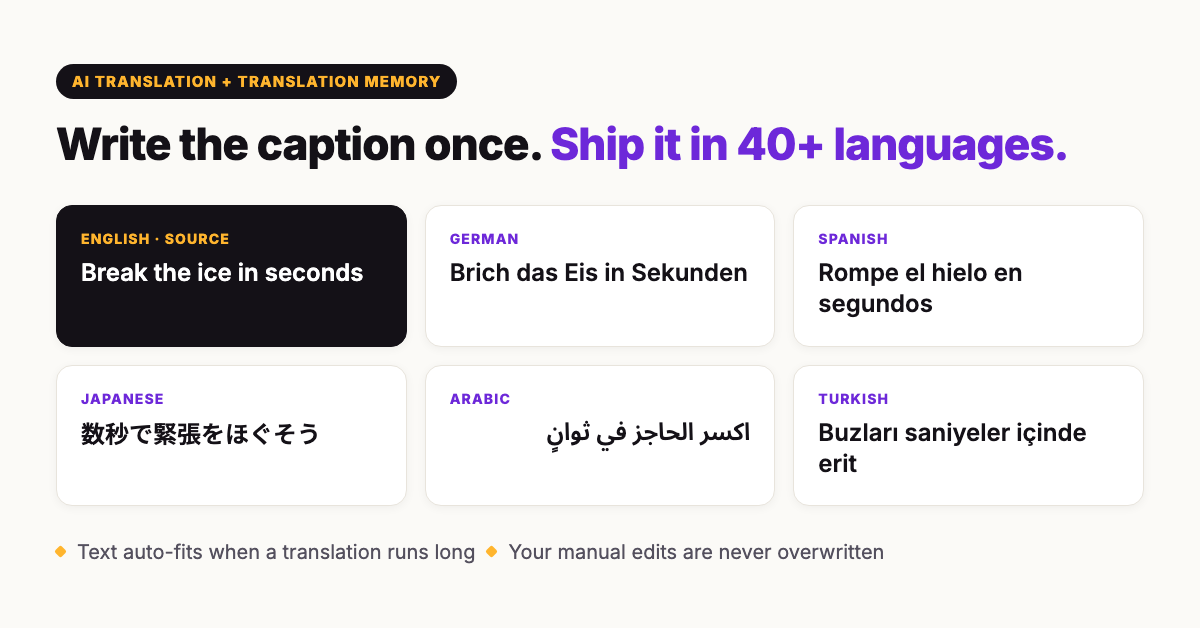
- AI translation into 40+ languages, with a translation memory so your manual edits are never overwritten
- Automatic text fitting when translations expand (German and Finnish will not overflow your design)
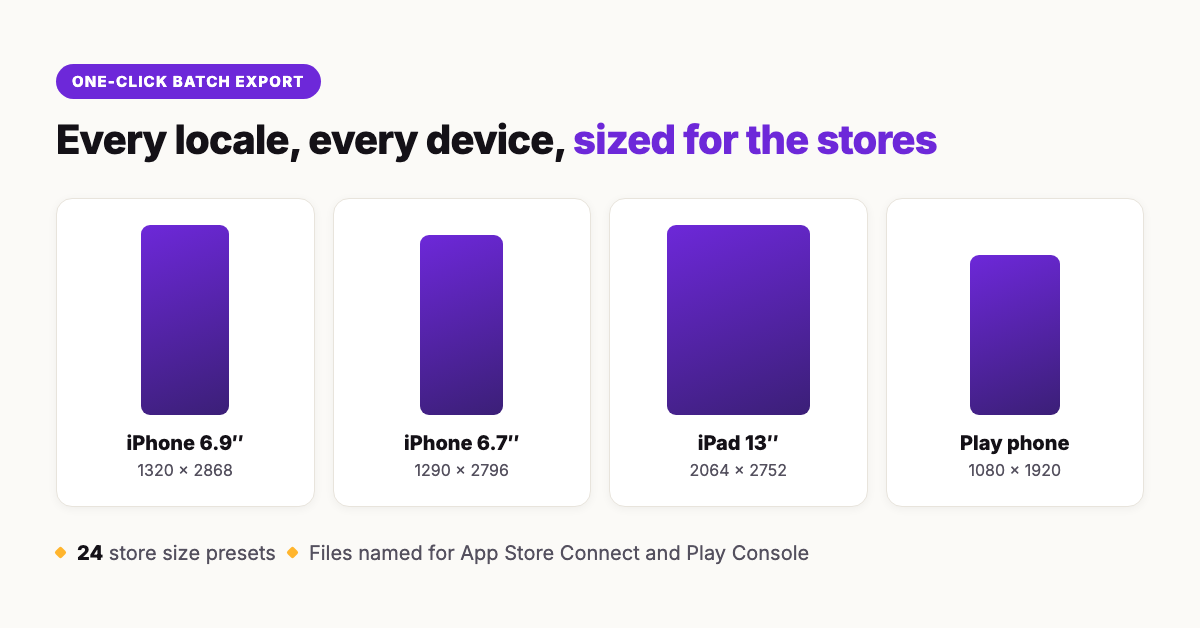
- One-click batch export: every locale and device size, ready for App Store Connect and Play Console
- Free tier to try everything; paid plans start at $9/month
Use Cases
- Indie developers launching in multiple markets without hiring a designer or translators
- Shipping an app update and regenerating every localized screenshot set in minutes instead of days
- Testing demand in new markets by localizing the store page before localizing the whole app
- ASO freelancers and small teams maintaining screenshot sets for several apps at once

Comments


Shipping an app in several markets, I found screenshots were always the step that got skipped, so this fills a real gap. How do you handle right-to-left languages like Arabic and Hebrew? Translating the caption is only half of it. The layout usually needs mirroring too, with the device on the other side and the text aligned right, or the screenshot looks off to native readers.

Remembering edited translations sounds especially helpful when updating screenshots for a new release. How does auto-fit handle longer translations—does it wrap text, reduce font size, or both? A warning when captions fall below a minimum readable size would help users catch layout issues before exporting all locales.

The automatic text fitting for languages like German and Finnish is the detail that sold me — every localized screenshot set I've shipped by hand has had at least one overflowing caption I only caught after uploading to App Store Connect. The one-click batch export across locales and device sizes addresses exactly the part of app updates that eats a whole day. Question for the maker: does the translation memory carry over when I re-upload a changed base design, or do manual edits need to be re-applied? Also curious whether watchOS/tvOS mockups are on the roadmap.

Shotlingo is a simple and useful app for improving English speaking and communication skills. The lessons are easy to understand, and the app makes learning feel more practical and engaging. It’s especially helpful for people who want to build confidence while speaking English and practice regularly. Overall, a good app for anyone looking to improve their English communication skills.

Two traps we hit shipping screenshots to 8 store locales, both of which a caption translator can silently reproduce. First, locale variants are not one language: our pt-PT listing shipped with Brazilian Portuguese and our Spanish copy drifted toward es-419, and both stores treat those as separate storefronts, so "Portuguese" and "Spanish" as translation targets will quietly serve the wrong dialect to real users. Exposing pt-PT/pt-BR and es-ES/es-419 as distinct targets would solve a problem most people only discover after a review. Second, captions usually name something that also exists inside the app, and translating them independently breaks the link: ours read "Open Settings" while the app's own menu used a different word in that language, so the user looks for a screen they cannot find. If you could import a strings file and flag captions whose term disagrees with the app's own translation, that would beat generic translation outright. On the auto-fit question already raised: Turkish expands like German and Finnish and adds a font trap, because a set that renders fine otherwise can drop the Turkish glyphs entirely when the template font lacks Latin Extended. A missing-glyph warning before batch export would catch it. We build Pixbu, a habit tracker shipped in six languages.

Hey Fazier 👋 Shotlingo started with a pattern we kept seeing in App Store data: developers translate their app listing, but the screenshots stay in English. Store visitors decide in a few seconds, and they decide based on the images, not the description. Localized screenshots are one of the highest-leverage ASO wins there is, yet almost nobody does them, because redesigning the same five frames for every language is miserable work. So we built the boring-work killer: design your set once in a browser editor (100+ templates, 693 device mockups), then AI translates every caption into 40+ languages, text auto-fits when German or Finnish runs long, and one click exports every locale at exact store sizes, named for App Store Connect and Play Console. A translation memory makes sure your manual fixes are never overwritten on re-export. The free tier is genuinely usable, no account needed to open the editor. For Fazier folks: code FAZIER30 gets 30% off your first payment on any paid plan. Honest question for the comments: if you ship internationally, what stopped you from localizing your store pages so far? We want to know where the friction really is.

Premium Products


















































Makers
Makers
Comments
Shipping an app in several markets, I found screenshots were always the step that got skipped, so this fills a real gap. How do you handle right-to-left languages like Arabic and Hebrew? Translating the caption is only half of it. The layout usually needs mirroring too, with the device on the other side and the text aligned right, or the screenshot looks off to native readers.
Remembering edited translations sounds especially helpful when updating screenshots for a new release. How does auto-fit handle longer translations—does it wrap text, reduce font size, or both? A warning when captions fall below a minimum readable size would help users catch layout issues before exporting all locales.
The automatic text fitting for languages like German and Finnish is the detail that sold me — every localized screenshot set I've shipped by hand has had at least one overflowing caption I only caught after uploading to App Store Connect. The one-click batch export across locales and device sizes addresses exactly the part of app updates that eats a whole day. Question for the maker: does the translation memory carry over when I re-upload a changed base design, or do manual edits need to be re-applied? Also curious whether watchOS/tvOS mockups are on the roadmap.
Shotlingo is a simple and useful app for improving English speaking and communication skills. The lessons are easy to understand, and the app makes learning feel more practical and engaging. It’s especially helpful for people who want to build confidence while speaking English and practice regularly. Overall, a good app for anyone looking to improve their English communication skills.
Two traps we hit shipping screenshots to 8 store locales, both of which a caption translator can silently reproduce. First, locale variants are not one language: our pt-PT listing shipped with Brazilian Portuguese and our Spanish copy drifted toward es-419, and both stores treat those as separate storefronts, so "Portuguese" and "Spanish" as translation targets will quietly serve the wrong dialect to real users. Exposing pt-PT/pt-BR and es-ES/es-419 as distinct targets would solve a problem most people only discover after a review. Second, captions usually name something that also exists inside the app, and translating them independently breaks the link: ours read "Open Settings" while the app's own menu used a different word in that language, so the user looks for a screen they cannot find. If you could import a strings file and flag captions whose term disagrees with the app's own translation, that would beat generic translation outright. On the auto-fit question already raised: Turkish expands like German and Finnish and adds a font trap, because a set that renders fine otherwise can drop the Turkish glyphs entirely when the template font lacks Latin Extended. A missing-glyph warning before batch export would catch it. We build Pixbu, a habit tracker shipped in six languages.
Hey Fazier 👋 Shotlingo started with a pattern we kept seeing in App Store data: developers translate their app listing, but the screenshots stay in English. Store visitors decide in a few seconds, and they decide based on the images, not the description. Localized screenshots are one of the highest-leverage ASO wins there is, yet almost nobody does them, because redesigning the same five frames for every language is miserable work. So we built the boring-work killer: design your set once in a browser editor (100+ templates, 693 device mockups), then AI translates every caption into 40+ languages, text auto-fits when German or Finnish runs long, and one click exports every locale at exact store sizes, named for App Store Connect and Play Console. A translation memory makes sure your manual fixes are never overwritten on re-export. The free tier is genuinely usable, no account needed to open the editor. For Fazier folks: code FAZIER30 gets 30% off your first payment on any paid plan. Honest question for the comments: if you ship internationally, what stopped you from localizing your store pages so far? We want to know where the friction really is.
Premium Products
New to Fazier?

Find your next favorite product or submit your own. Made by @FalakDigital.
Copyright ©2026. All Rights Reserved