Launch
ShotFinder
Visit
Example Image

ShotFinder

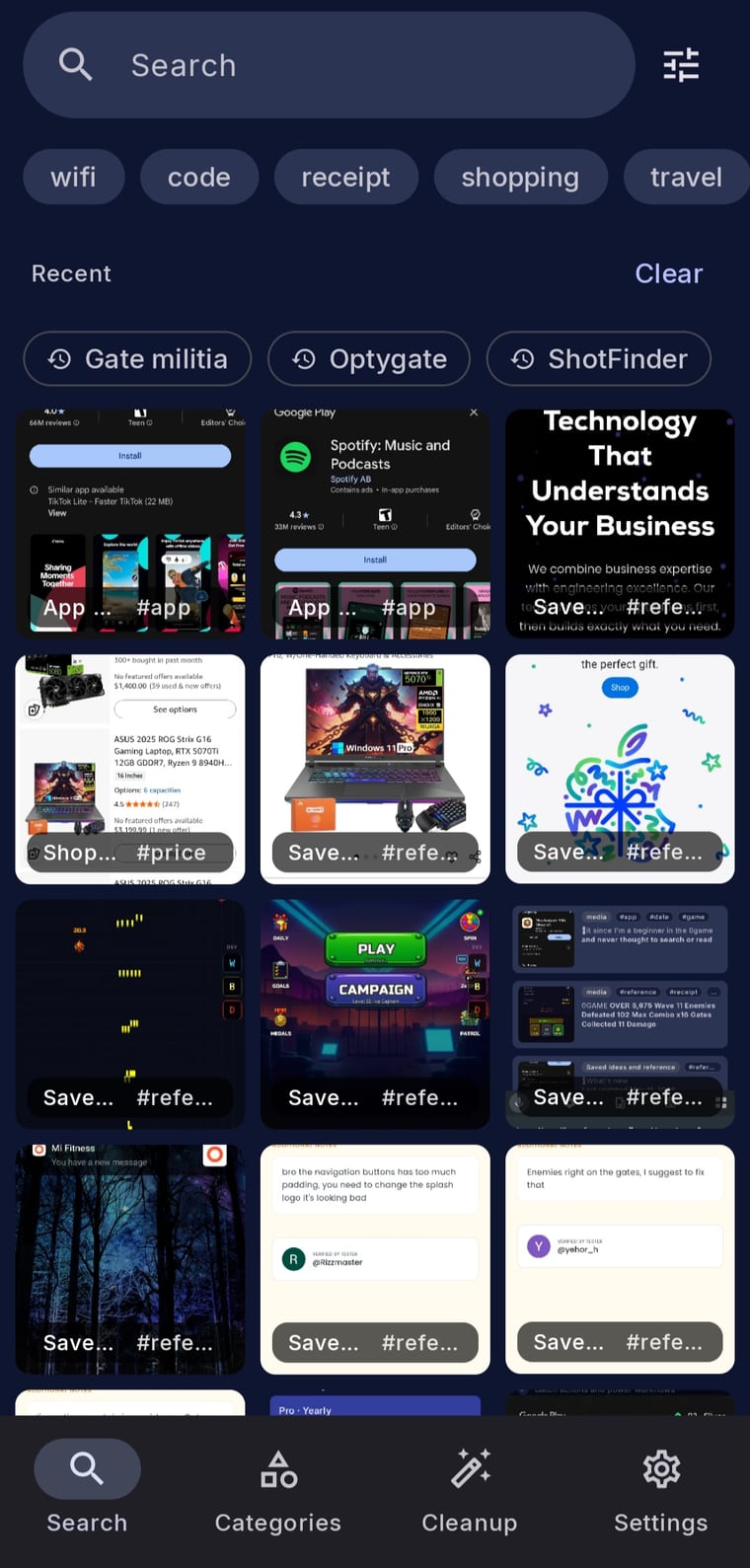
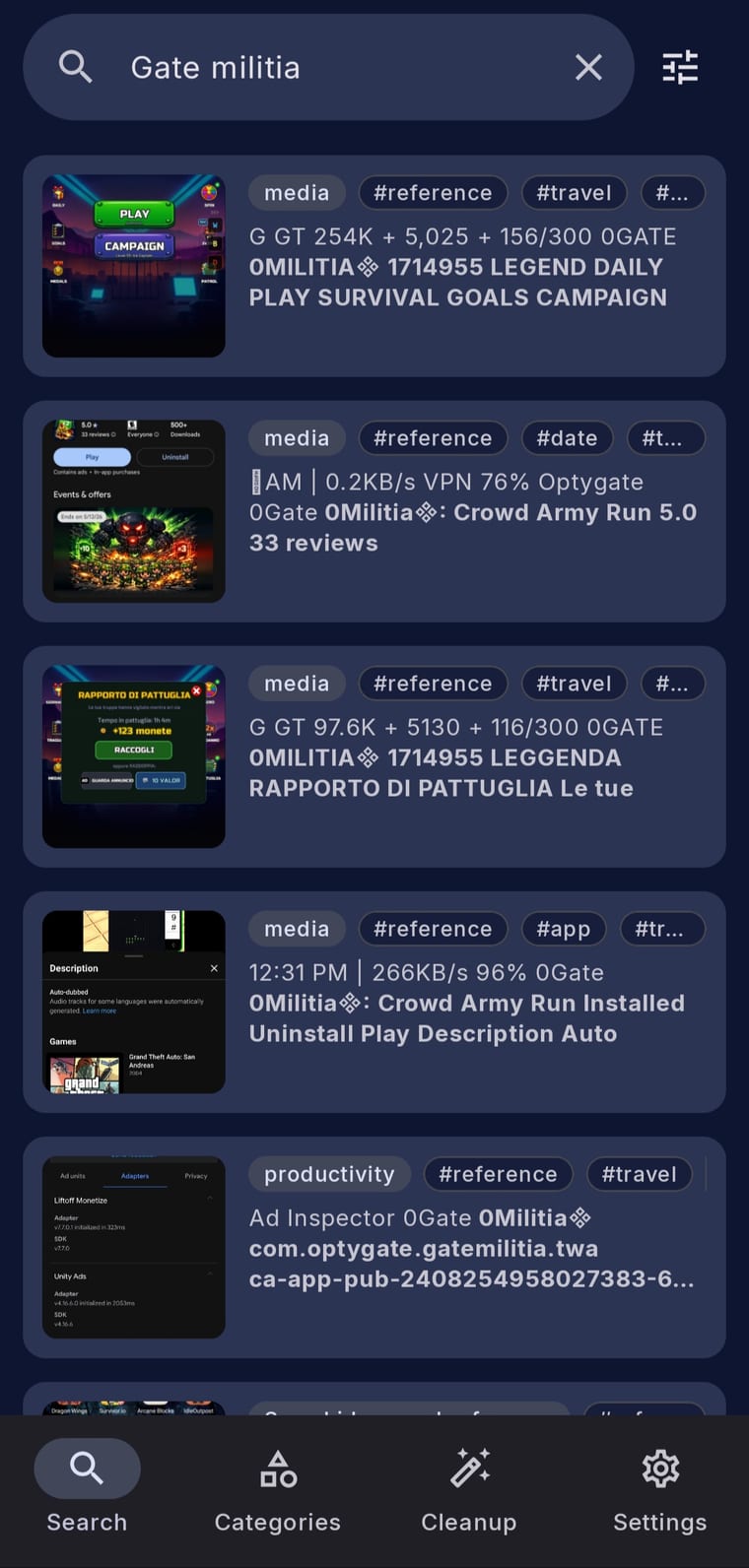
Find any screenshot by searching the text inside it

Visit

ShotFinder turns a cluttered Android screenshot gallery into a searchable, organized library. Search by any word, code, price, store, address, or phrase you remember and find the right screenshot in seconds. Text recognition runs on your device, so everyday search works offline and requires no account.
Example Image
Example Image
Example Image
Example Image

Features

Search the text inside every screenshot

On-device text recognition with offline search

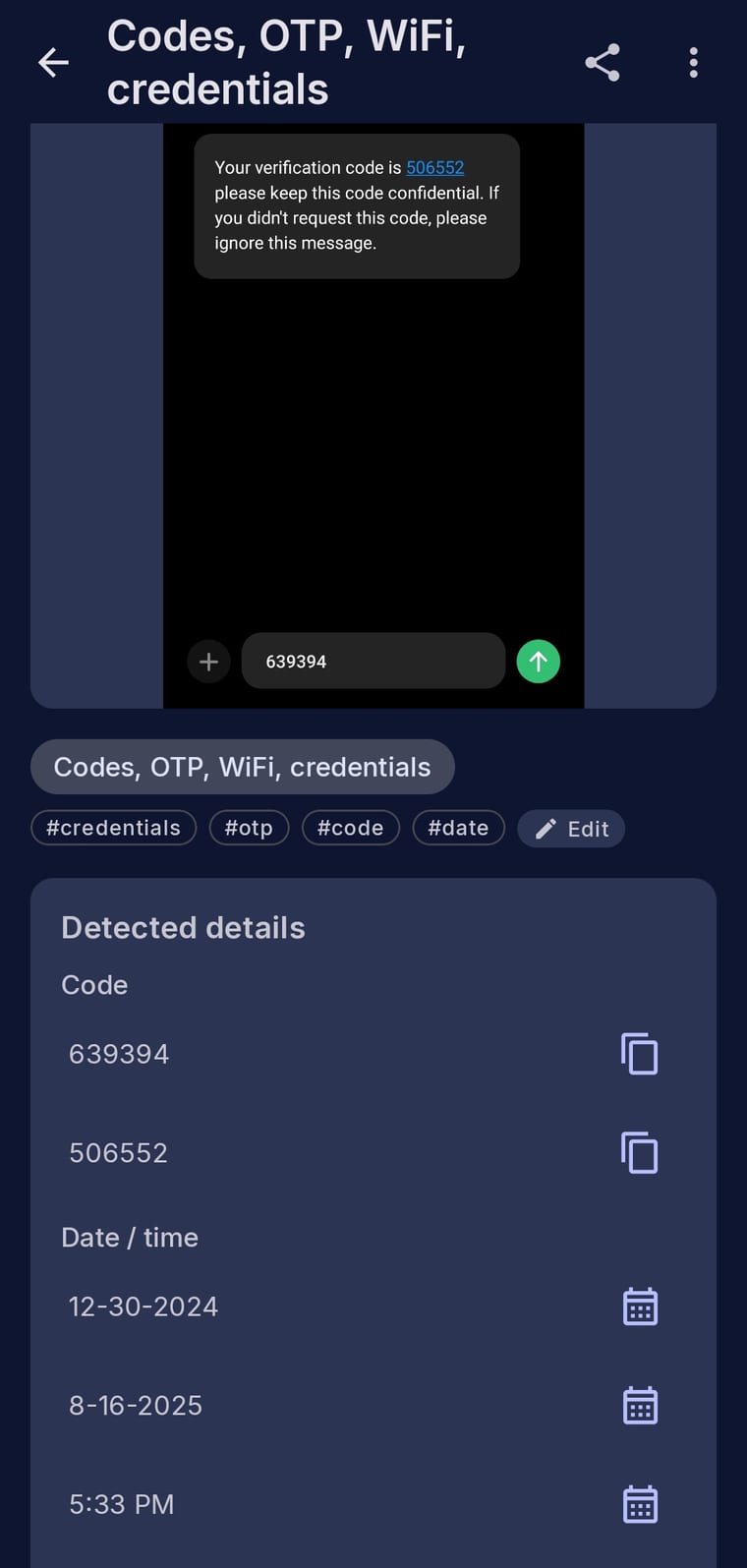
Automatic tags and categories for receipts, codes, Wi-Fi, shopping, travel, and chats

Smart actions to copy codes, open links, and send addresses to Maps

Optional Pro cleanup, duplicate detection, custom organization, and user-triggered AI Enhance

Use Cases

Find an old receipt by store name, amount, or order number

Retrieve verification codes and Wi-Fi details without scrolling

Open saved addresses and links directly from screenshots

Organize large screenshot libraries automatically

Review duplicates and old screenshots before cleanup

Comments

I built ShotFinder because finding one screenshot inside a crowded gallery should not mean scrolling for minutes. ShotFinder indexes text on-device so you can search receipts, conversations, tickets, and saved information in seconds, while keeping your screenshots private.

custom-img
Founder of Zovii — Jaipur's safe, verifi...

Text-inside-screenshot search is something I've wanted forever — my screenshots folder is basically a graveyard of unsearchable context. Does it run OCR locally on-device or does it sync to a cloud index? Asking because a lot of my screenshots have sensitive account info in them.

On-device OCR with no account is the right architecture for something that reads your entire screenshot gallery - that is the reason I would trust this over a cloud tool. The automatic categories for receipts and Wi-Fi screenshots solve a real mess. Question: does the text search handle non-English text well, or is the recognition tuned for Latin scripts only?

On-device text recognition with offline search is the right call for screenshots full of receipts and codes. Auto-tagging Wi-Fi details and verification codes would save me real scrolling time.

custom-img
Solo iOS developer building Contura, an ...

Since indexing runs on-device, how long does the first pass take on a gallery with a few thousand screenshots, and does it run on battery or only while charging? That first run is usually where on-device apps lose people.

The automatic categories for receipts and Wi-Fi details are what would make me keep this installed. How well does the on-device recognition cope with blurry or low-contrast screenshots, like photos of receipts?

On-device text recognition with offline search is the right call for something that reads a whole screenshot gallery. One thing we'd test: screenshots with non-Latin text. If someone saves a Japanese receipt or an Arabic chat, does search work in those scripts, and can you search in a different script from the phone's system language? Mixed-language galleries are common for anyone who travels.

Does ShotFinder index the screenshots I already have on first run, or only new ones? With a few thousand in the gallery, roughly how long does the first pass take, and does it keep going in the background if I close the app?

Keeping the text recognition on the device is a smart choice for screenshots, since they often hold receipts and codes. Does the search also pick up handwriting or text in small chat bubbles, or is it mostly printed text?

curious how it does on handwriting or weird fonts, or is it mostly printed text like receipts

Searching the text inside screenshots with on-device recognition is a clever idea, and offline search makes it feel much more private. The automatic tags for things like receipts and Wi-Fi details sound really handy. How well does it cope with handwriting or screenshots in other languages?

Searching receipts and verification codes by the words inside them is a really practical use case. Doing the text recognition on-device so it works offline is a great call for privacy.

Premium Products

Comments

I built ShotFinder because finding one screenshot inside a crowded gallery should not mean scrolling for minutes. ShotFinder indexes text on-device so you can search receipts, conversations, tickets, and saved information in seconds, while keeping your screenshots private.

custom-img
Founder of Zovii — Jaipur's safe, verifi...

Text-inside-screenshot search is something I've wanted forever — my screenshots folder is basically a graveyard of unsearchable context. Does it run OCR locally on-device or does it sync to a cloud index? Asking because a lot of my screenshots have sensitive account info in them.

On-device OCR with no account is the right architecture for something that reads your entire screenshot gallery - that is the reason I would trust this over a cloud tool. The automatic categories for receipts and Wi-Fi screenshots solve a real mess. Question: does the text search handle non-English text well, or is the recognition tuned for Latin scripts only?

On-device text recognition with offline search is the right call for screenshots full of receipts and codes. Auto-tagging Wi-Fi details and verification codes would save me real scrolling time.

custom-img
Solo iOS developer building Contura, an ...

Since indexing runs on-device, how long does the first pass take on a gallery with a few thousand screenshots, and does it run on battery or only while charging? That first run is usually where on-device apps lose people.

The automatic categories for receipts and Wi-Fi details are what would make me keep this installed. How well does the on-device recognition cope with blurry or low-contrast screenshots, like photos of receipts?

On-device text recognition with offline search is the right call for something that reads a whole screenshot gallery. One thing we'd test: screenshots with non-Latin text. If someone saves a Japanese receipt or an Arabic chat, does search work in those scripts, and can you search in a different script from the phone's system language? Mixed-language galleries are common for anyone who travels.

Does ShotFinder index the screenshots I already have on first run, or only new ones? With a few thousand in the gallery, roughly how long does the first pass take, and does it keep going in the background if I close the app?


Keeping the text recognition on the device is a smart choice for screenshots, since they often hold receipts and codes. Does the search also pick up handwriting or text in small chat bubbles, or is it mostly printed text?

curious how it does on handwriting or weird fonts, or is it mostly printed text like receipts

Searching the text inside screenshots with on-device recognition is a clever idea, and offline search makes it feel much more private. The automatic tags for things like receipts and Wi-Fi details sound really handy. How well does it cope with handwriting or screenshots in other languages?

Searching receipts and verification codes by the words inside them is a really practical use case. Doing the text recognition on-device so it works offline is a great call for privacy.

Premium Products