
Shipclip
Screen recorder for Mac. Multi-track audio, timeline editing
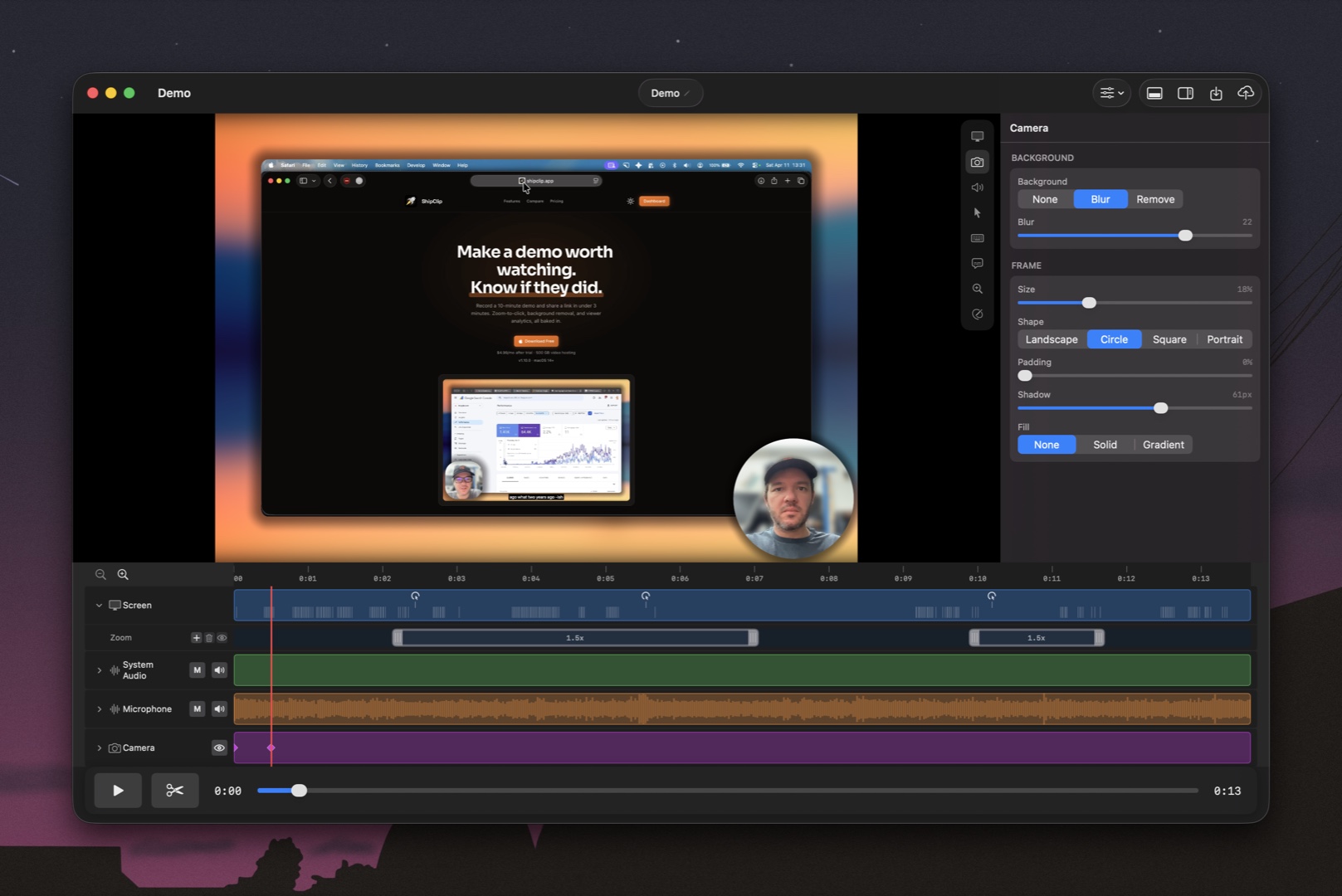
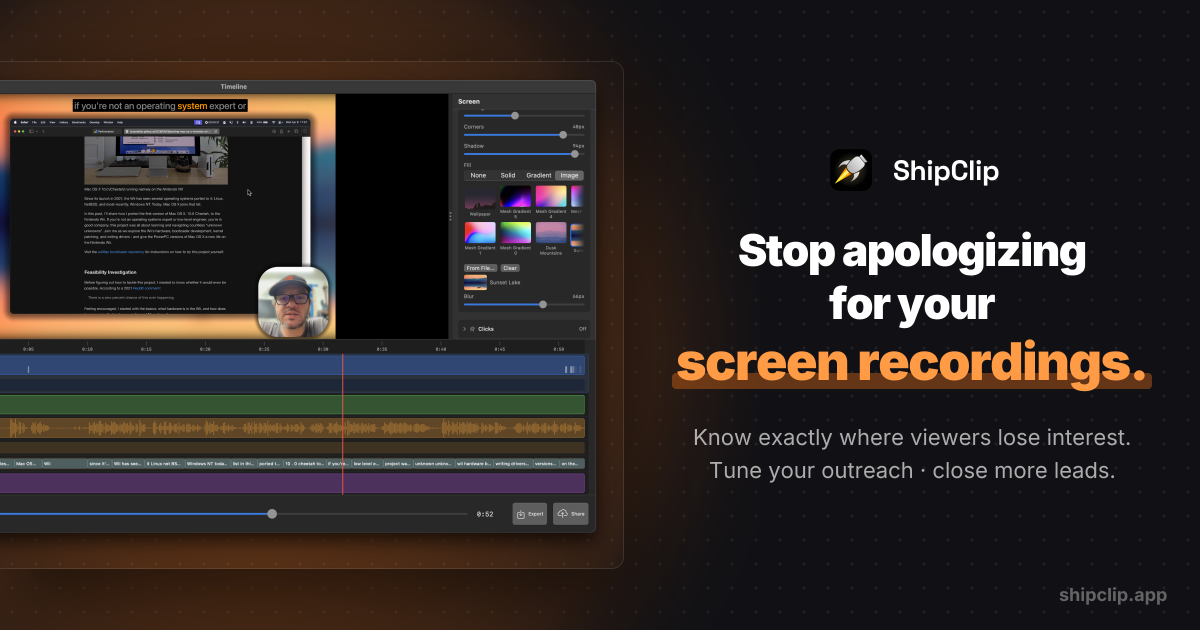
Most screen recorders smash all your audio into one file. One background noise issue, and the whole take is gone. ShipClip records system audio, mic, and camera as separate tracks. Fix one without touching the others. Edit on a multi-track timeline: zoom to your clicks, draw annotations, adjust volume per-track with keyframes, style your recording with padding and rounded corners. A 10-minute video exports in under 3 minutes. Share via link or download the file. Built in Swift and Metal for macOS. 5 MB app, no Electron, no browser tab eating your RAM. Made for founders and small teams shipping product demos, async updates, and sales outreach.
Features
- Multi-track recording: system audio, microphone, and camera record as separate tracks. Fix one without re-recording the others.
- Timeline editor: cut, trim, and arrange clips on a multi-track timeline without leaving the app.
- Zoom-to-click: automatically zooms into your mouse clicks during playback, so viewers follow your cursor.
- Annotations: draw arrows, rectangles, and text directly on the recording. Blur sensitive areas.
- Volume automation: adjust audio levels per-track with keyframes. Fade music, mute a cough, boost narration.
- Instant sharing: generate a shareable link or export the file. A 10-minute video exports in under 3 minutes.
Use Cases
- Multi-track recording: system audio, microphone, and camera record as separate tracks. Fix one without re-recording the others.
- Timeline editor: cut, trim, and arrange clips on a multi-track timeline without leaving the app.
- Zoom-to-click: automatically zooms into your mouse clicks during playback, so viewers follow your cursor.
- Annotations: draw arrows, rectangles, and text directly on the recording. Blur sensitive areas.
- Volume automation: adjust audio levels per-track with keyframes. Fade music, mute a cough, boost narration.
- Instant sharing: generate a shareable link or export the file. A 10-minute video exports in under 3 minutes.

Comments


Finally, a native Mac screen recorder! The fact that this is built with Swift and Metal rather than being another memory-heavy Electron app is a huge selling point. A 5MB footprint is impressive, and those export speeds are exactly what founders need when shipping quick demos. Great work on keeping it lean and fast.


Very nice page , check please also mine https://testuj.ovh/tester_gamepad


We built ShipClip because every screen recorder we tried either couldn't record system audio on Mac, or forced us into a browser-based editor that choked on anything over 5 minutes. ShipClip records screen, mic, system audio, and camera as separate tracks, edits on a timeline, and shares via link. The whole app is 5 MB. We'd love to hear what you think, especially if you're making product demos or async walkthroughs.
Separate tracks for system audio, mic, and camera is exactly the right architecture — fixing one bad audio layer beats re-recording an entire take. The multi-track timeline with per-track keyframe volume control puts this in a different category from most Mac screen recorders. 10-minute export in under 3 minutes is impressive for a Swift/Metal build. Curious whether there are plans to support virtual camera output for live streaming setups.
Premium Products







































Sponsors
Buy

Makers
Makers
Comments
Finally, a native Mac screen recorder! The fact that this is built with Swift and Metal rather than being another memory-heavy Electron app is a huge selling point. A 5MB footprint is impressive, and those export speeds are exactly what founders need when shipping quick demos. Great work on keeping it lean and fast.
Very nice page , check please also mine https://testuj.ovh/tester_gamepad
We built ShipClip because every screen recorder we tried either couldn't record system audio on Mac, or forced us into a browser-based editor that choked on anything over 5 minutes. ShipClip records screen, mic, system audio, and camera as separate tracks, edits on a timeline, and shares via link. The whole app is 5 MB. We'd love to hear what you think, especially if you're making product demos or async walkthroughs.
Separate tracks for system audio, mic, and camera is exactly the right architecture — fixing one bad audio layer beats re-recording an entire take. The multi-track timeline with per-track keyframe volume control puts this in a different category from most Mac screen recorders. 10-minute export in under 3 minutes is impressive for a Swift/Metal build. Curious whether there are plans to support virtual camera output for live streaming setups.
Premium Products
New to Fazier?

Find your next favorite product or submit your own. Made by @FalakDigital.
Copyright ©2026. All Rights Reserved